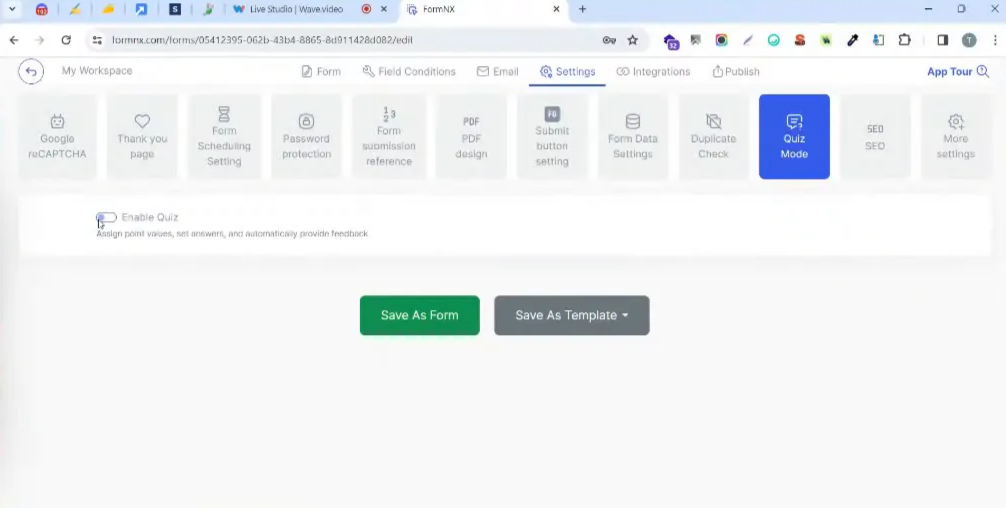
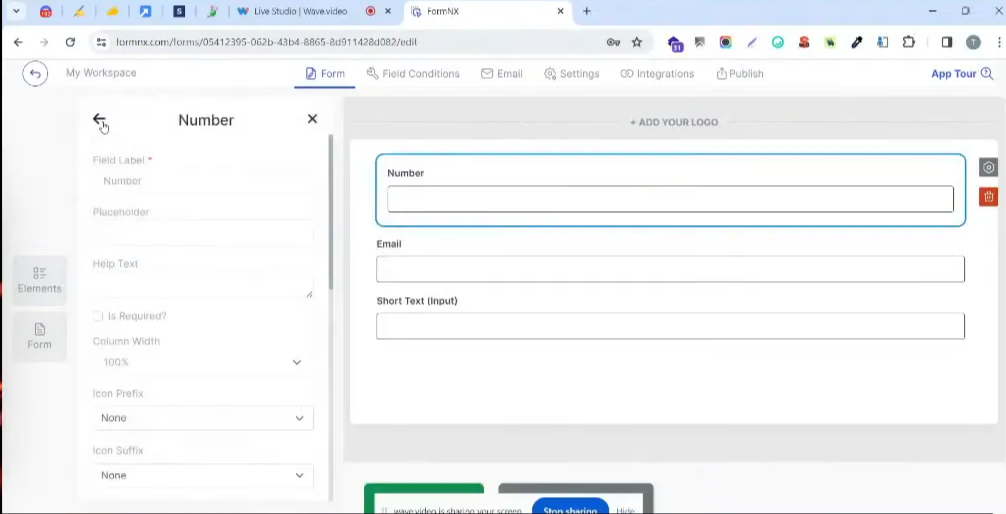
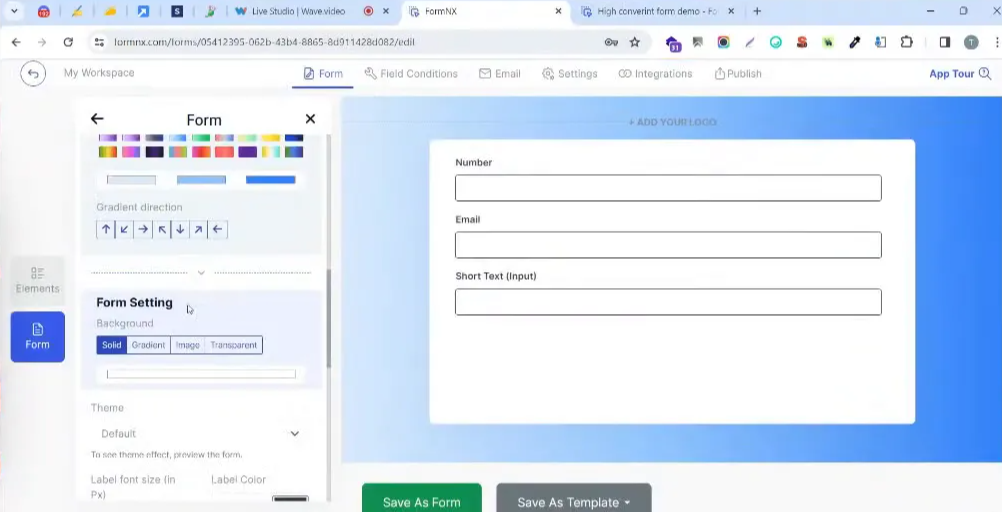
<?xml version="1.0" encoding="utf-8"?>
<feed xmlns="http://www.w3.org/2005/Atom">
    <id>https://formnx.com/details/blog</id>
    <title>FormNX Blog</title>
    <updated>2026-06-12T00:00:00.000Z</updated>
    <generator>https://github.com/jpmonette/feed</generator>
    <link rel="alternate" href="https://formnx.com/details/blog"/>
    <subtitle>FormNX Blog</subtitle>
    <icon>https://formnx.com/details/img/logo.svg</icon>
    <entry>
        <title type="html"><![CDATA[How to Add a Signature to Google Forms: 5 Free Ways (2026)]]></title>
        <id>https://formnx.com/details/blog/add-signature-field-in-google-forms</id>
        <link href="https://formnx.com/details/blog/add-signature-field-in-google-forms"/>
        <updated>2026-06-12T00:00:00.000Z</updated>
        <summary type="html"><![CDATA[Learn how to add a signature to Google Forms with free add-ons, workarounds & alternatives. Compare Bolo, Formesign, SignNow & SignRequest + legality tips.]]></summary>
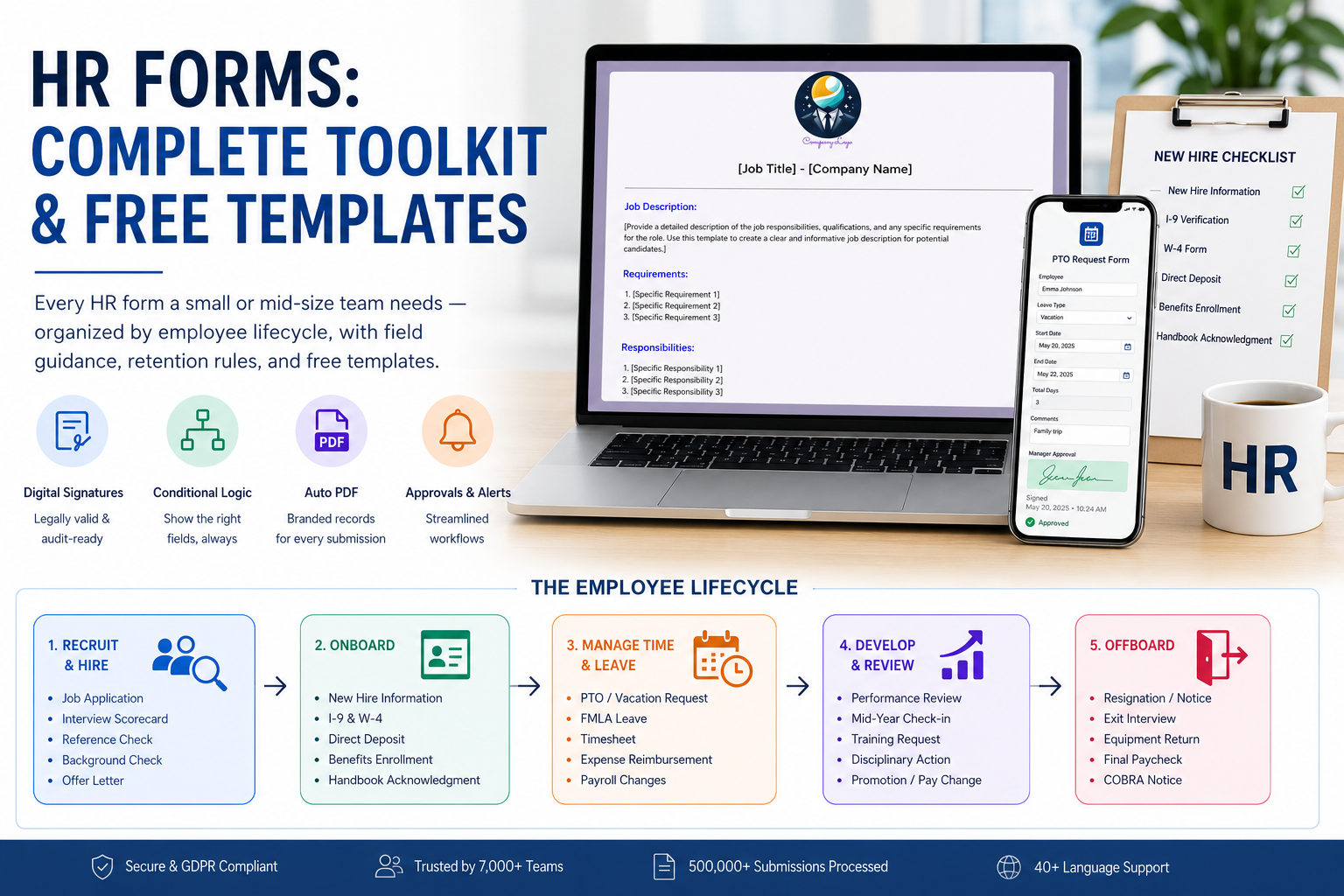
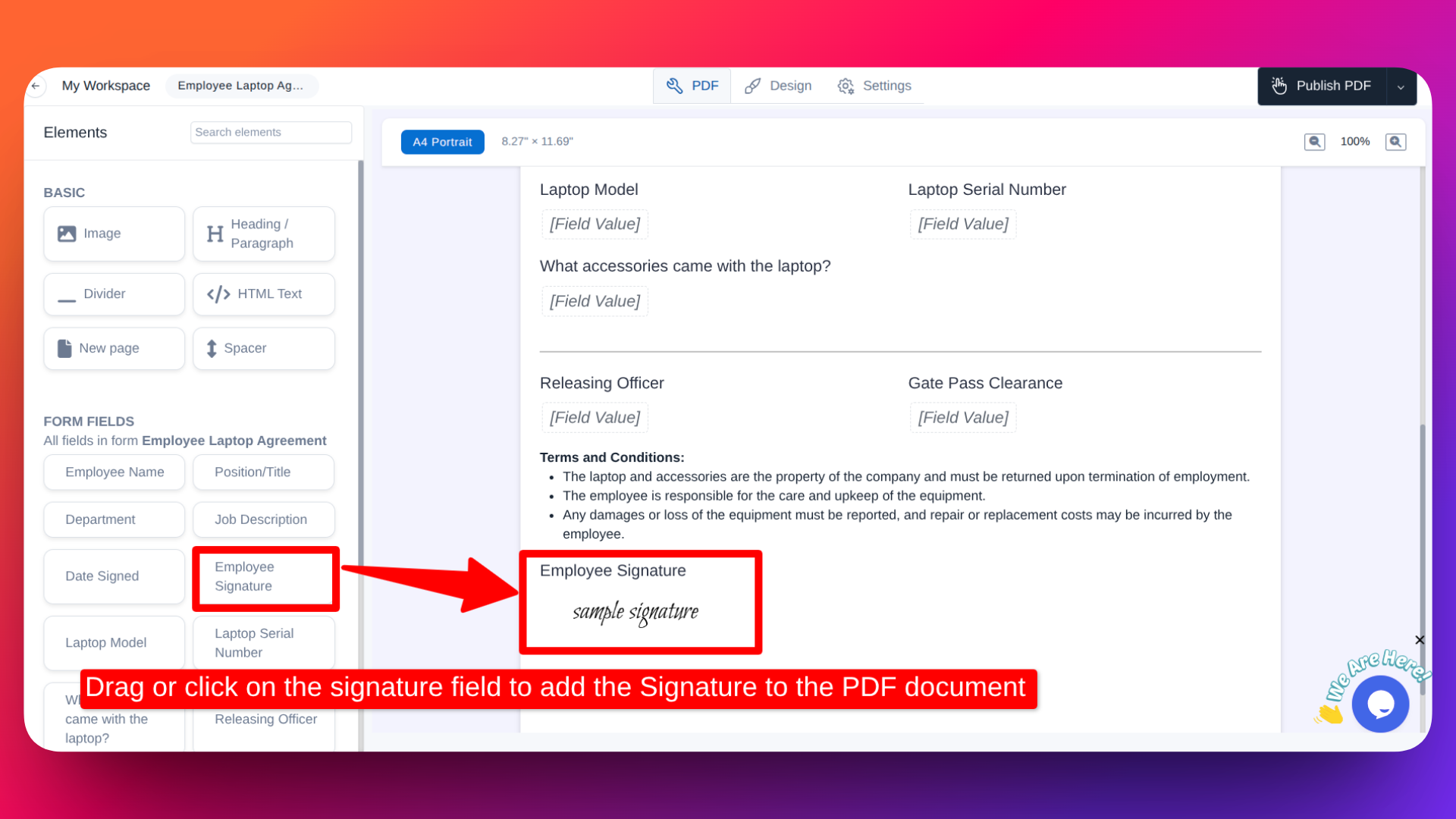
        <content type="html"><![CDATA[<p><strong>Google Forms does not have a built-in signature field.</strong> But you can still collect signatures using free add-ons, simple workarounds, or a form builder that has signatures built in.</p><p>In this guide, I'll walk you through five ways to add a <strong>Google Forms signature</strong> field - from add-ons to alternatives - with step-by-step instructions, pros and cons, and legal validity tips so you pick the right method for your use case.</p><h2 class="anchor anchorWithStickyNavbar_LWe7" id="quick-answer-can-you-add-a-signature-in-google-forms">Quick Answer: Can You Add a Signature in Google Forms?<a href="#quick-answer-can-you-add-a-signature-in-google-forms" class="hash-link" aria-label="Direct link to Quick Answer: Can You Add a Signature in Google Forms?" title="Direct link to Quick Answer: Can You Add a Signature in Google Forms?">​</a></h2><p>No - Google Forms has no native signature option. Here's a summary of your five options:</p><table><thead><tr><th>Method</th><th>Cost</th><th>Setup Time</th><th>Legal Strength</th><th>Best For</th></tr></thead><tbody><tr><td><strong>Bolo Sign add-on</strong></td><td>Free (limited)</td><td>5-10 min</td><td>Low-Medium</td><td>Occasional signatures</td></tr><tr><td><strong>Formesign add-on</strong></td><td>Free (limited)</td><td>5-10 min</td><td>Low-Medium</td><td>Simple signature capture</td></tr><tr><td><strong>Typed initials</strong></td><td>Free</td><td>1 min</td><td>Very Low</td><td>Internal acknowledgments</td></tr><tr><td><strong>Image upload</strong></td><td>Free</td><td>2 min</td><td>Very Low</td><td>Last resort</td></tr><tr><td><strong>FormNX (built-in)</strong></td><td>Free</td><td>10 seconds</td><td>High</td><td>Contracts, waivers, consent forms</td></tr></tbody></table><p>Let's go through each method.</p><h2 class="anchor anchorWithStickyNavbar_LWe7" id="method-1-bolo-sign---signature-add-on-for-google-forms">Method 1: Bolo Sign - Signature Add-On for Google Forms<a href="#method-1-bolo-sign---signature-add-on-for-google-forms" class="hash-link" aria-label="Direct link to Method 1: Bolo Sign - Signature Add-On for Google Forms" title="Direct link to Method 1: Bolo Sign - Signature Add-On for Google Forms">​</a></h2><p><a href="https://workspace.google.com/marketplace/app/signature_in_google_forms_by_bolo_sign_p/147316795411" target="_blank" rel="noopener noreferrer">Signature by Bolo Sign</a> is one of the most popular free signature add-ons for Google Forms, with a 4.4/5 rating on the Google Workspace Marketplace.</p><p><strong>Step-by-step setup:</strong></p><ol><li>Open your Google Form</li><li>Click the <strong>three-dot menu (⋮)</strong> in the top-right corner</li><li>Select <strong>Get add-ons</strong></li><li>Search for <strong>"Signature"</strong> by Bolo Sign</li><li>Click <strong>Install</strong> and grant the required permissions</li><li>Go back to your form and click the <strong>puzzle icon</strong> (Add-ons)</li><li>Select <strong>Signature</strong> then <strong>Add Signature Field</strong></li><li>A signature question will appear in your form</li></ol><p><strong>Pros:</strong></p><ul><li>Draw or type your signature</li><li>Works within the Google Forms interface</li><li>Free tier available</li></ul><p><strong>Cons:</strong></p><ul><li>Free plan limits signatures per month</li><li>Setup requires granting multiple permissions to a third-party</li><li>Signatures may not include IP address or timestamp for legal use</li><li>Mobile signature drawing can be inconsistent</li></ul><h2 class="anchor anchorWithStickyNavbar_LWe7" id="method-2-formesign---esignature-add-on">Method 2: Formesign - eSignature Add-On<a href="#method-2-formesign---esignature-add-on" class="hash-link" aria-label="Direct link to Method 2: Formesign - eSignature Add-On" title="Direct link to Method 2: Formesign - eSignature Add-On">​</a></h2><p><a href="https://workspace.google.com/marketplace/app/formesign_signature_for_google_forms/210002188569" target="_blank" rel="noopener noreferrer">Formesign</a> is another Google Forms signature add-on with a 4.6/5 marketplace rating. It focuses on collecting legally binding electronic signatures.</p><p><strong>Step-by-step setup:</strong></p><ol><li>Open your Google Form and click <strong>⋮</strong> then <strong>Get add-ons</strong></li><li>Search for <strong>"Formesign"</strong></li><li>Click <strong>Install</strong> and grant permissions</li><li>Open the add-on from the puzzle icon menu</li><li>Insert a signature field into your form</li></ol><p><strong>Pros:</strong></p><ul><li>Clean signature drawing interface</li><li>Claims legally binding eSignature support</li><li>Can generate signed PDFs (paid tier)</li></ul><p><strong>Cons:</strong></p><ul><li>Free tier caps the number of signatures</li><li>Third-party access to your Google account required</li><li>Limited customization on the free plan</li></ul><h2 class="anchor anchorWithStickyNavbar_LWe7" id="method-3-ask-respondents-to-type-their-initials">Method 3: Ask Respondents to Type Their Initials<a href="#method-3-ask-respondents-to-type-their-initials" class="hash-link" aria-label="Direct link to Method 3: Ask Respondents to Type Their Initials" title="Direct link to Method 3: Ask Respondents to Type Their Initials">​</a></h2><p>This is the simplest workaround - but it's not a real electronic signature.</p><p><strong>How to set it up:</strong></p><ol><li>Add a <strong>Short Answer</strong> question to your Google Form</li><li>Label it something like: "Type your full name as your digital signature"</li><li>Optionally, add response validation to require a minimum character length</li></ol><p><strong>When this works:</strong> Internal acknowledgments, policy sign-offs where legal enforceability isn't a concern.</p><p><strong>When it doesn't:</strong> Contracts, consent forms, waivers, or anything that might be disputed. A typed name in a text field carries almost no legal weight.</p><h2 class="anchor anchorWithStickyNavbar_LWe7" id="method-4-ask-respondents-to-upload-a-signature-image">Method 4: Ask Respondents to Upload a Signature Image<a href="#method-4-ask-respondents-to-upload-a-signature-image" class="hash-link" aria-label="Direct link to Method 4: Ask Respondents to Upload a Signature Image" title="Direct link to Method 4: Ask Respondents to Upload a Signature Image">​</a></h2><p>You can add a <strong>File Upload</strong> question and ask respondents to upload a photo or scan of their handwritten signature.</p><p><strong>Why this isn't recommended:</strong></p><ul><li>Clunky experience - respondents need to sign on paper, photograph it, then upload</li><li>No verification that the signature belongs to the respondent</li><li>Anyone can upload any image</li><li>Poor mobile experience</li><li>No audit trail</li></ul><p>This method only makes sense if you specifically need a handwritten signature on file and have no other option.</p><h2 class="anchor anchorWithStickyNavbar_LWe7" id="method-5-use-a-form-builder-with-a-built-in-signature-field">Method 5: Use a Form Builder with a Built-In Signature Field<a href="#method-5-use-a-form-builder-with-a-built-in-signature-field" class="hash-link" aria-label="Direct link to Method 5: Use a Form Builder with a Built-In Signature Field" title="Direct link to Method 5: Use a Form Builder with a Built-In Signature Field">​</a></h2><p>Instead of patching Google Forms with add-ons, you can use a form builder that has <strong>native signature support</strong> - no add-ons, no permissions, no monthly limits.</p><p><a href="https://formnx.com" target="_blank" rel="noopener noreferrer">FormNX</a> is a free <a href="https://formnx.com/form-features/e-signature-forms" target="_blank" rel="noopener noreferrer">online signature form</a> builder trusted by <strong>7,000+ customers</strong> that includes a built-in signature field out of the box.</p><h3 class="anchor anchorWithStickyNavbar_LWe7" id="how-to-add-a-signature-field-in-formnx-3-steps">How to Add a Signature Field in FormNX (3 Steps)<a href="#how-to-add-a-signature-field-in-formnx-3-steps" class="hash-link" aria-label="Direct link to How to Add a Signature Field in FormNX (3 Steps)" title="Direct link to How to Add a Signature Field in FormNX (3 Steps)">​</a></h3><p><strong>Step 1:</strong> Create a new form or start from one of <a href="https://formnx.com/form-templates" target="_blank" rel="noopener noreferrer">1,000+ free templates</a> - including Google Forms signature templates for waivers, consent forms, and contracts.</p><p><strong>Step 2:</strong> In the form builder, find the <strong>Signature</strong> element in the left panel. Double-click or drag it onto your form.</p><p><strong>Step 3:</strong> Publish your form. Respondents draw their signature on a smooth signature pad that works on any device - mobile, tablet, or desktop.</p><p>No add-ons. No third-party permissions. No signature limits.</p><h3 class="anchor anchorWithStickyNavbar_LWe7" id="how-formnx-signatures-compare-to-google-forms-add-ons">How FormNX Signatures Compare to Google Forms Add-Ons<a href="#how-formnx-signatures-compare-to-google-forms-add-ons" class="hash-link" aria-label="Direct link to How FormNX Signatures Compare to Google Forms Add-Ons" title="Direct link to How FormNX Signatures Compare to Google Forms Add-Ons">​</a></h3><table><thead><tr><th>Feature</th><th>Google Forms + Add-On</th><th>FormNX (Built-In)</th></tr></thead><tbody><tr><td><strong>Signature field</strong></td><td>Requires add-on installation</td><td>Built-in, drag-and-drop</td></tr><tr><td><strong>Setup time</strong></td><td>5-10 minutes (permissions, config)</td><td>10 seconds</td></tr><tr><td><strong>Mobile support</strong></td><td>Inconsistent</td><td>Fully responsive</td></tr><tr><td><strong>Signature limit</strong></td><td>Capped on free tiers (10-50/month)</td><td>Unlimited</td></tr><tr><td><strong>Legal metadata</strong></td><td>Usually missing</td><td>IP address, timestamp, visitor info captured</td></tr><tr><td><strong>PDF with signature</strong></td><td>Not supported natively</td><td><a href="https://formnx.com/details/docs/category/pdf/" target="_blank" rel="noopener noreferrer">Built-in PDF builder</a> embeds signatures</td></tr><tr><td><strong>Cost</strong></td><td>$10-30/month for unlimited</td><td>Free plan available</td></tr><tr><td><strong>Add-on dependency</strong></td><td>Yes - can break after Google updates</td><td>No - native feature</td></tr></tbody></table><p><a href="https://www.youtube.com/watch?v=SP6qglA3cBY" target="_blank" rel="noopener noreferrer"><img loading="lazy" src="https://static2.formnx.com/file/kr15781/1_blog/thumbnail_img_of_adding_signature_field_in_googleform.jpg" alt="Video on how to add signature field in Google Forms" class="img_ev3q"></a></p><h3 class="anchor anchorWithStickyNavbar_LWe7" id="generate-signed-pdfs-automatically">Generate Signed PDFs Automatically<a href="#generate-signed-pdfs-automatically" class="hash-link" aria-label="Direct link to Generate Signed PDFs Automatically" title="Direct link to Generate Signed PDFs Automatically">​</a></h3><p>One thing no Google Forms signature add-on can do: <strong>automatically generate a PDF document with the signature embedded.</strong></p><p>With FormNX's <a href="https://formnx.com/pdf-builder" target="_blank" rel="noopener noreferrer">PDF form builder</a>, you can:</p><ul><li>Design custom PDF templates for contracts, waivers, and consent forms</li><li>Auto-populate form data and the signature into the PDF</li><li>Email the signed PDF to yourself and the respondent automatically</li><li><a href="https://formnx.com/details/docs/PDF/export-bulk-pdfs/" target="_blank" rel="noopener noreferrer">Export signed PDFs in bulk</a></li></ul><p>This is how teams handle signed waivers, employee onboarding documents, and rental agreements at scale - without stitching together add-ons and scripts. For HR teams specifically, see our <a href="/details/blog/hr-forms-guide/">complete HR forms toolkit</a> - it covers I-9, W-4, offer letters, and handbook acknowledgments organized by employee lifecycle stage with the retention rules each form has to meet.</p><h2 class="anchor anchorWithStickyNavbar_LWe7" id="google-forms-electronic-signature-tools-compared-bolo-vs-formesign-vs-signnow-vs-signrequest">Google Forms Electronic Signature Tools Compared: Bolo vs Formesign vs SignNow vs SignRequest<a href="#google-forms-electronic-signature-tools-compared-bolo-vs-formesign-vs-signnow-vs-signrequest" class="hash-link" aria-label="Direct link to Google Forms Electronic Signature Tools Compared: Bolo vs Formesign vs SignNow vs SignRequest" title="Direct link to Google Forms Electronic Signature Tools Compared: Bolo vs Formesign vs SignNow vs SignRequest">​</a></h2><p>People searching for a Google Forms electronic signature solution usually end up choosing between two very different kinds of tools - <strong>marketplace add-ons</strong> that put a signature field inside your form, and <strong>dedicated e-signature platforms</strong> that sign documents after the form is submitted. They solve different problems:</p><table><thead><tr><th>Tool</th><th>Type</th><th>How it works with Google Forms</th><th>Free tier</th><th>Best for</th></tr></thead><tbody><tr><td><strong>Bolo Sign</strong></td><td>Marketplace add-on</td><td>Adds a signature field inside the form</td><td>Yes, limited signatures/month</td><td>Quick in-form signatures</td></tr><tr><td><strong>Formesign</strong></td><td>Marketplace add-on</td><td>Adds a signature field inside the form</td><td>Yes, capped (paid plans unlock signed PDFs)</td><td>In-form signatures + signed PDFs</td></tr><tr><td><strong>SignNow</strong></td><td>E-signature platform</td><td>No native integration - connect via Zapier to send a signing request after submission</td><td>Trial only</td><td>Signing full documents triggered by form responses</td></tr><tr><td><strong>SignRequest</strong> (now part of Box)</td><td>E-signature platform</td><td>No native integration - connect via Zapier; SignRequest is being folded into Box Sign</td><td>Limited</td><td>Teams already on Box</td></tr><tr><td><strong>FormNX</strong></td><td>Form builder with built-in signature</td><td>Replace the Google Form entirely - signature field is native</td><td>Yes, unlimited signatures</td><td>Forms where the signature IS part of the form</td></tr></tbody></table><p>The practical rule: if you just need a signature <strong>on the form itself</strong> (waivers, consent, acknowledgments), a marketplace add-on or a form builder with a native field is the right shape. If you need a <strong>countersigned legal document</strong> generated after submission (offer letters, contracts requiring both parties), a platform like SignNow or DocuSign bolted on via Zapier makes more sense - at the cost of a second subscription and a more fragile setup.</p><h2 class="anchor anchorWithStickyNavbar_LWe7" id="are-google-forms-signatures-legally-binding">Are Google Forms Signatures Legally Binding?<a href="#are-google-forms-signatures-legally-binding" class="hash-link" aria-label="Direct link to Are Google Forms Signatures Legally Binding?" title="Direct link to Are Google Forms Signatures Legally Binding?">​</a></h2><p>This is one of the most common questions about collecting signatures through Google Forms - and the answer matters.</p><h3 class="anchor anchorWithStickyNavbar_LWe7" id="what-makes-a-digital-signature-legally-valid">What Makes a Digital Signature Legally Valid?<a href="#what-makes-a-digital-signature-legally-valid" class="hash-link" aria-label="Direct link to What Makes a Digital Signature Legally Valid?" title="Direct link to What Makes a Digital Signature Legally Valid?">​</a></h3><p>For an electronic signature to be legally binding under laws like the <a href="https://www.govinfo.gov/content/pkg/PLAW-106publ229/pdf/PLAW-106publ229.pdf" target="_blank" rel="noopener noreferrer">ESIGN Act</a> (US) and eIDAS (EU), it generally needs:</p><ul><li>A clear record of <strong>who signed</strong> (name, email address)</li><li><strong>When they signed</strong> (timestamp)</li><li><strong>Proof of identity</strong> (IP address, email verification)</li><li>An <strong>audit trail</strong> showing the document wasn't altered after signing</li><li><strong>Intent to sign</strong> - the signer knowingly agreed</li></ul><h3 class="anchor anchorWithStickyNavbar_LWe7" id="how-google-forms-add-ons-fall-short">How Google Forms Add-Ons Fall Short<a href="#how-google-forms-add-ons-fall-short" class="hash-link" aria-label="Direct link to How Google Forms Add-Ons Fall Short" title="Direct link to How Google Forms Add-Ons Fall Short">​</a></h3><p>Most Google Forms signature add-ons capture <strong>only the drawn signature image</strong>. They typically don't record:</p><ul><li>IP address of the signer</li><li>Precise timestamp of the signature</li><li>Browser or device information</li><li>A tamper-proof audit trail</li></ul><p><strong>Bottom line:</strong> Google Forms signatures via add-ons work for low-stakes internal use - feedback forms, acknowledgments, informal agreements. They may not hold up for legally binding contracts, compliance documents, or regulated industries like healthcare and finance.</p><div class="cta_NHx4"><div class="accent_yETT" aria-hidden="true"></div><div class="body_YMFK"><p class="text_WYXQ">Collect legally defensible signatures without add-ons</p><p class="subtext_IFB9">FormNX has a native drag-and-drop signature field with IP tracking, timestamps, and automatic signed PDF generation.</p><div class="actions_AcwB"><a href="https://formnx.com/register?utm_source=formnx_blog&amp;utm_medium=blog_inline_cta&amp;utm_content=blog_add-signature-field-in-google-forms" class="button_Xm03" target="_blank" rel="noopener noreferrer">Try FormNX Free →</a><span class="note_wbLP">Free forever plan · No credit card required</span></div></div></div><p>For legally enforceable signatures, use a tool that captures full submission metadata alongside the signature. FormNX records <a href="https://formnx.com/details/docs/managing-forms-submissions/visitor-info/" target="_blank" rel="noopener noreferrer">IP address, browser, and visitor info</a> with every submission - giving you a defensible audit trail without needing a separate e-signature platform.</p><h3 class="anchor anchorWithStickyNavbar_LWe7" id="the-four-types-of-signatures">The Four Types of Signatures<a href="#the-four-types-of-signatures" class="hash-link" aria-label="Direct link to The Four Types of Signatures" title="Direct link to The Four Types of Signatures">​</a></h3><p>Understanding signature types helps you choose the right method:</p><ol><li><strong>Wet signatures</strong> - traditional pen-on-paper signatures</li><li><strong>Electronic signatures (e-signatures)</strong> - any electronic mark showing intent to sign (what form add-ons capture)</li><li><strong>Digital signatures</strong> - cryptographically secured signatures with certificate-based verification</li><li><strong>Click-wrap signatures</strong> - "I agree" checkboxes common in software agreements</li></ol><p>Google Forms add-ons produce basic <strong>electronic signatures</strong>. For most business forms - consent forms, waivers, internal approvals - this is sufficient. For high-value contracts or regulated documents, you may need a dedicated digital signature platform like DocuSign.</p><h2 class="anchor anchorWithStickyNavbar_LWe7" id="does-docusign-signnow-or-signrequest-work-with-google-forms">Does DocuSign, SignNow, or SignRequest Work with Google Forms?<a href="#does-docusign-signnow-or-signrequest-work-with-google-forms" class="hash-link" aria-label="Direct link to Does DocuSign, SignNow, or SignRequest Work with Google Forms?" title="Direct link to Does DocuSign, SignNow, or SignRequest Work with Google Forms?">​</a></h2><p>Not directly - none of the major e-signature platforms have a native Google Forms integration:</p><ul><li><strong>DocuSign:</strong> connect through <a href="https://zapier.com/apps/docusign/integrations/google-forms" target="_blank" rel="noopener noreferrer">Zapier</a> - when a form is submitted, Zapier triggers a DocuSign envelope to the respondent's email.</li><li><strong>SignNow:</strong> same pattern - there's no "Google Forms to SignNow" button; you wire form submissions to SignNow signing requests through Zapier or Make.</li><li><strong>SignRequest:</strong> also Zapier-only, and worth knowing before you build on it: SignRequest was acquired by Box and is being folded into Box Sign, so new workflows are better pointed at Box Sign directly.</li></ul><p><strong>The catch with all three:</strong> the respondent fills your form, <em>then</em> receives a separate email asking them to sign a document. That's two steps, two tools, two subscriptions (Zapier + the e-sign platform), and a workflow that breaks silently when any link in the chain changes.</p><p>If you need the signature <strong>on the form itself</strong> - not a separately signed document - a form builder with built-in signatures (like FormNX) is simpler and cheaper than chaining Google Forms + Zapier + an e-signature platform.</p><h2 class="anchor anchorWithStickyNavbar_LWe7" id="beyond-signatures-why-teams-switch-from-google-forms">Beyond Signatures: Why Teams Switch from Google Forms<a href="#beyond-signatures-why-teams-switch-from-google-forms" class="hash-link" aria-label="Direct link to Beyond Signatures: Why Teams Switch from Google Forms" title="Direct link to Beyond Signatures: Why Teams Switch from Google Forms">​</a></h2><p>If the lack of a signature field made you consider alternatives, you'll find that Google Forms has other gaps too. Here's what FormNX offers that Google Forms doesn't:</p><ul><li><strong><a href="https://formnx.com/form-features/conditional-logic" target="_blank" rel="noopener noreferrer">Conditional logic</a></strong> - show or hide fields based on responses</li><li><strong><a href="https://formnx.com/form-features/payment-forms" target="_blank" rel="noopener noreferrer">Online payment forms</a></strong> - collect Stripe and PayPal payments directly in forms</li><li><strong><a href="https://formnx.com/details/docs/features/submission-duplicate-check/" target="_blank" rel="noopener noreferrer">Duplicate submission check</a></strong> - prevent repeat submissions</li><li><strong><a href="https://formnx.com/details/docs/category/quiz-mode/" target="_blank" rel="noopener noreferrer">Quiz mode</a></strong> - auto-graded quizzes with instant feedback</li><li><strong><a href="https://formnx.com/details/docs/features/auto-response-email/" target="_blank" rel="noopener noreferrer">Auto-response emails</a></strong> - customizable confirmation emails</li><li><strong><a href="https://formnx.com/details/docs/features/language-of-forms/" target="_blank" rel="noopener noreferrer">40+ form languages</a></strong> - including RTL support</li><li><strong><a href="https://formnx.com/details/docs/category/publishing-forms/" target="_blank" rel="noopener noreferrer">Embed anywhere</a></strong> - websites, WordPress, popups</li></ul><blockquote><p>With <strong>13,000+ forms created</strong> and <strong>99.99% uptime</strong>, FormNX is built for teams that need more than what Google Forms offers. <a href="https://www.g2.com/products/formnx/" target="_blank" rel="noopener noreferrer">See what our users say on G2</a>.</p></blockquote><p><a href="https://formnx.com/register" target="_blank" rel="noopener noreferrer">Try FormNX free - no credit card required</a></p><h2 class="anchor anchorWithStickyNavbar_LWe7" id="frequently-asked-questions">Frequently Asked Questions<a href="#frequently-asked-questions" class="hash-link" aria-label="Direct link to Frequently Asked Questions" title="Direct link to Frequently Asked Questions">​</a></h2><h3 class="anchor anchorWithStickyNavbar_LWe7" id="can-you-add-a-signature-in-google-forms">Can you add a signature in Google Forms?<a href="#can-you-add-a-signature-in-google-forms" class="hash-link" aria-label="Direct link to Can you add a signature in Google Forms?" title="Direct link to Can you add a signature in Google Forms?">​</a></h3><p>No - Google Forms does not have a native signature field. You can add one using a free add-on like Bolo Sign or Formesign from the Google Workspace Marketplace, or switch to a form builder like <a href="https://formnx.com" target="_blank" rel="noopener noreferrer">FormNX</a> that has a built-in signature element.</p><h3 class="anchor anchorWithStickyNavbar_LWe7" id="how-do-i-add-a-digital-signature-in-google-forms">How do I add a digital signature in Google Forms?<a href="#how-do-i-add-a-digital-signature-in-google-forms" class="hash-link" aria-label="Direct link to How do I add a digital signature in Google Forms?" title="Direct link to How do I add a digital signature in Google Forms?">​</a></h3><p>Install a signature add-on: open your Google Form, click the three-dot menu, select "Get add-ons," search for a signature add-on (like Bolo Sign or Formesign), install it, then use the add-on menu to insert a signature field. Alternatively, use FormNX where you simply drag a signature field onto your form - no add-on needed.</p><h3 class="anchor anchorWithStickyNavbar_LWe7" id="what-is-the-best-free-signature-add-on-for-google-forms">What is the best free signature add-on for Google Forms?<a href="#what-is-the-best-free-signature-add-on-for-google-forms" class="hash-link" aria-label="Direct link to What is the best free signature add-on for Google Forms?" title="Direct link to What is the best free signature add-on for Google Forms?">​</a></h3><p>The two most popular free options are <strong>Bolo Sign</strong> (4.4/5 rating, supports draw and type signatures) and <strong>Formesign</strong> (4.6/5 rating, focuses on legally binding eSignatures). Both have limited free tiers. For unlimited free signatures without any add-on, <a href="https://formnx.com" target="_blank" rel="noopener noreferrer">FormNX</a> includes a built-in signature field.</p><h3 class="anchor anchorWithStickyNavbar_LWe7" id="can-a-google-form-require-a-signature">Can a Google Form require a signature?<a href="#can-a-google-form-require-a-signature" class="hash-link" aria-label="Direct link to Can a Google Form require a signature?" title="Direct link to Can a Google Form require a signature?">​</a></h3><p>Yes, with a workaround. If you've added a signature field through an add-on like Bolo Sign or Formesign, you can mark that question as <strong>Required</strong> so the form can't be submitted without it. With the typed-initials or image-upload workarounds, set the question to Required the same way. In FormNX, any signature field can be marked required with one toggle.</p><h3 class="anchor anchorWithStickyNavbar_LWe7" id="can-google-forms-be-digitally-signed">Can Google Forms be digitally signed?<a href="#can-google-forms-be-digitally-signed" class="hash-link" aria-label="Direct link to Can Google Forms be digitally signed?" title="Direct link to Can Google Forms be digitally signed?">​</a></h3><p>Not in the strict technical sense. A true <strong>digital signature</strong> uses cryptographic certificates to verify the signer's identity - no Google Forms add-on provides that. What add-ons capture is an <strong>electronic signature</strong> (a drawn or typed mark showing intent to sign), which is legally sufficient for most everyday forms like waivers and consent forms but not for documents requiring certificate-based verification.</p><h3 class="anchor anchorWithStickyNavbar_LWe7" id="can-i-use-a-signature-generator-or-copy-paste-a-signature-into-google-forms">Can I use a signature generator or copy-paste a signature into Google Forms?<a href="#can-i-use-a-signature-generator-or-copy-paste-a-signature-into-google-forms" class="hash-link" aria-label="Direct link to Can I use a signature generator or copy-paste a signature into Google Forms?" title="Direct link to Can I use a signature generator or copy-paste a signature into Google Forms?">​</a></h3><p>Sort of - but it's the weakest option. Online signature generators produce an image of a stylized signature, which a respondent could then upload via a File Upload question (Method 4 above). The problem: anyone can generate or paste anyone's signature, there's no identity verification, and no audit trail - so it carries almost no legal weight. Use it only when you need a decorative signature on file, not proof of agreement.</p><h3 class="anchor anchorWithStickyNavbar_LWe7" id="are-google-forms-legally-binding">Are Google Forms legally binding?<a href="#are-google-forms-legally-binding" class="hash-link" aria-label="Direct link to Are Google Forms legally binding?" title="Direct link to Are Google Forms legally binding?">​</a></h3><p>A Google Form response can serve as evidence of agreement (courts have accepted electronic records under the ESIGN Act), but a bare form response is weak evidence on its own. To make a form-based agreement defensible you need clear consent language, a signature with identity metadata (IP, timestamp, email), and an unaltered record of what was agreed to. Standard Google Forms - with or without a basic signature add-on - capture little of this, which is why contracts and waivers are usually collected through tools with full audit trails.</p><h3 class="anchor anchorWithStickyNavbar_LWe7" id="is-a-google-forms-signature-legally-binding">Is a Google Forms signature legally binding?<a href="#is-a-google-forms-signature-legally-binding" class="hash-link" aria-label="Direct link to Is a Google Forms signature legally binding?" title="Direct link to Is a Google Forms signature legally binding?">​</a></h3><p>It depends on the add-on and use case. Most Google Forms signature add-ons only capture the drawn image without recording IP address, timestamp, or audit trail. This is fine for internal acknowledgments but may not hold up for legally binding contracts. For stronger legal standing, use a tool that captures full submission metadata like IP, timestamp, and browser info.</p><h3 class="anchor anchorWithStickyNavbar_LWe7" id="can-i-generate-a-signed-pdf-from-google-forms">Can I generate a signed PDF from Google Forms?<a href="#can-i-generate-a-signed-pdf-from-google-forms" class="hash-link" aria-label="Direct link to Can I generate a signed PDF from Google Forms?" title="Direct link to Can I generate a signed PDF from Google Forms?">​</a></h3><p>Not natively. Google Forms has no PDF generation feature. You would need to combine a signature add-on with Google Apps Script or Zapier - a fragile setup that often breaks. FormNX has a <a href="https://formnx.com/details/docs/category/pdf/" target="_blank" rel="noopener noreferrer">built-in PDF builder</a> that automatically embeds signatures into customizable PDF templates and emails them to respondents.</p><h3 class="anchor anchorWithStickyNavbar_LWe7" id="do-google-forms-signature-add-ons-work-on-mobile">Do Google Forms signature add-ons work on mobile?<a href="#do-google-forms-signature-add-ons-work-on-mobile" class="hash-link" aria-label="Direct link to Do Google Forms signature add-ons work on mobile?" title="Direct link to Do Google Forms signature add-ons work on mobile?">​</a></h3><p>Mobile support varies. Drawing a signature on a small screen through an add-on overlay can be unreliable and frustrating for respondents. If mobile signature capture is important for your use case, consider a form builder with a fully responsive signature field.</p><h3 class="anchor anchorWithStickyNavbar_LWe7" id="how-many-signatures-can-i-collect-for-free-with-google-forms">How many signatures can I collect for free with Google Forms?<a href="#how-many-signatures-can-i-collect-for-free-with-google-forms" class="hash-link" aria-label="Direct link to How many signatures can I collect for free with Google Forms?" title="Direct link to How many signatures can I collect for free with Google Forms?">​</a></h3><p>Most signature add-ons limit the free tier to 10-50 signatures per month. After that, paid plans range from $10-30/month. FormNX offers unlimited signature collection on its free plan with no monthly caps.</p><h3 class="anchor anchorWithStickyNavbar_LWe7" id="does-docusign-work-with-google-forms">Does DocuSign work with Google Forms?<a href="#does-docusign-work-with-google-forms" class="hash-link" aria-label="Direct link to Does DocuSign work with Google Forms?" title="Direct link to Does DocuSign work with Google Forms?">​</a></h3><p>Not directly. You can connect DocuSign, SignNow, or SignRequest through Zapier, but this adds cost and complexity - the respondent gets a separate signing email after submitting the form. For collecting signatures on forms (rather than standalone document signing), a form builder with built-in signatures is a simpler solution.</p><h3 class="anchor anchorWithStickyNavbar_LWe7" id="what-is-the-difference-between-an-electronic-signature-and-a-digital-signature">What is the difference between an electronic signature and a digital signature?<a href="#what-is-the-difference-between-an-electronic-signature-and-a-digital-signature" class="hash-link" aria-label="Direct link to What is the difference between an electronic signature and a digital signature?" title="Direct link to What is the difference between an electronic signature and a digital signature?">​</a></h3><p>An <strong>electronic signature</strong> is any electronic mark showing intent to sign - like drawing your name on a screen or typing it. A <strong>digital signature</strong> is a specific type that uses cryptographic certificates to verify identity and prevent tampering. Google Forms add-ons produce electronic signatures. For most forms (waivers, consent, approvals), electronic signatures are legally sufficient.</p><h3 class="anchor anchorWithStickyNavbar_LWe7" id="can-i-create-a-google-forms-signature-template">Can I create a Google Forms signature template?<a href="#can-i-create-a-google-forms-signature-template" class="hash-link" aria-label="Direct link to Can I create a Google Forms signature template?" title="Direct link to Can I create a Google Forms signature template?">​</a></h3><p>Google Forms doesn't offer signature-specific templates. You can create a form and add a signature add-on, then duplicate it as a template. For ready-made signature form templates - including waivers, consent forms, and contracts - <a href="https://formnx.com/form-templates" target="_blank" rel="noopener noreferrer">FormNX offers 1,000+ free templates</a> with the signature field already included.</p><hr><h2 class="anchor anchorWithStickyNavbar_LWe7" id="related-articles">Related Articles<a href="#related-articles" class="hash-link" aria-label="Direct link to Related Articles" title="Direct link to Related Articles">​</a></h2><ul><li><a href="https://formnx.com/google-forms-alternative" target="_blank" rel="noopener noreferrer">FormNX Google Forms Alternative - Full Comparison Page</a></li><li><a href="https://formnx.com/alternatives" target="_blank" rel="noopener noreferrer">All FormNX Alternatives - Hub Page</a></li><li><a href="https://formnx.com/details/blog/GoogleForms-Vs-FormNX/" target="_blank" rel="noopener noreferrer">Google Forms vs FormNX - Detailed Comparison</a></li><li><a href="https://formnx.com/details/blog/how-to-add-digital-signature-to-pdf/" target="_blank" rel="noopener noreferrer">How to Add a Digital Signature to a PDF</a></li><li><a href="https://formnx.com/details/blog/top-8-alternatives-to-googleforms/" target="_blank" rel="noopener noreferrer">Top 8 Alternatives to Google Forms</a></li><li><a href="https://formnx.com/details/blog/how-to-create-pdf-document-from-form-responses/" target="_blank" rel="noopener noreferrer">How to Create PDF Documents from Form Responses</a></li><li><a href="https://formnx.com/details/blog/qr-code-for-google-forms/" target="_blank" rel="noopener noreferrer">Scan a QR to open the signature form (free QR code for Google Forms)</a></li></ul>]]></content>
        <author>
            <name>Nikhil</name>
            <uri>https://www.linkedin.com/in/nikhil-agrawal-21b31833/</uri>
        </author>
        <category label="Google Forms" term="Google Forms"/>
        <category label="Signature" term="Signature"/>
        <category label="eSignature" term="eSignature"/>
        <category label="Form Builder" term="Form Builder"/>
        <category label="Google Forms Add-on" term="Google Forms Add-on"/>
        <category label="FormNX" term="FormNX"/>
        <category label="Digital Signature" term="Digital Signature"/>
        <category label="Electronic Signature" term="Electronic Signature"/>
    </entry>
    <entry>
        <title type="html"><![CDATA[8 Best Google Forms Alternatives (2026): Free & Paid]]></title>
        <id>https://formnx.com/details/blog/top-8-alternatives-to-googleforms</id>
        <link href="https://formnx.com/details/blog/top-8-alternatives-to-googleforms"/>
        <updated>2026-06-12T00:00:00.000Z</updated>
        <summary type="html"><![CDATA[Looking for a Google Forms alternative? Compare the 8 best free & paid options for 2026 - forms like Google Forms with payments, e-signatures & more.]]></summary>
        <content type="html"><![CDATA[<p>Looking for a Google Forms alternative? Google Forms has been the go-to choice for millions of users creating simple surveys and collecting basic information. While it's free and easy to use, Google Forms falls short when businesses need advanced features, better customization, or professional-grade functionality - and that's when its competitors start looking attractive.</p><p>The limitations become apparent quickly: limited design customization options that make forms look generic and unprofessional, basic conditional logic that can only show one question per page, no payment integration capabilities, lack of e-signature features, doesn't prevent duplicate submissions and no advanced analytics or reporting tools. For businesses handling sensitive data, Google Forms also lacks GDPR compliance features and password protection. </p><p>In Google Forms you need to install and set up the Add-ons to send customized confirmation emails which is a hard, lengthy and time consuming process. Google Forms does not have a built-in feature to save partial responses, means you cannot complete a partially filled form and if you leave a Google Form without submitting it, all your answers will be lost. It does not have "save and continue later" or "save as Draft" feature.</p><p>Whether you're collecting event registrations, generating leads, processing payments, or conducting market research, these limitations can significantly impact your workflow efficiency and brand perception. Professional organizations need form builders that offer advanced conditional logic, payment processing, custom branding, robust security features, and seamless integrations.</p><div class="cta_NHx4"><div class="accent_yETT" aria-hidden="true"></div><div class="body_YMFK"><p class="text_WYXQ">Need all the features Google Forms is missing?</p><p class="subtext_IFB9">FormNX gives you unlimited submissions, e-signatures, payments, and PDF generation - starting at $15/mo with a free forever plan.</p><div class="actions_AcwB"><a href="https://formnx.com/register?utm_source=formnx_blog&amp;utm_medium=blog_inline_cta&amp;utm_content=blog_top-8-alternatives-to-googleforms" class="button_Xm03" target="_blank" rel="noopener noreferrer">Try FormNX Free →</a><span class="note_wbLP">Free forever plan · No credit card required</span></div></div></div><p><img loading="lazy" src="https://static2.formnx.com/file/kr15781/1_blog/googleform_landing_page.png" alt="Google Form" class="img_ev3q"></p><p>This comprehensive guide examines the top 8 alternatives to Google Forms — forms like Google Forms that keep its simplicity but add the advanced functionality it lacks — and addresses the pain points above. From affordable solutions with unlimited submissions to enterprise-grade platforms with sophisticated analytics, we'll help you find the perfect Google Forms replacement that matches your specific needs and budget.</p><h2 class="anchor anchorWithStickyNavbar_LWe7" id="google-forms-alternatives--competitors-quick-comparison">Google Forms Alternatives &amp; Competitors: Quick Comparison<a href="#google-forms-alternatives--competitors-quick-comparison" class="hash-link" aria-label="Direct link to Google Forms Alternatives &amp; Competitors: Quick Comparison" title="Direct link to Google Forms Alternatives &amp; Competitors: Quick Comparison">​</a></h2><table><thead><tr><th>Tool</th><th>Free plan</th><th>Paid from</th><th>Payments</th><th>E-sign / PDF</th><th>Best for</th></tr></thead><tbody><tr><td><strong>FormNX</strong></td><td>Unlimited forms &amp; submissions</td><td>$15/mo</td><td>Stripe &amp; PayPal (0% platform fee)</td><td>✅ / ✅</td><td>Best overall value</td></tr><tr><td>Google Forms</td><td>Unlimited</td><td>Free</td><td>❌</td><td>❌ / ❌</td><td>Simple free surveys</td></tr><tr><td><strong>Typeform</strong></td><td>10 responses/mo total</td><td>$39/mo ($28/mo annual)</td><td>Stripe</td><td>eSign add-on / ❌</td><td>Conversational, design-first forms</td></tr><tr><td><strong>JotForm</strong></td><td>5 forms, 100 submissions/mo</td><td>$39/mo</td><td>Stripe, PayPal, Square</td><td>✅ / ✅</td><td>Enterprise features, HIPAA</td></tr><tr><td><strong>SurveyMonkey</strong></td><td>Limited</td><td>Premium tiers</td><td>❌</td><td>❌ / ❌</td><td>Market research &amp; analytics</td></tr><tr><td><strong>Microsoft Forms</strong></td><td>With Microsoft 365</td><td>$6/user/mo (M365)</td><td>❌</td><td>❌ / ❌</td><td>Microsoft 365 users</td></tr><tr><td><strong>Cognito Forms</strong></td><td>500 entries/mo</td><td>Paid tiers</td><td>Stripe, PayPal, Square</td><td>✅ PDF</td><td>Calculations &amp; workflows</td></tr><tr><td><strong>Wufoo</strong></td><td>Limited</td><td>Paid tiers</td><td>Stripe, PayPal</td><td>❌</td><td>Quick, simple forms</td></tr><tr><td><strong>Qualtrics</strong></td><td>Trial only</td><td>Custom (enterprise)</td><td>❌</td><td>❌ / ❌</td><td>Enterprise research</td></tr></tbody></table><p>Here below is the detailed breakdown of each option.</p><h2 class="anchor anchorWithStickyNavbar_LWe7" id="1-formnx---the-ultimate-google-forms-alternative">1. FormNX - The Ultimate Google Forms Alternative<a href="#1-formnx---the-ultimate-google-forms-alternative" class="hash-link" aria-label="Direct link to 1. FormNX - The Ultimate Google Forms Alternative" title="Direct link to 1. FormNX - The Ultimate Google Forms Alternative">​</a></h2><p>FormNX stands as the most compelling alternative to Google Forms, offering professional-grade features at an unbeatable price point. This no-code form builder transforms how businesses collect data, process payments, and engage with customers through beautifully designed, highly functional forms.</p><p>👉 <em>See the dedicated <a href="https://formnx.com/google-forms-alternative" target="_blank" rel="noopener noreferrer">FormNX vs Google Forms landing page</a> for a side-by-side feature, pricing, and migration breakdown.</em></p><p><img loading="lazy" src="https://static2.formnx.com/file/kr15781/1_blog/formnx_landing_page.png" alt="FormNX" class="img_ev3q"></p><p>FormNX is an affordable, powerful no-code form builder designed for businesses that need unlimited form creation without the restrictions of Google Forms. It also ships an <a href="https://formnx.com/ai-form-builder" target="_blank" rel="noopener noreferrer">AI form generator</a> — describe the form you need in a sentence ("patient intake form for a dental clinic with insurance fields") and FormNX scaffolds the fields, validation, and layout in seconds, something Google Forms doesn't offer natively. Whether you're creating <a href="https://formnx.com/form-templates/category/contact-forms-10" target="_blank" rel="noopener noreferrer">contact forms</a>, <a href="https://formnx.com/form-templates/category/event-registration-56" target="_blank" rel="noopener noreferrer">event registrations</a>, <a href="https://formnx.com/form-templates/category/payment-forms-160" target="_blank" rel="noopener noreferrer">payment collections</a>, <a href="https://formnx.com/form-templates/category/survey-forms-51" target="_blank" rel="noopener noreferrer">survey forms</a>, <a href="https://formnx.com/form-templates/category/quiz-forms-136" target="_blank" rel="noopener noreferrer">quiz forms</a>, <a href="https://formnx.com/form-templates/category/consent-forms-57" target="_blank" rel="noopener noreferrer">consent forms</a>, <a href="https://formnx.com/form-templates/category/human-resource-hr-36" target="_blank" rel="noopener noreferrer">HR forms</a>, <a href="https://formnx.com/form-templates/category/marketing-22" target="_blank" rel="noopener noreferrer">Marketing forms</a>, <a href="https://formnx.com/form-templates/category/application-forms-53" target="_blank" rel="noopener noreferrer">application forms</a>, <a href="https://formnx.com/form-templates/category/rsvp-101" target="_blank" rel="noopener noreferrer">RSVP forms</a>, <a href="https://formnx.com/form-templates/category/registration-forms-7" target="_blank" rel="noopener noreferrer">Registration forms</a>, or complex multi-step surveys, FormNX delivers professional results in minutes.</p><h3 class="anchor anchorWithStickyNavbar_LWe7" id="key-features">Key Features<a href="#key-features" class="hash-link" aria-label="Direct link to Key Features" title="Direct link to Key Features">​</a></h3><ul><li>Unlimited forms and submissions - No monthly caps or hidden restrictions</li><li>Unlimited form fields - Build complex forms without field limitations</li><li>1000+ Professional Templates - FormNX offers the largest template library compared to Google Forms' limited 17 templates. Choose from professionally designed templates for:<ul><li><a href="https://formnx.com/form-templates/category/event-registration-56" target="_blank" rel="noopener noreferrer">Event registration forms</a></li><li><a href="https://formnx.com/form-templates/category/lead-generation-form-5" target="_blank" rel="noopener noreferrer">Lead generation</a> and <a href="https://formnx.com/form-templates/category/marketing-22" target="_blank" rel="noopener noreferrer">marketing forms</a></li><li><a href="https://formnx.com/form-templates/category/feedback-forms-12" target="_blank" rel="noopener noreferrer">Customer feedback</a> and <a href="https://formnx.com/form-templates/category/survey-forms-51" target="_blank" rel="noopener noreferrer">surveys</a></li><li><a href="https://formnx.com/form-templates/category/human-resource-hr-36" target="_blank" rel="noopener noreferrer">HR and employee forms</a> - see our full <a href="/details/blog/hr-forms-guide/">HR forms toolkit</a> for the lifecycle breakdown</li><li><a href="https://formnx.com/form-templates/category/order-forms-107" target="_blank" rel="noopener noreferrer">Order and payment forms</a></li><li><a href="https://formnx.com/form-templates/category/medical-40" target="_blank" rel="noopener noreferrer">Medical and HIPAA-compliant forms</a></li><li><a href="https://formnx.com/form-templates/category/e-commerce-forms-16" target="_blank" rel="noopener noreferrer">E-commerce forms</a></li><li><a href="https://formnx.com/form-templates/category/calculation-forms-143" target="_blank" rel="noopener noreferrer">Calculation forms</a></li><li><a href="https://formnx.com/form-templates/category/service-booking-forms-9" target="_blank" rel="noopener noreferrer">Service Booking forms</a></li></ul></li></ul><h4 class="anchor anchorWithStickyNavbar_LWe7" id="advanced-form-features">Advanced Form Features<a href="#advanced-form-features" class="hash-link" aria-label="Direct link to Advanced Form Features" title="Direct link to Advanced Form Features">​</a></h4><ul><li><strong>Advanced <a href="https://formnx.com/form-features/conditional-logic" target="_blank" rel="noopener noreferrer">conditional logic</a></strong> - Show/hide multiple questions per page (vs Google Forms' basic one-question-per-page logic)</li><li><strong><a href="https://formnx.com/pdf-builder" target="_blank" rel="noopener noreferrer">Form-to-PDF builder</a></strong> - Automatically generate branded PDF reports from submissions</li><li><strong><a href="https://formnx.com/form-features/e-signature-forms" target="_blank" rel="noopener noreferrer">E-signature form builder</a></strong> - Built-in digital signature functionality</li><li><strong>Payment integration</strong> - Native <a href="/details/blog/google-payable-forms-alternative">Stripe and PayPal</a> on the same <a href="https://formnx.com/form-features/payment-forms" target="_blank" rel="noopener noreferrer">form with payment</a> so customers pick at checkout - no Payable Forms-style add-on required</li><li><strong><a href="https://formnx.com/form-features/multi-step-forms" target="_blank" rel="noopener noreferrer">Multi-step forms</a></strong> - Split long forms into pages with progress bar and per-step validation to boost completion rates</li><li><strong>Duplicate submission prevention</strong> - Advanced validation to prevent multiple submissions</li><li><strong>Email Verification (OTP)</strong> - Verify email addresses with a 6-digit code before submission to prevent spam and ensure data accuracy (Pro plan)</li><li><strong>Block Disposable Emails</strong> - Automatically reject submissions from temporary/throwaway email providers (Mailinator, 10MinuteMail, Guerrilla Mail, etc.) to keep your lead list clean (Pro plan)</li><li><strong>Take photo feature</strong> - Live camera capture within forms</li><li><strong>Password protection</strong> - Secure forms with password access</li><li><strong>GDPR compliance</strong> - Built-in privacy protection features</li></ul><h4 class="anchor anchorWithStickyNavbar_LWe7" id="superior-customization-options">Superior Customization Options<a href="#superior-customization-options" class="hash-link" aria-label="Direct link to Superior Customization Options" title="Direct link to Superior Customization Options">​</a></h4><ul><li>Complete design control - Custom colors, fonts, backgrounds, and layouts</li><li>Brand matching - Upload logos and maintain brand consistency</li><li>Mobile-optimized designs - All forms are automatically mobile-responsive</li></ul><h3 class="anchor anchorWithStickyNavbar_LWe7" id="pricing">Pricing<a href="#pricing" class="hash-link" aria-label="Direct link to Pricing" title="Direct link to Pricing">​</a></h3><p>FormNX's pricing strategy makes professional form building accessible to everyone:</p><ul><li>FormNX provides Starter plan i.e. absolutely free and this plan includes unlimited forms, unmlimited submissions, unlimited fields per form, and also access to all 1000+ templates.</li><li>FormNX provides different paid plans like Pro Plan 1, Pro Plan 2, Pro Plan 3, etc. according to the workspaces, storage limit, and PDF credits.</li><li>FormNX provides special plan for <strong>agencies</strong> looking to create and manage a lot of customer forms</li></ul><div class="theme-admonition theme-admonition-note alert alert--secondary admonition_LlT9"><div class="admonitionHeading_tbUL"><span class="admonitionIcon_kALy"><svg viewBox="0 0 14 16"><path fill-rule="evenodd" d="M6.3 5.69a.942.942 0 0 1-.28-.7c0-.28.09-.52.28-.7.19-.18.42-.28.7-.28.28 0 .52.09.7.28.18.19.28.42.28.7 0 .28-.09.52-.28.7a1 1 0 0 1-.7.3c-.28 0-.52-.11-.7-.3zM8 7.99c-.02-.25-.11-.48-.31-.69-.2-.19-.42-.3-.69-.31H6c-.27.02-.48.13-.69.31-.2.2-.3.44-.31.69h1v3c.02.27.11.5.31.69.2.2.42.31.69.31h1c.27 0 .48-.11.69-.31.2-.19.3-.42.31-.69H8V7.98v.01zM7 2.3c-3.14 0-5.7 2.54-5.7 5.68 0 3.14 2.56 5.7 5.7 5.7s5.7-2.55 5.7-5.7c0-3.15-2.56-5.69-5.7-5.69v.01zM7 .98c3.86 0 7 3.14 7 7s-3.14 7-7 7-7-3.12-7-7 3.14-7 7-7z"></path></svg></span>note</div><div class="admonitionContent_S0QG"><p><strong>Check out the pricing page for the information about latest paid plans - <a href="https://formnx.com/price" target="_blank" rel="noopener noreferrer">https://formnx.com/price</a></strong></p><p><strong>30-Day Money-Back Guarantee</strong></p></div></div><h3 class="anchor anchorWithStickyNavbar_LWe7" id="pros">Pros:<a href="#pros" class="hash-link" aria-label="Direct link to Pros:" title="Direct link to Pros:">​</a></h3><ul><li>Exceptional value - More features than competitors at lower cost</li><li>No submission limits - Unlike Google Forms' enterprise restrictions</li><li>Outstanding customer support - Responsive, helpful team</li><li>Extensive integrations - Webhook, Stripe, Mailchimp, and more</li><li>Advanced features included - E-signatures, payments, PDF generation in free plan</li></ul><h3 class="anchor anchorWithStickyNavbar_LWe7" id="cons">Cons:<a href="#cons" class="hash-link" aria-label="Direct link to Cons:" title="Direct link to Cons:">​</a></h3><ul><li>Newer brand - Less market recognition than Google Forms or Typeform</li><li>Learning curve - More features mean slightly steeper learning curve than basic Google Forms</li></ul><h3 class="anchor anchorWithStickyNavbar_LWe7" id="real-user-reviews-and-testimonials">Real User Reviews and Testimonials<a href="#real-user-reviews-and-testimonials" class="hash-link" aria-label="Direct link to Real User Reviews and Testimonials" title="Direct link to Real User Reviews and Testimonials">​</a></h3><div class="theme-admonition theme-admonition-info alert alert--info admonition_LlT9"><div class="admonitionHeading_tbUL"><span class="admonitionIcon_kALy"><svg viewBox="0 0 14 16"><path fill-rule="evenodd" d="M7 2.3c3.14 0 5.7 2.56 5.7 5.7s-2.56 5.7-5.7 5.7A5.71 5.71 0 0 1 1.3 8c0-3.14 2.56-5.7 5.7-5.7zM7 1C3.14 1 0 4.14 0 8s3.14 7 7 7 7-3.14 7-7-3.14-7-7-7zm1 3H6v5h2V4zm0 6H6v2h2v-2z"></path></svg></span>info</div><div class="admonitionContent_S0QG"><p><strong><a href="https://www.g2.com/products/formnx/reviews" target="_blank" rel="noopener noreferrer">G2 Rating: 4.4/5 stars</a></strong> - "I like how easy it easy to gather information with with the surveys, I created. In my case usually gather information about my clients to best serve them. FormNX made it a walk in the part for me. I also appreciate how FormNX is constantly enhancing the user experience and interface. The best part is that if I need assistance with new features, support is always available to address my needs."</p><p><strong><a href="https://www.trustpilot.com/review/formnx.com" target="_blank" rel="noopener noreferrer">Trustpilot Rating: 4.4/5 stars</a></strong> - "I've been using formnx.com for over a year now, and I am consistently impressed with their service. With 30 to 50 form entries daily, I'm certainly not a small user, and the platform handles the volume effortlessly. The scope of features they offer is truly comprehensive, covering everything I need and more. It's clear that a lot of thought has gone into providing a robust and versatile platform that caters to a wide range of needs, from casual users to those with significant daily demands."</p><p><strong><a href="https://fivetaco.com/products/formnx/reviews" target="_blank" rel="noopener noreferrer">FiveTaco: 4.7/5 stars</a></strong> - "I've been using FormNX for over a month now and it's worth every penny! I have migrated almost all the forms on my websites to FormNX because the integration helps me automate many tasks, the simple way of creating forms has helped me create forms easier and faster! Highly recommended!"</p></div></div><p><strong>YouTube Video Resources</strong> <a href="https://www.youtube.com/watch?v=2k9w0dKMfGA" target="_blank" rel="noopener noreferrer">FormNX Complete Demo</a> | Build Forms Without Coding - Comprehensive walkthrough of FormNX features</p><h2 class="anchor anchorWithStickyNavbar_LWe7" id="2-typeform">2. Typeform<a href="#2-typeform" class="hash-link" aria-label="Direct link to 2. Typeform" title="Direct link to 2. Typeform">​</a></h2><p>Typeform revolutionized form building by introducing conversational, one-question-at-a-time forms that feel more like friendly conversations than traditional surveys. While visually stunning and highly engaging, Typeform comes with premium pricing that may challenge budget-conscious businesses.</p><p>👉 <em>Considering Typeform but not sold on the price? Compare on the <a href="https://formnx.com/typeform-alternative" target="_blank" rel="noopener noreferrer">Typeform alternative</a> page.</em></p><p>Typeform is a design-focused form builder that prioritizes user experience through its signature conversational interface. By displaying one question per screen, Typeform creates engaging, interactive forms that achieve higher completion rates than traditional multi-question layouts.</p><p><img loading="lazy" src="https://static2.formnx.com/file/kr15781/1_blog/typeform_landing_page.png" alt="Type Form" class="img_ev3q"></p><h3 class="anchor anchorWithStickyNavbar_LWe7" id="key-features-1">Key Features<a href="#key-features-1" class="hash-link" aria-label="Direct link to Key Features" title="Direct link to Key Features">​</a></h3><ul><li>One question at a time - Reduces cognitive load and increases completion rates by 14-20%</li><li>Interactive design - Forms feel like conversations rather than interrogations</li><li>Progressive disclosure - Keeps users focused without overwhelming them</li></ul><h4 class="anchor anchorWithStickyNavbar_LWe7" id="advanced-design-capabilities">Advanced Design Capabilities<a href="#advanced-design-capabilities" class="hash-link" aria-label="Direct link to Advanced Design Capabilities" title="Direct link to Advanced Design Capabilities">​</a></h4><ul><li>Custom branding - Full control over colors, fonts, logos, and themes</li><li>Media integration - Built-in access to Unsplash photos, Pexels videos, and Noun Project icons</li><li>Welcome screens and thank-you pages - Customizable entry and exit experiences</li><li>Mobile-first design - All forms are automatically optimized for mobile devices</li><li>Advanced conditional logic - Multi-branch logic flows based on responses</li><li>Calculator functionality - Create quote forms and price estimators</li><li>Drop-off analysis - See exactly where respondents abandon your form</li><li>Real-time insights - Monitor responses as they come in</li><li>Campaign tracking - UTM parameter support for marketing attribution</li></ul><h3 class="anchor anchorWithStickyNavbar_LWe7" id="pricing-structure">Pricing Structure<a href="#pricing-structure" class="hash-link" aria-label="Direct link to Pricing Structure" title="Direct link to Pricing Structure">​</a></h3><div class="theme-admonition theme-admonition-note alert alert--secondary admonition_LlT9"><div class="admonitionHeading_tbUL"><span class="admonitionIcon_kALy"><svg viewBox="0 0 14 16"><path fill-rule="evenodd" d="M6.3 5.69a.942.942 0 0 1-.28-.7c0-.28.09-.52.28-.7.19-.18.42-.28.7-.28.28 0 .52.09.7.28.18.19.28.42.28.7 0 .28-.09.52-.28.7a1 1 0 0 1-.7.3c-.28 0-.52-.11-.7-.3zM8 7.99c-.02-.25-.11-.48-.31-.69-.2-.19-.42-.3-.69-.31H6c-.27.02-.48.13-.69.31-.2.2-.3.44-.31.69h1v3c.02.27.11.5.31.69.2.2.42.31.69.31h1c.27 0 .48-.11.69-.31.2-.19.3-.42.31-.69H8V7.98v.01zM7 2.3c-3.14 0-5.7 2.54-5.7 5.68 0 3.14 2.56 5.7 5.7 5.7s5.7-2.55 5.7-5.7c0-3.15-2.56-5.69-5.7-5.69v.01zM7 .98c3.86 0 7 3.14 7 7s-3.14 7-7 7-7-3.12-7-7 3.14-7 7-7z"></path></svg></span>note</div><div class="admonitionContent_S0QG"><ul><li>Free plan exists but is capped at just 10 responses/month total across all your forms, with Typeform branding.</li><li>Paid plans start at $39/month ($28/month billed annually).</li><li>Additional costs for advanced modules (like eSign - gated to ~$266+/mo Growth plans - Suite, Enterprise).</li><li>While Typeform offers a well-designed experience, higher-tier plans are necessary to unlock many advanced features (branding removal and Stripe payments start on the Plus tier) and more responses.</li></ul><p>Please check out this pricing page for detailed information about latest pricing - <a href="https://www.typeform.com/pricing" target="_blank" rel="noopener noreferrer">https://www.typeform.com/pricing</a></p></div></div><h3 class="anchor anchorWithStickyNavbar_LWe7" id="pros-1">Pros:<a href="#pros-1" class="hash-link" aria-label="Direct link to Pros:" title="Direct link to Pros:">​</a></h3><ul><li>Exceptional user experience - Industry-leading form completion rates</li><li>Beautiful design - Professional appearance with minimal effort</li><li>120+ integrations - Connects with major CRMs, email tools, and analytics platforms</li><li>Advanced features - Logic, calculations, and personalization capabilities</li><li>Mobile optimization - Superior mobile experience compared to traditional forms</li></ul><h4 class="anchor anchorWithStickyNavbar_LWe7" id="cons-1">Cons:<a href="#cons-1" class="hash-link" aria-label="Direct link to Cons:" title="Direct link to Cons:">​</a></h4><ul><li>Expensive pricing - Significantly more costly than alternatives like FormNX</li><li>Limited free plan - Only 10 responses per month severely restricts usage</li><li>Response limits - Even paid plans cap monthly responses</li><li>Learning curve - More complex than simple form builders</li><li>No offline capability - Requires internet connection for form completion</li></ul><h4 class="anchor anchorWithStickyNavbar_LWe7" id="real-user-reviews">Real User Reviews<a href="#real-user-reviews" class="hash-link" aria-label="Direct link to Real User Reviews" title="Direct link to Real User Reviews">​</a></h4><div class="theme-admonition theme-admonition-info alert alert--info admonition_LlT9"><div class="admonitionHeading_tbUL"><span class="admonitionIcon_kALy"><svg viewBox="0 0 14 16"><path fill-rule="evenodd" d="M7 2.3c3.14 0 5.7 2.56 5.7 5.7s-2.56 5.7-5.7 5.7A5.71 5.71 0 0 1 1.3 8c0-3.14 2.56-5.7 5.7-5.7zM7 1C3.14 1 0 4.14 0 8s3.14 7 7 7 7-3.14 7-7-3.14-7-7-7zm1 3H6v5h2V4zm0 6H6v2h2v-2z"></path></svg></span>info</div><div class="admonitionContent_S0QG"><p><strong><a href="https://www.g2.com/products/typeform/reviews" target="_blank" rel="noopener noreferrer">G2 Rating: 4.5/5 stars</a></strong> - "Easily the thing I like best about TypeForm is the aesthetic appearance. Even though it's just a wrapper for questions, for an intake form, it looks extremely professional. I like that it's customizable for our company's information and it's very user-friendly and easy to use."</p><p><strong><a href="https://www.capterra.in/reviews/137289/typeform" target="_blank" rel="noopener noreferrer">Capterra Rating: 4.7/5 stars</a></strong> - "Typeform gives lots of flexibility to create forms and we can integrate with another software easily.One of the best survey tool .it's helps to organize and improve our business."</p></div></div><h4 class="anchor anchorWithStickyNavbar_LWe7" id="when-typeform-makes-sense">When Typeform Makes Sense<a href="#when-typeform-makes-sense" class="hash-link" aria-label="Direct link to When Typeform Makes Sense" title="Direct link to When Typeform Makes Sense">​</a></h4><p><strong>Choose Typeform if:</strong></p><ul><li>Design and user experience are critical to your brand</li><li>You have budget for premium features and can justify the ROI</li><li>Completion rates matter more than cost for your use case</li><li>You need advanced conditional logic and personalization</li><li>Integration with marketing tools is essential</li></ul><p><strong>Skip Typeform if:</strong></p><ul><li>Budget is a primary concern.</li><li>You need unlimited responses.</li><li>Simple forms are sufficient.</li></ul><h2 class="anchor anchorWithStickyNavbar_LWe7" id="3-jotform">3. JotForm<a href="#3-jotform" class="hash-link" aria-label="Direct link to 3. JotForm" title="Direct link to 3. JotForm">​</a></h2><p>JotForm positions itself as the professional alternative to Google Forms, offering extensive customization options, payment processing, and business-grade features. With over 10,000 templates and advanced conditional logic, JotForm serves businesses that need more than basic form functionality.</p><p>👉 <em>Weighing JotForm? See how it stacks up on our <a href="https://formnx.com/jotform-alternative" target="_blank" rel="noopener noreferrer">JotForm alternative</a> page — same advanced features, no submission caps.</em></p><p>JotForm is a comprehensive form builder designed for businesses that require advanced features like payment collection, HIPAA compliance, and sophisticated workflows. While more expensive than Google Forms or FormNX, JotForm delivers enterprise-grade capabilities for organizations with complex form requirements.</p><p><img loading="lazy" src="https://static2.formnx.com/file/kr15781/1_blog/jotform_landing_page.png" alt="JotForm" class="img_ev3q"></p><h3 class="anchor anchorWithStickyNavbar_LWe7" id="key-features-2">Key Features<a href="#key-features-2" class="hash-link" aria-label="Direct link to Key Features" title="Direct link to Key Features">​</a></h3><ul><li>10,000+ professional templates - Industry-specific designs for every use case</li><li>Template categories - Sorted by profession, industry, and language</li><li>Fully customizable - Every template can be modified to match brand requirements</li><li>Drag-and-drop builder - Visual form creation with extensive customization</li><li>Custom CSS/HTML/JavaScript - Complete control over form appearance and behavior</li><li>Advanced conditional logic - Show/hide fields, calculate values, personalize thank-you pages</li><li>Multi-page forms - Create complex, step-by-step form experiences</li><li>Direct payment processing - Built-in integrations with PayPal, Stripe, Square, Authorize.Net</li><li>Recurring payments - Support for subscriptions and recurring billing</li><li>HIPAA compliance - Secure forms for healthcare and sensitive data</li><li>E-signature capture - Built-in digital signature functionality</li><li>Workflow automation - Approval processes and team collaboration</li><li>Form analytics - Built-in reporting and data visualization</li></ul><h3 class="anchor anchorWithStickyNavbar_LWe7" id="pricing-1">Pricing<a href="#pricing-1" class="hash-link" aria-label="Direct link to Pricing" title="Direct link to Pricing">​</a></h3><p>JotForm's pricing reflects its business focus:</p><ul><li><strong>Free Plan:</strong> 5 forms, 100 submissions/month, JotForm branding</li><li><strong>Bronze Plan:</strong> 25 forms, 1,000 submissions, remove branding</li><li><strong>Silver Plan:</strong> 50 forms, 2,500 submissions, payment processing</li><li><strong>Gold Plan:</strong> 100 forms, 10,000 submissions, advanced features</li><li><strong>Enterprise:</strong> Custom pricing for large organizations</li></ul><div class="theme-admonition theme-admonition-note alert alert--secondary admonition_LlT9"><div class="admonitionHeading_tbUL"><span class="admonitionIcon_kALy"><svg viewBox="0 0 14 16"><path fill-rule="evenodd" d="M6.3 5.69a.942.942 0 0 1-.28-.7c0-.28.09-.52.28-.7.19-.18.42-.28.7-.28.28 0 .52.09.7.28.18.19.28.42.28.7 0 .28-.09.52-.28.7a1 1 0 0 1-.7.3c-.28 0-.52-.11-.7-.3zM8 7.99c-.02-.25-.11-.48-.31-.69-.2-.19-.42-.3-.69-.31H6c-.27.02-.48.13-.69.31-.2.2-.3.44-.31.69h1v3c.02.27.11.5.31.69.2.2.42.31.69.31h1c.27 0 .48-.11.69-.31.2-.19.3-.42.31-.69H8V7.98v.01zM7 2.3c-3.14 0-5.7 2.54-5.7 5.68 0 3.14 2.56 5.7 5.7 5.7s5.7-2.55 5.7-5.7c0-3.15-2.56-5.69-5.7-5.69v.01zM7 .98c3.86 0 7 3.14 7 7s-3.14 7-7 7-7-3.12-7-7 3.14-7 7-7z"></path></svg></span>note</div><div class="admonitionContent_S0QG"><p>Please check out this pricing page for detailed information about latest pricing - <a href="https://www.jotform.com/pricing" target="_blank" rel="noopener noreferrer">https://www.jotform.com/pricing</a></p></div></div><h3 class="anchor anchorWithStickyNavbar_LWe7" id="pros-2">Pros:<a href="#pros-2" class="hash-link" aria-label="Direct link to Pros:" title="Direct link to Pros:">​</a></h3><ul><li>Comprehensive business functionality in one platform</li><li>Professional templates </li><li>Payment processing - Native integration with major payment providers</li><li>HIPAA compliance - Suitable for healthcare and regulated industries</li><li>Advanced logic - Sophisticated conditional workflows</li><li>200+ integrations - Connects with major CRMs, email platforms, and business tools</li></ul><h3 class="anchor anchorWithStickyNavbar_LWe7" id="cons-2">Cons:<a href="#cons-2" class="hash-link" aria-label="Direct link to Cons:" title="Direct link to Cons:">​</a></h3><ul><li>Expensive pricing - Significantly more costly than FormNX or Google Forms</li><li>Overwhelming for beginners - Feature complexity can intimidate new users</li><li>Limited free plan - Only 5 forms and 100 submissions restrict trial usage</li><li>Support issues - Users report inconsistent support quality on lower-tier plans</li><li>Integration reliability - Some users experience problems with third-party connections</li></ul><h3 class="anchor anchorWithStickyNavbar_LWe7" id="user-reviews">User Reviews<a href="#user-reviews" class="hash-link" aria-label="Direct link to User Reviews" title="Direct link to User Reviews">​</a></h3><div class="theme-admonition theme-admonition-info alert alert--info admonition_LlT9"><div class="admonitionHeading_tbUL"><span class="admonitionIcon_kALy"><svg viewBox="0 0 14 16"><path fill-rule="evenodd" d="M7 2.3c3.14 0 5.7 2.56 5.7 5.7s-2.56 5.7-5.7 5.7A5.71 5.71 0 0 1 1.3 8c0-3.14 2.56-5.7 5.7-5.7zM7 1C3.14 1 0 4.14 0 8s3.14 7 7 7 7-3.14 7-7-3.14-7-7-7zm1 3H6v5h2V4zm0 6H6v2h2v-2z"></path></svg></span>info</div><div class="admonitionContent_S0QG"><p><strong><a href="https://www.g2.com/sellers/jotform" target="_blank" rel="noopener noreferrer">G2 Rating: 4.7/5 stars</a></strong> - "I use JotForm every day, and it works brilliantly for our company. Our engineers find it incredibly easy to use, and with the new AI features, creating forms has become even simpler-it saves us so much time"</p><p><strong><a href="https://www.capterra.in/reviews/158456/jotform-4-0" target="_blank" rel="noopener noreferrer">Capterra Rating: 4.7/5 stars</a></strong> - "Jotform made form creation and data collection effortless for my business. It's fast, simple, and reliable for daily tasks."</p></div></div><h3 class="anchor anchorWithStickyNavbar_LWe7" id="when-jotform-makes-sense-vs-alternatives">When JotForm Makes Sense vs. Alternatives<a href="#when-jotform-makes-sense-vs-alternatives" class="hash-link" aria-label="Direct link to When JotForm Makes Sense vs. Alternatives" title="Direct link to When JotForm Makes Sense vs. Alternatives">​</a></h3><h4 class="anchor anchorWithStickyNavbar_LWe7" id="choose-jotform-if">Choose JotForm if:<a href="#choose-jotform-if" class="hash-link" aria-label="Direct link to Choose JotForm if:" title="Direct link to Choose JotForm if:">​</a></h4><ul><li>You need HIPAA compliance for healthcare or sensitive data collection</li><li>Payment processing is essential and you want native integration</li><li>Advanced conditional logic is required for complex forms</li><li>Professional branding and extensive customization matter</li><li>Budget allows for premium features ($39-99+/month is acceptable)</li></ul><h2 class="anchor anchorWithStickyNavbar_LWe7" id="4-surveymonkey">4. SurveyMonkey<a href="#4-surveymonkey" class="hash-link" aria-label="Direct link to 4. SurveyMonkey" title="Direct link to 4. SurveyMonkey">​</a></h2><p>SurveyMonkey specializes in survey creation and market research, positioning itself as the go-to platform for organizations that prioritize data analysis and insights over general form building. While excellent for surveys, its focus and pricing make it less suitable for everyday business forms.</p><p>SurveyMonkey is a specialized survey platform designed for market research, customer feedback, and data analytics. Unlike general form builders, SurveyMonkey prioritizes advanced survey methodologies, statistical analysis, and professional reporting features that appeal to researchers and data-driven organizations.</p><p><img loading="lazy" src="https://static2.formnx.com/file/kr15781/1_blog/surveymonkey_landing_form.png" alt="SurveyMonkey Form" class="img_ev3q"></p><h3 class="anchor anchorWithStickyNavbar_LWe7" id="key-features-3">Key Features<a href="#key-features-3" class="hash-link" aria-label="Direct link to Key Features" title="Direct link to Key Features">​</a></h3><ul><li>Question bank with 200+ expert-written questions - Pre-validated questions for reliable research</li><li>Survey logic and skip patterns - Advanced branching based on response patterns</li><li>Randomization and A/B testing - Built-in experimental design capabilities</li><li>Survey templates by industry - Research-grade templates for specific use cases</li><li>Real-time analytics dashboard - Live response monitoring and insights</li><li>Advanced filtering and cross-tabulation - Statistical analysis tools</li><li>Export to SPSS, Excel, PowerPoint - Professional reporting formats</li><li>API access - Developer tools for custom integrations</li><li>GDPR and CCPA compliance - Data privacy and security features</li></ul><h3 class="anchor anchorWithStickyNavbar_LWe7" id="pricing-2">Pricing<a href="#pricing-2" class="hash-link" aria-label="Direct link to Pricing" title="Direct link to Pricing">​</a></h3><div class="theme-admonition theme-admonition-note alert alert--secondary admonition_LlT9"><div class="admonitionHeading_tbUL"><span class="admonitionIcon_kALy"><svg viewBox="0 0 14 16"><path fill-rule="evenodd" d="M6.3 5.69a.942.942 0 0 1-.28-.7c0-.28.09-.52.28-.7.19-.18.42-.28.7-.28.28 0 .52.09.7.28.18.19.28.42.28.7 0 .28-.09.52-.28.7a1 1 0 0 1-.7.3c-.28 0-.52-.11-.7-.3zM8 7.99c-.02-.25-.11-.48-.31-.69-.2-.19-.42-.3-.69-.31H6c-.27.02-.48.13-.69.31-.2.2-.3.44-.31.69h1v3c.02.27.11.5.31.69.2.2.42.31.69.31h1c.27 0 .48-.11.69-.31.2-.19.3-.42.31-.69H8V7.98v.01zM7 2.3c-3.14 0-5.7 2.54-5.7 5.68 0 3.14 2.56 5.7 5.7 5.7s5.7-2.55 5.7-5.7c0-3.15-2.56-5.69-5.7-5.69v.01zM7 .98c3.86 0 7 3.14 7 7s-3.14 7-7 7-7-3.12-7-7 3.14-7 7-7z"></path></svg></span>note</div><div class="admonitionContent_S0QG"><p>Check out the pricing page for detailed information about pricing - <a href="https://www.surveymonkey.com/pricing/" target="_blank" rel="noopener noreferrer">https://www.surveymonkey.com/pricing/</a></p></div></div><h3 class="anchor anchorWithStickyNavbar_LWe7" id="pros-3">Pros:<a href="#pros-3" class="hash-link" aria-label="Direct link to Pros:" title="Direct link to Pros:">​</a></h3><ul><li>Industry-leading survey expertise - 25+ years of survey research experience</li><li>Advanced analytics and reporting - Professional-grade data analysis tools</li><li>Benchmarking capabilities - Compare results against industry data</li><li>Methodology expertise - Built-in survey best practices and guidance</li><li>Enterprise security - SOC 2 compliance and data encryption</li><li>Global reach - Supports 50+ languages and international data collection</li></ul><h3 class="anchor anchorWithStickyNavbar_LWe7" id="cons-3">Cons:<a href="#cons-3" class="hash-link" aria-label="Direct link to Cons:" title="Direct link to Cons:">​</a></h3><ul><li>Survey-only focus - Not suitable for general business forms (registrations, payments)</li><li>Expensive for basic needs - High cost compared to general form builders</li><li>Limited customization - Design options restricted compared to Typeform or FormNX</li><li>No payment processing - Cannot collect payments directly through forms</li><li>Response limits - Even paid plans cap monthly responses</li><li>Learning curve - Complex interface may overwhelm casual users</li></ul><h3 class="anchor anchorWithStickyNavbar_LWe7" id="user-reviews-1">User Reviews<a href="#user-reviews-1" class="hash-link" aria-label="Direct link to User Reviews" title="Direct link to User Reviews">​</a></h3><div class="theme-admonition theme-admonition-info alert alert--info admonition_LlT9"><div class="admonitionHeading_tbUL"><span class="admonitionIcon_kALy"><svg viewBox="0 0 14 16"><path fill-rule="evenodd" d="M7 2.3c3.14 0 5.7 2.56 5.7 5.7s-2.56 5.7-5.7 5.7A5.71 5.71 0 0 1 1.3 8c0-3.14 2.56-5.7 5.7-5.7zM7 1C3.14 1 0 4.14 0 8s3.14 7 7 7 7-3.14 7-7-3.14-7-7-7zm1 3H6v5h2V4zm0 6H6v2h2v-2z"></path></svg></span>info</div><div class="admonitionContent_S0QG"><p>"Easy to use, very intuitive. A bit pricey at the lowest level. Also would be nice to have a good option for finish confirmation without cost." - <a href="https://www.trustpilot.com/review/surveymonkey.com" target="_blank" rel="noopener noreferrer">Trustpilot</a></p><p>"SurveyMonkey is user friendly, has an intuitive design, and is easy for anyone-regardless of technical skill-to create and distribute surveys quickly. I love that I can email surveys, link share, or send out communications within our SaaS integrations." - <a href="https://www.g2.com/products/surveymonkey/reviews" target="_blank" rel="noopener noreferrer">G2</a></p></div></div><h3 class="anchor anchorWithStickyNavbar_LWe7" id="when-surveymonkey-makes-sense-vs-alternatives">When SurveyMonkey Makes Sense vs. Alternatives<a href="#when-surveymonkey-makes-sense-vs-alternatives" class="hash-link" aria-label="Direct link to When SurveyMonkey Makes Sense vs. Alternatives" title="Direct link to When SurveyMonkey Makes Sense vs. Alternatives">​</a></h3><h4 class="anchor anchorWithStickyNavbar_LWe7" id="choose-surveymonkey-if">Choose SurveyMonkey if:<a href="#choose-surveymonkey-if" class="hash-link" aria-label="Direct link to Choose SurveyMonkey if:" title="Direct link to Choose SurveyMonkey if:">​</a></h4><ul><li>Professional market research is your primary use case</li><li>Advanced analytics and benchmarking are essential for your work</li><li>Survey methodology expertise matters more than cost considerations</li><li>You need statistical analysis tools built into the platform</li><li>Industry compliance and enterprise security are requirements</li></ul><h4 class="anchor anchorWithStickyNavbar_LWe7" id="skip-surveymonkey-if">Skip SurveyMonkey if:<a href="#skip-surveymonkey-if" class="hash-link" aria-label="Direct link to Skip SurveyMonkey if:" title="Direct link to Skip SurveyMonkey if:">​</a></h4><ul><li>General business forms (registration, contact, payment) are your focus</li><li>Cost efficiency is important</li><li>Payment processing and e-signatures are needed for your forms</li><li>Multi-purpose form building beyond surveys is required</li></ul><p>👉 <em>Need survey functionality without SurveyMonkey's pricing? FormNX's <a href="https://formnx.com/online-survey-builder" target="_blank" rel="noopener noreferrer">online survey builder</a> covers NPS, CSAT, multi-page surveys, skip logic, and unlimited responses on the free plan.</em></p><h2 class="anchor anchorWithStickyNavbar_LWe7" id="5-microsoft-forms">5. Microsoft Forms<a href="#5-microsoft-forms" class="hash-link" aria-label="Direct link to 5. Microsoft Forms" title="Direct link to 5. Microsoft Forms">​</a></h2><p>If you've ever wondered "is there something like Google Forms but for Microsoft?" - this is it. Microsoft Forms is Microsoft's direct equivalent of Google Forms: a lightweight form builder ideal for organizations already using Office 365, providing simple survey, quiz, and feedback collection with real-time results and seamless Microsoft ecosystem integration.</p><p>Microsoft Forms enables users to create forms, quizzes, polls, and basic surveys right within their Microsoft 365 environment. Its clean interface, cloud-based access, and tight integration with Excel and other Microsoft apps make it popular for internal use by schools, enterprises, and small businesses already on Office 365.</p><p><img loading="lazy" src="https://static2.formnx.com/file/kr15781/1_blog/microsoftforms_landing_page.png" alt="Microsoft Form" class="img_ev3q"></p><h3 class="anchor anchorWithStickyNavbar_LWe7" id="key-features-4">Key Features<a href="#key-features-4" class="hash-link" aria-label="Direct link to Key Features" title="Direct link to Key Features">​</a></h3><ul><li>Real-time results - Responses are automatically visualized with live charts and downloadable summaries.</li><li>Integration with Excel - Send form data into Excel for advanced analysis or record-keeping.</li><li>Branching and logic - Use basic conditional questions to personalize the user experience.</li><li>Share via link, QR code, or embed - Multiple ways to distribute forms internally or externally.</li><li>Collaborative editing - Let team members edit forms together within Microsoft 365.</li><li>Data controls - Responses stored securely in Microsoft cloud, with enterprise-grade compliance options.</li><li>Branding support - Add images, logos, and custom backgrounds, though with limited design flexibility compared to other alternatives.</li></ul><h3 class="anchor anchorWithStickyNavbar_LWe7" id="pricing-3">Pricing<a href="#pricing-3" class="hash-link" aria-label="Direct link to Pricing" title="Direct link to Pricing">​</a></h3><p>Included with Microsoft 365 subscriptions - No extra cost for personal/business users already on Microsoft plans (starting $6/user/month for Business Basic).</p><p>No standalone free plan outside Microsoft ecosystem.</p><div class="theme-admonition theme-admonition-note alert alert--secondary admonition_LlT9"><div class="admonitionHeading_tbUL"><span class="admonitionIcon_kALy"><svg viewBox="0 0 14 16"><path fill-rule="evenodd" d="M6.3 5.69a.942.942 0 0 1-.28-.7c0-.28.09-.52.28-.7.19-.18.42-.28.7-.28.28 0 .52.09.7.28.18.19.28.42.28.7 0 .28-.09.52-.28.7a1 1 0 0 1-.7.3c-.28 0-.52-.11-.7-.3zM8 7.99c-.02-.25-.11-.48-.31-.69-.2-.19-.42-.3-.69-.31H6c-.27.02-.48.13-.69.31-.2.2-.3.44-.31.69h1v3c.02.27.11.5.31.69.2.2.42.31.69.31h1c.27 0 .48-.11.69-.31.2-.19.3-.42.31-.69H8V7.98v.01zM7 2.3c-3.14 0-5.7 2.54-5.7 5.68 0 3.14 2.56 5.7 5.7 5.7s5.7-2.55 5.7-5.7c0-3.15-2.56-5.69-5.7-5.69v.01zM7 .98c3.86 0 7 3.14 7 7s-3.14 7-7 7-7-3.12-7-7 3.14-7 7-7z"></path></svg></span>note</div><div class="admonitionContent_S0QG"><p>Check out the Microsoft's pricing page for information about pricing - <a href="https://www.microsoft.com/en-us/microsoft-365/business/microsoft-365-plans-and-pricing" target="_blank" rel="noopener noreferrer">https://www.microsoft.com/en-us/microsoft-365/business/microsoft-365-plans-and-pricing</a></p></div></div><h3 class="anchor anchorWithStickyNavbar_LWe7" id="pros-4">Pros<a href="#pros-4" class="hash-link" aria-label="Direct link to Pros" title="Direct link to Pros">​</a></h3><ul><li>Fast and easy setup - Perfect for quick surveys, internal polls, feedback forms, and quizzes.</li><li>Collaboration - Multi-user editing and form sharing within Microsoft environment.</li><li>Secure and compliant - Enterprise-level data controls for privacy and governance.</li><li>No extra cost for existing Microsoft 365 users.</li></ul><h3 class="anchor anchorWithStickyNavbar_LWe7" id="cons-4">Cons<a href="#cons-4" class="hash-link" aria-label="Direct link to Cons" title="Direct link to Cons">​</a></h3><ul><li>Limited advanced features - Lacks payment integrations, advanced logic, third-party integrations, and hundreds of templates found in other tools.</li><li>Not suitable for complex forms - Best for simple surveys, quizzes, and feedback, not for e-commerce or public registrations.</li><li>Requires Microsoft 365 subscription - No free, standalone tier for non-Microsoft users.</li></ul><h3 class="anchor anchorWithStickyNavbar_LWe7" id="user-reviews-2">User Reviews<a href="#user-reviews-2" class="hash-link" aria-label="Direct link to User Reviews" title="Direct link to User Reviews">​</a></h3><div class="theme-admonition theme-admonition-info alert alert--info admonition_LlT9"><div class="admonitionHeading_tbUL"><span class="admonitionIcon_kALy"><svg viewBox="0 0 14 16"><path fill-rule="evenodd" d="M7 2.3c3.14 0 5.7 2.56 5.7 5.7s-2.56 5.7-5.7 5.7A5.71 5.71 0 0 1 1.3 8c0-3.14 2.56-5.7 5.7-5.7zM7 1C3.14 1 0 4.14 0 8s3.14 7 7 7 7-3.14 7-7-3.14-7-7-7zm1 3H6v5h2V4zm0 6H6v2h2v-2z"></path></svg></span>info</div><div class="admonitionContent_S0QG"><p>"Microsoft Forms is very easy to use, even for someone without technical experience. I like that I can create surveys, quizzes, or polls quickly with a clean, simple interface. The drag-and-drop style is intuitive, and I don’t need any tutorials to figure things out." - <a href="https://www.g2.com/products/microsoft-forms/reviews#reviews" target="_blank" rel="noopener noreferrer">G2 Review</a></p></div></div><p><strong>When to Choose Microsoft Forms</strong>
Microsoft Forms is ideal for organizations embedded in the Microsoft ecosystem needing quick, reliable surveys and basic forms with strong data controls. It’s not designed for complex business cases or external forms-for those, alternatives that are more practical.</p><p><strong>Looking for a Microsoft Forms alternative instead?</strong> The same logic applies in reverse: Microsoft Forms shares most of Google Forms' limitations (no payments, no e-signatures, basic logic, limited design control), so every other tool on this list doubles as a Microsoft Forms alternative. FormNX, JotForm, and Cognito Forms are the strongest picks if you're leaving Microsoft Forms for missing business features rather than cost.</p><h2 class="anchor anchorWithStickyNavbar_LWe7" id="6-cognito-forms">6. Cognito Forms<a href="#6-cognito-forms" class="hash-link" aria-label="Direct link to 6. Cognito Forms" title="Direct link to 6. Cognito Forms">​</a></h2><p>Cognito Forms is known for its powerful calculations, workflow automation, and data management capabilities-making it a favorite among businesses that need advanced logic, multi-step forms, and robust integrations without a steep learning curve.</p><p>Cognito Forms provides a no-code interface focused on business process automation and data accuracy. Unlike many basic form builders, Cognito supports advanced calculations, repeating sections, workflow management, and encrypted data handling, while still being accessible to non-technical teams.</p><p><img loading="lazy" src="https://static2.formnx.com/file/kr15781/1_blog/cognitoforms_landing_page.png" alt="Cognito Form" class="img_ev3q"></p><h3 class="anchor anchorWithStickyNavbar_LWe7" id="key-features-5">Key Features<a href="#key-features-5" class="hash-link" aria-label="Direct link to Key Features" title="Direct link to Key Features">​</a></h3><ul><li>Field calculations and equations - Build calculators, quotes, order forms, and surveys that process user inputs live.</li><li>Conditional logic - Dynamically display or hide fields/sections based on user answers.</li><li>Repeating and nested sections - Easily collect tabular or grouped data within a single form.</li><li>Multi-page forms - Create complex surveys, applications, or multi-stage forms for better user experience.</li><li>Approval workflows - Route forms for review and approval, supporting business processes such as HR, finance, or customer claims.</li><li>Teams &amp; permissions - Delegate, approve, and track submissions across multiple users.</li><li>Payment collection - Native Stripe, PayPal, and Square integrations for one-time or recurring payments.</li><li>Zapier, Microsoft Power Automate - Connect to 5,000+ SaaS apps for CRM, email, and automation.</li><li>HIPAA compliance - Available for healthcare and sensitive data scenarios.</li></ul><h3 class="anchor anchorWithStickyNavbar_LWe7" id="pricing-4">Pricing<a href="#pricing-4" class="hash-link" aria-label="Direct link to Pricing" title="Direct link to Pricing">​</a></h3><ul><li><strong>Free Plan:</strong> 1 user, unlimited forms, 500 entries/month, basic features.</li><li><strong>Enterprise &amp; Compliance Plans:</strong> Custom pricing for higher security and HIPAA compliance.</li></ul><div class="theme-admonition theme-admonition-note alert alert--secondary admonition_LlT9"><div class="admonitionHeading_tbUL"><span class="admonitionIcon_kALy"><svg viewBox="0 0 14 16"><path fill-rule="evenodd" d="M6.3 5.69a.942.942 0 0 1-.28-.7c0-.28.09-.52.28-.7.19-.18.42-.28.7-.28.28 0 .52.09.7.28.18.19.28.42.28.7 0 .28-.09.52-.28.7a1 1 0 0 1-.7.3c-.28 0-.52-.11-.7-.3zM8 7.99c-.02-.25-.11-.48-.31-.69-.2-.19-.42-.3-.69-.31H6c-.27.02-.48.13-.69.31-.2.2-.3.44-.31.69h1v3c.02.27.11.5.31.69.2.2.42.31.69.31h1c.27 0 .48-.11.69-.31.2-.19.3-.42.31-.69H8V7.98v.01zM7 2.3c-3.14 0-5.7 2.54-5.7 5.68 0 3.14 2.56 5.7 5.7 5.7s5.7-2.55 5.7-5.7c0-3.15-2.56-5.69-5.7-5.69v.01zM7 .98c3.86 0 7 3.14 7 7s-3.14 7-7 7-7-3.12-7-7 3.14-7 7-7z"></path></svg></span>note</div><div class="admonitionContent_S0QG"><p>Check out the Cognito form's pricing page for information about latest pricing - <a href="https://www.cognitoforms.com/pricing" target="_blank" rel="noopener noreferrer">https://www.cognitoforms.com/pricing</a></p></div></div><h3 class="anchor anchorWithStickyNavbar_LWe7" id="pros-5">Pros<a href="#pros-5" class="hash-link" aria-label="Direct link to Pros" title="Direct link to Pros">​</a></h3><ul><li>Advanced calculation engine - Outperforms many competitors for math and logic functionality.</li><li>Workflows and approvals - Built-in, no need for custom scripts or external tools.</li><li>Data security &amp; HIPAA options - Popular for healthcare, finance, and HR use cases.</li></ul><h3 class="anchor anchorWithStickyNavbar_LWe7" id="cons-5">Cons<a href="#cons-5" class="hash-link" aria-label="Direct link to Cons" title="Direct link to Cons">​</a></h3><ul><li>UI less modern vs. Typeform/FormNX - Focus is on function over flash.</li><li>Storage and entry limits per plan - High-volume businesses may need to upgrade.</li><li>Learning curve for advanced features - Simpler use cases may feel overwhelmed.</li></ul><h3 class="anchor anchorWithStickyNavbar_LWe7" id="user-reviews-3">User Reviews<a href="#user-reviews-3" class="hash-link" aria-label="Direct link to User Reviews" title="Direct link to User Reviews">​</a></h3><div class="theme-admonition theme-admonition-info alert alert--info admonition_LlT9"><div class="admonitionHeading_tbUL"><span class="admonitionIcon_kALy"><svg viewBox="0 0 14 16"><path fill-rule="evenodd" d="M7 2.3c3.14 0 5.7 2.56 5.7 5.7s-2.56 5.7-5.7 5.7A5.71 5.71 0 0 1 1.3 8c0-3.14 2.56-5.7 5.7-5.7zM7 1C3.14 1 0 4.14 0 8s3.14 7 7 7 7-3.14 7-7-3.14-7-7-7zm1 3H6v5h2V4zm0 6H6v2h2v-2z"></path></svg></span>info</div><div class="admonitionContent_S0QG"><p><strong><a href="https://www.g2.com/products/cognito-forms/reviews#reviews" target="_blank" rel="noopener noreferrer">G2 Rating: 4.5/5 stars</a></strong> - “Easy to create a responsive form using conditional logic, answer piping, and automation with stripe/zapier. Easy to share templates between accounts. Easy to embed forms into a website.”</p><p><strong><a href="https://www.trustpilot.com/review/cognitoforms.com" target="_blank" rel="noopener noreferrer">Trustpilot Rating: 4.1/5 stars</a></strong> - “This was the first time using the software. I would of like a chance to call directly to support. The response time for emailing was lagging. Not that it was bad, i just would of preferred over the phone support. I did get a new account up and they are using it.”</p></div></div><h3 class="anchor anchorWithStickyNavbar_LWe7" id="when-to-choose-cognito-forms">When to Choose Cognito Forms<a href="#when-to-choose-cognito-forms" class="hash-link" aria-label="Direct link to When to Choose Cognito Forms" title="Direct link to When to Choose Cognito Forms">​</a></h3><p>Best for businesses needing embedded calculations, dynamic forms, payment collection, and workflow routing.</p><p><strong>Cognito Forms vs Google Forms in one line:</strong> Google Forms wins on simplicity and price (free), while Cognito Forms adds the calculations, repeating sections, approval workflows, and payment collection that Google Forms simply doesn't have - at the cost of a dated interface and per-plan entry limits.</p><p>If you require complex field logic, real-time price calculators, or HIPAA compliance, Cognito Forms is purpose-built for these cases.</p><h2 class="anchor anchorWithStickyNavbar_LWe7" id="7-wufoo---the-quick-start-classic-with-versatile-templates">7. Wufoo - The Quick-Start Classic with Versatile Templates<a href="#7-wufoo---the-quick-start-classic-with-versatile-templates" class="hash-link" aria-label="Direct link to 7. Wufoo - The Quick-Start Classic with Versatile Templates" title="Direct link to 7. Wufoo - The Quick-Start Classic with Versatile Templates">​</a></h2><p>Wufoo is among the most established online form builders, known for its rich template library, ease of use, and rapid setup. It’s especially popular with small businesses and teams that need to get forms online quickly and value simple analytics and integrations.</p><p>Wufoo streamlines the process of creating online forms for contact, registration, payments, and feedback. Its friendly drag-and-drop interface, hundreds of customizable templates, and visual reporting dashboards have made it a staple for thousands of SMBs and nonprofit organizations.</p><p><img loading="lazy" src="https://static2.formnx.com/file/kr15781/1_blog/wuffoforms_landing_page.png" alt="Wufoo Form" class="img_ev3q"></p><h3 class="anchor anchorWithStickyNavbar_LWe7" id="key-features-6">Key Features<a href="#key-features-6" class="hash-link" aria-label="Direct link to Key Features" title="Direct link to Key Features">​</a></h3><ul><li>400+ templates - Ready-to-use designs for surveys, orders, registrations, and more.</li><li>Custom branding - Add logos, colors, and backgrounds easily.</li><li>Native payment processing - Built-in support for Stripe, PayPal, and Authorize.Net for payment forms.</li><li>Third-party integration - Connect to CRM, email marketing, and cloud storage via Zapier.</li><li>Visual Reports - Simple analytics dashboards to monitor form performance and data trends.</li><li>SSL encryption - Protects form data in transit.</li></ul><h3 class="anchor anchorWithStickyNavbar_LWe7" id="pricing-5">Pricing<a href="#pricing-5" class="hash-link" aria-label="Direct link to Pricing" title="Direct link to Pricing">​</a></h3><div class="theme-admonition theme-admonition-note alert alert--secondary admonition_LlT9"><div class="admonitionHeading_tbUL"><span class="admonitionIcon_kALy"><svg viewBox="0 0 14 16"><path fill-rule="evenodd" d="M6.3 5.69a.942.942 0 0 1-.28-.7c0-.28.09-.52.28-.7.19-.18.42-.28.7-.28.28 0 .52.09.7.28.18.19.28.42.28.7 0 .28-.09.52-.28.7a1 1 0 0 1-.7.3c-.28 0-.52-.11-.7-.3zM8 7.99c-.02-.25-.11-.48-.31-.69-.2-.19-.42-.3-.69-.31H6c-.27.02-.48.13-.69.31-.2.2-.3.44-.31.69h1v3c.02.27.11.5.31.69.2.2.42.31.69.31h1c.27 0 .48-.11.69-.31.2-.19.3-.42.31-.69H8V7.98v.01zM7 2.3c-3.14 0-5.7 2.54-5.7 5.68 0 3.14 2.56 5.7 5.7 5.7s5.7-2.55 5.7-5.7c0-3.15-2.56-5.69-5.7-5.69v.01zM7 .98c3.86 0 7 3.14 7 7s-3.14 7-7 7-7-3.12-7-7 3.14-7 7-7z"></path></svg></span>note</div><div class="admonitionContent_S0QG"><p>Check out the pricing page for information about latest prices - <a href="https://www.wufoo.com/pricing/" target="_blank" rel="noopener noreferrer">https://www.wufoo.com/pricing/</a></p><p>Monthly billing available at higher rates with no long-term contracts</p></div></div><h3 class="anchor anchorWithStickyNavbar_LWe7" id="pros-6">Pros<a href="#pros-6" class="hash-link" aria-label="Direct link to Pros" title="Direct link to Pros">​</a></h3><ul><li>Extremely easy to use - Minimal learning curve, excellent for beginners.</li><li>Wide variety of templates - Ideal for common small business use cases.</li><li>Fast setup - Launch a functional form in minutes.</li><li>Payment processing built-in - E-commerce ready.</li></ul><h4 class="anchor anchorWithStickyNavbar_LWe7" id="cons-6">Cons<a href="#cons-6" class="hash-link" aria-label="Direct link to Cons" title="Direct link to Cons">​</a></h4><ul><li>Limited free plan - Capped forms and entries, branding on free tier.</li><li>Less advanced logic - Lacks deep conditional logic and workflow features found in Cognito Forms or FormNX.</li><li>Older UI - Design less modern compared to newer platforms.</li><li>Higher price at scale - Can become expensive for teams with large form or volume needs.</li></ul><h3 class="anchor anchorWithStickyNavbar_LWe7" id="user-reviews-4">User Reviews<a href="#user-reviews-4" class="hash-link" aria-label="Direct link to User Reviews" title="Direct link to User Reviews">​</a></h3><div class="theme-admonition theme-admonition-info alert alert--info admonition_LlT9"><div class="admonitionHeading_tbUL"><span class="admonitionIcon_kALy"><svg viewBox="0 0 14 16"><path fill-rule="evenodd" d="M7 2.3c3.14 0 5.7 2.56 5.7 5.7s-2.56 5.7-5.7 5.7A5.71 5.71 0 0 1 1.3 8c0-3.14 2.56-5.7 5.7-5.7zM7 1C3.14 1 0 4.14 0 8s3.14 7 7 7 7-3.14 7-7-3.14-7-7-7zm1 3H6v5h2V4zm0 6H6v2h2v-2z"></path></svg></span>info</div><div class="admonitionContent_S0QG"><p>"We use it for our donation portal and we have integrated it to stripe and our donors have found the platform super easy to use." - <a href="https://www.getapp.com/website-ecommerce-software/a/wufoo/" target="_blank" rel="noopener noreferrer">Source: GetApp</a></p></div></div><h3 class="anchor anchorWithStickyNavbar_LWe7" id="when-to-choose-wufoo">When to Choose Wufoo<a href="#when-to-choose-wufoo" class="hash-link" aria-label="Direct link to When to Choose Wufoo" title="Direct link to When to Choose Wufoo">​</a></h3><p>Choose Wufoo if you need to launch basic forms fast with minimal fuss and like having a broad template selection at your fingertips.</p><p>It’s a good fit for simple payment forms, RSVP forms, and contact forms.</p><p>For deeper logic, automation, or unlimited forms, platforms like FormNX or Cognito Forms offer more power for a similar or lower price.</p><h2 class="anchor anchorWithStickyNavbar_LWe7" id="8-qualtrics---the-enterprise-leader-for-complex-research--experience-management">8. Qualtrics - The Enterprise Leader for Complex Research &amp; Experience Management<a href="#8-qualtrics---the-enterprise-leader-for-complex-research--experience-management" class="hash-link" aria-label="Direct link to 8. Qualtrics - The Enterprise Leader for Complex Research &amp; Experience Management" title="Direct link to 8. Qualtrics - The Enterprise Leader for Complex Research &amp; Experience Management">​</a></h2><p>Qualtrics is the gold standard for enterprise-grade survey and experience management, favored by large organizations, research institutions, and businesses demanding advanced analytics, security, and global reach.</p><p>Qualtrics goes far beyond basic data collection-it's a comprehensive platform for customer, employee, product, and brand experience management. Offering unmatched flexibility, complex routing logic, and powerful data visualization, Qualtrics is built for those conducting large-scale research or needing company-wide feedback at scale.</p><p><img loading="lazy" src="https://static2.formnx.com/file/kr15781/1_blog/qualtrics_landing_page.png" alt="Qualtrics" class="img_ev3q"></p><h3 class="anchor anchorWithStickyNavbar_LWe7" id="key-features-7">Key Features<a href="#key-features-7" class="hash-link" aria-label="Direct link to Key Features" title="Direct link to Key Features">​</a></h3><ul><li>Extensive logic and branching - Build elaborate surveys with multiple paths, quotas, triggers, and conditions.</li><li>Real-time dashboards - Visualize responses instantly with advanced analytics, segmentation, and reporting tools.</li><li>Multi-channel distribution - Collect data via web, email, SMS, mobile apps, social media, or offline app.</li><li>Embedded data and API access - Integrate deeply with CRM, HR, or analytics stacks.</li><li>Complete XM solutions - Pre-built programs for customer, employee, brand, and product feedback.</li><li>Actionable insights - Automated recommendations and follow-up actions based on collected data.</li><li>Enterprise compliance - SOC2, GDPR, HIPAA, FedRAMP, and ISO certifications.</li><li>Data localization - Deploy surveys globally with multi-language and localized hosting options.</li><li>Role-based controls - Advanced user permissions for large organizations.</li></ul><h3 class="anchor anchorWithStickyNavbar_LWe7" id="pricing-6">Pricing<a href="#pricing-6" class="hash-link" aria-label="Direct link to Pricing" title="Direct link to Pricing">​</a></h3><p>Custom, enterprise-tier pricing - Typically starts in the several hundreds/month, tailored for organization size and features required. Demos and quotes available on request.</p><div class="theme-admonition theme-admonition-note alert alert--secondary admonition_LlT9"><div class="admonitionHeading_tbUL"><span class="admonitionIcon_kALy"><svg viewBox="0 0 14 16"><path fill-rule="evenodd" d="M6.3 5.69a.942.942 0 0 1-.28-.7c0-.28.09-.52.28-.7.19-.18.42-.28.7-.28.28 0 .52.09.7.28.18.19.28.42.28.7 0 .28-.09.52-.28.7a1 1 0 0 1-.7.3c-.28 0-.52-.11-.7-.3zM8 7.99c-.02-.25-.11-.48-.31-.69-.2-.19-.42-.3-.69-.31H6c-.27.02-.48.13-.69.31-.2.2-.3.44-.31.69h1v3c.02.27.11.5.31.69.2.2.42.31.69.31h1c.27 0 .48-.11.69-.31.2-.19.3-.42.31-.69H8V7.98v.01zM7 2.3c-3.14 0-5.7 2.54-5.7 5.68 0 3.14 2.56 5.7 5.7 5.7s5.7-2.55 5.7-5.7c0-3.15-2.56-5.69-5.7-5.69v.01zM7 .98c3.86 0 7 3.14 7 7s-3.14 7-7 7-7-3.12-7-7 3.14-7 7-7z"></path></svg></span>note</div><div class="admonitionContent_S0QG"><p>Check out the Qualtrics pricing page for information about latest pricing - <a href="https://www.qualtrics.com/pricing" target="_blank" rel="noopener noreferrer">https://www.qualtrics.com/pricing</a></p></div></div><h3 class="anchor anchorWithStickyNavbar_LWe7" id="pros-7">Pros<a href="#pros-7" class="hash-link" aria-label="Direct link to Pros" title="Direct link to Pros">​</a></h3><ul><li>Unmatched survey power - Handles research, compliance, experience management, and analytics at any scale.</li><li>Enterprise-ready - Exceptional security, integrations, and global support.</li><li>Actionable insights - Automated workflows and reporting drive decision making across teams.</li></ul><h3 class="anchor anchorWithStickyNavbar_LWe7" id="cons-7">Cons<a href="#cons-7" class="hash-link" aria-label="Direct link to Cons" title="Direct link to Cons">​</a></h3><ul><li>High cost - Much more expensive than tools like FormNX, Wufoo, or SurveyMonkey.</li><li>Steep learning curve - Designed for research professionals and analysts; not beginner-friendly.</li><li>Complex setup - Overkill for basic contact forms or transactional data collection.</li></ul><h3 class="anchor anchorWithStickyNavbar_LWe7" id="user-reviews-5">User Reviews<a href="#user-reviews-5" class="hash-link" aria-label="Direct link to User Reviews" title="Direct link to User Reviews">​</a></h3><div class="theme-admonition theme-admonition-info alert alert--info admonition_LlT9"><div class="admonitionHeading_tbUL"><span class="admonitionIcon_kALy"><svg viewBox="0 0 14 16"><path fill-rule="evenodd" d="M7 2.3c3.14 0 5.7 2.56 5.7 5.7s-2.56 5.7-5.7 5.7A5.71 5.71 0 0 1 1.3 8c0-3.14 2.56-5.7 5.7-5.7zM7 1C3.14 1 0 4.14 0 8s3.14 7 7 7 7-3.14 7-7-3.14-7-7-7zm1 3H6v5h2V4zm0 6H6v2h2v-2z"></path></svg></span>info</div><div class="admonitionContent_S0QG"><p><strong><a href="https://www.g2.com/sellers/qualtrics" target="_blank" rel="noopener noreferrer">G2 Rating: 4.4/5 stars</a></strong> - “Our company use Qualtrics for custom surveys with powerful results. It has integrated tools for deep insights. The best part is that it is integrated with AI, so we can trust that it's insightful, intuitive, and scalable.”</p><p><strong><a href="https://www.trustradius.com/products/qualtrics-xm-people/reviews" target="_blank" rel="noopener noreferrer">TrustRadius Rating: 8.0/10</a></strong> - “The company uses Qualtrics XM for People Teams to administer our employee surveys. I use Qualtrics XM for People Teams to administer surveys after employees complete training to help us measure training satisfaction.”</p></div></div><h3 class="anchor anchorWithStickyNavbar_LWe7" id="when-to-choose-qualtrics">When to Choose Qualtrics<a href="#when-to-choose-qualtrics" class="hash-link" aria-label="Direct link to When to Choose Qualtrics" title="Direct link to When to Choose Qualtrics">​</a></h3><p>Best fit for large organizations, universities, or government agencies with complex research, compliance, or experience management needs.</p><p>Chosen by those needing automated insights, custom analytics, and secure, scalable platform.</p><h2 class="anchor anchorWithStickyNavbar_LWe7" id="conclusion">Conclusion<a href="#conclusion" class="hash-link" aria-label="Direct link to Conclusion" title="Direct link to Conclusion">​</a></h2><p>After exploring the top 8 alternatives to Google Forms, it’s clear that FormNX offers a unique blend of affordability, advanced features, and ease of use that makes it a standout choice for businesses of all sizes.</p><h3 class="anchor anchorWithStickyNavbar_LWe7" id="why-formnx-is-the-best-alternative">Why FormNX is the Best Alternative<a href="#why-formnx-is-the-best-alternative" class="hash-link" aria-label="Direct link to Why FormNX is the Best Alternative" title="Direct link to Why FormNX is the Best Alternative">​</a></h3><ul><li>Unlimited forms and submissions with no hidden caps, unlike many competitors.</li><li>1000+ professionally designed templates covering diverse industries and use cases.</li><li>Advanced features such as conditional logic, duplicate submission checks, custom PDF generation, e-signatures, and payment integration via Stripe.</li><li>Strong customization options that allow matching your brand with colors, fonts, layouts, and personalized thank-you pages.</li><li>Built-in GDPR compliance and password protection for secure data collection.</li><li>Responsive and helpful customer support, with high user ratings on G2 and Trustpilot.</li><li>Affordable pricing plans, including a generous free tier and cost-effective pro options.</li></ul><h2 class="anchor anchorWithStickyNavbar_LWe7" id="final-recommendation">Final Recommendation<a href="#final-recommendation" class="hash-link" aria-label="Direct link to Final Recommendation" title="Direct link to Final Recommendation">​</a></h2><p>If you seek a cost-effective, unlimited, and versatile form builder with professional features, FormNX should be your first choice.</p><p>For design-centric, conversational forms, consider Typeform if budget allows.</p><p>For complex workflows, payment integration, and HIPAA compliance, JotForm or Cognito Forms are excellent.</p><p>For enterprise-grade surveys and feedback management, Qualtrics is unrivaled but costly.</p><p>If minimalism and Microsoft ecosystem integration are priorities, Microsoft Forms suits internal users.</p><p>SurveyMonkey excels in research and data analytics but is costly for general use.</p><p>For quick setup with versatile templates, Wufoo provides an easy entry point.</p><div class="theme-admonition theme-admonition-info alert alert--info admonition_LlT9"><div class="admonitionHeading_tbUL"><span class="admonitionIcon_kALy"><svg viewBox="0 0 14 16"><path fill-rule="evenodd" d="M7 2.3c3.14 0 5.7 2.56 5.7 5.7s-2.56 5.7-5.7 5.7A5.71 5.71 0 0 1 1.3 8c0-3.14 2.56-5.7 5.7-5.7zM7 1C3.14 1 0 4.14 0 8s3.14 7 7 7 7-3.14 7-7-3.14-7-7-7zm1 3H6v5h2V4zm0 6H6v2h2v-2z"></path></svg></span>info</div><div class="admonitionContent_S0QG"><p>Explore these options based on your unique business needs, budget, and desired features. To start experiencing the power of professional form building without compromise, try <a href="https://formnx.com/" target="_blank" rel="noopener noreferrer">FormNX</a> for free today.</p></div></div><h2 class="anchor anchorWithStickyNavbar_LWe7" id="frequently-asked-questions">Frequently Asked Questions<a href="#frequently-asked-questions" class="hash-link" aria-label="Direct link to Frequently Asked Questions" title="Direct link to Frequently Asked Questions">​</a></h2><h3 class="anchor anchorWithStickyNavbar_LWe7" id="what-is-a-better-option-than-google-forms">What is a better option than Google Forms?<a href="#what-is-a-better-option-than-google-forms" class="hash-link" aria-label="Direct link to What is a better option than Google Forms?" title="Direct link to What is a better option than Google Forms?">​</a></h3><p>It depends on what Google Forms is failing to do for you. For payments, e-signatures, and PDF generation at low cost, FormNX is the strongest all-around upgrade - it keeps Google Forms' simplicity but adds unlimited submissions and advanced features on a free-forever plan (see the full <a href="https://formnx.com/google-forms-alternative" target="_blank" rel="noopener noreferrer">Google Forms alternative</a> comparison). For conversational, design-first forms, Typeform. For HIPAA compliance and enterprise workflows, JotForm or Cognito Forms. For serious survey research, SurveyMonkey or Qualtrics.</p><h3 class="anchor anchorWithStickyNavbar_LWe7" id="is-there-a-google-forms-alternative-that-accepts-payments">Is there a Google Forms alternative that accepts payments?<a href="#is-there-a-google-forms-alternative-that-accepts-payments" class="hash-link" aria-label="Direct link to Is there a Google Forms alternative that accepts payments?" title="Direct link to Is there a Google Forms alternative that accepts payments?">​</a></h3><p>Yes. FormNX, JotForm, Cognito Forms, and Wufoo all collect payments. FormNX supports both Stripe and PayPal on the same <a href="https://formnx.com/form-features/payment-forms" target="_blank" rel="noopener noreferrer">payment form</a> with 0% platform fees on paid plans — something Google Forms can't do natively.</p><h3 class="anchor anchorWithStickyNavbar_LWe7" id="what-is-similar-to-google-forms-but-more-customizable">What is similar to Google Forms but more customizable?<a href="#what-is-similar-to-google-forms-but-more-customizable" class="hash-link" aria-label="Direct link to What is similar to Google Forms but more customizable?" title="Direct link to What is similar to Google Forms but more customizable?">​</a></h3><p>Tools like FormNX, Typeform, and JotForm feel familiar but give you full branding control — custom colors, fonts, logos, domains, and thank-you pages — plus multi-step layouts and <a href="https://formnx.com/form-features/conditional-logic" target="_blank" rel="noopener noreferrer">conditional logic</a> that Google Forms only handles at a basic level.</p><h3 class="anchor anchorWithStickyNavbar_LWe7" id="are-there-forms-like-google-forms-but-with-more-features">Are there forms like Google Forms but with more features?<a href="#are-there-forms-like-google-forms-but-with-more-features" class="hash-link" aria-label="Direct link to Are there forms like Google Forms but with more features?" title="Direct link to Are there forms like Google Forms but with more features?">​</a></h3><p>Yes — FormNX is the closest match. It keeps the familiar, easy-to-use feel of Google Forms but adds unlimited submissions, Stripe and PayPal payments, e-signatures, auto-generated PDFs, and multi-page <a href="https://formnx.com/form-features/conditional-logic" target="_blank" rel="noopener noreferrer">conditional logic</a>. If you want forms like Google Forms without the feature ceiling, that's where to start.</p><h3 class="anchor anchorWithStickyNavbar_LWe7" id="how-can-i-make-a-form-without-using-google-forms">How can I make a form without using Google Forms?<a href="#how-can-i-make-a-form-without-using-google-forms" class="hash-link" aria-label="Direct link to How can I make a form without using Google Forms?" title="Direct link to How can I make a form without using Google Forms?">​</a></h3><p>Pick any form builder from this list, sign up free, and build in the browser - no Google account needed. The fastest route: open <a href="https://formnx.com/register" target="_blank" rel="noopener noreferrer">FormNX's form builder</a>, choose one of 1,000+ templates or describe your form to the AI form generator (covered above), customize the fields, and share the link. Typeform, JotForm, Cognito Forms, and Wufoo follow the same pattern. None of them require anything from Google.</p><h3 class="anchor anchorWithStickyNavbar_LWe7" id="is-there-a-free-alternative-to-google-forms">Is there a free alternative to Google Forms?<a href="#is-there-a-free-alternative-to-google-forms" class="hash-link" aria-label="Direct link to Is there a free alternative to Google Forms?" title="Direct link to Is there a free alternative to Google Forms?">​</a></h3><p>Yes, several. FormNX has the most generous free tier here - unlimited forms, unlimited submissions, and 1,000+ templates at no cost, the closest match to Google Forms' "free and unlimited" promise while adding more features. Cognito Forms offers 500 free entries/month, JotForm 100 submissions/month, and Typeform just 10 responses/month. Tally is another free-focused option worth a look for simple use cases. If you need truly unlimited free submissions, FormNX and Google Forms itself are the realistic choices.</p><h3 class="anchor anchorWithStickyNavbar_LWe7" id="is-there-something-like-google-forms-but-for-microsoft">Is there something like Google Forms but for Microsoft?<a href="#is-there-something-like-google-forms-but-for-microsoft" class="hash-link" aria-label="Direct link to Is there something like Google Forms but for Microsoft?" title="Direct link to Is there something like Google Forms but for Microsoft?">​</a></h3><p>Yes - Microsoft Forms (tool #5 above) is Microsoft's equivalent of Google Forms, included with Microsoft 365 subscriptions. It covers the same ground: simple surveys, quizzes, and polls with results flowing into Excel instead of Google Sheets. It shares Google Forms' limitations too - no payments, no e-signatures, and basic design control.</p><h3 class="anchor anchorWithStickyNavbar_LWe7" id="what-replaced-google-surveys">What replaced Google Surveys?<a href="#what-replaced-google-surveys" class="hash-link" aria-label="Direct link to What replaced Google Surveys?" title="Direct link to What replaced Google Surveys?">​</a></h3><p>Google shut down Google Surveys (its paid market-research product) in November 2022 - it's a different product from Google Forms, which is still alive. If you relied on Google Surveys for audience research, SurveyMonkey Audience and Qualtrics fill that gap. If you just need to run your own surveys, any tool on this list works - FormNX's survey builder (linked in the SurveyMonkey section above) offers unlimited free responses.</p><h3 class="anchor anchorWithStickyNavbar_LWe7" id="is-jotform-or-google-forms-better">Is Jotform or Google Forms better?<a href="#is-jotform-or-google-forms-better" class="hash-link" aria-label="Direct link to Is Jotform or Google Forms better?" title="Direct link to Is Jotform or Google Forms better?">​</a></h3><p>For free, simple data collection, Google Forms. For business features - payments, HIPAA, advanced logic, branding - Jotform, if the $39-99+/month pricing works for you. We've compared them feature-by-feature in our Jotform vs Google Forms comparison (linked in Related Guides below), including a third option that splits the difference on price.</p><h3 class="anchor anchorWithStickyNavbar_LWe7" id="is-there-an-open-source-alternative-to-google-forms">Is there an open-source alternative to Google Forms?<a href="#is-there-an-open-source-alternative-to-google-forms" class="hash-link" aria-label="Direct link to Is there an open-source alternative to Google Forms?" title="Direct link to Is there an open-source alternative to Google Forms?">​</a></h3><p>Yes - LimeSurvey is the best-known open-source survey tool, and self-hostable options like Formbricks exist for product feedback workflows. The trade-off is hosting, maintenance, and updates become your job. Most teams searching for open source actually want either data ownership or zero cost - GDPR-compliant hosted builders with strong free plans (like FormNX or Cognito Forms) usually solve both with less work.</p><h3 class="anchor anchorWithStickyNavbar_LWe7" id="what-about-google-forms-add-ons-like-form-ranger---do-these-alternatives-replace-them">What about Google Forms add-ons like Form Ranger - do these alternatives replace them?<a href="#what-about-google-forms-add-ons-like-form-ranger---do-these-alternatives-replace-them" class="hash-link" aria-label="Direct link to What about Google Forms add-ons like Form Ranger - do these alternatives replace them?" title="Direct link to What about Google Forms add-ons like Form Ranger - do these alternatives replace them?">​</a></h3><p>Mostly, yes. Add-ons like Form Ranger exist to patch gaps in Google Forms (Form Ranger populates question choices from a Google Sheet). Modern form builders handle these natively: FormNX and Cognito Forms support dynamic fields, calculations, and prefilled data without bolting on third-party add-ons that can break when Google updates Forms. If your Google Forms setup depends on two or more add-ons, that's usually the sign you've outgrown the tool.</p><hr><h3 class="anchor anchorWithStickyNavbar_LWe7" id="-related-guides">🔗 Related Guides<a href="#-related-guides" class="hash-link" aria-label="Direct link to 🔗 Related Guides" title="Direct link to 🔗 Related Guides">​</a></h3><ul><li>👉 <a href="https://formnx.com/google-forms-alternative" target="_blank" rel="noopener noreferrer">FormNX vs Google Forms - Full Comparison Page</a></li><li>👉 <a href="https://formnx.com/alternatives" target="_blank" rel="noopener noreferrer">All FormNX Alternatives - Hub Page</a></li><li>👉 <a href="https://formnx.com/details/blog/top-8-alternatives-to-jotform/" target="_blank" rel="noopener noreferrer">Top 8 Jotform Alternatives</a></li><li>👉 <a href="https://formnx.com/details/blog/Jotform-Vs-Googleforms/" target="_blank" rel="noopener noreferrer">Jotform vs Google Forms: Which Form Builder Is Better?</a></li><li>👉 <a href="https://formnx.com/details/blog/embed-google-form-in-email/" target="_blank" rel="noopener noreferrer">How to Embed a Google Form in an Email</a></li><li>👉 <a href="https://formnx.com/details/blog/qr-code-for-google-forms/" target="_blank" rel="noopener noreferrer">QR code for Google Forms: 6 free methods</a></li></ul>]]></content>
        <author>
            <name>Nikhil</name>
            <uri>https://www.linkedin.com/in/nikhil-agrawal-21b31833/</uri>
        </author>
        <category label="GoogleForms" term="GoogleForms"/>
        <category label="Alternatives to Google Forms" term="Alternatives to Google Forms"/>
        <category label="Form Builder Alternatives" term="Form Builder Alternatives"/>
        <category label="FormNX" term="FormNX"/>
    </entry>
    <entry>
        <title type="html"><![CDATA[Jotform vs Google Forms Comparison (2026) - We Tested Both]]></title>
        <id>https://formnx.com/details/blog/Jotform-Vs-Googleforms</id>
        <link href="https://formnx.com/details/blog/Jotform-Vs-Googleforms"/>
        <updated>2026-06-12T00:00:00.000Z</updated>
        <summary type="html"><![CDATA[Jotform vs Google Forms, tested side-by-side: pricing, features, limits, and payments. Plus a third option with unlimited submissions starting at $15/mo.]]></summary>
        <content type="html"><![CDATA[<p>Jotform vs Google Forms comes down to one trade-off: Jotform starts at $39/month for features Google Forms gives you free - but Google Forms can't collect payments, add e-signatures, or remove branding. So which one should you actually pick?</p><p>We've used both platforms extensively while building <a href="https://formnx.com" target="_blank" rel="noopener noreferrer">FormNX</a>, and here's an honest, side-by-side comparison based on real usage - plus a third option that most people miss.</p><div class="theme-admonition theme-admonition-tip alert alert--success admonition_LlT9"><div class="admonitionHeading_tbUL"><span class="admonitionIcon_kALy"><svg viewBox="0 0 12 16"><path fill-rule="evenodd" d="M6.5 0C3.48 0 1 2.19 1 5c0 .92.55 2.25 1 3 1.34 2.25 1.78 2.78 2 4v1h5v-1c.22-1.22.66-1.75 2-4 .45-.75 1-2.08 1-3 0-2.81-2.48-5-5.5-5zm3.64 7.48c-.25.44-.47.8-.67 1.11-.86 1.41-1.25 2.06-1.45 3.23-.02.05-.02.11-.02.17H5c0-.06 0-.13-.02-.17-.2-1.17-.59-1.83-1.45-3.23-.2-.31-.42-.67-.67-1.11C2.44 6.78 2 5.65 2 5c0-2.2 2.02-4 4.5-4 1.22 0 2.36.42 3.22 1.19C10.55 2.94 11 3.94 11 5c0 .66-.44 1.78-.86 2.48zM4 14h5c-.23 1.14-1.3 2-2.5 2s-2.27-.86-2.5-2z"></path></svg></span>Quick verdict</div><div class="admonitionContent_S0QG"><p><strong>Google Forms</strong> is better if you want a completely free tool for simple surveys, quizzes, and internal data collection. <strong>Jotform</strong> is better if you need payments, e-signatures, advanced conditional logic, or HIPAA compliance - and your budget can handle $39-99+/month. If you want Jotform-level features without submission caps, <strong>FormNX</strong> starts at $15/month.</p></div></div><h2 class="anchor anchorWithStickyNavbar_LWe7" id="jotform-vs-google-forms-quick-comparison-table">Jotform vs Google Forms: Quick Comparison Table<a href="#jotform-vs-google-forms-quick-comparison-table" class="hash-link" aria-label="Direct link to Jotform vs Google Forms: Quick Comparison Table" title="Direct link to Jotform vs Google Forms: Quick Comparison Table">​</a></h2><p>Before diving into details, here's the side-by-side overview:</p><table><thead><tr><th>Feature</th><th>Jotform</th><th>Google Forms</th><th><a href="https://formnx.com" target="_blank" rel="noopener noreferrer">FormNX</a></th></tr></thead><tbody><tr><td><strong>Starting Price</strong></td><td>$39/mo</td><td>Free</td><td>$15/mo</td></tr><tr><td><strong>Free Plan</strong></td><td>5 forms, 100 submissions</td><td>Unlimited</td><td>Unlimited forms</td></tr><tr><td><strong>Templates</strong></td><td>10,000+</td><td>17</td><td><a href="https://formnx.com/form-templates" target="_blank" rel="noopener noreferrer">1,000+</a></td></tr><tr><td><strong>Submissions</strong></td><td>Capped per plan</td><td>Unlimited</td><td>Unlimited</td></tr><tr><td><strong>Payment Processing</strong></td><td>Yes (30+ gateways)</td><td>No</td><td>Yes (Stripe)</td></tr><tr><td><strong>E-Signatures</strong></td><td>Yes</td><td>No</td><td>Yes</td></tr><tr><td><strong>Conditional Logic</strong></td><td>Advanced</td><td>Basic (section branching)</td><td>Advanced</td></tr><tr><td><strong>PDF Generation</strong></td><td>Yes</td><td>No</td><td>Yes</td></tr><tr><td><strong>Branding Removal</strong></td><td>Yes (paid)</td><td>No</td><td>Yes</td></tr><tr><td><strong>HIPAA Compliance</strong></td><td>Gold plan only</td><td>No</td><td>No</td></tr><tr><td><strong>Custom CSS</strong></td><td>Yes</td><td>No</td><td>Yes</td></tr><tr><td><strong>Webhooks</strong></td><td>Yes</td><td>No (add-on needed)</td><td>Yes</td></tr><tr><td><strong>Mobile App</strong></td><td>Yes</td><td>Responsive web only</td><td>Responsive web</td></tr><tr><td><strong>Live Support</strong></td><td>Paid tiers only</td><td>No</td><td>All plans</td></tr><tr><td><strong>File Uploads</strong></td><td>Yes (limited storage)</td><td>Yes (Google Drive)</td><td>Yes</td></tr><tr><td><strong>Visual Response Report</strong></td><td>No (requires external tools)</td><td>Basic summary only</td><td>Yes (pie charts, free plan)</td></tr><tr><td><strong>Spam Protection</strong></td><td>Yes</td><td>Basic</td><td>Yes (reCAPTCHA)</td></tr><tr><td><strong>Block Disposable Emails</strong></td><td>Workaround only (third-party integrations, widgets, or conditional logic)</td><td>Workaround only (regex / Apps Script / paid add-on)</td><td>Yes — one-click toggle on the email field (Pro plan)</td></tr><tr><td><strong>Confirmation Email</strong></td><td>Yes, Customisable</td><td>Basic</td><td>Yes, Customisable, Unlimited</td></tr></tbody></table><p><strong>Bottom line:</strong> Google Forms wins on price (free). Jotform wins on advanced features. FormNX gives you Jotform-level features with unlimited submissions at 60% lower cost.</p><div class="cta_NHx4"><div class="accent_yETT" aria-hidden="true"></div><div class="body_YMFK"><p class="text_WYXQ">Want Jotform-level features without the $39/mo price tag?</p><p class="subtext_IFB9">FormNX gives you unlimited submissions, payments, and e-signatures starting at $15/mo.</p><div class="actions_AcwB"><a href="https://formnx.com/register?utm_source=formnx_blog&amp;utm_medium=blog_inline_cta&amp;utm_content=blog_Jotform-Vs-Googleforms" class="button_Xm03" target="_blank" rel="noopener noreferrer">Try FormNX Free →</a><span class="note_wbLP">Free forever plan · No credit card required</span></div></div></div><h2 class="anchor anchorWithStickyNavbar_LWe7" id="platform-overview">Platform Overview<a href="#platform-overview" class="hash-link" aria-label="Direct link to Platform Overview" title="Direct link to Platform Overview">​</a></h2><h3 class="anchor anchorWithStickyNavbar_LWe7" id="what-is-jotform">What is Jotform?<a href="#what-is-jotform" class="hash-link" aria-label="Direct link to What is Jotform?" title="Direct link to What is Jotform?">​</a></h3><p>Jotform is a professional form builder designed for businesses requiring advanced features. With over 20 million users, it offers 10,000+ templates, payment processing, e-signatures, and HIPAA compliance. The platform serves enterprises, healthcare organizations, and businesses needing sophisticated data collection with custom branding and conditional logic.</p><p><img loading="lazy" src="https://static2.formnx.com/file/kr15781/1_blog/jotform_landing_page.png" alt="JotForm" class="img_ev3q"></p><p><strong>Jotform Features:</strong></p><ul><li>Advanced conditional logic and calculations</li><li>Payment processing (Stripe, PayPal, Square)</li><li>100+ third-party integrations</li><li>HIPAA compliance options</li><li>Custom CSS and branding</li><li>10,000+ pre-built templates for various use cases.</li><li>Mobile apps for form management</li></ul><h3 class="anchor anchorWithStickyNavbar_LWe7" id="what-is-google-forms">What is Google Forms?<a href="#what-is-google-forms" class="hash-link" aria-label="Direct link to What is Google Forms?" title="Direct link to What is Google Forms?">​</a></h3><p>Google Forms is a free, simple form builder that integrates seamlessly with Google Workspace. Perfect for basic data collection, it offers unlimited forms and responses at no cost. The platform excels in educational settings, internal surveys, and quick feedback collection with automatic Google Sheets integration.</p><p><img loading="lazy" src="https://static2.formnx.com/file/kr15781/1_blog/googleform_landing_page.png" alt="Google Form" class="img_ev3q"></p><p><strong>Google Forms Features:</strong></p><ul><li>Completely free with unlimited submissions</li><li>17 basic templates</li><li>Google Workspace integration</li><li>Basic conditional logic</li><li>Real-time collaboration</li><li>Automatic data visualization</li></ul><h2 class="anchor anchorWithStickyNavbar_LWe7" id="jotform-vs-google-forms-feature-by-feature-breakdown">Jotform vs Google Forms: Feature-by-Feature Breakdown<a href="#jotform-vs-google-forms-feature-by-feature-breakdown" class="hash-link" aria-label="Direct link to Jotform vs Google Forms: Feature-by-Feature Breakdown" title="Direct link to Jotform vs Google Forms: Feature-by-Feature Breakdown">​</a></h2><p>Both Jotform and Google Forms are solid form builders, but they target very different users. Here's where each one wins and loses.</p><h3 class="anchor anchorWithStickyNavbar_LWe7" id="templates-and-customization">Templates and Customization<a href="#templates-and-customization" class="hash-link" aria-label="Direct link to Templates and Customization" title="Direct link to Templates and Customization">​</a></h3><p>Jotform offers 10,000+ industry-specific templates with full branding control - custom CSS, 1,000+ themes, and complete layout flexibility. Google Forms provides just 17 basic templates with limited color schemes and a basic header image. If you need professional, branded forms, Jotform is the clear winner.</p><p>FormNX sits in between with <a href="https://formnx.com/form-templates" target="_blank" rel="noopener noreferrer">1,000+ customizable templates</a> across categories like <a href="https://formnx.com/form-templates/category/registration-forms-7" target="_blank" rel="noopener noreferrer">registration forms</a>, <a href="https://formnx.com/form-templates/category/feedback-forms-12" target="_blank" rel="noopener noreferrer">feedback forms</a>, <a href="https://formnx.com/form-templates/category/order-forms-107" target="_blank" rel="noopener noreferrer">order forms</a>, and <a href="https://formnx.com/form-templates/category/survey-forms-51" target="_blank" rel="noopener noreferrer">survey forms</a> - with full custom branding and <a href="https://formnx.com/form-features/white-label" target="_blank" rel="noopener noreferrer">white-label forms</a> support.</p><h3 class="anchor anchorWithStickyNavbar_LWe7" id="payment-processing">Payment Processing<a href="#payment-processing" class="hash-link" aria-label="Direct link to Payment Processing" title="Direct link to Payment Processing">​</a></h3><p>Jotform integrates with 30+ payment gateways (Stripe, PayPal, Square) directly inside forms. Google Forms has no native payment processing - you need third-party add-ons or manual workarounds, which creates a disjointed experience for respondents.</p><p>FormNX includes a no-code <a href="https://formnx.com/form-features/payment-forms" target="_blank" rel="noopener noreferrer">form with payment</a> builder supporting both Stripe and PayPal on the same form, with zero platform fees on paid plans — explore the <a href="https://formnx.com/form-templates/category/payment-forms-160" target="_blank" rel="noopener noreferrer">payment form templates</a> for ready-made order, donation, and registration forms.</p><h3 class="anchor anchorWithStickyNavbar_LWe7" id="conditional-logic">Conditional Logic<a href="#conditional-logic" class="hash-link" aria-label="Direct link to Conditional Logic" title="Direct link to Conditional Logic">​</a></h3><p>Jotform provides advanced conditional logic for showing/hiding fields, calculations, and multi-path workflows. Google Forms only supports basic section-based branching - you can skip to a different section, but you can't show or hide individual fields.</p><p>If your forms run long, both Jotform and FormNX also let you break them into <a href="https://formnx.com/form-features/multi-step-forms" target="_blank" rel="noopener noreferrer">multi-step forms</a> with a progress bar - another thing Google Forms' section jumps can't replicate.</p><h3 class="anchor anchorWithStickyNavbar_LWe7" id="integrations">Integrations<a href="#integrations" class="hash-link" aria-label="Direct link to Integrations" title="Direct link to Integrations">​</a></h3><p>Jotform connects with 100+ business apps including Salesforce, Mailchimp, and Slack. Google Forms primarily integrates within the Google ecosystem (Sheets, Drive, Calendar). If your workflow lives outside Google, Jotform has the edge.</p><h3 class="anchor anchorWithStickyNavbar_LWe7" id="security-and-compliance">Security and Compliance<a href="#security-and-compliance" class="hash-link" aria-label="Direct link to Security and Compliance" title="Direct link to Security and Compliance">​</a></h3><p>Jotform offers HIPAA compliance on its Gold plan ($99+/month), 256-bit SSL encryption, and SOC 2 compliance. Google Forms inherits Google Workspace security with data encrypted at rest and in transit, but does not offer HIPAA compliance for form submissions.</p><p>FormNX provides GDPR compliance, password protection for forms, and SSL encryption on all plans.</p><h3 class="anchor anchorWithStickyNavbar_LWe7" id="data-export-and-reporting">Data Export and Reporting<a href="#data-export-and-reporting" class="hash-link" aria-label="Direct link to Data Export and Reporting" title="Direct link to Data Export and Reporting">​</a></h3><p>Jotform includes built-in analytics, visual reports, charts, and PDF generation from form responses. Google Forms offers basic response summaries and relies on Google Sheets for deeper analysis - which works well if you're comfortable with spreadsheets, but lacks visual reporting.</p><p>FormNX includes <a href="https://formnx.com/details/blog/how-to-create-pdf-document-from-form-responses/" target="_blank" rel="noopener noreferrer">PDF generation from form responses</a>, built-in submission management, CSV/Excel exports, and a <a href="https://formnx.com/details/docs/managing-forms-submissions/response-report/" target="_blank" rel="noopener noreferrer">Response Report</a> feature that generates pie charts breaking down responses for dropdown, radio, rating, and checkbox fields - available even on the free plan.</p><h3 class="anchor anchorWithStickyNavbar_LWe7" id="mobile-experience">Mobile Experience<a href="#mobile-experience" class="hash-link" aria-label="Direct link to Mobile Experience" title="Direct link to Mobile Experience">​</a></h3><p>Jotform provides dedicated mobile apps (iOS and Android) for building and managing forms on the go. Google Forms uses a responsive web design that works on mobile browsers but has no standalone app. Both platforms create mobile-friendly forms for respondents.</p><h3 class="anchor anchorWithStickyNavbar_LWe7" id="customer-support">Customer Support<a href="#customer-support" class="hash-link" aria-label="Direct link to Customer Support" title="Direct link to Customer Support">​</a></h3><p>Jotform provides email support, but response times vary by plan tier - free users get limited support. Google Forms has no customer support at all; you're limited to community forums and help documentation.</p><p>FormNX provides responsive customer support across all plans, including the free tier.</p><h2 class="anchor anchorWithStickyNavbar_LWe7" id="how-to-create-a-form-in-google-forms-and-in-jotform">How to Create a Form in Google Forms (and in Jotform)<a href="#how-to-create-a-form-in-google-forms-and-in-jotform" class="hash-link" aria-label="Direct link to How to Create a Form in Google Forms (and in Jotform)" title="Direct link to How to Create a Form in Google Forms (and in Jotform)">​</a></h2><p>Setup speed matters if you're choosing between these two. Creating forms in Google Forms takes about five steps:</p><ol><li>Go to <a href="https://forms.google.com" target="_blank" rel="noopener noreferrer">forms.google.com</a> and choose a blank form or one of the 17 templates.</li><li>Add questions with the <strong>+</strong> button and pick a question type (multiple choice, short answer, dropdown, file upload).</li><li>Click the palette icon to change the theme color, font, or header image.</li><li>Open <strong>Settings</strong> to turn the form into a quiz, collect email addresses, or limit responses.</li><li>Hit <strong>Send</strong> to share via email, link, or embed code - or generate a <a href="https://formnx.com/tools/qr-code-for-google-forms" target="_blank" rel="noopener noreferrer">QR code for your Google Form</a> for print and in-person events.</li></ol><p>Jotform follows the same pattern but swaps step 2 for a drag-and-drop editor: create an account, pick one of 10,000+ templates (or start blank), drag fields onto the canvas, style them, and publish. A basic form takes around five minutes on either platform - Jotform's extra power (and extra learning curve) only shows up once you add payments, calculations, or approval workflows.</p><p>FormNX works the same way: its <a href="https://formnx.com/form-features/drag-and-drop-form-builder" target="_blank" rel="noopener noreferrer">drag and drop form builder</a> feels closer to Jotform's editor than to Google Forms, minus the submission caps.</p><h2 class="anchor anchorWithStickyNavbar_LWe7" id="google-forms-vs-jotform-pricing--value">Google Forms vs Jotform: Pricing &amp; Value<a href="#google-forms-vs-jotform-pricing--value" class="hash-link" aria-label="Direct link to Google Forms vs Jotform: Pricing &amp; Value" title="Direct link to Google Forms vs Jotform: Pricing &amp; Value">​</a></h2><h3 class="anchor anchorWithStickyNavbar_LWe7" id="google-forms-pricing-structure">Google Forms Pricing Structure:<a href="#google-forms-pricing-structure" class="hash-link" aria-label="Direct link to Google Forms Pricing Structure:" title="Direct link to Google Forms Pricing Structure:">​</a></h3><p>Completely free for all users with Google accounts. No submission limits or hidden costs. Optional Google Workspace plans start at $6/month per user for additional storage and enterprise features.</p><p><strong>Hidden Costs</strong> - While Google Forms itself is free, businesses needing payment processing, advanced features, or sophisticated automation often require third-party add-ons that can increase total costs.</p><h3 class="anchor anchorWithStickyNavbar_LWe7" id="jotform-pricing-structure">Jotform Pricing Structure:<a href="#jotform-pricing-structure" class="hash-link" aria-label="Direct link to Jotform Pricing Structure:" title="Direct link to Jotform Pricing Structure:">​</a></h3><ul><li>Free: 5 forms, 100 submissions, basic features</li><li>Bronze: Create up to 25 forms, 1,000 monthly submissions, 1GB storage</li><li>Silver: Create up to 50 forms, 2,500 monthly submissions, 10GB storage</li><li>Gold: Create up to 100 forms, 10,000 monthly submissions, HIPAA compliance, store up to 100GB of data, process 1,000 payments and signatures</li></ul><div class="theme-admonition theme-admonition-note alert alert--secondary admonition_LlT9"><div class="admonitionHeading_tbUL"><span class="admonitionIcon_kALy"><svg viewBox="0 0 14 16"><path fill-rule="evenodd" d="M6.3 5.69a.942.942 0 0 1-.28-.7c0-.28.09-.52.28-.7.19-.18.42-.28.7-.28.28 0 .52.09.7.28.18.19.28.42.28.7 0 .28-.09.52-.28.7a1 1 0 0 1-.7.3c-.28 0-.52-.11-.7-.3zM8 7.99c-.02-.25-.11-.48-.31-.69-.2-.19-.42-.3-.69-.31H6c-.27.02-.48.13-.69.31-.2.2-.3.44-.31.69h1v3c.02.27.11.5.31.69.2.2.42.31.69.31h1c.27 0 .48-.11.69-.31.2-.19.3-.42.31-.69H8V7.98v.01zM7 2.3c-3.14 0-5.7 2.54-5.7 5.68 0 3.14 2.56 5.7 5.7 5.7s5.7-2.55 5.7-5.7c0-3.15-2.56-5.69-5.7-5.69v.01zM7 .98c3.86 0 7 3.14 7 7s-3.14 7-7 7-7-3.12-7-7 3.14-7 7-7z"></path></svg></span>note</div><div class="admonitionContent_S0QG"><p>Please check out this pricing page for detailed information about latest pricing - <a href="https://www.jotform.com/pricing" target="_blank" rel="noopener noreferrer">https://www.jotform.com/pricing</a></p></div></div><p><strong>Jotform free vs paid:</strong> the free Starter plan works for testing, but the 100-submission monthly cap means most businesses hit the wall within weeks. The real cost decision is whether Bronze at $39/month is worth it versus staying on a free Google Form with workarounds - or switching to a cheaper alternative that removes the caps entirely.</p><p><strong>Value Analysis:</strong> Google Forms provides unbeatable value for basic needs. Jotform becomes cost-effective when you need payment processing, advanced features, and professional branding that would otherwise require multiple separate tools.</p><h2 class="anchor anchorWithStickyNavbar_LWe7" id="use-cases">Use Cases<a href="#use-cases" class="hash-link" aria-label="Direct link to Use Cases" title="Direct link to Use Cases">​</a></h2><p><strong>Choose Google Forms for:</strong></p><ul><li>Internal team surveys and feedback</li><li>Educational assessments and quizzes  </li><li>Simple event registrations</li><li>Budget-conscious projects</li><li>Quick polls and basic data collection</li><li>Teams already using Google Workspace</li></ul><p><strong>Choose Jotform for:</strong></p><ul><li>Payment collection and e-commerce</li><li>Complex conditional surveys</li><li>Professional client-facing forms</li><li>HIPAA-compliant healthcare forms</li><li>Advanced integrations with business tools</li><li>Custom-branded form experiences</li></ul><h2 class="anchor anchorWithStickyNavbar_LWe7" id="jotform-vs-google-forms-vs-typeform">Jotform vs Google Forms vs Typeform<a href="#jotform-vs-google-forms-vs-typeform" class="hash-link" aria-label="Direct link to Jotform vs Google Forms vs Typeform" title="Direct link to Jotform vs Google Forms vs Typeform">​</a></h2><p>A lot of people weighing Jotform vs Google Forms are also eyeing Typeform. Here's the three-way picture (Typeform details verified against typeform.com/pricing and the Typeform Help Center, May 2026):</p><table><thead><tr><th>Feature</th><th>Jotform</th><th>Google Forms</th><th>Typeform</th></tr></thead><tbody><tr><td><strong>Cheapest paid plan</strong></td><td>$39/mo</td><td>Free (no paid tier needed)</td><td>$39/mo ($28/mo billed annually)</td></tr><tr><td><strong>Free plan limits</strong></td><td>5 forms, 100 submissions/mo</td><td>Unlimited</td><td>10 responses/mo across all forms</td></tr><tr><td><strong>Payments</strong></td><td>30+ gateways</td><td>No</td><td>Stripe, on Plus tier and above</td></tr><tr><td><strong>E-signatures</strong></td><td>Yes</td><td>No</td><td>Only on Growth Pro+ plans (~$266+/mo)</td></tr><tr><td><strong>Branding removal</strong></td><td>Paid plans</td><td>No</td><td>Plus tier and above</td></tr><tr><td><strong>Standout strength</strong></td><td>Feature depth</td><td>Free and fast</td><td>Conversational one-question-at-a-time UX</td></tr></tbody></table><p>Typeform's strength is the polished, conversational filling experience - great for surveys and lead-gen forms where completion rate matters most. Its weakness is value: the free plan caps at just 10 responses per month total, branding removal and Stripe payments sit on higher tiers, and e-signatures require a ~$266+/month plan.</p><p>In practice the three-way choice reduces to: free and simple (Google Forms), maximum features (Jotform), or conversational UX (Typeform). If none of those trade-offs fit, see the <a href="https://formnx.com/details/blog/top-8-alternatives-to-typeform/" target="_blank" rel="noopener noreferrer">top Typeform alternatives</a> breakdown.</p><h2 class="anchor anchorWithStickyNavbar_LWe7" id="reviews-and-ratings-for-jotform-and-google-forms">Reviews and Ratings for Jotform and Google Forms<a href="#reviews-and-ratings-for-jotform-and-google-forms" class="hash-link" aria-label="Direct link to Reviews and Ratings for Jotform and Google Forms" title="Direct link to Reviews and Ratings for Jotform and Google Forms">​</a></h2><p>Based on reviews from G2 and Capterra, the two platforms score within a tenth of a star of each other - the real differences show up in what reviewers praise and complain about, not the averages.</p><h3 class="anchor anchorWithStickyNavbar_LWe7" id="g2-ratings">G2 Ratings:<a href="#g2-ratings" class="hash-link" aria-label="Direct link to G2 Ratings:" title="Direct link to G2 Ratings:">​</a></h3><ul><li><a href="https://www.g2.com/products/jotform/reviews" target="_blank" rel="noopener noreferrer">Jotform</a> : 4.7 out of 5 stars, 4,000+ reviews</li><li><a href="https://www.g2.com/products/google-workspace/reviews" target="_blank" rel="noopener noreferrer">Google Forms</a> : 4.6 out of 5 stars, 46,000+ reviews</li></ul><h3 class="anchor anchorWithStickyNavbar_LWe7" id="capterra-ratings">Capterra Ratings:<a href="#capterra-ratings" class="hash-link" aria-label="Direct link to Capterra Ratings:" title="Direct link to Capterra Ratings:">​</a></h3><ul><li><a href="https://www.capterra.com/p/158456/JotForm-4-0/" target="_blank" rel="noopener noreferrer">Jotform</a> : 4.6 out of 5 stars, 2,600+ reviews</li><li><a href="https://www.capterra.com/p/176571/Google-Forms/" target="_blank" rel="noopener noreferrer">Google Forms</a> : 4.7 out of 5 stars, 11,000+ reviews</li></ul><h3 class="anchor anchorWithStickyNavbar_LWe7" id="what-reddit-users-say">What Reddit users say<a href="#what-reddit-users-say" class="hash-link" aria-label="Direct link to What Reddit users say" title="Direct link to What Reddit users say">​</a></h3><p>Reddit threads comparing Jotform vs Google Forms land on remarkably consistent themes. Google Forms gets praised for being free and instant - and criticized for generic-looking forms, no payments, and weak logic. Jotform gets praised for its templates and feature depth, while the single most repeated complaint is pricing: the 100-submission free cap and the jump from $39 to $99+/month as usage grows. Most threads end the same way - "depends on what you need" - often with commenters suggesting a third option that splits the difference. There's a side-by-side breakdown in <a href="https://www.reddit.com/r/FormNX/comments/1rpkf7k/comparison_between_jotform_and_google_forms/" target="_blank" rel="noopener noreferrer">this comparison thread</a> if you want the discussion format.</p><h3 class="anchor anchorWithStickyNavbar_LWe7" id="when-to-choose-which">When to choose which:<a href="#when-to-choose-which" class="hash-link" aria-label="Direct link to When to choose which:" title="Direct link to When to choose which:">​</a></h3><p><strong>Choose Google Forms for:</strong> Simple surveys, basic data collection, and users deeply invested in the Google Workspace ecosystem who need a free solution.</p><p><strong>Choose Jotform for:</strong> Complex workflows, collecting payments, generating leads, creating branded forms, and when you need a more feature-rich and scalable solution.</p><p><strong>Choose Neither When:</strong> You need conversion optimization, advanced marketing features, or unlimited submissions without high costs.</p><h3 class="anchor anchorWithStickyNavbar_LWe7" id="consider-a-third-option-formnx">Consider a Third Option: FormNX<a href="#consider-a-third-option-formnx" class="hash-link" aria-label="Direct link to Consider a Third Option: FormNX" title="Direct link to Consider a Third Option: FormNX">​</a></h3><p>If Google Forms feels too limited but Jotform's pricing feels too steep, <a href="https://formnx.com" target="_blank" rel="noopener noreferrer">FormNX</a> bridges the gap. Starting at $15/month (or $12/month annually), it offers unlimited forms and submissions with professional features that typically require Jotform's Gold tier.</p><p>👉 <em>See the focused side-by-side breakdowns on the <a href="https://formnx.com/google-forms-alternative" target="_blank" rel="noopener noreferrer">FormNX vs Google Forms</a> and <a href="https://formnx.com/jotform-alternative" target="_blank" rel="noopener noreferrer">FormNX vs JotForm</a> landing pages.</em></p><p><img loading="lazy" src="https://static2.formnx.com/file/kr15781/1_blog/formnx_landing_page.png" alt="FormNX" class="img_ev3q"></p><h4 class="anchor anchorWithStickyNavbar_LWe7" id="how-formnx-compares">How FormNX compares:<a href="#how-formnx-compares" class="hash-link" aria-label="Direct link to How FormNX compares:" title="Direct link to How FormNX compares:">​</a></h4><p><strong>Pricing:</strong> Jotform Gold costs $99+/month for features FormNX includes at $15/month - that's 85% less. Unlike Jotform, there are no submission caps on any plan.</p><p><strong>Features you get on all plans:</strong></p><ul><li><a href="https://formnx.com/form-features/e-signature-forms" target="_blank" rel="noopener noreferrer">E-signature form builder</a> and Stripe payment processing</li><li><a href="https://formnx.com/form-templates/category/calculation-forms-143" target="_blank" rel="noopener noreferrer">Dynamic calculations</a> and advanced <a href="https://formnx.com/form-features/conditional-logic" target="_blank" rel="noopener noreferrer">conditional logic</a></li><li><a href="https://formnx.com/form-templates" target="_blank" rel="noopener noreferrer">1,000+ customizable templates</a> across <a href="https://formnx.com/form-templates" target="_blank" rel="noopener noreferrer">50+ categories</a></li><li>Password protection and GDPR compliance</li></ul><p><strong>Capabilities neither Jotform nor Google Forms offer:</strong></p><ul><li><a href="https://formnx.com/details/docs/features/submission-duplicate-check/" target="_blank" rel="noopener noreferrer">Duplicate submission prevention</a> - stops repeat entries automatically</li><li>Take photo functionality - capture images directly in forms</li><li><a href="https://formnx.com/pdf-builder" target="_blank" rel="noopener noreferrer">Auto-generate PDF from form</a> responses</li><li><a href="https://formnx.com/details/docs/features/form-scheduling/" target="_blank" rel="noopener noreferrer">Smart form scheduling</a> - auto-open and close forms</li><li><a href="https://formnx.com/details/docs/managing-forms-submissions/response-report/" target="_blank" rel="noopener noreferrer">Response Report</a> with visual analytics (pie charts) - analyze dropdown, radio, rating, and checkbox responses at a glance</li><li>Automatic reference numbers for every submission</li><li>Spam protection with reCAPTCHA</li></ul><p><strong>Support:</strong> Responsive customer service across all plans - not just premium tiers like Jotform. Trusted by 7,000+ customers who have created 13,000+ forms and collected 500,000+ submissions.</p><h2 class="anchor anchorWithStickyNavbar_LWe7" id="conclusion">Conclusion<a href="#conclusion" class="hash-link" aria-label="Direct link to Conclusion" title="Direct link to Conclusion">​</a></h2><p>Both Jotform and Google Forms are solid form builders for different needs:</p><ul><li><strong>Pick Google Forms</strong> if you need a free, simple solution for internal surveys, quizzes, or basic data collection - especially if your team already uses Google Workspace.</li><li><strong>Pick Jotform</strong> if you need advanced features like payment processing, HIPAA compliance, or deep third-party integrations - and your budget can handle $39-99+/month.</li><li><strong>Pick <a href="https://formnx.com/register" target="_blank" rel="noopener noreferrer">FormNX</a></strong> if you want Jotform-level features (payments, e-signatures, PDF generation, conditional logic) without the submission caps or high cost. Plans start at $15/month with unlimited submissions.</li></ul><p>The right choice depends on your specific needs and budget. For most small businesses and growing teams, the combination of advanced features and affordable pricing makes FormNX worth trying - especially with its <a href="https://formnx.com/register" target="_blank" rel="noopener noreferrer">free plan</a> to test before committing.</p><h2 class="anchor anchorWithStickyNavbar_LWe7" id="faq">FAQ<a href="#faq" class="hash-link" aria-label="Direct link to FAQ" title="Direct link to FAQ">​</a></h2><h3 class="anchor anchorWithStickyNavbar_LWe7" id="which-is-better-jotform-or-google-forms">Which is better, Jotform or Google Forms?<a href="#which-is-better-jotform-or-google-forms" class="hash-link" aria-label="Direct link to Which is better, Jotform or Google Forms?" title="Direct link to Which is better, Jotform or Google Forms?">​</a></h3><p>It depends on what you're collecting. Google Forms is better for free, simple data collection - surveys, quizzes, and internal feedback, especially if your team lives in Google Workspace. Jotform is better for business use: payments, e-signatures, advanced conditional logic, and branded client-facing forms. On review sites they're nearly tied (4.7 vs 4.6 on G2), so the deciding factor is usually whether you need Jotform's paid features. If you do but the $39-99/month pricing is the blocker, <a href="https://formnx.com" target="_blank" rel="noopener noreferrer">FormNX</a> delivers most of those features from $15/month.</p><h3 class="anchor anchorWithStickyNavbar_LWe7" id="does-jotform-integrate-with-google-sheets-and-google-workspace">Does Jotform integrate with Google Sheets and Google Workspace?<a href="#does-jotform-integrate-with-google-sheets-and-google-workspace" class="hash-link" aria-label="Direct link to Does Jotform integrate with Google Sheets and Google Workspace?" title="Direct link to Does Jotform integrate with Google Sheets and Google Workspace?">​</a></h3><p>Yes. Jotform integrates with Google Sheets (responses sync to a spreadsheet automatically), Google Drive, Google Calendar, and Google Analytics, and it's listed in the Google Workspace Marketplace. So choosing Jotform doesn't lock you out of Google's ecosystem - the difference is that each integration needs to be set up manually, while Google Forms saves to Sheets natively with zero configuration.</p><h3 class="anchor anchorWithStickyNavbar_LWe7" id="is-google-forms-really-free">Is Google Forms really free?<a href="#is-google-forms-really-free" class="hash-link" aria-label="Direct link to Is Google Forms really free?" title="Direct link to Is Google Forms really free?">​</a></h3><p>Yes. Google Forms is completely free for anyone with a Google account. You get unlimited forms, unlimited responses, and unlimited storage in Google Sheets. There are no hidden costs. The optional Google Workspace plans (starting at $6/month) add enterprise features but are not required to use Google Forms.</p><h3 class="anchor anchorWithStickyNavbar_LWe7" id="what-are-the-disadvantages-of-jotform">What are the disadvantages of Jotform?<a href="#what-are-the-disadvantages-of-jotform" class="hash-link" aria-label="Direct link to What are the disadvantages of Jotform?" title="Direct link to What are the disadvantages of Jotform?">​</a></h3><p>The biggest drawback is Jotform’s submission caps. The free plan allows only 100 monthly submissions across 5 forms. Paid plans start at $39/month, and even those have limits - you need the Gold plan ($99+/month) for HIPAA compliance. Pricing escalates quickly as your usage grows. Customer support quality also varies by plan tier.</p><h3 class="anchor anchorWithStickyNavbar_LWe7" id="what-are-the-disadvantages-of-using-google-forms">What are the disadvantages of using Google Forms?<a href="#what-are-the-disadvantages-of-using-google-forms" class="hash-link" aria-label="Direct link to What are the disadvantages of using Google Forms?" title="Direct link to What are the disadvantages of using Google Forms?">​</a></h3><p>Google Forms lacks payment processing, e-signatures, branding removal, advanced conditional logic (only section-based branching), webhook integrations, and visual reporting. Design customization is very limited - you can change colors and add a header image, but you can’t use custom CSS or fully brand your forms. There’s also no live customer support.</p><h3 class="anchor anchorWithStickyNavbar_LWe7" id="is-google-forms-as-good-as-jotform">Is Google Forms as good as Jotform?<a href="#is-google-forms-as-good-as-jotform" class="hash-link" aria-label="Direct link to Is Google Forms as good as Jotform?" title="Direct link to Is Google Forms as good as Jotform?">​</a></h3><p>For simple data collection, Google Forms is arguably better - it’s free, fast, and integrates directly with Google Sheets. But for professional or business use cases that require payments, custom branding, advanced logic, or e-signatures, Jotform is significantly more capable. The tradeoff is price: Jotform’s paid plans start at $39/month.</p><h3 class="anchor anchorWithStickyNavbar_LWe7" id="can-google-forms-collect-payments">Can Google Forms collect payments?<a href="#can-google-forms-collect-payments" class="hash-link" aria-label="Direct link to Can Google Forms collect payments?" title="Direct link to Can Google Forms collect payments?">​</a></h3><p>No. Google Forms does not have native payment processing. You would need to use a third-party add-on or direct users to a separate payment page, which creates a fragmented experience. Both <a href="https://www.jotform.com/pricing" target="_blank" rel="noopener noreferrer">Jotform</a> and <a href="https://formnx.com/form-templates/category/payment-forms-160" target="_blank" rel="noopener noreferrer">FormNX</a> offer built-in payment collection through Stripe and other gateways.</p><h3 class="anchor anchorWithStickyNavbar_LWe7" id="what-is-more-professional-than-google-forms">What is more professional than Google Forms?<a href="#what-is-more-professional-than-google-forms" class="hash-link" aria-label="Direct link to What is more professional than Google Forms?" title="Direct link to What is more professional than Google Forms?">​</a></h3><p>Several form builders offer more professional features than Google Forms, including Jotform, Typeform, and FormNX. Key differences include custom branding, payment processing, e-signatures, and advanced conditional logic. <a href="https://formnx.com" target="_blank" rel="noopener noreferrer">FormNX</a> offers all of these starting at $15/month with unlimited submissions - making it a cost-effective step up from Google Forms without Jotform’s steep pricing.</p><h3 class="anchor anchorWithStickyNavbar_LWe7" id="is-jotform-free">Is Jotform free?<a href="#is-jotform-free" class="hash-link" aria-label="Direct link to Is Jotform free?" title="Direct link to Is Jotform free?">​</a></h3><p>Jotform offers a free Starter plan, but it’s quite limited: 5 forms, 100 monthly submissions, and 100MB storage. For most business use cases, you’ll quickly need a paid plan. By comparison, Google Forms is fully free with no limits, and <a href="https://formnx.com/register" target="_blank" rel="noopener noreferrer">FormNX’s free plan</a> offers unlimited forms.</p><hr><h3 class="anchor anchorWithStickyNavbar_LWe7" id="related-guides">Related Guides<a href="#related-guides" class="hash-link" aria-label="Direct link to Related Guides" title="Direct link to Related Guides">​</a></h3><ul><li><a href="https://formnx.com/google-forms-alternative" target="_blank" rel="noopener noreferrer">FormNX Google Forms Alternative - Full Comparison Page</a></li><li><a href="https://formnx.com/jotform-alternative" target="_blank" rel="noopener noreferrer">FormNX JotForm Alternative - Full Comparison Page</a></li><li><a href="https://formnx.com/alternatives" target="_blank" rel="noopener noreferrer">All FormNX Alternatives - Hub Page</a></li><li><a href="https://formnx.com/details/blog/top-8-alternatives-to-jotform/" target="_blank" rel="noopener noreferrer">Top 8 Jotform Alternatives</a></li><li><a href="https://formnx.com/details/blog/top-8-alternatives-to-googleforms/" target="_blank" rel="noopener noreferrer">Best Google Forms Alternatives</a></li><li><a href="https://formnx.com/details/blog/add-signature-field-in-google-forms/" target="_blank" rel="noopener noreferrer">How to Add a Signature Field in Google Forms</a></li><li><a href="https://formnx.com/details/blog/send-confirmation-email-to-googleform-respondents/" target="_blank" rel="noopener noreferrer">Send Confirmation Emails from Google Forms</a></li><li><a href="https://formnx.com/details/blog/collect-payment-in-google-forms/" target="_blank" rel="noopener noreferrer">How to Collect Payments in Google Forms</a></li></ul>]]></content>
        <author>
            <name>Nikhil</name>
            <uri>https://www.linkedin.com/in/nikhil-agrawal-21b31833/</uri>
        </author>
        <category label="FormNX" term="FormNX"/>
        <category label="Google Forms" term="Google Forms"/>
        <category label="Jotform" term="Jotform"/>
        <category label="jotform vs google forms" term="jotform vs google forms"/>
    </entry>
    <entry>
        <title type="html"><![CDATA[How to Create a QR Code for Google Forms (Free, 2026)]]></title>
        <id>https://formnx.com/details/blog/qr-code-for-google-forms</id>
        <link href="https://formnx.com/details/blog/qr-code-for-google-forms"/>
        <updated>2026-05-27T00:00:00.000Z</updated>
        <summary type="html"><![CDATA[Create a QR code for Google Forms in 60 seconds. Free methods compared, no add-ons, plus a smarter alternative with built-in QR sharing.]]></summary>
        <content type="html"><![CDATA[<p>A <strong>QR code for Google Forms</strong> is a scannable image that opens your form's share URL when scanned with a phone camera. Google Forms itself has no native QR generator, so you create one externally from the form's share link, usually in under a minute, with no add-on or sign-up needed.</p><p>If you have searched for <strong>qr code for google forms</strong>, you want a working QR you can print on a flyer, slide, classroom wall, or restaurant table without paying for an add-on or watermarking your form. This guide walks through the fastest free method, six alternatives compared honestly, common gotchas for print, and a smarter alternative when you need scan tracking or branded share pages.</p><p><strong>Short answer:</strong> Google Forms has no built-in QR code generator. To create one for free, open your form, click the purple <strong>Send</strong> button, click the link icon, tick <strong>Shorten URL</strong>, then <strong>Copy</strong>. Paste the link into the <a href="https://formnx.com/tools/qr-code-for-google-forms" target="_blank" rel="noopener noreferrer">FormNX QR Code Generator for Google Forms</a> and download a static PNG or SVG. The QR never expires as long as the form stays live, and there is no add-on, sign-up, or watermark.</p><p><img loading="lazy" src="https://static2.formnx.com/file/kr15781/1_blog/hero_image_for_creating_qr_code_for_google_forms.png" alt="QR code for Google Forms" class="img_ev3q"></p><h2 class="anchor anchorWithStickyNavbar_LWe7" id="the-60-second-method">The 60-Second Method<a href="#the-60-second-method" class="hash-link" aria-label="Direct link to The 60-Second Method" title="Direct link to The 60-Second Method">​</a></h2><p>To create a QR code for a Google Form for free:</p><ol><li>Open your Google Form and click the purple <strong>Published</strong> button (top right).</li><li>Click the <strong>link icon</strong> (chain), tick <strong>Shorten URL</strong>, then <strong>Copy</strong>.</li><li>Paste the link into a free generator, such as the <a href="https://formnx.com/tools/qr-code-for-google-forms" target="_blank" rel="noopener noreferrer">FormNX QR Code Generator for Google Forms</a>, which works without sign-up or watermarks.</li><li>Click <strong>Download</strong> and save the PNG or SVG.</li></ol><p>That is it. The QR code never expires as long as your Google Form stays live, and it points to the form's permanent URL.</p><p>The slower path, and the one most tutorials skip, is choosing the <em>right</em> generator. Some watermark your image, some convert your QR into a tracked redirect (and start charging when scans cross a free cap), and the official Google Workspace QR add-on currently sits at a <strong>2.9-star rating</strong> on the Marketplace. The next section compares the realistic options.</p><h2 class="anchor anchorWithStickyNavbar_LWe7" id="6-ways-to-create-a-qr-code-for-google-forms">6 Ways to Create a QR Code for Google Forms<a href="#6-ways-to-create-a-qr-code-for-google-forms" class="hash-link" aria-label="Direct link to 6 Ways to Create a QR Code for Google Forms" title="Direct link to 6 Ways to Create a QR Code for Google Forms">​</a></h2><h3 class="anchor anchorWithStickyNavbar_LWe7" id="method-1-formnx-qr-code-generator-free-no-sign-up">Method 1: FormNX QR Code Generator (Free, No Sign-up)<a href="#method-1-formnx-qr-code-generator-free-no-sign-up" class="hash-link" aria-label="Direct link to Method 1: FormNX QR Code Generator (Free, No Sign-up)" title="Direct link to Method 1: FormNX QR Code Generator (Free, No Sign-up)">​</a></h3><p>The <a href="https://formnx.com/tools/qr-code-for-google-forms" target="_blank" rel="noopener noreferrer">FormNX QR Code Generator for Google Forms</a> takes a Google Form URL and returns a static QR code with no watermark, no email gate, and no scan cap.</p><p><strong>How to use it:</strong></p><ol><li>Copy your Google Form share link (Published, then the link icon, then Copy).</li><li>Open the <a href="https://formnx.com/tools/qr-code-for-google-forms" target="_blank" rel="noopener noreferrer">generator</a> and paste the link.</li><li>Download the QR as PNG or SVG.</li></ol><p><strong>Why it is the easiest path:</strong> static QR codes (the kind you get here) point directly at the Google Form URL, so they never expire and never route through a third-party redirect that could disappear or paywall. Print it once, use it for years.</p><p><img loading="lazy" src="https://static2.formnx.com/file/kr15781/1_blog/creating_qr_code_for_google_forms_using_formnx_tool.png" alt="QR code for Google Forms using FormNX Tool" class="img_ev3q"></p><h3 class="anchor anchorWithStickyNavbar_LWe7" id="method-2-chromes-built-in-qr-code-no-tool-at-all">Method 2: Chrome's Built-in QR Code (No Tool At All)<a href="#method-2-chromes-built-in-qr-code-no-tool-at-all" class="hash-link" aria-label="Direct link to Method 2: Chrome's Built-in QR Code (No Tool At All)" title="Direct link to Method 2: Chrome's Built-in QR Code (No Tool At All)">​</a></h3><p>If you are on a desktop with Google Chrome, you do not need any generator.</p><ol><li>Open your Google Form's <strong>share URL</strong> in a Chrome tab.</li><li>Right-click the page and pick <strong>Create QR code for this page</strong>, or click the <strong>share icon</strong> in the address bar and select <strong>QR Code</strong>.</li><li>Download the PNG.</li></ol><p>The result is identical to method 1: a static QR pointing at the form URL. Worth knowing because it works offline and on locked-down work laptops where new sites are blocked.</p><h3 class="anchor anchorWithStickyNavbar_LWe7" id="method-3-the-google-workspace-qr-add-on-skip-this-one">Method 3: The Google Workspace QR Add-on (Skip This One)<a href="#method-3-the-google-workspace-qr-add-on-skip-this-one" class="hash-link" aria-label="Direct link to Method 3: The Google Workspace QR Add-on (Skip This One)" title="Direct link to Method 3: The Google Workspace QR Add-on (Skip This One)">​</a></h3><p>The official <a href="https://workspace.google.com/marketplace/app/qr_code_for_google_forms/103011012898" target="_blank" rel="noopener noreferrer">"QR code for Google Forms™" add-on</a> on the Workspace Marketplace claims to add a QR generator inside the form editor. According to the <a href="https://workspace.google.com/marketplace/app/qr_code_for_google_forms/103011012898" target="_blank" rel="noopener noreferrer">Workspace Marketplace listing</a>, the add-on holds a <strong>2.9 / 5 rating across 77 reviews</strong> (verified May 2026). Common complaints are install errors, "QR Code disabled" prompts, and watermarked exports on the free tier.</p><p>You can generate a QR code from the form URL on any free site in 10 seconds, so installing an add-on with permissions to your Google account is rarely worth it.</p><h3 class="anchor anchorWithStickyNavbar_LWe7" id="method-4-third-party-generators-bitly-me-qr-the-qrcode-generator">Method 4: Third-party Generators (Bitly, ME-QR, the-qrcode-generator)<a href="#method-4-third-party-generators-bitly-me-qr-the-qrcode-generator" class="hash-link" aria-label="Direct link to Method 4: Third-party Generators (Bitly, ME-QR, the-qrcode-generator)" title="Direct link to Method 4: Third-party Generators (Bitly, ME-QR, the-qrcode-generator)">​</a></h3><p>Plenty of standalone QR generators work: <a href="https://www.the-qrcode-generator.com/google-form-qr-code" target="_blank" rel="noopener noreferrer">The QR Code Generator</a>, <a href="https://me-qr.com/qr-code-generator/google-form" target="_blank" rel="noopener noreferrer">ME-QR</a>, <a href="https://bitly.com/blog/how-to-make-a-qr-code-for-a-google-form/" target="_blank" rel="noopener noreferrer">Bitly Codes</a>, and dozens more.</p><p><strong>Two things to watch for before picking one:</strong></p><ul><li><strong>Static vs. dynamic.</strong> A <em>static</em> QR encodes the URL directly. A <em>dynamic</em> QR encodes a short redirect URL controlled by the provider. Dynamic is useful for scan analytics, but the provider can cap free scans, paywall the data, or shut the redirect off. Bitly's free tier, for example, limits dynamic QR scans.</li><li><strong>Watermarks.</strong> Some "free" generators slap their logo on the QR or downgrade resolution unless you create an account. Test the export before designing your flyer around it.</li></ul><p>A user in the r/GoogleForms subreddit captured the dynamic-QR pitfall well: <em>"ME QR seemed fine at first, but then I realized it's kinda…"</em> (the rest of the thread digs into scan caps and account walls). For most one-off needs (printed flyers, classroom QRs, restaurant tents), a static QR from any free generator avoids that trap entirely. Full discussion: <a href="https://www.reddit.com/r/GoogleForms/comments/1m2zm9g/how_to_generate_qr_code_for_google_form_without/" target="_blank" rel="noopener noreferrer">How to generate QR code for Google Form without hidden limits?</a> on r/GoogleForms.</p><p>For most use cases (print on a poster, scan to fill the form), static is what you want.</p><h3 class="anchor anchorWithStickyNavbar_LWe7" id="method-5-canva-for-design-heavy-use-cases">Method 5: Canva (For Design-Heavy Use Cases)<a href="#method-5-canva-for-design-heavy-use-cases" class="hash-link" aria-label="Direct link to Method 5: Canva (For Design-Heavy Use Cases)" title="Direct link to Method 5: Canva (For Design-Heavy Use Cases)">​</a></h3><p>If you are already building the flyer or poster in Canva, you do not need to bounce out.</p><ol><li>In your Canva design, click <strong>Apps</strong> (bottom-left) and search for <strong>QR Code</strong>.</li><li>Paste your Google Form URL into the URL field.</li><li>Click <strong>Generate QR Code</strong> and drag it onto your canvas.</li><li>Resize, colour, or place the QR inside your design.</li></ol><p>The QR is static (it points straight at your form URL) and exports inside your final design. Quickest path when the QR will live inside a finished graphic.</p><h3 class="anchor anchorWithStickyNavbar_LWe7" id="method-6-on-your-phone-no-computer">Method 6: On Your Phone (No Computer)<a href="#method-6-on-your-phone-no-computer" class="hash-link" aria-label="Direct link to Method 6: On Your Phone (No Computer)" title="Direct link to Method 6: On Your Phone (No Computer)">​</a></h3><p>To make a Google Form QR code from a phone:</p><ol><li>Open the form in your mobile browser, tap the <strong>share icon</strong>, and copy the link.</li><li>Open a free generator like <a href="https://www.qrcode-monkey.com/" target="_blank" rel="noopener noreferrer">QR Code Monkey</a> or the FormNX generator above in mobile Safari or Chrome.</li><li>Paste the link, generate, and save the image to your camera roll.</li></ol><p>Works the same as desktop. Handy when you need a QR on the spot at an event.</p><h2 class="anchor anchorWithStickyNavbar_LWe7" id="method-by-method-comparison">Method-by-Method Comparison<a href="#method-by-method-comparison" class="hash-link" aria-label="Direct link to Method-by-Method Comparison" title="Direct link to Method-by-Method Comparison">​</a></h2><table><thead><tr><th>Method</th><th>Watermark-free</th><th>Setup</th><th>Static or Dynamic</th><th>Best for</th></tr></thead><tbody><tr><td><strong>FormNX generator</strong></td><td>Yes</td><td>None</td><td>Static</td><td>Most users: fastest, free, no caps</td></tr><tr><td><strong>Chrome built-in</strong></td><td>Yes</td><td>None</td><td>Static</td><td>Offline or locked-down devices</td></tr><tr><td><strong>Workspace add-on</strong></td><td>Limited</td><td>OAuth + install</td><td>Static</td><td>Skip: 2.9★</td></tr><tr><td><strong>Bitly / ME-QR / other</strong></td><td>Varies</td><td>None to account</td><td>Often dynamic</td><td>When you need scan analytics</td></tr><tr><td><strong>Canva</strong></td><td>Yes</td><td>Already in Canva</td><td>Static</td><td>Designing a flyer or poster</td></tr><tr><td><strong>On phone</strong></td><td>Yes</td><td>None</td><td>Static</td><td>Event-day, last-minute</td></tr></tbody></table><h2 class="anchor anchorWithStickyNavbar_LWe7" id="do-google-form-qr-codes-expire">Do Google Form QR Codes Expire?<a href="#do-google-form-qr-codes-expire" class="hash-link" aria-label="Direct link to Do Google Form QR Codes Expire?" title="Direct link to Do Google Form QR Codes Expire?">​</a></h2><p><strong>No, a Google Form QR code does not expire</strong>, as long as two conditions hold:</p><ol><li>The Google Form itself stays live (you have not deleted it, moved ownership, or revoked share permissions).</li><li>The QR is <em>static</em>, encoding the form's URL directly rather than a third-party redirect.</li></ol><p>If you use a <em>dynamic</em> QR (from Bitly, ME-QR, etc.), the QR itself never expires, but the <strong>redirect</strong> between the QR and your form can break if the provider closes your account, hits a free-tier scan cap, or sunsets the short URL. Print thousands of stickers off a dynamic QR and you are betting on someone else's uptime.</p><p>The safest move for print: <strong>use a static QR for anything you cannot easily re-print.</strong></p><h2 class="anchor anchorWithStickyNavbar_LWe7" id="where-to-use-a-google-form-qr-code-real-use-cases">Where to Use a Google Form QR Code (Real Use Cases)<a href="#where-to-use-a-google-form-qr-code-real-use-cases" class="hash-link" aria-label="Direct link to Where to Use a Google Form QR Code (Real Use Cases)" title="Direct link to Where to Use a Google Form QR Code (Real Use Cases)">​</a></h2><p>QR codes turn into form submissions in lots of places. The ones we see most often from FormNX customers:</p><ul><li><strong>Classroom attendance and exit tickets:</strong> print one QR per class, project it on the board, and students scan to submit. No login needed.</li><li><strong>Restaurant feedback:</strong> table tents with a "How was your meal?" QR. Pairs well with a short, single-page Google Form.</li><li><strong>Event RSVPs:</strong> printed invites, programmes, lanyards. The QR goes straight to the registration form.</li><li><strong>Conference and trade-show lead capture:</strong> booth signage with a "Get the demo" QR replaces paper sign-up sheets.</li><li><strong>Doctor's office check-in:</strong> patient intake form scanned from the waiting-room QR poster instead of a clipboard.</li><li><strong>Wedding and party guest forms:</strong> meal preferences, song requests, and photo uploads, all collected through a QR on the invitation.</li></ul><p>For any of these, two design rules matter more than the generator you used:</p><ul><li><strong>Print the QR at least 2 × 2 cm (about ¾ inch) on flyers, 5 × 5 cm on posters.</strong> Smaller and it stops scanning reliably from a distance.</li><li><strong>Always include a short label</strong> next to the QR ("Scan to RSVP") so people know what they are scanning before they point a camera at it.</li></ul><h2 class="anchor anchorWithStickyNavbar_LWe7" id="best-practices-for-sharing-form-qr-codes">Best Practices for Sharing Form QR Codes<a href="#best-practices-for-sharing-form-qr-codes" class="hash-link" aria-label="Direct link to Best Practices for Sharing Form QR Codes" title="Direct link to Best Practices for Sharing Form QR Codes">​</a></h2><p>A few tips from watching real FormNX customers run print campaigns through QR codes:</p><ol><li><strong>Test the QR from at least 3 phones before printing.</strong> iOS, Android, and one older device. The QR can render fine on screen and still fail at print resolution.</li><li><strong>Shorten the URL before generating the QR.</strong> A shorter URL makes a less-dense QR, which scans more reliably at small sizes.</li><li><strong>Use high-contrast colours.</strong> Dark code on a light background. Inverted (light code on dark) only scans on newer phones.</li><li><strong>Avoid logo overlays on small QRs.</strong> The QR encoding has built-in error correction, but a logo over a poster-tile-sized code can push it past the threshold.</li><li><strong>Track scans separately if you need analytics.</strong> Google Forms gives you submissions, not scans. If the gap between "scanned the QR" and "submitted the form" matters to you, route the QR through a tracked short-link first.</li><li><strong>Re-test the QR after every form edit.</strong> Renaming the form does not break it. Deleting and recreating the form does, in which case you need a new QR.</li></ol><h2 class="anchor anchorWithStickyNavbar_LWe7" id="when-you-outgrow-google-forms-qr-codes">When You Outgrow Google Forms QR Codes<a href="#when-you-outgrow-google-forms-qr-codes" class="hash-link" aria-label="Direct link to When You Outgrow Google Forms QR Codes" title="Direct link to When You Outgrow Google Forms QR Codes">​</a></h2><p>A Google Form QR code is great for the basic job: "scan, fill, submit." Where customers tend to bump into walls:</p><ul><li><strong>No native QR inside the editor.</strong> You always leave the form to generate one, then come back.</li><li><strong>No scan tracking.</strong> Google Forms reports submissions, not how many people scanned the QR or where the drop-off happened.</li><li><strong>No branded share page.</strong> The form opens at a <code>docs.google.com</code> URL even after the scan, which looks unbranded next to a printed flyer that may have your logo on it.</li><li><strong>No PDF receipt to scan back.</strong> If your QR leads to a check-in form (event, clinic, classroom), you cannot auto-send a branded PDF confirmation with a <em>second</em> QR code that doubles as the entry ticket.</li></ul><p>If any of those gaps matter, a builder with native sharing and tracking saves the workaround.</p><p><a href="https://formnx.com/" target="_blank" rel="noopener noreferrer">FormNX</a> is a no-code form builder trusted by 7,000+ customers across 13K+ forms. QR codes, share links, embed snippets, and a <a href="https://formnx.com/details/docs/resources/how-to-white-label-forms" target="_blank" rel="noopener noreferrer">white-label-able branded form page</a> come out of the box. The <a href="https://formnx.com/details/docs/publishing-forms/embedding-in-a-website" target="_blank" rel="noopener noreferrer">embed code</a> lets you drop the form into any site so the QR can point at <em>your</em> domain, not a docs.google.com URL. Confirmation emails can auto-attach a branded PDF (see our guide on <a href="/details/blog/how-to-create-pdf-document-from-form-responses">creating PDFs from form responses</a>) so an event RSVP scan can return a ticket the guest scans back at the door.</p><blockquote><p>"I really appreciate FormNX for its simplicity and intuitiveness. It's easy to use and just works perfectly for my needs. The form builder is especially straightforward, and I've found the OTP function to be a great feature. Setting it up was extremely easy, and I was able to have a form ready within an hour."</p><p>— Dujon Z. (Director, Small-Business), <a href="https://www.g2.com/products/formnx/reviews/formnx-review-12801071" target="_blank" rel="noopener noreferrer">5★ review on G2</a></p></blockquote><p>You can build a form on the <a href="https://formnx.com/register" target="_blank" rel="noopener noreferrer">free plan</a> in under a minute and try the share workflow, with no add-on install and no Workspace setup. If you want second-opinion social proof, FormNX reviews live at <a href="https://www.g2.com/products/formnx/reviews" target="_blank" rel="noopener noreferrer">G2</a>.</p><h2 class="anchor anchorWithStickyNavbar_LWe7" id="related-reads">Related Reads<a href="#related-reads" class="hash-link" aria-label="Direct link to Related Reads" title="Direct link to Related Reads">​</a></h2><ul><li><a href="/details/blog/embed-google-form-in-email">How to Embed a Google Form in an Email</a>: the other "I want to share my form without a link" question, answered honestly.</li><li><a href="/details/blog/GoogleForms-Vs-FormNX">Google Forms vs FormNX</a>: feature-by-feature comparison when QR is one of many gaps you are hitting.</li><li><a href="/details/blog/top-8-alternatives-to-googleforms">Top 8 Alternatives to Google Forms</a>: the broader landscape.</li></ul><h2 class="anchor anchorWithStickyNavbar_LWe7" id="faq">FAQ<a href="#faq" class="hash-link" aria-label="Direct link to FAQ" title="Direct link to FAQ">​</a></h2><h3 class="anchor anchorWithStickyNavbar_LWe7" id="can-i-create-a-qr-code-for-google-forms">Can I create a QR code for Google Forms?<a href="#can-i-create-a-qr-code-for-google-forms" class="hash-link" aria-label="Direct link to Can I create a QR code for Google Forms?" title="Direct link to Can I create a QR code for Google Forms?">​</a></h3><p>Yes. Google Forms itself does not have a native QR button, but the form's share link can be turned into a QR code on any free generator. The fastest path: open the form, click <strong>Published</strong> button, then the link icon, then <strong>Copy</strong>, then paste into a generator like the <a href="https://formnx.com/tools/qr-code-for-google-forms" target="_blank" rel="noopener noreferrer">FormNX QR Code Generator</a>. Takes under a minute.</p><h3 class="anchor anchorWithStickyNavbar_LWe7" id="how-to-see-the-qr-code-for-a-google-form">How to see the QR code for a Google Form?<a href="#how-to-see-the-qr-code-for-a-google-form" class="hash-link" aria-label="Direct link to How to see the QR code for a Google Form?" title="Direct link to How to see the QR code for a Google Form?">​</a></h3><p>Google Forms does not display a QR code inside the editor. You generate it externally from the form's share link. Either use Chrome's right-click <strong>Create QR code for this page</strong> while viewing the form, or paste the share link into a free generator.</p><h3 class="anchor anchorWithStickyNavbar_LWe7" id="can-you-share-google-forms-with-a-qr-code">Can you share Google Forms with a QR code?<a href="#can-you-share-google-forms-with-a-qr-code" class="hash-link" aria-label="Direct link to Can you share Google Forms with a QR code?" title="Direct link to Can you share Google Forms with a QR code?">​</a></h3><p>Yes, and it is one of the most common ways. The QR encodes the form's share URL, so scanning it opens the form in any phone's browser without the respondent needing to copy a link. Works for in-person events, classrooms, restaurants, posters, and any printed material.</p><h3 class="anchor anchorWithStickyNavbar_LWe7" id="does-google-have-a-qr-code-generator">Does Google have a QR code generator?<a href="#does-google-have-a-qr-code-generator" class="hash-link" aria-label="Direct link to Does Google have a QR code generator?" title="Direct link to Does Google have a QR code generator?">​</a></h3><p>Not for Google Forms specifically. The closest official option is the QR generator built into Google Chrome (right-click any page, then <strong>Create QR code for this page</strong>), which works fine for form share links. There is also an unofficial "QR code for Google Forms™" add-on on the Workspace Marketplace, but its 2.9-star rating means most users prefer a standalone generator.</p><h3 class="anchor anchorWithStickyNavbar_LWe7" id="does-google-have-a-free-qr-code-generator">Does Google have a free QR code generator?<a href="#does-google-have-a-free-qr-code-generator" class="hash-link" aria-label="Direct link to Does Google have a free QR code generator?" title="Direct link to Does Google have a free QR code generator?">​</a></h3><p>Yes. Chrome's built-in <strong>Create QR code for this page</strong> is free, watermark-free, and works on any URL including a Google Forms link. For mobile or for QRs with custom design, a third-party free generator is usually faster.</p><h3 class="anchor anchorWithStickyNavbar_LWe7" id="how-to-create-a-qr-code-for-a-google-form-on-your-phone">How to create a QR code for a Google Form on your phone?<a href="#how-to-create-a-qr-code-for-a-google-form-on-your-phone" class="hash-link" aria-label="Direct link to How to create a QR code for a Google Form on your phone?" title="Direct link to How to create a QR code for a Google Form on your phone?">​</a></h3><p>Open the form in your mobile browser, tap the share icon, copy the link, then open a free QR generator like the <a href="https://formnx.com/tools/qr-code-for-google-forms" target="_blank" rel="noopener noreferrer">FormNX one</a> or QR Code Monkey, paste the link, and save the image. Works identically on iOS and Android.</p><h2 class="anchor anchorWithStickyNavbar_LWe7" id="conclusion">Conclusion<a href="#conclusion" class="hash-link" aria-label="Direct link to Conclusion" title="Direct link to Conclusion">​</a></h2><p>A QR code for a Google Form is a one-minute job: copy the share link, paste into a free generator, download. The choices only start mattering when you need it for print at scale (use static QRs, not dynamic), at small sizes (shorten the URL first), or with tracking (Google Forms does not give you scan data).</p><p>If you find yourself repeatedly working around Google Forms (for QR sharing, branded confirmation pages, PDF receipts, or scan analytics), try the <a href="https://formnx.com/register" target="_blank" rel="noopener noreferrer">free FormNX builder</a> and see whether a form builder that ships with sharing built in saves you the round trips.</p>]]></content>
        <author>
            <name>Nikhil</name>
            <uri>https://www.linkedin.com/in/nikhil-agrawal-21b31833/</uri>
        </author>
        <category label="QR Code" term="QR Code"/>
        <category label="GoogleForms" term="GoogleForms"/>
        <category label="Form Sharing" term="Form Sharing"/>
        <category label="Tutorial" term="Tutorial"/>
        <category label="FormNX" term="FormNX"/>
    </entry>
    <entry>
        <title type="html"><![CDATA[How to Embed a Google Form in an Email (2026 Guide)]]></title>
        <id>https://formnx.com/details/blog/embed-google-form-in-email</id>
        <link href="https://formnx.com/details/blog/embed-google-form-in-email"/>
        <updated>2026-05-20T00:00:00.000Z</updated>
        <summary type="html"><![CDATA[Can you embed a Google Form in an email? Mostly no — here's the Gmail-only exception, what every other inbox shows, and the reliable alternative.]]></summary>
        <content type="html"><![CDATA[<p>You built a Google Form, you're ready to send it out, and you want it to appear right inside the email, with no extra click and no separate tab. So you go searching for how to <strong>embed a Google Form in an email</strong>, and the answers you find contradict each other. Some say yes, some say no, and some hand you steps that quietly don't work for half your recipients.</p><p>Here's the honest version. You <em>can</em> embed a Google Form in an email, but only in one narrow situation, and for everyone else that interactive form simply won't load. This guide gives you the one method that genuinely works, a clear table of what each email app actually shows your recipients, and the reliable alternative that teams use to collect responses from every inbox.</p><p><strong>Short answer:</strong> You can only embed a working, fillable Google Form inside an email when both you and your recipient use Gmail. In Outlook, Apple Mail, Yahoo, and most other apps, the embedded form is replaced with a plain link. So for any mixed audience, send a clear link or button instead of relying on the embed.</p><p><img loading="lazy" src="https://static2.formnx.com/file/kr15781/1_blog/hero_image_for_how_to_embed_google_forms_in_an_email.png" alt="How to Embed Google Forms in an email" class="img_ev3q"></p><h2 class="anchor anchorWithStickyNavbar_LWe7" id="can-you-embed-a-google-form-in-an-email-the-short-answer">Can You Embed a Google Form in an Email? The Short Answer<a href="#can-you-embed-a-google-form-in-an-email-the-short-answer" class="hash-link" aria-label="Direct link to Can You Embed a Google Form in an Email? The Short Answer" title="Direct link to Can You Embed a Google Form in an Email? The Short Answer">​</a></h2><p><strong>Yes — but only Gmail-to-Gmail.</strong> Google Forms has one built-in way to put a live form inside an email: the <strong>Include form in email</strong> option. It renders as a working, fillable form <em>only</em> when you send from Gmail and your recipient opens the message in Gmail. Outlook, Apple Mail, Yahoo, and most other email apps strip the form out for security and show a link instead.</p><p>So for any real-world email list, where you can't control which inbox people use, the dependable approach is to send a button or link to the form, not to embed it. The rest of this guide shows you both paths and exactly when each one works.</p><h2 class="anchor anchorWithStickyNavbar_LWe7" id="why-you-cant-truly-embed-a-google-form-in-most-emails">Why You Can't Truly Embed a Google Form in Most Emails<a href="#why-you-cant-truly-embed-a-google-form-in-most-emails" class="hash-link" aria-label="Direct link to Why You Can't Truly Embed a Google Form in Most Emails" title="Direct link to Why You Can't Truly Embed a Google Form in Most Emails">​</a></h2><p>A Google Form is interactive web content. It runs on HTML, CSS, JavaScript, and an <code>&lt;iframe&gt;</code>. Email clients deliberately strip <code>&lt;iframe&gt;</code>, <code>&lt;script&gt;</code>, and most JavaScript out of every message they display: a live, scriptable element sitting in your inbox is a phishing and malware risk, so email apps refuse to run it.</p><p>That's why pasting a Google Form's embed code straight into an email does nothing useful: the email client removes the <code>&lt;iframe&gt;</code> and your recipient sees a blank space or a broken block.</p><p>This isn't a flaw specific to Google Forms. It's true of <strong>every</strong> form builder. No form, from any tool, can run as a fully interactive, submit-in-place form inside the body of an Outlook or Apple Mail message. The handful of "interactive email" and AMP-for-Email experiments that exist are narrow, require special sender setup, and still don't cover the majority of inboxes.</p><p>The one workaround Google built is the <em>Include form in email</em> feature, and it only works because Gmail can make a rendering exception for Google's own content.</p><h2 class="anchor anchorWithStickyNavbar_LWe7" id="the-one-method-that-works-gmails-include-form-in-email">The One Method That Works: Gmail's "Include Form in Email"<a href="#the-one-method-that-works-gmails-include-form-in-email" class="hash-link" aria-label="Direct link to The One Method That Works: Gmail's &quot;Include Form in Email&quot;" title="Direct link to The One Method That Works: Gmail's &quot;Include Form in Email&quot;">​</a></h2><p>If you and your recipients are all on Gmail (common for internal company surveys, classroom polls, or Google Workspace teams), this method is genuinely handy. Here's how to embed a Google Form into an email step by step:</p><ol><li>Open your form at <strong>forms.google.com</strong> and finish editing it.</li><li>Click the <strong>Share Icon</strong> button in the top-right corner.</li><li>Enter the recipient’s email address in the box. You can also add groups or calendar events.</li></ol><p><img loading="lazy" src="https://static2.formnx.com/file/kr15781/1_blog/how_to_embed_google_form_in_an_email_1.png" alt="Steps to add Embed Google Form in an email" class="img_ev3q"></p><ol start="4"><li>To send the form automatically in an email notification when sharing, select the box next to Notify People and add your message in the message box. When notifying responders upon publishing the form, the email sent to them will include the form.</li><li>Click <strong>Send</strong>.</li></ol><p><img loading="lazy" src="https://static2.formnx.com/file/kr15781/1_blog/how_to_embed_google_form_in_an_email_2.png" alt="Steps to Include google form in email" class="img_ev3q"></p><p>When a recipient on Gmail opens that message, the first page of the form appears right inside the email body and they can answer and submit without leaving their inbox. Google's own <a href="https://support.google.com/docs/answer/2839588" target="_blank" rel="noopener noreferrer">help article on publishing and sharing forms</a> documents this option.</p><h3 class="anchor anchorWithStickyNavbar_LWe7" id="the-limitations-you-need-to-know">The Limitations You Need to Know<a href="#the-limitations-you-need-to-know" class="hash-link" aria-label="Direct link to The Limitations You Need to Know" title="Direct link to The Limitations You Need to Know">​</a></h3><p>Before you rely on this, understand where it falls short:</p><ul><li><strong>Gmail-to-Gmail only.</strong> Recipients reading the message in Outlook, Apple Mail, Yahoo, or virtually any non-Gmail client get a plain link instead of the embedded form.</li><li><strong>Some question types break the embed entirely.</strong> Google Forms will not embed a form in email if it contains <strong>file upload</strong> questions, <strong>rating or linear-scale</strong> questions, <strong>images inside questions</strong>, or if it's a quiz with restricted access. If your form uses any of these, the embed silently falls back to a link, even for Gmail recipients.</li><li><strong>Only the first section embeds.</strong> For multi-page forms, respondents click through to the browser for the remaining pages.</li><li><strong>Minimal branding and no real tracking.</strong> You can't style the embedded form to match your email, and you don't get the engagement data a proper landing page would give you.</li><li><strong>The option sometimes disappears.</strong> Google has changed this interface more than once. If you can't find "Include form in email," your form most likely contains an unsupported question type, or your Workspace administrator has restricted form sharing.</li></ul><h2 class="anchor anchorWithStickyNavbar_LWe7" id="what-your-recipients-actually-see-email-client-compatibility">What Your Recipients Actually See (Email Client Compatibility)<a href="#what-your-recipients-actually-see-email-client-compatibility" class="hash-link" aria-label="Direct link to What Your Recipients Actually See (Email Client Compatibility)" title="Direct link to What Your Recipients Actually See (Email Client Compatibility)">​</a></h2><p>This is the part most guides skip. The <em>Include form in email</em> checkbox doesn't fail with an error. It just quietly downgrades to a link for anyone outside Gmail. Here's the reality of a Google Forms embed in email, by client:</p><table><thead><tr><th>Email client</th><th>What the recipient actually sees</th></tr></thead><tbody><tr><td><strong>Gmail — web</strong></td><td>The live, fillable form embedded in the message ✅</td></tr><tr><td><strong>Gmail — Android &amp; iOS app</strong></td><td>The live, fillable form embedded in the message ✅</td></tr><tr><td><strong>Outlook — desktop, web &amp; mobile</strong></td><td>A link to open the form in a browser, no embedded form</td></tr><tr><td><strong>Apple Mail — Mac &amp; iPhone</strong></td><td>A link to open the form in a browser, no embedded form</td></tr><tr><td><strong>Yahoo Mail</strong></td><td>A link to open the form in a browser, no embedded form</td></tr><tr><td><strong>Any form with file upload, rating, or image questions</strong></td><td>A link only, <em>even Gmail recipients</em> don't get the embed</td></tr></tbody></table><p>The takeaway is simple. If your audience is a single Gmail or Workspace domain you control, the embed is a pleasant touch. If it's a newsletter list, a customer base, or anyone external, assume <strong>most people get a link</strong>, so you should design the email around the link from the start.</p><h2 class="anchor anchorWithStickyNavbar_LWe7" id="the-reliable-alternative-send-a-form-link-people-can-actually-open">The Reliable Alternative: Send a Form Link People Can Actually Open<a href="#the-reliable-alternative-send-a-form-link-people-can-actually-open" class="hash-link" aria-label="Direct link to The Reliable Alternative: Send a Form Link People Can Actually Open" title="Direct link to The Reliable Alternative: Send a Form Link People Can Actually Open">​</a></h2><p>Because true embedding only works for a slice of inboxes, here's what teams who genuinely need responses do instead. Three options, simplest first.</p><h3 class="anchor anchorWithStickyNavbar_LWe7" id="option-1-put-the-google-form-link-in-a-button">Option 1: Put the Google Form Link in a Button<a href="#option-1-put-the-google-form-link-in-a-button" class="hash-link" aria-label="Direct link to Option 1: Put the Google Form Link in a Button" title="Direct link to Option 1: Put the Google Form Link in a Button">​</a></h3><p>In the <strong>Share Icon</strong> window, click the <strong>link tab</strong> (🔗) and copy the form's URL. Then, in your email, don't paste a raw URL. Wrap it in a clear call-to-action <strong>button</strong>: "Start the survey," "Book your slot," "Give 2 minutes of feedback."</p><p>A labelled button gets noticeably more clicks than a bare link, and it renders consistently in every email client. Gmail's own editor, Outlook, Mailchimp, and most email tools let you insert a button block in a couple of clicks.</p><h3 class="anchor anchorWithStickyNavbar_LWe7" id="option-2-embed-the-google-form-on-a-web-page-then-link-that-page">Option 2: Embed the Google Form on a Web Page, Then Link That Page<a href="#option-2-embed-the-google-form-on-a-web-page-then-link-that-page" class="hash-link" aria-label="Direct link to Option 2: Embed the Google Form on a Web Page, Then Link That Page" title="Direct link to Option 2: Embed the Google Form on a Web Page, Then Link That Page">​</a></h3><p>If you want the form to <em>look</em> embedded, embed it on a web page and send people to that page. Google Forms gives you the code for this: open your form, click the <strong>⋮ (More)</strong> menu, choose <strong>Embed HTML</strong>, and copy the <code>&lt;iframe&gt;</code>. Paste that into any web page, landing page, or blog post.</p><p>If you'd rather not hand-edit iframe code, FormNX offers a free <a href="https://formnx.com/tools/embed-google-form-on-website" target="_blank" rel="noopener noreferrer">Embed Google Form on Website tool</a> that generates clean, responsive embed code for you. It's one of several free Google Forms utilities on the <a href="https://formnx.com/tools" target="_blank" rel="noopener noreferrer">FormNX free tools page</a>, all of which you can use free of charge, including a Google Forms email-notifications generator, a form-to-calendar generator, and a QR code generator. Once the form lives on a page, your email just needs a button pointing at that page.</p><p>This is also how you'd place a form on WordPress, Webflow, or any site. Our guide on <a href="/details/blog/creating-forms-in-wordpress-free">adding forms to WordPress</a> walks through the embed process in detail.</p><h3 class="anchor anchorWithStickyNavbar_LWe7" id="option-3-use-a-form-thats-built-to-be-shared-by-link">Option 3: Use a Form That's Built to Be Shared by Link<a href="#option-3-use-a-form-thats-built-to-be-shared-by-link" class="hash-link" aria-label="Direct link to Option 3: Use a Form That's Built to Be Shared by Link" title="Direct link to Option 3: Use a Form That's Built to Be Shared by Link">​</a></h3><p>The cleanest fix is to stop fighting the embed altogether and use a form that's <em>designed</em> to be opened from an email: a hosted, branded, mobile-friendly page that behaves identically for every recipient regardless of their inbox. That's where a dedicated form builder like FormNX comes in.</p><h2 class="anchor anchorWithStickyNavbar_LWe7" id="doing-it-cleanly-with-formnx">Doing It Cleanly With FormNX<a href="#doing-it-cleanly-with-formnx" class="hash-link" aria-label="Direct link to Doing It Cleanly With FormNX" title="Direct link to Doing It Cleanly With FormNX">​</a></h2><p>Every form you build in FormNX is, automatically:</p><ul><li><strong>A shareable hosted page.</strong> One clean URL you drop into any email button. It opens the same way in Gmail, Outlook, Apple Mail, Yahoo, and on mobile, so you never have to wonder what a recipient will see.</li><li><strong>Embeddable</strong> on any website (<a href="/details/docs/publishing-forms/embedding-in-a-website">embed in a website</a>) or as a <a href="/details/docs/publishing-forms/embedding-as-popup-forms">popup</a>, perfect for the Option 2 landing-page route, with no iframe code to touch.</li><li><strong>Branded.</strong> Your logo and colours, with full <a href="/details/docs/resources/how-to-white-label-forms">white-labelling</a> on paid plans so the form page matches the email it came from.</li></ul><p>And because email is usually the whole point of sending a form, FormNX also gives you <a href="/details/docs/features/email-to-me">email-to-me submission alerts</a> and <a href="/details/docs/features/auto-response-email">auto-response confirmation emails</a>, so both you and your respondent get a confirmation the moment the form is submitted. (If you're staying on Google Forms, we cover that exact workflow in <a href="/details/blog/send-confirmation-email-to-googleform-respondents">How to Send a Confirmation Email in Google Forms</a>.)</p><p>FormNX is trusted by <strong>7,000+ customers</strong>, with <strong>13,000+ forms created</strong> and <strong>500,000+ submissions</strong> processed at <strong>99.99% uptime</strong>. In our experience helping teams move email surveys off the "embed it and hope" approach, the single biggest jump in response rate comes from one change: stop trying to embed, and start sending a branded, one-tap link. You can see how teams rate the experience on the <a href="https://www.g2.com/products/formnx/reviews" target="_blank" rel="noopener noreferrer">FormNX G2 reviews page</a>.</p><p>If Google Forms' Gmail-only embedding keeps causing headaches, it's worth scanning the <a href="/details/blog/top-8-alternatives-to-googleforms">top Google Forms alternatives</a> or our side-by-side <a href="/details/blog/GoogleForms-Vs-FormNX">FormNX vs Google Forms comparison</a> to see what changes when the form is built for sharing from day one.</p><p>And if QR codes fit your audience better than email — printed flyers, posters, table tents, or in-person events — see <a href="/details/blog/qr-code-for-google-forms">How to Create a QR Code for Google Forms</a> for six free methods, including which ones give you a static vs dynamic code.</p><h2 class="anchor anchorWithStickyNavbar_LWe7" id="best-practices-for-forms-you-send-by-email">Best Practices for Forms You Send by Email<a href="#best-practices-for-forms-you-send-by-email" class="hash-link" aria-label="Direct link to Best Practices for Forms You Send by Email" title="Direct link to Best Practices for Forms You Send by Email">​</a></h2><p>Whichever route you take, these habits lift completion rates:</p><ul><li><strong>Lead with one button, not a wall of text.</strong> Make the action obvious within the first screen of the email. One primary CTA beats three competing links.</li><li><strong>Design for mobile first.</strong> A large share of email opens happen on a phone. A tappable button and a short, mobile-friendly form matter more than a desktop-perfect layout.</li><li><strong>Never depend on the embed.</strong> Even for a Gmail-to-Gmail audience, send yourself a test first, to a Gmail inbox <em>and</em> a non-Gmail inbox, so you see exactly what each group receives.</li><li><strong>Keep the form short.</strong> Every extra question costs you responses. Ask only what you'll actually act on.</li><li><strong>Set expectations in the email copy.</strong> "Takes 2 minutes, 6 quick questions" reassures the reader before they click.</li><li><strong>Follow up.</strong> A short reminder email a few days later reliably recovers responses from people who meant to reply and forgot.</li></ul><h2 class="anchor anchorWithStickyNavbar_LWe7" id="frequently-asked-questions">Frequently Asked Questions<a href="#frequently-asked-questions" class="hash-link" aria-label="Direct link to Frequently Asked Questions" title="Direct link to Frequently Asked Questions">​</a></h2><h3 class="anchor anchorWithStickyNavbar_LWe7" id="can-a-google-form-be-embedded-in-an-email">Can a Google Form be embedded in an email?<a href="#can-a-google-form-be-embedded-in-an-email" class="hash-link" aria-label="Direct link to Can a Google Form be embedded in an email?" title="Direct link to Can a Google Form be embedded in an email?">​</a></h3><p>Partially. Google Forms' "Include form in email" option embeds a live, fillable form, but only for recipients who open the message in Gmail. On Outlook, Apple Mail, Yahoo, and other clients, the form is replaced with a link. Forms that use file upload, rating, or image questions can't be embedded in email at all, even in Gmail.</p><h3 class="anchor anchorWithStickyNavbar_LWe7" id="how-do-i-embed-a-google-form-in-an-email">How do I embed a Google Form in an email?<a href="#how-do-i-embed-a-google-form-in-an-email" class="hash-link" aria-label="Direct link to How do I embed a Google Form in an email?" title="Direct link to How do I embed a Google Form in an email?">​</a></h3><p>Open your form, click <strong>Share Icon</strong>, add recipient email addresses in the box, and tick <strong>Include form in email</strong> before clicking Send. Gmail recipients see the embedded form; everyone else receives a link. For a mixed audience, skip the embed and send a clearly labelled link or button instead.</p><h3 class="anchor anchorWithStickyNavbar_LWe7" id="why-dont-i-see-the-include-form-in-email-option">Why don't I see the "Include form in email" option?<a href="#why-dont-i-see-the-include-form-in-email-option" class="hash-link" aria-label="Direct link to Why don't I see the &quot;Include form in email&quot; option?" title="Direct link to Why don't I see the &quot;Include form in email&quot; option?">​</a></h3><p>There are two common reasons. Either your form contains a question type that can't be embedded (file upload, rating or linear-scale questions, images inside questions, or a restricted quiz), or your Google Workspace administrator has limited form sharing. Remove the unsupported question type, or use the link option instead.</p><h3 class="anchor anchorWithStickyNavbar_LWe7" id="can-i-embed-a-google-form-in-outlook">Can I embed a Google Form in Outlook?<a href="#can-i-embed-a-google-form-in-outlook" class="hash-link" aria-label="Direct link to Can I embed a Google Form in Outlook?" title="Direct link to Can I embed a Google Form in Outlook?">​</a></h3><p>No. Outlook (desktop, web, and mobile) strips interactive form content out of email for security, so an embedded Google Form will not render there. Outlook recipients only ever see a link to open the form in their browser. The same applies to Apple Mail and Yahoo Mail.</p><h3 class="anchor anchorWithStickyNavbar_LWe7" id="how-do-i-link-a-google-form-to-an-email">How do I link a Google Form to an email?<a href="#how-do-i-link-a-google-form-to-an-email" class="hash-link" aria-label="Direct link to How do I link a Google Form to an email?" title="Direct link to How do I link a Google Form to an email?">​</a></h3><p>In the <em>Share Icon</em> window, choose the link (🔗) tab, copy the form URL, and add it to your email, ideally as a labelled button rather than a raw link. This is the most reliable method because the link opens the same way in every email client and on every device.</p><h3 class="anchor anchorWithStickyNavbar_LWe7" id="is-embedding-a-form-in-an-email-a-good-idea-at-all">Is embedding a form in an email a good idea at all?<a href="#is-embedding-a-form-in-an-email-a-good-idea-at-all" class="hash-link" aria-label="Direct link to Is embedding a form in an email a good idea at all?" title="Direct link to Is embedding a form in an email a good idea at all?">​</a></h3><p>For a quick internal poll where everyone is on the same Gmail or Workspace domain, it's a nice convenience. For anything external (newsletters, customer surveys, lead capture) it isn't reliable, because most recipients won't get the embedded version. A branded, hosted form page linked from a button gives you consistent results across every inbox.</p><h2 class="anchor anchorWithStickyNavbar_LWe7" id="send-your-form-the-way-that-actually-gets-responses">Send Your Form the Way That Actually Gets Responses<a href="#send-your-form-the-way-that-actually-gets-responses" class="hash-link" aria-label="Direct link to Send Your Form the Way That Actually Gets Responses" title="Direct link to Send Your Form the Way That Actually Gets Responses">​</a></h2><p>Embedding a Google Form in an email is one of those features that sounds great and works for only a narrow slice of senders. If your whole audience lives in Gmail, use <em>Include form in email</em> and enjoy it. For everyone else, the move that genuinely lifts response rates is simple: build a clean, branded form, host it on its own page, and send a single clear link to it.</p><p>FormNX does that out of the box: every form is a shareable page that looks right in every inbox, plus website embed, popups, and built-in confirmation emails. The free plan includes unlimited forms and submissions, and there's a set of free <a href="https://formnx.com/tools" target="_blank" rel="noopener noreferrer">Google Forms tools</a> you can use without even signing up: an embed-code generator, an email-notification generator, QR codes, and more.</p><p><a href="https://formnx.com/register" target="_blank" rel="noopener noreferrer">Try FormNX free →</a></p>]]></content>
        <author>
            <name>Nikhil</name>
            <uri>https://www.linkedin.com/in/nikhil-agrawal-21b31833/</uri>
        </author>
        <category label="Google Forms" term="Google Forms"/>
        <category label="Email" term="Email"/>
        <category label="Embed Forms" term="Embed Forms"/>
        <category label="Form Sharing" term="Form Sharing"/>
        <category label="FormNX" term="FormNX"/>
    </entry>
    <entry>
        <title type="html"><![CDATA[How to Prevent Form Spam Without CAPTCHA (2026 Guide)]]></title>
        <id>https://formnx.com/details/blog/prevent-form-spam-without-captcha</id>
        <link href="https://formnx.com/details/blog/prevent-form-spam-without-captcha"/>
        <updated>2026-05-09T00:00:00.000Z</updated>
        <summary type="html"><![CDATA[Stop bot signups and fake submissions on your forms without ruining UX. 8 proven anti-spam methods, ranked from least disruptive to most.]]></summary>
        <content type="html"><![CDATA[<p>If you run any contact, signup, or lead-gen form on the open web, you already know the drill — within days of going live, the junk starts rolling in. Crypto pitches in your "tell us about your project" field. Fake leads from <code>@temp-mail.com</code>. The same nonsense submitted six times in a row from one IP. So you slap a CAPTCHA on it, real visitors squint at traffic-light grids, conversions tank, and you're still getting spam anyway.</p><p>This guide walks you through how to <strong>prevent form spam without CAPTCHA</strong> using a layered approach — eight methods ranked from least disruptive to most, so you start with the techniques that are invisible to real users and only escalate if you actually need to. The same principles apply whether you're protecting a WordPress contact form, a HubSpot signup, a Webflow lead-gen page, or a <a href="/details/blog/unlocking-the-secrets-to-effective-form-design">high-converting form</a> built with FormNX.</p><h2 class="anchor anchorWithStickyNavbar_LWe7" id="why-you-want-to-prevent-form-spam-without-captcha-in-the-first-place">Why You Want to Prevent Form Spam Without CAPTCHA in the First Place<a href="#why-you-want-to-prevent-form-spam-without-captcha-in-the-first-place" class="hash-link" aria-label="Direct link to Why You Want to Prevent Form Spam Without CAPTCHA in the First Place" title="Direct link to Why You Want to Prevent Form Spam Without CAPTCHA in the First Place">​</a></h2><p>CAPTCHA isn't free. Every challenge you put between a real visitor and the submit button costs you conversions. Cloudflare's own research on Turnstile (their CAPTCHA replacement) puts the average time spent on a CAPTCHA at <strong>32 seconds per user</strong>, and Stanford researchers have estimated reCAPTCHA alone wastes hundreds of millions of human hours per year. For your form, that translates directly into:</p><ul><li><strong>Lower conversion rates</strong> — every extra friction step drops completion by a few percent.</li><li><strong>Worse mobile UX</strong> — image-grid CAPTCHAs are awful on small screens.</li><li><strong>Accessibility problems</strong> — many CAPTCHAs are flatly unusable for screen-reader users.</li><li><strong>Spam still slips through</strong> — modern bots use CAPTCHA-solving services that get past v2/v3 with high success rates.</li></ul><p>So CAPTCHA is fine <em>as a last resort</em> on a form that's actively under attack. But for 90% of forms, you can stop the bots earlier in the pipeline, where they're easier to catch and the friction is invisible to real humans. That's what the eight methods below do — and if you're not in the mood to wire all eight up yourself, a <a href="https://formnx.com/no-code-form-builder" target="_blank" rel="noopener noreferrer">no-code form builder</a> like FormNX ships the whole layered stack (honeypots, validation, disposable-email blocking, OTP, duplicate checks, domain restrictions, reCAPTCHA) as one-click toggles instead of code.</p><h2 class="anchor anchorWithStickyNavbar_LWe7" id="the-8-ways-to-stop-form-spam-without-captcha">The 8 Ways to Stop Form Spam Without CAPTCHA<a href="#the-8-ways-to-stop-form-spam-without-captcha" class="hash-link" aria-label="Direct link to The 8 Ways to Stop Form Spam Without CAPTCHA" title="Direct link to The 8 Ways to Stop Form Spam Without CAPTCHA">​</a></h2><p>The ordering matters. Start at the top — these layers stack, and each one you add catches a different class of spam. Most forms are fully protected by methods 1–4.</p><h3 class="anchor anchorWithStickyNavbar_LWe7" id="1-honeypot-fields-invisible-bot-traps">1. Honeypot Fields (Invisible Bot Traps)<a href="#1-honeypot-fields-invisible-bot-traps" class="hash-link" aria-label="Direct link to 1. Honeypot Fields (Invisible Bot Traps)" title="Direct link to 1. Honeypot Fields (Invisible Bot Traps)">​</a></h3><p>A honeypot is a hidden form field that a real user never sees, but automated bots fill out anyway because they're parsing the HTML and dumping a value into every field they find.</p><p>The setup: add a field named something a bot would target — <code>website</code>, <code>url</code>, <code>phone-2</code>, <code>address-confirm</code> — and hide it with CSS (<code>display: none</code> or <code>position: absolute; left: -9999px</code>). On the server, if that field has any value at all, you reject the submission silently. The user sees nothing, the bot thinks it succeeded, and your inbox stays clean.</p><p><strong>Catches:</strong> Roughly 60–80% of low-effort spam bots in our experience. It's the single highest-ROI method on the list — zero friction, no UX cost, and bots can't reason about it the way they can a CAPTCHA.</p><p><strong>Limits:</strong> Sophisticated bots specifically check for hidden fields. Don't make this your only line of defense.</p><h3 class="anchor anchorWithStickyNavbar_LWe7" id="2-strict-field-validation-format-length-pattern">2. Strict Field Validation (Format, Length, Pattern)<a href="#2-strict-field-validation-format-length-pattern" class="hash-link" aria-label="Direct link to 2. Strict Field Validation (Format, Length, Pattern)" title="Direct link to 2. Strict Field Validation (Format, Length, Pattern)">​</a></h3><p>Most spam submissions fail basic sanity checks if you actually enforce them. The trick is configuring validation rules per field instead of leaving them at the default "is required":</p><ul><li><strong>Email field</strong> — enforce real email format, reject anything with consecutive dots, leading/trailing whitespace, or invalid TLDs.</li><li><strong>Phone field</strong> — instead of generic pattern checks, use FormNX's dedicated <a href="/details/docs/form-fields/contact-info/phone-field">Phone field element</a> — it lets the respondent pick their country (or you lock it to one country) and validates the number against that country's expected format and digit count internally, rejecting bad numbers at the field level before submission. No OTP / SMS is sent — it's instant format validation as the number is typed.</li><li><strong>Name fields</strong> — set min/max length (2–50 chars), reject URLs and HTML tags (<code>&lt;a href=</code>, <code>http://</code>).</li><li><strong>Message / textarea</strong> — reject submissions where the body is just a URL or a CTA-style sales pitch with no greeting.</li></ul><p>In FormNX you can apply 13 validation types per plain input field — Email, URL, MinLength, MaxLength, Digits, Number, Alphanumeric, Letters Only, Phone, Phone US, Starts With, Ends With, and Contains. See the <a href="/details/docs/features/form-fields-validation-types">form fields validation docs</a> for the full list. Most "lazy" spam bots dump the same boilerplate into every field — a min-length rule on the message field plus a no-URL rule on the name field will silently kill a huge chunk of it.</p><p><strong>Catches:</strong> Lazy bots that paste identical payloads into every form on the web.</p><p><strong>Limits:</strong> Won't stop bots that have been tuned to your specific form.</p><h3 class="anchor anchorWithStickyNavbar_LWe7" id="3-block-disposable--temporary-email-addresses">3. Block Disposable &amp; Temporary Email Addresses<a href="#3-block-disposable--temporary-email-addresses" class="hash-link" aria-label="Direct link to 3. Block Disposable &amp; Temporary Email Addresses" title="Direct link to 3. Block Disposable &amp; Temporary Email Addresses">​</a></h3><p>A massive amount of "spam" isn't from bots at all — it's from real people using throwaway inboxes (Mailinator, 10MinuteMail, Guerrilla Mail, Temp-Mail, YOPmail, Maildrop) to grab a free trial, claim a giveaway, download a gated lead magnet, or sign up multiple times with one credit card. They're never going to reply to your follow-up email. They never were going to. We've seen this pattern come up across <a href="/details/blog/reduce-customer-support-tickets-by-40-percent-without-ai">customer support workflows</a>, <a href="/details/blog/event-registration-form">event registrations</a>, and <a href="/details/blog/hr-forms-guide">HR application forms</a> — anywhere there's a free or gated outcome on the other side of a form.</p><p>The fix: check the email's domain against a maintained list of disposable email providers, and reject submissions that match. The user sees an error message like <em>"Please use a real email address. Disposable emails are not allowed."</em> and has to enter a real address to proceed.</p><p>In FormNX, this is a single checkbox on the email field. Open the email field config, scroll down, and toggle on <strong>Block Disposable Emails</strong>. Done. The full setup is in the <a href="/details/docs/form-fields/contact-info/email-field">Block Disposable Emails docs</a>. Available on the Pro plan.</p><p><strong>Catches:</strong> Free-trial abuse, contest-entry farming, fake newsletter signups, lead-gen pollution from people who never planned to be a real lead.</p><p><strong>Limits:</strong> Doesn't stop bots that use real-looking domains they own. Pair with method 4.</p><h3 class="anchor anchorWithStickyNavbar_LWe7" id="4-email-verification-with-one-time-code-otp">4. Email Verification with One-Time Code (OTP)<a href="#4-email-verification-with-one-time-code-otp" class="hash-link" aria-label="Direct link to 4. Email Verification with One-Time Code (OTP)" title="Direct link to 4. Email Verification with One-Time Code (OTP)">​</a></h3><p>The next layer is requiring the user to prove they actually own the email address they entered. The user types their email, clicks "Send verification code," receives a 6-digit code in their inbox, types it back into the form, and only then can they submit.</p><p>This kills three categories of spam in one step:</p><ul><li><strong>Bots</strong> that scrape forms and submit garbage — they don't have access to anyone's inbox.</li><li><strong>Typos</strong> — <code>john@gmial.com</code> doesn't get a code, so they'll fix it before submitting.</li><li><strong>Burner inbox abuse</strong> that slipped past method 3 — even on a real-looking domain, the user has to actually receive and read the code.</li></ul><p>OTP adds about 15 seconds of legitimate friction, which is real but a lot less than a CAPTCHA gauntlet. Reserve it for forms where data quality matters more than completion rate — high-value lead forms, account signup, anything that triggers an automated email or SMS workflow downstream. See the <a href="/details/docs/form-fields/contact-info/email-field#email-verification-otp">Email Verification (OTP) docs</a> for the FormNX setup.</p><p><strong>Catches:</strong> Anything that doesn't have access to a real inbox at the address they typed. This is the highest-precision filter on the list.</p><p><strong>Limits:</strong> Adds friction. Don't put it on a top-of-funnel newsletter form.</p><h3 class="anchor anchorWithStickyNavbar_LWe7" id="5-time-based-submission-traps">5. Time-Based Submission Traps<a href="#5-time-based-submission-traps" class="hash-link" aria-label="Direct link to 5. Time-Based Submission Traps" title="Direct link to 5. Time-Based Submission Traps">​</a></h3><p>Real humans take time to fill out a form. They read the question, click the field, type, tab to the next one, occasionally look something up. A bot can hit submit on a 10-field form in under 200 milliseconds.</p><p>The technique: log a timestamp when the form is loaded, then reject any submission that arrives faster than a plausible minimum (3–5 seconds for a short form, 10+ seconds for anything substantial). You can also reject submissions that arrive much later than expected — that "abandoned" tab might actually be a bot replaying captured form data.</p><p><strong>Catches:</strong> Auto-submit bots. Most form spam scripts don't bother to throttle themselves.</p><p><strong>Limits:</strong> Power users who use autofill can occasionally get caught. Tune the minimum threshold conservatively.</p><h3 class="anchor anchorWithStickyNavbar_LWe7" id="6-duplicate-submission-detection">6. Duplicate Submission Detection<a href="#6-duplicate-submission-detection" class="hash-link" aria-label="Direct link to 6. Duplicate Submission Detection" title="Direct link to 6. Duplicate Submission Detection">​</a></h3><p>Spam often comes in waves — the same form submitted 50 times in 10 minutes from the same IP, or the same email submitted across dozens of forms in your workspace. Native duplicate detection cuts this down to one entry per actual person without affecting anyone who legitimately submits once.</p><p>Two flavors:</p><ul><li><strong>IP-based</strong> — reject if the same IP submitted within the last X minutes/hours/days. Good default for contact forms.</li><li><strong>Field-based</strong> — reject if a key field (email, phone, order ID) already exists in your submission database. Good for signup, registration, contests where the same email shouldn't appear twice.</li></ul><p>In FormNX, duplicate prevention is configurable per form — see the <a href="/details/docs/features/submission-duplicate-check">Submission Duplicate Check docs</a> or read our deeper walkthrough in <a href="/details/blog/how-to-prevent-duplicate-submissions-in-google-forms">How to Prevent Duplicate Submissions in Google Forms</a> for the broader context. For shared-network situations (offices, schools, public WiFi), prefer field-based over IP-based to avoid false positives.</p><p><strong>Catches:</strong> Volume attacks, contest-stuffing, repeat submitters.</p><p><strong>Limits:</strong> Doesn't stop a single one-off spam submission. Use alongside other layers.</p><h3 class="anchor anchorWithStickyNavbar_LWe7" id="7-domain--url-restriction-for-embedded-forms-only">7. Domain &amp; URL Restriction (For Embedded Forms Only)<a href="#7-domain--url-restriction-for-embedded-forms-only" class="hash-link" aria-label="Direct link to 7. Domain &amp; URL Restriction (For Embedded Forms Only)" title="Direct link to 7. Domain &amp; URL Restriction (For Embedded Forms Only)">​</a></h3><p>If your form is embedded on your own website only, there's no reason it should accept submissions from anywhere else. Spammers sometimes scrape an embed code, host it on their own page, and pump submissions through it.</p><p>Lock the form down to specific authorized domains — <code>yourwebsite.com</code>, <code>yourwebsite.staging.com</code>, and nothing else. Submissions from any other origin get rejected at the request level, before they ever touch your inbox. FormNX supports this via the <a href="/details/docs/features/authorized-URLs">Authorized URLs feature</a>.</p><p><strong>Catches:</strong> Embed-scraping spam, malicious form replays from third-party sites.</p><p><strong>Limits:</strong> Only relevant if your form is embedded. Doesn't apply to standalone form URLs.</p><h3 class="anchor anchorWithStickyNavbar_LWe7" id="8-captcha--only-as-the-final-layer">8. CAPTCHA — Only as the Final Layer<a href="#8-captcha--only-as-the-final-layer" class="hash-link" aria-label="Direct link to 8. CAPTCHA — Only as the Final Layer" title="Direct link to 8. CAPTCHA — Only as the Final Layer">​</a></h3><p>If you've stacked methods 1–7 and you're still getting hit hard (which is rare), then yes — add CAPTCHA. The point isn't that CAPTCHA is bad — it's that CAPTCHA-first is bad. Use it as the residual filter for whatever survived the earlier layers.</p><p>Common options:</p><ul><li><strong>Google reCAPTCHA</strong> — built into FormNX. Enable it from the form's Settings → General tab; once on, the reCAPTCHA widget appears at the end of your form and respondents verify before submitting. Setup walkthrough: <a href="/details/docs/features/google-recaptcha">Google Recaptcha docs</a>.</li><li><strong>Cloudflare Turnstile</strong> — a free, privacy-respecting CAPTCHA alternative. Mostly invisible to users. Not bundled in FormNX — would need custom integration.</li><li><strong>hCaptcha</strong> — paid, popular in privacy-focused communities. Not bundled in FormNX — would need custom integration.</li></ul><p>The framing matters: think of CAPTCHA as the <em>last</em> layer, not the first. By the time a request reaches it, you've already filtered out the easy spam through methods 1–6. CAPTCHA only has to deal with the residual that made it past everything else, so even a single, well-placed challenge is enough.</p><p><strong>Catches:</strong> Sophisticated bots that survived every earlier layer.</p><p><strong>Limits:</strong> Real friction for real users. Use sparingly.</p><h2 class="anchor anchorWithStickyNavbar_LWe7" id="the-recommended-anti-spam-stack">The Recommended Anti-Spam Stack<a href="#the-recommended-anti-spam-stack" class="hash-link" aria-label="Direct link to The Recommended Anti-Spam Stack" title="Direct link to The Recommended Anti-Spam Stack">​</a></h2><p>You don't need all eight methods on every form. Pick the stack that fits your form's risk profile:</p><table><thead><tr><th>Form Type</th><th>Recommended Stack</th></tr></thead><tbody><tr><td><strong>Newsletter signup</strong> (low risk, top of funnel)</td><td>Honeypot + Field validation + Block disposable emails</td></tr><tr><td><strong>Contact / "Get in touch"</strong> (medium risk)</td><td>Honeypot + Field validation + Block disposable emails + Time trap</td></tr><tr><td><strong>Free trial / signup</strong> (high lead-quality concern)</td><td>All of the above + Email OTP verification + Duplicate detection (email-based)</td></tr><tr><td><strong>Contest / giveaway / freebie</strong> (high abuse risk)</td><td>All of the above + IP-based duplicate detection</td></tr><tr><td><strong>Embedded form on your own site</strong></td><td>Add Authorized URLs to whichever stack above fits</td></tr><tr><td><strong>Form actively under attack</strong> (last resort)</td><td>Add invisible CAPTCHA on top of everything</td></tr></tbody></table><p>The point is: the more layers you stack, the less weight any single layer has to carry. You don't need to make CAPTCHA do all the work — that's why it's so painful when forms only have CAPTCHA.</p><h2 class="anchor anchorWithStickyNavbar_LWe7" id="how-formnx-bundles-this-into-one-form-builder">How FormNX Bundles This Into One Form Builder<a href="#how-formnx-bundles-this-into-one-form-builder" class="hash-link" aria-label="Direct link to How FormNX Bundles This Into One Form Builder" title="Direct link to How FormNX Bundles This Into One Form Builder">​</a></h2><p>Most of the methods above require either custom code (honeypot, time trap), a paid service (Akismet, Stytch device fingerprinting), or a separate plugin (Cloudflare Turnstile, hCaptcha). FormNX bundles <strong>six of the eight methods</strong> directly into the form builder, configurable as toggles or field options — plus password protection as an extra lever for forms that need it:</p><ul><li><strong>Strict field validation</strong> (method 2) — 13 validation types built into every field (<a href="/details/docs/features/form-fields-validation-types">docs</a>)</li><li><strong>Block disposable emails</strong> (method 3) — checkbox on the email field, Pro plan (<a href="/details/docs/form-fields/contact-info/email-field#block-disposable-emails">docs</a>)</li><li><strong>Email OTP verification</strong> (method 4) — checkbox on the email field, Pro plan (<a href="/details/docs/form-fields/contact-info/email-field#email-verification-otp">docs</a>)</li><li><strong>Duplicate submission detection</strong> (method 6) — IP or field-based, configurable per form (<a href="/details/docs/features/submission-duplicate-check">docs</a>)</li><li><strong>Authorized URLs</strong> (method 7) — domain restriction for embedded forms (<a href="/details/docs/features/authorized-URLs">docs</a>)</li><li><strong>Google reCAPTCHA</strong> (method 8) — built-in toggle in form Settings → General; reCAPTCHA widget shown at the end of the form (<a href="/details/docs/features/google-recaptcha">docs</a>)</li><li><strong>Password protection</strong> (bonus) — for forms that should never be public at all (<a href="/details/docs/features/password-protection">docs</a>)</li></ul><p>That covers methods 2, 3, 4, 6, 7, and 8 directly with no custom code. Methods 1 (honeypot) and 5 (time-based traps) aren't shipped as built-in toggles in FormNX — for most teams the six native layers above plus optional password protection already catch the same threat surface, but if you specifically want a honeypot or time-trap you'd need to implement it via your own front-end code on top of an embedded FormNX form.</p><p>FormNX is trusted by <strong>7,000+ customers</strong> with <strong>13,000+ forms created</strong> and <strong>500,000+ submissions</strong> processed across them, with <strong>99.99% uptime</strong> on the platform. If you want to see what real users say about how the spam controls hold up in production, check the <a href="http://g2.com/products/formnx/" target="_blank" rel="noopener noreferrer">G2 reviews</a>.</p><h2 class="anchor anchorWithStickyNavbar_LWe7" id="frequently-asked-questions">Frequently Asked Questions<a href="#frequently-asked-questions" class="hash-link" aria-label="Direct link to Frequently Asked Questions" title="Direct link to Frequently Asked Questions">​</a></h2><h3 class="anchor anchorWithStickyNavbar_LWe7" id="how-can-i-prevent-contact-form-spam-without-captcha">How can I prevent contact form spam without CAPTCHA?<a href="#how-can-i-prevent-contact-form-spam-without-captcha" class="hash-link" aria-label="Direct link to How can I prevent contact form spam without CAPTCHA?" title="Direct link to How can I prevent contact form spam without CAPTCHA?">​</a></h3><p>Use a layered approach instead of relying on a single method. Start with a honeypot field, add strict per-field validation, block disposable email providers, and add email OTP verification on high-stakes forms. Stack three or four of these and you'll catch the vast majority of form spam without ever showing a CAPTCHA to a real user. CAPTCHA should be your last resort, not your first.</p><h3 class="anchor anchorWithStickyNavbar_LWe7" id="is-there-an-alternative-to-captcha">Is there an alternative to CAPTCHA?<a href="#is-there-an-alternative-to-captcha" class="hash-link" aria-label="Direct link to Is there an alternative to CAPTCHA?" title="Direct link to Is there an alternative to CAPTCHA?">​</a></h3><p>Yes — several. The most effective alternatives are honeypot fields (invisible to real users, traps bots), email OTP verification (proves the submitter owns the address they entered), and disposable email blocking (rejects throwaway providers like Mailinator and 10MinuteMail). For embedded forms, restricting submissions to authorized domains is also extremely effective. Together these methods catch more spam than CAPTCHA alone, with zero friction for legitimate visitors.</p><h3 class="anchor anchorWithStickyNavbar_LWe7" id="how-do-i-stop-bots-from-submitting-my-forms">How do I stop bots from submitting my forms?<a href="#how-do-i-stop-bots-from-submitting-my-forms" class="hash-link" aria-label="Direct link to How do I stop bots from submitting my forms?" title="Direct link to How do I stop bots from submitting my forms?">​</a></h3><p>The single highest-ROI bot defense is a honeypot field — a hidden field that real users never see, but bots fill out automatically because they parse and populate every field in the HTML. If that hidden field has any value on submission, reject it silently. Combined with a time-based trap (rejecting submissions that arrive in under 3 seconds) and basic field-format validation, you'll filter out 80%+ of automated spam. For sophisticated bots, layer on email OTP verification and Google reCAPTCHA at the end of the form.</p><h3 class="anchor anchorWithStickyNavbar_LWe7" id="why-am-i-getting-so-much-form-spam-all-of-a-sudden">Why am I getting so much form spam all of a sudden?<a href="#why-am-i-getting-so-much-form-spam-all-of-a-sudden" class="hash-link" aria-label="Direct link to Why am I getting so much form spam all of a sudden?" title="Direct link to Why am I getting so much form spam all of a sudden?">​</a></h3><p>A spike in spam usually means one of three things: (1) your form was scraped by a new spam list and is being hit by a fresh bot wave, (2) someone shared your form URL on a forum or comment-section spammers monitor, or (3) a marketing campaign you ran exposed the form to a wider audience that includes bot traffic. None of these require panic — add a honeypot, enable disposable email blocking, and the surge will drop within hours. If the volume is extreme, add an invisible CAPTCHA layer on top.</p><h3 class="anchor anchorWithStickyNavbar_LWe7" id="does-email-verification-stop-form-spam">Does email verification stop form spam?<a href="#does-email-verification-stop-form-spam" class="hash-link" aria-label="Direct link to Does email verification stop form spam?" title="Direct link to Does email verification stop form spam?">​</a></h3><p>Yes — email OTP verification is one of the highest-precision spam filters available, because it requires the submitter to actually own and access the inbox they entered. Bots can't read inboxes. Typos can't receive codes. Burner inboxes that slip past disposable-domain blocking still won't be checked. The trade-off is friction: OTP adds about 15 seconds to the submission flow, so reserve it for forms where data quality matters more than completion rate.</p><h3 class="anchor anchorWithStickyNavbar_LWe7" id="are-honeypot-fields-better-than-captcha">Are honeypot fields better than CAPTCHA?<a href="#are-honeypot-fields-better-than-captcha" class="hash-link" aria-label="Direct link to Are honeypot fields better than CAPTCHA?" title="Direct link to Are honeypot fields better than CAPTCHA?">​</a></h3><p>For most forms, yes. Honeypot fields are invisible to real users (zero friction, zero UX cost, zero accessibility problems), and they catch a majority of low-effort spam bots. CAPTCHA, by contrast, costs you 30+ seconds per real user, frustrates mobile and accessibility users, and modern bots increasingly bypass it via solving services. The right architecture is honeypot first, CAPTCHA last (and only if needed).</p><h3 class="anchor anchorWithStickyNavbar_LWe7" id="whats-the-best-free-way-to-prevent-form-spam">What's the best free way to prevent form spam?<a href="#whats-the-best-free-way-to-prevent-form-spam" class="hash-link" aria-label="Direct link to What's the best free way to prevent form spam?" title="Direct link to What's the best free way to prevent form spam?">​</a></h3><p>A solid free anti-spam stack is: (1) strict field validation, (2) duplicate submission detection, (3) authorized-URL restriction for embedded forms, and (4) Google reCAPTCHA as a final layer. FormNX includes all four on its free Starter plan. If you also need disposable email blocking and OTP verification — the two highest-precision filters for email-based spam — those are on the Pro plan but pay for themselves quickly on any form generating real leads.</p><h2 class="anchor anchorWithStickyNavbar_LWe7" id="try-it-on-your-own-form">Try It on Your Own Form<a href="#try-it-on-your-own-form" class="hash-link" aria-label="Direct link to Try It on Your Own Form" title="Direct link to Try It on Your Own Form">​</a></h2><p>If you'd rather not stitch together validation libraries, disposable-email lists, and OTP services yourself, FormNX gives you six of the eight anti-spam methods covered above as built-in toggles in one drag-and-drop builder. The free Starter plan includes unlimited forms, unlimited submissions, and four of those six methods (validation, duplicate detection, authorized URLs, reCAPTCHA); upgrading to Pro adds Block Disposable Emails and Email OTP verification — the two highest-precision filters for email-based spam.</p><p><a href="https://formnx.com/register" target="_blank" rel="noopener noreferrer">Try FormNX free →</a></p>]]></content>
        <author>
            <name>Nikhil</name>
            <uri>https://www.linkedin.com/in/nikhil-agrawal-21b31833/</uri>
        </author>
        <category label="FormNX" term="FormNX"/>
        <category label="Form Spam" term="Form Spam"/>
        <category label="Spam Prevention" term="Spam Prevention"/>
        <category label="Anti-Bot" term="Anti-Bot"/>
        <category label="Form Security" term="Form Security"/>
    </entry>
    <entry>
        <title type="html"><![CDATA[HR Forms: Complete Toolkit & Free Templates (2026)]]></title>
        <id>https://formnx.com/details/blog/hr-forms-guide</id>
        <link href="https://formnx.com/details/blog/hr-forms-guide"/>
        <updated>2026-05-06T00:00:00.000Z</updated>
        <summary type="html"><![CDATA[Human resources forms and templates every small team needs — organized by employee lifecycle, with field guidance, retention rules, and free templates.]]></summary>
        <content type="html"><![CDATA[<p>If you run HR for a small or mid-size company, you do not need 200 form templates. You need maybe 15 — the <strong>human resources forms and templates</strong> that actually move someone from candidate to onboarded employee to a clean exit. The internet does not make that easy. Search "<strong>hr forms</strong>" and you get template dumps with 100+ unsorted PDFs and no idea which ones you legally have to keep, for how long, or which to digitize first.</p><p>This guide fixes that. Below is a working <strong>HR forms toolkit</strong> organized by the employee lifecycle (recruit → hire → onboard → manage → review → offboard), with field-level guidance, retention rules pulled from federal recordkeeping requirements, and free templates you can embed today. No 100-form gallery. Just the forms a real HR team uses.</p><p><img loading="lazy" src="https://static2.formnx.com/file/kr15781/1_blog/hero_image_for_hr_forms_guide_blog.png" alt="HR forms toolkit and templates" class="img_ev3q"></p><h2 class="anchor anchorWithStickyNavbar_LWe7" id="free-hr-forms-templates">Free HR Forms Templates<a href="#free-hr-forms-templates" class="hash-link" aria-label="Direct link to Free HR Forms Templates" title="Direct link to Free HR Forms Templates">​</a></h2><p>Skip the blank-canvas problem. Every <strong>human resources form</strong> here is <strong>free</strong> to use — the full FormNX HR forms library covers every stage below — job applications, offer letters, I-9 / W-4 collection, PTO requests, performance reviews, exit interviews, and more — already wired with the right fields, mobile-friendly, and embeddable on your careers page or HRIS.</p><p><strong><a href="https://formnx.com/form-templates/category/hr-forms-37" target="_blank" rel="noopener noreferrer">➡️ Open the HR Forms template library</a></strong></p><p><img loading="lazy" src="https://static2.formnx.com/file/kr15781/1_blog/hr_forms_templates_library.png" alt="HR forms templates library" class="img_ev3q"></p><p>What's inside:</p><ul><li><strong>Recruiting &amp; hiring:</strong> job application, candidate evaluation, reference check, offer letter, background-check authorization</li><li><strong>Onboarding:</strong> new-hire information, emergency contact, direct deposit, equipment issue, acknowledgments</li><li><strong>Time &amp; leave:</strong> PTO / vacation request, FMLA leave, sick-leave self-certification, timesheet</li><li><strong>Performance &amp; development:</strong> mid-year and annual review, 360 feedback, training request, disciplinary action</li><li><strong>Offboarding:</strong> resignation, exit interview, final-paycheck and equipment-return checklist</li></ul><p>You can use any template as-is, edit fields to match your handbook, or rebuild the whole thing on a single platform so submissions land in one inbox instead of seven.</p><h2 class="anchor anchorWithStickyNavbar_LWe7" id="what-are-hr-forms">What Are HR Forms?<a href="#what-are-hr-forms" class="hash-link" aria-label="Direct link to What Are HR Forms?" title="Direct link to What Are HR Forms?">​</a></h2><p><strong>HR forms</strong> are the standardized documents a Human Resources team uses to collect, record, and authorize information about employees across the employment lifecycle. They are the connective tissue between policy and practice — the way "we offer two weeks of PTO" becomes a real timestamped request that payroll and the manager both see.</p><p>A well-run HR function uses forms for four purposes:</p><ol><li><strong>Collecting information</strong> — applications, new-hire data, emergency contacts, beneficiaries</li><li><strong>Authorizing actions</strong> — PTO approvals, expense reimbursements, payroll changes, equipment issues</li><li><strong>Capturing acknowledgments</strong> — handbook receipt, code-of-conduct agreement, NDA, harassment policy</li><li><strong>Documenting decisions</strong> — interview scorecards, performance reviews, disciplinary actions, terminations</li></ol><p>The forms themselves are not the goal. The goal is <strong>a defensible audit trail</strong>: if someone files a wrongful-termination claim, an EEOC complaint, or a wage-and-hour lawsuit, your forms (and the timestamps on them) are what prove you followed your own process.</p><h2 class="anchor anchorWithStickyNavbar_LWe7" id="hr-forms-list-by-employee-lifecycle-stage">HR Forms List by Employee Lifecycle Stage<a href="#hr-forms-list-by-employee-lifecycle-stage" class="hash-link" aria-label="Direct link to HR Forms List by Employee Lifecycle Stage" title="Direct link to HR Forms List by Employee Lifecycle Stage">​</a></h2><p>Here is the full <strong>HR forms list</strong> every HR team should have ready, organized by where in the employee journey each form is used. Each stage links to the matching template in the FormNX HR forms library.</p><h3 class="anchor anchorWithStickyNavbar_LWe7" id="stage-1--recruit--hire">Stage 1 — Recruit &amp; Hire<a href="#stage-1--recruit--hire" class="hash-link" aria-label="Direct link to Stage 1 — Recruit &amp; Hire" title="Direct link to Stage 1 — Recruit &amp; Hire">​</a></h3><p>This is the highest-volume stage. You will run the same forms hundreds of times a year, so digitizing them returns the most time.</p><table><thead><tr><th>Form</th><th>Purpose</th><th>Key fields</th><th>Retention</th></tr></thead><tbody><tr><td><strong>Job Application</strong></td><td>Capture candidate basics</td><td>Contact, role, work history, eligibility, EEO data</td><td>1 year (3 if federal contractor)</td></tr><tr><td><strong>Candidate Evaluation / Interview Scorecard</strong></td><td>Standardize interviewer feedback</td><td>Skills rating, fit, recommendation, notes</td><td>1 year</td></tr><tr><td><strong>Reference Check</strong></td><td>Document third-party verification</td><td>Reference name, relationship, dates, performance ratings</td><td>1 year</td></tr><tr><td><strong>Background Check Authorization (FCRA)</strong></td><td>Legal consent for background check</td><td>Identity, signature, FCRA disclosures</td><td>5 years post-hire</td></tr><tr><td><strong>Offer Letter / Acceptance</strong></td><td>Record terms and acceptance</td><td>Title, salary, start date, conditions, signature</td><td>Duration of employment + 7 years</td></tr></tbody></table><p><strong>Why digitize this stage first:</strong> every recruiting form is repeated for every applicant. A 200-applicant year with paper forms is 200 envelopes, scans, and follow-ups. The same forms online with <strong><a href="https://formnx.com/form-features/conditional-logic" target="_blank" rel="noopener noreferrer">conditional logic</a></strong> (different questions by role) and <strong>auto-confirmation emails</strong> turn a recruiting cycle into a workflow your team actually finishes.</p><h3 class="anchor anchorWithStickyNavbar_LWe7" id="stage-2--onboard">Stage 2 — Onboard<a href="#stage-2--onboard" class="hash-link" aria-label="Direct link to Stage 2 — Onboard" title="Direct link to Stage 2 — Onboard">​</a></h3><p>Onboarding is where most HR teams collect the legally required forms. Miss an I-9 and you are open to ICE penalties. Skip a state withholding form and payroll sends incorrect first checks. This is the stage to be most rigorous about completeness checks and signature capture. Use <a href="https://formnx.com/form-features/multi-step-forms" target="_blank" rel="noopener noreferrer">multi-step forms</a> to break the new-hire packet into manageable pages — personal info on page one, tax forms on page two, signature pages last — with per-step validation so nothing gets skipped.</p><table><thead><tr><th>Form</th><th>Purpose</th><th>Key fields</th><th>Retention</th></tr></thead><tbody><tr><td><strong>New Hire Information</strong></td><td>Master employee record</td><td>Personal details, address, SSN, DOB, contacts</td><td>Duration of employment + 7 years</td></tr><tr><td><strong>Form I-9 (Employment Eligibility)</strong></td><td>Federal work-authorization verification</td><td>Identity docs, work authorization, employer attestation</td><td>3 years post-hire OR 1 year post-termination, whichever is later</td></tr><tr><td><strong>Form W-4 (Federal Tax Withholding)</strong></td><td>Federal income tax election</td><td>Filing status, dependents, withholding</td><td>4 years</td></tr><tr><td><strong>State Tax Withholding</strong></td><td>State income tax election</td><td>State-specific filing details</td><td>4 years</td></tr><tr><td><strong>Direct Deposit Authorization</strong></td><td>Payroll routing setup</td><td>Bank, routing, account, signature</td><td>Duration of employment</td></tr><tr><td><strong>Emergency Contact</strong></td><td>Who to call in an emergency</td><td>Name, relationship, phone, alt contact</td><td>Duration of employment</td></tr><tr><td><strong>Benefits Enrollment</strong></td><td>Health, dental, vision, 401(k) elections</td><td>Plan selections, dependents, beneficiaries</td><td>6 years post-termination (ERISA)</td></tr><tr><td><strong>Handbook Acknowledgment</strong></td><td>Proof employee received policies</td><td>Handbook version, employee signature, date</td><td>Duration of employment + 7 years</td></tr></tbody></table><blockquote><p><strong>Field tip:</strong> for I-9 and W-4 collection, build the form once with the official field set, then turn on <strong><a href="/details/blog/add-signature-field-in-google-forms/">digital signature</a></strong> with a timestamp and IP address audit trail using FormNX's <a href="https://formnx.com/form-features/e-signature-forms" target="_blank" rel="noopener noreferrer">e-signature form builder</a>. That signature record is what an auditor will ask for, not a photo of a paper form.</p></blockquote><h3 class="anchor anchorWithStickyNavbar_LWe7" id="stage-3--manage-time-pay--leave">Stage 3 — Manage Time, Pay &amp; Leave<a href="#stage-3--manage-time-pay--leave" class="hash-link" aria-label="Direct link to Stage 3 — Manage Time, Pay &amp; Leave" title="Direct link to Stage 3 — Manage Time, Pay &amp; Leave">​</a></h3><p>These are the day-to-day forms. Whoever has the cleanest version of these gets fewer "where's my PTO?" emails.</p><table><thead><tr><th>Form</th><th>Purpose</th><th>Key fields</th><th>Retention</th></tr></thead><tbody><tr><td><strong>PTO / Vacation Request</strong></td><td>Request and approve time off</td><td>Dates, hours, type, manager approval</td><td>3 years</td></tr><tr><td><strong>FMLA Leave Request</strong></td><td>Federally protected medical / family leave</td><td>Reason, dates, certification, signatures</td><td>3 years</td></tr><tr><td><strong>Sick Leave Self-Certification</strong></td><td>Document short-term illness absences</td><td>Dates, reason, return-to-work date</td><td>3 years</td></tr><tr><td><strong>Timesheet / Hours Worked</strong></td><td>Track non-exempt employee hours</td><td>Daily hours, breaks, total, signatures</td><td>3 years (FLSA)</td></tr><tr><td><strong>Expense Reimbursement</strong></td><td>Claim business expenses</td><td>Itemized expenses, receipts, manager approval</td><td>7 years</td></tr><tr><td><strong>Payroll Change Authorization</strong></td><td>Update pay rate, bank, or tax</td><td>Change type, effective date, approvals</td><td>3 years</td></tr></tbody></table><p>The killer feature for this stage is <strong>conditional logic</strong>. A PTO request for one day shouldn't ask for FMLA paperwork. A 12-week leave should. One form, two paths, no extra inbox.</p><h3 class="anchor anchorWithStickyNavbar_LWe7" id="stage-4--develop--review">Stage 4 — Develop &amp; Review<a href="#stage-4--develop--review" class="hash-link" aria-label="Direct link to Stage 4 — Develop &amp; Review" title="Direct link to Stage 4 — Develop &amp; Review">​</a></h3><p>Performance forms are the ones HR teams design last and regret first. They sit unused for 11 months, then panic during review season. Build them once, save them as a template, and run them on a calendar.</p><table><thead><tr><th>Form</th><th>Purpose</th><th>Key fields</th><th>Retention</th></tr></thead><tbody><tr><td><strong>Annual Performance Review</strong></td><td>Document yearly performance</td><td>Goals, ratings, comments, manager + employee sign-off</td><td>Duration of employment + 7 years</td></tr><tr><td><strong>Mid-Year Check-in</strong></td><td>Track progress mid-cycle</td><td>Goal status, blockers, support needed</td><td>2 years</td></tr><tr><td><strong>360 Feedback</strong></td><td>Multi-rater performance input</td><td>Anonymous peer / report ratings, themes</td><td>2 years</td></tr><tr><td><strong>Training Request / Approval</strong></td><td>Approve and track learning</td><td>Course, cost, manager approval, completion</td><td>3 years</td></tr><tr><td><strong>Disciplinary Action / Warning</strong></td><td>Document performance or conduct issues</td><td>Issue, prior warnings, plan, signatures</td><td>Duration of employment + 7 years</td></tr><tr><td><strong>Promotion / Compensation Change</strong></td><td>Record pay or title changes</td><td>Old vs new title, salary, effective date</td><td>Duration of employment + 7 years</td></tr></tbody></table><blockquote><p>If your reviews need scoring (think mid-year reviews, calibration sessions, training assessments), our <a href="https://formnx.com/details/docs/category/quiz-mode" target="_blank" rel="noopener noreferrer">quiz mode</a> treats reviews as graded forms — auto-totals each question, gives the manager a number to anchor the conversation. Same engine powers our <a href="https://formnx.com/online-quiz-maker" target="_blank" rel="noopener noreferrer">online quiz builder</a> for compliance training, harassment-policy refreshers, and new-hire policy quizzes with auto-graded results and pass/fail certificates.</p></blockquote><h3 class="anchor anchorWithStickyNavbar_LWe7" id="stage-5--offboard">Stage 5 — Offboard<a href="#stage-5--offboard" class="hash-link" aria-label="Direct link to Stage 5 — Offboard" title="Direct link to Stage 5 — Offboard">​</a></h3><p>Offboarding forms are the most-skipped and most-litigated. A clean exit packet with signed acknowledgments closes the door on disputes about final pay, returned equipment, and continued benefits.</p><table><thead><tr><th>Form</th><th>Purpose</th><th>Key fields</th><th>Retention</th></tr></thead><tbody><tr><td><strong>Resignation Letter / Notice</strong></td><td>Document voluntary separation</td><td>Last day, reason (optional), signature</td><td>Duration of employment + 7 years</td></tr><tr><td><strong>Exit Interview</strong></td><td>Capture feedback before departure</td><td>What worked, what didn't, would-recommend score</td><td>2 years — build it with the <a href="https://formnx.com/online-survey-builder" target="_blank" rel="noopener noreferrer">online survey builder</a> for anonymous responses and team-level reporting</td></tr><tr><td><strong>Equipment Return Checklist</strong></td><td>Track returned company property</td><td>Laptop, badge, keys, manager sign-off</td><td>Duration of employment + 7 years</td></tr><tr><td><strong>Final Paycheck Acknowledgment</strong></td><td>Confirm final wages, PTO payout</td><td>Amount, date, deductions, signature</td><td>4 years</td></tr><tr><td><strong>COBRA / Benefits Continuation Notice</strong></td><td>Required notice of benefits options</td><td>Plan, premium, election deadline</td><td>6 years (ERISA)</td></tr><tr><td><strong>Non-Compete / Non-Solicit Reminder</strong></td><td>Reaffirm post-employment obligations</td><td>Clause text, signature, date</td><td>Duration of agreement</td></tr></tbody></table><h2 class="anchor anchorWithStickyNavbar_LWe7" id="the-5-most-used-hr-forms-start-here-if-youre-building-from-zero">The 5 Most-Used HR Forms (Start Here If You're Building From Zero)<a href="#the-5-most-used-hr-forms-start-here-if-youre-building-from-zero" class="hash-link" aria-label="Direct link to The 5 Most-Used HR Forms (Start Here If You're Building From Zero)" title="Direct link to The 5 Most-Used HR Forms (Start Here If You're Building From Zero)">​</a></h2><p>If you are setting up HR from scratch — startup, small business, or first HR hire — build these five first. They cover 80% of the volume:</p><ol><li><strong><a href="https://formnx.com/f/job-application-form-template-19vd99" target="_blank" rel="noopener noreferrer">Job Application</a></strong> — every recruit starts here</li><li><strong>New Hire Information + I-9 / W-4</strong> — bundle these into one onboarding flow</li><li><strong>PTO / <a href="https://formnx.com/f/time-off-request-form-78gv14" target="_blank" rel="noopener noreferrer">Time-Off Request</a></strong> — most-used form after onboarding</li><li><strong><a href="https://formnx.com/f/annual-peer-performance-evaluation-form-18vu15" target="_blank" rel="noopener noreferrer">Annual Performance Review</a></strong> — runs once per year per employee</li><li><strong>Exit Interview + Equipment Return</strong> — bundle these into offboarding</li></ol><p>The other 15+ forms in the lifecycle table can be added as you actually need them. Do not pre-build forms you do not have a process for.</p><h2 class="anchor anchorWithStickyNavbar_LWe7" id="how-to-build-digital-hr-forms-in-under-30-minutes">How to Build Digital HR Forms in Under 30 Minutes<a href="#how-to-build-digital-hr-forms-in-under-30-minutes" class="hash-link" aria-label="Direct link to How to Build Digital HR Forms in Under 30 Minutes" title="Direct link to How to Build Digital HR Forms in Under 30 Minutes">​</a></h2><p>Once you decide which forms to digitize, the build is the easy part. Here is the exact process I use when setting up an HR forms library on FormNX.</p><p><img loading="lazy" src="https://static2.formnx.com/file/kr15781/1_blog/hr_forms_in_builder.png" alt="FormNX HR forms in builder" class="img_ev3q"></p><h3 class="anchor anchorWithStickyNavbar_LWe7" id="step-1--pick-a-template">Step 1 — Pick a Template<a href="#step-1--pick-a-template" class="hash-link" aria-label="Direct link to Step 1 — Pick a Template" title="Direct link to Step 1 — Pick a Template">​</a></h3><p>Open the <a href="https://formnx.com/form-templates/category/hr-forms-37" target="_blank" rel="noopener noreferrer">HR forms library</a> and pick the closest match. Click <strong>Use this template</strong>. The form opens with the standard fields already in place.</p><h3 class="anchor anchorWithStickyNavbar_LWe7" id="step-2--match-your-handbook">Step 2 — Match Your Handbook<a href="#step-2--match-your-handbook" class="hash-link" aria-label="Direct link to Step 2 — Match Your Handbook" title="Direct link to Step 2 — Match Your Handbook">​</a></h3><p>Edit field labels, dropdown options, and required fields to match your company's policies. PTO accrual rules, leave categories, and approval routes are all configurable. If your handbook says "personal days are 3 per year, separate from vacation," your PTO form should reflect that — not the generic template's version.</p><h3 class="anchor anchorWithStickyNavbar_LWe7" id="step-3--add-conditional-logic">Step 3 — Add Conditional Logic<a href="#step-3--add-conditional-logic" class="hash-link" aria-label="Direct link to Step 3 — Add Conditional Logic" title="Direct link to Step 3 — Add Conditional Logic">​</a></h3><p>For longer forms (FMLA, performance reviews, disciplinary actions), use <strong>conditional logic</strong> to show only the fields that apply. A PTO request for one day shouldn't ask for medical certification. A bereavement leave request shouldn't ask for productivity goals. One form, multiple paths, fewer abandoned submissions.</p><h3 class="anchor anchorWithStickyNavbar_LWe7" id="step-4--wire-up-approvals-and-notifications">Step 4 — Wire Up Approvals and Notifications<a href="#step-4--wire-up-approvals-and-notifications" class="hash-link" aria-label="Direct link to Step 4 — Wire Up Approvals and Notifications" title="Direct link to Step 4 — Wire Up Approvals and Notifications">​</a></h3><p>For any form that needs manager approval (PTO, expense, training request), set up two emails:</p><ul><li><strong>Auto-confirmation</strong> to the employee — "We received your request"</li><li><strong>Manager notification</strong> with the request details and an approval link</li></ul><p>This single change turns a form into a workflow. The employee gets a receipt, the manager gets a one-click action, HR gets the audit trail.</p><h3 class="anchor anchorWithStickyNavbar_LWe7" id="step-5--generate-a-pdf-record">Step 5 — Generate a PDF Record<a href="#step-5--generate-a-pdf-record" class="hash-link" aria-label="Direct link to Step 5 — Generate a PDF Record" title="Direct link to Step 5 — Generate a PDF Record">​</a></h3><p>For every form that needs a permanent record (offer letters, signed acknowledgments, disciplinary actions, exit packets), turn on <strong>PDF auto-generation</strong>. Each submission produces a branded PDF, auto-emailed to the employee and stored in your HR drive. No manual export, no missing copies.</p><blockquote><p>See <a href="/details/blog/how-to-create-pdf-document-from-form-responses/">Create PDF from form responses</a> for the full setup with dynamic field tags.</p></blockquote><h3 class="anchor anchorWithStickyNavbar_LWe7" id="step-6--embed-or-share">Step 6 — Embed or Share<a href="#step-6--embed-or-share" class="hash-link" aria-label="Direct link to Step 6 — Embed or Share" title="Direct link to Step 6 — Embed or Share">​</a></h3><p>Embed each form in your intranet, careers page, or HRIS, or share a unique link with the employee. New hires can complete onboarding from their phone before day one — most of our HR customers see 90%+ completion before the first morning.</p><h2 class="anchor anchorWithStickyNavbar_LWe7" id="compliance-which-hr-forms-you-must-legally-keep-and-how-long">Compliance: Which HR Forms You Must Legally Keep (and How Long)<a href="#compliance-which-hr-forms-you-must-legally-keep-and-how-long" class="hash-link" aria-label="Direct link to Compliance: Which HR Forms You Must Legally Keep (and How Long)" title="Direct link to Compliance: Which HR Forms You Must Legally Keep (and How Long)">​</a></h2><p>Recordkeeping is where small HR teams get into the most trouble. The rules below are pulled from US federal recordkeeping requirements (FLSA, ADEA, Title VII, FMLA, ERISA, IRCA). State laws may extend these — check with counsel.</p><table><thead><tr><th>Record type</th><th>Minimum retention</th><th>Source</th></tr></thead><tbody><tr><td>Job applications, resumes, interview notes</td><td>1 year (3 for federal contractors)</td><td>Title VII, ADEA, OFCCP</td></tr><tr><td>I-9 forms</td><td>3 years post-hire OR 1 year post-termination, whichever is later</td><td>IRCA</td></tr><tr><td>W-4 and tax records</td><td>4 years</td><td>IRS</td></tr><tr><td>Payroll records, timesheets</td><td>3 years</td><td>FLSA</td></tr><tr><td>Wage rate records</td><td>2 years</td><td>FLSA</td></tr><tr><td>FMLA records</td><td>3 years</td><td>FMLA</td></tr><tr><td>Benefits / ERISA plan records</td><td>6 years post-termination</td><td>ERISA</td></tr><tr><td>Personnel file (offer letter, reviews, disciplinary, signed acknowledgments)</td><td>Duration of employment + 7 years (best practice)</td><td>Mixed</td></tr><tr><td>OSHA injury records</td><td>5 years</td><td>OSHA</td></tr></tbody></table><h2 class="anchor anchorWithStickyNavbar_LWe7" id="why-move-hr-forms-from-paper-or-pdf-to-digital">Why Move HR Forms From Paper or PDF to Digital<a href="#why-move-hr-forms-from-paper-or-pdf-to-digital" class="hash-link" aria-label="Direct link to Why Move HR Forms From Paper or PDF to Digital" title="Direct link to Why Move HR Forms From Paper or PDF to Digital">​</a></h2><p>If you are still emailing PDFs around, the case for moving online is not "PDFs are old." It is specific:</p><ul><li><strong>Faster onboarding.</strong> New hires complete I-9, W-4, direct deposit, and emergency contact from their phone before day one. Day-one paperwork drops to a 10-minute review instead of a two-hour packet.</li><li><strong>Cleaner audit trail.</strong> Every digital signature carries a timestamp and IP audit trail — a paper signature does not. Auditors and lawyers care about that.</li><li><strong>Conditional fields kill irrelevant questions.</strong> A non-FMLA PTO request shouldn't ask for medical certification. With paper or PDFs, every form asks for everything.</li><li><strong>Approval workflows replace email threads.</strong> A manager clicks Approve once instead of replying to a forwarded form.</li><li><strong>One inbox for submissions.</strong> Job applications, PTO requests, expense reports, exit interviews — all in one place, searchable, exportable.</li><li><strong>Auto-PDF for the record.</strong> Every digital submission still produces a branded PDF for the employee file. You get the workflow benefits and the paper-style record.</li></ul><p>That said, paper still has a place. Some teams keep a printable backup of I-9 and offer letters because their state archive expects ink signatures. The right setup is <strong>digital primary, PDF backup</strong> — exactly the pattern our <a href="/details/blog/how-to-create-pdf-document-from-form-responses/">PDF from form responses guide</a> walks through.</p><h2 class="anchor anchorWithStickyNavbar_LWe7" id="why-formnx-for-hr-forms">Why FormNX for HR Forms<a href="#why-formnx-for-hr-forms" class="hash-link" aria-label="Direct link to Why FormNX for HR Forms" title="Direct link to Why FormNX for HR Forms">​</a></h2><p>FormNX is trusted by <strong>7,000+ teams</strong> to run their forms — over <strong>13,000 forms built</strong> and <strong>500,000+ submissions</strong> processed. For HR specifically, the features that matter:</p><ul><li><strong>Workspace management</strong> — separate spaces for HR, Recruiting, Payroll. Role-based access so a recruiter does not see exit interviews.</li><li><strong>GDPR-compliant data handling</strong> — required if you employ anyone in the EU or UK.</li><li><strong>Digital signatures with audit trail</strong> — timestamp, IP, browser fingerprint. Holds up to legal scrutiny.</li><li><strong>PDF auto-generation</strong> — every submission produces a branded PDF for the employee file.</li><li><strong>Conditional logic</strong> — one form, multiple paths.</li><li><strong>40+ language support</strong> — for global teams.</li><li><strong>Read <a href="http://g2.com/products/formnx/" target="_blank" rel="noopener noreferrer">G2 reviews</a> and <a href="https://appsumo.com/products/formnx/#reviews" target="_blank" rel="noopener noreferrer">AppSumo</a></strong> before you commit to anything.</li></ul><p>If you are currently using Google Forms for HR — most early-stage HR teams do — you will hit the wall around the time you need digital signatures, conditional logic, or PDF generation. We covered the gap in detail in our <a href="/details/blog/top-8-alternatives-to-googleforms/">Google Forms alternatives guide</a>.</p><h2 class="anchor anchorWithStickyNavbar_LWe7" id="faq">FAQ<a href="#faq" class="hash-link" aria-label="Direct link to FAQ" title="Direct link to FAQ">​</a></h2><h3 class="anchor anchorWithStickyNavbar_LWe7" id="what-are-the-hr-forms">What are the HR forms?<a href="#what-are-the-hr-forms" class="hash-link" aria-label="Direct link to What are the HR forms?" title="Direct link to What are the HR forms?">​</a></h3><p>The core set of HR forms covers five lifecycle stages: <strong>recruit / hire</strong> (job application, candidate evaluation, reference check, background-check authorization, offer letter), <strong>onboard</strong> (new-hire info, I-9, W-4, direct deposit, emergency contact, benefits enrollment, handbook acknowledgment), <strong>manage</strong> (PTO request, FMLA leave, timesheets, expense reimbursement), <strong>review</strong> (performance review, training request, disciplinary action), and <strong>offboard</strong> (resignation, exit interview, equipment return, final paycheck). A small or mid-size company typically needs 15-20 distinct forms — not the 100+ template galleries advertise.</p><h3 class="anchor anchorWithStickyNavbar_LWe7" id="what-are-the-4-forms-of-human-resources">What are the 4 forms of human resources?<a href="#what-are-the-4-forms-of-human-resources" class="hash-link" aria-label="Direct link to What are the 4 forms of human resources?" title="Direct link to What are the 4 forms of human resources?">​</a></h3><p>Most HR practitioners group HR work into four functions: <strong>Administrative HR</strong> (records, compliance, payroll forms), <strong>Employee Relations HR</strong> (engagement, conflict, disciplinary), <strong>Strategic HR</strong> (workforce planning, org design, talent), and <strong>HR Analytics</strong> (data, metrics, reporting). Each function uses its own subset of HR forms — administrative HR owns the most volume (onboarding, payroll changes, leave requests), while strategic and analytics functions use forms more selectively.</p><h3 class="anchor anchorWithStickyNavbar_LWe7" id="what-are-some-hr-documents">What are some HR documents?<a href="#what-are-some-hr-documents" class="hash-link" aria-label="Direct link to What are some HR documents?" title="Direct link to What are some HR documents?">​</a></h3><p>HR documents fall into three groups. <strong>Employee-facing documents:</strong> offer letters, employee handbook, benefits guides, policy documents, training materials. <strong>Internal HR records:</strong> personnel file, I-9 file, payroll records, performance reviews, disciplinary records, exit packets. <strong>Compliance documents:</strong> EEO-1 reports, OSHA logs, ERISA plan documents, FMLA certifications. HR forms are the input mechanism that feeds these documents — a signed handbook acknowledgment becomes part of the personnel file; a completed I-9 becomes the I-9 record.</p><h3 class="anchor anchorWithStickyNavbar_LWe7" id="whats-the-difference-between-hr-forms-and-hr-documents">What's the difference between HR forms and HR documents?<a href="#whats-the-difference-between-hr-forms-and-hr-documents" class="hash-link" aria-label="Direct link to What's the difference between HR forms and HR documents?" title="Direct link to What's the difference between HR forms and HR documents?">​</a></h3><p>A <strong>form</strong> is a structured input — fields the employee or manager fills in (PTO request, application, review). A <strong>document</strong> is the resulting record — the personnel file, the offer letter, the policy. Forms generate documents. Modern HR tools blur the line by auto-generating PDF documents from form submissions, which is why you can build an entire HR records system around forms alone.</p><h3 class="anchor anchorWithStickyNavbar_LWe7" id="are-digital-hr-forms-legally-valid">Are digital HR forms legally valid?<a href="#are-digital-hr-forms-legally-valid" class="hash-link" aria-label="Direct link to Are digital HR forms legally valid?" title="Direct link to Are digital HR forms legally valid?">​</a></h3><p>Yes — federal and state law (ESIGN Act, UETA) recognize electronic signatures as legally equivalent to wet signatures for almost all HR documents, including I-9, W-4, offer letters, and acknowledgments. The two requirements are <strong>intent to sign</strong> (clearly stated consent) and an <strong>audit trail</strong> (timestamp, IP address, signer identity). Any reputable form builder, FormNX included, captures both automatically. The exceptions are state-specific — wills, certain affidavits, some real-estate transactions — none of which are typical HR forms.</p><h3 class="anchor anchorWithStickyNavbar_LWe7" id="how-long-should-i-keep-hr-forms">How long should I keep HR forms?<a href="#how-long-should-i-keep-hr-forms" class="hash-link" aria-label="Direct link to How long should I keep HR forms?" title="Direct link to How long should I keep HR forms?">​</a></h3><p>Minimums vary by record type: <strong>1 year</strong> for job applications and interview notes, <strong>3 years</strong> for payroll, FMLA, and I-9 records (after termination), <strong>4 years</strong> for tax records, <strong>6 years</strong> for benefits records (ERISA), and <strong>7 years post-employment</strong> for the full personnel file as a defensive best practice. Federal contractors and regulated industries have longer requirements. Always check state law — California, New York, and Massachusetts often extend federal minimums.</p><h3 class="anchor anchorWithStickyNavbar_LWe7" id="do-small-businesses-need-hr-forms">Do small businesses need HR forms?<a href="#do-small-businesses-need-hr-forms" class="hash-link" aria-label="Direct link to Do small businesses need HR forms?" title="Direct link to Do small businesses need HR forms?">​</a></h3><p>Yes — even a 5-person team needs at minimum: I-9 (federally required for every hire), W-4 (federal tax election), offer letter, handbook acknowledgment, and PTO request. The rest can be added as headcount and complexity grow. The trap small businesses fall into is skipping the audit-trail forms (handbook acknowledgment, signed reviews) until a dispute happens — at which point the absence of the record is the problem.</p><h2 class="anchor anchorWithStickyNavbar_LWe7" id="build-your-hr-forms-library-today">Build Your HR Forms Library Today<a href="#build-your-hr-forms-library-today" class="hash-link" aria-label="Direct link to Build Your HR Forms Library Today" title="Direct link to Build Your HR Forms Library Today">​</a></h2><p>Pick one stage. Build the three forms that hurt the most. Embed them somewhere your team will actually use them. Add the next three when those work.</p><p>The full HR forms library lives at <a href="https://formnx.com/form-templates/category/hr-forms-37" target="_blank" rel="noopener noreferrer">formnx.com/form-templates/category/hr-forms-37</a> — every template above, ready to embed, free to use.</p><p>When you're ready, <a href="https://formnx.com/register" target="_blank" rel="noopener noreferrer">try FormNX free</a> and rebuild your HR forms on a single platform. Your future self running a year-end audit will thank you.</p>]]></content>
        <author>
            <name>Nikhil</name>
            <uri>https://www.linkedin.com/in/nikhil-agrawal-21b31833/</uri>
        </author>
        <category label="HR Forms" term="HR Forms"/>
        <category label="Human Resources" term="Human Resources"/>
        <category label="HR Templates" term="HR Templates"/>
        <category label="Employee Forms" term="Employee Forms"/>
        <category label="FormNX" term="FormNX"/>
    </entry>
    <entry>
        <title type="html"><![CDATA[Google Payable Forms Alternative: Native PayPal Forms]]></title>
        <id>https://formnx.com/details/blog/google-payable-forms-alternative</id>
        <link href="https://formnx.com/details/blog/google-payable-forms-alternative"/>
        <updated>2026-05-05T00:00:00.000Z</updated>
        <summary type="html"><![CDATA[Looking for a Google Payable Forms alternative? Compare FormNX vs Payable Forms add-on — native PayPal + Stripe, no add-on, dynamic pricing, dual checkout.]]></summary>
        <content type="html"><![CDATA[<p>If you've been collecting payments through Google Forms, chances are you've installed the <strong>Payable Forms</strong> add-on at some point. It's the most popular workaround for an old Google Forms gap — there's no native way to accept money in a Google Form, so the Payable Apps add-on stitches Stripe, PayPal, Square, Rapyd, or Razorpay into the response flow.</p><p>The add-on works. But it's still an add-on — installed on top of a form builder that wasn't designed for payments. If you've outgrown that setup (or you're shopping before installing), this guide compares <strong>FormNX</strong> as a native, no-add-on <strong>Google Payable Forms alternative</strong> — one form, one builder, PayPal <em>and</em> Stripe baked in.</p><p><img loading="lazy" src="https://static2.formnx.com/file/kr15781/1_blog/hero_image_for_google_payable_forms_alternative_blog.png" alt="Google Payable Forms alternative — FormNX with native PayPal and Stripe checkout" class="img_ev3q"></p><h2 class="anchor anchorWithStickyNavbar_LWe7" id="at-a-glance-formnx-vs-payable-forms">At a Glance: FormNX vs Payable Forms<a href="#at-a-glance-formnx-vs-payable-forms" class="hash-link" aria-label="Direct link to At a Glance: FormNX vs Payable Forms" title="Direct link to At a Glance: FormNX vs Payable Forms">​</a></h2><table><thead><tr><th>Capability</th><th>Payable Forms (Google Forms add-on)</th><th>FormNX (native)</th></tr></thead><tbody><tr><td>Form builder</td><td>Google Forms</td><td>FormNX builder</td></tr><tr><td>Setup</td><td>Install add-on, authorize, configure sidebar</td><td>Drag-and-drop, payment is a built-in feature</td></tr><tr><td>PayPal</td><td>✅ via Payable</td><td>✅ native</td></tr><tr><td>Stripe</td><td>✅ via Payable</td><td>✅ native</td></tr><tr><td>PayPal <strong>and</strong> Stripe in the same form</td><td>❌ one processor per form</td><td>✅ customer picks at checkout</td></tr><tr><td>Dynamic pricing from form answers</td><td>✅ priced lists</td><td>✅ calculation field formulas</td></tr><tr><td>Multi-step / multi-page forms</td><td>Limited</td><td>✅</td></tr><tr><td>Conditional logic</td><td>Limited</td><td>✅</td></tr><tr><td>Native PDF builder + PDF receipts</td><td>❌</td><td>✅</td></tr><tr><td>Signature field</td><td>❌</td><td>✅</td></tr><tr><td>Resend payment link for unpaid submissions</td><td>Manual via spreadsheet</td><td>✅ one-click resend</td></tr><tr><td>Paid / Due status on each response</td><td>Spreadsheet column</td><td>✅ first-class status + filter</td></tr><tr><td>Free tier</td><td>Free install, fees on paid plans</td><td>Free plan available</td></tr></tbody></table><p>If you only need a Google Form with a payment button and you're staying inside Google Workspace, Payable Forms is a perfectly fine choice. If you want one tool that owns the form <em>and</em> the payment without juggling an add-on, keep reading.</p><h2 class="anchor anchorWithStickyNavbar_LWe7" id="why-people-search-for-a-payable-forms-alternative">Why People Search for a Payable Forms Alternative<a href="#why-people-search-for-a-payable-forms-alternative" class="hash-link" aria-label="Direct link to Why People Search for a Payable Forms Alternative" title="Direct link to Why People Search for a Payable Forms Alternative">​</a></h2><p>Three reasons come up repeatedly in Reddit threads, support forums, and our own user interviews:</p><ol><li><strong>The add-on is a layer.</strong> Payable Forms sits on top of Google Forms — meaning two product surfaces, two settings panes, and an authorization step every time someone new in the team builds a form.</li><li><strong>One processor per form.</strong> Most Payable Forms setups force you to pick <em>either</em> PayPal <em>or</em> Stripe per form. If half your customers prefer PayPal and the other half prefer Stripe, you either build two forms or you lose conversions.</li><li><strong>Limited form features around the payment.</strong> Google Forms doesn't do multi-step flows, real conditional logic, signature fields, or branded PDF receipts well. The add-on fixes payments — it can't fix the form.</li></ol><p>This isn't a knock on Payable Apps. They built the right thing for what Google Forms is. But if your form needs are growing past "ten questions and a checkout," a builder with payments built in saves a lot of duct tape.</p><h2 class="anchor anchorWithStickyNavbar_LWe7" id="what-is-payable-forms">What Is Payable Forms?<a href="#what-is-payable-forms" class="hash-link" aria-label="Direct link to What Is Payable Forms?" title="Direct link to What Is Payable Forms?">​</a></h2><p>Payable Forms is a Google Workspace add-on by Payable Apps that adds a checkout layer to Google Forms. After install, you connect a payment processor (Stripe, PayPal, Square, Rapyd, or Razorpay), set prices on your answer options ("Item Name - $10"), and Payable generates a payment page when someone submits.</p><p><strong>Strengths:</strong></p><ul><li>Lives inside Google Workspace — no new account, no migration.</li><li>Supports the widest list of processors of any Google Forms payment add-on.</li><li>Free to install (you pay processor fees only).</li><li>Subscription / installment items are configurable.</li></ul><p><strong>Limitations:</strong></p><ul><li>It's an add-on — installations, authorizations, and Workspace policies can break it.</li><li>Form-level features stay limited to what Google Forms offers.</li><li>One processor per form for most setups; mixing PayPal + Stripe in a single form is awkward.</li><li>Reconciliation of unpaid submissions is a spreadsheet job.</li></ul><h2 class="anchor anchorWithStickyNavbar_LWe7" id="what-is-formnx">What Is FormNX?<a href="#what-is-formnx" class="hash-link" aria-label="Direct link to What Is FormNX?" title="Direct link to What Is FormNX?">​</a></h2><p>FormNX is a no-code form builder that treats payments as a first-class field, not an integration. PayPal and Stripe both connect at the form level. Calculation fields handle dynamic pricing. Every payment-enabled submission carries a Paid / Due status and a one-click "resend payment link" for abandoned checkouts.</p><p>It's used by <strong>7,000+ customers</strong> who've created <strong>13,000+ forms</strong> and processed <strong>5 lakh+ submissions</strong> — many of them payment forms (donations, event tickets, registrations, services).</p><p><img loading="lazy" src="https://static2.formnx.com/file/kr15781/1_blog/formnx_landing_page.png" alt="FormNX" class="img_ev3q"></p><p><strong>Strengths:</strong></p><ul><li>One product, one builder. No add-on dependency.</li><li>Stripe + PayPal can coexist on the same form — customers pick at checkout.</li><li>Calculation field for dynamic pricing (sliding scale, add-ons, group pricing, sibling discounts).</li><li>Multi-step forms, conditional logic, signature, file upload, PDF builder, auto-confirmation email — all built in.</li><li>0% Stripe Connect platform fees on paid plans.</li><li>Independent reviews on <a href="http://g2.com/products/formnx/" target="_blank" rel="noopener noreferrer">G2</a> and <a href="https://appsumo.com/products/formnx/#reviews" target="_blank" rel="noopener noreferrer">AppSumo</a>.</li></ul><p><strong>Limitations:</strong></p><ul><li>PayPal integration is on the Pro plan, not the free plan.</li><li>If you're firmly committed to Google Forms as your form builder, FormNX is a different tool — not an add-on.</li></ul><h2 class="anchor anchorWithStickyNavbar_LWe7" id="feature-by-feature-breakdown">Feature-by-Feature Breakdown<a href="#feature-by-feature-breakdown" class="hash-link" aria-label="Direct link to Feature-by-Feature Breakdown" title="Direct link to Feature-by-Feature Breakdown">​</a></h2><h3 class="anchor anchorWithStickyNavbar_LWe7" id="1-setup--maintenance">1. Setup &amp; Maintenance<a href="#1-setup--maintenance" class="hash-link" aria-label="Direct link to 1. Setup &amp; Maintenance" title="Direct link to 1. Setup &amp; Maintenance">​</a></h3><p><strong>Payable Forms:</strong> Install from Google Workspace Marketplace, authorize Google account, open a form, click the puzzle icon, configure the Payable sidebar, connect Stripe/PayPal/Square. Each new collaborator repeats the auth step. Workspace admin policy changes can break the add-on without warning.</p><p><strong>FormNX:</strong> Sign up, drag the form calculation field onto a form, and connect the payment integration. Paste your Stripe key (or PayPal Client ID + Secret), then publish. Everything stays inside one app.</p><p><strong>Verdict:</strong> FormNX has a flatter setup. Payable wins if you can't leave Google Forms.</p><h3 class="anchor anchorWithStickyNavbar_LWe7" id="2-payment-processors-supported">2. Payment Processors Supported<a href="#2-payment-processors-supported" class="hash-link" aria-label="Direct link to 2. Payment Processors Supported" title="Direct link to 2. Payment Processors Supported">​</a></h3><p><strong>Payable Forms:</strong> Stripe, PayPal, Square, Rapyd, Razorpay.</p><p><strong>FormNX:</strong> <a href="https://formnx.com/details/docs/integrations/stripe" target="_blank" rel="noopener noreferrer">Stripe</a> and <a href="https://formnx.com/details/docs/integrations/paypal" target="_blank" rel="noopener noreferrer">PayPal</a>. Square / Rapyd / Razorpay aren't supported yet.</p><p><strong>Verdict:</strong> Payable wins on processor count. If you specifically need Square or Razorpay, this is a real reason to stay with Payable. If Stripe and PayPal cover your need, FormNX has the edge in <em>how</em> it uses them — see below.</p><h3 class="anchor anchorWithStickyNavbar_LWe7" id="3-paypal-and-stripe-in-the-same-form">3. PayPal <strong>and</strong> Stripe in the Same Form<a href="#3-paypal-and-stripe-in-the-same-form" class="hash-link" aria-label="Direct link to 3-paypal-and-stripe-in-the-same-form" title="Direct link to 3-paypal-and-stripe-in-the-same-form">​</a></h3><p>This is the cleanest differentiator.</p><p><strong>Payable Forms:</strong> One processor per form. If you want both, you either build two forms (and split your data) or wire up a switch via a separate tool.</p><p><strong>FormNX:</strong> Enable both Stripe and PayPal on the same form. The customer sees both payment options at checkout and picks the one they prefer. Submissions list shows which method was used.</p><p>This matters more than it sounds. Many merchants find that <strong>15–30%</strong> of customers strongly prefer one method over the other — forcing a single processor leaves money on the table.</p><h3 class="anchor anchorWithStickyNavbar_LWe7" id="4-dynamic-pricing">4. Dynamic Pricing<a href="#4-dynamic-pricing" class="hash-link" aria-label="Direct link to 4. Dynamic Pricing" title="Direct link to 4. Dynamic Pricing">​</a></h3><p><strong>Payable Forms:</strong> Pricing is set per answer option ("T-Shirt - Large - $25"). Works well for menu-style products.</p><p><strong>FormNX:</strong> Calculation fields let you write formulas. Need "$50 base + $20 per extra attendee + 10% if 'rush' is checked − $15 sibling discount when registrants &gt; 1"? That's a calculation field. The total flows directly into the Stripe or PayPal charge.</p><p><strong>Verdict:</strong> FormNX is more flexible for anything beyond fixed-price items.</p><h3 class="anchor anchorWithStickyNavbar_LWe7" id="5-form-features-around-the-payment">5. Form Features Around the Payment<a href="#5-form-features-around-the-payment" class="hash-link" aria-label="Direct link to 5. Form Features Around the Payment" title="Direct link to 5. Form Features Around the Payment">​</a></h3><p><strong>Payable Forms:</strong> Inherits Google Forms — single page (or basic sections), no real conditional logic, no signature, no native PDF receipt, basic email confirmation.</p><p><strong>FormNX:</strong> <a href="https://formnx.com/details/docs/features/multi-steps-multi-pages-forms" target="_blank" rel="noopener noreferrer">Multi-step forms</a> with progress bar, <a href="https://formnx.com/details/docs/features/conditional-fields" target="_blank" rel="noopener noreferrer">conditional logic</a> (show/hide fields by answer), signature field for waivers and consent, <a href="https://formnx.com/details/docs/PDF/getting_started" target="_blank" rel="noopener noreferrer">PDF builder</a> for branded receipts auto-emailed after payment, <a href="https://formnx.com/details/docs/features/auto-response-email" target="_blank" rel="noopener noreferrer">auto-response email</a> with dynamic tags.</p><p><strong>Verdict:</strong> This is the bigger picture. The payment is one moment in a flow — and FormNX gives you the rest of the flow.</p><h3 class="anchor anchorWithStickyNavbar_LWe7" id="6-tracking-paid-vs-unpaid-submissions">6. Tracking Paid vs Unpaid Submissions<a href="#6-tracking-paid-vs-unpaid-submissions" class="hash-link" aria-label="Direct link to 6. Tracking Paid vs Unpaid Submissions" title="Direct link to 6. Tracking Paid vs Unpaid Submissions">​</a></h3><p><strong>Payable Forms:</strong> Status lives in the connected Google Sheet as a column. Reconciliation = manual spreadsheet work.</p><p><strong>FormNX:</strong> Every submission on a payment-enabled form shows <strong>Paid</strong> or <strong>Due</strong> as a first-class status badge in the responses list. You can filter by status. For Due submissions (abandoned checkouts), one click regenerates a payment link and resends it to the customer — no rebuilding the order, no chasing on email.</p><p><strong>Verdict:</strong> FormNX, decisively. This is the feature you didn't know you needed until you have a Friday-night abandoned-cart problem.</p><h2 class="anchor anchorWithStickyNavbar_LWe7" id="pricing-comparison">Pricing Comparison<a href="#pricing-comparison" class="hash-link" aria-label="Direct link to Pricing Comparison" title="Direct link to Pricing Comparison">​</a></h2><table><thead><tr><th></th><th>Payable Forms</th><th>FormNX</th></tr></thead><tbody><tr><td>Add-on / signup cost</td><td>Free to install</td><td>Free plan available</td></tr><tr><td>Per-payment fee (above processor fee)</td><td>Tiered by Payable plan</td><td><strong>0% Stripe Connect platform fee on paid plans</strong></td></tr><tr><td>PayPal access</td><td>Available on free install</td><td>Pro plan</td></tr><tr><td>Subscription / installment items</td><td>Yes</td><td>Stripe subscriptions supported</td></tr><tr><td>Form-builder cost</td><td>Free (Google Forms)</td><td>Free + paid plans</td></tr></tbody></table><p><strong>Honest take:</strong> if you're processing very small volumes occasionally and you already live in Google Workspace, Payable Forms' free install is hard to beat. Once you're processing meaningful volume — or you want PayPal <em>and</em> Stripe, dynamic pricing, multi-step flows, or branded PDFs — FormNX's paid plans pay for themselves in saved hours and recovered abandoned payments.</p><p>For current pricing on either side, check the live pricing pages — both update independently.</p><h2 class="anchor anchorWithStickyNavbar_LWe7" id="which-should-you-choose">Which Should You Choose?<a href="#which-should-you-choose" class="hash-link" aria-label="Direct link to Which Should You Choose?" title="Direct link to Which Should You Choose?">​</a></h2><p><strong>Stay with Google Forms + Payable if:</strong></p><ul><li>You can't migrate from Google Forms (Workspace policy, IT lock-in, team familiarity).</li><li>You're collecting fixed-price items, no dynamic pricing.</li><li>You don't care about reconciling unpaid submissions automatically.</li></ul><p><strong>Switch to FormNX if:</strong></p><ul><li>You want one product instead of two.</li><li>You want PayPal <em>and</em> Stripe in the same form.</li><li>Your pricing involves calculations, discounts, or per-quantity logic.</li><li>You need multi-step flows, conditional logic, signatures, or branded PDF receipts.</li><li>You're losing money on abandoned checkouts and want a one-click resend.</li><li>You're already comparing Google Forms alternatives more broadly — see our <a href="https://formnx.com/details/blog/top-8-alternatives-to-googleforms/" target="_blank" rel="noopener noreferrer">Google Forms alternatives roundup</a> for the full landscape, or the focused <a href="https://formnx.com/google-forms-alternative" target="_blank" rel="noopener noreferrer">FormNX Google Forms alternative</a> landing page for a feature-by-feature side-by-side.</li></ul><h2 class="anchor anchorWithStickyNavbar_LWe7" id="migrating-from-payable-forms-to-formnx">Migrating from Payable Forms to FormNX<a href="#migrating-from-payable-forms-to-formnx" class="hash-link" aria-label="Direct link to Migrating from Payable Forms to FormNX" title="Direct link to Migrating from Payable Forms to FormNX">​</a></h2><p>If you decide to move, the path is short:</p><ol><li><strong>List your active Payable forms.</strong> Export the linked Google Sheets so you have a record of what's been collected.</li><li><strong>Recreate the form in FormNX.</strong> Use a <a href="https://formnx.com/form-templates/category/registration-forms-1" target="_blank" rel="noopener noreferrer">registration template</a> or start from scratch. Most Payable forms map cleanly onto a single FormNX form.</li><li><strong>Connect Stripe and/or PayPal.</strong> <a href="https://formnx.com/details/docs/integrations/stripe" target="_blank" rel="noopener noreferrer">Stripe setup guide</a> · <a href="https://formnx.com/details/docs/integrations/paypal" target="_blank" rel="noopener noreferrer">PayPal setup guide</a>. Enable both if you want dual checkout.</li><li><strong>Set up your dynamic pricing.</strong> Replace Payable's per-option prices with FormNX <a href="https://formnx.com/details/docs/form-fields/others/calculation" target="_blank" rel="noopener noreferrer">calculation fields</a> for full flexibility.</li><li><strong>Turn off the Payable add-on</strong> on the old Google Form once the new FormNX form is live and tested.</li></ol><p>For PayPal specifically, our walkthrough on <a href="https://formnx.com/details/blog/add-paypal-to-google-forms/" target="_blank" rel="noopener noreferrer">adding PayPal to Google Forms (and why a native builder is simpler)</a> covers all three workaround paths and the FormNX native equivalent.</p><h2 class="anchor anchorWithStickyNavbar_LWe7" id="faq">FAQ<a href="#faq" class="hash-link" aria-label="Direct link to FAQ" title="Direct link to FAQ">​</a></h2><h3 class="anchor anchorWithStickyNavbar_LWe7" id="what-are-payable-forms">What are Payable Forms?<a href="#what-are-payable-forms" class="hash-link" aria-label="Direct link to What are Payable Forms?" title="Direct link to What are Payable Forms?">​</a></h3><p>Payable Forms is a Google Workspace add-on by Payable Apps that lets Google Forms accept payments. It connects to Stripe, PayPal, Square, Rapyd, or Razorpay and generates a payment page when a respondent submits the form. It's the most-installed Google Forms payment add-on.</p><h3 class="anchor anchorWithStickyNavbar_LWe7" id="is-payable-forms-free">Is Payable Forms free?<a href="#is-payable-forms-free" class="hash-link" aria-label="Direct link to Is Payable Forms free?" title="Direct link to Is Payable Forms free?">​</a></h3><p>Payable Forms is free to install from the Google Workspace Marketplace. You'll still pay your payment processor's transaction fees (Stripe, PayPal, etc.), and Payable Apps has paid plans that unlock additional features and higher transaction caps. Always check the live pricing page before committing.</p><h3 class="anchor anchorWithStickyNavbar_LWe7" id="whats-the-best-alternative-to-payable-forms">What's the best alternative to Payable Forms?<a href="#whats-the-best-alternative-to-payable-forms" class="hash-link" aria-label="Direct link to What's the best alternative to Payable Forms?" title="Direct link to What's the best alternative to Payable Forms?">​</a></h3><p>It depends on whether you want to keep Google Forms or change builders.</p><ul><li><strong>Keeping Google Forms:</strong> PayQ is the closest direct alternative add-on inside the Workspace Marketplace.</li><li><strong>Changing builders:</strong> <a href="https://formnx.com" target="_blank" rel="noopener noreferrer">FormNX</a> gives you native PayPal + Stripe (in the same form), dynamic pricing, multi-step flows, signatures, PDF receipts, and a Paid/Due status with one-click resend — without an add-on.</li></ul><p>For a wider survey, see <a href="https://formnx.com/details/blog/top-8-alternatives-to-googleforms/" target="_blank" rel="noopener noreferrer">Top 8 alternatives to Google Forms</a>, or the dedicated <a href="https://formnx.com/google-forms-alternative" target="_blank" rel="noopener noreferrer">FormNX vs Google Forms</a> comparison page.</p><h3 class="anchor anchorWithStickyNavbar_LWe7" id="can-formnx-replace-payable-forms-entirely">Can FormNX replace Payable Forms entirely?<a href="#can-formnx-replace-payable-forms-entirely" class="hash-link" aria-label="Direct link to Can FormNX replace Payable Forms entirely?" title="Direct link to Can FormNX replace Payable Forms entirely?">​</a></h3><p>Yes for most use cases. The exception is if you specifically need Square, Rapyd, or Razorpay — FormNX currently supports Stripe and PayPal only. If your processor is Stripe or PayPal (or both), FormNX covers everything Payable Forms does and adds dynamic pricing, dual checkout, payment status tracking, and richer form features.</p><h3 class="anchor anchorWithStickyNavbar_LWe7" id="does-formnx-charge-per-payment-fees-on-top-of-stripepaypal">Does FormNX charge per-payment fees on top of Stripe/PayPal?<a href="#does-formnx-charge-per-payment-fees-on-top-of-stripepaypal" class="hash-link" aria-label="Direct link to Does FormNX charge per-payment fees on top of Stripe/PayPal?" title="Direct link to Does FormNX charge per-payment fees on top of Stripe/PayPal?">​</a></h3><p>FormNX charges <strong>0% platform fee on Stripe Connect</strong> for paid plans — you pay only Stripe's standard processing fees. PayPal fees are whatever PayPal charges your account. There is no FormNX surcharge on top of the processor fee.</p><h3 class="anchor anchorWithStickyNavbar_LWe7" id="how-do-i-move-from-payable-forms-to-formnx-without-losing-data">How do I move from Payable Forms to FormNX without losing data?<a href="#how-do-i-move-from-payable-forms-to-formnx-without-losing-data" class="hash-link" aria-label="Direct link to How do I move from Payable Forms to FormNX without losing data?" title="Direct link to How do I move from Payable Forms to FormNX without losing data?">​</a></h3><p>Export the connected Google Sheet from your Payable Forms setup before switching. Recreate the form in FormNX, connect Stripe/PayPal, and run both forms in parallel for a week to validate. Once you're confident, disable the Payable add-on. Past submissions stay in your Google Sheet as historical record.</p><h2 class="anchor anchorWithStickyNavbar_LWe7" id="the-bottom-line">The Bottom Line<a href="#the-bottom-line" class="hash-link" aria-label="Direct link to The Bottom Line" title="Direct link to The Bottom Line">​</a></h2><p>Payable Forms made sense in a world where Google Forms had no native payments. It still makes sense if Google Forms is non-negotiable for your team and you're collecting simple fixed-price items.</p><p>If your forms are growing past that — dynamic pricing, dual PayPal+Stripe checkout, multi-step flows, abandoned-payment recovery, branded PDF receipts — a builder with payments built in beats a form builder plus an add-on. That's the gap FormNX fills.</p><p><a href="https://formnx.com/register" target="_blank" rel="noopener noreferrer">Try FormNX free</a> and run one form in parallel with your existing Payable setup for a week. If it doesn't earn its keep, the Google Forms add-on is exactly where you left it.</p>]]></content>
        <author>
            <name>Nikhil</name>
            <uri>https://www.linkedin.com/in/nikhil-agrawal-21b31833/</uri>
        </author>
        <category label="Payable Forms Alternative" term="Payable Forms Alternative"/>
        <category label="PayPal" term="PayPal"/>
        <category label="Stripe" term="Stripe"/>
        <category label="Google Forms" term="Google Forms"/>
        <category label="FormNX" term="FormNX"/>
    </entry>
    <entry>
        <title type="html"><![CDATA[Summer Camp Registration Form: Free Template & Guide]]></title>
        <id>https://formnx.com/details/blog/summer-camp-registration-form</id>
        <link href="https://formnx.com/details/blog/summer-camp-registration-form"/>
        <updated>2026-05-05T00:00:00.000Z</updated>
        <summary type="html"><![CDATA[Free summer camp registration form online or as a printable PDF. Field-by-field guide with age-bracket logic and a working template you can embed.]]></summary>
        <content type="html"><![CDATA[<p>If you run a summer camp — day camp, overnight, sports, arts, faith-based, or specialty — you need a <strong>summer camp registration form</strong> that captures camper details, parent contacts, medical history, and waivers without losing families to a clunky 30-question PDF.</p><p>Most camps still use a printable form parents have to download, fill in by hand, scan, and email back. The faster path is an <strong>online summer camp registration form</strong> parents can complete on their phone, with a <strong>printable PDF version</strong> auto-generated for your records. This guide gives you both — a free template you can embed today, plus the field-by-field logic (including age-bracket placement tied to your camp's start date, not the signup day) that off-the-shelf templates skip.</p><p><img loading="lazy" src="https://static2.formnx.com/file/kr15781/1_blog/hero_image_for_summer_camp_registration_form_blog.png" alt="Summer camp registration form template" class="img_ev3q"></p><h2 class="anchor anchorWithStickyNavbar_LWe7" id="free-summer-camp-registration-form-template">Free Summer Camp Registration Form Template<a href="#free-summer-camp-registration-form-template" class="hash-link" aria-label="Direct link to Free Summer Camp Registration Form Template" title="Direct link to Free Summer Camp Registration Form Template">​</a></h2><p>Skip the blank canvas. Start with this ready-to-use <strong>summer camp registration form template</strong> — already wired with the standard fields most camps need, mobile-friendly, and embeddable on any website.</p><p><strong><a href="https://formnx.com/f/summer-camp-registration-form-20uz14" target="_blank" rel="noopener noreferrer">➡️ Open the Summer Camp Registration Form template</a></strong></p><p>What's included out of the box:</p><ul><li>Camper name, age, and grade</li><li>Parent / guardian contact details</li><li>Camp session and age-group selection</li><li>Allergies, medications, and medical conditions</li><li>Emergency contacts and authorized pickup</li><li>Permission slip, photo release, and waiver signature</li><li>Deposit or full payment via Stripe or PayPal</li></ul><p>You can use this <strong>camp registration form</strong> as-is, customize fields to match your camp type (day, overnight, sports, arts, faith-based), or download submissions as a PDF for your records and counselor packets.</p><p><img loading="lazy" src="https://static2.formnx.com/file/kr15781/1_blog/summer_camp_registration_form_in_builder.png" alt="FormNX summer camp registration form in builder" class="img_ev3q"></p><blockquote><p><strong>Need a printable version?</strong> Skip down to <a href="#summer-camp-registration-form-pdf-when-you-need-a-printable-version">Summer Camp Registration Form PDF</a> — covered later in this guide with an auto-generated PDF.</p></blockquote><h2 class="anchor anchorWithStickyNavbar_LWe7" id="what-is-a-summer-camp-registration-form">What Is a Summer Camp Registration Form?<a href="#what-is-a-summer-camp-registration-form" class="hash-link" aria-label="Direct link to What Is a Summer Camp Registration Form?" title="Direct link to What Is a Summer Camp Registration Form?">​</a></h2><p>A summer camp registration form is the document a parent fills in to enroll a child for a camp session. It collects the basics (who, when, which session) plus the medical, legal, and emergency information counselors need before day one.</p><p>In a paper-first camp, this is usually a printable packet mailed home in the spring. In a modern camp, it's an <strong><a href="https://formnx.com/f/summer-camp-registration-form-20uz14" target="_blank" rel="noopener noreferrer">online camp registration form</a></strong> on the camp's website that feeds straight into a roster spreadsheet, payment processor, and parent confirmation email. Many camps now run both in parallel — paper for legacy families, digital for everyone else.</p><p>A well-designed <strong>registration form for summer camp</strong> does four things:</p><ol><li><strong>Places campers in the right age group</strong> based on age as of the camp start date — not the signup date.</li><li><strong>Surfaces medical risk early</strong> so counselors know about allergies, medications, and conditions before the bus pulls in.</li><li><strong>Captures legally sound waivers</strong> with timestamped digital signatures for permission slips and photo releases.</li><li><strong>Collects payment up front</strong> to lock in the spot and reduce no-shows.</li></ol><p>When you scale that across hundreds of campers per summer, the difference between a good form and a generic one is measured in administrative hours and parent phone calls.</p><h2 class="anchor anchorWithStickyNavbar_LWe7" id="fields-every-summer-camp-registration-form-should-include">Fields Every Summer Camp Registration Form Should Include<a href="#fields-every-summer-camp-registration-form-should-include" class="hash-link" aria-label="Direct link to Fields Every Summer Camp Registration Form Should Include" title="Direct link to Fields Every Summer Camp Registration Form Should Include">​</a></h2><p>Most camps over-engineer their first form, asking for 40+ fields and watching parents abandon halfway. Start with the essentials below, then add specialty-specific questions only when you actually need them.</p><h3 class="anchor anchorWithStickyNavbar_LWe7" id="1-camper-information">1. Camper Information<a href="#1-camper-information" class="hash-link" aria-label="Direct link to 1. Camper Information" title="Direct link to 1. Camper Information">​</a></h3><ul><li>Full legal name</li><li>Date of birth (date picker, not free text)</li><li>Grade entering in the fall</li><li>T-shirt size</li><li>Gender / pronouns (optional, configurable)</li></ul><h3 class="anchor anchorWithStickyNavbar_LWe7" id="2-parent--guardian-information">2. Parent / Guardian Information<a href="#2-parent--guardian-information" class="hash-link" aria-label="Direct link to 2. Parent / Guardian Information" title="Direct link to 2. Parent / Guardian Information">​</a></h3><ul><li>Primary parent or guardian name</li><li>Phone number (use a phone-validated field)</li><li>Email address</li><li>Mailing address</li><li>Secondary contact (separate household if applicable)</li></ul><h3 class="anchor anchorWithStickyNavbar_LWe7" id="3-camp-session-and-age-group-selection">3. Camp Session and Age-Group Selection<a href="#3-camp-session-and-age-group-selection" class="hash-link" aria-label="Direct link to 3. Camp Session and Age-Group Selection" title="Direct link to 3. Camp Session and Age-Group Selection">​</a></h3><ul><li>Which session(s) the camper is registering for (week 1, week 2, full summer, etc.)</li><li>Age group / cabin assignment (Juniors 6–8, Tweens 9–11, Teens 12–14, CITs 15+)</li><li>Any add-ons — extended care, transportation, lunch plan, optional trips</li></ul><p>This is the section where most camps lose accuracy. A camper who is 8 in February may be 9 by the time camp starts in June — and belongs in the Tweens cabin, not Juniors. Off-the-shelf templates calculate age as of the day the form is submitted, which means rosters drift between registration and arrival.</p><p>In FormNX you can fix that by setting <strong>Age Calculation Till = Selected Date</strong> and pointing it at your camp's start date. Now the age check (and the age-group dropdown that depends on it) reflects the camper's age on day one of camp, exactly how you actually place them. </p><blockquote><p>See <a href="https://formnx.com/details/docs/features/age-verification-in-forms#age-calculation-till" target="_blank" rel="noopener noreferrer">Age Verification in Forms</a> documentation for the full setup.</p></blockquote><h3 class="anchor anchorWithStickyNavbar_LWe7" id="4-medical-and-health-information">4. Medical and Health Information<a href="#4-medical-and-health-information" class="hash-link" aria-label="Direct link to 4. Medical and Health Information" title="Direct link to 4. Medical and Health Information">​</a></h3><ul><li>Allergies — food, medication, environmental</li><li>Current medications and dosages</li><li>Existing medical conditions (asthma, diabetes, seizure disorder)</li><li>Recent surgeries or hospitalizations</li><li>Doctor's name and phone</li><li>Insurance provider and policy number</li><li>File upload for immunization records</li></ul><p>If your camp serves campers with severe allergies, follow the <a href="https://www.acacamps.org/" target="_blank" rel="noopener noreferrer">American Camp Association's health and wellness guidelines</a> for what to ask and how to store the response. The form is the easy part — the storage and counselor-access workflow is what regulators care about. For deeper clinical-style intake (chronic conditions, full medication history, doctor's referral), our <a href="/details/blog/patient-registration-form/">patient registration form guide</a> walks through the field set and HIPAA-aware design.</p><h3 class="anchor anchorWithStickyNavbar_LWe7" id="5-emergency-contacts-and-authorized-pickup">5. Emergency Contacts and Authorized Pickup<a href="#5-emergency-contacts-and-authorized-pickup" class="hash-link" aria-label="Direct link to 5. Emergency Contacts and Authorized Pickup" title="Direct link to 5. Emergency Contacts and Authorized Pickup">​</a></h3><ul><li>Two emergency contacts other than the parents</li><li>Authorized pickup list (full name + relationship)</li><li>Permission for camper to leave with a sibling or carpool</li></ul><h3 class="anchor anchorWithStickyNavbar_LWe7" id="6-permissions-waivers-and-photo-release">6. Permissions, Waivers, and Photo Release<a href="#6-permissions-waivers-and-photo-release" class="hash-link" aria-label="Direct link to 6. Permissions, Waivers, and Photo Release" title="Direct link to 6. Permissions, Waivers, and Photo Release">​</a></h3><ul><li>Liability waiver acknowledgment</li><li>Photo / video release (with an opt-out option, not just a yes/no)</li><li>Permission for off-site trips and water activities</li><li>Behavior and code-of-conduct acknowledgment</li><li><strong>Digital signature</strong> from the parent or guardian</li></ul><h3 class="anchor anchorWithStickyNavbar_LWe7" id="7-payment">7. Payment<a href="#7-payment" class="hash-link" aria-label="Direct link to 7. Payment" title="Direct link to 7. Payment">​</a></h3><ul><li>Deposit, full payment, or payment plan selection</li><li>Sibling discount or scholarship code</li><li>Stripe or PayPal checkout</li><li>Refund-policy acknowledgment</li></ul><blockquote><p>If your camp has paid registrations with deposits, early-bird tiers, or sibling discounts, our <a href="/details/blog/event-registration-form/">event registration form guide</a> walks through dynamic pricing setup with calculation fields that works the same way for camp tuition.</p></blockquote><h2 class="anchor anchorWithStickyNavbar_LWe7" id="how-to-create-an-online-summer-camp-registration-form-6-steps">How to Create an Online Summer Camp Registration Form (6 Steps)<a href="#how-to-create-an-online-summer-camp-registration-form-6-steps" class="hash-link" aria-label="Direct link to How to Create an Online Summer Camp Registration Form (6 Steps)" title="Direct link to How to Create an Online Summer Camp Registration Form (6 Steps)">​</a></h2><p>Here is the exact process to build one in under 20 minutes using FormNX. Every step works just as well in any modern form builder, but the <strong>registration forms</strong> category in FormNX is specifically tuned for this use case.</p><h3 class="anchor anchorWithStickyNavbar_LWe7" id="step-1-start-from-the-template">Step 1: Start From the Template<a href="#step-1-start-from-the-template" class="hash-link" aria-label="Direct link to Step 1: Start From the Template" title="Direct link to Step 1: Start From the Template">​</a></h3><p>Open the <a href="https://formnx.com/form-templates/category/registration-forms-7" target="_blank" rel="noopener noreferrer">registration forms</a> gallery and select the <a href="https://formnx.com/form-templates/category/camp-registration-form-39" target="_blank" rel="noopener noreferrer">Camp Registration Form category</a>. Then, pick the summer camp template. Click <strong>Use this template</strong>. The form opens in the builder with all standard fields already in place — camper info, parent details, medical, waiver, and payment.</p><p><img loading="lazy" src="https://static2.formnx.com/file/kr15781/1_blog/summer_camp_registration_form_template.png" alt="Summer camp registration form template" class="img_ev3q"></p><h3 class="anchor anchorWithStickyNavbar_LWe7" id="step-2-set-up-age-group-placement">Step 2: Set Up Age-Group Placement<a href="#step-2-set-up-age-group-placement" class="hash-link" aria-label="Direct link to Step 2: Set Up Age-Group Placement" title="Direct link to Step 2: Set Up Age-Group Placement">​</a></h3><p>Drop in a <strong>DateTime</strong> field for the camper's date of birth and turn on age verification. Set <strong>Age Calculation Till = Selected Date</strong> and pick your camp's start date (e.g., June 15, 2026). Now use <strong>conditional logic</strong> on the age-group dropdown so:</p><ul><li>Age 6–8 on camp start date → only Juniors visible</li><li>Age 9–11 on camp start date → only Tweens visible</li><li>Age 12–14 → only Teens visible</li><li>Age 15+ → only CIT visible</li></ul><p>This single change eliminates the most common roster correction camps make every year — a kid placed in the wrong cabin because the form went off the signup date.</p><h3 class="anchor anchorWithStickyNavbar_LWe7" id="step-3-use-multi-step-pages-for-long-forms">Step 3: Use Multi-Step Pages for Long Forms<a href="#step-3-use-multi-step-pages-for-long-forms" class="hash-link" aria-label="Direct link to Step 3: Use Multi-Step Pages for Long Forms" title="Direct link to Step 3: Use Multi-Step Pages for Long Forms">​</a></h3><p>A 50-field summer camp registration is a wall of text on a phone. Break it into 4–5 short pages with <strong>page breaks</strong> — Camper Info, Medical, Emergency &amp; Permissions, Payment, Review. Add a progress bar at the top. Per-page validation means parents can't skip required fields and discover it only at the end.</p><div class="theme-admonition theme-admonition-note alert alert--secondary admonition_LlT9"><div class="admonitionHeading_tbUL"><span class="admonitionIcon_kALy"><svg viewBox="0 0 14 16"><path fill-rule="evenodd" d="M6.3 5.69a.942.942 0 0 1-.28-.7c0-.28.09-.52.28-.7.19-.18.42-.28.7-.28.28 0 .52.09.7.28.18.19.28.42.28.7 0 .28-.09.52-.28.7a1 1 0 0 1-.7.3c-.28 0-.52-.11-.7-.3zM8 7.99c-.02-.25-.11-.48-.31-.69-.2-.19-.42-.3-.69-.31H6c-.27.02-.48.13-.69.31-.2.2-.3.44-.31.69h1v3c.02.27.11.5.31.69.2.2.42.31.69.31h1c.27 0 .48-.11.69-.31.2-.19.3-.42.31-.69H8V7.98v.01zM7 2.3c-3.14 0-5.7 2.54-5.7 5.68 0 3.14 2.56 5.7 5.7 5.7s5.7-2.55 5.7-5.7c0-3.15-2.56-5.69-5.7-5.69v.01zM7 .98c3.86 0 7 3.14 7 7s-3.14 7-7 7-7-3.12-7-7 3.14-7 7-7z"></path></svg></span>note</div><div class="admonitionContent_S0QG"><p><a href="https://formnx.com/details/docs/features/multi-steps-multi-pages-forms" target="_blank" rel="noopener noreferrer">Multi-step forms documentation</a></p></div></div><h3 class="anchor anchorWithStickyNavbar_LWe7" id="step-4-add-conditional-logic-for-camp-type-and-add-ons">Step 4: Add Conditional Logic for Camp Type and Add-Ons<a href="#step-4-add-conditional-logic-for-camp-type-and-add-ons" class="hash-link" aria-label="Direct link to Step 4: Add Conditional Logic for Camp Type and Add-Ons" title="Direct link to Step 4: Add Conditional Logic for Camp Type and Add-Ons">​</a></h3><p>This is what separates a basic registration form from a real intake workflow.</p><ul><li>If the parent picks the <strong>overnight</strong> session, surface cabin preference, bedding, and bunk-mate request fields.</li><li>If they pick <strong>day camp</strong>, hide those entirely and ask about pickup time, transportation, and lunch.</li><li>If they tick <strong>severe allergy</strong>, expand to ask about EpiPen storage and counselor instructions.</li><li>If they pick a sibling discount, add a field for the sibling's name to validate it later.</li></ul><h3 class="anchor anchorWithStickyNavbar_LWe7" id="step-5-capture-signatures-photo-release-and-permission-slips">Step 5: Capture Signatures, Photo Release, and Permission Slips<a href="#step-5-capture-signatures-photo-release-and-permission-slips" class="hash-link" aria-label="Direct link to Step 5: Capture Signatures, Photo Release, and Permission Slips" title="Direct link to Step 5: Capture Signatures, Photo Release, and Permission Slips">​</a></h3><p>Drop in a <strong>signature field</strong> for the liability waiver and photo release. The signature is timestamped, captures the visitor IP for the audit trail, and embeds in the saved PDF — three things a paper signature on a scanned packet physically cannot do. (For the mechanics of how the <a href="/details/blog/how-to-add-digital-signature-to-pdf/">digital signature lands inside the PDF</a>, and what makes it legally valid, see our PDF signature guide.)</p><p>If you also need a separate signature on a code-of-conduct form, add a second signature field below the first. Each one is captured independently and shows up on the submission record.</p><h3 class="anchor anchorWithStickyNavbar_LWe7" id="step-6-connect-payment-and-auto-confirmation">Step 6: Connect Payment and Auto-Confirmation<a href="#step-6-connect-payment-and-auto-confirmation" class="hash-link" aria-label="Direct link to Step 6: Connect Payment and Auto-Confirmation" title="Direct link to Step 6: Connect Payment and Auto-Confirmation">​</a></h3><p>Connect Stripe (or <a href="/details/blog/add-paypal-to-google-forms">PayPal alongside Stripe</a> — or both, so the parent picks at checkout) and set the deposit or full session fee. Use a <strong>calculation field</strong> if your pricing varies by session, sibling, or add-ons.</p><p>Turn on <strong>automatic email confirmation</strong> so the parent gets a copy of the registration immediately, with the camp dates, what to pack, and a payment receipt attached as a PDF. This single feature reduces "did you get my form?" calls by a noticeable margin in most camps.</p><blockquote><p>(Full walkthrough: <a href="https://formnx.com/details/docs/features/auto-response-email" target="_blank" rel="noopener noreferrer">setting up confirmation emails</a>.)</p></blockquote><p>Publish the form, embed it on your camp website, and you're live.</p><h2 class="anchor anchorWithStickyNavbar_LWe7" id="summer-camp-registration-form-pdf-when-you-need-a-printable-version">Summer Camp Registration Form PDF: When You Need a Printable Version<a href="#summer-camp-registration-form-pdf-when-you-need-a-printable-version" class="hash-link" aria-label="Direct link to Summer Camp Registration Form PDF: When You Need a Printable Version" title="Direct link to Summer Camp Registration Form PDF: When You Need a Printable Version">​</a></h2><p>Most camps need a printable version too — for parents without internet at the registration deadline, for the counselor's binder on day one, or for the camper's medical record.</p><p><strong>Auto-generate a PDF from each submission:</strong> When a parent fills out your online form, FormNX generates a branded <strong>summer camp registration form PDF</strong> automatically and emails it to both the parent and your office. You keep all the digital benefits (validation, conditional logic, payment, audit trail) and still get a paper-ready record for the counselor binder.</p><p><strong>Provide a blank printable PDF:</strong> For families who want to fill in by hand, link a blank PDF version of your form on the camp website. The fields are the same — you just collect the paper copy at drop-off and the front desk types it in afterward.</p><div class="theme-admonition theme-admonition-note alert alert--secondary admonition_LlT9"><div class="admonitionHeading_tbUL"><span class="admonitionIcon_kALy"><svg viewBox="0 0 14 16"><path fill-rule="evenodd" d="M6.3 5.69a.942.942 0 0 1-.28-.7c0-.28.09-.52.28-.7.19-.18.42-.28.7-.28.28 0 .52.09.7.28.18.19.28.42.28.7 0 .28-.09.52-.28.7a1 1 0 0 1-.7.3c-.28 0-.52-.11-.7-.3zM8 7.99c-.02-.25-.11-.48-.31-.69-.2-.19-.42-.3-.69-.31H6c-.27.02-.48.13-.69.31-.2.2-.3.44-.31.69h1v3c.02.27.11.5.31.69.2.2.42.31.69.31h1c.27 0 .48-.11.69-.31.2-.19.3-.42.31-.69H8V7.98v.01zM7 2.3c-3.14 0-5.7 2.54-5.7 5.68 0 3.14 2.56 5.7 5.7 5.7s5.7-2.55 5.7-5.7c0-3.15-2.56-5.69-5.7-5.69v.01zM7 .98c3.86 0 7 3.14 7 7s-3.14 7-7 7-7-3.12-7-7 3.14-7 7-7z"></path></svg></span>note</div><div class="admonitionContent_S0QG"><p>For a deeper dive on automated PDF documents from form submissions — including dynamic fields, branding, and email delivery — see <a href="/details/blog/how-to-create-pdf-document-from-form-responses/">how to create a PDF from form responses</a>.</p></div></div><h2 class="anchor anchorWithStickyNavbar_LWe7" id="smart-features-modern-summer-camp-registration-forms-should-have">Smart Features Modern Summer Camp Registration Forms Should Have<a href="#smart-features-modern-summer-camp-registration-forms-should-have" class="hash-link" aria-label="Direct link to Smart Features Modern Summer Camp Registration Forms Should Have" title="Direct link to Smart Features Modern Summer Camp Registration Forms Should Have">​</a></h2><p>Most template galleries stop at "name, age, parent contact." These features are what separate a 2026 camp registration form from a 2010 photocopied packet.</p><table><thead><tr><th>Feature</th><th>What it does</th><th>Why it matters</th></tr></thead><tbody><tr><td><strong>Age cutoff by camp start date</strong></td><td>Calculates age as of camp day one, not signup day</td><td>Roster placement stays accurate even when registration spans months</td></tr><tr><td><strong>Conditional logic</strong></td><td>Shows / hides questions based on camp type, allergies, add-ons</td><td>Cuts a 50-field form down to what each family actually needs to answer</td></tr><tr><td><strong>Multi-step pages with progress bar</strong></td><td>Breaks long forms into 4–5 short pages</td><td>Mobile completion rate jumps when families don't see a wall of text</td></tr><tr><td><strong>File upload</strong></td><td>Parents upload immunization records, insurance card, doctor's note</td><td>Saves a phone call and a follow-up email per camper</td></tr><tr><td><strong>Digital signature</strong></td><td>Captures liability waiver and photo release legally</td><td>Replaces wet signatures with a timestamped audit trail</td></tr><tr><td><strong>Stripe and PayPal checkout</strong></td><td>Collects deposit or full payment in the same form</td><td>Locks the spot and cuts no-shows from unpaid registrations</td></tr><tr><td><strong>Auto-confirmation email + PDF</strong></td><td>Sends instant confirmation with packing list and receipt</td><td>Reduces "did you get my form?" inquiries</td></tr><tr><td><strong>Form scheduling</strong></td><td>Auto-closes registration after the deadline</td><td>Stops late submissions you'd have to manually reject anyway</td></tr></tbody></table><p>FormNX includes all of these out of the box — no add-ons. <a href="http://g2.com/products/formnx/" target="_blank" rel="noopener noreferrer">Trusted by 7,000+ customers</a> running 13K+ forms with 5 lakh+ submissions handled, including camps and youth programs that need waiver and medical capture without bolt-on services.</p><h2 class="anchor anchorWithStickyNavbar_LWe7" id="use-cases-by-camp-type">Use Cases by Camp Type<a href="#use-cases-by-camp-type" class="hash-link" aria-label="Direct link to Use Cases by Camp Type" title="Direct link to Use Cases by Camp Type">​</a></h2><p>The same base <strong>summer camp registration form template</strong> can be adapted for almost any camp context. A few real-world examples of how camps tweak the standard fields:</p><ul><li><strong>Day camp:</strong> keep the template close to default. Add pickup-time selection, transportation needs, and lunch plan (provided vs bring-your-own).</li><li><strong>Overnight / residential camp:</strong> add cabin preference, bunk-mate request, bedding rental, and a packing-list acknowledgment. Increase the medical section depth — counselors are 24/7 with the camper.</li><li><strong>Sports camp:</strong> add experience level, position (for team sports), jersey size, and a separate signature for the athletic injury waiver. For age-bracket leagues, see our <a href="/details/blog/registration-forms-guide/">youth sports registration form guide</a> for the same age-cutoff approach applied to U-12 / U-15 / U-18 brackets.</li><li><strong>Specialty / arts camp:</strong> add prior experience, instrument or medium of choice, audition file upload, and recital permissions.</li><li><strong>Church or VBS camp:</strong> add home church, denomination preference, and (where applicable) a dietary restriction field tied to faith practice.</li><li><strong>Scholarship / financial aid:</strong> add household size, income range, and supporting document uploads — keep these on a separate conditional page so families that don't need aid don't see them.</li></ul><p>In every case, start from the same base <strong>camp registration form</strong> and adapt — don't build from scratch.</p><h2 class="anchor anchorWithStickyNavbar_LWe7" id="common-mistakes-to-avoid">Common Mistakes to Avoid<a href="#common-mistakes-to-avoid" class="hash-link" aria-label="Direct link to Common Mistakes to Avoid" title="Direct link to Common Mistakes to Avoid">​</a></h2><p>After reviewing hundreds of camp registration forms, these are the four mistakes that cost you families fastest.</p><ol><li><strong>Calculating age on the signup date.</strong> A camper who is 8 in February may be 9 by camp start in June — and belongs in the Tweens group, not Juniors. Always tie age to the camp's start date, not the form-submission date.</li><li><strong>One giant page on mobile.</strong> A 50-field form on a single page kills completion on phones. Break it into 4–5 multi-step pages with a progress bar.</li><li><strong>Plain-text "phone number" or "email" fields.</strong> Use validated fields. Otherwise you collect "555-call-mom" and unreachable typos that cost you the spot when you need to reach a parent.</li><li><strong>Burying the waiver signature at the end of a wall of text.</strong> Make the photo release and liability waiver their own clearly labeled section, with a digital signature, so parents can read what they're agreeing to.</li></ol><h2 class="anchor anchorWithStickyNavbar_LWe7" id="frequently-asked-questions">Frequently Asked Questions<a href="#frequently-asked-questions" class="hash-link" aria-label="Direct link to Frequently Asked Questions" title="Direct link to Frequently Asked Questions">​</a></h2><h3 class="anchor anchorWithStickyNavbar_LWe7" id="how-do-i-make-a-summer-camp-registration-form">How do I make a summer camp registration form?<a href="#how-do-i-make-a-summer-camp-registration-form" class="hash-link" aria-label="Direct link to How do I make a summer camp registration form?" title="Direct link to How do I make a summer camp registration form?">​</a></h3><p>The fastest way is to start from a template. Pick a <a href="https://formnx.com/f/summer-camp-registration-form-20uz14" target="_blank" rel="noopener noreferrer">summer camp registration form template</a>, customize the fields to match your camp type (day, overnight, sports, arts, faith-based), add age-bracket logic tied to your camp start date, and capture a parent signature on the waiver. Publish, embed on your camp website, and you're live in under 20 minutes.</p><h3 class="anchor anchorWithStickyNavbar_LWe7" id="what-information-should-a-summer-camp-registration-form-collect">What information should a summer camp registration form collect?<a href="#what-information-should-a-summer-camp-registration-form-collect" class="hash-link" aria-label="Direct link to What information should a summer camp registration form collect?" title="Direct link to What information should a summer camp registration form collect?">​</a></h3><p>At minimum: camper name and date of birth, parent / guardian contact, camp session selected, allergies and medications, two emergency contacts, signed waiver and photo release, and payment. Most camps also collect immunization records as a file upload, T-shirt size, and dietary restrictions.</p><h3 class="anchor anchorWithStickyNavbar_LWe7" id="can-i-download-a-summer-camp-registration-form-as-a-pdf">Can I download a summer camp registration form as a PDF?<a href="#can-i-download-a-summer-camp-registration-form-as-a-pdf" class="hash-link" aria-label="Direct link to Can I download a summer camp registration form as a PDF?" title="Direct link to Can I download a summer camp registration form as a PDF?">​</a></h3><p>Yes. With FormNX, every online submission auto-generates a branded PDF you can email to parents, print for the counselor binder, or attach to the camper's medical record. You can also link a blank printable PDF version of the form on your camp website for families that prefer paper.</p><h3 class="anchor anchorWithStickyNavbar_LWe7" id="how-do-i-handle-age-groups-for-summer-camp-registration">How do I handle age groups for summer camp registration?<a href="#how-do-i-handle-age-groups-for-summer-camp-registration" class="hash-link" aria-label="Direct link to How do I handle age groups for summer camp registration?" title="Direct link to How do I handle age groups for summer camp registration?">​</a></h3><p>Use age verification with a fixed cutoff date set to your camp's start date. In FormNX this is the <strong>Age Calculation Till = Selected Date</strong> option — the form calculates the camper's age as of camp day one, not the signup day. Then drive your age-group dropdown (Juniors, Tweens, Teens, CITs) off that calculated age with conditional logic. This keeps rosters accurate even when registration opens in February for a June camp.</p><h3 class="anchor anchorWithStickyNavbar_LWe7" id="can-a-summer-camp-registration-form-collect-payment">Can a summer camp registration form collect payment?<a href="#can-a-summer-camp-registration-form-collect-payment" class="hash-link" aria-label="Direct link to Can a summer camp registration form collect payment?" title="Direct link to Can a summer camp registration form collect payment?">​</a></h3><p>Yes. Connect Stripe or PayPal (or both, so the parent picks) and set the deposit or full session fee. For tiered pricing — early-bird, sibling discount, multi-session — use a calculation field so the total updates automatically as the parent fills in the form.</p><h3 class="anchor anchorWithStickyNavbar_LWe7" id="is-a-google-forms-summer-camp-registration-good-enough">Is a Google Forms summer camp registration good enough?<a href="#is-a-google-forms-summer-camp-registration-good-enough" class="hash-link" aria-label="Direct link to Is a Google Forms summer camp registration good enough?" title="Direct link to Is a Google Forms summer camp registration good enough?">​</a></h3><p>Google Forms works for the basic fields, but it can't natively collect payment, can't generate a branded PDF, doesn't support digital signatures for waivers, and has no native age-cutoff logic. For a one-week first-year camp it's fine. For anything recurring with paid registrations, switch to a dedicated <a href="/details/blog/registration-forms-guide/">registration form builder</a> — you'll save the money on the first three "did you get my deposit?" emails alone.</p><h2 class="anchor anchorWithStickyNavbar_LWe7" id="ready-to-build-your-summer-camp-registration-form">Ready to Build Your Summer Camp Registration Form?<a href="#ready-to-build-your-summer-camp-registration-form" class="hash-link" aria-label="Direct link to Ready to Build Your Summer Camp Registration Form?" title="Direct link to Ready to Build Your Summer Camp Registration Form?">​</a></h2><p>Browse <a href="https://formnx.com/form-templates/category/registration-forms-7" target="_blank" rel="noopener noreferrer">registration form templates</a> — or jump straight into the builder and start from scratch. Every template is free, customizable, and ready to embed on your camp website. With over 13,000 forms already created on FormNX and 5 lakh+ submissions handled, the platform has been hardened for the volume real camps actually run during the summer rush.</p><p><a href="https://formnx.com/register" target="_blank" rel="noopener noreferrer"><strong>Try FormNX free →</strong></a></p>]]></content>
        <author>
            <name>Nikhil</name>
            <uri>https://www.linkedin.com/in/nikhil-agrawal-21b31833/</uri>
        </author>
        <category label="Summer Camp Registration Form" term="Summer Camp Registration Form"/>
        <category label="Camp Registration" term="Camp Registration"/>
        <category label="Summer Camps" term="Summer Camps"/>
        <category label="Registration Forms" term="Registration Forms"/>
        <category label="FormNX" term="FormNX"/>
    </entry>
    <entry>
        <title type="html"><![CDATA[Doctor Appointment Form: Free Template & Guide (2026)]]></title>
        <id>https://formnx.com/details/blog/doctor-appointment-form</id>
        <link href="https://formnx.com/details/blog/doctor-appointment-form"/>
        <updated>2026-04-29T00:00:00.000Z</updated>
        <summary type="html"><![CDATA[Free doctor appointment form online or as a printable PDF. Field-by-field guide with HIPAA-aware design and a working template you can embed.]]></summary>
        <content type="html"><![CDATA[<p>If you run a clinic, manage a private practice, or just want patients to book through your website instead of phone tag, you need a <strong>doctor appointment form</strong> — one that captures the right details upfront, works on any device, and protects patient information.</p><p>Most clinics now use an <strong>online doctor appointment form</strong> that patients can fill in from their phone. This form also generates a <strong>printable PDF</strong> version containing the appointment details. This guide gives an online doctor appointment form along with a free template that you can copy and start using today, with the conditional logic and consent capture most off-the-shelf templates skip.</p><p><img loading="lazy" src="https://static2.formnx.com/file/kr15781/1_blog/hero_image_for_doctor_appointment_form_blog.png" alt="Doctor appointment form template" class="img_ev3q"></p><h2 class="anchor anchorWithStickyNavbar_LWe7" id="free-doctor-appointment-form-template">Free Doctor Appointment Form Template<a href="#free-doctor-appointment-form-template" class="hash-link" aria-label="Direct link to Free Doctor Appointment Form Template" title="Direct link to Free Doctor Appointment Form Template">​</a></h2><p>Skip the blank canvas. Start with this ready-to-use <strong>doctor appointment form template</strong> — already wired with the standard fields most clinics need, mobile-friendly, and embeddable on any website.</p><p><strong><a href="https://formnx.com/f/doctor-appointment-form-10du46" target="_blank" rel="noopener noreferrer">➡️ Open the Doctor Appointment Form template</a></strong></p><p>What's included out of the box:</p><ul><li>Patient name, contact, and date of birth</li><li>Preferred appointment date and time</li><li>Reason for visit (with conditional follow-up questions)</li><li>Existing medical conditions and current medications</li><li>Insurance details and document upload</li><li>Digital consent signature</li></ul><p>You can use this <strong>doctors appointment form</strong> as-is, customize fields to match your specialty (dental, pediatric, behavioral health, etc.), or download submissions as a PDF for your records and patient charts.</p><p><img loading="lazy" src="https://static2.formnx.com/file/kr15781/1_blog/doctor_appointment_form_in_form_builder.png" alt="FormNX doctor appointment form template" class="img_ev3q"></p><blockquote><p><strong>Need a printable version?</strong> Skip down to <a href="#doctor-appointment-form-pdf-when-you-need-a-printable-version">Doctor Appointment Form PDF</a> — covered later in this guide with an auto-generated PDF.</p></blockquote><h2 class="anchor anchorWithStickyNavbar_LWe7" id="what-is-a-doctor-appointment-form">What Is a Doctor Appointment Form?<a href="#what-is-a-doctor-appointment-form" class="hash-link" aria-label="Direct link to What Is a Doctor Appointment Form?" title="Direct link to What Is a Doctor Appointment Form?">​</a></h2><p>A doctor appointment form is the document a patient fills in to request a visit with a healthcare provider. It collects the booking details (who, when, why) plus the medical context the doctor needs to prepare for the appointment.</p><p>In a paper-first clinic, this is usually a printable intake sheet at the front desk. In a digital practice, it's an <strong>online doctor appointment form</strong> on the clinic's website that feeds straight into the EHR or scheduling tool. Many clinics now run both in parallel — paper for walk-ins, digital for everyone else.</p><p>A well-designed appointment form does three things:</p><ol><li><strong>Reduces no-shows</strong> by capturing contact info for SMS and email reminders.</li><li><strong>Saves clinical time</strong> by collecting medical history before the visit, not during it.</li><li><strong>Stays compliant</strong> by handling consent, signatures, and patient data correctly.</li></ol><p>When you scale that across hundreds of monthly appointments, the difference between a good form and a generic one shows up directly in front-desk hours and missed bookings.</p><h2 class="anchor anchorWithStickyNavbar_LWe7" id="fields-every-doctor-appointment-form-should-include">Fields Every Doctor Appointment Form Should Include<a href="#fields-every-doctor-appointment-form-should-include" class="hash-link" aria-label="Direct link to Fields Every Doctor Appointment Form Should Include" title="Direct link to Fields Every Doctor Appointment Form Should Include">​</a></h2><p>Most clinics over-engineer their first appointment form, asking for 30+ fields and watching patients abandon halfway through. Start with the essentials below, then add specialty-specific questions only when you actually need them.</p><h3 class="anchor anchorWithStickyNavbar_LWe7" id="1-patient-information">1. Patient Information<a href="#1-patient-information" class="hash-link" aria-label="Direct link to 1. Patient Information" title="Direct link to 1. Patient Information">​</a></h3><ul><li>Full legal name</li><li>Date of birth</li><li>Phone number (use a phone-validated field, not plain text)</li><li>Email address</li><li>Mailing address (for billing and post-visit summaries)</li></ul><h3 class="anchor anchorWithStickyNavbar_LWe7" id="2-appointment-details">2. Appointment Details<a href="#2-appointment-details" class="hash-link" aria-label="Direct link to 2. Appointment Details" title="Direct link to 2. Appointment Details">​</a></h3><ul><li>Preferred date (date picker)</li><li>Preferred time slot (dropdown — morning, afternoon, evening)</li><li>Type of visit (in-person, telehealth, follow-up)</li><li>Whether this is a new or returning patient</li></ul><h3 class="anchor anchorWithStickyNavbar_LWe7" id="3-reason-for-visit">3. Reason for Visit<a href="#3-reason-for-visit" class="hash-link" aria-label="Direct link to 3. Reason for Visit" title="Direct link to 3. Reason for Visit">​</a></h3><p>A short text area paired with a checklist of common conditions (cold/flu, chronic pain, annual checkup, etc.). The checklist helps front-desk staff route the request faster, and gives you the input for conditional triage logic later.</p><h3 class="anchor anchorWithStickyNavbar_LWe7" id="4-medical-context">4. Medical Context<a href="#4-medical-context" class="hash-link" aria-label="Direct link to 4. Medical Context" title="Direct link to 4. Medical Context">​</a></h3><ul><li>Allergies (medications, food, environmental)</li><li>Current medications and dosages</li><li>Existing conditions</li><li>Recent surgeries or hospitalizations</li></ul><h3 class="anchor anchorWithStickyNavbar_LWe7" id="5-insurance--documents">5. Insurance &amp; Documents<a href="#5-insurance--documents" class="hash-link" aria-label="Direct link to 5. Insurance &amp; Documents" title="Direct link to 5. Insurance &amp; Documents">​</a></h3><ul><li>Insurance provider name</li><li>Member ID</li><li>File upload for insurance card (front + back)</li><li>File upload for ID</li></ul><h3 class="anchor anchorWithStickyNavbar_LWe7" id="6-consent">6. Consent<a href="#6-consent" class="hash-link" aria-label="Direct link to 6. Consent" title="Direct link to 6. Consent">​</a></h3><ul><li>HIPAA acknowledgment checkbox</li><li>Digital signature for treatment consent</li><li>Optional: consent for telehealth or sharing records with primary physician</li></ul><blockquote><p>If you also handle full patient onboarding (not just appointment booking), see our <a href="/details/blog/patient-registration-form/">patient registration form guide</a> — it expands these fields into a complete intake workflow with insurance verification and HIPAA-compliant consent.</p></blockquote><h2 class="anchor anchorWithStickyNavbar_LWe7" id="how-to-create-an-online-doctor-appointment-form-5-steps">How to Create an Online Doctor Appointment Form (5 Steps)<a href="#how-to-create-an-online-doctor-appointment-form-5-steps" class="hash-link" aria-label="Direct link to How to Create an Online Doctor Appointment Form (5 Steps)" title="Direct link to How to Create an Online Doctor Appointment Form (5 Steps)">​</a></h2><p>Here is the exact process to build one in under 15 minutes using FormNX. Every step works just as well in any modern form builder, but the <strong>medical appointment form</strong> category in FormNX is specifically tuned for clinical intake.</p><h3 class="anchor anchorWithStickyNavbar_LWe7" id="step-1-start-from-the-template">Step 1: Start From the Template<a href="#step-1-start-from-the-template" class="hash-link" aria-label="Direct link to Step 1: Start From the Template" title="Direct link to Step 1: Start From the Template">​</a></h3><p>Open the medical appointment forms category in FormNX's <a href="https://formnx.com/form-templates/category/appointment-scheduling-forms-8" target="_blank" rel="noopener noreferrer">appointment scheduling forms</a> gallery and pick the <a href="https://formnx.com/f/doctor-appointment-form-10du46" target="_blank" rel="noopener noreferrer">doctor appointment template</a>. Click <strong>Use this template</strong>. The form opens in the builder with all standard fields already in place.</p><p><img loading="lazy" src="https://static2.formnx.com/file/kr15781/1_blog/Medical-Appointment-Form-Templates.png" alt="Medical Appointment Form Template gallery" class="img_ev3q"></p><h3 class="anchor anchorWithStickyNavbar_LWe7" id="step-2-customize-fields-for-your-specialty">Step 2: Customize Fields for Your Specialty<a href="#step-2-customize-fields-for-your-specialty" class="hash-link" aria-label="Direct link to Step 2: Customize Fields for Your Specialty" title="Direct link to Step 2: Customize Fields for Your Specialty">​</a></h3><p>Pediatric clinic? Add parent/guardian information. Dental practice? Swap "current medications" for "last cleaning date." Behavioral health? Add intake-specific screeners (PHQ-9, GAD-7). Drag, drop, rename — no code.</p><h3 class="anchor anchorWithStickyNavbar_LWe7" id="step-3-add-conditional-logic-for-symptom-triage">Step 3: Add Conditional Logic for Symptom Triage<a href="#step-3-add-conditional-logic-for-symptom-triage" class="hash-link" aria-label="Direct link to Step 3: Add Conditional Logic for Symptom Triage" title="Direct link to Step 3: Add Conditional Logic for Symptom Triage">​</a></h3><p>This is what separates a basic intake form from a real clinical workflow. Use <strong>conditional fields</strong> to show or hide questions based on the patient's reason for visit.</p><p>Example: if a patient selects <em>"chest pain"</em> as the reason for visit, the form can immediately surface a high-urgency notice ("If this is an emergency, call 911") and additional triage questions — duration, radiation, associated symptoms. If they select <em>"annual checkup,"</em> the form skips those entirely and goes straight to scheduling.</p><div class="theme-admonition theme-admonition-note alert alert--secondary admonition_LlT9"><div class="admonitionHeading_tbUL"><span class="admonitionIcon_kALy"><svg viewBox="0 0 14 16"><path fill-rule="evenodd" d="M6.3 5.69a.942.942 0 0 1-.28-.7c0-.28.09-.52.28-.7.19-.18.42-.28.7-.28.28 0 .52.09.7.28.18.19.28.42.28.7 0 .28-.09.52-.28.7a1 1 0 0 1-.7.3c-.28 0-.52-.11-.7-.3zM8 7.99c-.02-.25-.11-.48-.31-.69-.2-.19-.42-.3-.69-.31H6c-.27.02-.48.13-.69.31-.2.2-.3.44-.31.69h1v3c.02.27.11.5.31.69.2.2.42.31.69.31h1c.27 0 .48-.11.69-.31.2-.19.3-.42.31-.69H8V7.98v.01zM7 2.3c-3.14 0-5.7 2.54-5.7 5.68 0 3.14 2.56 5.7 5.7 5.7s5.7-2.55 5.7-5.7c0-3.15-2.56-5.69-5.7-5.69v.01zM7 .98c3.86 0 7 3.14 7 7s-3.14 7-7 7-7-3.12-7-7 3.14-7 7-7z"></path></svg></span>note</div><div class="admonitionContent_S0QG"><p><a href="https://formnx.com/details/docs/features/conditional-fields" target="_blank" rel="noopener noreferrer">Conditional logic setup Documentation</a></p></div></div><h3 class="anchor anchorWithStickyNavbar_LWe7" id="step-4-capture-consent-and-signature">Step 4: Capture Consent and Signature<a href="#step-4-capture-consent-and-signature" class="hash-link" aria-label="Direct link to Step 4: Capture Consent and Signature" title="Direct link to Step 4: Capture Consent and Signature">​</a></h3><p>Drop in a <strong>signature field</strong> for HIPAA acknowledgment and treatment consent. The signature is timestamped, captures the visitor IP for the audit trail, and embeds in the saved PDF — three things a paper signature physically cannot do.</p><h3 class="anchor anchorWithStickyNavbar_LWe7" id="step-5-set-up-auto-confirmation">Step 5: Set Up Auto-Confirmation<a href="#step-5-set-up-auto-confirmation" class="hash-link" aria-label="Direct link to Step 5: Set Up Auto-Confirmation" title="Direct link to Step 5: Set Up Auto-Confirmation">​</a></h3><p>Turn on automatic email confirmation so the patient gets a copy of their appointment request immediately, with the date, time, and what to bring. This single feature reduces "did you get my form?" calls by a noticeable margin in most clinics. </p><blockquote><p>(Full walkthrough: <a href="https://formnx.com/details/docs/features/auto-response-email" target="_blank" rel="noopener noreferrer">setting up confirmation emails</a>.)</p></blockquote><p>Publish the form, embed it on your clinic website, and you're live.</p><h2 class="anchor anchorWithStickyNavbar_LWe7" id="doctor-appointment-form-pdf-when-you-need-a-printable-version">Doctor Appointment Form PDF: When You Need a Printable Version<a href="#doctor-appointment-form-pdf-when-you-need-a-printable-version" class="hash-link" aria-label="Direct link to Doctor Appointment Form PDF: When You Need a Printable Version" title="Direct link to Doctor Appointment Form PDF: When You Need a Printable Version">​</a></h2><p>Sometimes you need a PDF version of your appointment details. Every appointment form should have a downloadable PDF option.</p><p><strong>Auto-generate a PDF from each submission:</strong> When a patient fills out your online form, FormNX generates a branded <strong>doctor appointment form PDF</strong> automatically and emails it to both the patient and your office. This is the cleanest workflow because you keep the digital benefits (validation, conditional logic, EHR sync) and still get a paper-ready record for the chart.</p><div class="theme-admonition theme-admonition-note alert alert--secondary admonition_LlT9"><div class="admonitionHeading_tbUL"><span class="admonitionIcon_kALy"><svg viewBox="0 0 14 16"><path fill-rule="evenodd" d="M6.3 5.69a.942.942 0 0 1-.28-.7c0-.28.09-.52.28-.7.19-.18.42-.28.7-.28.28 0 .52.09.7.28.18.19.28.42.28.7 0 .28-.09.52-.28.7a1 1 0 0 1-.7.3c-.28 0-.52-.11-.7-.3zM8 7.99c-.02-.25-.11-.48-.31-.69-.2-.19-.42-.3-.69-.31H6c-.27.02-.48.13-.69.31-.2.2-.3.44-.31.69h1v3c.02.27.11.5.31.69.2.2.42.31.69.31h1c.27 0 .48-.11.69-.31.2-.19.3-.42.31-.69H8V7.98v.01zM7 2.3c-3.14 0-5.7 2.54-5.7 5.68 0 3.14 2.56 5.7 5.7 5.7s5.7-2.55 5.7-5.7c0-3.15-2.56-5.69-5.7-5.69v.01zM7 .98c3.86 0 7 3.14 7 7s-3.14 7-7 7-7-3.12-7-7 3.14-7 7-7z"></path></svg></span>note</div><div class="admonitionContent_S0QG"><p>For a deeper dive on automated PDF documents from form submissions — including dynamic fields, branding, and email delivery — see <a href="https://formnx.com/details/docs/category/pdf" target="_blank" rel="noopener noreferrer">how to create a PDF from form responses</a>.</p></div></div><h2 class="anchor anchorWithStickyNavbar_LWe7" id="smart-features-modern-doctor-appointment-forms-should-have">Smart Features Modern Doctor Appointment Forms Should Have<a href="#smart-features-modern-doctor-appointment-forms-should-have" class="hash-link" aria-label="Direct link to Smart Features Modern Doctor Appointment Forms Should Have" title="Direct link to Smart Features Modern Doctor Appointment Forms Should Have">​</a></h2><p>Most template galleries stop at "name, date, reason for visit." These features are what separate a 2026 doctor appointment form from a 2010 one.</p><table><thead><tr><th>Feature</th><th>What it does</th><th>Why it matters</th></tr></thead><tbody><tr><td><strong>Conditional logic</strong></td><td>Shows/hides questions based on the answer</td><td>Skips irrelevant fields, cuts form length</td></tr><tr><td><strong>File upload</strong></td><td>Patient uploads insurance card, ID, prior records</td><td>Saves a phone call before every appointment</td></tr><tr><td><strong>Auto-confirmation email</strong></td><td>Sends instant booking summary</td><td>Reduces "did you get my form?" inquiries</td></tr><tr><td><strong>Digital signature</strong></td><td>Captures HIPAA consent legally</td><td>Replaces wet signatures with timestamped audit trail</td></tr><tr><td><strong>Submission scheduling</strong></td><td>Auto-closes the form after hours</td><td>Stops requests when nobody can respond to them</td></tr><tr><td><strong>PDF auto-generation</strong></td><td>Creates a branded record per submission</td><td>Drop straight into the patient's chart</td></tr><tr><td><strong>Mobile-first design</strong></td><td>Works on phones at the same quality as desktop</td><td>The majority of patients fill medical forms on a phone</td></tr></tbody></table><p>FormNX includes all of these out of the box — no add-ons. Used by <a href="http://g2.com/products/formnx/" target="_blank" rel="noopener noreferrer">7,000+ customers</a> including healthcare practices that need HIPAA-aware design without bolt-on services.</p><h2 class="anchor anchorWithStickyNavbar_LWe7" id="use-cases-by-practice-type">Use Cases by Practice Type<a href="#use-cases-by-practice-type" class="hash-link" aria-label="Direct link to Use Cases by Practice Type" title="Direct link to Use Cases by Practice Type">​</a></h2><p>The same base template can be adapted for almost any healthcare context. A few real-world examples of how clinics tweak the standard fields:</p><ul><li><strong>General practice:</strong> keep the template close to the default. Add a "preferred provider" dropdown if you have multiple doctors.</li><li><strong>Dental:</strong> replace medications/conditions with last cleaning date, dental insurance details, and cleaning vs. emergency vs. cosmetic visit type.</li><li><strong>Pediatric:</strong> add parent/guardian contact, child's date of birth (with age auto-calculation), school district, and pediatrician referral source. If your practice also handles seasonal youth program intake, the same fields carry over to a <a href="/details/blog/summer-camp-registration-form">summer camp registration form</a> — with age-bracket placement tied to the camp's start date.</li><li><strong>Behavioral health:</strong> add screening questionnaires (PHQ-9, GAD-7), confidentiality acknowledgment, and emergency contact details.</li><li><strong>Telehealth:</strong> add a video-platform readiness check (camera, microphone, internet), state of residence (for licensure compliance), and timezone.</li><li><strong>Specialist referral:</strong> add referring physician details, prior diagnostic test results upload, and primary insurance authorization status.</li></ul><p>In every case, start from the same base <strong>doctor appointment form template</strong> and adapt — don't build from scratch.</p><h2 class="anchor anchorWithStickyNavbar_LWe7" id="common-mistakes-to-avoid">Common Mistakes to Avoid<a href="#common-mistakes-to-avoid" class="hash-link" aria-label="Direct link to Common Mistakes to Avoid" title="Direct link to Common Mistakes to Avoid">​</a></h2><p>After reviewing hundreds of clinic intake forms, these are the four mistakes that cost you patients fastest.</p><ol><li><strong>Asking for a Social Security Number upfront.</strong> You almost never need it before the appointment is confirmed. Move it to the in-clinic check-in step.</li><li><strong>No mobile preview.</strong> If the form looks bad on a phone, you lose a sizable share of submissions before patients even start typing.</li><li><strong>Plain-text "phone number" field.</strong> Use a phone-validated field. Otherwise you collect "555-call-me" and unreachable typos that cost you the appointment.</li><li><strong>Missing consent capture.</strong> A doctor appointment form without a HIPAA acknowledgment and signature creates real compliance risk — especially in the US. Always include both.</li></ol><h2 class="anchor anchorWithStickyNavbar_LWe7" id="frequently-asked-questions">Frequently Asked Questions<a href="#frequently-asked-questions" class="hash-link" aria-label="Direct link to Frequently Asked Questions" title="Direct link to Frequently Asked Questions">​</a></h2><h3 class="anchor anchorWithStickyNavbar_LWe7" id="how-do-i-make-an-appointment-form">How do I make an appointment form?<a href="#how-do-i-make-an-appointment-form" class="hash-link" aria-label="Direct link to How do I make an appointment form?" title="Direct link to How do I make an appointment form?">​</a></h3><p>The fastest way is to start from a template. Pick a <a href="https://formnx.com/form-templates/category/appointment-scheduling-forms-8" target="_blank" rel="noopener noreferrer">doctor appointment form template</a>, customize the fields to match your practice, add conditional logic and a consent signature, then embed the form on your website. The whole process takes under 15 minutes from start to publish.</p><h3 class="anchor anchorWithStickyNavbar_LWe7" id="what-documents-do-i-need-to-make-a-doctors-appointment">What documents do I need to make a doctor's appointment?<a href="#what-documents-do-i-need-to-make-a-doctors-appointment" class="hash-link" aria-label="Direct link to What documents do I need to make a doctor's appointment?" title="Direct link to What documents do I need to make a doctor's appointment?">​</a></h3><p>Most clinics ask for: a photo ID, your health insurance card, a list of current medications and allergies, vaccination records (especially for new patients), and any relevant prior medical records or referrals. A well-designed online appointment form lets patients upload these in advance instead of bringing physical copies.</p><h3 class="anchor anchorWithStickyNavbar_LWe7" id="what-is-a-form-of-appointment">What is a form of appointment?<a href="#what-is-a-form-of-appointment" class="hash-link" aria-label="Direct link to What is a form of appointment?" title="Direct link to What is a form of appointment?">​</a></h3><p>"Form of appointment" typically refers to a written agreement appointing a professional (legal, consulting, medical) to provide a service. In a clinical setting, it's the intake form a patient fills out to request and confirm a visit with a healthcare provider.</p><h3 class="anchor anchorWithStickyNavbar_LWe7" id="can-i-download-a-doctor-appointment-form-as-a-pdf">Can I download a doctor appointment form as a PDF?<a href="#can-i-download-a-doctor-appointment-form-as-a-pdf" class="hash-link" aria-label="Direct link to Can I download a doctor appointment form as a PDF?" title="Direct link to Can I download a doctor appointment form as a PDF?">​</a></h3><p>Yes. With FormNX, every submission auto-generates a branded PDF you can email, print, or attach to a patient's chart. You can also print a blank version of the form to keep paper copies at the front desk for walk-ins or patients who prefer paper.</p><h3 class="anchor anchorWithStickyNavbar_LWe7" id="is-an-online-doctor-appointment-form-hipaa-compliant">Is an online doctor appointment form HIPAA compliant?<a href="#is-an-online-doctor-appointment-form-hipaa-compliant" class="hash-link" aria-label="Direct link to Is an online doctor appointment form HIPAA compliant?" title="Direct link to Is an online doctor appointment form HIPAA compliant?">​</a></h3><p>The form itself can be HIPAA-aware (encrypted submissions, audit logs, signature capture, role-based access controls), but full HIPAA compliance also depends on how you store and share submissions, who has access to the dashboard, and whether you have a Business Associate Agreement with your form provider. Always verify with your form provider before collecting protected health information.</p><h3 class="anchor anchorWithStickyNavbar_LWe7" id="what-is-the-short-form-for-a-doctor-appointment">What is the short form for a doctor appointment?<a href="#what-is-the-short-form-for-a-doctor-appointment" class="hash-link" aria-label="Direct link to What is the short form for a doctor appointment?" title="Direct link to What is the short form for a doctor appointment?">​</a></h3><p>"Dr appt" is the most common abbreviation in calendars and notes. In medical records you will also see "F/U" (follow-up) and "NP" (new patient) used alongside it. None of these are formal — they are scheduling shorthand, not clinical codes.</p><h2 class="anchor anchorWithStickyNavbar_LWe7" id="ready-to-build-your-doctor-appointment-form">Ready to Build Your Doctor Appointment Form?<a href="#ready-to-build-your-doctor-appointment-form" class="hash-link" aria-label="Direct link to Ready to Build Your Doctor Appointment Form?" title="Direct link to Ready to Build Your Doctor Appointment Form?">​</a></h2><p>Browse <a href="https://formnx.com/form-templates/category/appointment-scheduling-forms-8" target="_blank" rel="noopener noreferrer">appointment scheduling form templates</a> — or start with the <a href="https://formnx.com/form-templates/category/medical-appointment-forms-42" target="_blank" rel="noopener noreferrer">medical appointment forms</a> category for healthcare-specific layouts. Every template is free, customizable, and ready to embed on your clinic website. With over 13,000 forms already created on FormNX and 5+ lakh submissions handled, the underlying platform has been hardened for the volume real clinics actually need.</p><p><a href="https://formnx.com/register" target="_blank" rel="noopener noreferrer"><strong>Try FormNX free →</strong></a></p>]]></content>
        <author>
            <name>Nikhil</name>
            <uri>https://www.linkedin.com/in/nikhil-agrawal-21b31833/</uri>
        </author>
        <category label="Doctor Appointment Form" term="Doctor Appointment Form"/>
        <category label="Medical Forms" term="Medical Forms"/>
        <category label="Healthcare" term="Healthcare"/>
        <category label="Patient Intake" term="Patient Intake"/>
        <category label="FormNX" term="FormNX"/>
    </entry>
    <entry>
        <title type="html"><![CDATA[How to Add PayPal to Google Forms (3 Methods, 2026)]]></title>
        <id>https://formnx.com/details/blog/add-paypal-to-google-forms</id>
        <link href="https://formnx.com/details/blog/add-paypal-to-google-forms"/>
        <updated>2026-04-28T00:00:00.000Z</updated>
        <summary type="html"><![CDATA[Learn 3 ways to add PayPal to Google Forms - Payable Forms add-on, PayPal.me links, and Zapier - plus a native PayPal alternative without add-ons.]]></summary>
        <content type="html"><![CDATA[<p>If you have searched for <strong>google forms paypal</strong>, you already know Google Forms does not have a PayPal button you can drop into a form. Google's own support team confirms it: <em>"Google Forms doesn't have any feature to accept Paypal payments"</em> - every PayPal setup on Google Forms is a workaround.</p><p>The good news: there are 3 workarounds that actually work, each with different trade-offs around setup time, fees, and reliability. The not-so-good news: every workaround creates new problems Google Forms was never designed to solve.</p><p>In this guide you will learn the 3 real ways to add PayPal to Google Forms, the PayPal-specific limitations of each method, and a native PayPal alternative that skips the add-on dance entirely.</p><p><img loading="lazy" src="https://static2.formnx.com/file/kr15781/1_blog/accept_payments_in_googleforms_with_paypal.webp" alt="Google Form" class="img_ev3q"></p><h2 class="anchor anchorWithStickyNavbar_LWe7" id="does-google-forms-integrate-with-paypal">Does Google Forms Integrate with PayPal?<a href="#does-google-forms-integrate-with-paypal" class="hash-link" aria-label="Direct link to Does Google Forms Integrate with PayPal?" title="Direct link to Does Google Forms Integrate with PayPal?">​</a></h2><p><strong>No - not natively.</strong> Google Forms has no PayPal field, no PayPal account connection in settings, and no built-in checkout flow. To accept PayPal payments through a Google Form, you have to bolt on a third-party tool or send your respondents somewhere else to pay.</p><p>A common point of confusion: in June 2025, Google Wallet dropped PayPal as a linked payment method. That change is unrelated to Google Forms - Google Forms never supported PayPal in the first place, with or without Wallet.</p><p>That leaves you with 3 working options, ranked from easiest to most flexible.</p><h2 class="anchor anchorWithStickyNavbar_LWe7" id="3-ways-to-add-paypal-to-google-forms">3 Ways to Add PayPal to Google Forms<a href="#3-ways-to-add-paypal-to-google-forms" class="hash-link" aria-label="Direct link to 3 Ways to Add PayPal to Google Forms" title="Direct link to 3 Ways to Add PayPal to Google Forms">​</a></h2><h3 class="anchor anchorWithStickyNavbar_LWe7" id="method-1-use-the-payable-forms-add-on">Method 1: Use the Payable Forms Add-on<a href="#method-1-use-the-payable-forms-add-on" class="hash-link" aria-label="Direct link to Method 1: Use the Payable Forms Add-on" title="Direct link to Method 1: Use the Payable Forms Add-on">​</a></h3><p>The <strong>Payable Forms</strong> add-on (from Payable Apps, available on the <a href="https://workspace.google.com/marketplace/app/payable_forms/353824655747" target="_blank" rel="noopener noreferrer">Google Workspace Marketplace</a>) is the most popular way to accept PayPal payments through Google Forms. It connects your Google Form to PayPal and calculates the amount due based on what the respondent selected.</p><p><strong>How to set it up:</strong></p><ol><li>Open the Google Form you want to accept PayPal on.</li><li>Click the <strong>Add-ons</strong> puzzle icon at the top.</li><li>Search for <strong>Payable Forms</strong> and install it.</li><li>In the Payable sidebar, click <strong>Make this Form Payable</strong>.</li><li>Connect your <strong>PayPal</strong> account when prompted (you can also connect Stripe, Square, Rapyd, or RazorPay through Payable).</li><li>Map your form fields to the price calculation - for example, multiply a <strong>Quantity</strong> field by a unit price.</li><li>Test the checkout end-to-end before sharing the form link.</li></ol><p><strong>PayPal-specific limitations:</strong></p><ul><li>Payable charges its own platform fee on top of PayPal's standard processing fee.</li><li>Free tier has a hard cap on the number of payment-enabled submissions per month - you upgrade to Premium ($14.99/month) for higher volume.</li><li>The PayPal checkout opens on the <strong>Payable-hosted</strong> page after form submission, not inside the form itself, so there is a redirect step the respondent has to complete.</li><li>If the respondent abandons the PayPal page, the Google Form response is still recorded as submitted - you have to reconcile paid vs unpaid manually in the connected Google Sheet.</li></ul><p>This is the smoothest method for most users, but the per-month cap and the redirect step are real constraints. If you're specifically shopping for an alternative to the Payable Forms add-on (rather than another method on Google Forms), our <a href="/details/blog/google-payable-forms-alternative">Google Payable Forms alternative</a> post compares Payable and FormNX feature-by-feature.</p><h3 class="anchor anchorWithStickyNavbar_LWe7" id="method-2-add-a-paypalme-link-or-paypal-donate-button">Method 2: Add a PayPal.me Link (or PayPal Donate Button)<a href="#method-2-add-a-paypalme-link-or-paypal-donate-button" class="hash-link" aria-label="Direct link to Method 2: Add a PayPal.me Link (or PayPal Donate Button)" title="Direct link to Method 2: Add a PayPal.me Link (or PayPal Donate Button)">​</a></h3><p>The lightest-weight option is to skip integration entirely: add a <strong>PayPal.me</strong> link or a PayPal <strong>Donate</strong> button to your form's description, an answer option, or the confirmation message that appears after submission.</p><p><strong>How to set it up:</strong></p><ol><li>Go to <a href="https://www.paypal.me/" target="_blank" rel="noopener noreferrer">paypal.me</a> and create your link, or generate a <a href="https://www.paypal.com/donate/buttons" target="_blank" rel="noopener noreferrer">PayPal Donate button</a>.</li><li>Open your Google Form and click the <strong>Settings</strong> gear → <strong>Presentation</strong> → <strong>Confirmation message</strong>.</li><li>Paste your PayPal.me link or donate URL into the confirmation message - for example: <em>"Thanks! Please complete your payment here: paypal.me/yourname/25"</em>.</li><li>Optionally, add the same link in a section description before the submit button.</li></ol><p><strong>PayPal-specific limitations:</strong></p><ul><li><strong>No reconciliation.</strong> The form has no idea whether the respondent actually paid. As one Reddit user put it: <em>"There is no inbuilt payment collection option in Google Forms"</em> - adding a link does not change that.</li><li><strong>No amount enforcement.</strong> Respondents can pay any amount, the wrong amount, or skip payment entirely.</li><li><strong>Two disconnected steps.</strong> Respondents fill the form, hit submit, then have to remember to click the link and pay. Drop-off is significant.</li><li><strong>No receipt linkage.</strong> Payment confirmations land in your PayPal inbox; form responses land in Google Sheets. Matching them requires manual spreadsheet work.</li></ul><p>Use this method only for fixed-amount, low-volume scenarios - a one-off workshop fee, a tip jar, or a donation form where pay-what-you-want is fine.</p><h3 class="anchor anchorWithStickyNavbar_LWe7" id="method-3-connect-google-forms-to-paypal-via-zapier-or-pabbly-connect">Method 3: Connect Google Forms to PayPal via Zapier or Pabbly Connect<a href="#method-3-connect-google-forms-to-paypal-via-zapier-or-pabbly-connect" class="hash-link" aria-label="Direct link to Method 3: Connect Google Forms to PayPal via Zapier or Pabbly Connect" title="Direct link to Method 3: Connect Google Forms to PayPal via Zapier or Pabbly Connect">​</a></h3><p>If you need more flexibility than an add-on offers - multi-step automation, conditional payment logic, or different PayPal accounts per form - you can wire up Google Forms to PayPal through an automation platform like <strong>Zapier</strong>, <strong>Pabbly Connect</strong>, or <strong>Make</strong>.</p><p><strong>How it works (Zapier example):</strong></p><ol><li>Create a <strong>Zap</strong> with <strong>Google Forms</strong> as the trigger ("New Response in Spreadsheet").</li><li>Add a <strong>PayPal</strong> action - most commonly <em>"Send Invoice"</em> or <em>"Create Order"</em>, depending on your workflow.</li><li>Map form fields (name, email, amount, item description) to the PayPal action.</li><li>Test the Zap with a sample submission.</li><li>Turn the Zap on.</li></ol><p><strong>PayPal-specific limitations:</strong></p><ul><li><strong>Cost.</strong> Zapier and Pabbly are paid for any meaningful volume. Zapier's PayPal-tier plans start at $19.99/month for the basics.</li><li><strong>Setup is technical.</strong> You are mapping fields between two APIs and managing trigger reliability. Non-technical users hit walls.</li><li><strong>No real-time checkout.</strong> Most Zapier paths <em>create an invoice</em> PayPal then sends to the respondent - the respondent gets an email, opens it, and pays separately. That is a 3-step funnel.</li><li><strong>Asynchronous failures.</strong> If the Zap silently breaks (rate limits, auth expiry, schema change), submissions stack up unpaid until you notice.</li></ul><p>Worth it for advanced workflows - overkill for a simple PayPal form.</p><p><a href="https://www.youtube.com/watch?v=tenfE1sm96g" target="_blank" rel="noopener noreferrer"><img loading="lazy" src="https://static2.formnx.com/file/kr15781/1_blog/accepting_payments_in_GoogleForms.jpg" alt="FormNX walkthrough on accepting PayPal payments in Google Forms" class="img_ev3q"></a></p><h2 class="anchor anchorWithStickyNavbar_LWe7" id="quick-comparison-which-paypal-method-should-you-use">Quick Comparison: Which PayPal Method Should You Use?<a href="#quick-comparison-which-paypal-method-should-you-use" class="hash-link" aria-label="Direct link to Quick Comparison: Which PayPal Method Should You Use?" title="Direct link to Quick Comparison: Which PayPal Method Should You Use?">​</a></h2><table><thead><tr><th>Method</th><th>Best for</th><th>Setup time</th><th>Cost</th><th>Reconciliation</th></tr></thead><tbody><tr><td><strong>Payable Forms add-on</strong></td><td>Most teams that need real PayPal checkout</td><td>15 min</td><td>Free tier + paid plans from $14.99/mo</td><td>Connected via Google Sheet</td></tr><tr><td><strong>PayPal.me link</strong></td><td>One-off, fixed-amount, low-volume</td><td>2 min</td><td>Free</td><td>Manual</td></tr><tr><td><strong>Zapier / Pabbly</strong></td><td>Custom automation, invoice-based flows</td><td>30-60 min</td><td>$19.99+/mo</td><td>Depends on Zap design</td></tr></tbody></table><p>If none of these feel right, the issue is the platform - not the workaround. Google Forms simply was not built for transactions, and every method above is a patch.</p><h2 class="anchor anchorWithStickyNavbar_LWe7" id="a-native-alternative-paypal-without-an-add-on">A Native Alternative: PayPal Without an Add-on<a href="#a-native-alternative-paypal-without-an-add-on" class="hash-link" aria-label="Direct link to A Native Alternative: PayPal Without an Add-on" title="Direct link to A Native Alternative: PayPal Without an Add-on">​</a></h2><p>If you find yourself fighting Google Forms to do something it was never designed to do, the cleanest answer is to switch to a form builder that supports PayPal <strong>as a built-in field, not an add-on</strong>.</p><p><a href="https://formnx.com/" target="_blank" rel="noopener noreferrer">FormNX</a> is a no-code form builder trusted by 7,000+ customers that has native <a href="https://formnx.com/details/docs/integrations/paypal" target="_blank" rel="noopener noreferrer">PayPal integration</a> - connect your PayPal Client ID and Secret once, and PayPal is available on every form you create. No add-on install, no per-submission caps from a third-party app, no Zapier middle layer.</p><p><img loading="lazy" src="https://static2.formnx.com/file/kr15781/1_blog/formnx_bdf_builder_page.png" alt="PDF builder" class="img_ev3q"></p><h3 class="anchor anchorWithStickyNavbar_LWe7" id="how-to-set-up-paypal-in-a-formnx-form">How to Set Up PayPal in a FormNX Form<a href="#how-to-set-up-paypal-in-a-formnx-form" class="hash-link" aria-label="Direct link to How to Set Up PayPal in a FormNX Form" title="Direct link to How to Set Up PayPal in a FormNX Form">​</a></h3><ol><li>Create your form in the <a href="https://formnx.com/register" target="_blank" rel="noopener noreferrer">FormNX form builder</a>.</li><li>Open the <strong>Integrate</strong> tab on your form.</li><li>Scroll to the <strong>PayPal</strong> block and click <strong>Connect</strong>.</li><li>Paste your <strong>PayPal Client ID</strong> and <strong>PayPal Client Secret</strong> (the connect panel shows the exact steps to generate them from your PayPal Developer Dashboard).</li><li>Pick the <strong>Price Field</strong> - a Number field for fixed pricing, or a Calculation field for dynamic totals.</li><li>Set <strong>Currency</strong>, optional <strong>Customer Email</strong> field, <strong>Product Name</strong>, and <strong>Product Description</strong>.</li><li>Save the form. PayPal is live.</li></ol><p>Total time: under 5 minutes. No add-on dependency, no monthly platform-tax on top of PayPal's standard fees.</p><h3 class="anchor anchorWithStickyNavbar_LWe7" id="want-both-paypal-and-stripe-in-the-same-form">Want Both PayPal and Stripe in the Same Form?<a href="#want-both-paypal-and-stripe-in-the-same-form" class="hash-link" aria-label="Direct link to Want Both PayPal and Stripe in the Same Form?" title="Direct link to Want Both PayPal and Stripe in the Same Form?">​</a></h3><p>A single FormNX form can have <strong>both PayPal and Stripe enabled at the same time</strong>. When both are turned on, the customer picks their preferred payment method at checkout - credit card via Stripe, or PayPal. This is useful when your audience is split across regions or payment preferences, and it is something none of the Google Forms workarounds give you in a single form.</p><p>On the form's <strong>List Responses</strong> page, each submission is labeled with the method the customer chose - <strong>PayPal</strong> or <strong>Stripe</strong> - so you can see at a glance which provider handled which transaction and reconcile per-provider without exporting to a spreadsheet.</p><h3 class="anchor anchorWithStickyNavbar_LWe7" id="payment-status-tracking-and-recovering-abandoned-checkouts">Payment Status Tracking and Recovering Abandoned Checkouts<a href="#payment-status-tracking-and-recovering-abandoned-checkouts" class="hash-link" aria-label="Direct link to Payment Status Tracking and Recovering Abandoned Checkouts" title="Direct link to Payment Status Tracking and Recovering Abandoned Checkouts">​</a></h3><p>Every submission with a payment shows a status of <strong>Paid</strong> or <strong>Due</strong>:</p><ul><li><strong>Paid</strong> - the customer completed the payment at checkout.</li><li><strong>Due</strong> - the form was submitted but the customer abandoned the PayPal checkout or the payment failed.</li></ul><p>For any <strong>Due</strong> submission, you can <strong>regenerate a payment link and resend it</strong> to the customer to complete the payment - directly from the submission, without recreating the order. This is the closest thing to "fixing" a Google Forms abandoned-payment problem, and it is something neither Payable Forms add-ons nor PayPal.me links solve cleanly: with a payment link, the form has no idea who paid; with a Payable add-on, recovery means manual back-and-forth in a spreadsheet.</p><h3 class="anchor anchorWithStickyNavbar_LWe7" id="dynamic-paypal-pricing-with-calculation-fields">Dynamic PayPal Pricing with Calculation Fields<a href="#dynamic-paypal-pricing-with-calculation-fields" class="hash-link" aria-label="Direct link to Dynamic PayPal Pricing with Calculation Fields" title="Direct link to Dynamic PayPal Pricing with Calculation Fields">​</a></h3><p>This is the feature Google Forms cannot replicate even with add-ons. FormNX <a href="/details/docs/form-fields/others/calculation">calculation fields</a> let you compute the PayPal amount in real time <strong>based on user inputs in the form</strong>:</p><ul><li>Multiply a <strong>Quantity</strong> field by unit price.</li><li>Add tax or shipping based on user selections.</li><li>Apply early-bird vs regular pricing using conditional logic.</li><li>Set suggested donation amounts the respondent can override.</li><li>Combine multiple add-ons or options into a single total.</li></ul><p>The calculated number flows directly into the PayPal checkout - no manual entry, no fixed-price-only restriction.</p><div class="cta_NHx4"><div class="accent_yETT" aria-hidden="true"></div><div class="body_YMFK"><p class="text_WYXQ">Skip the add-on - accept PayPal natively</p><p class="subtext_IFB9">FormNX has native PayPal integration on the Pro plan. Connect once, use on every form, with unlimited payment submissions.</p><div class="actions_AcwB"><a href="https://formnx.com/register?utm_source=formnx_blog&amp;utm_medium=blog_inline_cta&amp;utm_content=blog_add-paypal-to-google-forms" class="button_Xm03" target="_blank" rel="noopener noreferrer">Try FormNX Free →</a><span class="note_wbLP">Free forever plan · No credit card required</span></div></div></div><h2 class="anchor anchorWithStickyNavbar_LWe7" id="google-forms-paypal-workarounds-vs-formnx-native-paypal">Google Forms PayPal Workarounds vs FormNX Native PayPal<a href="#google-forms-paypal-workarounds-vs-formnx-native-paypal" class="hash-link" aria-label="Direct link to Google Forms PayPal Workarounds vs FormNX Native PayPal" title="Direct link to Google Forms PayPal Workarounds vs FormNX Native PayPal">​</a></h2><table><thead><tr><th>Capability</th><th>Google Forms (with workaround)</th><th>FormNX</th></tr></thead><tbody><tr><td>Native PayPal field</td><td>No (add-on or external link)</td><td>Yes</td></tr><tr><td>PayPal + Stripe in one form</td><td>No</td><td>Yes (customer chooses at checkout)</td></tr><tr><td>Dynamic price calculation</td><td>No</td><td>Yes (calculation fields)</td></tr><tr><td>Payment status (Paid / Due) per submission</td><td>Manual reconciliation</td><td>Built-in</td></tr><tr><td>Resend payment link for due payments</td><td>No</td><td>Yes (one click from the submission)</td></tr><tr><td>Payment method label (PayPal / Stripe) on responses list</td><td>No</td><td>Yes</td></tr><tr><td>Monthly payment-submission cap</td><td>Yes (Payable free tier) or n/a</td><td>None on paid plans</td></tr><tr><td>Setup time</td><td>15-60 min</td><td>Under 5 min</td></tr><tr><td>Add-on subscription required</td><td>Often ($15-30/mo)</td><td>No</td></tr><tr><td>Form data + payment linked automatically</td><td>Partial (varies by add-on)</td><td>Yes</td></tr><tr><td>Conditional payment logic</td><td>No</td><td>Yes (with <a href="/details/docs/features/conditional-fields">conditional fields</a>)</td></tr></tbody></table><p>For the full feature comparison beyond payments, see our <a href="/details/blog/GoogleForms-Vs-FormNX">Google Forms vs FormNX breakdown</a>. For the broader question of <em>any</em> payment method on Google Forms (not just PayPal), see our guide to <a href="/details/blog/collect-payment-in-google-forms">Google Forms payment options</a>. Sharing your PayPal-enabled form on printed material, posters, or at in-person events? Use our <a href="/details/blog/qr-code-for-google-forms">free QR code generator for Google Forms</a> to turn the form URL into a scannable code in seconds.</p><h2 class="anchor anchorWithStickyNavbar_LWe7" id="when-each-approach-makes-sense">When Each Approach Makes Sense<a href="#when-each-approach-makes-sense" class="hash-link" aria-label="Direct link to When Each Approach Makes Sense" title="Direct link to When Each Approach Makes Sense">​</a></h2><ul><li><strong>Stick with Payable Forms</strong> if your team already lives in Google Workspace, your PayPal volume is low to moderate, and you accept the redirect step.</li><li><strong>Use a PayPal.me link</strong> for genuinely one-off cases - a pop-up workshop, a tip jar, an honor-system donation form.</li><li><strong>Wire up Zapier or Pabbly</strong> when you have a custom workflow Payable cannot model (multi-account routing, B2B invoicing, conditional payment paths).</li><li><strong>Switch to FormNX</strong> when you want PayPal to feel like a built-in form field - and when you would rather pay PayPal's processing fee only, with no platform fee on top.</li></ul><h2 class="anchor anchorWithStickyNavbar_LWe7" id="faq">FAQ<a href="#faq" class="hash-link" aria-label="Direct link to FAQ" title="Direct link to FAQ">​</a></h2><h3 class="anchor anchorWithStickyNavbar_LWe7" id="does-google-forms-integrate-with-paypal-1">Does Google Forms integrate with PayPal?<a href="#does-google-forms-integrate-with-paypal-1" class="hash-link" aria-label="Direct link to Does Google Forms integrate with PayPal?" title="Direct link to Does Google Forms integrate with PayPal?">​</a></h3><p>No, not natively. Google Forms has no PayPal connection in its settings. To accept PayPal through a Google Form, you have to install a third-party add-on like Payable Forms, paste a PayPal.me link in the form description or confirmation message, or wire the form to PayPal via Zapier/Pabbly. Google's own support team has confirmed <em>"Google Forms doesn't have any feature to accept Paypal payments."</em></p><h3 class="anchor anchorWithStickyNavbar_LWe7" id="how-do-i-add-a-paypal-link-to-my-google-form">How do I add a PayPal link to my Google Form?<a href="#how-do-i-add-a-paypal-link-to-my-google-form" class="hash-link" aria-label="Direct link to How do I add a PayPal link to my Google Form?" title="Direct link to How do I add a PayPal link to my Google Form?">​</a></h3><p>Go to <a href="https://www.paypal.me/" target="_blank" rel="noopener noreferrer">paypal.me</a> and create your link (e.g., <code>paypal.me/yourname/25</code> for a $25 link). In your Google Form, click the <strong>Settings</strong> gear → <strong>Presentation</strong> and paste the link into the <strong>Confirmation message</strong> that appears after submission. You can also add the same link in a section description above the submit button. Note that this method does not enforce the amount or confirm whether the respondent actually paid.</p><h3 class="anchor anchorWithStickyNavbar_LWe7" id="can-i-accept-payments-through-google-forms">Can I accept payments through Google Forms?<a href="#can-i-accept-payments-through-google-forms" class="hash-link" aria-label="Direct link to Can I accept payments through Google Forms?" title="Direct link to Can I accept payments through Google Forms?">​</a></h3><p>Yes, but only through a workaround - there is no native payment field in Google Forms. The 3 working methods are: (1) install a payment add-on like Payable Forms or PayQ, (2) add a PayPal.me / Stripe / Venmo link to the form, or (3) connect the form to a payment provider through Zapier or Pabbly Connect. Each method has trade-offs around fees, setup complexity, and how cleanly the payment links back to the form response.</p><h3 class="anchor anchorWithStickyNavbar_LWe7" id="is-google-no-longer-accepting-paypal">Is Google no longer accepting PayPal?<a href="#is-google-no-longer-accepting-paypal" class="hash-link" aria-label="Direct link to Is Google no longer accepting PayPal?" title="Direct link to Is Google no longer accepting PayPal?">​</a></h3><p>This is a common confusion. From June 16, 2025, <strong>Google Wallet</strong> stopped supporting linked PayPal accounts as a payment method inside the Wallet app - that change applies to Google Wallet, not to Google Forms. Google Forms never supported PayPal natively in the first place, so nothing changed there.</p><h3 class="anchor anchorWithStickyNavbar_LWe7" id="what-is-the-best-paypal-friendly-form-builder">What is the best PayPal-friendly form builder?<a href="#what-is-the-best-paypal-friendly-form-builder" class="hash-link" aria-label="Direct link to What is the best PayPal-friendly form builder?" title="Direct link to What is the best PayPal-friendly form builder?">​</a></h3><p>For Google Forms specifically, the Payable Forms add-on is the most polished PayPal path. If you are open to switching builders, dedicated form builders like FormNX, JotForm, 123FormBuilder, and Typeform all offer native PayPal integrations. Among these, FormNX includes PayPal on the Pro plan with unlimited payment submissions and lets you run <strong>both</strong> PayPal and Stripe on the same form - see how FormNX stacks up against <a href="/details/blog/top_8_alternatives_to_google_forms">other Google Forms alternatives</a>, or the dedicated <a href="https://formnx.com/google-forms-alternative" target="_blank" rel="noopener noreferrer">FormNX vs Google Forms</a> and <a href="https://formnx.com/jotform-alternative" target="_blank" rel="noopener noreferrer">FormNX vs JotForm</a> comparison pages.</p><h3 class="anchor anchorWithStickyNavbar_LWe7" id="can-i-calculate-dynamic-paypal-amounts-in-google-forms">Can I calculate dynamic PayPal amounts in Google Forms?<a href="#can-i-calculate-dynamic-paypal-amounts-in-google-forms" class="hash-link" aria-label="Direct link to Can I calculate dynamic PayPal amounts in Google Forms?" title="Direct link to Can I calculate dynamic PayPal amounts in Google Forms?">​</a></h3><p>Not without an add-on. Google Forms has no formula or calculation fields, so the amount sent to PayPal has to come from a hard-coded link or be computed by an add-on like Payable Forms. If dynamic pricing is core to your form (order forms, tiered registration, donation suggestions), a form builder with built-in calculation fields removes the workaround entirely.</p><h3 class="anchor anchorWithStickyNavbar_LWe7" id="what-if-a-customer-fills-out-the-form-but-doesnt-complete-the-paypal-payment">What if a customer fills out the form but doesn't complete the PayPal payment?<a href="#what-if-a-customer-fills-out-the-form-but-doesnt-complete-the-paypal-payment" class="hash-link" aria-label="Direct link to What if a customer fills out the form but doesn't complete the PayPal payment?" title="Direct link to What if a customer fills out the form but doesn't complete the PayPal payment?">​</a></h3><p>This is one of the biggest pain points with every Google Forms PayPal workaround - the form has no idea whether the respondent paid. With the Payable Forms add-on the submission is recorded but reconciliation is manual; with a PayPal.me link, you have no link between form response and payment at all. In FormNX, every submission is automatically labeled <strong>Paid</strong> or <strong>Due</strong>, and for any <strong>Due</strong> submission you can regenerate a payment link and resend it to the customer in one click - no spreadsheet matching, no recreating the order.</p><h3 class="anchor anchorWithStickyNavbar_LWe7" id="how-much-does-it-cost-to-add-paypal-to-a-google-form">How much does it cost to add PayPal to a Google Form?<a href="#how-much-does-it-cost-to-add-paypal-to-a-google-form" class="hash-link" aria-label="Direct link to How much does it cost to add PayPal to a Google Form?" title="Direct link to How much does it cost to add PayPal to a Google Form?">​</a></h3><p>The PayPal.me link method is free - you only pay PayPal's standard processing fee. The Payable Forms add-on has a free tier with a per-month submission cap, and paid plans from $14.99/month plus PayPal fees. Zapier-based setups start at $19.99/month for any meaningful volume, plus PayPal fees. FormNX includes PayPal on the Pro plan with no per-payment platform fee on top of PayPal's standard processing.</p><hr><p>If you have outgrown Google Forms PayPal workarounds, <a href="https://formnx.com/register" target="_blank" rel="noopener noreferrer">try FormNX free</a> - no credit card required to get started, and PayPal connects in under 5 minutes once you are on the Pro plan.</p><p><em>FormNX is trusted by 7,000+ customers who have created over 13,000 forms and processed 5+ lakh submissions. See what others think on <a href="http://g2.com/products/formnx/" target="_blank" rel="noopener noreferrer">G2</a>.</em></p>]]></content>
        <author>
            <name>Nikhil</name>
            <uri>https://www.linkedin.com/in/nikhil-agrawal-21b31833/</uri>
        </author>
        <category label="PayPal" term="PayPal"/>
        <category label="GoogleForms" term="GoogleForms"/>
        <category label="Payments" term="Payments"/>
        <category label="Integration" term="Integration"/>
        <category label="FormNX" term="FormNX"/>
    </entry>
    <entry>
        <title type="html"><![CDATA[Patient Registration Form: Templates & Guide]]></title>
        <id>https://formnx.com/details/blog/patient-registration-form</id>
        <link href="https://formnx.com/details/blog/patient-registration-form"/>
        <updated>2026-04-04T00:00:00.000Z</updated>
        <summary type="html"><![CDATA[Create a patient registration form online for free. Includes templates, essential fields by practice type, and step-by-step guide.]]></summary>
        <content type="html"><![CDATA[<p>A <strong>patient registration form</strong> collects personal details, medical history, insurance information, and consent from patients before their first visit. Every healthcare practice needs one - whether you're running a dental clinic, a hospital, a specialty practice, or a telehealth service.</p><p>The problem? Most practices still use paper forms or clunky PDFs that patients fill out in the waiting room. This wastes appointment time, creates data entry errors, and frustrates patients before they even see the doctor.</p><p>With <a href="https://formnx.com" target="_blank" rel="noopener noreferrer">FormNX</a>, you can create an online patient registration form in minutes - no coding needed. Patients fill it out on their phone before arriving, and you get organized, readable data instantly.</p><p>This guide covers what to include, how to build one, templates for different practice types, and common mistakes to avoid.</p><h2 class="anchor anchorWithStickyNavbar_LWe7" id="patient-registration-form-templates">Patient Registration Form Templates<a href="#patient-registration-form-templates" class="hash-link" aria-label="Direct link to Patient Registration Form Templates" title="Direct link to Patient Registration Form Templates">​</a></h2><p>The fastest way to get started is with a ready-made template. FormNX offers <a href="https://formnx.com/form-templates/category/patient-registration-form-84" target="_blank" rel="noopener noreferrer">free patient registration form templates</a> that you can customize for your practice.</p><p><strong>Here's how it works:</strong></p><ol><li>Pick a template that matches your practice type</li><li>Add, remove, or rearrange fields</li><li>Set up confirmation emails for patients</li><li>Publish and share the link or embed it on your website</li></ol><p>No design skills. No coding. Just a working patient registration form in minutes.</p><p>Each template is mobile-friendly, so patients can complete it from their phone - at home, in the car, or anywhere before their appointment.</p><p><a href="https://formnx.com/form-templates/category/patient-registration-form-84" target="_blank" rel="noopener noreferrer">Browse Patient Registration Form Templates</a></p><h2 class="anchor anchorWithStickyNavbar_LWe7" id="what-is-a-patient-registration-form">What Is a Patient Registration Form?<a href="#what-is-a-patient-registration-form" class="hash-link" aria-label="Direct link to What Is a Patient Registration Form?" title="Direct link to What Is a Patient Registration Form?">​</a></h2><p>A patient registration form is a structured document that collects essential information from new patients before their first appointment. It serves as the foundation for the patient's medical record and is used for:</p><ul><li><strong>Identification</strong> - confirming who the patient is</li><li><strong>Medical history</strong> - understanding existing conditions and medications</li><li><strong>Insurance verification</strong> - checking coverage before treatment</li><li><strong>Emergency contacts</strong> - knowing who to call if something goes wrong</li><li><strong>Legal consent</strong> - documenting agreement to treatment and privacy policies</li></ul><p>Unlike a generic <a href="/details/blog/registration-forms-guide">registration form</a>, patient registration forms have specific requirements around health information, insurance data, and legal compliance (like <a href="https://www.hhs.gov/hipaa/index.html" target="_blank" rel="noopener noreferrer">HIPAA</a> in the US).</p><h2 class="anchor anchorWithStickyNavbar_LWe7" id="essential-fields-for-a-patient-registration-form">Essential Fields for a Patient Registration Form<a href="#essential-fields-for-a-patient-registration-form" class="hash-link" aria-label="Direct link to Essential Fields for a Patient Registration Form" title="Direct link to Essential Fields for a Patient Registration Form">​</a></h2><p>Not every practice needs the same fields. Here's what to include based on your practice type, followed by a breakdown of each section.</p><h3 class="anchor anchorWithStickyNavbar_LWe7" id="fields-every-patient-registration-form-needs">Fields Every Patient Registration Form Needs<a href="#fields-every-patient-registration-form-needs" class="hash-link" aria-label="Direct link to Fields Every Patient Registration Form Needs" title="Direct link to Fields Every Patient Registration Form Needs">​</a></h3><p>These are non-negotiable regardless of practice type:</p><p><strong>Personal Information</strong></p><ul><li>Full name (first, middle, last)</li><li>Date of birth</li><li>Gender</li><li>Phone number (mobile preferred for appointment reminders)</li><li>Email address</li><li>Home address</li></ul><p><strong>Emergency Contact</strong></p><ul><li>Contact name</li><li>Relationship to patient</li><li>Phone number</li></ul><p><strong>Insurance Information</strong></p><ul><li>Insurance provider name</li><li>Policy/member ID number</li><li>Group number</li><li>Policyholder name (if different from patient)</li><li>Policyholder date of birth</li></ul><p><strong>Medical History</strong></p><ul><li>Current medications (name, dosage, frequency)</li><li>Known allergies (medications, food, latex, other)</li><li>Existing medical conditions</li><li>Past surgeries or hospitalizations</li><li>Family medical history (optional but recommended)</li></ul><p><strong>Consent &amp; Agreements</strong></p><ul><li>Consent to treatment</li><li>Privacy policy acknowledgment (HIPAA Notice of Privacy Practices)</li><li>Financial responsibility agreement</li><li>Signature and date</li></ul><h3 class="anchor anchorWithStickyNavbar_LWe7" id="additional-fields-by-practice-type">Additional Fields by Practice Type<a href="#additional-fields-by-practice-type" class="hash-link" aria-label="Direct link to Additional Fields by Practice Type" title="Direct link to Additional Fields by Practice Type">​</a></h3><table><thead><tr><th>Practice Type</th><th>Additional Fields</th></tr></thead><tbody><tr><td><strong>Dental</strong></td><td>Last dental visit, dental concerns, teeth grinding, sensitivity, orthodontic history</td></tr><tr><td><strong>Pediatric</strong></td><td>Parent/guardian information, immunization records, developmental milestones, school name</td></tr><tr><td><strong>Specialist (Orthopedic, Cardiology, etc.)</strong></td><td>Referring physician, reason for referral, relevant imaging/test results, pain scale</td></tr><tr><td><strong>Mental Health/Therapy</strong></td><td>Current therapist/psychiatrist, current psychotropic medications, safety screening questions</td></tr><tr><td><strong>Ophthalmology</strong></td><td>Current eyewear prescription, last eye exam date, vision concerns</td></tr><tr><td><strong>OB/GYN</strong></td><td>Last menstrual period, pregnancy history, gynecological concerns</td></tr><tr><td><strong>Telehealth</strong></td><td>Preferred video platform, technology comfort level, state of residence (licensing), quiet space confirmation</td></tr></tbody></table><p><strong>Pro tip:</strong> Use <a href="/details/docs/features/conditional-fields/">conditional fields</a> to show practice-specific questions only when relevant. For example, show pediatric fields only when the patient's age is under 18, or show referral details only when the patient selects "Referred by another doctor."</p><p><strong>Ready to build yours?</strong> <a href="https://formnx.com/form-templates/category/patient-registration-form-84" target="_blank" rel="noopener noreferrer">Browse free patient intake form templates on FormNX</a> and customize one for your practice in minutes.</p><h2 class="anchor anchorWithStickyNavbar_LWe7" id="how-to-create-a-patient-registration-form-online">How to Create a Patient Registration Form Online<a href="#how-to-create-a-patient-registration-form-online" class="hash-link" aria-label="Direct link to How to Create a Patient Registration Form Online" title="Direct link to How to Create a Patient Registration Form Online">​</a></h2><p>Here's a step-by-step guide using FormNX. The process takes about 10-15 minutes.</p><h3 class="anchor anchorWithStickyNavbar_LWe7" id="step-1-start-with-a-template">Step 1: Start With a Template<a href="#step-1-start-with-a-template" class="hash-link" aria-label="Direct link to Step 1: Start With a Template" title="Direct link to Step 1: Start With a Template">​</a></h3><p>Go to the <a href="https://formnx.com/form-templates/category/patient-registration-form-84" target="_blank" rel="noopener noreferrer">patient registration form templates</a> and pick one that matches your practice. Click "Use Template" to open it in the form builder.</p><p>Starting from a template saves you from building the basic structure (name, DOB, contact info, insurance) from scratch.</p><h3 class="anchor anchorWithStickyNavbar_LWe7" id="step-2-organize-into-multiple-steps">Step 2: Organize Into Multiple Steps<a href="#step-2-organize-into-multiple-steps" class="hash-link" aria-label="Direct link to Step 2: Organize Into Multiple Steps" title="Direct link to Step 2: Organize Into Multiple Steps">​</a></h3><p>Patient registration forms are long. Nobody wants to scroll through 40 fields on a single page. Break it into logical steps using <a href="/details/docs/form-fields/page-break/">multi-step forms</a>:</p><ol><li><strong>Personal Information</strong> - name, DOB, contact details</li><li><strong>Insurance Details</strong> - provider, policy number, policyholder</li><li><strong>Medical History</strong> - conditions, medications, allergies</li><li><strong>Consent &amp; Signature</strong> - agreements, privacy policy, e-signature</li></ol><p>Adding a <a href="/details/docs/features/progress-bar/">progress bar</a> lets patients see how far along they are, which reduces form abandonment.</p><h3 class="anchor anchorWithStickyNavbar_LWe7" id="step-3-add-conditional-logic">Step 3: Add Conditional Logic<a href="#step-3-add-conditional-logic" class="hash-link" aria-label="Direct link to Step 3: Add Conditional Logic" title="Direct link to Step 3: Add Conditional Logic">​</a></h3><p>Not every patient needs every question. Use <a href="/details/docs/features/conditional-fields/">conditional fields</a> to create smart branching:</p><ul><li><strong>"Do you have insurance?"</strong> - If "No," skip the insurance section and show a self-pay agreement instead</li><li><strong>"Is the patient a minor?"</strong> - If "Yes," show parent/guardian fields</li><li><strong>"Do you have any allergies?"</strong> - If "Yes," show the allergy details field</li><li><strong>"Are you currently taking medications?"</strong> - If "Yes," show the medication list</li></ul><p>This keeps the form short for patients who don't need every section.</p><h3 class="anchor anchorWithStickyNavbar_LWe7" id="step-4-add-a-signature-field">Step 4: Add a Signature Field<a href="#step-4-add-a-signature-field" class="hash-link" aria-label="Direct link to Step 4: Add a Signature Field" title="Direct link to Step 4: Add a Signature Field">​</a></h3><p>Medical consent requires a signature. Use the <a href="/details/docs/form-fields/signature/">signature field</a> to capture electronic signatures directly on the form. This works on both desktop (mouse/trackpad) and mobile (finger/stylus).</p><p>For minor patients, you can add a second signature field for the parent or guardian.</p><h3 class="anchor anchorWithStickyNavbar_LWe7" id="step-5-set-up-confirmation-emails">Step 5: Set Up Confirmation Emails<a href="#step-5-set-up-confirmation-emails" class="hash-link" aria-label="Direct link to Step 5: Set Up Confirmation Emails" title="Direct link to Step 5: Set Up Confirmation Emails">​</a></h3><p>After submission, patients should receive a confirmation email. Use <a href="/details/docs/features/auto-response-email/">auto-response emails</a> to:</p><ul><li>Confirm their registration was received</li><li>Include their appointment details</li><li>Attach any pre-visit instructions</li><li>Provide directions to your office</li></ul><p>You can include dynamic tags so each email automatically inserts the patient's name, appointment date, and other submitted data.</p><h3 class="anchor anchorWithStickyNavbar_LWe7" id="step-6-publish-and-share">Step 6: Publish and Share<a href="#step-6-publish-and-share" class="hash-link" aria-label="Direct link to Step 6: Publish and Share" title="Direct link to Step 6: Publish and Share">​</a></h3><p>Once your form is ready:</p><ul><li><strong>Share the link</strong> - send it in appointment confirmation emails or texts</li><li><strong>Embed on your website</strong> - add it to your "New Patients" page</li><li><strong>QR code</strong> - print it on appointment cards or waiting room signage</li></ul><p>Patients can fill it out from any device, anywhere, before their visit.</p><h2 class="anchor anchorWithStickyNavbar_LWe7" id="patient-registration-form-for-different-settings">Patient Registration Form for Different Settings<a href="#patient-registration-form-for-different-settings" class="hash-link" aria-label="Direct link to Patient Registration Form for Different Settings" title="Direct link to Patient Registration Form for Different Settings">​</a></h2><h3 class="anchor anchorWithStickyNavbar_LWe7" id="hospital-patient-registration-form">Hospital Patient Registration Form<a href="#hospital-patient-registration-form" class="hash-link" aria-label="Direct link to Hospital Patient Registration Form" title="Direct link to Hospital Patient Registration Form">​</a></h3><p>Hospital registration forms tend to be the most detailed. Beyond standard fields, include:</p><ul><li>Admitting physician name</li><li>Reason for visit / chief complaint</li><li>Referring physician (if applicable)</li><li>Advance directive status (living will, healthcare proxy)</li><li>Preferred language and interpreter needs</li><li>Religious or cultural preferences for care</li></ul><p>Hospitals should also collect insurance authorization details upfront to avoid billing delays.</p><h3 class="anchor anchorWithStickyNavbar_LWe7" id="dental-patient-registration-form">Dental Patient Registration Form<a href="#dental-patient-registration-form" class="hash-link" aria-label="Direct link to Dental Patient Registration Form" title="Direct link to Dental Patient Registration Form">​</a></h3><p>Dental practices have unique information needs:</p><ul><li>Last dental visit and previous dentist</li><li>Specific dental concerns (pain, cosmetic, routine checkup)</li><li>History of dental procedures (crowns, root canals, extractions)</li><li>Teeth grinding or jaw clicking (TMJ screening)</li><li>Sensitivity to hot, cold, or pressure</li><li>Dental anxiety level (helps the team prepare)</li></ul><p>A dedicated dental patient registration form prevents the "tell me everything at the chair" conversation that eats into appointment time.</p><h3 class="anchor anchorWithStickyNavbar_LWe7" id="new-patient-registration-form">New Patient Registration Form<a href="#new-patient-registration-form" class="hash-link" aria-label="Direct link to New Patient Registration Form" title="Direct link to New Patient Registration Form">​</a></h3><p>The "new patient" version is your most comprehensive form. It needs everything listed above because you have zero history on this person. For returning patients, you only need an update form that asks "Has anything changed since your last visit?"</p><p>Key difference: new patient forms should include a section asking <strong>how the patient heard about your practice</strong> (referral, Google search, insurance directory, social media). This is valuable marketing data most practices forget to collect.</p><p>If your practice also hosts health screenings, wellness events, or community workshops, you may need an <a href="/details/blog/event-registration-form">event registration form</a> alongside your patient intake form. Pediatric practices that sponsor or partner with seasonal youth programs can reuse the same builder for a <a href="/details/blog/summer-camp-registration-form">summer camp registration form</a> — the medical-history and consent fields carry over directly. To start from any other sign-up type, browse the full library of <a href="https://formnx.com/form-templates/category/registration-forms-7" target="_blank" rel="noopener noreferrer">free registration form templates</a>.</p><h2 class="anchor anchorWithStickyNavbar_LWe7" id="common-mistakes-to-avoid">Common Mistakes to Avoid<a href="#common-mistakes-to-avoid" class="hash-link" aria-label="Direct link to Common Mistakes to Avoid" title="Direct link to Common Mistakes to Avoid">​</a></h2><p><strong>1. Asking for too much at once</strong>
Don't collect 60 fields in a single-page form. Use multi-step forms and conditional logic to keep it manageable. If a field isn't critical for the first visit, save it for the appointment.</p><p><strong>2. Not being mobile-friendly</strong>
Over 60% of patients will fill this out on their phone. If your form doesn't work well on mobile, you'll get incomplete submissions or patients who give up entirely.</p><p><strong>3. Skipping the consent section</strong>
Every patient registration form needs consent for treatment and a privacy policy acknowledgment. Without these, you have a compliance risk - especially under <a href="https://www.hhs.gov/hipaa/for-professionals/privacy/index.html" target="_blank" rel="noopener noreferrer">HIPAA</a>.</p><p><strong>4. Using PDF forms</strong>
Downloadable PDFs seem convenient but create problems: patients need to print them, fill them by hand, and bring them in. The data isn't structured, so your staff has to manually enter it. Online forms solve all of this.</p><p><strong>5. No confirmation after submission</strong>
Patients need to know their form was received. Set up an auto-response email so they aren't wondering if they need to fill it out again.</p><p><strong>6. Forgetting about accessibility</strong>
Patients with visual impairments, motor disabilities, or limited English proficiency need to use your form too. Use clear labels, adequate font sizes, and avoid CAPTCHA that blocks screen readers.</p><h2 class="anchor anchorWithStickyNavbar_LWe7" id="best-practices-for-patient-registration-forms">Best Practices for Patient Registration Forms<a href="#best-practices-for-patient-registration-forms" class="hash-link" aria-label="Direct link to Best Practices for Patient Registration Forms" title="Direct link to Best Practices for Patient Registration Forms">​</a></h2><ul><li><strong>Send the form before the appointment</strong> - email or text the link when the appointment is booked, not when they arrive</li><li><strong>Keep it under 5 minutes</strong> - if your form takes longer, patients will abandon it or rush through it</li><li><strong>Group related fields logically</strong> - all insurance fields together, all medical history together</li><li><strong>Use dropdown menus for common selections</strong> - states, insurance providers, gender options</li><li><strong>Make optional fields clearly optional</strong> - don't require fields you don't absolutely need for the first visit</li><li><strong>Test on mobile</strong> - fill out your own form on a phone before publishing it</li><li><strong>Review submissions for data quality</strong> - if patients are skipping fields or entering gibberish, your form needs simplification</li></ul><p>FormNX forms are trusted by 7,000+ customers and have processed 5 lakhs+ submissions across industries including healthcare. You can <a href="http://g2.com/products/formnx/" target="_blank" rel="noopener noreferrer">see what users say on G2</a>.</p><h2 class="anchor anchorWithStickyNavbar_LWe7" id="faq">FAQ<a href="#faq" class="hash-link" aria-label="Direct link to FAQ" title="Direct link to FAQ">​</a></h2><h3 class="anchor anchorWithStickyNavbar_LWe7" id="what-is-the-purpose-of-a-patient-registration-form">What is the purpose of a patient registration form?<a href="#what-is-the-purpose-of-a-patient-registration-form" class="hash-link" aria-label="Direct link to What is the purpose of a patient registration form?" title="Direct link to What is the purpose of a patient registration form?">​</a></h3><p>A patient registration form collects personal, medical, insurance, and consent information from patients before their appointment. It creates the foundation for the patient's medical record, enables insurance verification, and documents legal consent for treatment. Without it, practices can't bill correctly, treat safely, or comply with regulations like HIPAA.</p><h3 class="anchor anchorWithStickyNavbar_LWe7" id="how-do-i-create-a-patient-registration-form-online">How do I create a patient registration form online?<a href="#how-do-i-create-a-patient-registration-form-online" class="hash-link" aria-label="Direct link to How do I create a patient registration form online?" title="Direct link to How do I create a patient registration form online?">​</a></h3><p>The easiest way is to use a form builder like <a href="https://formnx.com" target="_blank" rel="noopener noreferrer">FormNX</a>. Start with a <a href="https://formnx.com/form-templates/category/patient-registration-form-84" target="_blank" rel="noopener noreferrer">patient registration form template</a>, customize the fields for your practice, add multi-step pages and conditional logic, include a signature field for consent, set up confirmation emails, and publish. Patients can fill it out from any device.</p><h3 class="anchor anchorWithStickyNavbar_LWe7" id="what-information-should-be-included-in-a-patient-registration-form">What information should be included in a patient registration form?<a href="#what-information-should-be-included-in-a-patient-registration-form" class="hash-link" aria-label="Direct link to What information should be included in a patient registration form?" title="Direct link to What information should be included in a patient registration form?">​</a></h3><p>At minimum: full name, date of birth, contact information, emergency contact, insurance details, current medications, allergies, existing medical conditions, and consent signatures. Additional fields depend on your practice type - dental practices need dental history, pediatric practices need guardian information, and specialists need referral details.</p><h3 class="anchor anchorWithStickyNavbar_LWe7" id="what-is-another-name-for-a-patient-registration-form">What is another name for a patient registration form?<a href="#what-is-another-name-for-a-patient-registration-form" class="hash-link" aria-label="Direct link to What is another name for a patient registration form?" title="Direct link to What is another name for a patient registration form?">​</a></h3><p>Patient registration forms are also called patient intake forms, new patient forms, patient enrollment forms, patient information forms, or patient onboarding forms. In hospitals, they may be called admission forms. The content is essentially the same - collecting personal, medical, and insurance data before the first visit.</p><h3 class="anchor anchorWithStickyNavbar_LWe7" id="can-i-use-a-patient-registration-form-for-telehealth">Can I use a patient registration form for telehealth?<a href="#can-i-use-a-patient-registration-form-for-telehealth" class="hash-link" aria-label="Direct link to Can I use a patient registration form for telehealth?" title="Direct link to Can I use a patient registration form for telehealth?">​</a></h3><p>Yes. Online patient registration forms work especially well for telehealth because everything is already digital. Add fields for the patient's state of residence (for licensing compliance), their preferred video platform, technology comfort level, and confirmation that they have a private space for the appointment.</p><h3 class="anchor anchorWithStickyNavbar_LWe7" id="should-i-use-a-pdf-or-an-online-patient-registration-form">Should I use a PDF or an online patient registration form?<a href="#should-i-use-a-pdf-or-an-online-patient-registration-form" class="hash-link" aria-label="Direct link to Should I use a PDF or an online patient registration form?" title="Direct link to Should I use a PDF or an online patient registration form?">​</a></h3><p>Online forms are better in almost every way. PDF patient registration forms require patients to download, print, fill out by hand, and bring them in - or your staff has to manually enter the data. Online forms let patients complete registration from any device, give you structured and searchable data instantly, reduce errors from illegible handwriting, and can include features like conditional logic and electronic signatures that PDFs can't. The only scenario where PDFs still make sense is if your patient population has very limited internet access.</p><h3 class="anchor anchorWithStickyNavbar_LWe7" id="is-a-patient-registration-form-hipaa-compliant">Is a patient registration form HIPAA compliant?<a href="#is-a-patient-registration-form-hipaa-compliant" class="hash-link" aria-label="Direct link to Is a patient registration form HIPAA compliant?" title="Direct link to Is a patient registration form HIPAA compliant?">​</a></h3><p>The form itself is just a tool - HIPAA compliance depends on how you handle the data. Key requirements: use a form builder that encrypts data in transit and at rest, limit access to authorized staff, have a Business Associate Agreement (BAA) with your form provider if they store protected health information, and include a Notice of Privacy Practices acknowledgment on the form. FormNX supports <a href="/details/docs/resources/gdpr/">GDPR-compliant data handling</a> including data export and deletion.</p><h2 class="anchor anchorWithStickyNavbar_LWe7" id="start-collecting-patient-information-online">Start Collecting Patient Information Online<a href="#start-collecting-patient-information-online" class="hash-link" aria-label="Direct link to Start Collecting Patient Information Online" title="Direct link to Start Collecting Patient Information Online">​</a></h2><p>Paper forms and PDFs waste time for your staff and your patients. An online patient registration form lets patients register from home, gives you clean structured data, and reduces errors from illegible handwriting.</p><p><a href="https://formnx.com/register" target="_blank" rel="noopener noreferrer">Try FormNX free</a> - pick a template, customize it for your practice, and have your patient registration form live in minutes.</p>]]></content>
        <author>
            <name>Nikhil</name>
            <uri>https://www.linkedin.com/in/nikhil-agrawal-21b31833/</uri>
        </author>
        <category label="Patient Registration Form" term="Patient Registration Form"/>
        <category label="Registration Form" term="Registration Form"/>
        <category label="Healthcare Forms" term="Healthcare Forms"/>
        <category label="Medical Forms" term="Medical Forms"/>
        <category label="Templates" term="Templates"/>
        <category label="FormNX" term="FormNX"/>
        <category label="No-Code" term="No-Code"/>
    </entry>
    <entry>
        <title type="html"><![CDATA[Event Registration Form: Create One Free (2026)]]></title>
        <id>https://formnx.com/details/blog/event-registration-form</id>
        <link href="https://formnx.com/details/blog/event-registration-form"/>
        <updated>2026-03-23T00:00:00.000Z</updated>
        <summary type="html"><![CDATA[Create an event registration form with templates, payments, and confirmation emails. Step-by-step guide for any event type - free to start.]]></summary>
        <content type="html"><![CDATA[<p>An <strong>event registration form</strong> collects attendee information, preferences, and payment for conferences, workshops, fundraisers, college events, and community gatherings. A well-built form replaces email sign-ups, prevents double registrations, and handles payment in one step.</p><p>With <a href="https://formnx.com/form-templates/category/event-registration-56" target="_blank" rel="noopener noreferrer">FormNX</a>, you can create an event registration form in minutes - pick a template, add your fields, configure payment and confirmations, and publish. No coding required.</p><p>This guide covers how to build one, what questions to ask, templates by event type, and how to avoid common mistakes.</p><h2 class="anchor anchorWithStickyNavbar_LWe7" id="event-registration-form-templates">Event Registration Form Templates<a href="#event-registration-form-templates" class="hash-link" aria-label="Direct link to Event Registration Form Templates" title="Direct link to Event Registration Form Templates">​</a></h2><p>The fastest way to get started is with a template. FormNX offers event registration templates that include pre-built fields for attendee details, session selection, meal preferences, and ticket payment - all fully customizable.</p><p><strong>How it works:</strong></p><ol><li>Browse <a href="https://formnx.com/form-templates/category/event-registration-56" target="_blank" rel="noopener noreferrer">event registration templates →</a> or <a href="https://formnx.com/form-templates/category/virtual-event-forms-77" target="_blank" rel="noopener noreferrer">virtual event form templates →</a></li><li>Pick the template closest to your event type</li><li>Add, remove, or rearrange fields to match your needs</li><li>Set up payment, confirmation emails, and branding</li><li>Publish and start collecting registrations</li></ol><p>Every template is mobile-responsive, supports conditional logic, and connects to Stripe for payments out of the box.</p><h2 class="anchor anchorWithStickyNavbar_LWe7" id="how-to-create-an-event-registration-form">How to Create an Event Registration Form<a href="#how-to-create-an-event-registration-form" class="hash-link" aria-label="Direct link to How to Create an Event Registration Form" title="Direct link to How to Create an Event Registration Form">​</a></h2><p>Here's how to create an event registration form from scratch using FormNX:</p><h3 class="anchor anchorWithStickyNavbar_LWe7" id="step-1-create-your-form">Step 1: Create Your Form<a href="#step-1-create-your-form" class="hash-link" aria-label="Direct link to Step 1: Create Your Form" title="Direct link to Step 1: Create Your Form">​</a></h3><p>Log in to <a href="https://formnx.com" target="_blank" rel="noopener noreferrer">FormNX</a> and click <strong>Create Form</strong>. Choose <strong>Use a Template</strong> to start from an event registration template, or <strong>Start from Scratch</strong> if you prefer a blank canvas.</p><h3 class="anchor anchorWithStickyNavbar_LWe7" id="step-2-add-attendee-information-fields">Step 2: Add Attendee Information Fields<a href="#step-2-add-attendee-information-fields" class="hash-link" aria-label="Direct link to Step 2: Add Attendee Information Fields" title="Direct link to Step 2: Add Attendee Information Fields">​</a></h3><p>Start with the basics every event needs:</p><ul><li><strong>Full name</strong> - First and last name fields</li><li><strong>Email address</strong> - For confirmation emails and event updates. Enable <a href="https://formnx.com/details/docs/form-fields/contact-info/email-field" target="_blank" rel="noopener noreferrer">Email Verification (OTP)</a> to ensure every attendee's email is verified before they can submit their registration, and turn on <a href="https://formnx.com/details/docs/form-fields/contact-info/email-field" target="_blank" rel="noopener noreferrer">Block Disposable Emails</a> to reject Mailinator, 10MinuteMail, and other throwaway providers (Pro plan).</li><li><strong>Phone number</strong> - For day-of-event communication (optional)</li><li><strong>Organization/Company</strong> - For professional events and conferences</li></ul><h3 class="anchor anchorWithStickyNavbar_LWe7" id="step-3-add-event-specific-fields">Step 3: Add Event-Specific Fields<a href="#step-3-add-event-specific-fields" class="hash-link" aria-label="Direct link to Step 3: Add Event-Specific Fields" title="Direct link to Step 3: Add Event-Specific Fields">​</a></h3><p>This is where your form becomes unique to your event. Use the right field types:</p><ul><li><strong>Dropdown or radio buttons</strong> for ticket type selection (General, VIP, Student, etc.)</li><li><strong>Checkboxes</strong> for session or workshop selection (multi-select)</li><li><strong>Date picker</strong> if attendees choose which day to attend</li><li><strong>Dropdown</strong> for meal preferences (vegetarian, vegan, gluten-free, none)</li><li><strong>Text area</strong> for special requirements or accessibility needs</li><li><strong>File upload</strong> for documents (ID, invitation letter, etc.)</li></ul><p><strong>Use <a target="_blank" href="/details/docs/features/conditional-fields">conditional logic</a></strong> to keep the form clean. For example:</p><ul><li>Show "Dietary Requirements" only if the attendee selects a meal option</li><li>Show "Team Members" fields only for group registrations</li><li>Show "Student ID Upload" only when "Student" ticket type is selected</li><li>Show "Workshop Selection" only for ticket types that include workshops</li></ul><h3 class="anchor anchorWithStickyNavbar_LWe7" id="step-4-set-up-payment-collection">Step 4: Set Up Payment Collection<a href="#step-4-set-up-payment-collection" class="hash-link" aria-label="Direct link to Step 4: Set Up Payment Collection" title="Direct link to Step 4: Set Up Payment Collection">​</a></h3><p>For paid events, add a <strong>payment field</strong> powered by <a target="_blank" href="/details/docs/integrations/stripe">Stripe</a>:</p><ul><li><strong>Fixed pricing</strong> - Set a single ticket price</li><li><strong>Tiered pricing</strong> - Use <a target="_blank" href="/details/docs/form-fields/others/calculation">calculation fields</a> for early-bird, regular, and VIP pricing</li><li><strong>Group discounts</strong> - Calculate totals dynamically based on number of attendees</li><li><strong>Free + paid options</strong> - Use conditional logic to show the payment field only when a paid ticket type is selected</li></ul><p>FormNX charges 0% platform fees on paid plans - you only pay Stripe's standard processing fee.</p><h3 class="anchor anchorWithStickyNavbar_LWe7" id="step-5-configure-confirmation-and-notifications">Step 5: Configure Confirmation and Notifications<a href="#step-5-configure-confirmation-and-notifications" class="hash-link" aria-label="Direct link to Step 5: Configure Confirmation and Notifications" title="Direct link to Step 5: Configure Confirmation and Notifications">​</a></h3><ul><li><strong><a target="_blank" href="/details/docs/features/auto-response-email">Auto-response email</a>:</strong> Send an immediate confirmation with event details, venue address, calendar links, and what to bring. Use dynamic tags to personalize with the attendee's name and ticket type.</li><li><strong><a target="_blank" href="/details/docs/features/email-to-me">Email To Me</a>:</strong> Get notified for each new registration so you can track sign-ups in real-time.</li><li><strong><a target="_blank" href="/details/docs/features/thank-you-page">Thank You page</a>:</strong> Display confirmation details, directions, parking info, or links to add the event to their calendar.</li><li><strong><a target="_blank" href="/details/docs/pdf/details-about-pdf-builder">PDF confirmation</a>:</strong> Automatically generate a personalized PDF ticket or confirmation document and attach it to the confirmation email.</li></ul><h3 class="anchor anchorWithStickyNavbar_LWe7" id="step-6-set-registration-deadline-and-publish">Step 6: Set Registration Deadline and Publish<a href="#step-6-set-registration-deadline-and-publish" class="hash-link" aria-label="Direct link to Step 6: Set Registration Deadline and Publish" title="Direct link to Step 6: Set Registration Deadline and Publish">​</a></h3><p>Use <a target="_blank" href="/details/docs/features/form-scheduling">form scheduling</a> to automatically open and close registration on specific dates. When the deadline passes, the form displays a "Registration is closed" message - no manual intervention needed.</p><p><strong>Publish and share via:</strong></p><ul><li><strong>Direct link</strong> - Share on social media, email newsletters, or messaging apps</li><li><strong><a target="_blank" href="/details/docs/publishing-forms/embedding-in-a-website">Embed on your website</a></strong> - Drop the form into any webpage</li><li><strong>Popup</strong> - Trigger the form as a <a target="_blank" href="/details/docs/publishing-forms/embedding-as-popup-forms">popup</a> when visitors click "Register Now"</li><li><strong>QR code</strong> - Print on posters, flyers, or event signage</li></ul><p>Enable <strong><a target="_blank" href="/details/docs/features/submission-duplicate-check">duplicate prevention</a></strong> to stop the same person from registering twice.</p><h2 class="anchor anchorWithStickyNavbar_LWe7" id="event-registration-form-questions-what-to-ask">Event Registration Form Questions: What to Ask<a href="#event-registration-form-questions-what-to-ask" class="hash-link" aria-label="Direct link to Event Registration Form Questions: What to Ask" title="Direct link to Event Registration Form Questions: What to Ask">​</a></h2><p>The biggest mistake is asking too many questions. Only collect what you need <strong>before</strong> the event - everything else can be gathered later.</p><h3 class="anchor anchorWithStickyNavbar_LWe7" id="questions-every-event-registration-form-needs">Questions Every Event Registration Form Needs<a href="#questions-every-event-registration-form-needs" class="hash-link" aria-label="Direct link to Questions Every Event Registration Form Needs" title="Direct link to Questions Every Event Registration Form Needs">​</a></h3><table><thead><tr><th>Question</th><th>Field Type</th><th>Why</th></tr></thead><tbody><tr><td>Full name</td><td>Text</td><td>Attendee identification</td></tr><tr><td>Email</td><td>Email</td><td>Confirmation and updates</td></tr><tr><td>Ticket/registration type</td><td>Dropdown/Radio</td><td>Determines pricing and access</td></tr></tbody></table><h3 class="anchor anchorWithStickyNavbar_LWe7" id="questions-by-event-type">Questions by Event Type<a href="#questions-by-event-type" class="hash-link" aria-label="Direct link to Questions by Event Type" title="Direct link to Questions by Event Type">​</a></h3><p><strong>Conference or professional event:</strong></p><ul><li>Company/organization name</li><li>Job title</li><li>Session/track selection (checkboxes)</li><li>Networking dinner attendance (yes/no)</li><li>Dietary restrictions (dropdown)</li><li>How did you hear about this event? (dropdown)</li></ul><p><strong>Workshop or training:</strong></p><ul><li>Experience level (beginner/intermediate/advanced)</li><li>Topics of interest (checkboxes)</li><li>Do you need any materials provided? (text)</li><li>Preferred session time (radio buttons)</li></ul><p><strong>College or campus event:</strong></p><ul><li>Department/major</li><li>Year of study</li><li>Student ID number</li><li>Are you bringing guests? → How many? (conditional)</li></ul><p><strong>Fundraiser or gala:</strong></p><ul><li>Table preference or seating request</li><li>Donation amount (in addition to ticket)</li><li>Would you like to sponsor? (conditional - shows sponsorship tiers)</li><li>Dietary restrictions</li></ul><p><strong>Community or free event:</strong></p><ul><li>How many people are attending? (number)</li><li>Age group of attendees (checkboxes)</li><li>T-shirt size (if swag is provided)</li><li>Volunteer interest (yes/no)</li></ul><p><strong>Virtual or online event:</strong></p><ul><li>Timezone</li><li>Preferred platform (Zoom, Teams, Google Meet)</li><li>Do you need technical assistance to join? (yes/no)</li><li>Which sessions will you attend? (checkboxes)</li></ul><h2 class="anchor anchorWithStickyNavbar_LWe7" id="how-to-create-an-event-registration-form-in-google-forms">How to Create an Event Registration Form in Google Forms<a href="#how-to-create-an-event-registration-form-in-google-forms" class="hash-link" aria-label="Direct link to How to Create an Event Registration Form in Google Forms" title="Direct link to How to Create an Event Registration Form in Google Forms">​</a></h2><p>Google Forms is a popular free option for basic event registration. Here's how:</p><ol><li>Open <a href="https://docs.google.com/forms" target="_blank" rel="noopener noreferrer">Google Forms</a> and click <strong>Blank form</strong></li><li>Add a title (e.g., "Annual Conference 2026 Registration")</li><li>Add fields: name, email, ticket type, session selection</li><li>Use <strong>Sections</strong> to create multiple pages</li><li>Go to <strong>Settings</strong> → enable "Collect email addresses" and "Limit to 1 response"</li><li>Click <strong>Send</strong> to share via email or link</li></ol><p><strong>Why people use Google Forms:</strong></p><ul><li>Completely free, no submission limits</li><li>Familiar to Google Workspace users</li><li>Responses go directly to Google Sheets</li></ul><p><strong>Where Google Forms falls short for events:</strong></p><table><thead><tr><th>Feature</th><th>Google Forms</th><th>FormNX</th></tr></thead><tbody><tr><td>Payment collection</td><td>Not built-in - needs add-ons</td><td>Native Stripe with dynamic pricing</td></tr><tr><td>Conditional logic</td><td>Basic section jumping only</td><td>Show/hide any field on any condition</td></tr><tr><td>Confirmation email</td><td>Generic receipt only - no customization</td><td>Fully branded emails with dynamic tags and PDF attachments</td></tr><tr><td>PDF tickets</td><td>Not available</td><td>Auto-generated PDF tickets sent via email</td></tr><tr><td>Email verification (OTP)</td><td>Not available</td><td>Built-in 6-digit OTP verification</td></tr><tr><td>Block disposable emails</td><td>Not available</td><td>One-click toggle blocks Mailinator, 10MinuteMail, and other throwaway providers</td></tr><tr><td>Duplicate prevention</td><td>Requires Google sign-in</td><td>IP or field-based checks, no sign-in required</td></tr><tr><td>Registration deadline</td><td>Not available</td><td>Automatic open/close scheduling</td></tr><tr><td>Progress bar</td><td>Not available</td><td>Visual progress bar for multi-step forms</td></tr><tr><td>Custom branding</td><td>Header image and accent color only</td><td>Full design control - colors, fonts, logos, CSS</td></tr><tr><td>Partial submissions</td><td>Lost if user abandons</td><td>Captured automatically</td></tr></tbody></table><p><strong>Bottom line:</strong> Google Forms works for free, simple events with no payment. For paid events, conferences, or anything needing confirmation emails, PDF tickets, or conditional logic - you'll need a dedicated form builder. <a href="https://formnx.com/form-templates/category/event-registration-56" target="_blank" rel="noopener noreferrer">FormNX handles all of this</a> with a free plan.</p><h2 class="anchor anchorWithStickyNavbar_LWe7" id="how-to-create-an-event-registration-form-in-wordpress">How to Create an Event Registration Form in WordPress<a href="#how-to-create-an-event-registration-form-in-wordpress" class="hash-link" aria-label="Direct link to How to Create an Event Registration Form in WordPress" title="Direct link to How to Create an Event Registration Form in WordPress">​</a></h2><p>You don't need a WordPress form plugin. Instead, build your form in FormNX and embed it:</p><ol><li>Create your event registration form in FormNX (follow the steps above)</li><li>Click <strong>Publish</strong> → copy the embed code</li><li>In WordPress, edit your event page</li><li>Add a <strong>Custom HTML</strong> block (Gutenberg) or switch to <strong>Text</strong> tab (Classic Editor)</li><li>Paste the embed code</li><li>Update/publish the page</li></ol><p>Your form will render inside your WordPress page with full functionality - payments, conditional logic, confirmations, and duplicate prevention all work. The form is responsive and matches any theme.</p><p>For Elementor users: add an <strong>HTML widget</strong> and paste the embed code.</p><p>This approach is better than WordPress form plugins because:</p><ul><li>No plugin maintenance, updates, or conflicts</li><li>Form logic and data live in FormNX, not your WordPress database</li><li>Works across WordPress, Wix, Squarespace, or any website - same form, same data</li></ul><h2 class="anchor anchorWithStickyNavbar_LWe7" id="common-event-registration-form-mistakes">Common Event Registration Form Mistakes<a href="#common-event-registration-form-mistakes" class="hash-link" aria-label="Direct link to Common Event Registration Form Mistakes" title="Direct link to Common Event Registration Form Mistakes">​</a></h2><h3 class="anchor anchorWithStickyNavbar_LWe7" id="1-collecting-information-you-dont-need-yet">1. Collecting Information You Don't Need Yet<a href="#1-collecting-information-you-dont-need-yet" class="hash-link" aria-label="Direct link to 1. Collecting Information You Don't Need Yet" title="Direct link to 1. Collecting Information You Don't Need Yet">​</a></h3><p>Dietary preferences, parking needs, session rankings - these can be collected in a follow-up email one week before the event. At registration time, focus on: who is coming, what ticket type, and payment.</p><h3 class="anchor anchorWithStickyNavbar_LWe7" id="2-no-payment-at-registration">2. No Payment at Registration<a href="#2-no-payment-at-registration" class="hash-link" aria-label="Direct link to 2. No Payment at Registration" title="Direct link to 2. No Payment at Registration">​</a></h3><p>If your event is paid, collect payment during registration. Separate payment links lead to "registered but unpaid" headaches and awkward follow-up emails. FormNX's <a target="_blank" href="/details/docs/integrations/stripe">Stripe integration</a> collects payment as part of the form submission.</p><h3 class="anchor anchorWithStickyNavbar_LWe7" id="3-no-confirmation-email">3. No Confirmation Email<a href="#3-no-confirmation-email" class="hash-link" aria-label="Direct link to 3. No Confirmation Email" title="Direct link to 3. No Confirmation Email">​</a></h3><p>Attendees need proof they registered. Without a confirmation email, your inbox fills with "Did my registration go through?" messages. Set up an auto-response with event details, date, venue, and what to bring.</p><h3 class="anchor anchorWithStickyNavbar_LWe7" id="4-one-long-page-of-fields">4. One Long Page of Fields<a href="#4-one-long-page-of-fields" class="hash-link" aria-label="Direct link to 4. One Long Page of Fields" title="Direct link to 4. One Long Page of Fields">​</a></h3><p>Conference registration forms often have 15-20 fields. Putting all of them on one page overwhelms users. Break the form into <a target="_blank" href="/details/docs/form-fields/page-block/page-break">multi-step pages</a>:</p><ul><li><strong>Page 1:</strong> Personal details</li><li><strong>Page 2:</strong> Event preferences</li><li><strong>Page 3:</strong> Payment</li></ul><p>Add a progress bar so attendees see how far along they are.</p><h3 class="anchor anchorWithStickyNavbar_LWe7" id="5-no-registration-deadline">5. No Registration Deadline<a href="#5-no-registration-deadline" class="hash-link" aria-label="Direct link to 5. No Registration Deadline" title="Direct link to 5. No Registration Deadline">​</a></h3><p>Open-ended registration creates planning chaos. How many chairs do you need? How much food? Use form scheduling to close registration 48 hours (or more) before the event.</p><h3 class="anchor anchorWithStickyNavbar_LWe7" id="6-ignoring-mobile-users">6. Ignoring Mobile Users<a href="#6-ignoring-mobile-users" class="hash-link" aria-label="Direct link to 6. Ignoring Mobile Users" title="Direct link to 6. Ignoring Mobile Users">​</a></h3><p>More than half of registrations happen on phones - especially when shared via social media or messaging apps. Always preview your form on mobile before publishing. FormNX forms are responsive by default.</p><h2 class="anchor anchorWithStickyNavbar_LWe7" id="frequently-asked-questions">Frequently Asked Questions<a href="#frequently-asked-questions" class="hash-link" aria-label="Direct link to Frequently Asked Questions" title="Direct link to Frequently Asked Questions">​</a></h2><h3 class="anchor anchorWithStickyNavbar_LWe7" id="what-is-an-event-registration-form">What is an event registration form?<a href="#what-is-an-event-registration-form" class="hash-link" aria-label="Direct link to What is an event registration form?" title="Direct link to What is an event registration form?">​</a></h3><p>An event registration form is an online form that collects attendee information for events like conferences, workshops, fundraisers, and community gatherings. It typically captures names, email addresses, ticket selections, dietary preferences, and payment - replacing manual sign-up methods.</p><h3 class="anchor anchorWithStickyNavbar_LWe7" id="how-do-i-create-a-free-event-registration-form">How do I create a free event registration form?<a href="#how-do-i-create-a-free-event-registration-form" class="hash-link" aria-label="Direct link to How do I create a free event registration form?" title="Direct link to How do I create a free event registration form?">​</a></h3><p>Use a no-code form builder like FormNX. Pick an event registration template, customize your fields, add payment if needed, configure confirmation emails, and publish. FormNX offers a free plan with all core features including conditional logic, multi-step forms, and Stripe payments.</p><h3 class="anchor anchorWithStickyNavbar_LWe7" id="what-questions-should-i-ask-on-an-event-registration-form">What questions should I ask on an event registration form?<a href="#what-questions-should-i-ask-on-an-event-registration-form" class="hash-link" aria-label="Direct link to What questions should I ask on an event registration form?" title="Direct link to What questions should I ask on an event registration form?">​</a></h3><p>At minimum: full name, email, and registration type. Beyond that, add questions specific to your event - session preferences for conferences, dietary restrictions for catered events, experience level for workshops, or student ID for campus events. Use conditional logic to only show relevant questions.</p><h3 class="anchor anchorWithStickyNavbar_LWe7" id="how-do-i-create-an-event-registration-form-in-google-forms">How do I create an event registration form in Google Forms?<a href="#how-do-i-create-an-event-registration-form-in-google-forms" class="hash-link" aria-label="Direct link to How do I create an event registration form in Google Forms?" title="Direct link to How do I create an event registration form in Google Forms?">​</a></h3><p>Open Google Forms, add your fields (name, email, ticket type), use Sections for multi-page layout, and share via link or email. However, Google Forms lacks payment integration, PDF tickets, confirmation email customization, and registration deadline scheduling - features most events need.</p><h3 class="anchor anchorWithStickyNavbar_LWe7" id="can-i-collect-payments-on-an-event-registration-form">Can I collect payments on an event registration form?<a href="#can-i-collect-payments-on-an-event-registration-form" class="hash-link" aria-label="Direct link to Can I collect payments on an event registration form?" title="Direct link to Can I collect payments on an event registration form?">​</a></h3><p>Yes. FormNX integrates with Stripe to accept credit card payments directly in your event registration form. You can set up fixed pricing, tiered tickets (early bird, regular, VIP), group discounts with calculation fields, or conditional pricing based on registration type - with 0% platform fees on paid plans.</p><h3 class="anchor anchorWithStickyNavbar_LWe7" id="how-do-i-embed-an-event-registration-form-in-my-website">How do I embed an event registration form in my website?<a href="#how-do-i-embed-an-event-registration-form-in-my-website" class="hash-link" aria-label="Direct link to How do I embed an event registration form in my website?" title="Direct link to How do I embed an event registration form in my website?">​</a></h3><p>Build your form in FormNX, click Publish, copy the embed code, and paste it into any website - WordPress (Custom HTML block), Wix, Squarespace, or raw HTML. The form is fully functional and responsive within any site.</p><h2 class="anchor anchorWithStickyNavbar_LWe7" id="create-your-event-registration-form">Create Your Event Registration Form<a href="#create-your-event-registration-form" class="hash-link" aria-label="Direct link to Create Your Event Registration Form" title="Direct link to Create Your Event Registration Form">​</a></h2><p>Stop juggling spreadsheets and email sign-ups. With FormNX, build an event registration form with payment, conditional logic, confirmation emails, and PDF tickets - in minutes, not hours.</p><p>Trusted by <strong>7,000+ customers</strong> with <strong>13,000+ forms created</strong> and <strong>500,000+ submissions</strong> processed. <a href="http://g2.com/products/formnx/" target="_blank" rel="noopener noreferrer">See reviews on G2 →</a></p><p><a href="https://formnx.com/register" target="_blank" rel="noopener noreferrer">Create Your Event Registration Form Free →</a></p><p><em>Looking for other registration form types? Read our <a href="/details/blog/registration-forms-guide">complete guide to registration forms</a> or browse the full library of <a href="https://formnx.com/form-templates/category/registration-forms-7" target="_blank" rel="noopener noreferrer">registration form templates</a> covering events, schools, sports, memberships, and more. For seasonal youth events, see the <a href="/details/blog/summer-camp-registration-form">summer camp registration form guide</a> — same template approach with age-bracket placement and waiver signatures.</em></p>]]></content>
        <author>
            <name>Nikhil</name>
            <uri>https://www.linkedin.com/in/nikhil-agrawal-21b31833/</uri>
        </author>
        <category label="Event Registration" term="Event Registration"/>
        <category label="Registration Form" term="Registration Form"/>
        <category label="Online Forms" term="Online Forms"/>
        <category label="Form Builder" term="Form Builder"/>
        <category label="Templates" term="Templates"/>
        <category label="FormNX" term="FormNX"/>
        <category label="No-Code" term="No-Code"/>
    </entry>
    <entry>
        <title type="html"><![CDATA[Registration Forms: A Complete Guide (2026)]]></title>
        <id>https://formnx.com/details/blog/registration-forms-guide</id>
        <link href="https://formnx.com/details/blog/registration-forms-guide"/>
        <updated>2026-03-23T00:00:00.000Z</updated>
        <summary type="html"><![CDATA[Explore 17+ types of registration forms and learn how to create one online for free. Step-by-step guide with templates and best practices.]]></summary>
        <content type="html"><![CDATA[<p>A <strong>registration form</strong> collects participant information for events, courses, memberships, programs, and organizations. Whether you're signing up students for school, attendees for a conference, or patients for a clinic - the right registration form saves hours of manual work and prevents data errors.</p><p>With <a href="https://formnx.com" target="_blank" rel="noopener noreferrer">FormNX</a>, you can create a professional registration form in minutes - no coding needed. As a <a href="https://formnx.com/no-code-form-builder" target="_blank" rel="noopener noreferrer">no-code form builder</a>, it lets you pick a template, customize your fields, add payments if needed, and publish — without a developer in the loop.</p><p>This guide covers everything: what registration forms are, 17+ types, how to build one, essential fields, common mistakes, and the best tools available.</p><h2 class="anchor anchorWithStickyNavbar_LWe7" id="registration-form-templates---get-started-instantly">Registration Form Templates - Get Started Instantly<a href="#registration-form-templates---get-started-instantly" class="hash-link" aria-label="Direct link to Registration Form Templates - Get Started Instantly" title="Direct link to Registration Form Templates - Get Started Instantly">​</a></h2><p>The fastest way to create a <strong>registration form</strong> is to start from a template. FormNX offers ready-to-use templates for events, schools, courses, sports, conferences, and more - each fully customizable.</p><p><strong>Here's how it works:</strong></p><ol><li>Pick a template that matches your use case</li><li>Add, remove, or rearrange fields</li><li>Set up payment collection if it's a paid registration</li><li>Configure confirmation emails</li><li>Publish and share</li></ol><p>No design skills. No coding. Just a working registration form in minutes.</p><p><a href="https://formnx.com/form-templates/category/registration-forms-7" target="_blank" rel="noopener noreferrer">Browse Registration Form Templates →</a></p><h2 class="anchor anchorWithStickyNavbar_LWe7" id="what-is-a-registration-form">What Is a Registration Form?<a href="#what-is-a-registration-form" class="hash-link" aria-label="Direct link to What Is a Registration Form?" title="Direct link to What Is a Registration Form?">​</a></h2><p>A registration form is a structured document - online or paper - that collects information from people who want to sign up for something. Unlike a basic contact form (which captures a name and email), registration forms gather detailed, purpose-specific data.</p><p>For example:</p><ul><li>An <strong>event registration form</strong> might ask for session preferences, dietary requirements, and ticket payment</li><li>A <strong>patient registration form</strong> collects medical history, insurance details, and consent</li><li>A <strong>sports registration form</strong> requires health clearance, position preferences, and waiver signatures</li></ul><p>Registration forms serve three core functions:</p><ol><li><strong>Data collection</strong> - Gather exactly the information you need, in a structured format</li><li><strong>Qualification</strong> - Determine if someone meets requirements or eligibility criteria</li><li><strong>Confirmation</strong> - Give registrants proof that their enrollment was received and processed</li></ol><h2 class="anchor anchorWithStickyNavbar_LWe7" id="types-of-registration-forms">Types of Registration Forms<a href="#types-of-registration-forms" class="hash-link" aria-label="Direct link to Types of Registration Forms" title="Direct link to Types of Registration Forms">​</a></h2><p>Registration forms come in many varieties, each designed for a specific use case. Here are the most common types:</p><h3 class="anchor anchorWithStickyNavbar_LWe7" id="event-registration-form"><a href="/details/blog/event-registration-form">Event Registration Form</a><a href="#event-registration-form" class="hash-link" aria-label="Direct link to event-registration-form" title="Direct link to event-registration-form">​</a></h3><p>Collect attendee details, session preferences, meal choices, and ticket payments for conferences, workshops, galas, and community gatherings. Features like <a target="_blank" href="/details/docs/features/conditional-fields">conditional logic</a> let you show different options based on ticket type or attendee category.</p><h3 class="anchor anchorWithStickyNavbar_LWe7" id="student-registration-form">Student Registration Form<a href="#student-registration-form" class="hash-link" aria-label="Direct link to Student Registration Form" title="Direct link to Student Registration Form">​</a></h3><p>Gather student information, parent or guardian details, emergency contacts, grade level, and academic records for school enrollment. Multi-step forms work well here - split personal info, academic history, and documents into separate pages.</p><h3 class="anchor anchorWithStickyNavbar_LWe7" id="school-registration-form">School Registration Form<a href="#school-registration-form" class="hash-link" aria-label="Direct link to School Registration Form" title="Direct link to School Registration Form">​</a></h3><p>Handle K-12 admissions by collecting family information, previous school records, immunization documents, and transportation preferences. File upload fields let parents attach required documents directly.</p><h3 class="anchor anchorWithStickyNavbar_LWe7" id="course-registration-form">Course Registration Form<a href="#course-registration-form" class="hash-link" aria-label="Direct link to Course Registration Form" title="Direct link to Course Registration Form">​</a></h3><p>Enroll participants in training programs, online courses, or certification programs. Include schedule selection, prerequisite verification, and payment collection for paid courses.</p><h3 class="anchor anchorWithStickyNavbar_LWe7" id="sports-registration-form">Sports Registration Form<a href="#sports-registration-form" class="hash-link" aria-label="Direct link to Sports Registration Form" title="Direct link to Sports Registration Form">​</a></h3><p>Sign up athletes for leagues, tournaments, or recreational teams. Collect health clearance, position preferences, jersey sizes, and waiver signatures. The <a target="_blank" href="/details/docs/form-fields/others/signature">signature field</a> handles consent forms and liability waivers directly within the form.</p><h3 class="anchor anchorWithStickyNavbar_LWe7" id="conference-registration-form">Conference Registration Form<a href="#conference-registration-form" class="hash-link" aria-label="Direct link to Conference Registration Form" title="Direct link to Conference Registration Form">​</a></h3><p>Manage professional conference sign-ups with multi-track session selection, networking event preferences, workshop choices, and tiered pricing (early bird, regular, VIP). <a target="_blank" href="/details/docs/form-fields/others/calculation">Calculation fields</a> handle dynamic pricing automatically.</p><h3 class="anchor anchorWithStickyNavbar_LWe7" id="workshop-registration-form">Workshop Registration Form<a href="#workshop-registration-form" class="hash-link" aria-label="Direct link to Workshop Registration Form" title="Direct link to Workshop Registration Form">​</a></h3><p>Register participants for hands-on sessions with material requirements, experience level assessment, scheduling preferences, and group size management.</p><h3 class="anchor anchorWithStickyNavbar_LWe7" id="patient-registration-form">Patient Registration Form<a href="#patient-registration-form" class="hash-link" aria-label="Direct link to Patient Registration Form" title="Direct link to Patient Registration Form">​</a></h3><p>Collect medical history, current medications, insurance information, allergies, and consent forms for healthcare providers. GDPR-compliant data handling ensures sensitive health information is processed correctly.</p><h3 class="anchor anchorWithStickyNavbar_LWe7" id="business-registration-form">Business Registration Form<a href="#business-registration-form" class="hash-link" aria-label="Direct link to Business Registration Form" title="Direct link to Business Registration Form">​</a></h3><p>Onboard new businesses for directories, trade associations, chambers of commerce, or vendor programs. Collect company details, tax information, certifications, and supporting documentation.</p><h3 class="anchor anchorWithStickyNavbar_LWe7" id="customer-registration-form">Customer Registration Form<a href="#customer-registration-form" class="hash-link" aria-label="Direct link to Customer Registration Form" title="Direct link to Customer Registration Form">​</a></h3><p>Create accounts for SaaS platforms, loyalty programs, membership sites, or subscription services. Keep these short - the less friction at sign-up, the higher your conversion rate.</p><h3 class="anchor anchorWithStickyNavbar_LWe7" id="volunteer-registration-form">Volunteer Registration Form<a href="#volunteer-registration-form" class="hash-link" aria-label="Direct link to Volunteer Registration Form" title="Direct link to Volunteer Registration Form">​</a></h3><p>Sign up volunteers with availability schedules, skill inventories, area of interest, and background check authorization. Conditional logic can show different questions based on the volunteer role selected.</p><h3 class="anchor anchorWithStickyNavbar_LWe7" id="camp-registration-form"><a href="/details/blog/summer-camp-registration-form">Camp Registration Form</a><a href="#camp-registration-form" class="hash-link" aria-label="Direct link to camp-registration-form" title="Direct link to camp-registration-form">​</a></h3><p>Enroll children or adults in summer camps, day camps, sports camps, or specialty programs. These forms typically need health information, emergency contacts, allergy details, permission slips, and payment - making <a target="_blank" href="/details/docs/form-fields/page-block/page-break">multi-step forms</a> essential. See the <a href="/details/blog/summer-camp-registration-form">summer camp registration form guide</a> for a free template plus age-bracket logic that places campers based on their age on day one of camp.</p><h3 class="anchor anchorWithStickyNavbar_LWe7" id="dance-registration-form">Dance Registration Form<a href="#dance-registration-form" class="hash-link" aria-label="Direct link to Dance Registration Form" title="Direct link to Dance Registration Form">​</a></h3><p>Register students for dance classes, recitals, or competitions. Collect experience level, class preferences, performance availability, costume sizing, and recital fee payment.</p><h3 class="anchor anchorWithStickyNavbar_LWe7" id="contest-registration-form">Contest Registration Form<a href="#contest-registration-form" class="hash-link" aria-label="Direct link to Contest Registration Form" title="Direct link to Contest Registration Form">​</a></h3><p>Sign up participants for competitions, hackathons, talent shows, or academic contests. Include entry categories, submission requirements, rules acceptance, and team member details.</p><h3 class="anchor anchorWithStickyNavbar_LWe7" id="guest-registration-form">Guest Registration Form<a href="#guest-registration-form" class="hash-link" aria-label="Direct link to Guest Registration Form" title="Direct link to Guest Registration Form">​</a></h3><p>Collect visitor information for hotels, corporate offices, gated communities, or restricted facilities. Capture ID details, purpose of visit, host information, and check-in/check-out times.</p><h3 class="anchor anchorWithStickyNavbar_LWe7" id="virtual-event-registration-form">Virtual Event Registration Form<a href="#virtual-event-registration-form" class="hash-link" aria-label="Direct link to Virtual Event Registration Form" title="Direct link to Virtual Event Registration Form">​</a></h3><p>Handle online event sign-ups with timezone selection, platform preferences (Zoom, Teams, etc.), technical requirements, and session selections. Auto-response emails can deliver access links immediately after registration.</p><h3 class="anchor anchorWithStickyNavbar_LWe7" id="school-application-form">School Application Form<a href="#school-application-form" class="hash-link" aria-label="Direct link to School Application Form" title="Direct link to School Application Form">​</a></h3><p>Process student applications with academic transcripts, personal essays, recommendation uploads, interview scheduling, and application fee payment. These tend to be the longest registration forms - multi-step layout with a progress bar is critical.</p><p>Each type requires different fields, validations, and workflows. With FormNX, you can start from a template or build any of these from scratch using the <a target="_blank" href="/details/docs/getting-started/create-a-form">drag-and-drop builder</a>.</p><h2 class="anchor anchorWithStickyNavbar_LWe7" id="why-registration-forms-are-important">Why Registration Forms Are Important<a href="#why-registration-forms-are-important" class="hash-link" aria-label="Direct link to Why Registration Forms Are Important" title="Direct link to Why Registration Forms Are Important">​</a></h2><p>Manual registration - via email, phone calls, or paper forms - creates real problems:</p><ul><li><strong>Data gets lost.</strong> Emails buried in inboxes, paper forms misplaced, spreadsheets with missing rows.</li><li><strong>Errors multiply.</strong> Handwritten forms are misread. Manual data entry introduces typos. Phone registrations get details wrong.</li><li><strong>You can't scale.</strong> Managing 50 registrations via email is doable. Managing 500 is chaos. Managing 5,000 is impossible.</li><li><strong>No confirmation flow.</strong> Registrants don't know if their registration went through, leading to duplicate submissions and "Did you get my form?" emails flooding your inbox.</li><li><strong>Payment is disconnected.</strong> Collecting registration and payment separately means chasing unpaid registrations.</li></ul><p>Online registration forms solve all of this. They collect structured data, validate inputs in real-time, send automatic confirmations, prevent duplicates, process payments, and organize everything in one dashboard.</p><p>For any organization handling more than 20 registrations per month, a proper online registration form isn't a nice-to-have - it's infrastructure.</p><h2 class="anchor anchorWithStickyNavbar_LWe7" id="how-to-create-a-registration-form">How to Create a Registration Form<a href="#how-to-create-a-registration-form" class="hash-link" aria-label="Direct link to How to Create a Registration Form" title="Direct link to How to Create a Registration Form">​</a></h2><p>Here's how to create a registration form with FormNX in five steps:</p><h3 class="anchor anchorWithStickyNavbar_LWe7" id="step-1-choose-your-starting-point">Step 1: Choose Your Starting Point<a href="#step-1-choose-your-starting-point" class="hash-link" aria-label="Direct link to Step 1: Choose Your Starting Point" title="Direct link to Step 1: Choose Your Starting Point">​</a></h3><p>Log in to <a href="https://formnx.com" target="_blank" rel="noopener noreferrer">FormNX</a> and click <strong>Create Form</strong>. You have three options:</p><ul><li><strong>Use a Template</strong> - Pick a registration template closest to your use case. This is the fastest approach and is recommended for most users.</li><li><strong>Start from Scratch</strong> - Build a blank form with exactly the fields you need.</li><li><strong>Copy an Existing Form</strong> - Duplicate a previous registration form and modify it for a new event or program.</li></ul><h3 class="anchor anchorWithStickyNavbar_LWe7" id="step-2-add-and-configure-fields">Step 2: Add and Configure Fields<a href="#step-2-add-and-configure-fields" class="hash-link" aria-label="Direct link to Step 2: Add and Configure Fields" title="Direct link to Step 2: Add and Configure Fields">​</a></h3><p>Drag and drop the fields you need onto the form canvas:</p><ul><li><strong>Text fields</strong> for names, addresses, and open-ended responses</li><li><strong>Email and phone fields</strong> with built-in format validation - plus optional <a href="https://formnx.com/details/docs/form-fields/contact-info/email-field" target="_blank" rel="noopener noreferrer">Email Verification (OTP)</a> to confirm every email is real before submission, and <a href="https://formnx.com/details/docs/form-fields/contact-info/email-field" target="_blank" rel="noopener noreferrer">Block Disposable Emails</a> to reject Mailinator, 10MinuteMail, and other throwaway providers automatically (Pro plan)</li><li><strong>Dropdowns and radio buttons</strong> for selections like shirt sizes, session preferences, or meal choices</li><li><strong>Date pickers</strong> for dates of birth, preferred dates, or scheduling</li><li><strong>File upload</strong> for documents, photos, transcripts, or certificates</li><li><strong>Signature field</strong> for waivers, consent forms, or agreements</li><li><strong>Payment field</strong> for paid registrations - powered by <a target="_blank" href="/details/docs/integrations/stripe">Stripe</a> with 0% platform fees on paid plans</li></ul><p>Use <strong>conditional logic</strong> to show or hide fields based on previous answers. For example, show "Team Name" and "Team Members" only when the registrant selects "Team Registration" instead of "Individual."</p><h3 class="anchor anchorWithStickyNavbar_LWe7" id="step-3-set-up-multi-step-flow">Step 3: Set Up Multi-Step Flow<a href="#step-3-set-up-multi-step-flow" class="hash-link" aria-label="Direct link to Step 3: Set Up Multi-Step Flow" title="Direct link to Step 3: Set Up Multi-Step Flow">​</a></h3><p>For registration forms with more than 8-10 fields, break them into pages using multi-step forms. Add a <strong>progress bar</strong> so registrants can see how far along they are.</p><p>A logical structure might look like:</p><ul><li><strong>Page 1:</strong> Personal Information</li><li><strong>Page 2:</strong> Program or Event Details</li><li><strong>Page 3:</strong> Documents and Consent</li><li><strong>Page 4:</strong> Payment</li></ul><p>This dramatically improves completion rates. Nobody wants to scroll through a 30-field single-page form.</p><h3 class="anchor anchorWithStickyNavbar_LWe7" id="step-4-configure-confirmations-and-notifications">Step 4: Configure Confirmations and Notifications<a href="#step-4-configure-confirmations-and-notifications" class="hash-link" aria-label="Direct link to Step 4: Configure Confirmations and Notifications" title="Direct link to Step 4: Configure Confirmations and Notifications">​</a></h3><ul><li>Set up an <strong><a target="_blank" href="/details/docs/features/auto-response-email">auto-response email</a></strong> so registrants receive immediate confirmation with event details, next steps, or access information</li><li>Enable <strong><a target="_blank" href="/details/docs/features/email-to-me">Email To Me</a></strong> to get notified for each new registration</li><li>Customize the <strong><a target="_blank" href="/details/docs/features/thank-you-page">Thank You page</a></strong> with confirmation details, calendar links, or downloadable resources</li><li>Optionally, generate a <strong>PDF confirmation</strong> with the registrant's details using FormNX's <a target="_blank" href="/details/docs/pdf/details-about-pdf-builder">PDF builder</a></li></ul><h3 class="anchor anchorWithStickyNavbar_LWe7" id="step-5-publish-and-share">Step 5: Publish and Share<a href="#step-5-publish-and-share" class="hash-link" aria-label="Direct link to Step 5: Publish and Share" title="Direct link to Step 5: Publish and Share">​</a></h3><p>Click <strong>Publish</strong> to make your form live. Share it via:</p><ul><li><strong>Direct link</strong> - Send the URL via email, social media, or messaging apps</li><li><strong>Embed on your website</strong> - Use the embed code in WordPress, Wix, Squarespace, or any HTML site</li><li><strong>Popup form</strong> - Trigger the registration form as a popup when visitors click a button or after a time delay</li><li><strong>QR code</strong> - Print the QR code on flyers, posters, or brochures for in-person promotion</li></ul><p>Enable <strong><a target="_blank" href="/details/docs/features/submission-duplicate-check">duplicate submission prevention</a></strong> to stop the same person from registering twice.</p><h2 class="anchor anchorWithStickyNavbar_LWe7" id="essential-fields-for-every-registration-form">Essential Fields for Every Registration Form<a href="#essential-fields-for-every-registration-form" class="hash-link" aria-label="Direct link to Essential Fields for Every Registration Form" title="Direct link to Essential Fields for Every Registration Form">​</a></h2><p>Not every registration form needs 30 fields. Over-collecting data kills completion rates. Here's how to decide what to include:</p><p><strong>Always include:</strong></p><ul><li>Full name</li><li>Email address</li><li>Phone number (if direct contact is needed)</li></ul><p><strong>Include when relevant to your use case:</strong></p><ul><li>Date of birth - for age-restricted events or programs (use FormNX's <a target="_blank" href="/details/docs/features/age-verification-in-forms">age verification</a> to enforce age limits as of today's date or any specific cutoff date — useful for youth sports leagues, camps, school admissions, and scholarships where eligibility is judged on a fixed date)</li><li>Organization or company name - for professional or B2B registrations</li><li>Emergency contact - for camps, sports, physical events, or minors</li><li>Payment field - for any paid registration</li><li>Terms and consent checkbox - required for legal compliance</li><li>Signature field - for waivers, liability releases, or formal agreements</li><li>File upload - for required documents like transcripts, ID copies, or health forms</li></ul><p><strong>Field design best practices:</strong></p><ul><li>Only mark truly necessary fields as required - every required field is friction</li><li>Use conditional logic to keep the form short for most registrants while collecting extra details from specific groups</li><li>Add help text or placeholder examples to clarify what you're asking for</li><li>Use dropdown menus instead of free-text fields when the options are predefined and limited</li><li>Group related fields visually using sections or multi-step pages</li></ul><h2 class="anchor anchorWithStickyNavbar_LWe7" id="common-registration-form-mistakes-to-avoid">Common Registration Form Mistakes to Avoid<a href="#common-registration-form-mistakes-to-avoid" class="hash-link" aria-label="Direct link to Common Registration Form Mistakes to Avoid" title="Direct link to Common Registration Form Mistakes to Avoid">​</a></h2><h3 class="anchor anchorWithStickyNavbar_LWe7" id="1-asking-for-too-much-information">1. Asking for Too Much Information<a href="#1-asking-for-too-much-information" class="hash-link" aria-label="Direct link to 1. Asking for Too Much Information" title="Direct link to 1. Asking for Too Much Information">​</a></h3><p>Every unnecessary field reduces your completion rate. Before adding a field, ask: "Do I absolutely need this information <strong>before</strong> the registration, or can I collect it later?" Fields like dietary preferences can often be collected in a follow-up email closer to the event date.</p><h3 class="anchor anchorWithStickyNavbar_LWe7" id="2-no-mobile-optimization">2. No Mobile Optimization<a href="#2-no-mobile-optimization" class="hash-link" aria-label="Direct link to 2. No Mobile Optimization" title="Direct link to 2. No Mobile Optimization">​</a></h3><p>Over half of form submissions happen on mobile devices. If your registration form doesn't render and function well on phones, you're losing registrations silently. FormNX forms are fully responsive by default - they adapt to any screen size automatically.</p><h3 class="anchor anchorWithStickyNavbar_LWe7" id="3-missing-confirmation-email">3. Missing Confirmation Email<a href="#3-missing-confirmation-email" class="hash-link" aria-label="Direct link to 3. Missing Confirmation Email" title="Direct link to 3. Missing Confirmation Email">​</a></h3><p>People need to know their registration was successfully received. Without an auto-response email, your inbox fills up with "Did my registration go through?" messages, and registrants are left anxious. Always set up a confirmation email with relevant details.</p><h3 class="anchor anchorWithStickyNavbar_LWe7" id="4-single-page-forms-with-20-fields">4. Single-Page Forms With 20+ Fields<a href="#4-single-page-forms-with-20-fields" class="hash-link" aria-label="Direct link to 4. Single-Page Forms With 20+ Fields" title="Direct link to 4. Single-Page Forms With 20+ Fields">​</a></h3><p>Long, scrolling forms overwhelm users and lead to abandonment. Break registration forms into logical multi-step sections with a progress bar. This gives registrants a sense of progress and makes the form feel manageable.</p><h3 class="anchor anchorWithStickyNavbar_LWe7" id="5-no-duplicate-prevention">5. No Duplicate Prevention<a href="#5-no-duplicate-prevention" class="hash-link" aria-label="Direct link to 5. No Duplicate Prevention" title="Direct link to 5. No Duplicate Prevention">​</a></h3><p>Without duplicate submission checks, you'll end up with the same person registered twice - or more. This creates headaches for headcounts, seating, payments, and communication. Enable duplicate prevention based on email address or other unique identifiers.</p><h3 class="anchor anchorWithStickyNavbar_LWe7" id="6-collecting-payment-separately">6. Collecting Payment Separately<a href="#6-collecting-payment-separately" class="hash-link" aria-label="Direct link to 6. Collecting Payment Separately" title="Direct link to 6. Collecting Payment Separately">​</a></h3><p>If your event, course, or program requires payment, collect it during registration - not in a separate step. Disconnected payment flows result in unpaid registrations, awkward follow-up emails, and manual reconciliation. FormNX's <a target="_blank" href="/details/docs/integrations/stripe">Stripe integration</a> handles this seamlessly within the form.</p><h3 class="anchor anchorWithStickyNavbar_LWe7" id="7-not-setting-a-registration-deadline">7. Not Setting a Registration Deadline<a href="#7-not-setting-a-registration-deadline" class="hash-link" aria-label="Direct link to 7. Not Setting a Registration Deadline" title="Direct link to 7. Not Setting a Registration Deadline">​</a></h3><p>Open-ended registration forms collect stragglers indefinitely. Use <a target="_blank" href="/details/docs/features/form-scheduling">form scheduling</a> to automatically open and close registration at specific dates and times. Display a clear message when registration has closed.</p><h2 class="anchor anchorWithStickyNavbar_LWe7" id="how-to-create-a-registration-form-in-google-forms">How to Create a Registration Form in Google Forms<a href="#how-to-create-a-registration-form-in-google-forms" class="hash-link" aria-label="Direct link to How to Create a Registration Form in Google Forms" title="Direct link to How to Create a Registration Form in Google Forms">​</a></h2><p>Google Forms is the most popular free option for creating registration forms. Here's how to set one up:</p><ol><li>Go to <a href="https://docs.google.com/forms" target="_blank" rel="noopener noreferrer">Google Forms</a> and click <strong>Blank form</strong> (or choose a template)</li><li>Add a title and description for your registration</li><li>Add fields - text, multiple choice, checkboxes, dropdowns, date, and file upload</li><li>Set fields as <strong>Required</strong> where needed</li><li>Click <strong>Send</strong> to share via email, link, or embed code</li></ol><p><strong>Why people use Google Forms for registration:</strong></p><ul><li>Completely free with no submission limits</li><li>No account needed for respondents</li><li>Responses auto-sync to Google Sheets</li><li>Familiar interface for Google Workspace users</li><li>Works on any device</li></ul><p><strong>What Google Forms is missing for registration:</strong></p><p>While Google Forms works for basic sign-ups, it falls short for serious registration workflows:</p><table><thead><tr><th>Feature</th><th>Google Forms</th><th>FormNX</th></tr></thead><tbody><tr><td>Payment collection</td><td>No built-in support - requires add-ons like Payable Forms</td><td>Native Stripe integration with dynamic pricing</td></tr><tr><td>Conditional logic</td><td>Basic - one question per section jump</td><td>Advanced - show/hide any field based on multiple conditions</td></tr><tr><td>Duplicate prevention</td><td>Only via "Limit to 1 response" (requires Google sign-in)</td><td>IP-based or field-based duplicate checks, no sign-in needed</td></tr><tr><td>Signature field</td><td>Not available - requires third-party add-ons</td><td>Built-in signature capture</td></tr><tr><td>Multi-step with progress bar</td><td>Sections exist but no visual progress indicator</td><td>Multi-step with customizable progress bar</td></tr><tr><td>Auto-response email</td><td>Only a basic "response receipt" toggle - no customization</td><td>Fully customizable confirmation emails with dynamic tags and PDF attachments</td></tr><tr><td>PDF confirmation</td><td>Not available - requires Apps Script or add-ons</td><td>Native PDF builder with templates</td></tr><tr><td>Form scheduling</td><td>Not available</td><td>Open and close forms on specific dates automatically</td></tr><tr><td>Email verification (OTP)</td><td>Not available</td><td>Built-in 6-digit OTP email verification</td></tr><tr><td>Block disposable emails</td><td>Not available</td><td>One-click toggle blocks Mailinator, 10MinuteMail, Guerrilla Mail, and other throwaway providers</td></tr><tr><td>Partial submissions</td><td>Not captured - data is lost if the user abandons</td><td>Captures incomplete submissions</td></tr><tr><td>Custom branding</td><td>Limited to header image and color</td><td>Full design control - colors, fonts, logos, custom CSS</td></tr></tbody></table><p><strong>Bottom line:</strong> Google Forms is a great starting point for simple registration forms with under 10 fields and no payment. But if you need payment collection, waivers, duplicate prevention, confirmation PDFs, or any of the features above - you'll hit Google Forms' limits quickly. <a href="https://formnx.com/form-templates/category/registration-forms-7" target="_blank" rel="noopener noreferrer">FormNX handles all of this natively</a>, with a free plan to get started.</p><p>For event-specific templates, browse <a href="https://formnx.com/form-templates/category/event-registration-56" target="_blank" rel="noopener noreferrer">event registration templates</a> or <a href="https://formnx.com/form-templates/category/virtual-event-forms-77" target="_blank" rel="noopener noreferrer">virtual event form templates</a>.</p><h2 class="anchor anchorWithStickyNavbar_LWe7" id="best-online-registration-form-builders">Best Online Registration Form Builders<a href="#best-online-registration-form-builders" class="hash-link" aria-label="Direct link to Best Online Registration Form Builders" title="Direct link to Best Online Registration Form Builders">​</a></h2><p>When choosing a registration form builder, these are the features that matter:</p><table><thead><tr><th>Feature</th><th>Why It Matters for Registration</th></tr></thead><tbody><tr><td>Conditional logic</td><td>Show different fields based on registrant type</td></tr><tr><td>Payment integration</td><td>Collect fees during registration</td></tr><tr><td>Multi-step forms</td><td>Break long forms into manageable sections</td></tr><tr><td>Auto-response email</td><td>Confirm registration instantly</td></tr><tr><td>Duplicate prevention</td><td>Stop double registrations</td></tr><tr><td>File upload</td><td>Accept documents, photos, certificates</td></tr><tr><td>Signature field</td><td>Collect e-signatures for waivers and consent</td></tr><tr><td>PDF generation</td><td>Send confirmation documents automatically</td></tr><tr><td>Form scheduling</td><td>Open and close registration on specific dates</td></tr><tr><td>Embed options</td><td>Put registration forms on any website</td></tr><tr><td>Email verification (OTP)</td><td>Verify email addresses with a 6-digit code before submission</td></tr><tr><td>Block disposable emails</td><td>Reject Mailinator, 10MinuteMail, and other throwaway email providers automatically</td></tr><tr><td>Multi-language support</td><td>Accept registrations in any language</td></tr></tbody></table><p><strong>FormNX</strong> includes all of the above on every plan - plus a drag-and-drop builder, 40+ language support, GDPR compliance, and templates to get you started in minutes. Trusted by <strong>7,000+ customers</strong> with <strong>13,000+ forms created</strong> and <strong>500,000+ submissions</strong> processed, FormNX is built for teams that need registration forms that just work.</p><p><a href="http://g2.com/products/formnx/" target="_blank" rel="noopener noreferrer">See what users say about FormNX on G2 →</a></p><p>Other popular options include JotForm (large template library, but submission limits on lower plans), Typeform (elegant conversational design, but starts at $25/month with just 10 free responses), and Google Forms (completely free, but lacks payment integration, advanced conditional logic, and duplicate prevention). Choose based on the features that matter most for your specific registration needs.</p><h2 class="anchor anchorWithStickyNavbar_LWe7" id="frequently-asked-questions">Frequently Asked Questions<a href="#frequently-asked-questions" class="hash-link" aria-label="Direct link to Frequently Asked Questions" title="Direct link to Frequently Asked Questions">​</a></h2><h3 class="anchor anchorWithStickyNavbar_LWe7" id="what-is-a-registration-form-1">What is a registration form?<a href="#what-is-a-registration-form-1" class="hash-link" aria-label="Direct link to What is a registration form?" title="Direct link to What is a registration form?">​</a></h3><p>A registration form is an online or paper document that collects structured information from people signing up for an event, course, program, membership, or organization. It captures details like name, email, preferences, and payment - replacing manual sign-up methods like email or phone calls.</p><h3 class="anchor anchorWithStickyNavbar_LWe7" id="how-do-you-create-a-registration-form">How do you create a registration form?<a href="#how-do-you-create-a-registration-form" class="hash-link" aria-label="Direct link to How do you create a registration form?" title="Direct link to How do you create a registration form?">​</a></h3><p>Choose a form builder like FormNX, pick a registration template or start from scratch, add your fields (name, email, payment, etc.), configure confirmation emails, and publish. With a no-code builder, the entire process takes minutes.</p><h3 class="anchor anchorWithStickyNavbar_LWe7" id="what-are-the-types-of-registration-forms">What are the types of registration forms?<a href="#what-are-the-types-of-registration-forms" class="hash-link" aria-label="Direct link to What are the types of registration forms?" title="Direct link to What are the types of registration forms?">​</a></h3><p>The most common types include event registration, student registration, school registration, course registration, sports registration, conference registration, patient registration, volunteer registration, workshop registration, camp registration, business registration, customer registration, and contest registration forms. Each type collects different information specific to its purpose.</p><h3 class="anchor anchorWithStickyNavbar_LWe7" id="why-is-a-registration-form-important">Why is a registration form important?<a href="#why-is-a-registration-form-important" class="hash-link" aria-label="Direct link to Why is a registration form important?" title="Direct link to Why is a registration form important?">​</a></h3><p>Registration forms automate data collection, validate inputs in real-time, send instant confirmations, prevent duplicate submissions, and process payments - all in one step. They replace error-prone manual methods and scale to handle any number of registrations.</p><h3 class="anchor anchorWithStickyNavbar_LWe7" id="can-i-create-a-free-online-registration-form-with-payment">Can I create a free online registration form with payment?<a href="#can-i-create-a-free-online-registration-form-with-payment" class="hash-link" aria-label="Direct link to Can I create a free online registration form with payment?" title="Direct link to Can I create a free online registration form with payment?">​</a></h3><p>Yes. FormNX integrates with Stripe to collect payments directly within your registration form. You can set fixed prices, use calculation fields for dynamic pricing (like early-bird discounts or quantity-based totals), or offer multiple pricing tiers - all on the free plan with 0% platform fees on paid plans.</p><h3 class="anchor anchorWithStickyNavbar_LWe7" id="can-i-create-a-registration-form-in-google-forms">Can I create a registration form in Google Forms?<a href="#can-i-create-a-registration-form-in-google-forms" class="hash-link" aria-label="Direct link to Can I create a registration form in Google Forms?" title="Direct link to Can I create a registration form in Google Forms?">​</a></h3><p>Yes, Google Forms lets you create basic registration forms for free. You can add text fields, dropdowns, checkboxes, and file uploads. However, Google Forms lacks payment integration, signature fields, duplicate prevention, form scheduling, PDF confirmations, and advanced conditional logic - features most registration workflows eventually need. For anything beyond simple sign-ups, a dedicated form builder like FormNX is a better fit.</p><h3 class="anchor anchorWithStickyNavbar_LWe7" id="what-should-i-include-in-a-registration-form">What should I include in a registration form?<a href="#what-should-i-include-in-a-registration-form" class="hash-link" aria-label="Direct link to What should I include in a registration form?" title="Direct link to What should I include in a registration form?">​</a></h3><p>At minimum: full name and email address. Beyond that, add fields specific to your use case - payment for paid registrations, signature for waivers, file upload for required documents, and conditional logic to keep the form short by only showing relevant questions.</p><h2 class="anchor anchorWithStickyNavbar_LWe7" id="start-building-your-registration-form">Start Building Your Registration Form<a href="#start-building-your-registration-form" class="hash-link" aria-label="Direct link to Start Building Your Registration Form" title="Direct link to Start Building Your Registration Form">​</a></h2><p>Creating a registration form doesn't have to be complicated. With FormNX, pick a template, customize your fields, add payment if needed, set up confirmation emails, and publish - all without writing a single line of code.</p><p>Trusted by 7,000+ customers. 13,000+ forms created. 500,000+ submissions processed.</p><p><a href="https://formnx.com/register" target="_blank" rel="noopener noreferrer">Try FormNX Free →</a></p>]]></content>
        <author>
            <name>Nikhil</name>
            <uri>https://www.linkedin.com/in/nikhil-agrawal-21b31833/</uri>
        </author>
        <category label="Registration Form" term="Registration Form"/>
        <category label="Online Forms" term="Online Forms"/>
        <category label="Form Builder" term="Form Builder"/>
        <category label="Event Registration" term="Event Registration"/>
        <category label="Templates" term="Templates"/>
        <category label="FormNX" term="FormNX"/>
        <category label="No-Code" term="No-Code"/>
    </entry>
    <entry>
        <title type="html"><![CDATA[How to Make PDFs Fillable (The Complete Guide - 2026)]]></title>
        <id>https://formnx.com/details/blog/how-to-make-pdfs-fillable</id>
        <link href="https://formnx.com/details/blog/how-to-make-pdfs-fillable"/>
        <updated>2026-02-06T00:00:00.000Z</updated>
        <summary type="html"><![CDATA[Learn how to make PDFs fillable using Adobe, free online tools, or FormNX. Step-by-step guide to create interactive PDF forms quickly.]]></summary>
        <content type="html"><![CDATA[<h2 class="anchor anchorWithStickyNavbar_LWe7" id="introduction">Introduction<a href="#introduction" class="hash-link" aria-label="Direct link to Introduction" title="Direct link to Introduction">​</a></h2><p>Every day, businesses lose countless hours manually filling out the same PDF forms-invoices, contracts, and surveys. Research shows that manual PDF form filling wastes an average of 2-3 hours per document, translating to thousands of dollars in lost productivity annually.</p><p>The solution? <strong>Fillable PDFs</strong>-interactive documents that let users type directly into designated fields, check boxes, and submit information digitally. Whether you're creating invoices, application forms, or client contracts, knowing how to make PDFs fillable is essential in today's digital workplace.</p><p>The challenge? While Adobe Acrobat has dominated the market, it comes with steep pricing and complexity. Fortunately, you now have multiple options-from professional software to free online tools and automated platforms that do the heavy lifting.</p><p>In this guide, we'll cover <strong>three proven methods</strong> to create fillable PDFs:</p><ul><li>Traditional desktop software (Adobe Acrobat Pro)</li><li>Free online PDF editors</li><li>Modern form-to-PDF automation that auto-generates fillable documents</li></ul><p>By the end, you'll know exactly which method fits your needs, budget, and skill level.</p><p><strong>Ready to ditch manual data entry?</strong> <a href="https://formnx.com/pdf-builder" target="_blank" rel="noopener noreferrer">Try FormNX's free PDF builder</a> and start automating your forms in minutes.</p><p><img loading="lazy" src="https://static2.formnx.com/file/kr15781/1_blog/formnx_bdf_builder_page.png" alt="PDF builder" class="img_ev3q"></p><h2 class="anchor anchorWithStickyNavbar_LWe7" id="what-makes-a-pdf-fillable">What Makes a PDF "Fillable"?<a href="#what-makes-a-pdf-fillable" class="hash-link" aria-label="Direct link to What Makes a PDF &quot;Fillable&quot;?" title="Direct link to What Makes a PDF &quot;Fillable&quot;?">​</a></h2><p>A fillable PDF is an interactive document with form fields where users can enter information electronically-no printing or scanning required. Unlike static PDFs, fillable versions include text boxes, checkboxes, dropdown menus, radio buttons, and digital signature fields.</p><p><strong>Key components include:</strong></p><ul><li><strong>Text fields</strong> for names, addresses, and dates</li><li><strong>Checkboxes</strong> for yes/no questions or multiple selections</li><li><strong>Dropdown menus</strong> for predefined options</li><li><strong>Digital signature fields</strong> for e-signatures</li><li><strong>Auto-calculation fields</strong>: For invoices and forms requiring automatic totals</li></ul><p>Businesses using fillable PDF forms report <strong>40% efficiency improvements</strong> in document processing, reduced errors, and faster turnaround times. Common use cases span every industry: sales invoices, job applications, patient intake forms, real estate contracts, and registration documents.</p><h2 class="anchor anchorWithStickyNavbar_LWe7" id="three-ways-to-create-fillable-pdfs">Three Ways to Create Fillable PDFs<a href="#three-ways-to-create-fillable-pdfs" class="hash-link" aria-label="Direct link to Three Ways to Create Fillable PDFs" title="Direct link to Three Ways to Create Fillable PDFs">​</a></h2><h3 class="anchor anchorWithStickyNavbar_LWe7" id="method-1-adobe-acrobat-pro">Method 1: Adobe Acrobat Pro<a href="#method-1-adobe-acrobat-pro" class="hash-link" aria-label="Direct link to Method 1: Adobe Acrobat Pro" title="Direct link to Method 1: Adobe Acrobat Pro">​</a></h3><p>Adobe Acrobat remains the industry standard for professional PDF work.</p><p><strong>Process:</strong></p><ol><li>Open your PDF in Acrobat Pro</li><li>Navigate to Tools &gt; Prepare Form (auto-detects fields)</li><li>Add and customize text fields, checkboxes, and dropdowns</li><li>Test and distribute</li></ol><p><strong>Pros</strong>: Advanced features, JavaScript support, professional results, Adobe ecosystem integration.</p><p><strong>Cons</strong>: $15-20+ monthly subscription, steep learning curve, overkill for simple forms.</p><p><strong>Best for</strong>: Large enterprises, legal professionals, teams already using Adobe Creative Cloud.</p><h3 class="anchor anchorWithStickyNavbar_LWe7" id="method-2-free-online-pdf-tools">Method 2: Free Online PDF Tools<a href="#method-2-free-online-pdf-tools" class="hash-link" aria-label="Direct link to Method 2: Free Online PDF Tools" title="Direct link to Method 2: Free Online PDF Tools">​</a></h3><p>For quick solutions without cost, several platforms offer basic fillable PDF creation.</p><p><strong>Popular options</strong>: Smallpdf, Sejda, PDFgear</p><p><strong>Workflow:</strong></p><ol><li>Upload your PDF</li><li>Select "Add New Form Fields"</li><li>Place text boxes and checkboxes</li><li>Download your fillable PDF</li></ol><p><strong>Pros</strong>: Zero cost, no installation, accessible anywhere, quick for simple forms.</p><p><strong>Cons</strong>: Watermarks, file limits, basic customization, no automation, privacy concerns with sensitive data.</p><p><strong>Best for</strong>: One-off projects, personal use, simple form needs.</p><h3 class="anchor anchorWithStickyNavbar_LWe7" id="method-3-formnx---automated-form-to-pdf-generation-">Method 3: FormNX - Automated Form-to-PDF Generation ⭐<a href="#method-3-formnx---automated-form-to-pdf-generation-" class="hash-link" aria-label="Direct link to Method 3: FormNX - Automated Form-to-PDF Generation ⭐" title="Direct link to Method 3: FormNX - Automated Form-to-PDF Generation ⭐">​</a></h3><p>Instead of manually creating fillable PDFs, what if you could <strong>design a form once and automatically generate fillable PDFs from every submission</strong>? FormNX flips the traditional workflow.</p><h4 class="anchor anchorWithStickyNavbar_LWe7" id="how-it-works">How it works:<a href="#how-it-works" class="hash-link" aria-label="Direct link to How it works:" title="Direct link to How it works:">​</a></h4><p><strong>Step 1: Build Your Form</strong>
Use the drag-and-drop form builder to add fields-text inputs, emails, checkboxes, dropdowns, file uploads. Choose from <a href="https://formnx.com/form-templates" target="_blank" rel="noopener noreferrer">1,000+ professional templates</a> or build custom forms. No coding required.</p><p><strong>Step 2: Design Your PDF Template</strong>
In the <a href="https://formnx.com/pdf-builder" target="_blank" rel="noopener noreferrer">PDF Builder</a>, design your output document. Choose the form for which you want to generate PDFs and then customize the PDF design according to your needs like adding your logo, customize fonts and colors, create the layout. </p><p>The key difference: <strong>link PDF elements directly to form data</strong>. When someone fills "Customer Name" on your form, it auto-populates on the PDF field. Set up once, works forever.</p><p><strong>Step 3: Automatic Generation</strong>
Share your form link. Every submission instantly generates a perfectly formatted, fillable PDF with their information populated. No manual entry, no copy-pasting, no errors.</p><p><strong>Real example</strong>: A consulting business creates an intake form for client details. They design a branded proposal template. Every form submission auto-generates a professional PDF proposal with specific client information. That's automation.</p><div class="theme-admonition theme-admonition-info alert alert--info admonition_LlT9"><div class="admonitionHeading_tbUL"><span class="admonitionIcon_kALy"><svg viewBox="0 0 14 16"><path fill-rule="evenodd" d="M7 2.3c3.14 0 5.7 2.56 5.7 5.7s-2.56 5.7-5.7 5.7A5.71 5.71 0 0 1 1.3 8c0-3.14 2.56-5.7 5.7-5.7zM7 1C3.14 1 0 4.14 0 8s3.14 7 7 7 7-3.14 7-7-3.14-7-7-7zm1 3H6v5h2V4zm0 6H6v2h2v-2z"></path></svg></span>info</div><div class="admonitionContent_S0QG"><p><strong>Guide</strong>: You can refer to this 👉 <strong><a href="https://formnx.com/details/docs/category/pdf" target="_blank" rel="noopener noreferrer">Documentation</a></strong> for detailed, step-by-step instructions on how to create customizable PDFs for your forms and utilize the PDF feature to get customized PDF documents.</p></div></div><p><strong>Why FormNX stands out:</strong></p><ul><li><strong>1,000+ Professional Templates</strong>: Invoices, contracts, certificates-all customizable</li><li><strong>True Automation</strong>: Build once, every time generate PDFs from responses</li><li><strong>Plan</strong>: No cost for unlimited forms and submissions but the number of PDF documents you can create depends on your PDF credits according to your subscription.</li><li><strong>No Code Required</strong>: Intuitive drag-and-drop interface</li><li><strong>Smart Data Mapping</strong>: Automatic field linking ensures accuracy</li><li><strong>Advanced Features</strong>: <a href="https://formnx.com/details/docs/features/conditional-fields" target="_blank" rel="noopener noreferrer">Conditional logic</a>, file uploads, <a href="https://formnx.com/details/docs/integrations/stripe" target="_blank" rel="noopener noreferrer">payment integration</a>, and many more.</li></ul><p><strong>Pricing</strong>: Start free with unlimited forms. Pro plans starts from $12/month includes add custom branding removal, 1,000-20,000 PDF credits monthly, and premium features.</p><div class="theme-admonition theme-admonition-info alert alert--info admonition_LlT9"><div class="admonitionHeading_tbUL"><span class="admonitionIcon_kALy"><svg viewBox="0 0 14 16"><path fill-rule="evenodd" d="M7 2.3c3.14 0 5.7 2.56 5.7 5.7s-2.56 5.7-5.7 5.7A5.71 5.71 0 0 1 1.3 8c0-3.14 2.56-5.7 5.7-5.7zM7 1C3.14 1 0 4.14 0 8s3.14 7 7 7 7-3.14 7-7-3.14-7-7-7zm1 3H6v5h2V4zm0 6H6v2h2v-2z"></path></svg></span>info</div><div class="admonitionContent_S0QG"><p>Check details about pricing plans 👉 <a href="https://formnx.com/price" target="_blank" rel="noopener noreferrer">here</a></p></div></div><p>With 6,700+ users and 408,000+ submissions generating automated PDFs, FormNX is the go-to solution for businesses eliminating manual workflows.</p><p><a href="https://formnx.com/pdf-builder" target="_blank" rel="noopener noreferrer"><strong>Start with FormNX's free PDF builder →</strong></a></p><h2 class="anchor anchorWithStickyNavbar_LWe7" id="pro-tips-for-better-fillable-pdfs">Pro Tips for Better Fillable PDFs<a href="#pro-tips-for-better-fillable-pdfs" class="hash-link" aria-label="Direct link to Pro Tips for Better Fillable PDFs" title="Direct link to Pro Tips for Better Fillable PDFs">​</a></h2><p><strong>Optimize for Mobile</strong>: 60%+ of forms are completed on mobile. Ensure fields are large enough for touch, use clear labels, and test on multiple devices. FormNX automatically optimizes for mobile.</p><p><strong>Brand Your Forms</strong>: Add your logo, use brand colors, select matching fonts, and include contact details. This transforms generic forms into branded assets.</p><p><strong>Use Conditional Logic</strong>: Show/hide fields based on answers, skip irrelevant sections, create branching paths. Reduces form fatigue and improves completion rates.</p><p><strong>Set Field Validation</strong>: Require specific formats for emails/phones, set character limits, mark required fields, provide error messages. Ensures clean data.</p><h2 class="anchor anchorWithStickyNavbar_LWe7" id="quick-comparison"><strong>Quick Comparison</strong><a href="#quick-comparison" class="hash-link" aria-label="Direct link to quick-comparison" title="Direct link to quick-comparison">​</a></h2><table><thead><tr><th>Feature</th><th>Adobe Acrobat</th><th>Free Tools</th><th>FormNX</th></tr></thead><tbody><tr><td><strong>Cost</strong></td><td>$15-20/mo</td><td>Free (limited)</td><td>Free starter, <a href="https://formnx.com/price" target="_blank" rel="noopener noreferrer">paid plans starts from $12/month</a></td></tr><tr><td><strong>Ease of Use</strong></td><td>Complex</td><td>Simple</td><td>Intuitive</td></tr><tr><td><strong>Automation</strong></td><td>Manual</td><td>Manual</td><td><strong>Auto-generates</strong></td></tr><tr><td><strong>Templates</strong></td><td>Basic</td><td>Limited</td><td><strong><a href="https://formnx.com/pdf-templates" target="_blank" rel="noopener noreferrer">1,000+</a></strong></td></tr><tr><td><strong>Mobile</strong></td><td>Requires optimization</td><td>Varies</td><td>Built-in responsive</td></tr></tbody></table><h2 class="anchor anchorWithStickyNavbar_LWe7" id="faq">FAQ<a href="#faq" class="hash-link" aria-label="Direct link to FAQ" title="Direct link to FAQ">​</a></h2><h3 class="anchor anchorWithStickyNavbar_LWe7" id="can-i-make-pdfs-fillable-for-free">Can I make PDFs fillable for free?<a href="#can-i-make-pdfs-fillable-for-free" class="hash-link" aria-label="Direct link to Can I make PDFs fillable for free?" title="Direct link to Can I make PDFs fillable for free?">​</a></h3><p>FormNX provides a completely free starter plan with unlimited forms and submissions but the number of PDF documents you can create depends on your PDF credits! Every time someone submits your form, a new PDF is automatically generated. You can purchase more PDF credits addon.</p><h3 class="anchor anchorWithStickyNavbar_LWe7" id="how-does-formnx-differ-from-traditional-pdf-editors">How does FormNX differ from traditional PDF editors?<a href="#how-does-formnx-differ-from-traditional-pdf-editors" class="hash-link" aria-label="Direct link to How does FormNX differ from traditional PDF editors?" title="Direct link to How does FormNX differ from traditional PDF editors?">​</a></h3><p>Traditional editors require manually creating fillable fields in each document. FormNX connects forms to PDFs-build once, and every form submission automatically generates a completed PDF. This eliminates repetitive work.</p><h3 class="anchor anchorWithStickyNavbar_LWe7" id="can-fillable-pdfs-work-on-mobile">Can fillable PDFs work on mobile?**<a href="#can-fillable-pdfs-work-on-mobile" class="hash-link" aria-label="Direct link to Can fillable PDFs work on mobile?**" title="Direct link to Can fillable PDFs work on mobile?**">​</a></h3><p>Yes, FormNX forms are optimized for mobile with responsive design, ensuring seamless completion on any device.</p><h3 class="anchor anchorWithStickyNavbar_LWe7" id="can-i-edit-a-fillable-pdf-after-creating-it">Can I edit a fillable PDF after creating it?<a href="#can-i-edit-a-fillable-pdf-after-creating-it" class="hash-link" aria-label="Direct link to Can I edit a fillable PDF after creating it?" title="Direct link to Can I edit a fillable PDF after creating it?">​</a></h3><p>Yes, FormNX allows updating your form and PDFs anytime, with changes applying to all future submissions.</p><h3 class="anchor anchorWithStickyNavbar_LWe7" id="whats-the-best-way-to-make-pdfs-fillable-in-2026">What's the best way to make PDFs fillable in 2026?<a href="#whats-the-best-way-to-make-pdfs-fillable-in-2026" class="hash-link" aria-label="Direct link to What's the best way to make PDFs fillable in 2026?" title="Direct link to What's the best way to make PDFs fillable in 2026?">​</a></h3><p>FormNX wins: Auto-generates from forms with drag-drop design and 1000+ templates. Faster than Adobe, no Smallpdf limits.</p><h3 class="anchor anchorWithStickyNavbar_LWe7" id="can-formnx-auto-fill-pdfs-with-form-data">Can FormNX auto-fill PDFs with form data?<a href="#can-formnx-auto-fill-pdfs-with-form-data" class="hash-link" aria-label="Direct link to Can FormNX auto-fill PDFs with form data?" title="Direct link to Can FormNX auto-fill PDFs with form data?">​</a></h3><p>Yes-map form fields (name, email) to PDF spots; every response populates a branded, fillable PDF instantly.</p><h3 class="anchor anchorWithStickyNavbar_LWe7" id="is-formnx-better-than-jotform-for-pdfs">Is FormNX better than Jotform for PDFs?<a href="#is-formnx-better-than-jotform-for-pdfs" class="hash-link" aria-label="Direct link to Is FormNX better than Jotform for PDFs?" title="Direct link to Is FormNX better than Jotform for PDFs?">​</a></h3><p>Yes-unlimited subs, no branding on pro, superior templates. Handles 408K+ submissions reliably and 6,700+ users world-wide.</p><h2 class="anchor anchorWithStickyNavbar_LWe7" id="conclusion">Conclusion<a href="#conclusion" class="hash-link" aria-label="Direct link to Conclusion" title="Direct link to Conclusion">​</a></h2><p>Creating fillable PDFs has evolved beyond Adobe Acrobat being your only option. Choose from professional desktop software, free online tools, or innovative automation platforms.</p><p><strong>For advanced features</strong> and complex legal documents, Adobe Acrobat Pro remains the gold standard despite premium pricing.</p><p><strong>For simple one-off forms</strong> without budget, free online editors like Smallpdf offer quick solutions.</p><p><strong>But for eliminating repetitive work</strong>, FormNX represents the future. By connecting forms to PDFs, you automate document workflows. Design once, automate forever.</p><p>The PDF tools market is projected to grow from $2B (2025) to $6B (2033), driven by businesses discovering automated form handling. Smart businesses aren't just asking "how to make PDFs fillable"-they're asking "how to eliminate manual PDF work entirely."</p><p><strong>Ready to stop filling PDFs manually?</strong> <a href="https://formnx.com/pdf-builder" target="_blank" rel="noopener noreferrer">Start creating automated fillable PDFs with FormNX</a>-no credit card, no coding, unlimited forms from day one.</p>]]></content>
        <author>
            <name>Nikhil</name>
            <uri>https://www.linkedin.com/in/nikhil-agrawal-21b31833/</uri>
        </author>
        <category label="PDF" term="PDF"/>
        <category label="Document Management" term="Document Management"/>
        <category label="FormNX PDF Builder" term="FormNX PDF Builder"/>
    </entry>
    <entry>
        <title type="html"><![CDATA[8 PDF Templates That Will Change Your Mind About PDFs]]></title>
        <id>https://formnx.com/details/blog/8-templates-that-will-change-your-mind-about-pdfs</id>
        <link href="https://formnx.com/details/blog/8-templates-that-will-change-your-mind-about-pdfs"/>
        <updated>2026-02-05T00:00:00.000Z</updated>
        <summary type="html"><![CDATA[Discover 8 powerful PDF templates that automate invoices, contracts, receipts, and more. Save hours with dynamic PDF templates from FormNX.]]></summary>
        <content type="html"><![CDATA[<h2 class="anchor anchorWithStickyNavbar_LWe7" id="introduction">Introduction<a href="#introduction" class="hash-link" aria-label="Direct link to Introduction" title="Direct link to Introduction">​</a></h2><p><strong>Still manually filling out the same PDF forms every week?</strong> While most people think of PDFs as static documents you download and painstakingly fill out by hand, modern PDF templates have evolved into dynamic documents that auto-populate with your data and save hours of repetitive work.</p><p>If you're searching for <strong>PDF templates</strong> that actually work for your business, you've landed in the right place. FormNX offers over 1,000 free, customizable templates that connect directly to your forms, transforming how you handle everything from invoices to contracts.</p><p>Here's the reality: businesses waste an average of 5+ hours per week on document creation. Whether you're a freelancer sending invoices or a small business owner juggling contracts, the right PDF templates can cut that time down to minutes.</p><p><strong>In this article, you'll discover 8 game-changing PDF templates</strong> that prove PDFs aren't just digitized paper-they're powerful automation tools. Ready to change your mind about PDFs? Let's dive in.</p><h2 class="anchor anchorWithStickyNavbar_LWe7" id="why-modern-pdf-templates-are-different">Why Modern PDF Templates Are Different<a href="#why-modern-pdf-templates-are-different" class="hash-link" aria-label="Direct link to Why Modern PDF Templates Are Different" title="Direct link to Why Modern PDF Templates Are Different">​</a></h2><p>Remember the old workflow? Download a template, print it, fill it by hand, scan it back, and email it hoping the quality is readable. <strong>That era is over.</strong></p><p>Modern <strong>fillable PDF templates</strong> have evolved from static documents into intelligent forms that work with your workflow instead of against it.</p><p><strong>The Traditional PDF Problem:</strong></p><ul><li>Manually enter the same information repeatedly</li><li>No connection between forms and final documents  </li><li>Time-consuming formatting adjustments</li><li>Inconsistent branding</li></ul><p><strong>The FormNX Solution:</strong></p><p>Modern <strong>editable PDF templates</strong> transform this entirely. With FormNX's PDF Builder:</p><ul><li><strong>Auto-population from form data</strong> - Information automatically flows into your PDF template</li><li><strong>Professional branding built-in</strong> - Add your logo and colors once</li><li><strong>True customization</strong> - Modify any template without design skills</li><li><strong>Few-click generation</strong> - From form submission to finalized PDF in seconds</li></ul><table><thead><tr><th>Feature</th><th>Static PDFs</th><th>FormNX Dynamic PDFs</th></tr></thead><tbody><tr><td><strong>Data Entry</strong></td><td>Manual retyping</td><td>Auto-fills from forms</td></tr><tr><td><strong>Customization</strong></td><td>Download-only</td><td>Drag-drop editor</td></tr><tr><td><strong>Template Library</strong></td><td>Limited options</td><td>1,000+ templates</td></tr><tr><td><strong>Time to Create</strong></td><td>15-30 minutes</td><td>Under 5 minute</td></tr><tr><td><strong>signature</strong></td><td>Requires third-party tools</td><td>Built-in Signature feature</td></tr></tbody></table><p>Instead of PDFs being the end of your workflow, they become an automated extension of your forms. A client fills out your service request? Their information automatically generates a branded contract.</p><h2 class="anchor anchorWithStickyNavbar_LWe7" id="the-8-mind-changing-pdf-templates-that-automate-your-business">The 8 Mind-Changing PDF Templates that Automate Your Business<a href="#the-8-mind-changing-pdf-templates-that-automate-your-business" class="hash-link" aria-label="Direct link to The 8 Mind-Changing PDF Templates that Automate Your Business" title="Direct link to The 8 Mind-Changing PDF Templates that Automate Your Business">​</a></h2><h3 class="anchor anchorWithStickyNavbar_LWe7" id="1-professional-invoice-template">1. Professional Invoice Template<a href="#1-professional-invoice-template" class="hash-link" aria-label="Direct link to 1. Professional Invoice Template" title="Direct link to 1. Professional Invoice Template">​</a></h3><p>Transforms form submissions into polished, payment-ready invoices with automatic calculations and your company branding.</p><p><strong>The transformation:</strong> From spending 15-20 minutes manually creating invoices to generating professional bills in 30 seconds. Businesses using automated invoicing recover payments 15% faster and reduce billing errors to nearly zero.</p><p><strong>Perfect for:</strong> Freelancers, consultants, service providers, and small businesses.</p><p><a href="https://formnx.com/p/professional-invoice-16cl28" target="_blank" rel="noopener noreferrer">Explore Professional Invoice Template →</a></p><h3 class="anchor anchorWithStickyNavbar_LWe7" id="2-recurring-credit-card-authorization-form">2. Recurring Credit Card Authorization Form<a href="#2-recurring-credit-card-authorization-form" class="hash-link" aria-label="Direct link to 2. Recurring Credit Card Authorization Form" title="Direct link to 2. Recurring Credit Card Authorization Form">​</a></h3><p>Creates secure, legally compliant authorization forms for recurring payments-subscriptions, memberships, or payment plans.</p><p><strong>The transformation:</strong> From chasing payment information every billing cycle to authorized recurring charges set up once. Subscription businesses reduce payment collection time by 80% and eliminate missed payments.</p><p><strong>Perfect for:</strong> Gyms, membership sites, SaaS companies, and service providers with retainer agreements.</p><p><a href="https://formnx.com/p/recurring-credit-card-authorization-94ji88" target="_blank" rel="noopener noreferrer">Get Recurring Credit Card Authorization →</a></p><h3 class="anchor anchorWithStickyNavbar_LWe7" id="3-service-contract-template">3. Service Contract Template<a href="#3-service-contract-template" class="hash-link" aria-label="Direct link to 3. Service Contract Template" title="Direct link to 3. Service Contract Template">​</a></h3><p>Generates comprehensive service agreements with customizable terms, scope of work, and signature fields.</p><p><strong>The transformation:</strong> From spending hours drafting contracts to having professional agreements ready in minutes. Small businesses close deals 20% faster when they can provide instant, professional contracts.</p><p><strong>Perfect for:</strong> Consultants, agencies, contractors, and freelancers.</p><p><a href="https://formnx.com/pdf-templates/category/contract-236" target="_blank" rel="noopener noreferrer">Create Service Contracts →</a></p><h3 class="anchor anchorWithStickyNavbar_LWe7" id="4-donation-receipt-template">4. Donation Receipt Template<a href="#4-donation-receipt-template" class="hash-link" aria-label="Direct link to 4. Donation Receipt Template" title="Direct link to 4. Donation Receipt Template">​</a></h3><p>Automatically generates IRS-compliant donation receipts with donor information and tax-deductible statements.</p><p><strong>The transformation:</strong> From manually creating receipts to instant acknowledgments. Nonprofits that send immediate, professional receipts see 25% higher donor retention rates.</p><p><strong>Perfect for:</strong> Nonprofits, churches, schools, and charitable organizations.</p><p><a href="https://formnx.com/p/donation-receipt-12tf10" target="_blank" rel="noopener noreferrer">Try Donation Receipt Template →</a></p><h3 class="anchor anchorWithStickyNavbar_LWe7" id="5-business-travel-itinerary-template">5. Business Travel Itinerary Template<a href="#5-business-travel-itinerary-template" class="hash-link" aria-label="Direct link to 5. Business Travel Itinerary Template" title="Direct link to 5. Business Travel Itinerary Template">​</a></h3><p>Creates detailed travel itineraries with flight information, hotel details, and meeting schedules.</p><p><strong>The transformation:</strong> From cobbling together flight confirmations into messy emails to branded, comprehensive travel documents. Travel coordinators save 3-4 hours per trip on itinerary creation.</p><p><strong>Perfect for:</strong> Travel agencies, corporate coordinators, and executive assistants.</p><p><a href="https://formnx.com/p/business-travel-itinerary-83qi30" target="_blank" rel="noopener noreferrer">Get Travel Itinerary Template →</a></p><h3 class="anchor anchorWithStickyNavbar_LWe7" id="6-dental-records-release-form">6. Dental Records Release Form<a href="#6-dental-records-release-form" class="hash-link" aria-label="Direct link to 6. Dental Records Release Form" title="Direct link to 6. Dental Records Release Form">​</a></h3><p>Generates HIPAA-compliant patient records release forms with proper legal language and patient signatures.</p><p><strong>The transformation:</strong> From managing stacks of paper forms to secure, digital authorizations. Healthcare practices reduce processing time from 15-20 minutes to under 2 minutes per request.</p><p><strong>Perfect for:</strong> Dental practices, medical offices, and healthcare providers.</p><p><a href="https://formnx.com/p/dental-records-release-45si12" target="_blank" rel="noopener noreferrer">Access Dental Records Release →</a></p><h3 class="anchor anchorWithStickyNavbar_LWe7" id="7-landscaping-service-request-form">7. Landscaping Service Request Form<a href="#7-landscaping-service-request-form" class="hash-link" aria-label="Direct link to 7. Landscaping Service Request Form" title="Direct link to 7. Landscaping Service Request Form">​</a></h3><p>Combines service request intake with automatic quote generation and contract creation in one seamless flow.</p><p><strong>The transformation:</strong> From the "take notes, type quote, email, then create contract" process to on-site forms that instantly generate both quote AND service agreement. Service businesses close 40% more jobs with on-the-spot approvals.</p><p><strong>Perfect for:</strong> Landscapers, contractors, and home service providers.</p><p><a href="https://formnx.com/p/landscaping-service-request-17co20" target="_blank" rel="noopener noreferrer">Try Landscaping Service Request →</a></p><h3 class="anchor anchorWithStickyNavbar_LWe7" id="8-formal-petition-document-template">8. Formal Petition Document Template<a href="#8-formal-petition-document-template" class="hash-link" aria-label="Direct link to 8. Formal Petition Document Template" title="Direct link to 8. Formal Petition Document Template">​</a></h3><p>Creates legally formatted petition documents with proper heading structure and signature collection sections.</p><p><strong>The transformation:</strong> From struggling with legal formatting to court-ready templates that auto-populate petitioner information. Legal professionals reduce petition drafting time by 90%.</p><p><strong>Perfect for:</strong> Attorneys, advocacy organizations, HOAs, and community groups.</p><p><a href="https://formnx.com/p/formal-petition-document-18zb68" target="_blank" rel="noopener noreferrer">Get Formal Petition Template →</a></p><h2 class="anchor anchorWithStickyNavbar_LWe7" id="how-to-get-started-with-formnx-pdf-templates">How to Get Started with FormNX PDF Templates<a href="#how-to-get-started-with-formnx-pdf-templates" class="hash-link" aria-label="Direct link to How to Get Started with FormNX PDF Templates" title="Direct link to How to Get Started with FormNX PDF Templates">​</a></h2><p>You don't need design skills or technical expertise. Here's how to transform your document workflow in three steps:</p><p><img loading="lazy" src="https://static2.formnx.com/file/kr15781/1_blog/pdf_templates_page.png" alt="PDF Templates" class="img_ev3q"></p><h3 class="anchor anchorWithStickyNavbar_LWe7" id="step-1-choose-your-template">Step 1: Choose Your Template<a href="#step-1-choose-your-template" class="hash-link" aria-label="Direct link to Step 1: Choose Your Template" title="Direct link to Step 1: Choose Your Template">​</a></h3><p>Browse <a href="https://formnx.com/pdf-templates" target="_blank" rel="noopener noreferrer">professional templates</a> across categories like invoices, contracts, receipts, and industry-specific documents. Found one that's close? Start there. Need something unique? Create custom templates from scratch.</p><h3 class="anchor anchorWithStickyNavbar_LWe7" id="step-2-customize-with-the-pdf-builder">Step 2: Customize with the PDF Builder<a href="#step-2-customize-with-the-pdf-builder" class="hash-link" aria-label="Direct link to Step 2: Customize with the PDF Builder" title="Direct link to Step 2: Customize with the PDF Builder">​</a></h3><ul><li><strong>Add your branding</strong> - Upload logo, set colors, choose fonts</li><li><strong>Map form fields</strong> - Add form fields data to PDF for auto-population</li><li><strong>Adjust layouts</strong> - Drag elements, resize sections without coding</li><li><strong>Insert signatures</strong> - Add e-signature fields where needed</li></ul><h3 class="anchor anchorWithStickyNavbar_LWe7" id="step-3-connect-to-forms-for-auto-generation">Step 3: Connect to Forms for Auto-Generation<a href="#step-3-connect-to-forms-for-auto-generation" class="hash-link" aria-label="Direct link to Step 3: Connect to Forms for Auto-Generation" title="Direct link to Step 3: Connect to Forms for Auto-Generation">​</a></h3><p>Connect your template to a FormNX form, and every submission automatically generates a polished PDF:</p><ul><li>Service request → Branded quote generates instantly</li><li>Intake form → Professional contract arrives for signature  </li><li>Donation → Donation receipt emails automatically</li></ul><p><strong>Set up once, use indefinitely.</strong> No more recreating documents manually.</p><p><a href="https://formnx.com/pdf-builder" target="_blank" rel="noopener noreferrer">Start with FormNX PDF Builder →</a></p><p><img loading="lazy" src="https://static2.formnx.com/file/kr15781/1_blog/formnx_bdf_builder_page.png" alt="PDF builder" class="img_ev3q"></p><div class="theme-admonition theme-admonition-info alert alert--info admonition_LlT9"><div class="admonitionHeading_tbUL"><span class="admonitionIcon_kALy"><svg viewBox="0 0 14 16"><path fill-rule="evenodd" d="M7 2.3c3.14 0 5.7 2.56 5.7 5.7s-2.56 5.7-5.7 5.7A5.71 5.71 0 0 1 1.3 8c0-3.14 2.56-5.7 5.7-5.7zM7 1C3.14 1 0 4.14 0 8s3.14 7 7 7 7-3.14 7-7-3.14-7-7-7zm1 3H6v5h2V4zm0 6H6v2h2v-2z"></path></svg></span>info</div><div class="admonitionContent_S0QG"><p><strong>Guide</strong>: You can refer to this 👉 <strong><a href="https://formnx.com/details/docs/category/pdf" target="_blank" rel="noopener noreferrer">Documentation</a></strong> for detailed, step-by-step instructions on how to create customizable PDFs for your forms and utilize the PDF feature to get/send automatic customized PDF documents via email.</p></div></div><h2 class="anchor anchorWithStickyNavbar_LWe7" id="conclusion">Conclusion<a href="#conclusion" class="hash-link" aria-label="Direct link to Conclusion" title="Direct link to Conclusion">​</a></h2><p>The shift from static PDFs to dynamic, automated templates isn't just an upgrade-it's a fundamental transformation in how modern businesses handle documents. When your invoices auto-generate from forms, your contracts populate from client intake, and your receipts send instantly, you're creating a professional experience while eliminating hours of repetitive work.</p><p><strong>Your next steps:</strong></p><p>→ <strong><a href="https://formnx.com/pdf-templates" target="_blank" rel="noopener noreferrer">Explore all 100+ PDF templates</a></strong> across every industry<br>
<!-- -->→ <strong><a href="https://formnx.com/pdf-builder" target="_blank" rel="noopener noreferrer">Try FormNX PDF Builder free</a></strong> and customize your first template<br>
<!-- -->→ <strong>Start automating today</strong> and reclaim those hours each week</p><p>The templates are ready. The builder is intuitive. Which manual document process will you automate first?</p><h2 class="anchor anchorWithStickyNavbar_LWe7" id="faq">FAQ<a href="#faq" class="hash-link" aria-label="Direct link to FAQ" title="Direct link to FAQ">​</a></h2><h3 class="anchor anchorWithStickyNavbar_LWe7" id="are-these-pdf-templates-free-to-use">Are these PDF templates free to use?<a href="#are-these-pdf-templates-free-to-use" class="hash-link" aria-label="Direct link to Are these PDF templates free to use?" title="Direct link to Are these PDF templates free to use?">​</a></h3><p>Yes, all 1000+ <strong>PDF templates</strong> on FormNX are free to use, edit, and customize via the PDF Builder-no hidden fees.</p><h3 class="anchor anchorWithStickyNavbar_LWe7" id="can-i-auto-generate-pdfs-from-form-submissions">Can I auto-generate PDFs from form submissions?<a href="#can-i-auto-generate-pdfs-from-form-submissions" class="hash-link" aria-label="Direct link to Can I auto-generate PDFs from form submissions?" title="Direct link to Can I auto-generate PDFs from form submissions?">​</a></h3><p>Absolutely. Link any FormNX form to a <strong>fillable PDF template</strong> for instant generation on submit, complete with branding and e-signatures.</p><h3 class="anchor anchorWithStickyNavbar_LWe7" id="do-i-need-design-skills-to-customize-these-templates">Do I need design skills to customize these templates?<a href="#do-i-need-design-skills-to-customize-these-templates" class="hash-link" aria-label="Direct link to Do I need design skills to customize these templates?" title="Direct link to Do I need design skills to customize these templates?">​</a></h3><p>No-FormNX's drag-and-drop editor lets anyone add fields, logos, or layouts in minutes, no coding required.</p><h3 class="anchor anchorWithStickyNavbar_LWe7" id="what-types-of-templates-are-available-beyond-these-8">What types of templates are available beyond these 8?<a href="#what-types-of-templates-are-available-beyond-these-8" class="hash-link" aria-label="Direct link to What types of templates are available beyond these 8?" title="Direct link to What types of templates are available beyond these 8?">​</a></h3><p>From <strong>PDF invoice templates</strong> and <strong>PDF contract templates</strong> to receipts, itineraries, and industry-specific options like dental or landscaping-browse 100+ at <a href="https://formnx.com/pdf-templates" target="_blank" rel="noopener noreferrer">/pdf-templates</a>. </p><h3 class="anchor anchorWithStickyNavbar_LWe7" id="how-does-formnx-compare-to-other-pdf-tools">How does FormNX compare to other PDF tools?<a href="#how-does-formnx-compare-to-other-pdf-tools" class="hash-link" aria-label="Direct link to How does FormNX compare to other PDF tools?" title="Direct link to How does FormNX compare to other PDF tools?">​</a></h3><p>Unlike static downloads from sites like Template.net, FormNX offers dynamic auto-fill from forms, saving 70% more time on document workflows.</p>]]></content>
        <author>
            <name>Nikhil</name>
            <uri>https://www.linkedin.com/in/nikhil-agrawal-21b31833/</uri>
        </author>
        <category label="PDF" term="PDF"/>
        <category label="FormNX PDF Builder" term="FormNX PDF Builder"/>
        <category label="PDF Templates" term="PDF Templates"/>
    </entry>
    <entry>
        <title type="html"><![CDATA[How to Add a Digital Signature to PDF Free (2026 Guide)]]></title>
        <id>https://formnx.com/details/blog/how-to-add-digital-signature-to-pdf</id>
        <link href="https://formnx.com/details/blog/how-to-add-digital-signature-to-pdf"/>
        <updated>2026-02-04T00:00:00.000Z</updated>
        <summary type="html"><![CDATA[Learn how to add a digital signature to a PDF for free. Step-by-step guide to insert electronic signatures and generate signed PDFs instantly.]]></summary>
        <content type="html"><![CDATA[<h2 class="anchor anchorWithStickyNavbar_LWe7" id="introduction">Introduction<a href="#introduction" class="hash-link" aria-label="Direct link to Introduction" title="Direct link to Introduction">​</a></h2><p>The digital signature market is projected to reach USD 13.09 billion in 2026, growing at a 19.97% CAGR through 2032, as businesses shift to paperless workflows. </p><p>If you're searching for <strong>"how to add a digital signature to PDF"</strong>, <strong>"how to insert an electronic signature in PDF"</strong> or <strong>"how do I add a digital signature to a PDF"</strong> you're not alone-millions seek quick, secure ways to sign documents without printing or scanning. </p><p>Manual methods waste days and dollars, but FormNX changes that. This free form builder lets you drag-and-drop a signature field into any form, fill it out, and auto-generate a signed PDF on submission-no add-ons or extra tools needed. In this guide, get step-by-step instructions using FormNX, plus ready templates to start immediately. Save 75% on turnaround time compared to paper processes. </p><h2 class="anchor anchorWithStickyNavbar_LWe7" id="why-use-digital-signatures-on-pdfs">Why Use Digital Signatures on PDFs?<a href="#why-use-digital-signatures-on-pdfs" class="hash-link" aria-label="Direct link to Why Use Digital Signatures on PDFs?" title="Direct link to Why Use Digital Signatures on PDFs?">​</a></h2><p>Digital signatures on PDFs cut contract turnaround by 75% and reduce manual errors by 60%, with 80% of organizations now adopting e-signatures for efficiency. They're legally binding under the ESIGN Act, work on any device, and eliminate printing costs ($4-10 per document saved). </p><p><strong>Key benefits include instant signing, mobile compatibility, and audit trails for compliance.</strong></p><table><thead><tr><th>Aspect</th><th>Paper Signing</th><th>Digital with FormNX</th></tr></thead><tbody><tr><td>Turnaround Time</td><td>5-7 days</td><td>Instant</td></tr><tr><td>Cost per Doc</td><td>$4-10</td><td>Free</td></tr><tr><td>Error Rate</td><td>High (60%)</td><td>Auto-validation</td></tr><tr><td>Accessibility</td><td>Office-only</td><td>Mobile/web</td></tr></tbody></table><p>FormNX makes this seamless with an <a href="https://formnx.com/form-features/e-signature-forms" target="_blank" rel="noopener noreferrer">e-signature form builder</a> that embeds signatures directly into auto-generated PDFs from form submissions-no scanning required. </p><h2 class="anchor anchorWithStickyNavbar_LWe7" id="methods-to-add-a-signature-to-pdf">Methods to Add a Signature to PDF<a href="#methods-to-add-a-signature-to-pdf" class="hash-link" aria-label="Direct link to Methods to Add a Signature to PDF" title="Direct link to Methods to Add a Signature to PDF">​</a></h2><p>Users searching "how to add a digital signature to PDF" have several options, but most involve trade-offs like costs or limits.</p><ul><li><strong>Adobe Acrobat</strong>: Secure with certificates, but requires subscription ($10+/month).</li><li><strong>Online tools (Smallpdf, PDFgear)</strong>: Free quick signs, yet add watermarks on exports and cap usage. </li><li><strong>Form builders (like Google Forms)</strong>: Need add-ons; signatures don't embed natively in PDFs.</li></ul><p><strong>Best free method: FormNX</strong>. Drag-drop a signature field into a form, submit, and get a PDF with the e-signature baked in-unlimited, no watermarks. It beats competitors for workflows like contracts or registrations.</p><table><thead><tr><th>Method</th><th>Pros</th><th>Cons</th><th>FormNX Edge</th></tr></thead><tbody><tr><td>Adobe</td><td>Cert security</td><td>Paid ($14.99/mo ($180/year))</td><td>Free alternative/ <a href="https://formnx.com/price" target="_blank" rel="noopener noreferrer">paid plan starts from just $15/mo</a></td></tr><tr><td>Smallpdf</td><td>Fast upload</td><td>Watermarks/limits</td><td>Fast, Unlimited signatures</td></tr><tr><td>FormNX</td><td>Form-to-PDF signature</td><td>None, but for PDF generation feature you need <a href="https://formnx.com/price" target="_blank" rel="noopener noreferrer">subscription</a></td><td>Native signature fields in forms, auto-generates signed PDFs on submission, unlimited forms/signatures</td></tr></tbody></table><h2 class="anchor anchorWithStickyNavbar_LWe7" id="step-by-step-add-signatures-with-formnx-the-complete-method">Step-by-Step: Add Signatures with FormNX (The Complete Method)<a href="#step-by-step-add-signatures-with-formnx-the-complete-method" class="hash-link" aria-label="Direct link to Step-by-Step: Add Signatures with FormNX (The Complete Method)" title="Direct link to Step-by-Step: Add Signatures with FormNX (The Complete Method)">​</a></h2><p>FormNX simplifies "how to insert an electronic signature in PDF" by letting you add a signature field to any form, then auto-generate a signed PDF on submission. Sign up free at formnx.com-no credit card needed.</p><ol><li><p><strong>Start a form</strong>: Go to <a href="https://formnx.com/" target="_blank" rel="noopener noreferrer">formnx.com</a>, and visit the home page of FormNX and click "My Forms" tab and then click on "New Form" button to create the form. You can start creating the form from scratch or pick a template from <a href="https://formnx.com/form-templates" target="_blank" rel="noopener noreferrer">library of templates</a> available like consent or registration.</p></li><li><p><strong>Add signature field</strong>: In the FormNX form builder search "Signature" element in the left panel under <em>Elements</em> section. You have two options:</p></li></ol><ul><li>Drag and drop the Signature element directly into your form where it needed.</li><li>Click the Signature element to add it at the bottom.</li></ul><ol start="3"><li><p><strong>Customize the Signature field</strong>: Set required, add labels ("Sign here"), help text, sizing or field width.</p></li><li><p><strong>Customize Your Form (Optional but Powerful)</strong>
This is where FormNX pulls ahead of simple PDF signers-you can build logic and branding around your signature collection:</p></li></ol><p><strong><a href="https://formnx.com/details/docs/features/conditional-fields" target="_blank" rel="noopener noreferrer">Conditional Logic</a></strong>: Add rules like "Show signature field only if user checks 'I agree to terms.'" This prevents accidental submissions and strengthens consent documentation.</p><p><strong>Branding</strong>:</p><ul><li>Upload your company logo</li><li>Match brand colors</li><li>Customize the submit button text ("Sign and Submit," "Complete Agreement")</li></ul><p><strong>Dynamic Totals</strong>: Add a <a href="https://formnx.com/form-features/calculation-fields" target="_blank" rel="noopener noreferrer">calculation form</a> field if your contract has variable fees (signing bonus, hourly rates, project quotes) - the live calculated amount renders on the signed PDF, no manual math.</p><p><strong>Integrations</strong>:</p><ul><li><a href="https://formnx.com/details/docs/integrations/stripe" target="_blank" rel="noopener noreferrer">Payment collection</a>: Add Stripe for paid contracts (sign + pay in one flow)</li><li><a href="https://formnx.com/details/docs/integrations/webhook" target="_blank" rel="noopener noreferrer">Webhooks</a>: Auto-send signed PDFs to your CRM, Google Drive, or project management tool</li><li><a href="https://formnx.com/details/docs/features/email-to-me" target="_blank" rel="noopener noreferrer">Email notifications</a>: Get alerts when forms are signed</li></ul><ol start="5"><li><p><strong>Open the <a href="https://formnx.com/pdf-builder" target="_blank" rel="noopener noreferrer">PDF Builder</a></strong>: From left hand side bar, select <strong>My PDFs</strong> and click on <strong>New PDF</strong>. Select the form for which you want to genrate PDFs. Customize the PDF according to your needs-no design skills needed.</p></li><li><p><strong>Add Signature to the PDF</strong>: Drag or click on the form fields (e.g.,signature field) to add the Signature to the PDF document.</p></li></ol><p><img loading="lazy" src="https://static2.formnx.com/file/kr15781/1_blog/how_to_add_signature_field_in_pdf.png" alt="Adding signature field" class="img_ev3q"></p><ol start="6"><li><p><strong>Set Automation</strong>: You can also enable "Email to responder" and and also enable "attach PDF" inside email option to attach the PDF in the email responses for the users.</p></li><li><p><strong>Publish &amp; Test</strong>: Share form link. Submit test response-watch instant PDF generate and email effortlessly.</p></li></ol><div class="theme-admonition theme-admonition-info alert alert--info admonition_LlT9"><div class="admonitionHeading_tbUL"><span class="admonitionIcon_kALy"><svg viewBox="0 0 14 16"><path fill-rule="evenodd" d="M7 2.3c3.14 0 5.7 2.56 5.7 5.7s-2.56 5.7-5.7 5.7A5.71 5.71 0 0 1 1.3 8c0-3.14 2.56-5.7 5.7-5.7zM7 1C3.14 1 0 4.14 0 8s3.14 7 7 7 7-3.14 7-7-3.14-7-7-7zm1 3H6v5h2V4zm0 6H6v2h2v-2z"></path></svg></span>info</div><div class="admonitionContent_S0QG"><p><strong>Guide</strong>: You can refer to this 👉 <strong><a href="https://formnx.com/details/docs/category/pdf" target="_blank" rel="noopener noreferrer">Documentation</a></strong> for detailed, step-by-step instructions on how to create customizable PDFs with Signatures for your forms and utilize the PDF feature to send automatic customized PDF documents via email to the users.</p></div></div><ol start="8"><li><strong>Generate signed PDF</strong>: View submission Responses→ PDF Builder auto-embeds the e-signature to the PDFs. Download instantly-no watermarks.</li></ol><div class="theme-admonition theme-admonition-tip alert alert--success admonition_LlT9"><div class="admonitionHeading_tbUL"><span class="admonitionIcon_kALy"><svg viewBox="0 0 12 16"><path fill-rule="evenodd" d="M6.5 0C3.48 0 1 2.19 1 5c0 .92.55 2.25 1 3 1.34 2.25 1.78 2.78 2 4v1h5v-1c.22-1.22.66-1.75 2-4 .45-.75 1-2.08 1-3 0-2.81-2.48-5-5.5-5zm3.64 7.48c-.25.44-.47.8-.67 1.11-.86 1.41-1.25 2.06-1.45 3.23-.02.05-.02.11-.02.17H5c0-.06 0-.13-.02-.17-.2-1.17-.59-1.83-1.45-3.23-.2-.31-.42-.67-.67-1.11C2.44 6.78 2 5.65 2 5c0-2.2 2.02-4 4.5-4 1.22 0 2.36.42 3.22 1.19C10.55 2.94 11 3.94 11 5c0 .66-.44 1.78-.86 2.48zM4 14h5c-.23 1.14-1.3 2-2.5 2s-2.27-.86-2.5-2z"></path></svg></span>tip</div><div class="admonitionContent_S0QG"><p>Enable <a href="https://formnx.com/details/docs/features/submission-duplicate-check/" target="_blank" rel="noopener noreferrer">duplicate check</a> to avoid resubmissions; <a href="https://formnx.com/details/docs/features/google-recaptcha" target="_blank" rel="noopener noreferrer">Google ReCaptcha</a> for spam protection.</p></div></div><blockquote><p><strong>Try it Now</strong>: Use this employee agreement template with signature ready → <a href="https://formnx.com/p/employee-laptop-agreement-64os13" target="_blank" rel="noopener noreferrer">Employee agreement template</a></p></blockquote><h2 class="anchor anchorWithStickyNavbar_LWe7" id="templates-to-get-started">Templates to Get Started<a href="#templates-to-get-started" class="hash-link" aria-label="Direct link to Templates to Get Started" title="Direct link to Templates to Get Started">​</a></h2><p>Speed up workflows with <a href="https://formnx.com/form-templates" target="_blank" rel="noopener noreferrer">FormNX templates</a> that include spots for signature fields-perfect for "how to add a digital signature to PDF" in real scenarios.</p><ul><li><strong>Consent Forms</strong>: Add signature for approvals/privacy. <a href="https://formnx.com/form-templates/category/consent-forms-57" target="_blank" rel="noopener noreferrer">Try here</a>.</li><li><strong>Employee Laptop Agreement</strong>: Embed sig for asset sign-off. <a href="https://formnx.com/p/employee-laptop-agreement-64os13" target="_blank" rel="noopener noreferrer">Try PDF template</a>.</li><li><strong>Registration Forms</strong>: Event/lead capture with e-sign. <a href="https://formnx.com/form-templates/category/registration-forms-7" target="_blank" rel="noopener noreferrer">Browse category</a>.</li></ul><p><img loading="lazy" src="https://static2.formnx.com/file/kr15781/1_blog/pdf_templates_page.png" alt="PDF Templates" class="img_ev3q"></p><p><strong>Quick Win Guide</strong>: Effortless ESIGN-Compliant Signatures</p><ol><li><strong>Pick Any Template</strong>: Start with a free, customizable template that fits your needs.</li><li><strong>Add Signature Field</strong>: Drag and drop the Signature field into your form.</li><li><strong>Save &amp; Generate PDF</strong>: Save your form, then create a PDF version of the form.</li><li><strong>Insert Signature Field in PDF</strong>: Ensure the signature field added in the PDF.</li><li><strong>Submit &amp; Collect Signed PDF</strong>: Submit the form and instantly receive the ESIGN-compliant, signed PDF.</li></ol><p><strong>Benefits:</strong></p><ul><li>100% free and fully customizable.</li><li>No setup hassles or add-ons required (unlike Google Forms).</li><li>Legally binding, ESIGN-compliant signatures.</li></ul><p><em>Get professional document with signatures in minutes-no extra steps, no hidden fees!</em></p><h2 class="anchor anchorWithStickyNavbar_LWe7" id="faqs">FAQs<a href="#faqs" class="hash-link" aria-label="Direct link to FAQs" title="Direct link to FAQs">​</a></h2><h3 class="anchor anchorWithStickyNavbar_LWe7" id="how-do-i-add-a-digital-signature-to-a-pdf-with-formnx">How do I add a digital signature to a PDF with FormNX?<a href="#how-do-i-add-a-digital-signature-to-a-pdf-with-formnx" class="hash-link" aria-label="Direct link to How do I add a digital signature to a PDF with FormNX?" title="Direct link to How do I add a digital signature to a PDF with FormNX?">​</a></h3><p>Drag the Signature field into your form, create PDF for the form with signature field and then fill and submit the form-it auto-generates a signed PDF via the PDF Builder feature. </p><h3 class="anchor anchorWithStickyNavbar_LWe7" id="how-to-insert-an-electronic-signature-in-pdf-for-free">How to insert an electronic signature in PDF for free?<a href="#how-to-insert-an-electronic-signature-in-pdf-for-free" class="hash-link" aria-label="Direct link to How to insert an electronic signature in PDF for free?" title="Direct link to How to insert an electronic signature in PDF for free?">​</a></h3><p>Add the Signature field in your form, create PDF for the form with signature field and then fill and submit the form, it generates a PDF with signature. </p><h3 class="anchor anchorWithStickyNavbar_LWe7" id="formnx-vs-adobe-or-smallpdf">FormNX vs. Adobe or Smallpdf?<a href="#formnx-vs-adobe-or-smallpdf" class="hash-link" aria-label="Direct link to FormNX vs. Adobe or Smallpdf?" title="Direct link to FormNX vs. Adobe or Smallpdf?">​</a></h3><p>FormNX is free/cheaper with native form-to-PDF; others add costs/limits or lack integration.</p><h3 class="anchor anchorWithStickyNavbar_LWe7" id="can-i-use-it-on-mobile">Can I use it on mobile?<a href="#can-i-use-it-on-mobile" class="hash-link" aria-label="Direct link to Can I use it on mobile?" title="Direct link to Can I use it on mobile?">​</a></h3><p>Fully responsive-draw signatures on phone/tablet, instant PDF generation.</p><h3 class="anchor anchorWithStickyNavbar_LWe7" id="formnx-vs-google-forms-for-signatures">FormNX vs. Google Forms for signatures?<a href="#formnx-vs-google-forms-for-signatures" class="hash-link" aria-label="Direct link to FormNX vs. Google Forms for signatures?" title="Direct link to FormNX vs. Google Forms for signatures?">​</a></h3><p>FormNX has native fields and PDF export; Google needs unreliable add-ons.</p><h2 class="anchor anchorWithStickyNavbar_LWe7" id="conclusion--next-steps">Conclusion &amp; Next Steps<a href="#conclusion--next-steps" class="hash-link" aria-label="Direct link to Conclusion &amp; Next Steps" title="Direct link to Conclusion &amp; Next Steps">​</a></h2><p>You've now mastered how to add a digital signature to PDF using FormNX-the fastest, free way to insert electronic signatures in forms and generate signed PDFs instantly.</p><p><img loading="lazy" src="https://static2.formnx.com/file/kr15781/1_blog/formnx_bdf_builder_page.png" alt="PDF builder" class="img_ev3q"></p><p><strong>Start today</strong>: <a href="https://formnx.com/register" target="_blank" rel="noopener noreferrer">Sign up free</a>, use a <a href="https://formnx.com/form-templates/category/consent-forms-57" target="_blank" rel="noopener noreferrer">signature-ready template</a>, and skip paper forever. Save 75% time, cut errors, and scale workflows without limits.</p><p><strong>Ready to try?</strong> </p><p>👉 Build your first signed PDF form in under 2 minutes at <a href="https://formnx.com" target="_blank" rel="noopener noreferrer">FormNX.com</a></p><p>👉 You can also check out <a href="/details/blog/(https://formnx.com/tools/signature-generator)">FormNX's Free AI Signature Generator tools to create unique signatures</a></p><blockquote><p><em>No credit card required. Unlimited forms and signatures. Start eliminating paperwork today.</em></p></blockquote>]]></content>
        <author>
            <name>Nikhil</name>
            <uri>https://www.linkedin.com/in/nikhil-agrawal-21b31833/</uri>
        </author>
        <category label="how to add digital signature to pdf" term="how to add digital signature to pdf"/>
        <category label="add electronic signature to pdf" term="add electronic signature to pdf"/>
        <category label="insert signature in pdf" term="insert signature in pdf"/>
        <category label="sign pdf free" term="sign pdf free"/>
        <category label="digital sign pdf" term="digital sign pdf"/>
        <category label="esign pdf form" term="esign pdf form"/>
        <category label="add signature to pdf document" term="add signature to pdf document"/>
    </entry>
    <entry>
        <title type="html"><![CDATA[How to Make Automated Certificates Using Google Forms]]></title>
        <id>https://formnx.com/details/blog/how-to-make-automated-certificates-in-google-forms</id>
        <link href="https://formnx.com/details/blog/how-to-make-automated-certificates-in-google-forms"/>
        <updated>2026-02-03T00:00:00.000Z</updated>
        <summary type="html"><![CDATA[Learn how to generate automated certificates from Google Forms responses and discover an easier no-code alternative for instant PDF certificates.]]></summary>
        <content type="html"><![CDATA[<h2 class="anchor anchorWithStickyNavbar_LWe7" id="introduction">Introduction<a href="#introduction" class="hash-link" aria-label="Direct link to Introduction" title="Direct link to Introduction">​</a></h2><p>Struggling with "<strong>How to make automated certificates using forms in Google form</strong>"? You're not alone-educators, webinar hosts, and HR trainers waste hours on manual PDFs or clunky add-ons like <a href="https://workspace.google.com/marketplace/app/smart_certificates/1054114585510" target="_blank" rel="noopener noreferrer">Smart Certificates</a>, Certify'em, Autocrat or Zapier integrations, which involve complex Google Sheets setups. </p><p><a href="https://docs.google.com/forms/u/0/" target="_blank" rel="noopener noreferrer">Google Forms</a> is popular with 50M+ users, but its lack of native PDF generation forces workarounds that break easily and cost extra-think $10+/month for add-ons or coding Google Apps Script, no instant emails, and setups that fail for 40% of non-tech users per tutorial comments.</p><p>Looking to create a certificate with Google forms? This guide first walks you through a quick workaround to satisfy that need. But more importantly, it shows why <strong>FormNX</strong> is the better alternative. </p><p><a href="https://formnx.com/" target="_blank" rel="noopener noreferrer">FormNX</a> is a no-code, drag-and-drop form builder with a <strong>native PDF Builder</strong> that automatically generates and emails professional certificates directly from form submissions-no add-ons, scripts, or integrations required. With 1,000+ free PDF templates, 5,500+ users, 11,000+ forms created, and over 408,000 automated submissions processed, FormNX helps educators, HR teams, and event organizers save up to <strong>90% of the time</strong> compared to Google Forms hacks.</p><p>In this guide, you’ll see why Google Forms falls short for certificate automation and how FormNX delivers instant, customizable PDFs at scale. Ready to automate certificates effortlessly? <strong><a href="https://formnx.com/pdf-builder" target="_blank" rel="noopener noreferrer">Try FormNX PDF Builder free today</a></strong>.</p><p><img loading="lazy" src="https://static2.formnx.com/file/kr15781/1_blog/formnx_bdf_builder_page.png" alt="PDF builder" class="img_ev3q"></p><h2 class="anchor anchorWithStickyNavbar_LWe7" id="how-to-generate-automated-certificates-from-google-forms-step-by-step">How to Generate Automated Certificates from Google Forms (Step-by-Step)<a href="#how-to-generate-automated-certificates-from-google-forms-step-by-step" class="hash-link" aria-label="Direct link to How to Generate Automated Certificates from Google Forms (Step-by-Step)" title="Direct link to How to Generate Automated Certificates from Google Forms (Step-by-Step)">​</a></h2><p>Google Forms shines for basic quizzes and registrations-its 50M+ users love the free setup. But automating certificates demands add-ons like Smart Certificates or Autocrat, plus Google Sheets and Slides. Here's the exact process (30+ minutes typical).</p><ol><li><strong>Build your form</strong>: Add fields for name, email, score. Link responses to a Google Sheet (Responses tab &gt; green Sheets icon).</li><li><strong>Install add-on</strong>: From Google Workspace Marketplace, add Smart Certificates (from GW Add-ons) or Autocrat. Grant permissions.</li><li><strong>Design template</strong>: In Google Slides/Docs, create a certificate layout. Insert merge tags like <code>{{Name}}</code>, <code>{{Score}}</code> for dynamic data.</li><li><strong>Set automation</strong>: In add-on dashboard, map Sheet columns to template fields. Choose PDF output. Add trigger: "On form submit."</li><li><strong>Email results</strong>: Use Gmail integration or Apps Script for attachments. Test with sample submits.</li></ol><p><strong>Quick Limitations Table</strong> (why users switch):</p><table><thead><tr><th>Step</th><th>Time Sink</th><th>Common Fail</th></tr></thead><tbody><tr><td>Add-on Install</td><td>10 mins</td><td>Permission errors (40% users)</td></tr><tr><td>Template Mapping</td><td>15 mins</td><td>No conditionals (pass/fail)</td></tr><tr><td>Bulk Emails</td><td>Scripts needed</td><td>Crashes at 500+ certs</td></tr></tbody></table><p>YouTube tutorials rack up 50K+ views, but comments scream "bugs" and "too complex." For scale, it falters-no native PDFs or duplicate checks.</p><h2 class="anchor anchorWithStickyNavbar_LWe7" id="google-forms-certificate-challenges">Google Forms Certificate Challenges<a href="#google-forms-certificate-challenges" class="hash-link" aria-label="Direct link to Google Forms Certificate Challenges" title="Direct link to Google Forms Certificate Challenges">​</a></h2><p>Google Forms excels at free quizzes and surveys, but automated certificates expose its core weaknesses-no built-in PDF generation means relying on add-ons or hacks.</p><p><strong>Add-On Dependency</strong>: Tools like Certify'em require installation, template design in Google Slides, and $10+/month fees for bulk sends. Zapier adds multi-step zaps ($20+/mo) just to email PDFs. Tutorials rack up 10K+ YouTube views because setups fail often-think script errors or broken integrations.</p><p><strong>Coding Workarounds</strong>: Google Apps Script demands programming knowledge to pull responses into Sheets and generate docs. One educator reported 15+ hours lost debugging for 500 certs.</p><p><strong>Common Pain Points</strong>:</p><ul><li>Limited customization (basic fonts/logos).</li><li>No native auto-email of PDFs to respondents.</li><li>Scalability issues for 100+ submissions.</li></ul><p>FormNX eliminates these with native PDF mapping-transitioning is seamless. </p><blockquote><p><a href="https://formnx.com/details/blog/GoogleForms-Vs-FormNX/" target="_blank" rel="noopener noreferrer">See FormNX vs. Google Forms comparison</a>.</p></blockquote><h2 class="anchor anchorWithStickyNavbar_LWe7" id="why-formnx-is-the-best-alternative">Why FormNX is the Best Alternative<a href="#why-formnx-is-the-best-alternative" class="hash-link" aria-label="Direct link to Why FormNX is the Best Alternative" title="Direct link to Why FormNX is the Best Alternative">​</a></h2><p>FormNX stands out as the top Google Forms alternative for certificates because it handles automated, customizable PDF generation natively-no add-ons, no Google Sheets middleman, no third-party integrations. Build your form, design the certificate with drag-and-drop, and auto-generate/email PDFs on every submission that meets your criteria.</p><p><strong>Key Advantages</strong>:</p><ul><li><strong>Instant PDF Generation</strong>: Submissions trigger branded certificates with dynamic data (names, scores, dates).</li><li><strong>Free Template Library</strong>: 100+ ready designs for education, HR, events-customize fonts, logos, layouts in minutes.</li><li><strong>Built-in Workflow</strong>: Auto-email PDFs, e-signatures, duplicate checks; handles 408K+ submissions reliably. </li><li><strong>Proven Scale</strong>: 5K+ users, 4.3/5 G2 rating praise "seamless PDF automation vs. Google hacks."</li></ul><table><thead><tr><th>Feature</th><th>Google Forms + Add-ons</th><th>FormNX</th></tr></thead><tbody><tr><td>PDF Creation</td><td>Add-ons/Zapier required</td><td>Native, no extras</td></tr><tr><td>Templates</td><td>Limited or paid</td><td>1000+ free, customizable</td></tr><tr><td>Auto-Email PDFs</td><td>Extra setup/$</td><td><a href="https://formnx.com/details/docs/features/auto-response-email" target="_blank" rel="noopener noreferrer">One-click built-in</a></td></tr><tr><td>Pricing</td><td>$20-30/mo add-ons</td><td>free tier; <a href="https://formnx.com/price" target="_blank" rel="noopener noreferrer">plan starts from just $15/mo</a>, no extras</td></tr><tr><td>Ease for Bulk</td><td>Error-prone</td><td>90% faster, scalable</td></tr><tr><td>Setup Time</td><td>20-45 minutes, error-prone</td><td>Under 5 minutes, no coding</td></tr><tr><td>Customization</td><td>Limited (no easy signatures/dynamic fields)</td><td>Full-logos, scores, colors, auto-email formnx​</td></tr><tr><td>Scalability</td><td>Caps at bulk fees</td><td>Handles 400K+ submissions easily formnx​</td></tr></tbody></table><p>Educators and HR teams switch for this simplicity-ditch the frustration. <a href="https://formnx.com/form-features" target="_blank" rel="noopener noreferrer">Explore FormNX features</a>. </p><p>So, it's the no-fuss winner for anyone looking to create certificates efficiently.</p><h2 class="anchor anchorWithStickyNavbar_LWe7" id="step-by-step-automate-certificates-with-formnx">Step-by-Step: Automate Certificates with FormNX<a href="#step-by-step-automate-certificates-with-formnx" class="hash-link" aria-label="Direct link to Step-by-Step: Automate Certificates with FormNX" title="Direct link to Step-by-Step: Automate Certificates with FormNX">​</a></h2><p>Skip Google Forms hassles-here's how to create automated certificates in under 5 minutes using FormNX. No add-ons required.</p><ol><li><p><strong>Pick a Template</strong>: Start with a free education or registration form, like the <a href="https://formnx.com/f/exam-registration-form-19fz34" target="_blank" rel="noopener noreferrer">Exam Registration Form</a>. Add quiz fields or scoring logic.</p></li><li><p><strong>Build Your Form</strong>: Drag-drop questions (name, email, score). Enable calculations for pass/fail. Test submissions instantly.</p></li><li><p><strong>Open PDF Builder</strong>: From left hand side bar, select <strong>My PDFs</strong>. Drag fields (name, score, date) onto the PDF template. Add logo, signature, colors-no design skills needed. Also, you can choose a certificate template from <a href="https://formnx.com/pdf-templates" target="_blank" rel="noopener noreferrer">1000+ free designed templates</a> or start from scratch or you can also use ai to genrate PDFs for your form.</p></li><li><p><strong>Map Form Data</strong>: Drag or click on the form fields (e.g., <strong>name</strong>, <strong>score</strong>) to add the form fields to the PDF document. Customize with your logo, fonts, colors-no code needed.</p></li><li><p><strong>Set Automation</strong>: Enable "Email to responder" and and also enable "attach PDF" inside email option to attach the PDF in the email responses of the users.</p></li><li><p><strong>Publish &amp; Test</strong>: Share form link. Submit test response-watch instant PDF generate and email. Bulk handles 100s effortlessly.</p></li></ol><div class="theme-admonition theme-admonition-info alert alert--info admonition_LlT9"><div class="admonitionHeading_tbUL"><span class="admonitionIcon_kALy"><svg viewBox="0 0 14 16"><path fill-rule="evenodd" d="M7 2.3c3.14 0 5.7 2.56 5.7 5.7s-2.56 5.7-5.7 5.7A5.71 5.71 0 0 1 1.3 8c0-3.14 2.56-5.7 5.7-5.7zM7 1C3.14 1 0 4.14 0 8s3.14 7 7 7 7-3.14 7-7-3.14-7-7-7zm1 3H6v5h2V4zm0 6H6v2h2v-2z"></path></svg></span>info</div><div class="admonitionContent_S0QG"><p><strong>Guide</strong>: You can refer to this 👉 <strong><a href="https://formnx.com/details/docs/category/pdf" target="_blank" rel="noopener noreferrer">Documentation</a></strong> for detailed, step-by-step instructions on how to create customizable PDFs for your forms with the forms data and utilize the PDF feature to send automatic customized PDF documents via email to the users.</p></div></div><p><a href="https://formnx.com/register" target="_blank" rel="noopener noreferrer">Start your free FormNX form now</a>. </p><h2 class="anchor anchorWithStickyNavbar_LWe7" id="real-results--faqs">Real Results &amp; FAQs<a href="#real-results--faqs" class="hash-link" aria-label="Direct link to Real Results &amp; FAQs" title="Direct link to Real Results &amp; FAQs">​</a></h2><p><strong>Real-World Wins</strong>: One educator automated 500 quiz certificates-cutting 15 hours to 30 minutes with FormNX's native PDF flow. HR teams report 90% time savings on onboarding docs, avoiding Google add-on failures. With 408K+ submissions processed, FormNX scales for events handling 1,000+ attendees seamlessly.</p><h2 class="anchor anchorWithStickyNavbar_LWe7" id="frequently-asked-questions">Frequently Asked Questions:<a href="#frequently-asked-questions" class="hash-link" aria-label="Direct link to Frequently Asked Questions:" title="Direct link to Frequently Asked Questions:">​</a></h2><h3 class="anchor anchorWithStickyNavbar_LWe7" id="how-to-make-automated-certificates-using-forms-in-google-form">How to make automated certificates using forms in Google form?<a href="#how-to-make-automated-certificates-using-forms-in-google-form" class="hash-link" aria-label="Direct link to How to make automated certificates using forms in Google form?" title="Direct link to How to make automated certificates using forms in Google form?">​</a></h3><p>Google needs add-ons like Smart Certificates: link form to Sheets, map data to Slides template, set PDF/email triggers (30+ mins, error-prone). FormNX skips this-native PDF builder auto-generates from submissions in 2 mins.</p><h3 class="anchor anchorWithStickyNavbar_LWe7" id="looking-to-create-a-certificate-with-google-forms">Looking to create a certificate with Google forms?<a href="#looking-to-create-a-certificate-with-google-forms" class="hash-link" aria-label="Direct link to Looking to create a certificate with Google forms?" title="Direct link to Looking to create a certificate with Google forms?">​</a></h3><p>Yes, but expect hacks: Autocrat for merges, Zapier for emails. Switch to FormNX for drag-drop templates and instant delivery-no add-ons.</p><h3 class="anchor anchorWithStickyNavbar_LWe7" id="can-i-send-bulk-certificates">Can I send bulk certificates?<a href="#can-i-send-bulk-certificates" class="hash-link" aria-label="Direct link to Can I send bulk certificates?" title="Direct link to Can I send bulk certificates?">​</a></h3><p>Google scripts crash at 500+; FormNX handles 1000s with built-in emails and duplicate checks.</p><h3 class="anchor anchorWithStickyNavbar_LWe7" id="does-formnx-work-for-quizzes">Does FormNX work for quizzes?<a href="#does-formnx-work-for-quizzes" class="hash-link" aria-label="Direct link to Does FormNX work for quizzes?" title="Direct link to Does FormNX work for quizzes?">​</a></h3><p>Absolutely-auto-score, pass/fail logic, conditional certs (e.g., "Gold" for 90%+). Beats Google's basic scoring. For a full breakdown of scoring, time limits, randomization, and result pages, see the <a href="https://formnx.com/online-quiz-maker" target="_blank" rel="noopener noreferrer">online quiz maker</a> page. (128 words)</p><h3 class="anchor anchorWithStickyNavbar_LWe7" id="can-google-forms-generate-certificates-without-add-ons">Can Google Forms generate certificates without add-ons?**<a href="#can-google-forms-generate-certificates-without-add-ons" class="hash-link" aria-label="Direct link to Can Google Forms generate certificates without add-ons?**" title="Direct link to Can Google Forms generate certificates without add-ons?**">​</a></h3><p>No-requires Certify'em, Zapier, or scripts. FormNX does it natively.</p><h3 class="anchor anchorWithStickyNavbar_LWe7" id="how-customizable-are-formnx-templates">How customizable are FormNX templates?<a href="#how-customizable-are-formnx-templates" class="hash-link" aria-label="Direct link to How customizable are FormNX templates?" title="Direct link to How customizable are FormNX templates?">​</a></h3><p>Fully-edit layouts, add logos, dynamic fields from 1000+ free options.</p><h3 class="anchor anchorWithStickyNavbar_LWe7" id="does-formnx-auto-email-certificates">Does FormNX auto-email certificates?<a href="#does-formnx-auto-email-certificates" class="hash-link" aria-label="Direct link to Does FormNX auto-email certificates?" title="Direct link to Does FormNX auto-email certificates?">​</a></h3><p>Yes, one-click setup sends branded PDFs instantly to respondents.</p><p>Ready to automate? <a href="https://formnx.com/pdf-builder" target="_blank" rel="noopener noreferrer">Try FormNX free</a>. </p><h2 class="anchor anchorWithStickyNavbar_LWe7" id="conclusion">Conclusion<a href="#conclusion" class="hash-link" aria-label="Direct link to Conclusion" title="Direct link to Conclusion">​</a></h2><p>Ditch Google Forms' add-on headaches for <strong>FormNX</strong>-the best way to make automated certificates using forms. With native PDF Builder, fully customizable templates, and seamless workflows, you'll generate, email, and scale certificates effortlessly-no coding or extra costs.</p><p><strong>Key Takeaway</strong>: Save hours weekly while delivering professional PDFs for quizzes, events, or HR. Join 5K+ users automating 408K+ submissions.</p><p><strong>Get Started Now</strong>:</p><ul><li><a href="https://formnx.com/register" target="_blank" rel="noopener noreferrer">Create Free FormNX Account</a></li><li><a href="https://formnx.com/pdf-builder" target="_blank" rel="noopener noreferrer">Try PDF Builder</a></li></ul><blockquote><p><em><a href="https://formnx.com" target="_blank" rel="noopener noreferrer">Start automating certificates today!</a></em></p></blockquote>]]></content>
        <author>
            <name>Nikhil</name>
            <uri>https://www.linkedin.com/in/nikhil-agrawal-21b31833/</uri>
        </author>
        <category label="automated certificates" term="automated certificates"/>
        <category label="google forms alternative" term="google forms alternative"/>
        <category label="certificate automation" term="certificate automation"/>
        <category label="pdf certificate generator" term="pdf certificate generator"/>
        <category label="online certificate maker" term="online certificate maker"/>
    </entry>
    <entry>
        <title type="html"><![CDATA[Real-World Use Cases for Automatic PDFs After Form Submission]]></title>
        <id>https://formnx.com/details/blog/real-world-use-cases-for-pdf-automation</id>
        <link href="https://formnx.com/details/blog/real-world-use-cases-for-pdf-automation"/>
        <updated>2026-01-30T00:00:00.000Z</updated>
        <summary type="html"><![CDATA[Discover real-world use cases for automatic PDFs after form submission including certificates, invoices, bookings, event tickets, and confirmations.]]></summary>
        <content type="html"><![CDATA[<p><img loading="lazy" src="https://static2.formnx.com/file/kr15781/1_blog/real_world_use_cases_of_pdfs.png" alt="PDF builder" class="img_ev3q"></p><h2 class="anchor anchorWithStickyNavbar_LWe7" id="introduction">Introduction<a href="#introduction" class="hash-link" aria-label="Direct link to Introduction" title="Direct link to Introduction">​</a></h2><p>Forms are everywhere - from event registrations to online bookings, invoices to certificates. But collecting data is only half the job. In most real-world workflows, you need to <em>turn that data into a document</em> people can download, print, or save - preferably <strong>instantly and professionally</strong>.</p><p>That’s where <strong>automatically generated PDF documents</strong> shine. Whether you’re confirming a registration or issuing a certificate of completion, PDFs serve as a <em>formal and shareable output</em> that adds credibility and convenience.</p><p>In this blog, we’ll explore the <strong>most valuable use cases for PDF generation after form submission</strong> and walk through what each confirmation PDF typically includes - so you know what to expect and how to deliver professional results.</p><h2 class="anchor anchorWithStickyNavbar_LWe7" id="why-confirmation-pdfs-matter">Why Confirmation PDFs Matter<a href="#why-confirmation-pdfs-matter" class="hash-link" aria-label="Direct link to Why Confirmation PDFs Matter" title="Direct link to Why Confirmation PDFs Matter">​</a></h2><p>A confirmation PDF serves multiple purposes:</p><ul><li>Proof of submission or payment</li><li>Official record for future reference</li><li>Professional communication</li><li>Reduced follow-up questions</li></ul><p>Instead of saying <em>“we’ve received your response”</em>, a PDF says <em>“here is your official document”</em>.</p><p>Let’s look at how this works across different form types.</p><h2 class="anchor anchorWithStickyNavbar_LWe7" id="types-of-pdfs-you-can-generate-from-online-forms">Types of PDFs You Can Generate From Online Forms<a href="#types-of-pdfs-you-can-generate-from-online-forms" class="hash-link" aria-label="Direct link to Types of PDFs You Can Generate From Online Forms" title="Direct link to Types of PDFs You Can Generate From Online Forms">​</a></h2><h3 class="anchor anchorWithStickyNavbar_LWe7" id="️-1-event-tickets--registration-confirmations">🎟️ 1. <a href="https://formnx.com/pdf-templates/category/ticket-217" target="_blank" rel="noopener noreferrer">Event Tickets</a> &amp; Registration Confirmations<a href="#️-1-event-tickets--registration-confirmations" class="hash-link" aria-label="Direct link to ️-1-event-tickets--registration-confirmations" title="Direct link to ️-1-event-tickets--registration-confirmations">​</a></h3><p>When someone signs up for an event - whether it’s a workshop, webinar, or in-person seminar - they expect proof of registration.</p><h4 class="anchor anchorWithStickyNavbar_LWe7" id="what-goes-into-a-registration-pdf">What Goes into a Registration PDF<a href="#what-goes-into-a-registration-pdf" class="hash-link" aria-label="Direct link to What Goes into a Registration PDF" title="Direct link to What Goes into a Registration PDF">​</a></h4><p>A registration or event ticket PDF typically includes:</p><ul><li>Participant’s <strong>name</strong></li><li><strong>Event title</strong> and date</li><li>Unique <strong>ticket/registration ID</strong></li><li>Event <strong>venue/location</strong></li><li>QR code or barcode for scanning (if applicable)</li><li>Instructions (entry time, agenda points)</li></ul><p>A well-designed <strong>registration confirmation PDF</strong> reassures attendees and acts as a <em>digital ticket</em> they can store on their phone/laptop or print.</p><h3 class="anchor anchorWithStickyNavbar_LWe7" id="-2-certificates-and-awards">🏆 2. Certificates and Awards<a href="#-2-certificates-and-awards" class="hash-link" aria-label="Direct link to 🏆 2. Certificates and Awards" title="Direct link to 🏆 2. Certificates and Awards">​</a></h3><p>Certificates are widely used - in education, training, employee recognition, and competitions.</p><h4 class="anchor anchorWithStickyNavbar_LWe7" id="what-a-certificate-pdf-should-cover">What a Certificate PDF Should Cover<a href="#what-a-certificate-pdf-should-cover" class="hash-link" aria-label="Direct link to What a Certificate PDF Should Cover" title="Direct link to What a Certificate PDF Should Cover">​</a></h4><p>Most certificates include:</p><ul><li>Full <strong>name of the recipient</strong></li><li><strong>Title of the certificate</strong> (e.g., “Certificate of Achievement”)</li><li><strong>Date of issue</strong></li><li><strong>Course or program details</strong></li><li>Signature line(s) or digital signature</li><li>Institutional <strong>branding and logo</strong></li></ul><p>This type of PDF gives you a polished, official document that participants can showcase or archive.</p><h3 class="anchor anchorWithStickyNavbar_LWe7" id="-3-invoices--receipts">💳 3. <a href="https://formnx.com/pdf-templates/category/invoice-234" target="_blank" rel="noopener noreferrer">Invoices</a> &amp; <a href="https://formnx.com/pdf-templates/category/receipt-221" target="_blank" rel="noopener noreferrer">Receipts</a><a href="#-3-invoices--receipts" class="hash-link" aria-label="Direct link to -3-invoices--receipts" title="Direct link to -3-invoices--receipts">​</a></h3><p>For any business that accepts payments online, invoices and receipts are among the most critical document outputs.</p><h4 class="anchor anchorWithStickyNavbar_LWe7" id="essential-invoice-data">Essential Invoice Data<a href="#essential-invoice-data" class="hash-link" aria-label="Direct link to Essential Invoice Data" title="Direct link to Essential Invoice Data">​</a></h4><p>A professional invoice PDF should contain:</p><ul><li>Customer’s name and address</li><li>List of products or services with <strong>pricing</strong></li><li><strong>Total amount</strong>, including taxes</li><li>Invoice <strong>number</strong></li><li>Payment terms or due date</li><li>Company <strong>logo</strong></li></ul><p>Receipts differ slightly - they confirm that payment was received and are typically shared <em>immediately after purchase</em>.</p><p>This automated PDF generation for paid forms saves hours of manual billing work and ensures compliance and clarity in financial records.</p><h3 class="anchor anchorWithStickyNavbar_LWe7" id="-4-booking-confirmations">📅 4. <a href="https://formnx.com/pdf-templates/category/booking-216" target="_blank" rel="noopener noreferrer">Booking Confirmations</a><a href="#-4-booking-confirmations" class="hash-link" aria-label="Direct link to -4-booking-confirmations" title="Direct link to -4-booking-confirmations">​</a></h3><p>Whether it’s a hotel stay, flight, rental service, or appointment booking, sending a confirmation PDF makes the transaction feel secure and complete.</p><h4 class="anchor anchorWithStickyNavbar_LWe7" id="whats-inside-a-booking-confirmation">What’s Inside a Booking Confirmation<a href="#whats-inside-a-booking-confirmation" class="hash-link" aria-label="Direct link to What’s Inside a Booking Confirmation" title="Direct link to What’s Inside a Booking Confirmation">​</a></h4><p>A booking PDF generally includes:</p><ul><li>Booked service or appointment details</li><li><strong>Date and time</strong></li><li>Customer’s name</li><li>Payment or reservation ID</li><li>Special instructions (check-in time, cancellation policy)</li></ul><p>Booking confirmations are especially helpful in service industries. They act as both <em>proof of arrangement</em> and a <em>reference document</em> for customers. </p><h3 class="anchor anchorWithStickyNavbar_LWe7" id="-5-order-confirmations--purchase-summaries">🧾 5. <a href="https://formnx.com/pdf-templates/category/order-confirmation-213" target="_blank" rel="noopener noreferrer">Order Confirmations &amp; Purchase Summaries</a><a href="#-5-order-confirmations--purchase-summaries" class="hash-link" aria-label="Direct link to -5-order-confirmations--purchase-summaries" title="Direct link to -5-order-confirmations--purchase-summaries">​</a></h3><p>E-commerce sites and order forms often generate order confirmation PDFs that summarize the user’s purchase.</p><h4 class="anchor anchorWithStickyNavbar_LWe7" id="what-a-purchase-pdf-includes">What a Purchase PDF Includes<a href="#what-a-purchase-pdf-includes" class="hash-link" aria-label="Direct link to What a Purchase PDF Includes" title="Direct link to What a Purchase PDF Includes">​</a></h4><ul><li>Product names with quantities</li><li>Order total and tax breakdown</li><li>Billing and shipping details</li><li>Order number and confirmation text</li></ul><p>This type of PDF acts as a reference for customers and integrates directly into your order management system or CRM.</p><h3 class="anchor anchorWithStickyNavbar_LWe7" id="-6-application-confirmations">📄 6. <a href="https://formnx.com/pdf-templates/category/application-232" target="_blank" rel="noopener noreferrer">Application Confirmations</a><a href="#-6-application-confirmations" class="hash-link" aria-label="Direct link to -6-application-confirmations" title="Direct link to -6-application-confirmations">​</a></h3><p>Forms used for job applications, course admissions, loans, or membership registrations often generate a confirmation PDF.</p><h4 class="anchor anchorWithStickyNavbar_LWe7" id="typical-contents">Typical Contents<a href="#typical-contents" class="hash-link" aria-label="Direct link to Typical Contents" title="Direct link to Typical Contents">​</a></h4><p>An application confirmation PDF might include:</p><ul><li>Applicant’s details</li><li>Submission date and reference ID</li><li>Program or position applied for</li><li>Next steps or contact details</li></ul><p>This gives the user a <em>formal receipt of their application</em> and helps administrators track submissions.</p><h3 class="anchor anchorWithStickyNavbar_LWe7" id="-7-reports-summaries--compliance-documents">📊 7. Reports, Summaries &amp; Compliance Documents<a href="#-7-reports-summaries--compliance-documents" class="hash-link" aria-label="Direct link to 📊 7. Reports, Summaries &amp; Compliance Documents" title="Direct link to 📊 7. Reports, Summaries &amp; Compliance Documents">​</a></h3><p>Beyond confirmations and tickets, PDF generation is vital in creating:</p><ul><li>Survey summaries</li><li>Inspection reports</li><li>Compliance documentation</li><li>Technical reports</li></ul><p>These are useful in educational, corporate, or regulated environments where record-keeping and exportability are required. </p><h2 class="anchor anchorWithStickyNavbar_LWe7" id="what-makes-a-great-confirmation-pdf">What Makes a Great Confirmation PDF<a href="#what-makes-a-great-confirmation-pdf" class="hash-link" aria-label="Direct link to What Makes a Great Confirmation PDF" title="Direct link to What Makes a Great Confirmation PDF">​</a></h2><p>Regardless of the use case, the best confirmation PDFs share these characteristics:</p><ul><li><strong>Clean and professional design</strong></li><li><strong>Personalized data</strong> pulled from the form (e.g., name, date)</li><li><strong>Branding elements</strong> (logo, colors, footer)</li><li>Clear <strong>instructions or next steps</strong></li><li><strong>Download link</strong> or automatic email delivery</li></ul><p>When you design your PDFs this way, you not only serve your users better but also strengthen your brand experience.</p><h2 class="anchor anchorWithStickyNavbar_LWe7" id="how-automatic-pdf-generation-improves-workflow">How Automatic PDF Generation Improves Workflow<a href="#how-automatic-pdf-generation-improves-workflow" class="hash-link" aria-label="Direct link to How Automatic PDF Generation Improves Workflow" title="Direct link to How Automatic PDF Generation Improves Workflow">​</a></h2><p>Automatic creation of PDFs after submission eliminates:</p><ul><li>Manual copy-paste errors</li><li>Time-consuming paperwork</li><li>Delayed communications</li><li>Inconsistent document formatting</li></ul><p>Instead, your users receive a <strong>ready-to-use PDF instantly</strong> - whether it’s a ticket, certificate, invoice, or booking confirmation. This is exactly what modern workflows demand.</p><p>With FormNX’s built-in automatic <a href="https://formnx.com/pdf-builder" target="_blank" rel="noopener noreferrer">PDF feature</a>, you can design, customize, and automate these outputs effortlessly. </p><p><img loading="lazy" src="https://static2.formnx.com/file/kr15781/1_blog/formnx_bdf_builder_page.png" alt="PDF builder" class="img_ev3q"></p><h2 class="anchor anchorWithStickyNavbar_LWe7" id="how-formnx-handles-all-these-use-cases">How FormNX Handles All These Use Cases<a href="#how-formnx-handles-all-these-use-cases" class="hash-link" aria-label="Direct link to How FormNX Handles All These Use Cases" title="Direct link to How FormNX Handles All These Use Cases">​</a></h2><p>FormNX is a <strong>no-code form builder with a built-in PDF generator</strong>, allowing you to:</p><ul><li>Design custom PDF templates</li><li>Insert dynamic form responses</li><li>Generate PDFs instantly after submission</li><li>Automatically send confirmation PDFs via email</li></ul><p>Instead of using separate tools for forms, documents, and emails, <strong>FormNX combines everything into one workflow</strong>.</p><div class="theme-admonition theme-admonition-info alert alert--info admonition_LlT9"><div class="admonitionHeading_tbUL"><span class="admonitionIcon_kALy"><svg viewBox="0 0 14 16"><path fill-rule="evenodd" d="M7 2.3c3.14 0 5.7 2.56 5.7 5.7s-2.56 5.7-5.7 5.7A5.71 5.71 0 0 1 1.3 8c0-3.14 2.56-5.7 5.7-5.7zM7 1C3.14 1 0 4.14 0 8s3.14 7 7 7 7-3.14 7-7-3.14-7-7-7zm1 3H6v5h2V4zm0 6H6v2h2v-2z"></path></svg></span>info</div><div class="admonitionContent_S0QG"><p>To speed things up even more, FormNX also offers a <strong><a href="https://formnx.com/pdf-templates" target="_blank" rel="noopener noreferrer">ready-to-use PDF templates library</a></strong>, so you can start with pre-designed layouts for certificates, invoices, registrations, and booking confirmations instead of designing everything from scratch.</p></div></div><h3 class="anchor anchorWithStickyNavbar_LWe7" id="pdf-output-settings">PDF Output Settings<a href="#pdf-output-settings" class="hash-link" aria-label="Direct link to PDF Output Settings" title="Direct link to PDF Output Settings">​</a></h3><p><em>“FormNX also lets you control how each confirmation PDF is generated and delivered.”</em></p><ul><li><strong>PDF Name &amp; Description</strong> - Label and describe the PDF for easy internal reference</li><li><strong>Page Size</strong> - Choose standard sizes like A4 or A3, or set a custom size</li><li><strong>Orientation</strong> - Switch between Portrait or Landscape layout</li><li><strong>Filename Template</strong> - Define how the downloaded PDF is named</li><li><strong>Watermark</strong> - Add branding or protection to your PDF documents</li></ul><h2 class="anchor anchorWithStickyNavbar_LWe7" id="why-businesses-prefer-pdf-based-confirmations">Why Businesses Prefer PDF-Based Confirmations<a href="#why-businesses-prefer-pdf-based-confirmations" class="hash-link" aria-label="Direct link to Why Businesses Prefer PDF-Based Confirmations" title="Direct link to Why Businesses Prefer PDF-Based Confirmations">​</a></h2><p>Across industries, confirmation PDFs:</p><ul><li>Feel more official than emails alone</li><li>Are easy to download and store</li><li>Reduce support queries</li><li>Improve trust and professionalism</li></ul><p>When PDFs are generated automatically, these benefits come <strong>without additional work</strong>.</p><div class="theme-admonition theme-admonition-info alert alert--info admonition_LlT9"><div class="admonitionHeading_tbUL"><span class="admonitionIcon_kALy"><svg viewBox="0 0 14 16"><path fill-rule="evenodd" d="M7 2.3c3.14 0 5.7 2.56 5.7 5.7s-2.56 5.7-5.7 5.7A5.71 5.71 0 0 1 1.3 8c0-3.14 2.56-5.7 5.7-5.7zM7 1C3.14 1 0 4.14 0 8s3.14 7 7 7 7-3.14 7-7-3.14-7-7-7zm1 3H6v5h2V4zm0 6H6v2h2v-2z"></path></svg></span>info</div><div class="admonitionContent_S0QG"><p><strong>Reference Guide</strong>: You can refer to this <strong><a href="https://formnx.com/details/docs/category/pdf" target="_blank" rel="noopener noreferrer">Documentation</a></strong> for detailed, step-by-step instructions on how to create customizable PDFs for your forms and utilize the PDF feature to send automatic customized PDF documents via email to the users.</p></div></div><h2 class="anchor anchorWithStickyNavbar_LWe7" id="final-thoughts">Final Thoughts<a href="#final-thoughts" class="hash-link" aria-label="Direct link to Final Thoughts" title="Direct link to Final Thoughts">​</a></h2><p>PDFs are the <em>bridge between data collection and formal documentation</em>. They give users tangible proof of actions - whether that’s registering for an event, booking a service, or paying for a product.</p><p>Understanding the most common PDF <em>use cases</em> helps you plan your forms better and deliver exactly what your audience needs.</p><h2 class="anchor anchorWithStickyNavbar_LWe7" id="ready-to-automate-your-pdf-workflows">Ready to Automate Your PDF Workflows?<a href="#ready-to-automate-your-pdf-workflows" class="hash-link" aria-label="Direct link to Ready to Automate Your PDF Workflows?" title="Direct link to Ready to Automate Your PDF Workflows?">​</a></h2><p>Stop juggling spreadsheets and manual document creation.</p><p>👉 <strong><a href="http://formnx.com/" target="_blank" rel="noopener noreferrer">Use FormNX to automatically generate professional PDFs - certificates, invoices, tickets, booking confirmations, and more - every time someone submits your form.</a></strong> </p><h2 class="anchor anchorWithStickyNavbar_LWe7" id="frequently-asked-questions-faqs">Frequently Asked Questions (FAQs)<a href="#frequently-asked-questions-faqs" class="hash-link" aria-label="Direct link to Frequently Asked Questions (FAQs)" title="Direct link to Frequently Asked Questions (FAQs)">​</a></h2><h3 class="anchor anchorWithStickyNavbar_LWe7" id="what-is-a-confirmation-pdf-in-online-forms">What is a confirmation PDF in online forms?<a href="#what-is-a-confirmation-pdf-in-online-forms" class="hash-link" aria-label="Direct link to What is a confirmation PDF in online forms?" title="Direct link to What is a confirmation PDF in online forms?">​</a></h3><p>A confirmation PDF is a document automatically generated after a form is submitted. It serves as proof of submission and usually includes key details such as the user’s information, reference numbers, dates, and relevant instructions.</p><h3 class="anchor anchorWithStickyNavbar_LWe7" id="can-a-single-form-generate-different-types-of-pdfs">Can a single form generate different types of PDFs?<a href="#can-a-single-form-generate-different-types-of-pdfs" class="hash-link" aria-label="Direct link to Can a single form generate different types of PDFs?" title="Direct link to Can a single form generate different types of PDFs?">​</a></h3><p>Yes. With FormNX, you can customize PDF templates based on your form’s structure and needs. The same form can generate different types of PDFs depending on the use case, such as certificates, invoices, or booking confirmations.</p><h3 class="anchor anchorWithStickyNavbar_LWe7" id="do-users-receive-the-pdf-immediately-after-submitting-the-form">Do users receive the PDF immediately after submitting the form?<a href="#do-users-receive-the-pdf-immediately-after-submitting-the-form" class="hash-link" aria-label="Direct link to Do users receive the PDF immediately after submitting the form?" title="Direct link to Do users receive the PDF immediately after submitting the form?">​</a></h3><p>Yes. Once the form is submitted, FormNX instantly generates the PDF and can automatically send it to the user’s email.</p><h3 class="anchor anchorWithStickyNavbar_LWe7" id="are-these-pdfs-legally-or-professionally-acceptable">Are these PDFs legally or professionally acceptable?<a href="#are-these-pdfs-legally-or-professionally-acceptable" class="hash-link" aria-label="Direct link to Are these PDFs legally or professionally acceptable?" title="Direct link to Are these PDFs legally or professionally acceptable?">​</a></h3><p>Yes. PDFs generated through FormNX are structured, branded, and consistent, making them suitable for professional, institutional, and business use. Many organizations use them as official records or acknowledgements.</p><h3 class="anchor anchorWithStickyNavbar_LWe7" id="can-i-customize-what-appears-in-the-confirmation-pdf">Can I customize what appears in the confirmation PDF?<a href="#can-i-customize-what-appears-in-the-confirmation-pdf" class="hash-link" aria-label="Direct link to Can I customize what appears in the confirmation PDF?" title="Direct link to Can I customize what appears in the confirmation PDF?">​</a></h3><p>Absolutely. You control the PDF layout, text, branding, and dynamic data. You can decide exactly what information appears in the confirmation document based on the form responses.</p><h3 class="anchor anchorWithStickyNavbar_LWe7" id="is-pdf-generation-possible-without-technical-knowledge">Is PDF generation possible without technical knowledge?<a href="#is-pdf-generation-possible-without-technical-knowledge" class="hash-link" aria-label="Direct link to Is PDF generation possible without technical knowledge?" title="Direct link to Is PDF generation possible without technical knowledge?">​</a></h3><p>Yes. FormNX is a no-code platform. You can create forms, design PDFs, and automate confirmations without writing scripts or using third-party tools.</p><h3 class="anchor anchorWithStickyNavbar_LWe7" id="why-are-pdfs-better-than-plain-email-confirmations">Why are PDFs better than plain email confirmations?<a href="#why-are-pdfs-better-than-plain-email-confirmations" class="hash-link" aria-label="Direct link to Why are PDFs better than plain email confirmations?" title="Direct link to Why are PDFs better than plain email confirmations?">​</a></h3><p>PDFs provide a structured, downloadable record that users can save, print, or share. They feel more official than plain emails and help reduce follow-up questions or disputes.</p>]]></content>
        <author>
            <name>Nikhil</name>
            <uri>https://www.linkedin.com/in/nikhil-agrawal-21b31833/</uri>
        </author>
        <category label="FormNX" term="FormNX"/>
        <category label="PDF use cases" term="PDF use cases"/>
        <category label="form to pdf" term="form to pdf"/>
        <category label="automatic pdf generation" term="automatic pdf generation"/>
        <category label="confirmation documents" term="confirmation documents"/>
        <category label="event tickets" term="event tickets"/>
    </entry>
    <entry>
        <title type="html"><![CDATA[FormNX vs Google Forms- Best tool for Automatic PDF & Ticket Generation]]></title>
        <id>https://formnx.com/details/blog/formnx-vs-google-forms-pdf-generation</id>
        <link href="https://formnx.com/details/blog/formnx-vs-google-forms-pdf-generation"/>
        <updated>2026-01-29T00:00:00.000Z</updated>
        <summary type="html"><![CDATA[Compare FormNX vs Google Forms for automatic PDF generation and digital ticket delivery. See which tool is better for document automation.]]></summary>
        <content type="html"><![CDATA[<h2 class="anchor anchorWithStickyNavbar_LWe7" id="introduction">Introduction<a href="#introduction" class="hash-link" aria-label="Direct link to Introduction" title="Direct link to Introduction">​</a></h2><p>Google Forms is often the first tool people turn to when they need a quick form. It’s simple, free, and easy to use. But when the requirement goes beyond data collection - especially when you need to <strong>automatically generate PDFs or send digital tickets</strong> - many users hit a wall.</p><p>A very common question looks like this:</p><blockquote><p><em>“Can a form automatically send a personalized PDF ticket to the respondent?”</em></p></blockquote><p>While this is technically possible with Google Forms, it usually involves scripts, add-ons, or complex setups. On the other hand, <strong>FormNX is built specifically to handle this workflow natively</strong>.</p><p>In this article, we’ll compare <strong>FormNX vs Google Forms</strong> with a focus on <strong>automatic PDF generation and digital ticket delivery</strong>, so you can decide which tool fits your needs better.</p><h2 class="anchor anchorWithStickyNavbar_LWe7" id="core-difference-at-a-glance">Core Difference at a Glance<a href="#core-difference-at-a-glance" class="hash-link" aria-label="Direct link to Core Difference at a Glance" title="Direct link to Core Difference at a Glance">​</a></h2><p>The biggest difference between the two tools is simple:</p><ul><li><strong>Google Forms</strong> is designed for collecting responses</li><li><strong>FormNX</strong> is designed for collecting responses <em>and</em> generating documents</li></ul><p>If your workflow ends at “store responses,” Google Forms may be enough. If your workflow includes <strong>creating PDFs after submission</strong>, the difference becomes very clear.</p><h2 class="anchor anchorWithStickyNavbar_LWe7" id="pdf-generation">PDF Generation:<a href="#pdf-generation" class="hash-link" aria-label="Direct link to PDF Generation:" title="Direct link to PDF Generation:">​</a></h2><h3 class="anchor anchorWithStickyNavbar_LWe7" id="google-forms">Google Forms<a href="#google-forms" class="hash-link" aria-label="Direct link to Google Forms" title="Direct link to Google Forms">​</a></h3><p>Google Forms does not natively generate PDFs from form responses.</p><p><img loading="lazy" src="https://static2.formnx.com/file/kr15781/1_blog/googleform_landing_page.png" alt="PDF builder" class="img_ev3q"></p><p>To create PDF documents or digital tickets, users typically rely on:</p><ul><li>Google Docs templates</li><li>Google Sheets as an intermediary</li><li>Apps Script or third-party add-ons</li><li>Manual configuration and maintenance</li></ul><p>This setup can work, but it introduces:</p><ul><li>Technical complexity</li><li>Breakage when forms change</li><li>Dependency on external tools</li><li>Ongoing maintenance effort</li></ul><p>For non-technical users, this often becomes a blocker.</p><h3 class="anchor anchorWithStickyNavbar_LWe7" id="formnx">FormNX<a href="#formnx" class="hash-link" aria-label="Direct link to FormNX" title="Direct link to FormNX">​</a></h3><p>FormNX includes a <strong>built-in PDF Builder</strong> designed specifically for this use case.</p><p><img loading="lazy" src="https://static2.formnx.com/file/kr15781/1_blog/formnx_bdf_builder_page.png" alt="PDF builder" class="img_ev3q"></p><p><strong>With FormNX:</strong></p><ul><li>PDFs are generated automatically after submission</li><li>No scripts or add-ons are required</li><li>Form responses map directly into PDF templates</li><li>The workflow remains stable even as forms evolve</li></ul><p>This makes PDF generation part of the <strong>core experience</strong>, not an add-on.</p><h2 class="anchor anchorWithStickyNavbar_LWe7" id="digital-ticket-creation-and-delivery">Digital Ticket Creation and Delivery<a href="#digital-ticket-creation-and-delivery" class="hash-link" aria-label="Direct link to Digital Ticket Creation and Delivery" title="Direct link to Digital Ticket Creation and Delivery">​</a></h2><h3 class="anchor anchorWithStickyNavbar_LWe7" id="google-forms-1">Google Forms<a href="#google-forms-1" class="hash-link" aria-label="Direct link to Google Forms" title="Direct link to Google Forms">​</a></h3><p>Creating digital tickets with Google Forms is possible, but indirect.</p><p>A typical flow looks like:</p><ol><li>Form submission</li><li>Response stored in a sheet</li><li>Data merged into a document template</li><li>PDF generated via script or add-on</li><li>Email sent separately</li></ol><p>Each step introduces potential delays and failure points.</p><h3 class="anchor anchorWithStickyNavbar_LWe7" id="formnx-1">FormNX<a href="#formnx-1" class="hash-link" aria-label="Direct link to FormNX" title="Direct link to FormNX">​</a></h3><p>FormNX turns digital ticket creation into a single automated flow.</p><p>With one submission:</p><ul><li>A personalized PDF ticket is generated</li><li>The attendee’s name and details are embedded</li><li>The ticket is emailed automatically</li><li>No manual follow-up is required</li></ul><p>This makes FormNX ideal for <strong>schools, events, workshops, and registrations</strong> where speed and accuracy matter.</p><h2 class="anchor anchorWithStickyNavbar_LWe7" id="customization-and-design-control">Customization and Design Control<a href="#customization-and-design-control" class="hash-link" aria-label="Direct link to Customization and Design Control" title="Direct link to Customization and Design Control">​</a></h2><h3 class="anchor anchorWithStickyNavbar_LWe7" id="google-forms-2">Google Forms<a href="#google-forms-2" class="hash-link" aria-label="Direct link to Google Forms" title="Direct link to Google Forms">​</a></h3><p>Google Forms offers limited customization:</p><ul><li>Basic themes</li><li>Minimal layout control</li><li>No native PDF layout design</li></ul><p>Any professional document styling must be handled outside the platform.</p><h3 class="anchor anchorWithStickyNavbar_LWe7" id="formnx-2">FormNX<a href="#formnx-2" class="hash-link" aria-label="Direct link to FormNX" title="Direct link to FormNX">​</a></h3><p>FormNX allows full control over <strong>PDF design</strong>:</p><ul><li>Custom layouts</li><li>Branding and logos</li><li>Structured sections</li><li>Print-ready formatting</li></ul><p>This ensures documents look professional and consistent, even at scale.</p><h2 class="anchor anchorWithStickyNavbar_LWe7" id="no-code-experience">No-Code Experience<a href="#no-code-experience" class="hash-link" aria-label="Direct link to No-Code Experience" title="Direct link to No-Code Experience">​</a></h2><h3 class="anchor anchorWithStickyNavbar_LWe7" id="google-forms-3">Google Forms<a href="#google-forms-3" class="hash-link" aria-label="Direct link to Google Forms" title="Direct link to Google Forms">​</a></h3><p>While Google Forms itself is simple, PDF workflows are not.</p><p>Users often need:</p><ul><li>Script editing</li><li>Template management</li><li>Debugging when things break</li></ul><p>This makes advanced workflows less accessible to non-technical users.</p><h3 class="anchor anchorWithStickyNavbar_LWe7" id="formnx-3">FormNX<a href="#formnx-3" class="hash-link" aria-label="Direct link to FormNX" title="Direct link to FormNX">​</a></h3><p>FormNX is <strong>no-code by design</strong>.</p><p>Everything - form creation, PDF design, automation, and email delivery - is handled visually. This allows teams to build and maintain workflows without technical help.</p><h2 class="anchor anchorWithStickyNavbar_LWe7" id="scalability-and-reliability">Scalability and Reliability<a href="#scalability-and-reliability" class="hash-link" aria-label="Direct link to Scalability and Reliability" title="Direct link to Scalability and Reliability">​</a></h2><h3 class="anchor anchorWithStickyNavbar_LWe7" id="google-forms-4">Google Forms<a href="#google-forms-4" class="hash-link" aria-label="Direct link to Google Forms" title="Direct link to Google Forms">​</a></h3><p>As submissions increase:</p><ul><li>Scripts can slow down</li><li>Errors become harder to track</li><li>Maintenance effort grows</li></ul><p>This can be challenging for events or institutions issuing large numbers of documents.</p><h3 class="anchor anchorWithStickyNavbar_LWe7" id="formnx-4">FormNX<a href="#formnx-4" class="hash-link" aria-label="Direct link to FormNX" title="Direct link to FormNX">​</a></h3><p>FormNX is built to scale:</p><ul><li>PDFs are generated consistently</li><li>Automation remains stable</li><li>No additional setup is required as volume grows</li></ul><p>Whether you send 10 or 10,000 PDFs, the workflow stays the same.</p><h2 class="anchor anchorWithStickyNavbar_LWe7" id="use-case-comparison">Use Case Comparison<a href="#use-case-comparison" class="hash-link" aria-label="Direct link to Use Case Comparison" title="Direct link to Use Case Comparison">​</a></h2><table><thead><tr><th>Use Case</th><th>Google Forms</th><th>FormNX</th></tr></thead><tbody><tr><td>Basic data collection</td><td>✅</td><td>✅</td></tr><tr><td>Automatic PDF generation</td><td>❌ (Add-ons required)</td><td>✅</td></tr><tr><td>Digital ticket PDFs</td><td>❌ (complex)</td><td>✅</td></tr><tr><td>No-code document automation</td><td>❌</td><td>✅</td></tr><tr><td>Professional PDF design</td><td>❌</td><td>✅</td></tr><tr><td>Instant email delivery with PDF</td><td>⚠️ (via scripts/Add-ons)</td><td>✅</td></tr></tbody></table><h2 class="anchor anchorWithStickyNavbar_LWe7" id="which-tool-should-you-choose">Which Tool Should You Choose?<a href="#which-tool-should-you-choose" class="hash-link" aria-label="Direct link to Which Tool Should You Choose?" title="Direct link to Which Tool Should You Choose?">​</a></h2><p>Choose <strong>Google Forms</strong> if:</p><ul><li>You only need simple data collection</li><li>You don’t need PDFs or document automation</li><li>You’re comfortable with manual workflows</li></ul><p>Choose <strong>FormNX</strong> if:</p><ul><li>You need PDFs after form submission</li><li>You want to send digital tickets automatically</li><li>You prefer a no-code, all-in-one workflow</li><li>You care about document design and consistency</li></ul><h2 class="anchor anchorWithStickyNavbar_LWe7" id="final-thoughts">Final Thoughts<a href="#final-thoughts" class="hash-link" aria-label="Direct link to Final Thoughts" title="Direct link to Final Thoughts">​</a></h2><p>Google Forms is a solid tool for basic forms, but it was never designed to handle <strong>document automation</strong>.</p><p>FormNX fills that gap by making <strong>PDF generation and digital ticket delivery native features</strong>, not workarounds. If your forms are part of a larger workflow - especially one that involves documents - FormNX offers a simpler, more reliable solution.</p><h2 class="anchor anchorWithStickyNavbar_LWe7" id="build-smarter-form-to-pdf-workflows-with-formnx">Build Smarter Form-to-PDF Workflows with FormNX<a href="#build-smarter-form-to-pdf-workflows-with-formnx" class="hash-link" aria-label="Direct link to Build Smarter Form-to-PDF Workflows with FormNX" title="Direct link to Build Smarter Form-to-PDF Workflows with FormNX">​</a></h2><p>If you’re tired of scripts, add-ons, and manual processes, it’s time to simplify.</p><p>👉 <strong><a href="https://formnx.com/" target="_blank" rel="noopener noreferrer">Use FormNX to automatically generate and send professional PDFs after every form submission - no code required</a></strong></p><p><em>Looking beyond just PDF workflows? See the full feature, pricing, and migration breakdown on the <a href="https://formnx.com/google-forms-alternative" target="_blank" rel="noopener noreferrer">FormNX Google Forms alternative</a> page.</em></p><h2 class="anchor anchorWithStickyNavbar_LWe7" id="faqs">FAQs<a href="#faqs" class="hash-link" aria-label="Direct link to FAQs" title="Direct link to FAQs">​</a></h2><h3 class="anchor anchorWithStickyNavbar_LWe7" id="can-google-forms-automatically-generate-pdfs-after-submission">Can Google Forms automatically generate PDFs after submission?<a href="#can-google-forms-automatically-generate-pdfs-after-submission" class="hash-link" aria-label="Direct link to Can Google Forms automatically generate PDFs after submission?" title="Direct link to Can Google Forms automatically generate PDFs after submission?">​</a></h3><p>No. Google Forms does not natively generate PDFs after form submission. To create PDFs, users must rely on workarounds such as Google Docs templates, Apps Script, or third-party add-ons.</p><h3 class="anchor anchorWithStickyNavbar_LWe7" id="does-formnx-support-automatic-pdf-generation">Does FormNX support automatic PDF generation?<a href="#does-formnx-support-automatic-pdf-generation" class="hash-link" aria-label="Direct link to Does FormNX support automatic PDF generation?" title="Direct link to Does FormNX support automatic PDF generation?">​</a></h3><p>Yes. FormNX includes a built-in PDF builder that automatically generates customized PDF documents immediately after a form is submitted, without requiring any coding or external tools.</p><h3 class="anchor anchorWithStickyNavbar_LWe7" id="which-tool-is-better-for-sending-digital-tickets">Which tool is better for sending digital tickets?<a href="#which-tool-is-better-for-sending-digital-tickets" class="hash-link" aria-label="Direct link to Which tool is better for sending digital tickets?" title="Direct link to Which tool is better for sending digital tickets?">​</a></h3><p>FormNX is better suited for sending digital tickets because it can generate personalized PDF tickets and email them automatically after submission. Google Forms requires multiple additional steps and tools to achieve the same result.</p><h3 class="anchor anchorWithStickyNavbar_LWe7" id="do-i-need-technical-skills-to-create-pdfs-with-formnx">Do I need technical skills to create PDFs with FormNX?<a href="#do-i-need-technical-skills-to-create-pdfs-with-formnx" class="hash-link" aria-label="Direct link to Do I need technical skills to create PDFs with FormNX?" title="Direct link to Do I need technical skills to create PDFs with FormNX?">​</a></h3><p>No. FormNX is a no-code platform. You can design forms, create PDF templates, and automate delivery using a visual interface, without writing scripts or code.</p><h3 class="anchor anchorWithStickyNavbar_LWe7" id="is-formnx-suitable-for-large-events-or-institutions">Is FormNX suitable for large events or institutions?<a href="#is-formnx-suitable-for-large-events-or-institutions" class="hash-link" aria-label="Direct link to Is FormNX suitable for large events or institutions?" title="Direct link to Is FormNX suitable for large events or institutions?">​</a></h3><p>Yes. FormNX is designed to scale and can reliably generate and send large volumes of PDF documents, making it suitable for schools, colleges, and event organizers.</p><h3 class="anchor anchorWithStickyNavbar_LWe7" id="can-i-customize-the-design-of-pdfs-in-formnx">Can I customize the design of PDFs in FormNX?<a href="#can-i-customize-the-design-of-pdfs-in-formnx" class="hash-link" aria-label="Direct link to Can I customize the design of PDFs in FormNX?" title="Direct link to Can I customize the design of PDFs in FormNX?">​</a></h3><p>Absolutely. FormNX allows full control over PDF layout, branding, text, and structure, ensuring that documents look professional and consistent.</p>]]></content>
        <author>
            <name>Nikhil</name>
            <uri>https://www.linkedin.com/in/nikhil-agrawal-21b31833/</uri>
        </author>
        <category label="FormNX" term="FormNX"/>
        <category label="FormNX vs Google Forms" term="FormNX vs Google Forms"/>
        <category label="form to pdf" term="form to pdf"/>
        <category label="automatic pdf generation" term="automatic pdf generation"/>
        <category label="google forms alternative" term="google forms alternative"/>
        <category label="digital ticket automation" term="digital ticket automation"/>
    </entry>
    <entry>
        <title type="html"><![CDATA[Send Personalized PDF Tickets Automatically After Form Submission]]></title>
        <id>https://formnx.com/details/blog/send-digital-ticket-as-pdf-after-form-submission</id>
        <link href="https://formnx.com/details/blog/send-digital-ticket-as-pdf-after-form-submission"/>
        <updated>2026-01-29T00:00:00.000Z</updated>
        <summary type="html"><![CDATA[Learn how to automatically generate and email personalized PDF tickets after form submission using FormNX-no scripts or add-ons required.]]></summary>
        <content type="html"><![CDATA[<h2 class="anchor anchorWithStickyNavbar_LWe7" id="how-to-automatically-send-personalized-pdf-tickets-via-email-after-form-submission-google-forms-alternative">How to Automatically Send Personalized PDF Tickets via Email After Form Submission (Google Forms Alternative)<a href="#how-to-automatically-send-personalized-pdf-tickets-via-email-after-form-submission-google-forms-alternative" class="hash-link" aria-label="Direct link to How to Automatically Send Personalized PDF Tickets via Email After Form Submission (Google Forms Alternative)" title="Direct link to How to Automatically Send Personalized PDF Tickets via Email After Form Submission (Google Forms Alternative)">​</a></h2><p><strong>“Can a form automatically send a digital ticket as a PDF on email?”</strong></p><p>This is one of the most common questions asked by schools, colleges, and event organizers. The use case is simple: a student or attendee submits a form, enters their name and email address, and immediately receives a <strong>personalized digital ticket</strong> - preferably as a <strong>PDF</strong> that looks professional and official.</p><p>In practice, though, many form tools make this surprisingly difficult. You can collect responses easily, but turning those responses into a <strong>custom PDF ticket</strong> and emailing it automatically often requires scripts, add-ons, manual setup, or third-party automation tools that break frequently.</p><p>This is where <strong>FormNX</strong> changes the experience completely. Enter student name/email → instant personalized PDF ticket → auto-email delivery. No coding, no plugins, no hassle.</p><p><img loading="lazy" src="https://static2.formnx.com/file/kr15781/1_blog/formnx_bdf_builder_page.png" alt="PDF builder" class="img_ev3q"></p><h2 class="anchor anchorWithStickyNavbar_LWe7" id="why-digital-ticket-automation-is-important">Why Digital Ticket Automation Is Important<a href="#why-digital-ticket-automation-is-important" class="hash-link" aria-label="Direct link to Why Digital Ticket Automation Is Important" title="Direct link to Why Digital Ticket Automation Is Important">​</a></h2><p>Digital tickets are more than just confirmations. They often act as:</p><ul><li>Proof of registration or purchase</li><li>Entry passes for events</li><li>Official records for schools or institutions</li></ul><p>When tickets are sent manually or created after the fact, teams face:</p><ul><li>Delays in communication</li><li>Human errors in names or details</li><li>Inconsistent formatting</li><li>Extra administrative workload</li></ul><p>Automating digital ticket creation ensures that <strong>every attendee receives the correct ticket instantly</strong>, without additional effort from your team.</p><h2 class="anchor anchorWithStickyNavbar_LWe7" id="the-limitations-of-traditional-form-workflows">The Limitations of Traditional Form Workflows<a href="#the-limitations-of-traditional-form-workflows" class="hash-link" aria-label="Direct link to The Limitations of Traditional Form Workflows" title="Direct link to The Limitations of Traditional Form Workflows">​</a></h2><p>Most basic form builders focus on data collection, not document generation.</p><p>To send digital tickets, users often try to:</p><ul><li>Export form responses to spreadsheets</li><li>Merge data into document templates</li><li>Generate PDFs using scripts or third-party tools</li><li>Manually email tickets to attendees</li></ul><p>These workflows are fragile and hard to maintain. Even small changes to a form can break the entire process.</p><p>FormNX avoids this problem by combining <strong>form building and PDF generation into a single, native workflow</strong>.</p><h3 class="anchor anchorWithStickyNavbar_LWe7" id="google-forms-reality">Google Forms reality:<a href="#google-forms-reality" class="hash-link" aria-label="Direct link to Google Forms reality:" title="Direct link to Google Forms reality:">​</a></h3><ul><li>No native PDF generation</li><li>Add-ons like Form Publisher require complex Google Sheets integration</li><li>Manual template mapping breaks easily</li><li>No automatic email delivery</li><li>Tickets look generic (no personalization)</li></ul><p><strong>FormNX solution</strong>: One-click setup creates branded PDF tickets with student names that email automatically.</p><h2 class="anchor anchorWithStickyNavbar_LWe7" id="how-formnx-sends-digital-tickets-automatically">How FormNX Sends Digital Tickets Automatically<a href="#how-formnx-sends-digital-tickets-automatically" class="hash-link" aria-label="Direct link to How FormNX Sends Digital Tickets Automatically" title="Direct link to How FormNX Sends Digital Tickets Automatically">​</a></h2><p>FormNX is a <strong>no-code form builder</strong> that includes a <strong>built-in PDF builder</strong>, allowing you to generate personalized documents directly from form responses.</p><p>Instead of stitching tools together, everything happens in one place.</p><h2 class="anchor anchorWithStickyNavbar_LWe7" id="step-by-step-sending-digital-ticket-pdfs-using-formnx">Step-by-Step: Sending Digital Ticket PDFs Using FormNX<a href="#step-by-step-sending-digital-ticket-pdfs-using-formnx" class="hash-link" aria-label="Direct link to Step-by-Step: Sending Digital Ticket PDFs Using FormNX" title="Direct link to Step-by-Step: Sending Digital Ticket PDFs Using FormNX">​</a></h2><h3 class="anchor anchorWithStickyNavbar_LWe7" id="1-create-your-ticket-or-registration-form">1. Create Your Ticket or Registration Form<a href="#1-create-your-ticket-or-registration-form" class="hash-link" aria-label="Direct link to 1. Create Your Ticket or Registration Form" title="Direct link to 1. Create Your Ticket or Registration Form">​</a></h3><p>Start by creating a form that collects the essential details, such as:</p><ul><li>Student or attendee name</li><li>Email address</li><li>Event name or ticket type</li></ul><p>This form acts as the trigger for ticket generation.</p><p>Because FormNX is designed as a flexible <strong>no-code form builder</strong>, you can customize fields based on your event or institution’s needs.</p><h3 class="anchor anchorWithStickyNavbar_LWe7" id="2-design-a-professional-digital-ticket-pdf">2. Design a Professional Digital Ticket PDF<a href="#2-design-a-professional-digital-ticket-pdf" class="hash-link" aria-label="Direct link to 2. Design a Professional Digital Ticket PDF" title="Direct link to 2. Design a Professional Digital Ticket PDF">​</a></h3><p>Next, use the <strong>FormNX PDF Builder</strong> to design your ticket layout.</p><p>You can:</p><ul><li>Add your logo and branding</li><li>Customize fonts, spacing, and layout</li><li>Include event details and instructions</li><li>Insert dynamic fields and tags that pull data from the form</li></ul><p>For example, the name entered in the form automatically appears on the ticket PDF - no manual edits required.</p><h3 class="anchor anchorWithStickyNavbar_LWe7" id="3-enable-automatic-pdf-generation">3. Enable Automatic PDF Generation<a href="#3-enable-automatic-pdf-generation" class="hash-link" aria-label="Direct link to 3. Enable Automatic PDF Generation" title="Direct link to 3. Enable Automatic PDF Generation">​</a></h3><p>Once the PDF template is ready, go to your form again and Attach the PDF in email section of your form.</p><p>From this point on:</p><ul><li>Every form submission generates a <strong>unique PDF ticket</strong></li><li>The ticket includes the attendee’s personal details</li><li>The layout remains consistent for every submission</li></ul><p>This creates a reliable *<em>form-to-PDF workflow</em>- that works at any scale.</p><h3 class="anchor anchorWithStickyNavbar_LWe7" id="4-automatically-email-the-digital-ticket">4. Automatically Email the Digital Ticket<a href="#4-automatically-email-the-digital-ticket" class="hash-link" aria-label="Direct link to 4. Automatically Email the Digital Ticket" title="Direct link to 4. Automatically Email the Digital Ticket">​</a></h3><p>FormNX allows you to automatically send the generated PDF to the attendee’s email address after submission.</p><p>The attendee receives:</p><ul><li>A confirmation email</li><li>Their personalized digital ticket as a PDF attachment</li></ul><p>This removes the need for follow-up emails or manual ticket distribution.</p><div class="theme-admonition theme-admonition-info alert alert--info admonition_LlT9"><div class="admonitionHeading_tbUL"><span class="admonitionIcon_kALy"><svg viewBox="0 0 14 16"><path fill-rule="evenodd" d="M7 2.3c3.14 0 5.7 2.56 5.7 5.7s-2.56 5.7-5.7 5.7A5.71 5.71 0 0 1 1.3 8c0-3.14 2.56-5.7 5.7-5.7zM7 1C3.14 1 0 4.14 0 8s3.14 7 7 7 7-3.14 7-7-3.14-7-7-7zm1 3H6v5h2V4zm0 6H6v2h2v-2z"></path></svg></span>info</div><div class="admonitionContent_S0QG"><p>Please refer to this <a href="https://formnx.com/details/docs/category/pdf" target="_blank" rel="noopener noreferrer">Documentation</a> for detailed, step-by-step instructions on how to create customizable PDFs for your forms and utilize the PDF feature to send automatic PDF documents via email.</p></div></div><h2 class="anchor anchorWithStickyNavbar_LWe7" id="what-makes-formnx-ideal-for-digital-tickets">What Makes FormNX Ideal for Digital Tickets?<a href="#what-makes-formnx-ideal-for-digital-tickets" class="hash-link" aria-label="Direct link to What Makes FormNX Ideal for Digital Tickets?" title="Direct link to What Makes FormNX Ideal for Digital Tickets?">​</a></h2><h3 class="anchor anchorWithStickyNavbar_LWe7" id="fully-automated-end-to-end-workflow">Fully Automated, End-to-End Workflow<a href="#fully-automated-end-to-end-workflow" class="hash-link" aria-label="Direct link to Fully Automated, End-to-End Workflow" title="Direct link to Fully Automated, End-to-End Workflow">​</a></h3><p>Once set up, tickets are generated and delivered without any manual involvement.</p><h3 class="anchor anchorWithStickyNavbar_LWe7" id="no-scripts-or-technical-setup">No Scripts or Technical Setup<a href="#no-scripts-or-technical-setup" class="hash-link" aria-label="Direct link to No Scripts or Technical Setup" title="Direct link to No Scripts or Technical Setup">​</a></h3><p>You don’t need to write code or rely on add-ons to make this work.</p><h3 class="anchor anchorWithStickyNavbar_LWe7" id="clean-professional-pdfs">Clean, Professional PDFs<a href="#clean-professional-pdfs" class="hash-link" aria-label="Direct link to Clean, Professional PDFs" title="Direct link to Clean, Professional PDFs">​</a></h3><p>Tickets look polished and official, suitable for schools, events, and organizations.</p><h3 class="anchor anchorWithStickyNavbar_LWe7" id="scales-without-breaking">Scales Without Breaking<a href="#scales-without-breaking" class="hash-link" aria-label="Direct link to Scales Without Breaking" title="Direct link to Scales Without Breaking">​</a></h3><p>Whether you’re sending 10 tickets or 10,000, the workflow remains stable.</p><h2 class="anchor anchorWithStickyNavbar_LWe7" id="rel-world-use-cases-for-digital-ticket-pdfs">Rel-world Use Cases for Digital Ticket PDFs<a href="#rel-world-use-cases-for-digital-ticket-pdfs" class="hash-link" aria-label="Direct link to Rel-world Use Cases for Digital Ticket PDFs" title="Direct link to Rel-world Use Cases for Digital Ticket PDFs">​</a></h2><p>This setup works especially well for:</p><ul><li>School/College Events
<strong>Scenario</strong>: Counselor enters student name/email after payment → student receives personalized PDF ticket with name, event details, venue map.</li></ul><p>Result: Zero manual PDF creation. Students get professional tickets instantly.</p><ul><li><p>Workshop and Seminars
<strong>Scenario</strong>: Staff processes registrations → attendees receive branded PDF with name, session time, instructor details.</p></li><li><p>Corporate Training
<strong>Scenario</strong>: HR enters employee data → trainees get personalized course completion tickets.</p></li><li><p>Paid registrations</p></li><li><p>Entry passes and invitations</p></li><li><p>Internal organizational events</p></li></ul><p>Anywhere a participant needs a <strong>document-based confirmation</strong>, automatic PDF tickets are a perfect fit.</p><h2 class="anchor anchorWithStickyNavbar_LWe7" id="why-this-approach-is-better-than-manual-ticketing">Why This Approach Is Better Than Manual Ticketing<a href="#why-this-approach-is-better-than-manual-ticketing" class="hash-link" aria-label="Direct link to Why This Approach Is Better Than Manual Ticketing" title="Direct link to Why This Approach Is Better Than Manual Ticketing">​</a></h2><p>Manual ticket creation wastes time and introduces errors.</p><p>With automatic PDF generation after form submission:</p><ul><li>Attendees receive tickets instantly</li><li>Admin teams save hours of repetitive work</li><li>Documents stay accurate and consistent</li><li>The entire process runs on autopilot</li></ul><p>FormNX turns a simple form into a <strong>complete digital ticketing system</strong>.</p><h2 class="anchor anchorWithStickyNavbar_LWe7" id="why-event-organizers-choose-formnx-over-google-forms">Why Event Organizers Choose FormNX Over Google Forms<a href="#why-event-organizers-choose-formnx-over-google-forms" class="hash-link" aria-label="Direct link to Why Event Organizers Choose FormNX Over Google Forms" title="Direct link to Why Event Organizers Choose FormNX Over Google Forms">​</a></h2><ul><li>100% Reliable - No add-on failures or broken integrations</li><li>Mobile-Ready PDFs - Perfect on phones/tablets</li><li>Unlimited Tickets - Free plan includes all features</li><li>GDPR Compliant - Secure student data handling</li><li>Works Offline - Perfect for field registration</li></ul><h2 class="anchor anchorWithStickyNavbar_LWe7" id="final-thoughts">Final Thoughts<a href="#final-thoughts" class="hash-link" aria-label="Direct link to Final Thoughts" title="Direct link to Final Thoughts">​</a></h2><p>Sending digital tickets shouldn’t require complex tools or technical workarounds.</p><p>If your goal is to collect attendee details, generate a personalized PDF ticket, and email it automatically, <strong>FormNX provides a clean, no-code solution that just works</strong>.</p><p>By combining form submission and document creation into one workflow, FormNX removes friction and helps you deliver a better experience for everyone involved.</p><h2 class="anchor anchorWithStickyNavbar_LWe7" id="ready-to-automate-your-digital-tickets">Ready to Automate Your Digital Tickets?<a href="#ready-to-automate-your-digital-tickets" class="hash-link" aria-label="Direct link to Ready to Automate Your Digital Tickets?" title="Direct link to Ready to Automate Your Digital Tickets?">​</a></h2><p>Create your form once, design your ticket once, and let FormNX handle the rest - from submission to personalized PDF delivery.</p><h2 class="anchor anchorWithStickyNavbar_LWe7" id="faqs">FAQs<a href="#faqs" class="hash-link" aria-label="Direct link to FAQs" title="Direct link to FAQs">​</a></h2><h3 class="anchor anchorWithStickyNavbar_LWe7" id="can-a-form-automatically-send-a-digital-ticket-as-a-pdf">Can a form automatically send a digital ticket as a PDF?<a href="#can-a-form-automatically-send-a-digital-ticket-as-a-pdf" class="hash-link" aria-label="Direct link to Can a form automatically send a digital ticket as a PDF?" title="Direct link to Can a form automatically send a digital ticket as a PDF?">​</a></h3><p>Yes. With FormNX, you can automatically generate a personalized PDF ticket as soon as a form is submitted and send it directly to the attendee’s email. This happens without any manual steps or coding.</p><h3 class="anchor anchorWithStickyNavbar_LWe7" id="do-i-need-coding-or-scripts-to-generate-pdf-tickets">Do I need coding or scripts to generate PDF tickets?<a href="#do-i-need-coding-or-scripts-to-generate-pdf-tickets" class="hash-link" aria-label="Direct link to Do I need coding or scripts to generate PDF tickets?" title="Direct link to Do I need coding or scripts to generate PDF tickets?">​</a></h3><p>No. FormNX is a no-code platform. You don’t need scripts, add-ons, or technical setup. The PDF is generated and emailed automatically using built-in features.</p><h3 class="anchor anchorWithStickyNavbar_LWe7" id="can-i-customize-the-design-of-the-digital-ticket-pdf">Can I customize the design of the digital ticket PDF?<a href="#can-i-customize-the-design-of-the-digital-ticket-pdf" class="hash-link" aria-label="Direct link to Can I customize the design of the digital ticket PDF?" title="Direct link to Can I customize the design of the digital ticket PDF?">​</a></h3><p>Absolutely. FormNX allows you to fully customize your PDF ticket layout, including branding, text, logos, and formatting. You can also dynamically insert form responses like name, email, or ticket type into the PDF.</p><h3 class="anchor anchorWithStickyNavbar_LWe7" id="can-each-ticket-be-personalized-for-every-attendee">Can each ticket be personalized for every attendee?<a href="#can-each-ticket-be-personalized-for-every-attendee" class="hash-link" aria-label="Direct link to Can each ticket be personalized for every attendee?" title="Direct link to Can each ticket be personalized for every attendee?">​</a></h3><p>Yes. Every PDF ticket generated by FormNX is unique. The attendee’s details entered in the form are automatically pulled into the ticket, ensuring accurate and personalized documents every time.</p><h3 class="anchor anchorWithStickyNavbar_LWe7" id="is-formnx-suitable-for-schools-and-event-organizers">Is FormNX suitable for schools and event organizers?<a href="#is-formnx-suitable-for-schools-and-event-organizers" class="hash-link" aria-label="Direct link to Is FormNX suitable for schools and event organizers?" title="Direct link to Is FormNX suitable for schools and event organizers?">​</a></h3><p>Yes. FormNX is ideal for schools, colleges, event organizers, and businesses that need to issue digital tickets, certificates, or confirmation documents at scale.</p><h3 class="anchor anchorWithStickyNavbar_LWe7" id="what-happens-after-the-form-is-submitted">What happens after the form is submitted?<a href="#what-happens-after-the-form-is-submitted" class="hash-link" aria-label="Direct link to What happens after the form is submitted?" title="Direct link to What happens after the form is submitted?">​</a></h3><p>After submission, FormNX instantly:</p><ol><li>Generates a personalized PDF ticket</li><li>Attaches it to an automated email</li><li>Sends it to the attendee’s email address</li></ol><p>All of this happens in real time.</p><h2 class="anchor anchorWithStickyNavbar_LWe7" id="start-sending-digital-tickets-automatically-with-formnx">Start Sending Digital Tickets Automatically with FormNX<a href="#start-sending-digital-tickets-automatically-with-formnx" class="hash-link" aria-label="Direct link to Start Sending Digital Tickets Automatically with FormNX" title="Direct link to Start Sending Digital Tickets Automatically with FormNX">​</a></h2><p>Stop relying on manual workarounds or complex tools.
Create your form, design your ticket once, and let <strong>FormNX automatically generate and send professional PDF tickets after every submission</strong>.</p><p>👉 <strong><a href="https://formnx.com/" target="_blank" rel="noopener noreferrer">Try FormNX today and turn your forms into automated document workflows.</a></strong></p>]]></content>
        <author>
            <name>Nikhil</name>
            <uri>https://www.linkedin.com/in/nikhil-agrawal-21b31833/</uri>
        </author>
        <category label="FormNX" term="FormNX"/>
        <category label="digital tickets form" term="digital tickets form"/>
        <category label="event registration pdf" term="event registration pdf"/>
        <category label="automatic pdf generation" term="automatic pdf generation"/>
        <category label="google forms tickets" term="google forms tickets"/>
    </entry>
    <entry>
        <title type="html"><![CDATA[How to Create a PDF Document from Form Responses]]></title>
        <id>https://formnx.com/details/blog/how-to-create-pdf-document-from-form-responses</id>
        <link href="https://formnx.com/details/blog/how-to-create-pdf-document-from-form-responses"/>
        <updated>2026-01-28T00:00:00.000Z</updated>
        <summary type="html"><![CDATA[Learn how to automatically generate PDFs from form responses. Step-by-step guide using FormNX to create branded invoices, certificates, and documents.]]></summary>
        <content type="html"><![CDATA[<p>Struggling with manual PDF creation from form submissions wastes 10-15 minutes per document and frustrates teams handling high volumes.  In 2026, the form automation market hits $26B, driven by demand for instant, branded PDFs that boost completion rates from the average 51.7%.</p><h2 class="anchor anchorWithStickyNavbar_LWe7" id="introduction">Introduction<a href="#introduction" class="hash-link" aria-label="Direct link to Introduction" title="Direct link to Introduction">​</a></h2><p>Online forms generate leads, registrations, and orders-but raw data in spreadsheets or basic emails fails to deliver professional results. Users abandon 52.5% of mobile forms without instant, shareable confirmations like PDFs.  Businesses need a way to <strong>how to create a PDF document</strong> automatically from submissions, turning responses into invoices, contracts, or certificates in seconds.</p><p><img loading="lazy" src="https://static2.formnx.com/file/kr15781/1_blog/formnx_bdf_builder_page.png" alt="PDF builder" class="img_ev3q"></p><p>That's where <strong>FormNX</strong> steps in. This no-code platform lets you <strong>how to create PDF from form responses</strong> with a drag-and-drop editor, over 1000 templates, and dynamic fields that pull data like {name} or {email} directly into branded layouts.  No designers, no coding-just build your form, design the PDF once, and automate generation on every submission.</p><p>This guide covers all your needs:</p><ul><li><strong>Generate PDF documents from online forms</strong> for e-commerce quotes or event registrations.</li><li><strong>Create custom PDF from form submission</strong> with logos, colors, and reference numbers.</li><li>Step-by-step FormNX tutorial with screenshots.</li><li>Comparisons to Google Forms/Jotform limitations.</li><li>Ready-to-use templates you can duplicate instantly.</li></ul><p>By the end, you'll automate PDFs that cut support queries by 40-50% and lift conversions like Paperform's 24% onboarding gain.  Whether you're replacing Google Forms' clunky exports or scaling agency workflows, FormNX handles it free.</p><p>Ready? Follow these steps to transform form data into professional PDFs-no technical skills required.</p><h2 class="anchor anchorWithStickyNavbar_LWe7" id="why-pdfs-for-form-responses">Why PDFs for Form Responses?<a href="#why-pdfs-for-form-responses" class="hash-link" aria-label="Direct link to Why PDFs for Form Responses?" title="Direct link to Why PDFs for Form Responses?">​</a></h2><p>Raw form data in Google Sheets or email notifications works for small teams, but it kills professionalism and trust. PDFs solve this by delivering instant, branded, tamper-proof documents that users expect in 2026.</p><p>Businesses using automated <strong>PDF generation from online forms</strong> see clear wins across key metrics. Here's why attaching PDFs to submissions beats spreadsheets every time:</p><ul><li><strong>Builds Instant Trust</strong>: 61% higher completion rates in government and charity forms when users receive branded PDF confirmations-vs. generic "thanks for submitting" pages.</li><li><strong>Ensures Compliance</strong>: Fixed formats prevent accidental edits, critical for invoices, contracts, or HIPAA-bound healthcare data (44.4% form completion baseline improves with secure exports).</li><li><strong>Cuts Support Load</strong>: Auto-email PDF receipts reduce "did you get my form?" queries by 40-50%, freeing teams from manual exports that take 10-15 minutes per document.</li><li><strong>Boosts Conversions</strong>: Paperform added PDF confirmations to onboarding, lifting rates from 71% to 88% (+24%)-ecommerce hits 50.9% completion with quote PDFs. For employee onboarding specifically (offer letters, signed I-9, handbook acknowledgments), see our <a href="/details/blog/hr-forms-guide/">HR forms toolkit</a> for the full personnel-file workflow.</li><li><strong>Mobile-Friendly Sharing</strong>: 47.5% mobile abandonment drops when users download/print PDFs anywhere, no apps needed.</li></ul><table><thead><tr><th>Industry</th><th>Avg. Form Completion</th><th>PDF Impact</th></tr></thead><tbody><tr><td>Ecommerce</td><td>50.9%</td><td>+15-20% with receipt PDFs</td></tr><tr><td>Financial</td><td>58.4%</td><td>Compliance via fixed docs</td></tr><tr><td>Healthcare</td><td>44.4%</td><td>Secure exports lift to 60%+</td></tr><tr><td>Property</td><td>34.6%</td><td>Quote PDFs close 20% more leads</td></tr></tbody></table><p><strong>FormNX Advantage</strong>: Unlike Google Forms' basic CSV exports or Jotform's paid upload limits, FormNX auto-generates <strong>custom PDFs from form submissions</strong> with dynamic fields, logos, and 1000+ templates-free on every plan.  This turns one-off responses into scalable workflows for agencies handling 1000s of submissions.</p><h2 class="anchor anchorWithStickyNavbar_LWe7" id="formnx-pdf-features-overview">FormNX PDF Features Overview<a href="#formnx-pdf-features-overview" class="hash-link" aria-label="Direct link to FormNX PDF Features Overview" title="Direct link to FormNX PDF Features Overview">​</a></h2><p>FormNX stands out as the no-code solution for <strong>how to create PDF from form responses</strong>, combining a drag-and-drop form builder with a dedicated PDF editor that automates document creation.  Unlike basic exporters, it pulls form data directly into professional layouts-no plugins or Zapier needed.</p><p>Key features make <strong>generating PDF documents from online forms</strong> effortless for businesses, agencies, and solopreneurs:</p><table><thead><tr><th>Feature</th><th>Description</th><th>Benefit</th></tr></thead><tbody><tr><td>Drag-and-Drop PDF Editor</td><td>Visual canvas for layouts, text, images, and tables</td><td>Design custom PDFs in minutes, no Adobe skills required</td></tr><tr><td><a href="https://formnx.com/pdf-templates" target="_blank" rel="noopener noreferrer">100+ Ready Templates</a></td><td>Invoices, contracts, certificates, quotes-fully editable</td><td>Start professional docs instantly; duplicate for branding</td></tr><tr><td>Dynamic Fields</td><td>Insert {name}, {email}, {amount} from form responses</td><td>Personalized PDFs auto-populate on every submission</td></tr><tr><td>AI PDF Generation</td><td>Describe your document → AI builds it from scratch</td><td>Skip templates for unique needs like reports or proposals</td></tr><tr><td>Auto-Generation Triggers</td><td>PDF creates/emails/downloads on submit</td><td>Instant confirmations cut manual work 80-90%</td></tr><tr><td>Branding Tools</td><td>Upload logos, set colors/fonts, add reference numbers (e.g., INV-001)</td><td>Match your brand; multilingual support for 40+ languages</td></tr><tr><td>Integrations</td><td>Google Sheets, Stripe, Mailchimp, e-sign previews</td><td>Embed forms anywhere; workflow automation built-in</td></tr></tbody></table><p><strong>2026 Updates</strong>: Exponential calculations for dynamic quotes, duplicate response checks, and offline prefill sync-perfect for <strong>create custom PDF from form submission</strong> at scale.</p><p>This feature set beats competitors: Google Forms offers CSV-only exports, while Jotform charges for basic PDF stamps. FormNX delivers full customization free, powering G2-rated workflows for agencies. </p><p>Ready to build? Follow the step-by-step tutorial next.</p><h2 class="anchor anchorWithStickyNavbar_LWe7" id="step-by-step-create-pdf-from-form-responses">Step-by-Step: Create PDF from Form Responses<a href="#step-by-step-create-pdf-from-form-responses" class="hash-link" aria-label="Direct link to Step-by-Step: Create PDF from Form Responses" title="Direct link to Step-by-Step: Create PDF from Form Responses">​</a></h2><p>Now that you know why PDFs transform form workflows and FormNX's key features, let's build one.  This no-code tutorial shows <strong>how to create PDF from form responses</strong> in under 10 minutes-covering <strong>generate PDF documents from online forms</strong> and <strong>create custom PDF from form submission</strong>. </p><p>Follow these steps in your <a href="https://formnx.com" target="_blank" rel="noopener noreferrer">FormNX account</a>. No prior experience needed.</p><h3 class="anchor anchorWithStickyNavbar_LWe7" id="step-1-build-or-choose-your-form">Step 1: Build or Choose Your Form<a href="#step-1-build-or-choose-your-form" class="hash-link" aria-label="Direct link to Step 1: Build or Choose Your Form" title="Direct link to Step 1: Build or Choose Your Form">​</a></h3><ul><li>Go to FormNX dashboard → "New Form" or browse <a href="https://formnx.com/form-templates" target="_blank" rel="noopener noreferrer">1000+ templates</a>.</li><li>Pick relevant template: E-commerce order form, event registration, or quote request.</li><li>Add fields: Name, email, amount, message-drag-and-drop from various elements options.</li><li>Test: Preview form, submit sample data.</li></ul><h3 class="anchor anchorWithStickyNavbar_LWe7" id="step-2-access-pdf-builder">Step 2: Access PDF Builder<a href="#step-2-access-pdf-builder" class="hash-link" aria-label="Direct link to Step 2: Access PDF Builder" title="Direct link to Step 2: Access PDF Builder">​</a></h3><ul><li>Click on "My PDFs" tab (left side menu on the homepage).</li><li>Click the "New PDF" button located in the top right corner to begin creating a PDF version of your form</li><li>Choose creation method:</li></ul><table><thead><tr><th>Method</th><th>Best For</th></tr></thead><tbody><tr><td>From Template</td><td>Invoices/contracts (1000+ options)</td></tr><tr><td>AI Generation</td><td>Custom reports/proposals</td></tr><tr><td>Start from Scratch</td><td>Full control layouts</td></tr></tbody></table><ul><li>Click "Create PDF".</li></ul><p><img loading="lazy" src="https://static2.formnx.com/file/kr15781/1_blog/create_your_pdf_options.png" alt="Options for creating a PDF for your Form" class="img_ev3q"> </p><blockquote><p>You can also refer to this <a href="https://formnx.com/details/docs/PDF/getting_started" target="_blank" rel="noopener noreferrer">Documentation</a> for creating PDFs from Your Forms in FormNX</p></blockquote><h3 class="anchor anchorWithStickyNavbar_LWe7" id="step-3-design-your-pdf-layout">Step 3: Design Your PDF Layout<a href="#step-3-design-your-pdf-layout" class="hash-link" aria-label="Direct link to Step 3: Design Your PDF Layout" title="Direct link to Step 3: Design Your PDF Layout">​</a></h3><ul><li>Drag-drop elements: HTML Text Element, images, divider, new page, spacer.</li><li>Upload logo/header → Set brand colors/fonts.</li><li>Add static text: "Thank you, <strong>name</strong>!" or "Invoice #INV-<strong>submission_ref</strong>".</li><li><strong>Pro Tip</strong>: Use reference numbers for tracking (auto-prefix like ORD-001).</li></ul><blockquote><p>You can refer to this <a href="https://formnx.com/details/docs/PDF/details-about-pdf-builder" target="_blank" rel="noopener noreferrer">Documentation</a> for detailed information on designing your PDF layout.</p></blockquote><h3 class="anchor anchorWithStickyNavbar_LWe7" id="step-4-map-dynamic-fields-from-form">Step 4: Map Dynamic Fields from Form<a href="#step-4-map-dynamic-fields-from-form" class="hash-link" aria-label="Direct link to Step 4: Map Dynamic Fields from Form" title="Direct link to Step 4: Map Dynamic Fields from Form">​</a></h3><ul><li>Select from fields from "Form Fields".</li><li>Choose form data: {full_name}, {email}, {total_amount}, {submission_date}.</li><li>Position fields where needed-resize/align visually.</li><li>Preview updates to check how your PDF looks.</li><li><strong>Magic</strong>: Fields auto-populate on real submissions.</li></ul><blockquote><p>You can refer to this <a href="https://formnx.com/details/docs/PDF/details-about-pdf-builder#-inserting-form-data-into-the-pdf" target="_blank" rel="noopener noreferrer">Documentation</a> for detailed information on how to insert form data into the PDF.</p></blockquote><h3 class="anchor anchorWithStickyNavbar_LWe7" id="step-5-configure-auto-generation--delivery">Step 5: Configure Auto-Generation &amp; Delivery<a href="#step-5-configure-auto-generation--delivery" class="hash-link" aria-label="Direct link to Step 5: Configure Auto-Generation &amp; Delivery" title="Direct link to Step 5: Configure Auto-Generation &amp; Delivery">​</a></h3><p>Switch to Form again and set actions:</p><ul><li><a href="https://formnx.com/details/docs/PDF/how-to-attach-pdf-in-email#-how-to-attach-a-pdf-to-form-submission-emails" target="_blank" rel="noopener noreferrer">Enable "Attach PDF" option to attach the submitted PDF in the emails</a>.</li><li><a href="https://formnx.com/details/docs/integrations/google-sheet" target="_blank" rel="noopener noreferrer">Integrate Google Sheet to send data to google sheet</a>.</li><li><a href="https://formnx.com/details/docs/features/submission-duplicate-check" target="_blank" rel="noopener noreferrer">Enable "Duplicate Check" to flag repeat submissions</a>.</li></ul><h3 class="anchor anchorWithStickyNavbar_LWe7" id="step-6-test--publish">Step 6: Test &amp; Publish<a href="#step-6-test--publish" class="hash-link" aria-label="Direct link to Step 6: Test &amp; Publish" title="Direct link to Step 6: Test &amp; Publish">​</a></h3><ul><li>Click "Publish Form button" → Fill form → Submit.</li><li>View generated PDF: Branded, personalized, ready-to-share.</li><li><a href="https://formnx.com/details/docs/category/publishing-forms" target="_blank" rel="noopener noreferrer">Embed form on site</a>: Copy code snippet (WordPress/HTML compatible).</li><li>Done-every future submission creates identical PDFs instantly.</li></ul><div class="theme-admonition theme-admonition-info alert alert--info admonition_LlT9"><div class="admonitionHeading_tbUL"><span class="admonitionIcon_kALy"><svg viewBox="0 0 14 16"><path fill-rule="evenodd" d="M7 2.3c3.14 0 5.7 2.56 5.7 5.7s-2.56 5.7-5.7 5.7A5.71 5.71 0 0 1 1.3 8c0-3.14 2.56-5.7 5.7-5.7zM7 1C3.14 1 0 4.14 0 8s3.14 7 7 7 7-3.14 7-7-3.14-7-7-7zm1 3H6v5h2V4zm0 6H6v2h2v-2z"></path></svg></span>info</div><div class="admonitionContent_S0QG"><p>To Design your PDF from Form Responses you can check out these resources for full detailed information:</p><ul><li><a href="https://www.youtube.com/watch?v=-cJoH6PUxK0" target="_blank" rel="noopener noreferrer">Youtube Video</a> </li><li><a href="https://formnx.com/details/docs/category/pdf" target="_blank" rel="noopener noreferrer">PDF Documentation</a></li></ul></div></div><table><thead><tr><th>Common Use Case</th><th>Form Fields → PDF Elements</th></tr></thead><tbody><tr><td>Invoice</td><td>{amount}, {items} → Table + totals</td></tr><tr><td>Certificate</td><td>{name}, {date} → Branded award</td></tr><tr><td>Quote</td><td>{services}, {price} → Professional proposal</td></tr></tbody></table><p>This process replaces Google Forms' manual CSV-to-PDF hacks, saving 80-90% time per document.</p><h2 class="anchor anchorWithStickyNavbar_LWe7" id="advanced-custom-pdf-examples">Advanced: Custom PDF Examples<a href="#advanced-custom-pdf-examples" class="hash-link" aria-label="Direct link to Advanced: Custom PDF Examples" title="Direct link to Advanced: Custom PDF Examples">​</a></h2><p>With the basics covered, level up your <strong>create custom PDF from form submission</strong> game using FormNX's advanced tools for real business scenarios. These examples show <strong>how to generate PDF documents from online forms</strong> for invoices, contracts, and certificates-each pulling dynamic data into branded templates.</p><h3 class="anchor anchorWithStickyNavbar_LWe7" id="e-commerce-invoice-pdf">E-commerce Invoice PDF<a href="#e-commerce-invoice-pdf" class="hash-link" aria-label="Direct link to E-commerce Invoice PDF" title="Direct link to E-commerce Invoice PDF">​</a></h3><ul><li><strong>Use Case</strong>: Order forms → auto-invoice with line items, totals, and payment links.</li><li><strong>FormNX Steps</strong>:<ol><li>Use <a href="https://formnx.com/pdf-templates/category/order-confirmation-213" target="_blank" rel="noopener noreferrer">Product Order template</a>.</li><li>In PDF Builder: Drag element to add fields like items, quantity, price and payment details. <a href="https://formnx.com/details/docs/integrations/stripe" target="_blank" rel="noopener noreferrer">Stripe</a> should be connected in the form to receive payments.</li><li><a href="https://formnx.com/details/docs/form-fields/calculation" target="_blank" rel="noopener noreferrer">Add Form calculations and add formula for calculating the price like</a>: total = qty × unit_price.</li><li>Auto-email on submit with "INV-{ref}" reference.</li></ol></li></ul><p><strong>Result</strong>: Professional invoice PDFs reduce payment disputes by 30%. </p><h3 class="anchor anchorWithStickyNavbar_LWe7" id="legal-contract-pdf">Legal Contract PDF<a href="#legal-contract-pdf" class="hash-link" aria-label="Direct link to Legal Contract PDF" title="Direct link to Legal Contract PDF">​</a></h3><ul><li><strong>Use Case</strong>: Service agreements → client-signed contracts with terms prefilled.</li><li><strong>FormNX Steps</strong>:<ol><li>Start with blank canvas or business services template <a href="https://formnx.com/pdf-templates/category/contract-236" target="_blank" rel="noopener noreferrer">here</a>.</li><li>Insert multi-page layout: Cover page, terms, {client_name} signature block.</li><li>Attach to confirmation email for instant review.</li></ol></li></ul><p><strong>Benefit</strong>: Fixed PDFs ensure compliance vs. editable Word docs.</p><h3 class="anchor anchorWithStickyNavbar_LWe7" id="event-certificate-pdf">Event Certificate PDF<a href="#event-certificate-pdf" class="hash-link" aria-label="Direct link to Event Certificate PDF" title="Direct link to Event Certificate PDF">​</a></h3><ul><li><strong>Use Case</strong>: Registration/quiz forms → personalized certificates for attendees.</li><li><strong>FormNX Steps</strong>:<ol><li>Pick <a href="https://formnx.com/form-templates/category/camp-registration-form-39" target="_blank" rel="noopener noreferrer">Camp Registration template</a>.</li><li>AI-generate: "Create certificate with gold border, {name} center."</li><li>Overlay photo upload field → Position {event_date}, {achievements}.</li><li>Download the PDFs.</li></ol></li></ul><p><strong>Impact</strong>: Boosts event NPS scores 20-25% with memorable takeaways.</p><div class="theme-admonition theme-admonition-tip alert alert--success admonition_LlT9"><div class="admonitionHeading_tbUL"><span class="admonitionIcon_kALy"><svg viewBox="0 0 12 16"><path fill-rule="evenodd" d="M6.5 0C3.48 0 1 2.19 1 5c0 .92.55 2.25 1 3 1.34 2.25 1.78 2.78 2 4v1h5v-1c.22-1.22.66-1.75 2-4 .45-.75 1-2.08 1-3 0-2.81-2.48-5-5.5-5zm3.64 7.48c-.25.44-.47.8-.67 1.11-.86 1.41-1.25 2.06-1.45 3.23-.02.05-.02.11-.02.17H5c0-.06 0-.13-.02-.17-.2-1.17-.59-1.83-1.45-3.23-.2-.31-.42-.67-.67-1.11C2.44 6.78 2 5.65 2 5c0-2.2 2.02-4 4.5-4 1.22 0 2.36.42 3.22 1.19C10.55 2.94 11 3.94 11 5c0 .66-.44 1.78-.86 2.48zM4 14h5c-.23 1.14-1.3 2-2.5 2s-2.27-.86-2.5-2z"></path></svg></span>tip</div><div class="admonitionContent_S0QG"><p><strong>Pro Tips for Custom PDFs</strong>:</p><ul><li><strong><a href="https://formnx.com/details/docs/features/submission-reference-number-generation" target="_blank" rel="noopener noreferrer">Reference Numbers</a></strong>: Auto-generate INV-001, CON-{date} for tracking.</li><li><strong>Form fill</strong>: Users start forms anywhere, PDFs generate on submit.</li></ul></div></div><table><thead><tr><th>PDF Type</th><th>Template Link</th><th>Dynamic Fields Used</th><th>Delivery Method</th></tr></thead><tbody><tr><td>Invoice</td><td><a href="https://formnx.com/pdf-templates/category/invoice-234" target="_blank" rel="noopener noreferrer">E-commerce</a></td><td>{items}, {total}</td><td>Email + Download</td></tr><tr><td>Contract</td><td><a href="https://formnx.com/pdf-templates/category/business-services-206" target="_blank" rel="noopener noreferrer">Business Services</a></td><td>{terms}, {signature}</td><td>Email Attachment</td></tr><tr><td>Receipt</td><td><a href="https://formnx.com/pdf-templates/category/receipt-221" target="_blank" rel="noopener noreferrer">Confirmation</a></td><td>{name}, {date}</td><td>Email + Download</td></tr></tbody></table><p>These workflows scale for agencies managing 100s of clients-duplicate templates across forms instantly.  FormNX's G2-rated editor handles complex layouts competitors can't match free.</p><h2 class="anchor anchorWithStickyNavbar_LWe7" id="comparisons-formnx-vs-others">Comparisons: FormNX vs. Others<a href="#comparisons-formnx-vs-others" class="hash-link" aria-label="Direct link to Comparisons: FormNX vs. Others" title="Direct link to Comparisons: FormNX vs. Others">​</a></h2><p>Manual PDF hacks and competitor limitations frustrate teams needing reliable <strong>how to create PDF from form responses</strong>. FormNX eliminates these pain points with native, no-code automation-let's compare against popular alternatives.</p><table><thead><tr><th>Tool</th><th>Custom PDF Ease</th><th>Free PDFs</th><th>Templates</th><th>Integrations</th><th>Best For</th></tr></thead><tbody><tr><td><strong>FormNX</strong></td><td>Drag-drop editor, dynamic fields, AI generation</td><td>PDF feature available in paid plan</td><td>100+</td><td>Google Sheets/Stripe/Mailchimp/Webhook, etc.</td><td>Agencies, e-commerce scaling</td></tr><tr><td><strong>Google Forms</strong></td><td>Basic CSV export only (no design)</td><td>Need to use add-ons</td><td>None</td><td>Sheets only</td><td>Quick surveys, not professional docs</td></tr><tr><td><strong>Jotform</strong></td><td>PDF stamps/uploads (no true editing)</td><td>5/month (paid plans start $34/mo)</td><td>Paid add-ons</td><td>100+ (paid)</td><td>Simple forms, but PDF locked behind upgrades</td></tr><tr><td><strong>Typeform</strong></td><td>No native PDF; Zapier required</td><td>None free</td><td>Conversational only</td><td>Zapier-heavy</td><td>Engagement, not document automation</td></tr><tr><td><strong>Formstack</strong></td><td>Template-based (rigid)</td><td>Trial only</td><td>Limited</td><td>Enterprise APIs</td><td>Big biz compliance, high cost ($59/mo+)</td></tr></tbody></table><p>Real-world proof: Agencies on FormNX handle 1000s of submissions with branded outputs, while Google Forms users hack Sheets add-ons that break.</p><h2 class="anchor anchorWithStickyNavbar_LWe7" id="templates-to-try-now">Templates to Try Now<a href="#templates-to-try-now" class="hash-link" aria-label="Direct link to Templates to Try Now" title="Direct link to Templates to Try Now">​</a></h2><p>Skip building from scratch-start with these battle-tested FormNX templates optimized for <strong>generate PDF documents from online forms</strong>. Each includes pre-mapped fields ready for PDF automation, so you duplicate, tweak branding, and launch in minutes.</p><ol><li><p><strong>Business Services Form PDF</strong>  </p><ul><li><a href="https://formnx.com/pdf-templates/category/business-services-206" target="_blank" rel="noopener noreferrer">Check now</a>  </li><li><strong>PDF Output</strong>: Branded quote with {services}, {total}, validity date.  </li><li><strong>Use Case</strong>: Sales teams-attach PDF to follow-up emails, close 20% more leads.  </li></ul></li><li><p><strong>Order Confirmation Form PDF</strong>  </p><ul><li><a href="https://formnx.com/pdf-templates/category/order-confirmation-213" target="_blank" rel="noopener noreferrer">Check now</a>  </li><li><strong>PDF Output</strong>: Invoice-style receipt ({items}, {qty}, {grand_total}).  </li><li><strong>Use Case</strong>: Ecommerce-replace manual invoicing, cut disputes 30%.  </li><li><strong>Pro Tip</strong>: Add Stripe integration for paid orders → instant PDF documents.</li></ul></li><li><p><strong>Reservation Form PDF</strong>  </p><ul><li><a href="https://formnx.com/pdf-templates/category/reservation-228" target="_blank" rel="noopener noreferrer">Check now</a>  </li><li><strong>PDF Output</strong>: Reservation confirmation or booking ticket including {attendee_name}, {event_name}, {event_date}.</li><li><strong>Use Case</strong>: Used for events, hotel bookings, appointments, and table reservations where users require a downloadable or printable confirmation PDF as proof of reservation.</li></ul></li><li><p><strong>Service Contract Form</strong>  </p><ul><li><a href="https://formnx.com/pdf-templates/category/contract-236" target="_blank" rel="noopener noreferrer">Check now</a>  </li><li><strong>PDF Output</strong>: Multi-page agreement with {client_details}, e-sign block.  </li><li><strong>Use Case</strong>: Freelancers/agencies-compliance-ready docs in seconds.</li></ul></li></ol><div class="theme-admonition theme-admonition-note alert alert--secondary admonition_LlT9"><div class="admonitionHeading_tbUL"><span class="admonitionIcon_kALy"><svg viewBox="0 0 14 16"><path fill-rule="evenodd" d="M6.3 5.69a.942.942 0 0 1-.28-.7c0-.28.09-.52.28-.7.19-.18.42-.28.7-.28.28 0 .52.09.7.28.18.19.28.42.28.7 0 .28-.09.52-.28.7a1 1 0 0 1-.7.3c-.28 0-.52-.11-.7-.3zM8 7.99c-.02-.25-.11-.48-.31-.69-.2-.19-.42-.3-.69-.31H6c-.27.02-.48.13-.69.31-.2.2-.3.44-.31.69h1v3c.02.27.11.5.31.69.2.2.42.31.69.31h1c.27 0 .48-.11.69-.31.2-.19.3-.42.31-.69H8V7.98v.01zM7 2.3c-3.14 0-5.7 2.54-5.7 5.68 0 3.14 2.56 5.7 5.7 5.7s5.7-2.55 5.7-5.7c0-3.15-2.56-5.69-5.7-5.69v.01zM7 .98c3.86 0 7 3.14 7 7s-3.14 7-7 7-7-3.12-7-7 3.14-7 7-7z"></path></svg></span>note</div><div class="admonitionContent_S0QG"><p>You can create any type of customizable PDF for your forms according to your desired needs.</p></div></div><p><strong>Quick Start CTA</strong>: Pick any template above → Click "Use Template" → Add your PDF design from earlier steps → Embed on site.</p><p><strong><a href="https://formnx.com/" target="_blank" rel="noopener noreferrer">Start with FormNX Now</a></strong></p><h2 class="anchor anchorWithStickyNavbar_LWe7" id="faq">FAQ<a href="#faq" class="hash-link" aria-label="Direct link to FAQ" title="Direct link to FAQ">​</a></h2><p>Users searching <strong>how to create a PDF document</strong> from forms often have these questions. Here are answers based on FormNX's capabilities, addressing common pain points with <strong>how to create PDF from form responses</strong>.</p><h3 class="anchor anchorWithStickyNavbar_LWe7" id="can-i-use-formnx-to-create-pdfs">Can I use FormNX to create PDFs?<a href="#can-i-use-formnx-to-create-pdfs" class="hash-link" aria-label="Direct link to Can I use FormNX to create PDFs?" title="Direct link to Can I use FormNX to create PDFs?">​</a></h3><p>Yes, you can generated PDFs for your forms with FormNX.</p><h3 class="anchor anchorWithStickyNavbar_LWe7" id="does-formnx-support-custom-branding-in-pdfs">Does FormNX support custom branding in PDFs?<a href="#does-formnx-support-custom-branding-in-pdfs" class="hash-link" aria-label="Direct link to Does FormNX support custom branding in PDFs?" title="Direct link to Does FormNX support custom branding in PDFs?">​</a></h3><p>Fully-upload logos, set colors/fonts, add watermarks. Dynamic fields like {company_name} personalize every document. 40+ language support for global use.</p><h3 class="anchor anchorWithStickyNavbar_LWe7" id="what-file-formats-can-formnx-pdfs-export-to">What file formats can FormNX PDFs export to?<a href="#what-file-formats-can-formnx-pdfs-export-to" class="hash-link" aria-label="Direct link to What file formats can FormNX PDFs export to?" title="Direct link to What file formats can FormNX PDFs export to?">​</a></h3><p>PDF only. Download and attach PDF to the emails.</p><h3 class="anchor anchorWithStickyNavbar_LWe7" id="is-formnx-secure-for-sensitive-form-data-in-pdfs">Is FormNX secure for sensitive form data in PDFs?<a href="#is-formnx-secure-for-sensitive-form-data-in-pdfs" class="hash-link" aria-label="Direct link to Is FormNX secure for sensitive form data in PDFs?" title="Direct link to Is FormNX secure for sensitive form data in PDFs?">​</a></h3><p>Yes-encrypted transmission, GDPR/HIPAA-ready workflows. Fixed PDF format prevents edits (vs. editable Docs). Duplicate checks block spam submissions.</p><h3 class="anchor anchorWithStickyNavbar_LWe7" id="can-i-generate-multi-page-pdfs-or-add-calculations">Can I generate multi-page PDFs or add calculations?<a href="#can-i-generate-multi-page-pdfs-or-add-calculations" class="hash-link" aria-label="Direct link to Can I generate multi-page PDFs or add calculations?" title="Direct link to Can I generate multi-page PDFs or add calculations?">​</a></h3><p>Absolutely-drag-drop multi-page layouts. Exponential calculations (e.g., {qty} × {price} = {total}) for invoices/quotes.</p><h3 class="anchor anchorWithStickyNavbar_LWe7" id="how-fast-does-pdf-generation-happen-after-form-submit">How fast does PDF generation happen after form submit?<a href="#how-fast-does-pdf-generation-happen-after-form-submit" class="hash-link" aria-label="Direct link to How fast does PDF generation happen after form submit?" title="Direct link to How fast does PDF generation happen after form submit?">​</a></h3><p>Instant-processes in &lt;2 seconds per submission. Scales to 1000s daily without slowdowns. Auto-email delivery hits inboxes immediately.</p><p><strong>More Questions?</strong> Check <a href="https://formnx.com/faq" target="_blank" rel="noopener noreferrer">FormNX FAQ</a> and <a href="https://formnx.com" target="_blank" rel="noopener noreferrer">start using FormNX now</a></p><h2 class="anchor anchorWithStickyNavbar_LWe7" id="conclusion">Conclusion<a href="#conclusion" class="hash-link" aria-label="Direct link to Conclusion" title="Direct link to Conclusion">​</a></h2><p>You've now mastered <strong>how to create a PDF document</strong> from form responses using FormNX-no code, no hassle.  This guide equips you to <strong>generate PDF documents from online forms</strong> and <strong>create custom PDF from form submission</strong>, fixing the 51.7% abandonment rates and manual workflows holding teams back.</p><p><strong>Key Wins Recap</strong>:</p><ul><li><strong>5-minute setup</strong>: Drag-drop editor + 1000+ templates automate invoices, contracts, certificates.</li><li><strong>80-90% time savings</strong>: Ditch Google Forms exports for instant, branded PDFs.</li><li><strong>Proven ROI</strong>: +24% conversions like Paperform, -40% support queries. </li></ul><p><strong>Start Now</strong>-pick a <a href="https://formnx.com/form-templates" target="_blank" rel="noopener noreferrer">template</a>, build your first PDF, and embed it live.</p><p><strong><a href="https://formnx.com/register" target="_blank" rel="noopener noreferrer">Get Started Free</a></strong> - Unlimited PDFs, no card needed. </p><p><strong><a href="https://www.youtube.com/watch?v=-cJoH6PUxK0" target="_blank" rel="noopener noreferrer">Watch PDF Demo</a></strong> - See it in action.</p><blockquote><p>Transform your forms today. Questions? <a href="https://formnx.com/contact" target="_blank" rel="noopener noreferrer">Contact FormNX</a>.</p></blockquote>]]></content>
        <author>
            <name>Nikhil</name>
            <uri>https://www.linkedin.com/in/nikhil-agrawal-21b31833/</uri>
        </author>
        <category label="FormNX" term="FormNX"/>
        <category label="No-code PDF generator" term="No-code PDF generator"/>
        <category label="PDF from form responses" term="PDF from form responses"/>
        <category label="FormNX PDF builder" term="FormNX PDF builder"/>
    </entry>
    <entry>
        <title type="html"><![CDATA[Top 8 alternatives to Typeform for 2026]]></title>
        <id>https://formnx.com/details/blog/top-8-alternatives-to-typeform</id>
        <link href="https://formnx.com/details/blog/top-8-alternatives-to-typeform"/>
        <updated>2025-09-23T00:00:00.000Z</updated>
        <summary type="html"><![CDATA[👉 Looking for Typeform alternatives? Compare the 8 best form builders including FormNX, JotForm, Google Forms, and SurveyMonkey with features and pricing.]]></summary>
        <content type="html"><![CDATA[<p>Typeform has become a popular choice for businesses creating interactive forms and surveys. However, many companies are discovering that its expensive pricing and limited features don't always match their needs.</p><p><img loading="lazy" src="https://static2.formnx.com/file/kr15781/1_blog/typeform_landing_page.png" alt="Typeform" class="img_ev3q"></p><p>Whether you're a small business owner looking for budget-friendly options or an enterprise seeking advanced functionality, there are excellent Typeform alternatives available. </p><p>Common reasons businesses switch include high subscription costs, basic customization options, limited free plan features, and restricted integrations.</p><p>In this guide, we'll explore the <strong>top 8 Typeform alternatives for 2026</strong>, comparing their features, pricing, and capabilities. We've tested each platform to help you find the perfect form builder that matches your specific needs and budget. From free solutions like Google Forms to powerful paid alternatives like FormNX, you'll discover options that deliver better value and functionality than Typeform.</p><p><em>Ready to find a form builder that works harder for your business? Let's dive into the best alternatives available today.</em></p><h2 class="anchor anchorWithStickyNavbar_LWe7" id="why-look-for-typeform-alternatives">Why Look for Typeform Alternatives?<a href="#why-look-for-typeform-alternatives" class="hash-link" aria-label="Direct link to Why Look for Typeform Alternatives?" title="Direct link to Why Look for Typeform Alternatives?">​</a></h2><p>While Typeform is popular, it has several drawbacks that push businesses to seek better options. Here are the main issues users face:</p><p><strong>High Pricing Costs</strong></p><p>Typeform's paid plans start at $25 per month, which is expensive compared to competitors. Small businesses often find these costs too high for basic features.</p><p><strong>Limited Free Plan</strong></p><p>The free version only allows 10 responses per month and lacks essential features. Most businesses quickly outgrow this tight limit.</p><p><strong>Basic Customization Options</strong></p><p>Despite looking good, Typeform offers limited design flexibility. Users can't fully customize forms to match their brand needs.</p><p><strong>Restricted Logic Features</strong></p><p>Typeform's conditional logic is basic compared to other tools. Creating complex forms with advanced branching is difficult. For unlimited <a href="https://formnx.com/form-features/conditional-logic" target="_blank" rel="noopener noreferrer">conditional logic</a> rules with show/hide, skip logic, and branching on every plan, see FormNX below.</p><p><strong>No Partial Response Storage</strong></p><p>If someone starts a form but doesn't finish it, Typeform loses that data completely. This means missing out on valuable partial submissions.</p><p><strong>Poor Customer Support</strong></p><p>Many users report difficulty reaching customer service and getting help with billing problems.</p><p><em>These limitations have created demand for alternatives that offer better value, more features, and fairer pricing. That's where tools like FormNX and others come in to fill the gap.</em></p><h2 class="anchor anchorWithStickyNavbar_LWe7" id="1-formnx">1. FormNX<a href="#1-formnx" class="hash-link" aria-label="Direct link to 1. FormNX" title="Direct link to 1. FormNX">​</a></h2><p>FormNX stands out as the top Typeform alternative for 2025, offering a perfect balance of advanced features, affordability, and user-friendly design. With its <a href="https://formnx.com/ai-form-builder" target="_blank" rel="noopener noreferrer">AI form builder</a> and generous free plan, FormNX addresses the key limitations that push users away from Typeform — describe the form you want in plain English and get a working draft in seconds, instead of dragging every field by hand.</p><p>👉 <em>For a deeper feature-by-feature breakdown, visit the dedicated <a href="https://formnx.com/typeform-alternative" target="_blank" rel="noopener noreferrer">FormNX vs Typeform landing page</a> — covers pricing, response limits, and design parity.</em></p><p>FormNX delivers unlimited forms and submissions completely free, making it the most cost-effective solution for businesses of any size.</p><p>FormNX isn't just another form builder-it's a complete business solution designed to eliminate the pain points that drive users away from other form builders. With 5,410+ active users creating over 408,000+ submissions across 10,903+ forms, FormNX has proven its reliability at scale.</p><p><img loading="lazy" src="https://static2.formnx.com/file/kr15781/1_blog/formnx_landing_page.png" alt="FormNX" class="img_ev3q"></p><p>Whether you're creating <a href="https://formnx.com/form-templates/category/contact-forms-10" target="_blank" rel="noopener noreferrer">contact forms</a>, <a href="https://formnx.com/form-templates/category/event-registration-56" target="_blank" rel="noopener noreferrer">event registrations</a>, <a href="https://formnx.com/form-templates/category/payment-forms-160" target="_blank" rel="noopener noreferrer">payment collections</a>, <a href="https://formnx.com/form-templates/category/survey-forms-51" target="_blank" rel="noopener noreferrer">survey forms</a>, <a href="https://formnx.com/form-templates/category/quiz-forms-136" target="_blank" rel="noopener noreferrer">quiz forms</a>, <a href="https://formnx.com/form-templates/category/consent-forms-57" target="_blank" rel="noopener noreferrer">consent forms</a>, <a href="https://formnx.com/form-templates/category/human-resource-hr-36" target="_blank" rel="noopener noreferrer">HR forms</a>, <a href="https://formnx.com/form-templates/category/marketing-22" target="_blank" rel="noopener noreferrer">Marketing forms</a>, <a href="https://formnx.com/form-templates/category/application-forms-53" target="_blank" rel="noopener noreferrer">application forms</a>, <a href="https://formnx.com/form-templates/category/rsvp-101" target="_blank" rel="noopener noreferrer">RSVP forms</a>, <a href="https://formnx.com/form-templates/category/registration-forms-7" target="_blank" rel="noopener noreferrer">Registration forms</a>, or complex <a href="https://formnx.com/form-features/multi-step-forms" target="_blank" rel="noopener noreferrer">multi-step forms</a>, FormNX delivers professional results in minutes.</p><h3 class="anchor anchorWithStickyNavbar_LWe7" id="key-statistics">Key Statistics:<a href="#key-statistics" class="hash-link" aria-label="Direct link to Key Statistics:" title="Direct link to Key Statistics:">​</a></h3><div class="theme-admonition theme-admonition-info alert alert--info admonition_LlT9"><div class="admonitionHeading_tbUL"><span class="admonitionIcon_kALy"><svg viewBox="0 0 14 16"><path fill-rule="evenodd" d="M7 2.3c3.14 0 5.7 2.56 5.7 5.7s-2.56 5.7-5.7 5.7A5.71 5.71 0 0 1 1.3 8c0-3.14 2.56-5.7 5.7-5.7zM7 1C3.14 1 0 4.14 0 8s3.14 7 7 7 7-3.14 7-7-3.14-7-7-7zm1 3H6v5h2V4zm0 6H6v2h2v-2z"></path></svg></span>info</div><div class="admonitionContent_S0QG"><p><strong><a href="https://www.g2.com/products/formnx/reviews" target="_blank" rel="noopener noreferrer">4.4/5 rating on G2</a></strong></p><p><strong><a href="https://www.trustpilot.com/review/formnx.com" target="_blank" rel="noopener noreferrer">4.4/5 stars on Trustpilot with verified reviews</a></strong></p><p><strong>Over 4 million visits and growing</strong></p></div></div><h3 class="anchor anchorWithStickyNavbar_LWe7" id="pricing">Pricing<a href="#pricing" class="hash-link" aria-label="Direct link to Pricing" title="Direct link to Pricing">​</a></h3><div class="theme-admonition theme-admonition-note alert alert--secondary admonition_LlT9"><div class="admonitionHeading_tbUL"><span class="admonitionIcon_kALy"><svg viewBox="0 0 14 16"><path fill-rule="evenodd" d="M6.3 5.69a.942.942 0 0 1-.28-.7c0-.28.09-.52.28-.7.19-.18.42-.28.7-.28.28 0 .52.09.7.28.18.19.28.42.28.7 0 .28-.09.52-.28.7a1 1 0 0 1-.7.3c-.28 0-.52-.11-.7-.3zM8 7.99c-.02-.25-.11-.48-.31-.69-.2-.19-.42-.3-.69-.31H6c-.27.02-.48.13-.69.31-.2.2-.3.44-.31.69h1v3c.02.27.11.5.31.69.2.2.42.31.69.31h1c.27 0 .48-.11.69-.31.2-.19.3-.42.31-.69H8V7.98v.01zM7 2.3c-3.14 0-5.7 2.54-5.7 5.68 0 3.14 2.56 5.7 5.7 5.7s5.7-2.55 5.7-5.7c0-3.15-2.56-5.69-5.7-5.69v.01zM7 .98c3.86 0 7 3.14 7 7s-3.14 7-7 7-7-3.12-7-7 3.14-7 7-7z"></path></svg></span>note</div><div class="admonitionContent_S0QG"><ul><li>FormNX provides Starter plan i.e. absolutely free and this plan includes unlimited forms, unmlimited submissions, unlimited fields per form, and also access to all 1000+ templates.</li><li>FormNX provides paid plans like <strong>Pro Plan 1</strong>, <strong>Pro Plan 2</strong>, <strong>Pro Plan 3</strong>, etc.</li><li>FormNX provides special plan for <strong>agencies</strong> looking to create and manage a lot of customer forms</li></ul><p>Check out the pricing page for the information about paid plans - <a href="https://formnx.com/price" target="_blank" rel="noopener noreferrer">https://formnx.com/price</a></p><p><strong>✅ 30-Day Money-Back Guarantee</strong></p></div></div><h3 class="anchor anchorWithStickyNavbar_LWe7" id="features">Features<a href="#features" class="hash-link" aria-label="Direct link to Features" title="Direct link to Features">​</a></h3><ol><li><p>FormNX provides:</p><ul><li>Unlimited forms and submissions - No monthly caps or hidden restrictions</li><li>Unlimited form fields - Build complex forms without field limitations</li><li>Access to all 1000+ templates</li><li>Advanced conditional logic</li><li>Spam protection and GDPR compliance</li><li>E-signature capture - Built-in digital signature functionality</li><li>Advanced reporting and analytics</li><li>Custom JavaScript/CSS support</li><li>Partial submission recovery - Capture incomplete responses</li><li>Progress Bar - Displays the progress of filling out a form</li><li>FormNX supports a wide range of languages</li><li>Draft - User can submit a form as draft and later they can edit it</li><li>Customized Thank You Page</li></ul></li><li><p>Workspace Collaboration Excellence - FormNX's workspace system outshines other builder's team features:</p><ul><li>Role-based access control (Admin, Member, Viewer)</li><li>Centralized management for all forms and responses</li><li>Real-time collaboration without per-user fees</li><li>Client workspace invitations for agencies</li></ul></li><li><p>Advanced PDF Builder &amp; Document Generation- Generate professional documents automatically:</p><ul><li>Custom PDF templates with drag-and-drop builder</li><li>Auto-email PDFs to respondents</li><li>1,000-20,000 PDF credits depending on plan</li><li>Attach PDFs directly in forms</li></ul></li><li><p>Superior Integration Ecosystem - Connect with your existing tools seamlessly:</p><ul><li>Stripe payments with no extra fees on paid plans</li><li>Google Sheets, Mailchimp, Slack integrations</li><li>Webhook support for custom workflows</li></ul></li></ol><h3 class="anchor anchorWithStickyNavbar_LWe7" id="advanced-features">Advanced Features<a href="#advanced-features" class="hash-link" aria-label="Direct link to Advanced Features" title="Direct link to Advanced Features">​</a></h3><p><strong>Smart Form Logic &amp; Automation</strong></p><ul><li>Advanced conditional logic to show/hide multiple fields per page</li><li>Dynamic calculations for pricing forms and calculators</li><li>Auto-reference numbers for tracking submissions</li><li>Form scheduling with start/end dates</li></ul><p><strong>Security &amp; Compliance</strong></p><ul><li>GDPR compliance built-in</li><li>Password protection for sensitive forms</li><li>Duplicate submission prevention</li><li><a href="https://formnx.com/details/docs/form-fields/contact-info/email-field" target="_blank" rel="noopener noreferrer">Email Verification (OTP)</a> - verify emails with a 6-digit code before submission</li><li><a href="https://formnx.com/details/docs/form-fields/contact-info/email-field" target="_blank" rel="noopener noreferrer">Block Disposable Emails</a> - reject Mailinator, 10MinuteMail, and other throwaway providers automatically with a one-click toggle (Typeform has no native equivalent — disposable-email blocking there requires manually configured Logic Jumps per domain or a third-party spam-protection integration)</li><li>Spam protection with reCAPTCHA</li></ul><p><strong>Professional Design Options</strong></p><ul><li><a href="https://formnx.com/form-templates" target="_blank" rel="noopener noreferrer">1000+ professionally designed templates</a></li><li>Complete brand customization (colors, fonts, logos)</li><li>Custom CSS/JavaScript support</li><li>Mobile-responsive design automatically</li></ul><p><strong>Quiz Mode</strong></p><ul><li>Correct Answers Specification</li><li>Assign Points or Marks for Assignment</li><li>Feedback for Correct and Incorrect Answers</li><li>Viewable Results</li><li>Total Points/Marks Calculation</li><li>Insights for Teachers/Admins</li></ul><p>👉 <em>Building lead-gen quizzes, training assessments, or classroom tests? The dedicated <a href="https://formnx.com/online-quiz-maker" target="_blank" rel="noopener noreferrer">online quiz maker</a> page covers scoring rules, timed sections, certificate auto-issue, and the result-sharing options Typeform's Quiz feature lacks.</em></p><h4 class="anchor anchorWithStickyNavbar_LWe7" id="why-agencies-choose-formnx">Why Agencies Choose FormNX<a href="#why-agencies-choose-formnx" class="hash-link" aria-label="Direct link to Why Agencies Choose FormNX" title="Direct link to Why Agencies Choose FormNX">​</a></h4><p>FormNX's agency-focused pricing is revolutionary:</p><ul><li>One subscription = unlimited client workspaces</li><li>Invite clients to manage their own forms</li><li>White-label solutions with branding removal</li><li>Set your own pricing while paying one flat fee</li></ul><h3 class="anchor anchorWithStickyNavbar_LWe7" id="real-user-testimonials">Real User Testimonials<a href="#real-user-testimonials" class="hash-link" aria-label="Direct link to Real User Testimonials" title="Direct link to Real User Testimonials">​</a></h3><div class="theme-admonition theme-admonition-info alert alert--info admonition_LlT9"><div class="admonitionHeading_tbUL"><span class="admonitionIcon_kALy"><svg viewBox="0 0 14 16"><path fill-rule="evenodd" d="M7 2.3c3.14 0 5.7 2.56 5.7 5.7s-2.56 5.7-5.7 5.7A5.71 5.71 0 0 1 1.3 8c0-3.14 2.56-5.7 5.7-5.7zM7 1C3.14 1 0 4.14 0 8s3.14 7 7 7 7-3.14 7-7-3.14-7-7-7zm1 3H6v5h2V4zm0 6H6v2h2v-2z"></path></svg></span>info</div><div class="admonitionContent_S0QG"><p>"The best feature of FormNX is its extensive library of free templates and the intuitive drag-and-drop interface. This allows for quick customization and form creation without needing any coding knowledge. Additionally, the seamless integrations with platforms like Stripe and Google Places enhance its functionality, making it easy to collect payments and enrich data." - <a href="https://www.g2.com/products/formnx/reviews" target="_blank" rel="noopener noreferrer">G2</a></p><p>"I've been using formnx.com for over a year now, and I am consistently impressed with their service. With 30 to 50 form entries daily, I'm certainly not a small user, and the platform handles the volume effortlessly. The scope of features they offer is truly comprehensive, covering everything I need and more. It's clear that a lot of thought has gone into providing a robust and versatile platform that caters to a wide range of needs, from casual users to those with significant daily demands." - <a href="https://www.trustpilot.com/review/formnx.com" target="_blank" rel="noopener noreferrer">Trustpilot</a></p></div></div><h3 class="anchor anchorWithStickyNavbar_LWe7" id="pros">Pros:<a href="#pros" class="hash-link" aria-label="Direct link to Pros:" title="Direct link to Pros:">​</a></h3><ul><li>Exceptional value - More features than competitors at lower cost</li><li>No submission limits </li><li>Outstanding customer support - Responsive, helpful team</li><li>Extensive integrations - Webhook, Stripe, Mailchimp, and more</li><li>AI features save significant time in form creation</li><li>Advanced features included - E-signatures, payments, PDF generation</li><li>Weekly automated reports provide actionable insights</li><li>A large collection of ready-to-use professional templates (registration, booking, feedback, surveys, etc.) saves time.</li><li>Show/hide fields based on user responses for smarter forms.</li><li>Easy to share forms via links, embed on websites, or share across social media.</li><li>Add branded welcome pages and custom thank-you messages after submission.</li><li>Teams can work together on forms without technical barriers.</li><li>Supports multi-step forms with progress bars for a better user experience.</li><li>Modern, intuitive interface that's easy to learn</li></ul><h3 class="anchor anchorWithStickyNavbar_LWe7" id="cons">Cons:<a href="#cons" class="hash-link" aria-label="Direct link to Cons:" title="Direct link to Cons:">​</a></h3><ul><li>Newer brand - Less market recognition than Typeform or Google Forms</li><li>Learning curve - More features mean slightly steeper learning curve than basic form builders</li><li>Stripe processing fees apply to free tier users</li></ul><h3 class="anchor anchorWithStickyNavbar_LWe7" id="who-should-choose-formnx">Who Should Choose FormNX<a href="#who-should-choose-formnx" class="hash-link" aria-label="Direct link to Who Should Choose FormNX" title="Direct link to Who Should Choose FormNX">​</a></h3><p><strong>Perfect for:</strong></p><ul><li>Small businesses needing unlimited submissions without breaking the bank</li><li>Agencies managing multiple client forms</li><li>Teams requiring advanced collaboration features</li><li>Organizations needing GDPR compliance and security</li></ul><h3 class="anchor anchorWithStickyNavbar_LWe7" id="use-cases">Use Cases:<a href="#use-cases" class="hash-link" aria-label="Direct link to Use Cases:" title="Direct link to Use Cases:">​</a></h3><ul><li>Lead generation forms with payment processing</li><li>Customer feedback surveys with PDF reports — see the dedicated <a href="https://formnx.com/online-survey-builder" target="_blank" rel="noopener noreferrer">survey builder online</a> page for NPS, CSAT, and multi-page survey templates</li><li>Event registration with automated confirmations</li><li>Job applications with document generation</li><li>Multi-step forms with complex logic</li></ul><div class="theme-admonition theme-admonition-tip alert alert--success admonition_LlT9"><div class="admonitionHeading_tbUL"><span class="admonitionIcon_kALy"><svg viewBox="0 0 12 16"><path fill-rule="evenodd" d="M6.5 0C3.48 0 1 2.19 1 5c0 .92.55 2.25 1 3 1.34 2.25 1.78 2.78 2 4v1h5v-1c.22-1.22.66-1.75 2-4 .45-.75 1-2.08 1-3 0-2.81-2.48-5-5.5-5zm3.64 7.48c-.25.44-.47.8-.67 1.11-.86 1.41-1.25 2.06-1.45 3.23-.02.05-.02.11-.02.17H5c0-.06 0-.13-.02-.17-.2-1.17-.59-1.83-1.45-3.23-.2-.31-.42-.67-.67-1.11C2.44 6.78 2 5.65 2 5c0-2.2 2.02-4 4.5-4 1.22 0 2.36.42 3.22 1.19C10.55 2.94 11 3.94 11 5c0 .66-.44 1.78-.86 2.48zM4 14h5c-.23 1.14-1.3 2-2.5 2s-2.27-.86-2.5-2z"></path></svg></span>tip</div><div class="admonitionContent_S0QG"><p><strong>YouTube Video Resources</strong> <a href="https://www.youtube.com/watch?v=2k9w0dKMfGA" target="_blank" rel="noopener noreferrer">FormNX Complete Demo</a> | Build Forms Without Coding - Comprehensive walkthrough of FormNX features</p><p><strong>Documentation:</strong> <a href="https://formnx.com/details/docs/category/features/" target="_blank" rel="noopener noreferrer">FormNX Features Guide</a> - Comprehensive feature documentation and tutorials</p></div></div><div class="theme-admonition theme-admonition-note alert alert--secondary admonition_LlT9"><div class="admonitionHeading_tbUL"><span class="admonitionIcon_kALy"><svg viewBox="0 0 14 16"><path fill-rule="evenodd" d="M6.3 5.69a.942.942 0 0 1-.28-.7c0-.28.09-.52.28-.7.19-.18.42-.28.7-.28.28 0 .52.09.7.28.18.19.28.42.28.7 0 .28-.09.52-.28.7a1 1 0 0 1-.7.3c-.28 0-.52-.11-.7-.3zM8 7.99c-.02-.25-.11-.48-.31-.69-.2-.19-.42-.3-.69-.31H6c-.27.02-.48.13-.69.31-.2.2-.3.44-.31.69h1v3c.02.27.11.5.31.69.2.2.42.31.69.31h1c.27 0 .48-.11.69-.31.2-.19.3-.42.31-.69H8V7.98v.01zM7 2.3c-3.14 0-5.7 2.54-5.7 5.68 0 3.14 2.56 5.7 5.7 5.7s5.7-2.55 5.7-5.7c0-3.15-2.56-5.69-5.7-5.69v.01zM7 .98c3.86 0 7 3.14 7 7s-3.14 7-7 7-7-3.12-7-7 3.14-7 7-7z"></path></svg></span>note</div><div class="admonitionContent_S0QG"><p>FormNX offers a 30-day money-back guarantee ✔️ on all paid plans, making it risk-free to switch from Typeform. The free forever plan includes everything most businesses need, while paid plans start at just $12/month annually.</p></div></div><h2 class="anchor anchorWithStickyNavbar_LWe7" id="2-jotform">2. JotForm<a href="#2-jotform" class="hash-link" aria-label="Direct link to 2. JotForm" title="Direct link to 2. JotForm">​</a></h2><p>JotForm positions itself as the professional alternative to Typeform, offering extensive customization options, payment processing, and business-grade features. With over 10,000 templates and advanced conditional logic, JotForm serves businesses that need more than basic form functionality.</p><p>👉 <em>Considering JotForm? See how it compares on our <a href="https://formnx.com/jotform-alternative" target="_blank" rel="noopener noreferrer">JotForm alternative</a> page — same advanced features without submission caps.</em></p><p>JotForm is a comprehensive form builder designed for businesses that require advanced features like payment collection, HIPAA compliance, and sophisticated workflows. While more expensive than Google Forms or FormNX, JotForm delivers enterprise-grade capabilities for organizations with complex form requirements.</p><p><img loading="lazy" src="https://static2.formnx.com/file/kr15781/1_blog/jotform_landing_page.png" alt="JotForm" class="img_ev3q"></p><h3 class="anchor anchorWithStickyNavbar_LWe7" id="key-features">Key Features<a href="#key-features" class="hash-link" aria-label="Direct link to Key Features" title="Direct link to Key Features">​</a></h3><ul><li>10,000+ professional templates - Industry-specific designs for every use case</li><li>Template categories - Sorted by profession, industry, and language</li><li>Fully customizable - Every template can be modified to match brand requirements</li><li>Custom CSS/HTML/JavaScript - Complete control over form appearance and behavior</li><li>Advanced conditional logic - Show/hide fields, calculate values, personalize thank-you pages</li><li>Multi-page forms - Create complex, step-by-step form experiences</li><li>Direct payment processing - Built-in integrations with PayPal, Stripe, Square, Authorize.Net</li><li>Recurring payments - Support for subscriptions and recurring billing</li><li>HIPAA compliance - Secure forms for healthcare and sensitive data</li><li>E-signature capture - Built-in digital signature functionality</li><li>Workflow automation - Approval processes and team collaboration</li><li>Form analytics - Built-in reporting and data visualization</li></ul><h3 class="anchor anchorWithStickyNavbar_LWe7" id="pricing-1">Pricing<a href="#pricing-1" class="hash-link" aria-label="Direct link to Pricing" title="Direct link to Pricing">​</a></h3><p>JotForm's pricing reflects its business focus:</p><ul><li><strong>Free Plan:</strong> 5 forms, 100 submissions/month, JotForm branding</li><li><strong>Bronze Plan:</strong> 25 forms, 1,000 submissions, remove branding</li><li><strong>Silver Plan:</strong> 50 forms, 2,500 submissions, payment processing</li><li><strong>Gold Plan:</strong> 100 forms, 10,000 submissions, advanced features</li><li><strong>Enterprise:</strong> Custom pricing for large organizations</li></ul><div class="theme-admonition theme-admonition-note alert alert--secondary admonition_LlT9"><div class="admonitionHeading_tbUL"><span class="admonitionIcon_kALy"><svg viewBox="0 0 14 16"><path fill-rule="evenodd" d="M6.3 5.69a.942.942 0 0 1-.28-.7c0-.28.09-.52.28-.7.19-.18.42-.28.7-.28.28 0 .52.09.7.28.18.19.28.42.28.7 0 .28-.09.52-.28.7a1 1 0 0 1-.7.3c-.28 0-.52-.11-.7-.3zM8 7.99c-.02-.25-.11-.48-.31-.69-.2-.19-.42-.3-.69-.31H6c-.27.02-.48.13-.69.31-.2.2-.3.44-.31.69h1v3c.02.27.11.5.31.69.2.2.42.31.69.31h1c.27 0 .48-.11.69-.31.2-.19.3-.42.31-.69H8V7.98v.01zM7 2.3c-3.14 0-5.7 2.54-5.7 5.68 0 3.14 2.56 5.7 5.7 5.7s5.7-2.55 5.7-5.7c0-3.15-2.56-5.69-5.7-5.69v.01zM7 .98c3.86 0 7 3.14 7 7s-3.14 7-7 7-7-3.12-7-7 3.14-7 7-7z"></path></svg></span>note</div><div class="admonitionContent_S0QG"><p>Please check out this pricing page for detailed information about latest pricing - <a href="https://www.jotform.com/pricing" target="_blank" rel="noopener noreferrer">https://www.jotform.com/pricing</a></p></div></div><h3 class="anchor anchorWithStickyNavbar_LWe7" id="pros-1">Pros:<a href="#pros-1" class="hash-link" aria-label="Direct link to Pros:" title="Direct link to Pros:">​</a></h3><ul><li>Comprehensive business functionality in one platform</li><li>Professional templates </li><li>Payment processing - Native integration with major payment providers</li><li>HIPAA compliance - Suitable for healthcare and regulated industries</li><li>Advanced logic - Sophisticated conditional workflows</li><li>200+ integrations - Connects with major CRMs, email platforms, and business tools</li></ul><h3 class="anchor anchorWithStickyNavbar_LWe7" id="cons-1">Cons:<a href="#cons-1" class="hash-link" aria-label="Direct link to Cons:" title="Direct link to Cons:">​</a></h3><ul><li>Expensive pricing - Significantly more costly than FormNX or Google Forms</li><li>Overwhelming for beginners - Feature complexity can intimidate new users</li><li>Limited free plan - Only 5 forms and 100 submissions restrict trial usage</li><li>Support issues - Users report inconsistent support quality on lower-tier plans</li><li>Integration reliability - Some users experience problems with third-party connections</li><li>Some advanced customization requires technical knowledge</li></ul><h3 class="anchor anchorWithStickyNavbar_LWe7" id="user-reviews">User Reviews<a href="#user-reviews" class="hash-link" aria-label="Direct link to User Reviews" title="Direct link to User Reviews">​</a></h3><div class="theme-admonition theme-admonition-info alert alert--info admonition_LlT9"><div class="admonitionHeading_tbUL"><span class="admonitionIcon_kALy"><svg viewBox="0 0 14 16"><path fill-rule="evenodd" d="M7 2.3c3.14 0 5.7 2.56 5.7 5.7s-2.56 5.7-5.7 5.7A5.71 5.71 0 0 1 1.3 8c0-3.14 2.56-5.7 5.7-5.7zM7 1C3.14 1 0 4.14 0 8s3.14 7 7 7 7-3.14 7-7-3.14-7-7-7zm1 3H6v5h2V4zm0 6H6v2h2v-2z"></path></svg></span>info</div><div class="admonitionContent_S0QG"><p><strong><a href="https://www.g2.com/sellers/jotform" target="_blank" rel="noopener noreferrer">G2 Rating: 4.7/5 stars</a></strong> - "I use JotForm every day, and it works brilliantly for our company. Our engineers find it incredibly easy to use, and with the new AI features, creating forms has become even simpler-it saves us so much time"</p><p><strong><a href="https://www.capterra.in/reviews/158456/jotform-4-0" target="_blank" rel="noopener noreferrer">Capterra Rating: 4.7/5 stars</a></strong> - "Jotform made form creation and data collection effortless for my business. It's fast, simple, and reliable for daily tasks."</p></div></div><h3 class="anchor anchorWithStickyNavbar_LWe7" id="when-jotform-makes-sense-vs-alternatives">When JotForm Makes Sense vs. Alternatives<a href="#when-jotform-makes-sense-vs-alternatives" class="hash-link" aria-label="Direct link to When JotForm Makes Sense vs. Alternatives" title="Direct link to When JotForm Makes Sense vs. Alternatives">​</a></h3><p><strong>Choose JotForm if:</strong></p><ul><li>You need HIPAA compliance for healthcare or sensitive data collection</li><li>Payment processing is essential and you want native integration</li><li>Advanced conditional logic is required for complex forms</li><li>Professional branding and extensive customization matter</li><li>Budget allows for premium features ($34-$99/month is acceptable)</li></ul><h3 class="anchor anchorWithStickyNavbar_LWe7" id="3-google-forms">3. Google Forms<a href="#3-google-forms" class="hash-link" aria-label="Direct link to 3. Google Forms" title="Direct link to 3. Google Forms">​</a></h3><p>Google Forms is one of the most popular free form builders, especially favored by small businesses, educators, and individuals who need a simple, no-cost tool to collect data quickly. Integrated seamlessly with Google Workspace, it allows easy collaboration and automatic syncing with Google Sheets for data analysis.</p><p>👉 <em>Need more than Google Forms can offer? Compare options on our <a href="https://formnx.com/google-forms-alternative" target="_blank" rel="noopener noreferrer">Google Forms alternative</a> page.</em></p><p><img loading="lazy" src="https://static2.formnx.com/file/kr15781/1_blog/googleform_landing_page.png" alt="Google Form" class="img_ev3q"></p><h3 class="anchor anchorWithStickyNavbar_LWe7" id="key-features-1">Key Features<a href="#key-features-1" class="hash-link" aria-label="Direct link to Key Features" title="Direct link to Key Features">​</a></h3><ul><li>Unlimited forms and responses for free</li><li>Integrated with Google Sheets for real-time data management</li><li>Collaborative form building with multiple editors</li><li>Basic conditional logic and question branching</li><li>Automatic quiz grading for educators</li><li>Mobile-responsive forms accessible on any device</li><li>Easy embedding on websites and sharing via links</li><li>Basic customization including images and videos</li></ul><h3 class="anchor anchorWithStickyNavbar_LWe7" id="pricing-2">Pricing<a href="#pricing-2" class="hash-link" aria-label="Direct link to Pricing" title="Direct link to Pricing">​</a></h3><div class="theme-admonition theme-admonition-note alert alert--secondary admonition_LlT9"><div class="admonitionHeading_tbUL"><span class="admonitionIcon_kALy"><svg viewBox="0 0 14 16"><path fill-rule="evenodd" d="M6.3 5.69a.942.942 0 0 1-.28-.7c0-.28.09-.52.28-.7.19-.18.42-.28.7-.28.28 0 .52.09.7.28.18.19.28.42.28.7 0 .28-.09.52-.28.7a1 1 0 0 1-.7.3c-.28 0-.52-.11-.7-.3zM8 7.99c-.02-.25-.11-.48-.31-.69-.2-.19-.42-.3-.69-.31H6c-.27.02-.48.13-.69.31-.2.2-.3.44-.31.69h1v3c.02.27.11.5.31.69.2.2.42.31.69.31h1c.27 0 .48-.11.69-.31.2-.19.3-.42.31-.69H8V7.98v.01zM7 2.3c-3.14 0-5.7 2.54-5.7 5.68 0 3.14 2.56 5.7 5.7 5.7s5.7-2.55 5.7-5.7c0-3.15-2.56-5.69-5.7-5.69v.01zM7 .98c3.86 0 7 3.14 7 7s-3.14 7-7 7-7-3.12-7-7 3.14-7 7-7z"></path></svg></span>note</div><div class="admonitionContent_S0QG"><p>Basic features are free for all Google account users</p><p>Check out the pricing page for information about latest pricing of Google Forms - <a href="https://workspace.google.com/pricing" target="_blank" rel="noopener noreferrer">https://workspace.google.com/pricing</a></p></div></div><h3 class="anchor anchorWithStickyNavbar_LWe7" id="pros-2">Pros<a href="#pros-2" class="hash-link" aria-label="Direct link to Pros" title="Direct link to Pros">​</a></h3><ul><li>Completely free with no response limits</li><li>Tight integration with the Google ecosystem</li><li>Extremely easy to use and set up</li><li>Real-time collaboration and data syncing</li><li>Trusted platform with strong uptime and security</li></ul><h3 class="anchor anchorWithStickyNavbar_LWe7" id="cons-2">Cons<a href="#cons-2" class="hash-link" aria-label="Direct link to Cons" title="Direct link to Cons">​</a></h3><ul><li>Limited advanced customization and branding options</li><li>Basic conditional logic compared to competitors</li><li>No payment collection features</li><li>Not ideal for complex or multi-step forms</li><li>Fewer third-party integrations outside Google ecosystem</li><li>No branding options for professional client-facing forms</li><li>Basic analytics with no advanced reporting features</li></ul><h4 class="anchor anchorWithStickyNavbar_LWe7" id="real-user-quote">Real User Quote<a href="#real-user-quote" class="hash-link" aria-label="Direct link to Real User Quote" title="Direct link to Real User Quote">​</a></h4><div class="theme-admonition theme-admonition-info alert alert--info admonition_LlT9"><div class="admonitionHeading_tbUL"><span class="admonitionIcon_kALy"><svg viewBox="0 0 14 16"><path fill-rule="evenodd" d="M7 2.3c3.14 0 5.7 2.56 5.7 5.7s-2.56 5.7-5.7 5.7A5.71 5.71 0 0 1 1.3 8c0-3.14 2.56-5.7 5.7-5.7zM7 1C3.14 1 0 4.14 0 8s3.14 7 7 7 7-3.14 7-7-3.14-7-7-7zm1 3H6v5h2V4zm0 6H6v2h2v-2z"></path></svg></span>info</div><div class="admonitionContent_S0QG"><p>"My overall experience with Google Forms was positive. It’s a straightforward tool for collecting data and organizing responses, though it lacks some advanced features for customization." - <a href="https://www.getapp.za.com/reviews/112857/google-forms" target="_blank" rel="noopener noreferrer">getapp.za</a></p></div></div><p><strong>Best For:</strong> </p><p>Budget-conscious organizations, educational institutions, small businesses needing basic data collection, teams already using Google Workspace, internal employee surveys and feedback collection, and anyone requiring reliable form functionality without cost considerations.</p><p>Google Forms excels when simplicity, cost-effectiveness, and Google ecosystem integration are priorities over advanced features and custom branding. While it lacks the sophisticated capabilities of FormNX or the template variety of JotForm, its zero-cost model and robust basic functionality make it an unbeatable choice for straightforward form creation needs.</p><h2 class="anchor anchorWithStickyNavbar_LWe7" id="4-surveymonkey">4. SurveyMonkey<a href="#4-surveymonkey" class="hash-link" aria-label="Direct link to 4. SurveyMonkey" title="Direct link to 4. SurveyMonkey">​</a></h2><p>SurveyMonkey has earned its reputation as the industry leader in professional survey creation and market research, offering sophisticated analytics capabilities that go far beyond basic form building. With advanced survey logic, professional reporting, and enterprise-grade features, it's the go-to choice for organizations that need comprehensive data analysis tools.</p><p><img loading="lazy" src="https://static2.formnx.com/file/kr15781/1_blog/surveymonkey_landing_form.png" alt="SurveyMonkey Form" class="img_ev3q"></p><h3 class="anchor anchorWithStickyNavbar_LWe7" id="key-features-2">Key Features:<a href="#key-features-2" class="hash-link" aria-label="Direct link to Key Features:" title="Direct link to Key Features:">​</a></h3><ul><li><strong>Advanced Survey Logic:</strong> Complex branching, skip patterns, and randomization options create sophisticated survey flows that adapt to respondent behavior</li><li><strong>Professional Analytics Dashboard:</strong> Real-time reporting with statistical significance testing, cross-tabulation, and trend analysis for deep data insights</li><li><strong>Custom Branding Options:</strong> White-label surveys with custom logos, colors, and domain names to maintain professional brand consistency</li><li><strong>Multi-Channel Distribution:</strong> Share surveys via email, social media, QR codes, embedded widgets, and pop-up invitations for maximum reach</li><li><strong>Question Bank Library:</strong> Access to expert-written survey questions and templates validated by survey research professionals</li><li><strong>Advanced Export Options:</strong> Export data in multiple formats including SPSS, Excel, PDF, and PowerPoint for seamless integration with analysis tools</li><li><strong>Team Collaboration:</strong> Multi-user accounts with role-based permissions for enterprise survey management</li></ul><h2 class="anchor anchorWithStickyNavbar_LWe7" id="pricing-3">Pricing<a href="#pricing-3" class="hash-link" aria-label="Direct link to Pricing" title="Direct link to Pricing">​</a></h2><div class="theme-admonition theme-admonition-note alert alert--secondary admonition_LlT9"><div class="admonitionHeading_tbUL"><span class="admonitionIcon_kALy"><svg viewBox="0 0 14 16"><path fill-rule="evenodd" d="M6.3 5.69a.942.942 0 0 1-.28-.7c0-.28.09-.52.28-.7.19-.18.42-.28.7-.28.28 0 .52.09.7.28.18.19.28.42.28.7 0 .28-.09.52-.28.7a1 1 0 0 1-.7.3c-.28 0-.52-.11-.7-.3zM8 7.99c-.02-.25-.11-.48-.31-.69-.2-.19-.42-.3-.69-.31H6c-.27.02-.48.13-.69.31-.2.2-.3.44-.31.69h1v3c.02.27.11.5.31.69.2.2.42.31.69.31h1c.27 0 .48-.11.69-.31.2-.19.3-.42.31-.69H8V7.98v.01zM7 2.3c-3.14 0-5.7 2.54-5.7 5.68 0 3.14 2.56 5.7 5.7 5.7s5.7-2.55 5.7-5.7c0-3.15-2.56-5.69-5.7-5.69v.01zM7 .98c3.86 0 7 3.14 7 7s-3.14 7-7 7-7-3.12-7-7 3.14-7 7-7z"></path></svg></span>note</div><div class="admonitionContent_S0QG"><p>Check out the pricing page for detailed information about pricing - <a href="https://www.surveymonkey.com/pricing/" target="_blank" rel="noopener noreferrer">https://www.surveymonkey.com/pricing/</a></p></div></div><h3 class="anchor anchorWithStickyNavbar_LWe7" id="real-user-reviews--feedback">Real User Reviews &amp; Feedback<a href="#real-user-reviews--feedback" class="hash-link" aria-label="Direct link to Real User Reviews &amp; Feedback" title="Direct link to Real User Reviews &amp; Feedback">​</a></h3><div class="theme-admonition theme-admonition-info alert alert--info admonition_LlT9"><div class="admonitionHeading_tbUL"><span class="admonitionIcon_kALy"><svg viewBox="0 0 14 16"><path fill-rule="evenodd" d="M7 2.3c3.14 0 5.7 2.56 5.7 5.7s-2.56 5.7-5.7 5.7A5.71 5.71 0 0 1 1.3 8c0-3.14 2.56-5.7 5.7-5.7zM7 1C3.14 1 0 4.14 0 8s3.14 7 7 7 7-3.14 7-7-3.14-7-7-7zm1 3H6v5h2V4zm0 6H6v2h2v-2z"></path></svg></span>info</div><div class="admonitionContent_S0QG"><p>"Easy to use, very intuitive. A bit pricey at the lowest level. Also would be nice to have a good option for finish confirmation without cost." - <a href="https://www.trustpilot.com/review/surveymonkey.com" target="_blank" rel="noopener noreferrer">Trustpilot</a></p></div></div><h3 class="anchor anchorWithStickyNavbar_LWe7" id="pros-3">Pros:<a href="#pros-3" class="hash-link" aria-label="Direct link to Pros:" title="Direct link to Pros:">​</a></h3><ul><li>Industry-leading analytics and reporting capabilities surpass most competitors</li><li>Professional survey templates backed by research methodology expertise</li><li>Strong brand recognition builds respondent trust and improves response rates</li><li>Excellent statistical analysis tools including significance testing and confidence intervals</li><li>Multi-language support for global research projects</li><li>Robust API and integration ecosystem for enterprise workflows</li><li>Comprehensive mobile app for survey management on-the-go</li></ul><h3 class="anchor anchorWithStickyNavbar_LWe7" id="cons-3">Cons:<a href="#cons-3" class="hash-link" aria-label="Direct link to Cons:" title="Direct link to Cons:">​</a></h3><ul><li>Significantly higher pricing compared to alternatives like FormNX or Google Forms</li><li>Complex interface can overwhelm users who need simple data collection</li><li>Free plan is extremely limited with only 10 questions allowed per survey</li><li>Advanced features locked behind expensive premium tiers</li><li>Overkill for basic contact forms or lead generation needs</li><li>Limited design customization compared to other form builders</li><li>No payment processing capabilities</li><li>No e-signature or document generation features</li><li>Learning curve for users unfamiliar with professional survey methodology</li></ul><h3 class="anchor anchorWithStickyNavbar_LWe7" id="best-for">Best For:<a href="#best-for" class="hash-link" aria-label="Direct link to Best For:" title="Direct link to Best For:">​</a></h3><p>Market research professionals, academic institutions conducting studies, large enterprises requiring sophisticated data analysis, organizations needing regulatory compliance features, and businesses that prioritize advanced reporting over cost considerations.</p><p>SurveyMonkey excels when data quality, statistical rigor, and professional presentation are paramount. However, its premium pricing and complexity make it less suitable for small businesses or simple form creation needs where alternatives like FormNX provide better value proposition. Choose SurveyMonkey when your primary goal is comprehensive market research rather than basic data collection.</p><h2 class="anchor anchorWithStickyNavbar_LWe7" id="5-cognito-forms">5. Cognito Forms<a href="#5-cognito-forms" class="hash-link" aria-label="Direct link to 5. Cognito Forms" title="Direct link to 5. Cognito Forms">​</a></h2><p>Cognito Forms strikes an impressive balance between functionality and affordability, making it an exceptional choice for businesses seeking professional-grade features without the premium price tag. This platform has earned recognition for delivering excellent value while maintaining robust security standards that rival enterprise solutions.</p><p><img loading="lazy" src="https://static2.formnx.com/file/kr15781/1_blog/cognitoforms_landing_page.png" alt="Cognito Form" class="img_ev3q"></p><h3 class="anchor anchorWithStickyNavbar_LWe7" id="key-features-3">Key Features<a href="#key-features-3" class="hash-link" aria-label="Direct link to Key Features" title="Direct link to Key Features">​</a></h3><ul><li><strong>Ad-Free Forms:</strong> Professional appearance with no Cognito Forms branding or advertisements, even on free plans</li><li><strong>Advanced Form Logic:</strong> Sophisticated conditional logic, calculations, and field dependencies that adapt forms based on user responses</li><li><strong>Multi-User Team Support:</strong> Collaborative form building with role-based permissions for team management and workflow control</li><li><strong>Payment Processing:</strong> Built-in Stripe and PayPal integrations for seamless transaction handling and e-commerce applications</li><li><strong>Document Generation:</strong> Automatic PDF creation from form submissions for contracts, receipts, and official documentation</li><li><strong>File Upload Management:</strong> Secure file collection with storage management and virus scanning capabilities</li><li>HIPAA Compliance: Enterprise-level security features including SSL encryption and compliance with healthcare data regulations</li><li><strong>Workflow Automation:</strong> Email notifications, task assignments, and approval processes to streamline business operations</li></ul><h3 class="anchor anchorWithStickyNavbar_LWe7" id="pricing-4">Pricing<a href="#pricing-4" class="hash-link" aria-label="Direct link to Pricing" title="Direct link to Pricing">​</a></h3><ul><li><strong>Free Plan:</strong> 1 user, unlimited forms, 500 entries/month, basic features.</li><li><strong>Enterprise &amp; Compliance Plans:</strong> Custom pricing for higher security and HIPAA compliance.</li></ul><div class="theme-admonition theme-admonition-note alert alert--secondary admonition_LlT9"><div class="admonitionHeading_tbUL"><span class="admonitionIcon_kALy"><svg viewBox="0 0 14 16"><path fill-rule="evenodd" d="M6.3 5.69a.942.942 0 0 1-.28-.7c0-.28.09-.52.28-.7.19-.18.42-.28.7-.28.28 0 .52.09.7.28.18.19.28.42.28.7 0 .28-.09.52-.28.7a1 1 0 0 1-.7.3c-.28 0-.52-.11-.7-.3zM8 7.99c-.02-.25-.11-.48-.31-.69-.2-.19-.42-.3-.69-.31H6c-.27.02-.48.13-.69.31-.2.2-.3.44-.31.69h1v3c.02.27.11.5.31.69.2.2.42.31.69.31h1c.27 0 .48-.11.69-.31.2-.19.3-.42.31-.69H8V7.98v.01zM7 2.3c-3.14 0-5.7 2.54-5.7 5.68 0 3.14 2.56 5.7 5.7 5.7s5.7-2.55 5.7-5.7c0-3.15-2.56-5.69-5.7-5.69v.01zM7 .98c3.86 0 7 3.14 7 7s-3.14 7-7 7-7-3.12-7-7 3.14-7 7-7z"></path></svg></span>note</div><div class="admonitionContent_S0QG"><p>Check out the Cognito form's pricing page for information about latest pricing - <a href="https://www.cognitoforms.com/pricing" target="_blank" rel="noopener noreferrer">https://www.cognitoforms.com/pricing</a></p></div></div><h3 class="anchor anchorWithStickyNavbar_LWe7" id="pros-4">Pros:<a href="#pros-4" class="hash-link" aria-label="Direct link to Pros:" title="Direct link to Pros:">​</a></h3><ul><li>Outstanding value proposition with generous free tier limitations</li><li>No advertisements or branding on forms maintains professional appearance</li><li>Strong security compliance features rival expensive enterprise solutions</li><li>Intuitive interface requires minimal learning curve for new users</li><li>Flexible pricing tiers accommodate businesses of all sizes</li><li>Advanced calculation capabilities ideal for quote forms and applications</li><li>Excellent customer support with responsive assistance</li><li>Robust integration ecosystem connects with popular business tools</li></ul><h3 class="anchor anchorWithStickyNavbar_LWe7" id="cons-4">Cons:<a href="#cons-4" class="hash-link" aria-label="Direct link to Cons:" title="Direct link to Cons:">​</a></h3><ul><li>UI less modern vs. Typeform/FormNX - Focus is on function over flash.</li><li>Storage limitations on lower-tier plans may restrict file upload capabilities</li><li>Template library smaller compared to JotForm or SurveyMonkey alternatives</li><li>Advanced customization options require technical knowledge for complex implementations</li><li>Mobile app functionality limited compared to native mobile-first competitors</li><li>Integration selection more restricted than larger platforms like FormNX or JotForm</li></ul><h3 class="anchor anchorWithStickyNavbar_LWe7" id="user-reviews-1">User Reviews<a href="#user-reviews-1" class="hash-link" aria-label="Direct link to User Reviews" title="Direct link to User Reviews">​</a></h3><div class="theme-admonition theme-admonition-info alert alert--info admonition_LlT9"><div class="admonitionHeading_tbUL"><span class="admonitionIcon_kALy"><svg viewBox="0 0 14 16"><path fill-rule="evenodd" d="M7 2.3c3.14 0 5.7 2.56 5.7 5.7s-2.56 5.7-5.7 5.7A5.71 5.71 0 0 1 1.3 8c0-3.14 2.56-5.7 5.7-5.7zM7 1C3.14 1 0 4.14 0 8s3.14 7 7 7 7-3.14 7-7-3.14-7-7-7zm1 3H6v5h2V4zm0 6H6v2h2v-2z"></path></svg></span>info</div><div class="admonitionContent_S0QG"><p><strong><a href="https://www.g2.com/products/cognito-forms/reviews#reviews" target="_blank" rel="noopener noreferrer">G2 Rating: 4.5/5 stars</a></strong> - “Easy to create a responsive form using conditional logic, answer piping, and automation with stripe/zapier. Easy to share templates between accounts. Easy to embed forms into a website.”</p><p><strong><a href="https://www.trustpilot.com/review/cognitoforms.com" target="_blank" rel="noopener noreferrer">Trustpilot Rating: 4.1/5 stars</a></strong> - “This was the first time using the software. I would of like a chance to call directly to support. The response time for emailing was lagging. Not that it was bad, i just would of preferred over the phone support. I did get a new account up and they are using it.”</p></div></div><h3 class="anchor anchorWithStickyNavbar_LWe7" id="best-for-1">Best For:<a href="#best-for-1" class="hash-link" aria-label="Direct link to Best For:" title="Direct link to Best For:">​</a></h3><p>Small to medium businesses prioritizing security and compliance, healthcare organizations requiring HIPAA-compliant data collection, professional service providers needing payment processing capabilities, teams seeking collaborative form management without enterprise pricing, and organizations that value transparent pricing structures over extensive feature sets.</p><p>Cognito Forms excels at providing enterprise-grade security and professional functionality at accessible price points. While it may lack the extensive template library of JotForm or the AI capabilities of FormNX, its combination of affordability, security compliance, and professional features makes it an excellent middle-ground choice for businesses that need more than basic form building but don't want to pay premium prices for advanced features they won't use.</p><h2 class="anchor anchorWithStickyNavbar_LWe7" id="6-formstack">6. Formstack<a href="#6-formstack" class="hash-link" aria-label="Direct link to 6. Formstack" title="Direct link to 6. Formstack">​</a></h2><p>Formstack positions itself as the enterprise-grade solution for organizations requiring advanced security, compliance, and workflow automation capabilities. With HIPAA and GDPR compliance built-in, along with sophisticated document automation features, it serves regulated industries and large corporations that prioritize data protection and process standardization.</p><p><img loading="lazy" src="https://static2.formnx.com/file/kr15781/1_blog/formstack_landing_page.png" alt="Formstack" class="img_ev3q"></p><h3 class="anchor anchorWithStickyNavbar_LWe7" id="key-features-4">Key Features:<a href="#key-features-4" class="hash-link" aria-label="Direct link to Key Features:" title="Direct link to Key Features:">​</a></h3><ul><li><strong>Enterprise Security &amp; Compliance:</strong> Built-in HIPAA, GDPR, and SOC 2 compliance with advanced encryption and audit trails for regulated industries</li><li><strong>Advanced Workflow Automation:</strong> Complex approval processes, task assignments, and multi-step workflows that integrate with existing business systems</li><li><strong>Document Generation:</strong> Automated PDF creation, contract generation, and document workflows that streamline administrative processes</li><li><strong>White-Label Solutions:</strong> Complete brand customization with custom domains, logos, and styling for client-facing applications</li><li><strong>Advanced Analytics:</strong> Comprehensive reporting dashboards with conversion tracking, abandonment analysis, and performance metrics</li><li><strong>Enterprise Integrations:</strong> Deep connections with Salesforce, HubSpot, Microsoft 365, and other enterprise software systems</li><li><strong>API Access:</strong> Robust developer tools for custom integrations and automated data synchronization</li></ul><h3 class="anchor anchorWithStickyNavbar_LWe7" id="pricing-5">Pricing<a href="#pricing-5" class="hash-link" aria-label="Direct link to Pricing" title="Direct link to Pricing">​</a></h3><div class="theme-admonition theme-admonition-note alert alert--secondary admonition_LlT9"><div class="admonitionHeading_tbUL"><span class="admonitionIcon_kALy"><svg viewBox="0 0 14 16"><path fill-rule="evenodd" d="M6.3 5.69a.942.942 0 0 1-.28-.7c0-.28.09-.52.28-.7.19-.18.42-.28.7-.28.28 0 .52.09.7.28.18.19.28.42.28.7 0 .28-.09.52-.28.7a1 1 0 0 1-.7.3c-.28 0-.52-.11-.7-.3zM8 7.99c-.02-.25-.11-.48-.31-.69-.2-.19-.42-.3-.69-.31H6c-.27.02-.48.13-.69.31-.2.2-.3.44-.31.69h1v3c.02.27.11.5.31.69.2.2.42.31.69.31h1c.27 0 .48-.11.69-.31.2-.19.3-.42.31-.69H8V7.98v.01zM7 2.3c-3.14 0-5.7 2.54-5.7 5.68 0 3.14 2.56 5.7 5.7 5.7s5.7-2.55 5.7-5.7c0-3.15-2.56-5.69-5.7-5.69v.01zM7 .98c3.86 0 7 3.14 7 7s-3.14 7-7 7-7-3.12-7-7 3.14-7 7-7z"></path></svg></span>note</div><div class="admonitionContent_S0QG"><ul><li>Free trial available</li><li>Advanced features available as add-ons</li><li>Actual prices may vary by region and custom contract</li><li>Formstack’s pricing is positioned for larger organizations and is significantly higher than many competitors.</li></ul><p><em>Please visit Formstack's pricing page for the pricing details - <a href="https://www.formstack.com/pricing" target="_blank" rel="noopener noreferrer">https://www.formstack.com/pricing</a></em></p></div></div><h3 class="anchor anchorWithStickyNavbar_LWe7" id="pros-5">Pros:<a href="#pros-5" class="hash-link" aria-label="Direct link to Pros:" title="Direct link to Pros:">​</a></h3><ul><li>Industry-leading security and compliance features meet strict regulatory requirements</li><li>Sophisticated workflow automation rivals dedicated business process management tools</li><li>Excellent integration ecosystem connects seamlessly with enterprise software stacks</li><li>Advanced A/B testing capabilities optimize form performance through scientific testing</li><li>Dedicated customer success teams provide personalized support for large implementations</li><li>Scalable architecture handles high-volume data collection without performance issues</li><li>Professional services team assists with complex implementations and custom development</li></ul><h3 class="anchor anchorWithStickyNavbar_LWe7" id="cons-5">Cons:<a href="#cons-5" class="hash-link" aria-label="Direct link to Cons:" title="Direct link to Cons:">​</a></h3><ul><li>Significantly higher pricing makes it unsuitable for small businesses or startups</li><li>Complex interface requires training and technical expertise to fully utilize capabilities</li><li>Overkill for simple data collection needs where tools like FormNX provide better value</li><li>Long-term contracts and enterprise sales processes slow down adoption timelines</li><li>Advanced features require dedicated IT resources to implement and maintain effectively</li></ul><h3 class="anchor anchorWithStickyNavbar_LWe7" id="real-user-quote-1">Real User Quote<a href="#real-user-quote-1" class="hash-link" aria-label="Direct link to Real User Quote" title="Direct link to Real User Quote">​</a></h3><div class="theme-admonition theme-admonition-info alert alert--info admonition_LlT9"><div class="admonitionHeading_tbUL"><span class="admonitionIcon_kALy"><svg viewBox="0 0 14 16"><path fill-rule="evenodd" d="M7 2.3c3.14 0 5.7 2.56 5.7 5.7s-2.56 5.7-5.7 5.7A5.71 5.71 0 0 1 1.3 8c0-3.14 2.56-5.7 5.7-5.7zM7 1C3.14 1 0 4.14 0 8s3.14 7 7 7 7-3.14 7-7-3.14-7-7-7zm1 3H6v5h2V4zm0 6H6v2h2v-2z"></path></svg></span>info</div><div class="admonitionContent_S0QG"><p>"I love that we can add as much logic as needed to each form. My company has some really long, complex forms, and it's great that I can hide sections and fields as needed to prevent team members from having to put "N/A" as a response hundreds of times. The email automation is a big plus" - <a href="https://www.g2.com/products/formstack-forms/reviews" target="_blank" rel="noopener noreferrer">G2</a></p></div></div><h3 class="anchor anchorWithStickyNavbar_LWe7" id="best-for-2">Best For:<a href="#best-for-2" class="hash-link" aria-label="Direct link to Best For:" title="Direct link to Best For:">​</a></h3><p>Healthcare organizations requiring HIPAA compliance, financial services with strict data protection needs, large enterprises with complex approval workflows, regulated industries needing audit trails and compliance reporting, organizations requiring custom integrations with existing enterprise software, and companies with dedicated IT teams to manage sophisticated form implementations.</p><p>Formstack excels when regulatory compliance, enterprise security, and advanced workflow automation are non-negotiable requirements. However, its premium pricing and complexity make it inappropriate for small businesses or simple form creation needs. Organizations should carefully evaluate whether they truly need enterprise-grade features before committing to Formstack's higher investment requirements compared to more accessible alternatives like FormNX or Cognito Forms.</p><p>Based on the information I've gathered, here's the next section featuring Gravity Forms as the seventh alternative:</p><h3 class="anchor anchorWithStickyNavbar_LWe7" id="7-gravity-forms---best-for-wordpress">7. Gravity Forms - Best for WordPress<a href="#7-gravity-forms---best-for-wordpress" class="hash-link" aria-label="Direct link to 7. Gravity Forms - Best for WordPress" title="Direct link to 7. Gravity Forms - Best for WordPress">​</a></h3><p>Gravity Forms has carved out a dominant position in the WordPress ecosystem, becoming the go-to form builder for WordPress websites that need advanced functionality beyond basic contact forms. With its one-time annual licensing model and deep WordPress integration, it offers a unique value proposition for WordPress-based businesses.</p><p><img loading="lazy" src="https://static2.formnx.com/file/kr15781/1_blog/gravityforms_landing_page.png" alt="Gravity Forms" class="img_ev3q"></p><h3 class="anchor anchorWithStickyNavbar_LWe7" id="key-features-5">Key Features:<a href="#key-features-5" class="hash-link" aria-label="Direct link to Key Features:" title="Direct link to Key Features:">​</a></h3><ul><li><strong>Native WordPress Integration:</strong> Seamlessly integrates with WordPress themes, plugins, and user management systems without compatibility issues</li><li><strong>Multi-Page Forms:</strong> Create complex, multi-step forms with progress indicators and conditional page breaks for better user experience</li><li><strong>Advanced Conditional Logic:</strong> Sophisticated show/hide functionality that creates dynamic forms based on user selections and responses</li><li><strong>Extensive Add-On Ecosystem:</strong> Over 30 official add-ons including payment processors, CRM integrations, and advanced field types</li><li><strong>User Registration Integration:</strong> Connect forms directly to WordPress user accounts for membership sites and user management</li><li><strong>File Upload Management:</strong> Advanced file handling with size restrictions, file type filtering, and secure storage options</li><li><strong>Developer-Friendly:</strong> Hooks, filters, and custom functionality options for developers needing advanced customizations</li><li><strong>Form Scheduling:</strong> Set forms to appear or disappear at specific dates and times for event registrations and limited-time offers</li></ul><h3 class="anchor anchorWithStickyNavbar_LWe7" id="pricing-6">Pricing<a href="#pricing-6" class="hash-link" aria-label="Direct link to Pricing" title="Direct link to Pricing">​</a></h3><div class="theme-admonition theme-admonition-note alert alert--secondary admonition_LlT9"><div class="admonitionHeading_tbUL"><span class="admonitionIcon_kALy"><svg viewBox="0 0 14 16"><path fill-rule="evenodd" d="M6.3 5.69a.942.942 0 0 1-.28-.7c0-.28.09-.52.28-.7.19-.18.42-.28.7-.28.28 0 .52.09.7.28.18.19.28.42.28.7 0 .28-.09.52-.28.7a1 1 0 0 1-.7.3c-.28 0-.52-.11-.7-.3zM8 7.99c-.02-.25-.11-.48-.31-.69-.2-.19-.42-.3-.69-.31H6c-.27.02-.48.13-.69.31-.2.2-.3.44-.31.69h1v3c.02.27.11.5.31.69.2.2.42.31.69.31h1c.27 0 .48-.11.69-.31.2-.19.3-.42.31-.69H8V7.98v.01zM7 2.3c-3.14 0-5.7 2.54-5.7 5.68 0 3.14 2.56 5.7 5.7 5.7s5.7-2.55 5.7-5.7c0-3.15-2.56-5.69-5.7-5.69v.01zM7 .98c3.86 0 7 3.14 7 7s-3.14 7-7 7-7-3.12-7-7 3.14-7 7-7z"></path></svg></span>note</div><div class="admonitionContent_S0QG"><p>Check out the pricing page for detailed information about pricing - <a href="https://www.gravityforms.com/pricing/" target="_blank" rel="noopener noreferrer">https://www.gravityforms.com/pricing/</a></p></div></div><h3 class="anchor anchorWithStickyNavbar_LWe7" id="pros-6">Pros:<a href="#pros-6" class="hash-link" aria-label="Direct link to Pros:" title="Direct link to Pros:">​</a></h3><ul><li>Annual licensing eliminates ongoing monthly subscription costs</li><li>Deep WordPress integration provides seamless functionality with existing websites</li><li>4.6 rating on Capterra demonstrates strong user satisfaction</li><li>Extensive add-on library covers virtually every form functionality need</li><li>Strong developer community provides custom solutions and support</li><li>No transaction fees on payments processed through integrated gateways</li><li>Advanced user registration capabilities ideal for membership sites</li><li>Regular updates and security patches maintain compatibility with WordPress</li></ul><h3 class="anchor anchorWithStickyNavbar_LWe7" id="cons-6">Cons:<a href="#cons-6" class="hash-link" aria-label="Direct link to Cons:" title="Direct link to Cons:">​</a></h3><ul><li>Requires WordPress hosting - not suitable for other platforms or standalone use</li><li>No free plan available, making it inaccessible for budget-conscious users</li><li>Annual payment requirement may strain cash flow for small businesses</li><li>Learning curve for non-WordPress users unfamiliar with the ecosystem</li><li>Some advanced features require additional paid add-ons beyond base license</li><li>Limited design customization compared to standalone form builders like FormNX</li></ul><h3 class="anchor anchorWithStickyNavbar_LWe7" id="user-reviews-2">User Reviews<a href="#user-reviews-2" class="hash-link" aria-label="Direct link to User Reviews" title="Direct link to User Reviews">​</a></h3><div class="theme-admonition theme-admonition-info alert alert--info admonition_LlT9"><div class="admonitionHeading_tbUL"><span class="admonitionIcon_kALy"><svg viewBox="0 0 14 16"><path fill-rule="evenodd" d="M7 2.3c3.14 0 5.7 2.56 5.7 5.7s-2.56 5.7-5.7 5.7A5.71 5.71 0 0 1 1.3 8c0-3.14 2.56-5.7 5.7-5.7zM7 1C3.14 1 0 4.14 0 8s3.14 7 7 7 7-3.14 7-7-3.14-7-7-7zm1 3H6v5h2V4zm0 6H6v2h2v-2z"></path></svg></span>info</div><div class="admonitionContent_S0QG"><p>"It is one of the best form plugins. It is completely spam-free, has no problems, and is easy to set up and manage. Highly recommended!" - <a href="https://www.trustpilot.com/review/gravityforms.com" target="_blank" rel="noopener noreferrer">Trustpilot</a></p></div></div><h3 class="anchor anchorWithStickyNavbar_LWe7" id="best-for-3">Best For:<a href="#best-for-3" class="hash-link" aria-label="Direct link to Best For:" title="Direct link to Best For:">​</a></h3><p>WordPress website owners needing advanced form functionality, membership sites requiring user registration integration, e-commerce businesses using WordPress with WooCommerce, developers building custom WordPress solutions, agencies managing multiple WordPress client sites, and organizations already invested in the WordPress ecosystem who prefer one-time annual payments over monthly subscriptions.</p><p>Gravity Forms excels when WordPress integration is essential and annual licensing fits your budget model. However, its WordPress-only limitation and lack of free options make alternatives like FormNX more suitable for businesses using multiple platforms or those needing cost-effective solutions with similar functionality. Choose Gravity Forms when WordPress integration is non-negotiable and you value the extensive add-on ecosystem over platform flexibility.</p><h3 class="anchor anchorWithStickyNavbar_LWe7" id="8-zoho-forms">8. Zoho Forms<a href="#8-zoho-forms" class="hash-link" aria-label="Direct link to 8. Zoho Forms" title="Direct link to 8. Zoho Forms">​</a></h3><p>Zoho Forms are the ideal choice for businesses already invested in the Zoho ecosystem. With seamless integration across Zoho's comprehensive suite of business applications, it offers exceptional value for teams seeking unified workflow management and collaborative form building within an established business platform.</p><p><img loading="lazy" src="https://static2.formnx.com/file/kr15781/1_blog/zohoforms_landing_page.png" alt="Zoho Form" class="img_ev3q"></p><h3 class="anchor anchorWithStickyNavbar_LWe7" id="key-features-6">Key Features<a href="#key-features-6" class="hash-link" aria-label="Direct link to Key Features" title="Direct link to Key Features">​</a></h3><ul><li><strong>Native Zoho Suite Integration:</strong> Deep connectivity with Zoho CRM, Zoho Mail, Zoho Analytics, and 40+ other Zoho applications for unified business operations<!-- -->[18]</li><li><strong>Advanced Workflow Automation:</strong> Automated lead assignment, email sequences, and task creation that connects directly to your existing Zoho workflows</li><li><strong>Mobile Applications:</strong> Native iOS and Android apps enable field data collection and offline form completion for mobile workforce management</li><li><strong>Multi-User Collaboration:</strong> Team-based form creation with role-based permissions and shared form libraries for organizational consistency</li><li><strong>Custom Branding Options:</strong> White-label forms with custom domains, logos, and styling that maintain professional brand consistency</li><li><strong>Payment Processing:</strong> Integrated payment gateways including PayPal, Stripe, and Razorpay for seamless transaction handling</li><li><strong>Advanced Analytics:</strong> Built-in reporting dashboard with data visualization and export capabilities to Zoho Analytics for deeper insights</li><li><strong>API and Webhook Support:</strong> Developer-friendly tools for custom integrations and automated data synchronization</li></ul><h3 class="anchor anchorWithStickyNavbar_LWe7" id="pricing-7">Pricing<a href="#pricing-7" class="hash-link" aria-label="Direct link to Pricing" title="Direct link to Pricing">​</a></h3><div class="theme-admonition theme-admonition-note alert alert--secondary admonition_LlT9"><div class="admonitionHeading_tbUL"><span class="admonitionIcon_kALy"><svg viewBox="0 0 14 16"><path fill-rule="evenodd" d="M6.3 5.69a.942.942 0 0 1-.28-.7c0-.28.09-.52.28-.7.19-.18.42-.28.7-.28.28 0 .52.09.7.28.18.19.28.42.28.7 0 .28-.09.52-.28.7a1 1 0 0 1-.7.3c-.28 0-.52-.11-.7-.3zM8 7.99c-.02-.25-.11-.48-.31-.69-.2-.19-.42-.3-.69-.31H6c-.27.02-.48.13-.69.31-.2.2-.3.44-.31.69h1v3c.02.27.11.5.31.69.2.2.42.31.69.31h1c.27 0 .48-.11.69-.31.2-.19.3-.42.31-.69H8V7.98v.01zM7 2.3c-3.14 0-5.7 2.54-5.7 5.68 0 3.14 2.56 5.7 5.7 5.7s5.7-2.55 5.7-5.7c0-3.15-2.56-5.69-5.7-5.69v.01zM7 .98c3.86 0 7 3.14 7 7s-3.14 7-7 7-7-3.12-7-7 3.14-7 7-7z"></path></svg></span>note</div><div class="admonitionContent_S0QG"><p>Check out the pricing page for information about prices - <a href="https://www.zoho.com/forms/pricing.html?src=headermenu" target="_blank" rel="noopener noreferrer">https://www.zoho.com/forms/pricing.html?src=headermenu</a></p><p>All pricing shown for annual billing. Monthly billing available at higher rates.</p></div></div><h3 class="anchor anchorWithStickyNavbar_LWe7" id="real-user-reviews--quotes">Real User Reviews &amp; Quotes<a href="#real-user-reviews--quotes" class="hash-link" aria-label="Direct link to Real User Reviews &amp; Quotes" title="Direct link to Real User Reviews &amp; Quotes">​</a></h3><div class="theme-admonition theme-admonition-info alert alert--info admonition_LlT9"><div class="admonitionHeading_tbUL"><span class="admonitionIcon_kALy"><svg viewBox="0 0 14 16"><path fill-rule="evenodd" d="M7 2.3c3.14 0 5.7 2.56 5.7 5.7s-2.56 5.7-5.7 5.7A5.71 5.71 0 0 1 1.3 8c0-3.14 2.56-5.7 5.7-5.7zM7 1C3.14 1 0 4.14 0 8s3.14 7 7 7 7-3.14 7-7-3.14-7-7-7zm1 3H6v5h2V4zm0 6H6v2h2v-2z"></path></svg></span>info</div><div class="admonitionContent_S0QG"><p>"I love that Zoho Forms gives users the ability to customize forms with branding, logos, and colors without any coding knowledge." - <a href="https://www.capterra.in/software/172452/zoho-forms" target="_blank" rel="noopener noreferrer">Capterra</a></p></div></div><h3 class="anchor anchorWithStickyNavbar_LWe7" id="pros-7">Pros:<a href="#pros-7" class="hash-link" aria-label="Direct link to Pros:" title="Direct link to Pros:">​</a></h3><ul><li>Highly affordable pricing structure makes it accessible for small businesses<!-- -->[18]</li><li>Excellent integration with Zoho ecosystem eliminates data silos and manual processes</li><li>Strong value proposition for teams already using multiple Zoho applications</li><li>Comprehensive mobile apps support field teams and remote data collection</li><li>Advanced workflow automation capabilities rival dedicated business process tools</li><li>Professional customer support with responsive assistance and training resources</li><li>Regular updates and feature additions keep pace with business needs</li></ul><h3 class="anchor anchorWithStickyNavbar_LWe7" id="cons-7">Cons:<a href="#cons-7" class="hash-link" aria-label="Direct link to Cons:" title="Direct link to Cons:">​</a></h3><ul><li>Limited functionality outside the Zoho ecosystem compared to standalone alternatives like FormNX</li><li>Smaller template library compared to specialized form builders like JotForm</li><li>Learning curve for users unfamiliar with Zoho's interface conventions and terminology  </li><li>Advanced features concentrated in higher pricing tiers may require plan upgrades</li><li>Integration options restricted primarily to Zoho applications and limited third-party connections</li><li>Customization capabilities less extensive than developer-focused alternatives</li></ul><h3 class="anchor anchorWithStickyNavbar_LWe7" id="best-for-4">Best For:<a href="#best-for-4" class="hash-link" aria-label="Direct link to Best For:" title="Direct link to Best For:">​</a></h3><p>Existing Zoho customers seeking form integration, small to medium businesses using multiple Zoho applications, teams prioritizing unified business workflows, organizations requiring cost-effective form solutions with CRM integration, remote teams needing mobile data collection capabilities, and companies wanting centralized business management within a single platform ecosystem.</p><p>Zoho Forms shines when your business already operates within the Zoho environment or plans to adopt multiple Zoho applications for comprehensive business management. While it may lack the advanced AI features of FormNX or the template variety of JotForm, its tight integration with Zoho's business suite and competitive pricing make it an excellent choice for businesses seeking unified workflow management. However, organizations using diverse software tools or requiring extensive third-party integrations might find more value in platform-agnostic alternatives like FormNX that offer broader connectivity options.</p><p>The combination of affordable pricing, solid feature set, and seamless Zoho integration makes Zoho Forms a smart choice for businesses committed to the Zoho ecosystem, though standalone tools may better serve organizations prioritizing flexibility and extensive customization capabilities.</p><h3 class="anchor anchorWithStickyNavbar_LWe7" id="conclusion-formnx-is-your-best-typeform-alternative">Conclusion: FormNX is Your Best Typeform Alternative<a href="#conclusion-formnx-is-your-best-typeform-alternative" class="hash-link" aria-label="Direct link to Conclusion: FormNX is Your Best Typeform Alternative" title="Direct link to Conclusion: FormNX is Your Best Typeform Alternative">​</a></h3><p>After comparing all 8 alternatives, FormNX emerges as the clear winner for most businesses seeking a Typeform replacement.</p><h4 class="anchor anchorWithStickyNavbar_LWe7" id="why-formnx-beats-the-competition">Why FormNX Beats the Competition<a href="#why-formnx-beats-the-competition" class="hash-link" aria-label="Direct link to Why FormNX Beats the Competition" title="Direct link to Why FormNX Beats the Competition">​</a></h4><p><strong>Unmatched Value:</strong> FormNX offers unlimited forms and submissions completely free, while Typeform restricts you to just 10 responses per month. Even premium competitors like JotForm and SurveyMonkey can't match FormNX's generous free tier.</p><p><strong>Advanced Features:</strong> Unlike Google Forms' basic functionality, FormNX includes AI-powered form building, advanced conditional logic, payment processing, and custom branding.</p><p><strong>Proven User Satisfaction:</strong> With <strong>4.4/5 stars on G2</strong> and also <strong>4.4/5 on Trustpilot</strong>, FormNX consistently receives good ratings.</p><p><strong>No Hidden Costs:</strong> While other platforms lock essential features behind expensive paywalls, FormNX provides professional-grade functionality without breaking your budget.</p><h3 class="anchor anchorWithStickyNavbar_LWe7" id="final-recommendation">Final Recommendation<a href="#final-recommendation" class="hash-link" aria-label="Direct link to Final Recommendation" title="Direct link to Final Recommendation">​</a></h3><p>Whether you're a small business owner, marketer, or entrepreneur, FormNX delivers everything you need from a form builder: unlimited usage, advanced features, beautiful designs, and reliable performance.</p><p><strong>Ready to upgrade your forms? Try FormNX today and you'll have your first professional form ready in minutes.</strong></p><p>Don't settle for Typeform's expensive limitations or Google Forms' basic features. Join thousands of satisfied users who chose FormNX as their go-to form builder and experience the difference yourself.</p><p>Get started with <a href="https://formnx.com/" target="_blank" rel="noopener noreferrer">FormNX</a> now and build better forms, faster.</p><hr><h3 class="anchor anchorWithStickyNavbar_LWe7" id="-related-guides">🔗 Related Guides<a href="#-related-guides" class="hash-link" aria-label="Direct link to 🔗 Related Guides" title="Direct link to 🔗 Related Guides">​</a></h3><ul><li>👉 <a href="https://formnx.com/typeform-alternative" target="_blank" rel="noopener noreferrer">FormNX vs Typeform - Full Comparison Page</a></li><li>👉 <a href="https://formnx.com/alternatives" target="_blank" rel="noopener noreferrer">All FormNX Alternatives - Hub Page</a></li><li>👉 <a href="https://formnx.com/details/blog/top-8-alternatives-to-jotform/" target="_blank" rel="noopener noreferrer">Top 8 JotForm Alternatives</a></li><li>👉 <a href="https://formnx.com/details/blog/top-8-alternatives-to-googleforms/" target="_blank" rel="noopener noreferrer">Top 8 Google Forms Alternatives</a></li></ul>]]></content>
        <author>
            <name>Nikhil</name>
            <uri>https://www.linkedin.com/in/nikhil-agrawal-21b31833/</uri>
        </author>
        <category label="Typeform" term="Typeform"/>
        <category label="Typeform alternatives" term="Typeform alternatives"/>
        <category label="Form Builders" term="Form Builders"/>
        <category label="FormNX" term="FormNX"/>
        <category label="Typeform Vs FormNX" term="Typeform Vs FormNX"/>
    </entry>
    <entry>
        <title type="html"><![CDATA[How to Reduce Customer Support Tickets by 40% Without AI]]></title>
        <id>https://formnx.com/details/blog/reduce-customer-support-tickets-by-40-percent-without-ai</id>
        <link href="https://formnx.com/details/blog/reduce-customer-support-tickets-by-40-percent-without-ai"/>
        <updated>2025-09-05T00:00:00.000Z</updated>
        <summary type="html"><![CDATA[Too many support tickets? Discover a simple workflow using smart forms, conditional logic, and auto-responses to reduce tickets by up to 40%.]]></summary>
        <content type="html"><![CDATA[<p><img loading="lazy" src="https://static2.formnx.com/file/kr15781/1_blog/image-1.jpg" alt="Thumbnail" class="img_ev3q"></p><p>Hi. In this guide, I’ll walk you through a simple, practical setup to Reduce Customer Support Tickets by 40% using an affordable, almost-free workflow built with FormNX. Whether you run a SaaS product, an e-commerce store, a hospitality service, a coaching program, or an education platform, this approach will help you eliminate repetitive queries, speed up response times, and keep customers happier - all without complicated automation or AI.</p><p><img loading="lazy" src="https://static2.formnx.com/file/kr15781/1_blog/intro_-percentage-reduction-and-formnx-dashboard-2.webp" alt="Intro: Contact Form and FormNX dashboard" class="img_ev3q"></p><h2 class="anchor anchorWithStickyNavbar_LWe7" id="why-this-approach-works">Why this approach works<a href="#why-this-approach-works" class="hash-link" aria-label="Direct link to Why this approach works" title="Direct link to Why this approach works">​</a></h2><p>Most support teams see a large portion of tickets that follow predictable patterns: bug reports, feature requests, order inquiries, returns, and simple feedback. By guiding users to the correct path at the moment they’re submitting a request, you collect the exact information your team needs and often provide self-serve options that eliminate the need for a ticket at all. This is how you can practically <strong>Reduce Customer Support Tickets by 40%.</strong></p><p><strong>In short:</strong> better form design + conditional workflows + automated acknowledgements = fewer follow-ups and less manual triage.</p><blockquote><p>Beyond a smarter contact form, the same workflow extends to post-resolution feedback - a quick CSAT or NPS pulse after each ticket closure tells you which categories are improving and which still leak repeat tickets. Build those with the <a href="https://formnx.com/online-survey-builder" target="_blank" rel="noopener noreferrer">online survey builder</a> and route results back to the same dashboard your support form feeds.</p></blockquote><h2 class="anchor anchorWithStickyNavbar_LWe7" id="overview---what-well-build">Overview - what we’ll build<a href="#overview---what-well-build" class="hash-link" aria-label="Direct link to Overview - what we’ll build" title="Direct link to Overview - what we’ll build">​</a></h2><ul><li>A contact/support form with clear categories (e.g., "<strong>Report a bug</strong>", "<strong>Feature request</strong>", "<strong>Share feedback</strong>", "<strong>I need help</strong>", "<strong>Something else</strong>").</li><li>Conditional fields and separate workflows per category so users only see relevant fields.</li><li>An auto-response email to reassure the submitter and set expectations (e.g., response time, next steps).</li><li>Automatic ticket/reference number generation for tracking future conversations.</li><li>A customizable Thank You page and templates you can reuse.</li></ul><p><img loading="lazy" src="https://static2.formnx.com/file/kr15781/1_blog/contact_us_page_to_select_your_issue.webp" alt="Contact form with five categories: report a bug, feature request, share feedback, I need help, something else" class="img_ev3q"></p><p><strong>Step 1 - Add clear categories (and why they matter)</strong></p><p>Start your form by forcing the user to select one category. Examples that work across industries:</p><ul><li>Report a bug</li><li>I have a feature request</li><li>Share feedback</li><li>I need help</li><li>Something else</li></ul><p><strong>Why this matters:</strong> as soon as a user selects a category, you can use conditional logic to show fields that are specific to that issue. That means no useless back-and-forth asking for screenshots, order numbers, or environment details - ensuring you collect all the essential information upfront.</p><p><img loading="lazy" src="https://static2.formnx.com/file/kr15781/1_blog/contact_us_page_to_add_details_about_your_issues.webp" alt="Form fields: name, email, message shown for general categories" class="img_ev3q"></p><p><strong>Step 2 - Conditional fields: show only what’s needed</strong></p><p>Conditional fields let you tailor the form to the selected category. For example:</p><ul><li>If the user selects "<strong>Report a bug</strong>": ask for steps to reproduce, browser/OS details, a screenshot upload field, and a textarea field to mention the issue.</li><li>If the user selects "<strong>Feature request</strong>": provide a text area for the idea, an option to attach mockups, and a link to the public roadmap or voting board.</li><li>If the user selects "<strong>I need help</strong>": show options like "Order number", "Account ID", "Subscription plan", "documentation for guide &amp; tutorials", "community support", "email", "name", or other support-specific fields.</li></ul><div class="theme-admonition theme-admonition-note alert alert--secondary admonition_LlT9"><div class="admonitionHeading_tbUL"><span class="admonitionIcon_kALy"><svg viewBox="0 0 14 16"><path fill-rule="evenodd" d="M6.3 5.69a.942.942 0 0 1-.28-.7c0-.28.09-.52.28-.7.19-.18.42-.28.7-.28.28 0 .52.09.7.28.18.19.28.42.28.7 0 .28-.09.52-.28.7a1 1 0 0 1-.7.3c-.28 0-.52-.11-.7-.3zM8 7.99c-.02-.25-.11-.48-.31-.69-.2-.19-.42-.3-.69-.31H6c-.27.02-.48.13-.69.31-.2.2-.3.44-.31.69h1v3c.02.27.11.5.31.69.2.2.42.31.69.31h1c.27 0 .48-.11.69-.31.2-.19.3-.42.31-.69H8V7.98v.01zM7 2.3c-3.14 0-5.7 2.54-5.7 5.68 0 3.14 2.56 5.7 5.7 5.7s5.7-2.55 5.7-5.7c0-3.15-2.56-5.69-5.7-5.69v.01zM7 .98c3.86 0 7 3.14 7 7s-3.14 7-7 7-7-3.12-7-7 3.14-7 7-7z"></path></svg></span>note</div><div class="admonitionContent_S0QG"><p>Conditional fields reduce noise and make it easier for both the submitter and your support agent to solve issues faster - another key factor to Reduce Customer Support Tickets by 40%.</p></div></div><p><img loading="lazy" src="https://static2.formnx.com/file/kr15781/1_blog/settings-tab-showing-conditions-configuration-for-conditional-fields-5.webp" alt="Settings tab showing conditions configuration for conditional fields" class="img_ev3q"></p><p><strong>Step 3 - Streamline the user flow for self-service</strong></p><p>For categories that commonly don’t need human intervention (like feature requests or feedback), provide a small, linked workflow:</p><ul><li>Allow users to add feature ideas to a shared board.</li><li>Give links to knowledge-base articles, FAQ pages, or order tracking tools.</li><li>Let users attach files or screenshots straight away so your team doesn’t have to chase them.</li></ul><div class="theme-admonition theme-admonition-note alert alert--secondary admonition_LlT9"><div class="admonitionHeading_tbUL"><span class="admonitionIcon_kALy"><svg viewBox="0 0 14 16"><path fill-rule="evenodd" d="M6.3 5.69a.942.942 0 0 1-.28-.7c0-.28.09-.52.28-.7.19-.18.42-.28.7-.28.28 0 .52.09.7.28.18.19.28.42.28.7 0 .28-.09.52-.28.7a1 1 0 0 1-.7.3c-.28 0-.52-.11-.7-.3zM8 7.99c-.02-.25-.11-.48-.31-.69-.2-.19-.42-.3-.69-.31H6c-.27.02-.48.13-.69.31-.2.2-.3.44-.31.69h1v3c.02.27.11.5.31.69.2.2.42.31.69.31h1c.27 0 .48-.11.69-.31.2-.19.3-.42.31-.69H8V7.98v.01zM7 2.3c-3.14 0-5.7 2.54-5.7 5.68 0 3.14 2.56 5.7 5.7 5.7s5.7-2.55 5.7-5.7c0-3.15-2.56-5.69-5.7-5.69v.01zM7 .98c3.86 0 7 3.14 7 7s-3.14 7-7 7-7-3.12-7-7 3.14-7 7-7z"></path></svg></span>note</div><div class="admonitionContent_S0QG"><p>When users can self-serve or see that their feature idea is already logged, they’re less likely to open repeat tickets - another lever to Reduce Customer Support Tickets by 40%.</p></div></div><p><img loading="lazy" src="https://static2.formnx.com/file/kr15781/1_blog/feature-request-board-option-where-users-can-upload-and-view-requests-6.webp" alt="Feature request board option where users can upload and view requests" class="img_ev3q"></p><p><strong>Step 4 - Configure automated email responses</strong></p><p>Set two types of email notifications in the form settings:</p><ol><li>An internal alert to your support inbox so agents see new submissions immediately.</li><li>An auto-response to the submitter confirming receipt and setting expectations - for example: <strong>”Thanks! Our support team will reply within 24 hours.”</strong></li></ol><p><strong>Pro tip:</strong> Enable <a href="https://formnx.com/details/docs/form-fields/contact-info/email-field" target="_blank" rel="noopener noreferrer">Email Verification (OTP)</a> on your email field to ensure every email address is verified with a 6-digit code before submission. This prevents fake or mistyped emails, so your auto-responses actually reach real inboxes - eliminating bounced emails and “I never got a reply” follow-up tickets.</p><p>For an extra layer of clean data, also turn on <a href="https://formnx.com/details/docs/form-fields/contact-info/email-field" target="_blank" rel="noopener noreferrer">Block Disposable Emails</a> — it automatically rejects Mailinator, 10MinuteMail, Guerrilla Mail, and other throwaway providers at submission time. Combined with OTP, you’ll only collect real, reachable email addresses — fewer ghost tickets and a cleaner support queue.</p><div class="theme-admonition theme-admonition-note alert alert--secondary admonition_LlT9"><div class="admonitionHeading_tbUL"><span class="admonitionIcon_kALy"><svg viewBox="0 0 14 16"><path fill-rule="evenodd" d="M6.3 5.69a.942.942 0 0 1-.28-.7c0-.28.09-.52.28-.7.19-.18.42-.28.7-.28.28 0 .52.09.7.28.18.19.28.42.28.7 0 .28-.09.52-.28.7a1 1 0 0 1-.7.3c-.28 0-.52-.11-.7-.3zM8 7.99c-.02-.25-.11-.48-.31-.69-.2-.19-.42-.3-.69-.31H6c-.27.02-.48.13-.69.31-.2.2-.3.44-.31.69h1v3c.02.27.11.5.31.69.2.2.42.31.69.31h1c.27 0 .48-.11.69-.31.2-.19.3-.42.31-.69H8V7.98v.01zM7 2.3c-3.14 0-5.7 2.54-5.7 5.68 0 3.14 2.56 5.7 5.7 5.7s5.7-2.55 5.7-5.7c0-3.15-2.56-5.69-5.7-5.69v.01zM7 .98c3.86 0 7 3.14 7 7s-3.14 7-7 7-7-3.12-7-7 3.14-7 7-7z"></path></svg></span>note</div><div class="admonitionContent_S0QG"><p>Include dynamic tags in the email (like user name, ticket ID/number, category, summary) so the message feels personal and useful. This reduces customer anxiety and repeat follow-ups - and yes, it helps you Reduce Customer Support Tickets by 40% by cutting down on "where is my ticket?" emails.</p></div></div><p><img loading="lazy" src="https://static2.formnx.com/file/kr15781/1_blog/email-options-inside-form_-send-to-me-and-send-to-responder-settings-7.webp" alt="Email options inside form: send to me and send to responder settings" class="img_ev3q"></p><p><strong>Step 5 - Generate an automatic reference/ticket number</strong></p><p>Enable the form submission reference option so every submission gets a unique ticket number. This should be returned to the user in the auto-response and stored with the form record. </p><p><strong>Benefits:</strong></p><ul><li>Clear reference for future contact - users can paste it into follow-ups.</li><li>Faster searches and filters for your support staff.</li></ul><div class="theme-admonition theme-admonition-note alert alert--secondary admonition_LlT9"><div class="admonitionHeading_tbUL"><span class="admonitionIcon_kALy"><svg viewBox="0 0 14 16"><path fill-rule="evenodd" d="M6.3 5.69a.942.942 0 0 1-.28-.7c0-.28.09-.52.28-.7.19-.18.42-.28.7-.28.28 0 .52.09.7.28.18.19.28.42.28.7 0 .28-.09.52-.28.7a1 1 0 0 1-.7.3c-.28 0-.52-.11-.7-.3zM8 7.99c-.02-.25-.11-.48-.31-.69-.2-.19-.42-.3-.69-.31H6c-.27.02-.48.13-.69.31-.2.2-.3.44-.31.69h1v3c.02.27.11.5.31.69.2.2.42.31.69.31h1c.27 0 .48-.11.69-.31.2-.19.3-.42.31-.69H8V7.98v.01zM7 2.3c-3.14 0-5.7 2.54-5.7 5.68 0 3.14 2.56 5.7 5.7 5.7s5.7-2.55 5.7-5.7c0-3.15-2.56-5.69-5.7-5.69v.01zM7 .98c3.86 0 7 3.14 7 7s-3.14 7-7 7-7-3.12-7-7 3.14-7 7-7z"></path></svg></span>note</div><div class="admonitionContent_S0QG"><p>Providing the ticket number immediately reduces repeated messages like <strong>“Did you receive my request?”</strong></p></div></div><p><img loading="lazy" src="https://static2.formnx.com/file/kr15781/1_blog/how_to_enable_submission_reference_number_and_show_sample_ticket_number.webp" alt="Form submission reference number enabled, showing sample ticket number" class="img_ev3q"></p><h2 class="anchor anchorWithStickyNavbar_LWe7" id="how-to-adapt-this-flow-by-industry">How to adapt this flow by industry<a href="#how-to-adapt-this-flow-by-industry" class="hash-link" aria-label="Direct link to How to adapt this flow by industry" title="Direct link to How to adapt this flow by industry">​</a></h2><p>One of the strengths of this approach is adaptability. Use the same core ideas but tweak categories and fields:</p><ul><li><strong>For e-commerce</strong>: categories like Order, Return, Payment, Report a bug, General</li><li><strong>For SaaS</strong>: categories like Bug, Feature Request, Billing, Account Help</li><li><strong>For hospitality</strong>: booking changes, special requests, feedback, complaints</li><li><strong>For coaching/education</strong>: scheduling, content request, technical issue, feedback</li></ul><div class="theme-admonition theme-admonition-note alert alert--secondary admonition_LlT9"><div class="admonitionHeading_tbUL"><span class="admonitionIcon_kALy"><svg viewBox="0 0 14 16"><path fill-rule="evenodd" d="M6.3 5.69a.942.942 0 0 1-.28-.7c0-.28.09-.52.28-.7.19-.18.42-.28.7-.28.28 0 .52.09.7.28.18.19.28.42.28.7 0 .28-.09.52-.28.7a1 1 0 0 1-.7.3c-.28 0-.52-.11-.7-.3zM8 7.99c-.02-.25-.11-.48-.31-.69-.2-.19-.42-.3-.69-.31H6c-.27.02-.48.13-.69.31-.2.2-.3.44-.31.69h1v3c.02.27.11.5.31.69.2.2.42.31.69.31h1c.27 0 .48-.11.69-.31.2-.19.3-.42.31-.69H8V7.98v.01zM7 2.3c-3.14 0-5.7 2.54-5.7 5.68 0 3.14 2.56 5.7 5.7 5.7s5.7-2.55 5.7-5.7c0-3.15-2.56-5.69-5.7-5.69v.01zM7 .98c3.86 0 7 3.14 7 7s-3.14 7-7 7-7-3.12-7-7 3.14-7 7-7z"></path></svg></span>note</div><div class="admonitionContent_S0QG"><p>Every time you convert a vague “I need help” into a focused path, you remove unnecessary tickets and accelerate resolution - the core of how you Reduce Customer Support Tickets by 40%.</p></div></div><h2 class="anchor anchorWithStickyNavbar_LWe7" id="template--resources">Template &amp; resources<a href="#template--resources" class="hash-link" aria-label="Direct link to Template &amp; resources" title="Direct link to Template &amp; resources">​</a></h2><p>To make setup even faster, We’ve prepared a <a href="https://formnx.com/f/contact-us-15cm13" target="_blank" rel="noopener noreferrer">ready-to-use template</a> you can clone and customize: <a href="https://formnx.com/f/contact-us-15cm13" target="_blank" rel="noopener noreferrer">https://formnx.com/f/contact-us-15cm13</a></p><p>If you want to try FormNX free and build this workflow yourself, <a href="https://formnx.com/register" target="_blank" rel="noopener noreferrer">register here</a>: <a href="https://formnx.com/register" target="_blank" rel="noopener noreferrer">https://formnx.com/register</a> and visit the <a href="https://formnx.com" target="_blank" rel="noopener noreferrer">main site</a>: <a href="https://formnx.com" target="_blank" rel="noopener noreferrer">https://formnx.com</a></p><p>For deeper configuration options like conditional fields, auto-generating unique reference numbers, and email auto-responses, check these helpful documentation pages:</p><ul><li><strong>Conditional fields</strong>: <a href="https://formnx.com/details/docs/features/conditional-fields" target="_blank" rel="noopener noreferrer">https://formnx.com/details/docs/features/conditional-fields</a> , For a deeper dive into conditional fields, you can also see <a href="https://www.youtube.com/watch?v=PVJolBAD8ao" target="_blank" rel="noopener noreferrer">this walkthrough</a>: <a href="https://www.youtube.com/watch?v=PVJolBAD8ao" target="_blank" rel="noopener noreferrer">https://www.youtube.com/watch?v=PVJolBAD8ao</a></li><li><strong>Auto-generating unique reference number for form submissions</strong>: <a href="https://formnx.com/details/docs/features/submission-reference-number-generation" target="_blank" rel="noopener noreferrer">https://formnx.com/details/docs/features/submission-reference-number-generation</a></li><li><strong>Email auto-response for new submissions</strong>: <a href="https://formnx.com/details/docs/features/auto-response-email" target="_blank" rel="noopener noreferrer">https://formnx.com/details/docs/features/auto-response-email</a></li><li><strong>Creating forms (getting started)</strong>: <a href="https://formnx.com/details/docs/category/getting-started" target="_blank" rel="noopener noreferrer">https://formnx.com/details/docs/category/getting-started</a></li><li><strong>Integrations (e.g., Mailchimp, Google Sheet, Stripe, Webhook, etc.)</strong>: <a href="https://formnx.com/details/docs/category/integrations" target="_blank" rel="noopener noreferrer">https://formnx.com/details/docs/category/integrations</a></li><li><strong>Submission PDF feature</strong>: <a href="https://formnx.com/details/docs/category/pdf" target="_blank" rel="noopener noreferrer">https://formnx.com/details/docs/category/pdf</a></li></ul><h3 class="anchor anchorWithStickyNavbar_LWe7" id="practical-tips-and-best-practices">Practical tips and best practices<a href="#practical-tips-and-best-practices" class="hash-link" aria-label="Direct link to Practical tips and best practices" title="Direct link to Practical tips and best practices">​</a></h3><ul><li>Keep the category names short and unambiguous. Confusion leads to misrouted tickets.</li><li>Don’t overwhelm the user with too many fields - use conditional logic to show only what’s needed.</li><li>Provide links to self-help resources based on category (order tracking for e-commerce, docs for SaaS).</li><li>Always send an auto-response with a ticket number and expected SLA (e.g., “We reply within 24 hours”).</li><li>Review the categories monthly and adjust based on actual ticket volume and trends.</li></ul><p>Follow these practices and you’ll be on track to Reduce Customer Support Tickets by 40% and improve first-contact resolution.</p><h4 class="anchor anchorWithStickyNavbar_LWe7" id="example-thank-you-message-and-sla-template">Example thank-you message and SLA template<a href="#example-thank-you-message-and-sla-template" class="hash-link" aria-label="Direct link to Example thank-you message and SLA template" title="Direct link to Example thank-you message and SLA template">​</a></h4><p>Use a friendly, clear message like:</p><div class="theme-admonition theme-admonition-note alert alert--secondary admonition_LlT9"><div class="admonitionHeading_tbUL"><span class="admonitionIcon_kALy"><svg viewBox="0 0 14 16"><path fill-rule="evenodd" d="M6.3 5.69a.942.942 0 0 1-.28-.7c0-.28.09-.52.28-.7.19-.18.42-.28.7-.28.28 0 .52.09.7.28.18.19.28.42.28.7 0 .28-.09.52-.28.7a1 1 0 0 1-.7.3c-.28 0-.52-.11-.7-.3zM8 7.99c-.02-.25-.11-.48-.31-.69-.2-.19-.42-.3-.69-.31H6c-.27.02-.48.13-.69.31-.2.2-.3.44-.31.69h1v3c.02.27.11.5.31.69.2.2.42.31.69.31h1c.27 0 .48-.11.69-.31.2-.19.3-.42.31-.69H8V7.98v.01zM7 2.3c-3.14 0-5.7 2.54-5.7 5.68 0 3.14 2.56 5.7 5.7 5.7s5.7-2.55 5.7-5.7c0-3.15-2.56-5.69-5.7-5.69v.01zM7 .98c3.86 0 7 3.14 7 7s-3.14 7-7 7-7-3.12-7-7 3.14-7 7-7z"></path></svg></span>note</div><div class="admonitionContent_S0QG"><blockquote><p>Thanks for contacting us. Your ticket ID is <code>__submission_ref__</code>. Our support team will review your request and reply within 24 hours. If this is urgent, please mention "<em>URGENT</em>" in the subject and include your phone number.</p></blockquote><p>Customize the SLA timing depending on your team capacity. Being explicit reduces follow-up anxiety and prevents duplicate tickets.</p></div></div><h2 class="anchor anchorWithStickyNavbar_LWe7" id="faq">FAQ<a href="#faq" class="hash-link" aria-label="Direct link to FAQ" title="Direct link to FAQ">​</a></h2><h3 class="anchor anchorWithStickyNavbar_LWe7" id="q-how-quickly-will-this-actually-reduce-support-tickets">Q: How quickly will this actually reduce support tickets?<a href="#q-how-quickly-will-this-actually-reduce-support-tickets" class="hash-link" aria-label="Direct link to Q: How quickly will this actually reduce support tickets?" title="Direct link to Q: How quickly will this actually reduce support tickets?">​</a></h3><p>A: Results vary by business, but our template and setup regularly reduce repetitive support queries by up to 30-40% within weeks of deployment, as users are directed to the correct workflow and self-service options immediately.</p><h3 class="anchor anchorWithStickyNavbar_LWe7" id="q-do-i-need-coding-skills-or-ai-to-set-this-up">Q: Do I need coding skills or AI to set this up?<a href="#q-do-i-need-coding-skills-or-ai-to-set-this-up" class="hash-link" aria-label="Direct link to Q: Do I need coding skills or AI to set this up?" title="Direct link to Q: Do I need coding skills or AI to set this up?">​</a></h3><p>A: No. This workflow is intentionally simple and does not require AI or code. FormNX provides a UI to configure conditional fields, email templates, and automatic ticket numbers. That said, if you'd rather skip the manual setup, the <a href="https://formnx.com/ai-form-builder" target="_blank" rel="noopener noreferrer">AI form builder</a> can scaffold the entire support form — categories, conditional branches, auto-response — from a one-sentence prompt, and you tweak from there.</p><h3 class="anchor anchorWithStickyNavbar_LWe7" id="q-can-i-change-categories-later">Q: Can I change categories later?<a href="#q-can-i-change-categories-later" class="hash-link" aria-label="Direct link to Q: Can I change categories later?" title="Direct link to Q: Can I change categories later?">​</a></h3><p>A: Yes. Categories and conditional logic are editable. Monitor submission data and adjust categories or fields to match real user patterns.</p><h3 class="anchor anchorWithStickyNavbar_LWe7" id="q-can-i-integrate-the-form-submissions-into-my-helpdesk-or-crm">Q: Can I integrate the form submissions into my helpdesk or CRM?<a href="#q-can-i-integrate-the-form-submissions-into-my-helpdesk-or-crm" class="hash-link" aria-label="Direct link to Q: Can I integrate the form submissions into my helpdesk or CRM?" title="Direct link to Q: Can I integrate the form submissions into my helpdesk or CRM?">​</a></h3><p>A: Absolutely. Use webhooks or the integrations documentation to forward form data to external systems. Check: <a href="https://formnx.com/details/docs/category/integrations" target="_blank" rel="noopener noreferrer">https://formnx.com/details/docs/category/integrations</a></p><h3 class="anchor anchorWithStickyNavbar_LWe7" id="q-where-can-i-get-a-ready-made-template">Q: Where can I get a ready-made template?<a href="#q-where-can-i-get-a-ready-made-template" class="hash-link" aria-label="Direct link to Q: Where can I get a ready-made template?" title="Direct link to Q: Where can I get a ready-made template?">​</a></h3><p>A: Use this ready-to-use template: <a href="https://formnx.com/f/contact-us-15cm13" target="_blank" rel="noopener noreferrer">https://formnx.com/f/contact-us-15cm13</a> or register to create your own: <a href="https://formnx.com/register" target="_blank" rel="noopener noreferrer">https://formnx.com/register</a></p><p>By designing forms that guide users into the right path, collecting necessary details up front, and communicating clearly with an automatic ticket ID/submission reference number and SLA, you will Reduce Customer Support Tickets by 40% - or close to it - while improving customer satisfaction and saving agent time.</p><blockquote><p>Ready to try it? Start here: <a href="https://formnx.com/register" target="_blank" rel="noopener noreferrer">https://formnx.com/register</a> and use the template: <a href="https://formnx.com/f/contact-us-15cm13" target="_blank" rel="noopener noreferrer">https://formnx.com/f/contact-us-15cm13</a></p></blockquote>]]></content>
        <author>
            <name>Nikhil</name>
            <uri>https://www.linkedin.com/in/nikhil-agrawal-21b31833/</uri>
        </author>
        <category label="FormNX" term="FormNX"/>
        <category label="Customer Support" term="Customer Support"/>
        <category label="Support Workflows" term="Support Workflows"/>
        <category label="Support Forms" term="Support Forms"/>
    </entry>
    <entry>
        <title type="html"><![CDATA[Top 8 alternatives to Jot Form for Better Forms in 2026]]></title>
        <id>https://formnx.com/details/blog/top-8-alternatives-to-jotform</id>
        <link href="https://formnx.com/details/blog/top-8-alternatives-to-jotform"/>
        <updated>2025-09-01T00:00:00.000Z</updated>
        <summary type="html"><![CDATA[Looking for a better alternative to JotForm? Explore the 8 best JotForm alternatives with unlimited submissions, better pricing, and advanced features.]]></summary>
        <content type="html"><![CDATA[<h2 class="anchor anchorWithStickyNavbar_LWe7" id="what-is-jotform">What is JotForm?<a href="#what-is-jotform" class="hash-link" aria-label="Direct link to What is JotForm?" title="Direct link to What is JotForm?">​</a></h2><p>JotForm is one of the most established online form builders in the market, serving over 20 million users worldwide since its launch in 2006. The platform enables businesses, organizations, and individuals to create custom forms, surveys, and questionnaires without any coding knowledge through its drag-and-drop interface.</p><p>JotForm has built a solid reputation for reliability and ease of use, making it a go-to choice for small businesses, nonprofits, and enterprises looking to digitize their data collection processes.</p><p><img loading="lazy" src="https://static2.formnx.com/file/kr15781/1_blog/jotform_landing_page.png" alt="Jot Form" class="img_ev3q"></p><h2 class="anchor anchorWithStickyNavbar_LWe7" id="why-look-for-jotform-alternatives">Why Look for JotForm Alternatives?<a href="#why-look-for-jotform-alternatives" class="hash-link" aria-label="Direct link to Why Look for JotForm Alternatives?" title="Direct link to Why Look for JotForm Alternatives?">​</a></h2><p>Despite its popularity, JotForm's limitations have become increasingly apparent as user needs evolve and competition intensifies. Here are the primary reasons driving users to seek alternatives:</p><p><strong>1. Restrictive Submission Limits</strong>
JotForm's pricing tiers come with strict monthly submission caps. Even paid plans limit users to specific submission quotas, forcing growing businesses to upgrade frequently or risk losing valuable responses when limits are exceeded.</p><p><strong>2. Rising Costs</strong>
Many users report that JotForm's pricing has become prohibitively expensive, especially for small businesses and startups. The cost per submission can quickly escalate as form usage grows, making it unsustainable for high-volume applications.</p><p><strong>3. Customer Support Concerns</strong>
Users frequently cite inconsistent customer support experiences, with delayed responses and limited technical assistance hindering productivity when issues arise.</p><p><strong>4. Performance and Speed Issues</strong>
Some users experience slower loading times and performance bottlenecks, particularly with complex forms or high-traffic scenarios, impacting user experience and conversion rates.</p><p>Exploring modern alternatives that offer unlimited submissions, better pricing, superior features, and exceptional customer support. Most of the picks below are true <a href="https://formnx.com/no-code-form-builder" target="_blank" rel="noopener noreferrer">no-code form builders</a> — drag-and-drop interfaces with no scripts, no plugins, no developer required. The following eight JotForm alternatives have emerged as top contenders, each addressing specific pain points while often providing better value for your investment.</p><div class="cta_NHx4"><div class="accent_yETT" aria-hidden="true"></div><div class="body_YMFK"><p class="text_WYXQ">Tired of Jotform's submission limits and rising costs?</p><p class="subtext_IFB9">FormNX offers unlimited forms and submissions with advanced features like PDF generation, e-signatures, and Stripe payments - starting at $15/mo.</p><div class="actions_AcwB"><a href="https://formnx.com/register?utm_source=formnx_blog&amp;utm_medium=blog_inline_cta&amp;utm_content=blog_top-8-alternatives-to-jotform" class="button_Xm03" target="_blank" rel="noopener noreferrer">Try FormNX Free →</a><span class="note_wbLP">Free forever plan · No credit card required</span></div></div></div><h2 class="anchor anchorWithStickyNavbar_LWe7" id="quick-comparison-jotform-vs-the-top-8-alternatives">Quick Comparison: JotForm vs the Top 8 Alternatives<a href="#quick-comparison-jotform-vs-the-top-8-alternatives" class="hash-link" aria-label="Direct link to Quick Comparison: JotForm vs the Top 8 Alternatives" title="Direct link to Quick Comparison: JotForm vs the Top 8 Alternatives">​</a></h2><table><thead><tr><th>Tool</th><th>Free plan</th><th>Submission limit</th><th>Payments</th><th>Best for</th></tr></thead><tbody><tr><td>JotForm</td><td>Free tier</td><td>100/mo (free)</td><td>Stripe, PayPal, Square</td><td>Templates &amp; HIPAA</td></tr><tr><td><strong>FormNX</strong></td><td>Free forever</td><td><strong>Unlimited</strong></td><td>Stripe &amp; PayPal (0% fee)</td><td><strong>Best value, unlimited</strong></td></tr><tr><td>Typeform</td><td>14-day trial</td><td>Capped per plan</td><td>Stripe</td><td>Conversational forms</td></tr><tr><td>Google Forms</td><td>Free</td><td>Unlimited</td><td>❌</td><td>Simple free forms</td></tr><tr><td>Formstack</td><td>Free trial</td><td>Capped per plan</td><td>Via integrations</td><td>Enterprise workflows</td></tr><tr><td>SurveyMonkey</td><td>Limited</td><td>Capped per plan</td><td>❌</td><td>Surveys &amp; analytics</td></tr><tr><td>Zoho Forms</td><td>Free tier</td><td>Capped per plan</td><td>Stripe, PayPal, Razorpay</td><td>Zoho ecosystem users</td></tr><tr><td>Wufoo</td><td>Limited</td><td>Capped per plan</td><td>Stripe, PayPal, Square</td><td>Simple quick forms</td></tr><tr><td>Microsoft Forms</td><td>With Microsoft 365</td><td>—</td><td>❌</td><td>Microsoft 365 users</td></tr></tbody></table><h2 class="anchor anchorWithStickyNavbar_LWe7" id="1-formnx---the-ultimate-jotform-alternative-for-smart-businesses">1. FormNX - The Ultimate JotForm Alternative for Smart Businesses<a href="#1-formnx---the-ultimate-jotform-alternative-for-smart-businesses" class="hash-link" aria-label="Direct link to 1. FormNX - The Ultimate JotForm Alternative for Smart Businesses" title="Direct link to 1. FormNX - The Ultimate JotForm Alternative for Smart Businesses">​</a></h2><p>FormNX delivers unlimited forms and submissions completely free, making it the most cost-effective solution for businesses of any size.</p><p>👉 <em>For a focused side-by-side comparison, see the dedicated <a href="https://formnx.com/jotform-alternative" target="_blank" rel="noopener noreferrer">FormNX vs JotForm landing page</a> — covers pricing, submission caps, payments, and migration steps.</em></p><p>FormNX isn't just another form builder-it's a complete business solution designed to eliminate the pain points that drive users away from other form builders. With 5,410 active users creating over 408,000 submissions across 10,903 forms, FormNX has proven its reliability at scale.</p><p><img loading="lazy" src="https://static2.formnx.com/file/kr15781/1_blog/formnx_landing_page.png" alt="FormNX" class="img_ev3q"></p><h3 class="anchor anchorWithStickyNavbar_LWe7" id="key-statistics">Key Statistics:<a href="#key-statistics" class="hash-link" aria-label="Direct link to Key Statistics:" title="Direct link to Key Statistics:">​</a></h3><div class="theme-admonition theme-admonition-info alert alert--info admonition_LlT9"><div class="admonitionHeading_tbUL"><span class="admonitionIcon_kALy"><svg viewBox="0 0 14 16"><path fill-rule="evenodd" d="M7 2.3c3.14 0 5.7 2.56 5.7 5.7s-2.56 5.7-5.7 5.7A5.71 5.71 0 0 1 1.3 8c0-3.14 2.56-5.7 5.7-5.7zM7 1C3.14 1 0 4.14 0 8s3.14 7 7 7 7-3.14 7-7-3.14-7-7-7zm1 3H6v5h2V4zm0 6H6v2h2v-2z"></path></svg></span>info</div><div class="admonitionContent_S0QG"><p><strong><a href="https://www.g2.com/products/formnx/reviews" target="_blank" rel="noopener noreferrer">4.4/5 rating on G2</a></strong></p><p><strong><a href="https://www.trustpilot.com/review/formnx.com" target="_blank" rel="noopener noreferrer">4.4/5 stars on Trustpilot with 21+ verified reviews</a></strong></p><p><strong>Over 4 million visits and growing</strong></p></div></div><h3 class="anchor anchorWithStickyNavbar_LWe7" id="pricing">Pricing<a href="#pricing" class="hash-link" aria-label="Direct link to Pricing" title="Direct link to Pricing">​</a></h3><div class="theme-admonition theme-admonition-info alert alert--info admonition_LlT9"><div class="admonitionHeading_tbUL"><span class="admonitionIcon_kALy"><svg viewBox="0 0 14 16"><path fill-rule="evenodd" d="M7 2.3c3.14 0 5.7 2.56 5.7 5.7s-2.56 5.7-5.7 5.7A5.71 5.71 0 0 1 1.3 8c0-3.14 2.56-5.7 5.7-5.7zM7 1C3.14 1 0 4.14 0 8s3.14 7 7 7 7-3.14 7-7-3.14-7-7-7zm1 3H6v5h2V4zm0 6H6v2h2v-2z"></path></svg></span>info</div><div class="admonitionContent_S0QG"><ul><li><p>FormNX provides Starter plan i.e. absolutely free and this plan includes unlimited forms, unmlimited submissions, unlimited fields per form, and also access to all 1000+ templates.</p></li><li><p>FormNX provides paid plans like Pro Plan 1, Pro Plan 2, Pro Plan 3, etc.</p></li><li><p>FormNX provides special plan for <strong>agencies</strong> looking to create and manage a lot of customer forms</p></li></ul><p>Check out the pricing page for the information about paid plans - <a href="https://formnx.com/price" target="_blank" rel="noopener noreferrer">https://formnx.com/price</a></p><p><strong>30-Day Money-Back Guarantee</strong></p></div></div><h3 class="anchor anchorWithStickyNavbar_LWe7" id="features">Features<a href="#features" class="hash-link" aria-label="Direct link to Features" title="Direct link to Features">​</a></h3><ol><li><p>FormNX provides:</p><ul><li>Unlimited forms and submissions</li><li>Unlimited form fields</li><li>Access to all 1000+ templates</li><li>Advanced conditional logic</li><li>Spam protection and GDPR compliance</li><li><a href="https://formnx.com/form-features/white-label" target="_blank" rel="noopener noreferrer">White label form builder</a> on the Pro tier — no Enterprise contract required (unlike Jotform)</li></ul></li><li><p>Workspace Collaboration Excellence - FormNX's workspace system outshines other builder's team features:</p><ul><li>Role-based access control (Admin, Member, Viewer)</li><li>Centralized management for all forms and responses</li><li>Real-time collaboration without per-user fees</li><li>Client workspace invitations for agencies</li></ul></li><li><p>Advanced PDF Builder &amp; Document Generation- Generate professional documents automatically:</p><ul><li>Custom PDF templates with drag-and-drop builder</li><li>Auto-email PDFs to respondents</li><li>1,000-20,000 PDF credits depending on plan</li><li>Embed PDFs directly in forms</li></ul></li><li><p>Superior Integration Ecosystem - Connect with your existing tools seamlessly:</p><ul><li>Stripe and PayPal payments via the FormNX <a href="https://formnx.com/form-features/payment-forms" target="_blank" rel="noopener noreferrer">form with payment</a> — 0% platform fees on paid plans (vs Jotform's 3%)</li><li>Google Sheets, Mailchimp, Slack integrations</li><li>Webhook support for custom workflows</li></ul></li></ol><h3 class="anchor anchorWithStickyNavbar_LWe7" id="real-user-testimonials">Real User Testimonials<a href="#real-user-testimonials" class="hash-link" aria-label="Direct link to Real User Testimonials" title="Direct link to Real User Testimonials">​</a></h3><div class="theme-admonition theme-admonition-info alert alert--info admonition_LlT9"><div class="admonitionHeading_tbUL"><span class="admonitionIcon_kALy"><svg viewBox="0 0 14 16"><path fill-rule="evenodd" d="M7 2.3c3.14 0 5.7 2.56 5.7 5.7s-2.56 5.7-5.7 5.7A5.71 5.71 0 0 1 1.3 8c0-3.14 2.56-5.7 5.7-5.7zM7 1C3.14 1 0 4.14 0 8s3.14 7 7 7 7-3.14 7-7-3.14-7-7-7zm1 3H6v5h2V4zm0 6H6v2h2v-2z"></path></svg></span>info</div><div class="admonitionContent_S0QG"><p>"The best feature of FormNX is its extensive library of free templates and the intuitive drag-and-drop interface. This allows for quick customization and form creation without needing any coding knowledge. Additionally, the seamless integrations with platforms like Stripe and Google Places enhance its functionality, making it easy to collect payments and enrich data." - <a href="https://www.g2.com/products/formnx/reviews" target="_blank" rel="noopener noreferrer">G2</a></p><p>"I've been using formnx.com for over a year now, and I am consistently impressed with their service. With 30 to 50 form entries daily, I'm certainly not a small user, and the platform handles the volume effortlessly. The scope of features they offer is truly comprehensive, covering everything I need and more. It's clear that a lot of thought has gone into providing a robust and versatile platform that caters to a wide range of needs, from casual users to those with significant daily demands." - <a href="https://www.trustpilot.com/review/formnx.com" target="_blank" rel="noopener noreferrer">Trustpilot</a></p></div></div><h3 class="anchor anchorWithStickyNavbar_LWe7" id="advanced-features">Advanced Features<a href="#advanced-features" class="hash-link" aria-label="Direct link to Advanced Features" title="Direct link to Advanced Features">​</a></h3><p><strong>Smart Form Logic &amp; Automation</strong></p><ul><li>Advanced conditional logic to show/hide multiple fields per page</li><li>Dynamic calculations for pricing forms and calculators</li><li>Auto-reference numbers for tracking submissions</li><li>Form scheduling with start/end dates</li></ul><p><strong>Security &amp; Compliance</strong></p><ul><li>GDPR compliance built-in</li><li>Password protection for sensitive forms</li><li>Duplicate submission prevention</li><li><a href="https://formnx.com/details/docs/form-fields/contact-info/email-field" target="_blank" rel="noopener noreferrer">Email Verification (OTP)</a> - verify emails with a 6-digit code before submission</li><li><a href="https://formnx.com/details/docs/form-fields/contact-info/email-field" target="_blank" rel="noopener noreferrer">Block Disposable Emails</a> - reject Mailinator, 10MinuteMail, and other throwaway providers automatically with a one-click toggle (JotForm doesn't ship a preset list — to block disposables there you have to wire up a third-party integration, widget, or conditional logic per domain)</li><li>Spam protection with reCAPTCHA</li></ul><p><strong>Professional Design Options</strong></p><ul><li>1000+ professionally designed templates</li><li>Complete brand customization (colors, fonts, logos)</li><li>Custom CSS/JavaScript support</li><li>Mobile-responsive design automatically</li></ul><h4 class="anchor anchorWithStickyNavbar_LWe7" id="why-agencies-choose-formnx">Why Agencies Choose FormNX<a href="#why-agencies-choose-formnx" class="hash-link" aria-label="Direct link to Why Agencies Choose FormNX" title="Direct link to Why Agencies Choose FormNX">​</a></h4><p>FormNX's agency-focused pricing is revolutionary:</p><ul><li>One subscription = unlimited client workspaces</li><li>Invite clients to manage their own forms</li><li>White-label solutions with branding removal</li><li>Set your own pricing while paying one flat fee</li></ul><h4 class="anchor anchorWithStickyNavbar_LWe7" id="who-should-choose-formnx">Who Should Choose FormNX<a href="#who-should-choose-formnx" class="hash-link" aria-label="Direct link to Who Should Choose FormNX" title="Direct link to Who Should Choose FormNX">​</a></h4><p>Perfect for:</p><ul><li>Small businesses needing unlimited submissions without breaking the bank</li><li>Agencies managing multiple client forms</li><li>Teams requiring advanced collaboration features</li><li>Organizations needing GDPR compliance and security</li></ul><h4 class="anchor anchorWithStickyNavbar_LWe7" id="use-cases">Use Cases:<a href="#use-cases" class="hash-link" aria-label="Direct link to Use Cases:" title="Direct link to Use Cases:">​</a></h4><ul><li>Lead generation forms with payment processing</li><li>Customer feedback surveys with PDF reports</li><li>Event registration with automated confirmations</li><li>Job applications with document generation</li><li>Multi-step forms with complex logic</li></ul><div class="theme-admonition theme-admonition-note alert alert--secondary admonition_LlT9"><div class="admonitionHeading_tbUL"><span class="admonitionIcon_kALy"><svg viewBox="0 0 14 16"><path fill-rule="evenodd" d="M6.3 5.69a.942.942 0 0 1-.28-.7c0-.28.09-.52.28-.7.19-.18.42-.28.7-.28.28 0 .52.09.7.28.18.19.28.42.28.7 0 .28-.09.52-.28.7a1 1 0 0 1-.7.3c-.28 0-.52-.11-.7-.3zM8 7.99c-.02-.25-.11-.48-.31-.69-.2-.19-.42-.3-.69-.31H6c-.27.02-.48.13-.69.31-.2.2-.3.44-.31.69h1v3c.02.27.11.5.31.69.2.2.42.31.69.31h1c.27 0 .48-.11.69-.31.2-.19.3-.42.31-.69H8V7.98v.01zM7 2.3c-3.14 0-5.7 2.54-5.7 5.68 0 3.14 2.56 5.7 5.7 5.7s5.7-2.55 5.7-5.7c0-3.15-2.56-5.69-5.7-5.69v.01zM7 .98c3.86 0 7 3.14 7 7s-3.14 7-7 7-7-3.12-7-7 3.14-7 7-7z"></path></svg></span>note</div><div class="admonitionContent_S0QG"><p>FormNX offers a 30-day money-back guarantee on all paid plans, making it risk-free to switch from JotForm. The free forever plan includes everything most businesses need, while paid plans start at just $12/month annually.</p></div></div><h2 class="anchor anchorWithStickyNavbar_LWe7" id="2-typeform">2. Typeform<a href="#2-typeform" class="hash-link" aria-label="Direct link to 2. Typeform" title="Direct link to 2. Typeform">​</a></h2><p>Typeform is widely recognized for its interactive, one-question-at-a-time user interface that transforms traditional forms into an engaging conversation. Ideal for businesses seeking to improve completion rates with a visually appealing and personalized experience, Typeform stands out for its clean design and smooth user flow.</p><p>👉 <em>If Typeform's pricing is a sticking point, see our <a href="https://formnx.com/typeform-alternative" target="_blank" rel="noopener noreferrer">Typeform alternative</a> page for a value-for-money comparison.</em></p><p><img loading="lazy" src="https://static2.formnx.com/file/kr15781/1_blog/typeform_landing_page.png" alt="Type Form" class="img_ev3q"></p><h3 class="anchor anchorWithStickyNavbar_LWe7" id="key-features">Key Features<a href="#key-features" class="hash-link" aria-label="Direct link to Key Features" title="Direct link to Key Features">​</a></h3><ul><li>One question per page format, enhancing user focus and reducing fatigue</li><li>Customizable design themes and rich media support (including images and videos)</li><li>Advanced logic jumps to personalize question paths based on responses</li><li>Integrations with CRM, email marketing tools, and Zapier for seamless data workflows</li><li>Built-in analytics to track user engagement and response quality</li><li>Mobile responsive forms optimized for smartphones and tablets</li><li>Payment collection via Stripe</li></ul><h3 class="anchor anchorWithStickyNavbar_LWe7" id="pricing-plans">Pricing Plans<a href="#pricing-plans" class="hash-link" aria-label="Direct link to Pricing Plans" title="Direct link to Pricing Plans">​</a></h3><div class="theme-admonition theme-admonition-note alert alert--secondary admonition_LlT9"><div class="admonitionHeading_tbUL"><span class="admonitionIcon_kALy"><svg viewBox="0 0 14 16"><path fill-rule="evenodd" d="M6.3 5.69a.942.942 0 0 1-.28-.7c0-.28.09-.52.28-.7.19-.18.42-.28.7-.28.28 0 .52.09.7.28.18.19.28.42.28.7 0 .28-.09.52-.28.7a1 1 0 0 1-.7.3c-.28 0-.52-.11-.7-.3zM8 7.99c-.02-.25-.11-.48-.31-.69-.2-.19-.42-.3-.69-.31H6c-.27.02-.48.13-.69.31-.2.2-.3.44-.31.69h1v3c.02.27.11.5.31.69.2.2.42.31.69.31h1c.27 0 .48-.11.69-.31.2-.19.3-.42.31-.69H8V7.98v.01zM7 2.3c-3.14 0-5.7 2.54-5.7 5.68 0 3.14 2.56 5.7 5.7 5.7s5.7-2.55 5.7-5.7c0-3.15-2.56-5.69-5.7-5.69v.01zM7 .98c3.86 0 7 3.14 7 7s-3.14 7-7 7-7-3.12-7-7 3.14-7 7-7z"></path></svg></span>note</div><div class="admonitionContent_S0QG"><ul><li>No free plan, but offers a 14-day free trial.</li><li>Forms Plan: Starts at $59-83/month (billed annually).</li><li>Additional costs for advanced modules (like eSign, Suite, Enterprise).</li><li>While Typeform offers a well-designed experience, higher-tier plans are necessary to unlock many advanced features and unlimited responses.</li></ul><p>Please check out this pricing page for detailed information about latest pricing - <a href="https://www.typeform.com/pricing" target="_blank" rel="noopener noreferrer">https://www.typeform.com/pricing</a></p></div></div><h3 class="anchor anchorWithStickyNavbar_LWe7" id="pros">Pros<a href="#pros" class="hash-link" aria-label="Direct link to Pros" title="Direct link to Pros">​</a></h3><ul><li>Engages users with conversational, interactive format</li><li>Wide range of integrations to support complex workflows</li><li>Strong brand recognition and user community</li><li>Great mobile user experience</li></ul><h3 class="anchor anchorWithStickyNavbar_LWe7" id="cons">Cons<a href="#cons" class="hash-link" aria-label="Direct link to Cons" title="Direct link to Cons">​</a></h3><ul><li>Pricing is higher compared to alternatives offering unlimited responses</li><li>Limited template count compared to FormNX</li><li>May be overkill for simple form needs</li></ul><h3 class="anchor anchorWithStickyNavbar_LWe7" id="real-user-quote">Real User Quote<a href="#real-user-quote" class="hash-link" aria-label="Direct link to Real User Quote" title="Direct link to Real User Quote">​</a></h3><div class="theme-admonition theme-admonition-info alert alert--info admonition_LlT9"><div class="admonitionHeading_tbUL"><span class="admonitionIcon_kALy"><svg viewBox="0 0 14 16"><path fill-rule="evenodd" d="M7 2.3c3.14 0 5.7 2.56 5.7 5.7s-2.56 5.7-5.7 5.7A5.71 5.71 0 0 1 1.3 8c0-3.14 2.56-5.7 5.7-5.7zM7 1C3.14 1 0 4.14 0 8s3.14 7 7 7 7-3.14 7-7-3.14-7-7-7zm1 3H6v5h2V4zm0 6H6v2h2v-2z"></path></svg></span>info</div><div class="admonitionContent_S0QG"><p>"Easily the thing I like best about TypeForm is the aesthetic appearance. Even though it's just a wrapper for questions, for an intake form, it looks extremely professional. I like that it's customizable for our company's information and it's very user-friendly and easy to use." - <a href="https://www.g2.com/products/typeform/reviews" target="_blank" rel="noopener noreferrer">G2</a></p></div></div><h3 class="anchor anchorWithStickyNavbar_LWe7" id="3-google-forms---best-free-and-easy-to-use-option">3. Google Forms - Best Free and Easy-to-Use Option<a href="#3-google-forms---best-free-and-easy-to-use-option" class="hash-link" aria-label="Direct link to 3. Google Forms - Best Free and Easy-to-Use Option" title="Direct link to 3. Google Forms - Best Free and Easy-to-Use Option">​</a></h3><p>Google Forms is one of the most popular free form builders, especially favored by small businesses, educators, and individuals who need a simple, no-cost tool to collect data quickly. Integrated seamlessly with Google Workspace, it allows easy collaboration and automatic syncing with Google Sheets for data analysis.</p><p>👉 <em>Outgrowing Google Forms? See our <a href="https://formnx.com/google-forms-alternative" target="_blank" rel="noopener noreferrer">Google Forms alternative</a> page for the features Google Forms doesn't offer — payments, e-signatures, PDFs, and advanced logic.</em></p><p><img loading="lazy" src="https://static2.formnx.com/file/kr15781/1_blog/googleform_landing_page.png" alt="Google Form" class="img_ev3q"></p><h3 class="anchor anchorWithStickyNavbar_LWe7" id="key-features-1">Key Features<a href="#key-features-1" class="hash-link" aria-label="Direct link to Key Features" title="Direct link to Key Features">​</a></h3><ul><li>Unlimited forms and responses for free</li><li>Integrated with Google Sheets for real-time data management</li><li>Collaborative form building with multiple editors</li><li>Basic conditional logic and question branching</li><li>Automatic quiz grading for educators</li><li>Mobile-responsive forms accessible on any device</li><li>Easy embedding on websites and sharing via links</li><li>Basic customization including images and videos</li></ul><h3 class="anchor anchorWithStickyNavbar_LWe7" id="pricing-1">Pricing<a href="#pricing-1" class="hash-link" aria-label="Direct link to Pricing" title="Direct link to Pricing">​</a></h3><div class="theme-admonition theme-admonition-note alert alert--secondary admonition_LlT9"><div class="admonitionHeading_tbUL"><span class="admonitionIcon_kALy"><svg viewBox="0 0 14 16"><path fill-rule="evenodd" d="M6.3 5.69a.942.942 0 0 1-.28-.7c0-.28.09-.52.28-.7.19-.18.42-.28.7-.28.28 0 .52.09.7.28.18.19.28.42.28.7 0 .28-.09.52-.28.7a1 1 0 0 1-.7.3c-.28 0-.52-.11-.7-.3zM8 7.99c-.02-.25-.11-.48-.31-.69-.2-.19-.42-.3-.69-.31H6c-.27.02-.48.13-.69.31-.2.2-.3.44-.31.69h1v3c.02.27.11.5.31.69.2.2.42.31.69.31h1c.27 0 .48-.11.69-.31.2-.19.3-.42.31-.69H8V7.98v.01zM7 2.3c-3.14 0-5.7 2.54-5.7 5.68 0 3.14 2.56 5.7 5.7 5.7s5.7-2.55 5.7-5.7c0-3.15-2.56-5.69-5.7-5.69v.01zM7 .98c3.86 0 7 3.14 7 7s-3.14 7-7 7-7-3.12-7-7 3.14-7 7-7z"></path></svg></span>note</div><div class="admonitionContent_S0QG"><p>Basic features are free for all Google account users</p><p>Check out the pricing page for information about latest pricing of Google Forms - <a href="https://workspace.google.com/pricing" target="_blank" rel="noopener noreferrer">https://workspace.google.com/pricing</a></p></div></div><h3 class="anchor anchorWithStickyNavbar_LWe7" id="pros-1">Pros<a href="#pros-1" class="hash-link" aria-label="Direct link to Pros" title="Direct link to Pros">​</a></h3><ul><li>Completely free with no response limits</li><li>Tight integration with the Google ecosystem</li><li>Extremely easy to use and set up</li><li>Real-time collaboration and data syncing</li><li>Trusted platform with strong uptime and security</li></ul><h3 class="anchor anchorWithStickyNavbar_LWe7" id="cons-1">Cons<a href="#cons-1" class="hash-link" aria-label="Direct link to Cons" title="Direct link to Cons">​</a></h3><ul><li>Limited advanced customization and branding options</li><li>Basic conditional logic compared to competitors</li><li>No payment collection features</li><li>Not ideal for complex or multi-step forms</li></ul><h4 class="anchor anchorWithStickyNavbar_LWe7" id="real-user-quote-1">Real User Quote<a href="#real-user-quote-1" class="hash-link" aria-label="Direct link to Real User Quote" title="Direct link to Real User Quote">​</a></h4><div class="theme-admonition theme-admonition-info alert alert--info admonition_LlT9"><div class="admonitionHeading_tbUL"><span class="admonitionIcon_kALy"><svg viewBox="0 0 14 16"><path fill-rule="evenodd" d="M7 2.3c3.14 0 5.7 2.56 5.7 5.7s-2.56 5.7-5.7 5.7A5.71 5.71 0 0 1 1.3 8c0-3.14 2.56-5.7 5.7-5.7zM7 1C3.14 1 0 4.14 0 8s3.14 7 7 7 7-3.14 7-7-3.14-7-7-7zm1 3H6v5h2V4zm0 6H6v2h2v-2z"></path></svg></span>info</div><div class="admonitionContent_S0QG"><p>"My overall experience with Google Forms was positive. It’s a straightforward tool for collecting data and organizing responses, though it lacks some advanced features for customization." - <a href="https://www.getapp.za.com/reviews/112857/google-forms" target="_blank" rel="noopener noreferrer">getapp.za</a></p></div></div><h2 class="anchor anchorWithStickyNavbar_LWe7" id="4-formstack---best-for-enterprise-workflows-and-compliance">4. Formstack - Best for Enterprise Workflows and Compliance<a href="#4-formstack---best-for-enterprise-workflows-and-compliance" class="hash-link" aria-label="Direct link to 4. Formstack - Best for Enterprise Workflows and Compliance" title="Direct link to 4. Formstack - Best for Enterprise Workflows and Compliance">​</a></h2><p>Formstack is a powerful enterprise-grade form builder that caters primarily to organizations with complex workflow needs and strict compliance requirements. It excels where automation, security, and advanced integrations are critical, making it a popular choice for healthcare, education, and finance sectors.</p><p><img loading="lazy" src="https://static2.formnx.com/file/kr15781/1_blog/formstack_landing_page.png" alt="Formstack" class="img_ev3q"></p><h3 class="anchor anchorWithStickyNavbar_LWe7" id="key-features-2">Key Features<a href="#key-features-2" class="hash-link" aria-label="Direct link to Key Features" title="Direct link to Key Features">​</a></h3><ul><li>HIPAA-compliant forms for sensitive data collection</li><li>Advanced workflow automation including approvals and routing</li><li>Drag-and-drop form builder with customizable templates</li><li>Document generation and e-signature integration</li><li>Robust integrations with Salesforce, HubSpot, and other CRM tools</li><li>Analytics and reporting dashboards to track form performance</li><li>Pre-fill forms from CRM data for faster submissions</li></ul><h3 class="anchor anchorWithStickyNavbar_LWe7" id="pricing-plans-1">Pricing Plans<a href="#pricing-plans-1" class="hash-link" aria-label="Direct link to Pricing Plans" title="Direct link to Pricing Plans">​</a></h3><div class="theme-admonition theme-admonition-note alert alert--secondary admonition_LlT9"><div class="admonitionHeading_tbUL"><span class="admonitionIcon_kALy"><svg viewBox="0 0 14 16"><path fill-rule="evenodd" d="M6.3 5.69a.942.942 0 0 1-.28-.7c0-.28.09-.52.28-.7.19-.18.42-.28.7-.28.28 0 .52.09.7.28.18.19.28.42.28.7 0 .28-.09.52-.28.7a1 1 0 0 1-.7.3c-.28 0-.52-.11-.7-.3zM8 7.99c-.02-.25-.11-.48-.31-.69-.2-.19-.42-.3-.69-.31H6c-.27.02-.48.13-.69.31-.2.2-.3.44-.31.69h1v3c.02.27.11.5.31.69.2.2.42.31.69.31h1c.27 0 .48-.11.69-.31.2-.19.3-.42.31-.69H8V7.98v.01zM7 2.3c-3.14 0-5.7 2.54-5.7 5.68 0 3.14 2.56 5.7 5.7 5.7s5.7-2.55 5.7-5.7c0-3.15-2.56-5.69-5.7-5.69v.01zM7 .98c3.86 0 7 3.14 7 7s-3.14 7-7 7-7-3.12-7-7 3.14-7 7-7z"></path></svg></span>note</div><div class="admonitionContent_S0QG"><ul><li>Free trial available</li><li>Advanced features available as add-ons</li><li>Actual prices may vary by region and custom contract</li><li>Formstack’s pricing is positioned for larger organizations and is significantly higher than many competitors.</li></ul><p><em>Please visit Formstack's pricing page for the pricing details - <a href="https://www.formstack.com/pricing" target="_blank" rel="noopener noreferrer">https://www.formstack.com/pricing</a></em></p></div></div><h3 class="anchor anchorWithStickyNavbar_LWe7" id="pros-2">Pros<a href="#pros-2" class="hash-link" aria-label="Direct link to Pros" title="Direct link to Pros">​</a></h3><ul><li>Strong compliance and security features for regulated industries</li><li>Advanced workflow and automation to streamline processes</li><li>Extensive CRM and API integrations</li><li>Suitable for enterprise teams with multiple users</li></ul><h3 class="anchor anchorWithStickyNavbar_LWe7" id="cons-2">Cons<a href="#cons-2" class="hash-link" aria-label="Direct link to Cons" title="Direct link to Cons">​</a></h3><ul><li>Higher price point, not ideal for small businesses</li><li>Steep learning curve for beginners</li><li>Some users report occasional support delays</li></ul><h3 class="anchor anchorWithStickyNavbar_LWe7" id="real-user-quote-2">Real User Quote<a href="#real-user-quote-2" class="hash-link" aria-label="Direct link to Real User Quote" title="Direct link to Real User Quote">​</a></h3><div class="theme-admonition theme-admonition-info alert alert--info admonition_LlT9"><div class="admonitionHeading_tbUL"><span class="admonitionIcon_kALy"><svg viewBox="0 0 14 16"><path fill-rule="evenodd" d="M7 2.3c3.14 0 5.7 2.56 5.7 5.7s-2.56 5.7-5.7 5.7A5.71 5.71 0 0 1 1.3 8c0-3.14 2.56-5.7 5.7-5.7zM7 1C3.14 1 0 4.14 0 8s3.14 7 7 7 7-3.14 7-7-3.14-7-7-7zm1 3H6v5h2V4zm0 6H6v2h2v-2z"></path></svg></span>info</div><div class="admonitionContent_S0QG"><p>"I love that we can add as much logic as needed to each form. My company has some really long, complex forms, and it's great that I can hide sections and fields as needed to prevent team members from having to put "N/A" as a response hundreds of times. The email automation is a big plus" - <a href="https://www.g2.com/products/formstack-forms/reviews" target="_blank" rel="noopener noreferrer">G2</a></p></div></div><h2 class="anchor anchorWithStickyNavbar_LWe7" id="5-surveymonkey">5. SurveyMonkey<a href="#5-surveymonkey" class="hash-link" aria-label="Direct link to 5. SurveyMonkey" title="Direct link to 5. SurveyMonkey">​</a></h2><p>SurveyMonkey dominates the survey and market research space with advanced analytics capabilities, statistical analysis tools, and access to global audience panels. While it excels at comprehensive data collection and research, survey-focused limitations and premium pricing make it less suitable for general form building needs.</p><p><img loading="lazy" src="https://static2.formnx.com/file/kr15781/1_blog/surveymonkey_landing_form.png" alt="SurveyMonkey Form" class="img_ev3q"></p><h3 class="anchor anchorWithStickyNavbar_LWe7" id="what-makes-surveymonkey-unique">What Makes SurveyMonkey Unique<a href="#what-makes-surveymonkey-unique" class="hash-link" aria-label="Direct link to What Makes SurveyMonkey Unique" title="Direct link to What Makes SurveyMonkey Unique">​</a></h3><h4 class="anchor anchorWithStickyNavbar_LWe7" id="advanced-survey-analytics--research-tools">Advanced Survey Analytics &amp; Research Tools<a href="#advanced-survey-analytics--research-tools" class="hash-link" aria-label="Direct link to Advanced Survey Analytics &amp; Research Tools" title="Direct link to Advanced Survey Analytics &amp; Research Tools">​</a></h4><ul><li>Statistical significance testing and advanced reporting</li><li>Cross-tabulation analysis for deep data insights</li><li>Benchmark comparisons against industry standards</li><li>Text analysis with sentiment scoring</li><li>Response quality scoring to identify unreliable data</li><li>Panel audience access for targeted market research</li></ul><h4 class="anchor anchorWithStickyNavbar_LWe7" id="professional-survey-design">Professional Survey Design<a href="#professional-survey-design" class="hash-link" aria-label="Direct link to Professional Survey Design" title="Direct link to Professional Survey Design">​</a></h4><ul><li>Question bank with expert-written, tested questions</li><li>Survey logic and branching for personalized experiences</li><li>Mobile-optimized responsive design</li><li>Survey templates for various research types</li><li>Brand customization with themes and logos</li></ul><h3 class="anchor anchorWithStickyNavbar_LWe7" id="latest-pricing-structure">Latest Pricing Structure<a href="#latest-pricing-structure" class="hash-link" aria-label="Direct link to Latest Pricing Structure" title="Direct link to Latest Pricing Structure">​</a></h3><div class="theme-admonition theme-admonition-note alert alert--secondary admonition_LlT9"><div class="admonitionHeading_tbUL"><span class="admonitionIcon_kALy"><svg viewBox="0 0 14 16"><path fill-rule="evenodd" d="M6.3 5.69a.942.942 0 0 1-.28-.7c0-.28.09-.52.28-.7.19-.18.42-.28.7-.28.28 0 .52.09.7.28.18.19.28.42.28.7 0 .28-.09.52-.28.7a1 1 0 0 1-.7.3c-.28 0-.52-.11-.7-.3zM8 7.99c-.02-.25-.11-.48-.31-.69-.2-.19-.42-.3-.69-.31H6c-.27.02-.48.13-.69.31-.2.2-.3.44-.31.69h1v3c.02.27.11.5.31.69.2.2.42.31.69.31h1c.27 0 .48-.11.69-.31.2-.19.3-.42.31-.69H8V7.98v.01zM7 2.3c-3.14 0-5.7 2.54-5.7 5.68 0 3.14 2.56 5.7 5.7 5.7s5.7-2.55 5.7-5.7c0-3.15-2.56-5.69-5.7-5.69v.01zM7 .98c3.86 0 7 3.14 7 7s-3.14 7-7 7-7-3.12-7-7 3.14-7 7-7z"></path></svg></span>note</div><div class="admonitionContent_S0QG"><p>Check out the pricing page for detailed information about pricing - <a href="https://www.surveymonkey.com/pricing/" target="_blank" rel="noopener noreferrer">https://www.surveymonkey.com/pricing/</a></p></div></div><h3 class="anchor anchorWithStickyNavbar_LWe7" id="real-user-reviews--feedback">Real User Reviews &amp; Feedback<a href="#real-user-reviews--feedback" class="hash-link" aria-label="Direct link to Real User Reviews &amp; Feedback" title="Direct link to Real User Reviews &amp; Feedback">​</a></h3><div class="theme-admonition theme-admonition-info alert alert--info admonition_LlT9"><div class="admonitionHeading_tbUL"><span class="admonitionIcon_kALy"><svg viewBox="0 0 14 16"><path fill-rule="evenodd" d="M7 2.3c3.14 0 5.7 2.56 5.7 5.7s-2.56 5.7-5.7 5.7A5.71 5.71 0 0 1 1.3 8c0-3.14 2.56-5.7 5.7-5.7zM7 1C3.14 1 0 4.14 0 8s3.14 7 7 7 7-3.14 7-7-3.14-7-7-7zm1 3H6v5h2V4zm0 6H6v2h2v-2z"></path></svg></span>info</div><div class="admonitionContent_S0QG"><p>"Easy to use, very intuitive. A bit pricey at the lowest level. Also would be nice to have a good option for finish confirmation without cost." - <a href="https://www.trustpilot.com/review/surveymonkey.com" target="_blank" rel="noopener noreferrer">Trustpilot</a></p></div></div><h3 class="anchor anchorWithStickyNavbar_LWe7" id="key-features-3">Key Features<a href="#key-features-3" class="hash-link" aria-label="Direct link to Key Features" title="Direct link to Key Features">​</a></h3><ul><li>Advanced question types: Matrix, ranking, demographic, and rating scales</li><li>Question piping to reference previous answers</li><li>Randomization for unbiased question ordering</li><li>Survey expiration and access controls</li><li>Multi-language support for global research</li><li>Real-time results with automatic data updates</li><li>Custom dashboards for stakeholder reporting</li><li>Data filtering and segmentation tools</li><li>Export options: PDF, Excel, PowerPoint, SPSS</li><li>Trend analysis over time periods</li><li>Response quality indicators</li><li>Team collaboration with shared workspaces</li><li>API access for custom integrations</li><li>Salesforce, HubSpot, Tableau native integrations</li><li>Webhook support for automated workflows</li><li>White-label options for agencies</li></ul><h3 class="anchor anchorWithStickyNavbar_LWe7" id="pros-3">Pros:<a href="#pros-3" class="hash-link" aria-label="Direct link to Pros:" title="Direct link to Pros:">​</a></h3><ul><li>Industry-leading analytics and reporting capabilities</li><li>Access to panel audiences for market research</li><li>Advanced statistical analysis tools</li><li>Professional survey templates and question bank</li><li>Strong brand recognition and credibility</li><li>Excellent mobile optimization</li><li>Robust security and compliance features</li><li>Advanced logic and branching capabilities</li></ul><h3 class="anchor anchorWithStickyNavbar_LWe7" id="cons-3">Cons:<a href="#cons-3" class="hash-link" aria-label="Direct link to Cons:" title="Direct link to Cons:">​</a></h3><ul><li>Survey-focused only - not suitable for general forms</li><li>Expensive pricing for basic data collection needs</li><li>Limited design customization compared to form builders</li><li>No payment processing capabilities</li><li>No e-signature or document generation features</li><li>Response limits on lower-tier plans</li><li>Overkill for simple contact or registration forms</li></ul><h3 class="anchor anchorWithStickyNavbar_LWe7" id="best-use-cases-for-surveymonkey">Best Use Cases for SurveyMonkey<a href="#best-use-cases-for-surveymonkey" class="hash-link" aria-label="Direct link to Best Use Cases for SurveyMonkey" title="Direct link to Best Use Cases for SurveyMonkey">​</a></h3><p><strong>Perfect For:</strong></p><ul><li>Market research and customer insights</li><li>Employee engagement and satisfaction surveys</li><li>Academic research requiring statistical analysis</li><li>Brand perception and awareness studies</li><li>Product feedback and usability testing</li><li>Event feedback with detailed analytics</li></ul><p><strong>Not Suitable For:</strong></p><ul><li>Contact forms and lead generation</li><li>Payment collection and e-commerce</li><li>Registration forms for events or services</li><li>Application forms with complex workflows</li><li>Simple feedback collection (overkill)</li></ul><p>SurveyMonkey excels as a specialized research tool for organizations requiring advanced analytics, statistical analysis, and professional market research capabilities. However, survey-only focus and premium pricing make it unsuitable for general form building needs.</p><h2 class="anchor anchorWithStickyNavbar_LWe7" id="6-zoho-forms---integrated-business-ecosystem">6. Zoho Forms - Integrated Business Ecosystem<a href="#6-zoho-forms---integrated-business-ecosystem" class="hash-link" aria-label="Direct link to 6. Zoho Forms - Integrated Business Ecosystem" title="Direct link to 6. Zoho Forms - Integrated Business Ecosystem">​</a></h2><p>Zoho Forms is the form builder component of the comprehensive Zoho business ecosystem, offering seamless integration with CRM, email marketing, and other business tools. While it provides solid form building capabilities at competitive prices, its strength lies in existing Zoho users seeking unified workflow management rather than standalone form excellence. It's designed for businesses already using Zoho products or those seeking an all-in-one business solution rather than best-in-class form building.</p><p><img loading="lazy" src="https://static2.formnx.com/file/kr15781/1_blog/zohoforms_landing_page.png" alt="Zoho Form" class="img_ev3q"></p><h3 class="anchor anchorWithStickyNavbar_LWe7" id="key-features-4">Key Features<a href="#key-features-4" class="hash-link" aria-label="Direct link to Key Features" title="Direct link to Key Features">​</a></h3><h4 class="anchor anchorWithStickyNavbar_LWe7" id="core-form-building">Core Form Building<a href="#core-form-building" class="hash-link" aria-label="Direct link to Core Form Building" title="Direct link to Core Form Building">​</a></h4><ul><li>Drag-and-drop builder with 30+ field types</li><li>Multi-page forms for complex data collection</li><li>Conditional logic and field dependencies</li><li>Mobile-responsive design with card-style layouts</li><li>AI-powered form creation from simple prompts</li></ul><h4 class="anchor anchorWithStickyNavbar_LWe7" id="business-integration-features">Business Integration Features<a href="#business-integration-features" class="hash-link" aria-label="Direct link to Business Integration Features" title="Direct link to Business Integration Features">​</a></h4><ul><li>Native Zoho CRM sync for automatic lead capture</li><li>Payment processing via Stripe, PayPal, and Razorpay</li><li>Document generation and PDF merge capabilities</li><li>Approval workflows for multi-step review processes</li><li>Task management integration for follow-up actions</li></ul><h4 class="anchor anchorWithStickyNavbar_LWe7" id="advanced-capabilities">Advanced Capabilities<a href="#advanced-capabilities" class="hash-link" aria-label="Direct link to Advanced Capabilities" title="Direct link to Advanced Capabilities">​</a></h4><ul><li>27 new rating field types for customer feedback</li><li>PDF/image to form conversion for quick setup</li><li>Custom themes and branding options</li><li>Real-time analytics and reporting</li><li>Offline form collection for field work</li></ul><h3 class="anchor anchorWithStickyNavbar_LWe7" id="latest-pricing-structure-1">Latest Pricing Structure<a href="#latest-pricing-structure-1" class="hash-link" aria-label="Direct link to Latest Pricing Structure" title="Direct link to Latest Pricing Structure">​</a></h3><div class="theme-admonition theme-admonition-note alert alert--secondary admonition_LlT9"><div class="admonitionHeading_tbUL"><span class="admonitionIcon_kALy"><svg viewBox="0 0 14 16"><path fill-rule="evenodd" d="M6.3 5.69a.942.942 0 0 1-.28-.7c0-.28.09-.52.28-.7.19-.18.42-.28.7-.28.28 0 .52.09.7.28.18.19.28.42.28.7 0 .28-.09.52-.28.7a1 1 0 0 1-.7.3c-.28 0-.52-.11-.7-.3zM8 7.99c-.02-.25-.11-.48-.31-.69-.2-.19-.42-.3-.69-.31H6c-.27.02-.48.13-.69.31-.2.2-.3.44-.31.69h1v3c.02.27.11.5.31.69.2.2.42.31.69.31h1c.27 0 .48-.11.69-.31.2-.19.3-.42.31-.69H8V7.98v.01zM7 2.3c-3.14 0-5.7 2.54-5.7 5.68 0 3.14 2.56 5.7 5.7 5.7s5.7-2.55 5.7-5.7c0-3.15-2.56-5.69-5.7-5.69v.01zM7 .98c3.86 0 7 3.14 7 7s-3.14 7-7 7-7-3.12-7-7 3.14-7 7-7z"></path></svg></span>note</div><div class="admonitionContent_S0QG"><p>Check out the pricing page for information about prices - <a href="https://www.zoho.com/forms/pricing.html?src=headermenu" target="_blank" rel="noopener noreferrer">https://www.zoho.com/forms/pricing.html?src=headermenu</a></p><p>All pricing shown for annual billing. Monthly billing available at higher rates.</p></div></div><h3 class="anchor anchorWithStickyNavbar_LWe7" id="real-user-reviews--quotes">Real User Reviews &amp; Quotes<a href="#real-user-reviews--quotes" class="hash-link" aria-label="Direct link to Real User Reviews &amp; Quotes" title="Direct link to Real User Reviews &amp; Quotes">​</a></h3><div class="theme-admonition theme-admonition-info alert alert--info admonition_LlT9"><div class="admonitionHeading_tbUL"><span class="admonitionIcon_kALy"><svg viewBox="0 0 14 16"><path fill-rule="evenodd" d="M7 2.3c3.14 0 5.7 2.56 5.7 5.7s-2.56 5.7-5.7 5.7A5.71 5.71 0 0 1 1.3 8c0-3.14 2.56-5.7 5.7-5.7zM7 1C3.14 1 0 4.14 0 8s3.14 7 7 7 7-3.14 7-7-3.14-7-7-7zm1 3H6v5h2V4zm0 6H6v2h2v-2z"></path></svg></span>info</div><div class="admonitionContent_S0QG"><p>"I love that Zoho Forms gives users the ability to customize forms with branding, logos, and colors without any coding knowledge." - <a href="https://www.capterra.in/software/172452/zoho-forms" target="_blank" rel="noopener noreferrer">Capterra</a></p></div></div><h3 class="anchor anchorWithStickyNavbar_LWe7" id="pros-4">Pros:<a href="#pros-4" class="hash-link" aria-label="Direct link to Pros:" title="Direct link to Pros:">​</a></h3><ul><li>Excellent Zoho ecosystem integration</li><li>Competitive pricing for business features</li><li>Built-in CRM synchronization</li><li>Approval workflows for business processes</li><li>Multi-user collaboration capabilities</li><li>AI-powered form creation</li><li>Document generation and merge features</li></ul><h3 class="anchor anchorWithStickyNavbar_LWe7" id="cons-4">Cons:<a href="#cons-4" class="hash-link" aria-label="Direct link to Cons:" title="Direct link to Cons:">​</a></h3><ul><li>Limited design flexibility compared to specialized builders</li><li>Best value only within Zoho ecosystem</li><li>Submission limits can be restrictive</li><li>Learning curve for advanced features</li><li>Generic form appearance without extensive customization</li><li>Fewer templates than dedicated form builders</li></ul><h4 class="anchor anchorWithStickyNavbar_LWe7" id="perfect-for">Perfect For:<a href="#perfect-for" class="hash-link" aria-label="Direct link to Perfect For:" title="Direct link to Perfect For:">​</a></h4><ul><li>Existing Zoho users seeking form integration with CRM/business tools</li><li>Small to medium businesses wanting unified business ecosystem</li><li>Sales teams needing automatic lead capture and CRM sync</li><li>Organizations requiring approval workflows and document generation</li><li>Budget-conscious businesses seeking multiple business tools in one platform</li><li>Teams needing multi-user collaboration on forms</li></ul><h4 class="anchor anchorWithStickyNavbar_LWe7" id="not-suitable-for">Not Suitable For:<a href="#not-suitable-for" class="hash-link" aria-label="Direct link to Not Suitable For:" title="Direct link to Not Suitable For:">​</a></h4><ul><li>Standalone form building without Zoho ecosystem needs</li><li>Design-focused projects requiring beautiful, modern forms</li><li>High-volume form collection (expensive at scale)</li><li>Advanced form logic and complex conditional requirements</li><li>Organizations already using non-Zoho CRM/business tools </li><li>Users prioritizing ease of use over business process integration</li></ul><h2 class="anchor anchorWithStickyNavbar_LWe7" id="7-wufoo---easy-to-use-form-builder-for-small-businesses">7. Wufoo - Easy-to-Use Form Builder for Small Businesses<a href="#7-wufoo---easy-to-use-form-builder-for-small-businesses" class="hash-link" aria-label="Direct link to 7. Wufoo - Easy-to-Use Form Builder for Small Businesses" title="Direct link to 7. Wufoo - Easy-to-Use Form Builder for Small Businesses">​</a></h2><p>Wufoo by SurveyMonkey offers a simple, intuitive platform designed primarily for small businesses and individuals looking to create clean, functional forms without needing advanced technical skills. With its drag-and-drop interface and solid integration options, Wufoo is ideal for quick form creation and basic data collection needs.</p><p>Wufoo provides a user-friendly form builder that balances ease of use with essential functionality. It includes hundreds of templates, basic customization options, and integrations with payment gateways and third-party tools. While it lacks some advanced features compared to competitors, Wufoo shines in delivering straightforward, reliable forms for startups and small teams.</p><p><img loading="lazy" src="https://static2.formnx.com/file/kr15781/1_blog/wuffoforms_landing_page.png" alt="Wufoo Form" class="img_ev3q"></p><h3 class="anchor anchorWithStickyNavbar_LWe7" id="key-features-5">Key Features<a href="#key-features-5" class="hash-link" aria-label="Direct link to Key Features" title="Direct link to Key Features">​</a></h3><ul><li>400+ pre-built form templates across industries</li><li>Conditional logic and rules to build dynamic forms</li><li>Payment integrations with PayPal, Stripe, Square</li><li>Customizable form branding and themes</li><li>Reporting and analytics dashboards</li><li>Data management with export options (CSV, Excel)</li><li>Collaboration tools with access controls</li><li>Data security with SSL encryption</li><li>Embedding options with code snippets for websites and blogs</li></ul><h3 class="anchor anchorWithStickyNavbar_LWe7" id="pricing-overview">Pricing Overview<a href="#pricing-overview" class="hash-link" aria-label="Direct link to Pricing Overview" title="Direct link to Pricing Overview">​</a></h3><div class="theme-admonition theme-admonition-note alert alert--secondary admonition_LlT9"><div class="admonitionHeading_tbUL"><span class="admonitionIcon_kALy"><svg viewBox="0 0 14 16"><path fill-rule="evenodd" d="M6.3 5.69a.942.942 0 0 1-.28-.7c0-.28.09-.52.28-.7.19-.18.42-.28.7-.28.28 0 .52.09.7.28.18.19.28.42.28.7 0 .28-.09.52-.28.7a1 1 0 0 1-.7.3c-.28 0-.52-.11-.7-.3zM8 7.99c-.02-.25-.11-.48-.31-.69-.2-.19-.42-.3-.69-.31H6c-.27.02-.48.13-.69.31-.2.2-.3.44-.31.69h1v3c.02.27.11.5.31.69.2.2.42.31.69.31h1c.27 0 .48-.11.69-.31.2-.19.3-.42.31-.69H8V7.98v.01zM7 2.3c-3.14 0-5.7 2.54-5.7 5.68 0 3.14 2.56 5.7 5.7 5.7s5.7-2.55 5.7-5.7c0-3.15-2.56-5.69-5.7-5.69v.01zM7 .98c3.86 0 7 3.14 7 7s-3.14 7-7 7-7-3.12-7-7 3.14-7 7-7z"></path></svg></span>note</div><div class="admonitionContent_S0QG"><p>Check out the pricing page for information about prices - <a href="https://www.wufoo.com/pricing/" target="_blank" rel="noopener noreferrer">https://www.wufoo.com/pricing/</a></p><p>Monthly billing available at higher rates with no long-term contracts</p></div></div><h3 class="anchor anchorWithStickyNavbar_LWe7" id="pros-5">Pros<a href="#pros-5" class="hash-link" aria-label="Direct link to Pros" title="Direct link to Pros">​</a></h3><ul><li>Highly intuitive drag-and-drop builder suitable for non-technical users</li><li>Large selection of industry-specific templates for swift form setup</li><li>Integration with major payment gateways for e-commerce forms</li><li>Good support options including documentation and chat</li><li>Reliable and trusted platform with SurveyMonkey backing</li></ul><h3 class="anchor anchorWithStickyNavbar_LWe7" id="cons-5">Cons<a href="#cons-5" class="hash-link" aria-label="Direct link to Cons" title="Direct link to Cons">​</a></h3><ul><li>Limited advanced customization compared to top competitors</li><li>Basic conditional logic that may not meet complex needs</li><li>Reporting features are functional but less sophisticated than enterprise tools</li><li>No public API in lower-tier plans, limiting automation options</li><li>Pricing may seem high for small businesses needing more features</li><li>Some users report subscription and billing inflexibility</li></ul><h3 class="anchor anchorWithStickyNavbar_LWe7" id="real-user-quotes">Real User Quotes<a href="#real-user-quotes" class="hash-link" aria-label="Direct link to Real User Quotes" title="Direct link to Real User Quotes">​</a></h3><div class="theme-admonition theme-admonition-info alert alert--info admonition_LlT9"><div class="admonitionHeading_tbUL"><span class="admonitionIcon_kALy"><svg viewBox="0 0 14 16"><path fill-rule="evenodd" d="M7 2.3c3.14 0 5.7 2.56 5.7 5.7s-2.56 5.7-5.7 5.7A5.71 5.71 0 0 1 1.3 8c0-3.14 2.56-5.7 5.7-5.7zM7 1C3.14 1 0 4.14 0 8s3.14 7 7 7 7-3.14 7-7-3.14-7-7-7zm1 3H6v5h2V4zm0 6H6v2h2v-2z"></path></svg></span>info</div><div class="admonitionContent_S0QG"><p>"We use it for our donation portal and we have integrated it to stripe and our donors have found the platform super easy to use." - <a href="https://www.getapp.com/website-ecommerce-software/a/wufoo/" target="_blank" rel="noopener noreferrer">Source: GetApp</a></p></div></div><h4 class="anchor anchorWithStickyNavbar_LWe7" id="perfect-for-1">Perfect For<a href="#perfect-for-1" class="hash-link" aria-label="Direct link to Perfect For" title="Direct link to Perfect For">​</a></h4><ul><li>Small businesses and startups needing straightforward form building</li><li>Basic contact forms, registrations, and event RSVPs</li><li>Non-technical users seeking easy drag-and-drop interfaces</li><li>Teams requiring fast deployment with good payment processing</li><li>Organizations wanting a reliable solution backed by SurveyMonkey</li></ul><h4 class="anchor anchorWithStickyNavbar_LWe7" id="not-suitable-for-1">Not Suitable For<a href="#not-suitable-for-1" class="hash-link" aria-label="Direct link to Not Suitable For" title="Direct link to Not Suitable For">​</a></h4><ul><li>Complex forms with advanced conditional logic or workflows</li><li>Businesses needing extensive customization or API access</li><li>High-volume data collection or enterprise reporting</li><li>Users wanting deep analytics or integrated marketing automations</li><li>Large corporations requiring robust compliance and security controls</li></ul><p>Wufoo excels as a simple, reliable, and user-friendly form builder perfect for small teams and basic use cases. While it lacks some advanced features and flexibility offered by competitors like FormNX or Typeform, Wufoo’s ease of use and integrations make it a solid choice for those prioritizing speed and simplicity.</p><h2 class="anchor anchorWithStickyNavbar_LWe7" id="8-microsoft-forms---simple-integrated-form-builder-for-microsoft-365-users">8. Microsoft Forms - Simple, Integrated Form Builder for Microsoft 365 Users<a href="#8-microsoft-forms---simple-integrated-form-builder-for-microsoft-365-users" class="hash-link" aria-label="Direct link to 8. Microsoft Forms - Simple, Integrated Form Builder for Microsoft 365 Users" title="Direct link to 8. Microsoft Forms - Simple, Integrated Form Builder for Microsoft 365 Users">​</a></h2><p>Microsoft Forms is a straightforward, easy-to-use form builder included with Microsoft 365 subscriptions, designed for users needing basic to moderate survey, quiz, and form creation that integrates seamlessly into the Microsoft ecosystem. It is ideal for internal business use within organizations already using Microsoft products.</p><p>Microsoft Forms allows quick creation of surveys, quizzes, and polls with real-time collaboration and built-in analytics. It's deeply integrated with Microsoft products like Excel, Outlook, and Teams, providing a smooth experience for data collection and reporting within enterprises.</p><p><img loading="lazy" src="https://static2.formnx.com/file/kr15781/1_blog/microsoftforms_landing_page.png" alt="Microsoft Form" class="img_ev3q"></p><h3 class="anchor anchorWithStickyNavbar_LWe7" id="key-features-6">Key Features<a href="#key-features-6" class="hash-link" aria-label="Direct link to Key Features" title="Direct link to Key Features">​</a></h3><ul><li>Drag-and-drop form designer with multiple question types (text, choice, rating, date)</li><li>Customizable themes and branching logic for personalized forms</li><li>Real-time response tracking and visual reporting with charts and graphs</li><li>Seamless integration with Microsoft Excel for live data syncing</li><li>Embed forms in Microsoft Teams, PowerPoint, email, and websites</li><li>Multilingual support for broader audience reach</li><li>Quiz scoring and automatic grading features for educational use</li><li>Mobile-optimized, accessible design with built-in Immersive Reader</li><li>Security features including enterprise-grade compliance and access control</li></ul><h3 class="anchor anchorWithStickyNavbar_LWe7" id="pros-6">Pros<a href="#pros-6" class="hash-link" aria-label="Direct link to Pros" title="Direct link to Pros">​</a></h3><ul><li>Included with Microsoft 365 subscription (no extra cost for existing users)</li><li>Tight integration within Microsoft 365 suite enhances workflow efficiency</li><li>Highly accessible with intuitive interface and collaboration tools</li><li>Real-time syncing with Excel and PowerPoint facilitates instant reporting and presentations</li><li>Multilingual and accessible design broadens audience reach</li><li>Suitable for quick surveys, internal feedback, quizzes, and forms</li></ul><h3 class="anchor anchorWithStickyNavbar_LWe7" id="cons-6">Cons<a href="#cons-6" class="hash-link" aria-label="Direct link to Cons" title="Direct link to Cons">​</a></h3><ul><li>Limited advanced customization and branding options compared to competitors</li><li>Conditional logic and branching capabilities are basic and sometimes clunky</li><li>No built-in payment processing or e-commerce features</li><li>Lacks robust workflow automation and enterprise features found in dedicated platforms</li><li>Best suited for Microsoft 365 users; less flexible for standalone use</li><li>No public API access for custom integrations or complex automations</li></ul><h3 class="anchor anchorWithStickyNavbar_LWe7" id="pricing-2">Pricing<a href="#pricing-2" class="hash-link" aria-label="Direct link to Pricing" title="Direct link to Pricing">​</a></h3><p>Microsoft Forms is free for all Microsoft 365 subscribers, making it a cost-effective choice for organizations already invested in the Microsoft ecosystem.</p><p>Microsoft Forms has no standalone pricing; it’s bundled within Microsoft 365 suite.</p><div class="theme-admonition theme-admonition-note alert alert--secondary admonition_LlT9"><div class="admonitionHeading_tbUL"><span class="admonitionIcon_kALy"><svg viewBox="0 0 14 16"><path fill-rule="evenodd" d="M6.3 5.69a.942.942 0 0 1-.28-.7c0-.28.09-.52.28-.7.19-.18.42-.28.7-.28.28 0 .52.09.7.28.18.19.28.42.28.7 0 .28-.09.52-.28.7a1 1 0 0 1-.7.3c-.28 0-.52-.11-.7-.3zM8 7.99c-.02-.25-.11-.48-.31-.69-.2-.19-.42-.3-.69-.31H6c-.27.02-.48.13-.69.31-.2.2-.3.44-.31.69h1v3c.02.27.11.5.31.69.2.2.42.31.69.31h1c.27 0 .48-.11.69-.31.2-.19.3-.42.31-.69H8V7.98v.01zM7 2.3c-3.14 0-5.7 2.54-5.7 5.68 0 3.14 2.56 5.7 5.7 5.7s5.7-2.55 5.7-5.7c0-3.15-2.56-5.69-5.7-5.69v.01zM7 .98c3.86 0 7 3.14 7 7s-3.14 7-7 7-7-3.12-7-7 3.14-7 7-7z"></path></svg></span>note</div><div class="admonitionContent_S0QG"><p>Check out the Microsoft's pricing page for information about pricing - <a href="https://www.microsoft.com/en-us/microsoft-365/business/microsoft-365-plans-and-pricing" target="_blank" rel="noopener noreferrer">https://www.microsoft.com/en-us/microsoft-365/business/microsoft-365-plans-and-pricing</a></p></div></div><h3 class="anchor anchorWithStickyNavbar_LWe7" id="real-user-quotes-1">Real User Quotes<a href="#real-user-quotes-1" class="hash-link" aria-label="Direct link to Real User Quotes" title="Direct link to Real User Quotes">​</a></h3><div class="theme-admonition theme-admonition-info alert alert--info admonition_LlT9"><div class="admonitionHeading_tbUL"><span class="admonitionIcon_kALy"><svg viewBox="0 0 14 16"><path fill-rule="evenodd" d="M7 2.3c3.14 0 5.7 2.56 5.7 5.7s-2.56 5.7-5.7 5.7A5.71 5.71 0 0 1 1.3 8c0-3.14 2.56-5.7 5.7-5.7zM7 1C3.14 1 0 4.14 0 8s3.14 7 7 7 7-3.14 7-7-3.14-7-7-7zm1 3H6v5h2V4zm0 6H6v2h2v-2z"></path></svg></span>info</div><div class="admonitionContent_S0QG"><p>"Microsoft Forms is very easy to use, even for someone without technical experience. I like that I can create surveys, quizzes, or polls quickly with a clean, simple interface. The drag-and-drop style is intuitive, and I don’t need any tutorials to figure things out." - <a href="https://www.g2.com/products/microsoft-forms/reviews#reviews" target="_blank" rel="noopener noreferrer">G2 Review</a></p></div></div><h4 class="anchor anchorWithStickyNavbar_LWe7" id="perfect-for-2">Perfect For<a href="#perfect-for-2" class="hash-link" aria-label="Direct link to Perfect For" title="Direct link to Perfect For">​</a></h4><ul><li>Businesses and teams already using Microsoft 365 looking for integrated form and survey tools</li><li>Internal feedback collection such as employee surveys, HR forms, and training quizzes</li><li>Education sector needing quizzes and assessments with automatic grading</li><li>Basic customer feedback collection without payment needs</li><li>Organizations wanting real-time Excel integration for data analysis</li><li>Teams needing collaborative form creation and sharing</li></ul><h4 class="anchor anchorWithStickyNavbar_LWe7" id="not-suitable-for-2">Not Suitable For<a href="#not-suitable-for-2" class="hash-link" aria-label="Direct link to Not Suitable For" title="Direct link to Not Suitable For">​</a></h4><ul><li>Organizations requiring advanced form logic, payment processing, or e-commerce features</li><li>Businesses seeking high customization, complex workflows, or branding control</li><li>Users outside Microsoft 365 ecosystem or requiring standalone form solutions</li><li>Enterprises needing robust compliance features beyond Microsoft’s standard offerings</li><li>Data-heavy forms requiring API integrations or advanced automation</li></ul><p>Microsoft Forms offers a user-friendly, integrated form experience for Microsoft 365 users with fundamental features to create surveys, quizzes, and polls. Its seamless connectivity to Excel and Teams sets it apart for organizations relying on Microsoft workflows.</p><h2 class="anchor anchorWithStickyNavbar_LWe7" id="comparison-of-top-8-jotform-alternatives">Comparison of Top 8 JotForm Alternatives<a href="#comparison-of-top-8-jotform-alternatives" class="hash-link" aria-label="Direct link to Comparison of Top 8 JotForm Alternatives" title="Direct link to Comparison of Top 8 JotForm Alternatives">​</a></h2><p>After reviewing the key features, pricing, user feedback, and ideal use cases for each of the top 8 alternatives to JotForm, it becomes clear that FormNX is the best overall alternative for most businesses, from startups to enterprises. </p><h3 class="anchor anchorWithStickyNavbar_LWe7" id="why-formnx-is-the-best-alternative">Why FormNX is the Best Alternative<a href="#why-formnx-is-the-best-alternative" class="hash-link" aria-label="Direct link to Why FormNX is the Best Alternative" title="Direct link to Why FormNX is the Best Alternative">​</a></h3><p><strong>Best Value Pricing:</strong> FormNX offers unlimited forms and submissions starting at just $12 per month, compared to higher price points and submission limits on competitors.</p><p><strong>Rich Feature Set:</strong> With 1,000+ professional templates, advanced conditional logic, custom PDF generation, payment integrations, and team/workspace management, FormNX covers all essential business needs out of the box.</p><p><strong>Exceptional Customer Support:</strong> FormNX stands out with its highly rated 24/7 live support and active community, ensuring users get help whenever needed.</p><p><strong>Scalability &amp; Flexibility:</strong> From small teams to agencies and enterprises, FormNX’s scalable plans and unlimited submissions make it a future-proof solution.</p><p><strong>Ease of Use Meets Power:</strong> Combining a simple drag-and-drop builder with powerful features like AI-enabled form creation and detailed analytics means FormNX offers the best of both worlds.</p><h4 class="anchor anchorWithStickyNavbar_LWe7" id="final-recommendation">Final Recommendation<a href="#final-recommendation" class="hash-link" aria-label="Direct link to Final Recommendation" title="Direct link to Final Recommendation">​</a></h4><p>If you are looking for a reliable, affordable, and feature-rich alternative to JotForm, FormNX is the clear winner. It provides everything you need to create professional, customizable, and scalable forms with no restrictions on submissions and the support to back you up.</p><p><strong>For businesses wanting:</strong></p><ul><li>Unlimited submissions without breaking the bank</li><li>Advanced features like PDF generation, payment collection, and workspace collaboration</li><li>Intuitive design that anyone can master</li><li>Responsive and helpful customer support</li><li>FormNX delivers the best balance of value, functionality, and ease of use.</li></ul><p>For those who prioritize conversational form experiences or belong deeply in the Google or Microsoft ecosystems, Typeform, Google Forms, or Microsoft Forms could be viable secondary options. However, for all-around form building needs, unlimited scale, and professional-grade features, FormNX remains unmatched.</p><div class="theme-admonition theme-admonition-tip alert alert--success admonition_LlT9"><div class="admonitionHeading_tbUL"><span class="admonitionIcon_kALy"><svg viewBox="0 0 12 16"><path fill-rule="evenodd" d="M6.5 0C3.48 0 1 2.19 1 5c0 .92.55 2.25 1 3 1.34 2.25 1.78 2.78 2 4v1h5v-1c.22-1.22.66-1.75 2-4 .45-.75 1-2.08 1-3 0-2.81-2.48-5-5.5-5zm3.64 7.48c-.25.44-.47.8-.67 1.11-.86 1.41-1.25 2.06-1.45 3.23-.02.05-.02.11-.02.17H5c0-.06 0-.13-.02-.17-.2-1.17-.59-1.83-1.45-3.23-.2-.31-.42-.67-.67-1.11C2.44 6.78 2 5.65 2 5c0-2.2 2.02-4 4.5-4 1.22 0 2.36.42 3.22 1.19C10.55 2.94 11 3.94 11 5c0 .66-.44 1.78-.86 2.48zM4 14h5c-.23 1.14-1.3 2-2.5 2s-2.27-.86-2.5-2z"></path></svg></span>tip</div><div class="admonitionContent_S0QG"><p><a href="https://formnx.com/" target="_blank" rel="noopener noreferrer">Start your free trial with FormNX today</a> and experience why it’s the smartest JotForm alternative in 2026!</p></div></div><h2 class="anchor anchorWithStickyNavbar_LWe7" id="frequently-asked-questions">Frequently Asked Questions<a href="#frequently-asked-questions" class="hash-link" aria-label="Direct link to Frequently Asked Questions" title="Direct link to Frequently Asked Questions">​</a></h2><h3 class="anchor anchorWithStickyNavbar_LWe7" id="what-is-the-best-jotform-alternative">What is the best JotForm alternative?<a href="#what-is-the-best-jotform-alternative" class="hash-link" aria-label="Direct link to What is the best JotForm alternative?" title="Direct link to What is the best JotForm alternative?">​</a></h3><p>FormNX is the best JotForm alternative for most businesses in 2026 — it matches JotForm's core features (payments, e-signatures, PDF generation, conditional logic) but removes the monthly submission caps and costs less. See the full <a href="https://formnx.com/jotform-alternative" target="_blank" rel="noopener noreferrer">JotForm alternative</a> breakdown.</p><h3 class="anchor anchorWithStickyNavbar_LWe7" id="is-there-a-free-jotform-alternative">Is there a free JotForm alternative?<a href="#is-there-a-free-jotform-alternative" class="hash-link" aria-label="Direct link to Is there a free JotForm alternative?" title="Direct link to Is there a free JotForm alternative?">​</a></h3><p>Yes. FormNX offers unlimited forms and unlimited submissions on its free-forever plan, compared with JotForm's free cap of 100 submissions/month across 5 forms.</p><h3 class="anchor anchorWithStickyNavbar_LWe7" id="what-is-a-cheaper-alternative-to-jotform">What is a cheaper alternative to JotForm?<a href="#what-is-a-cheaper-alternative-to-jotform" class="hash-link" aria-label="Direct link to What is a cheaper alternative to JotForm?" title="Direct link to What is a cheaper alternative to JotForm?">​</a></h3><p>FormNX starts at around $12/month with unlimited submissions, while JotForm's paid tiers still cap submissions (1,000–10,000/mo) and payment entries. For high-volume forms, FormNX is usually the cheaper JotForm competitor as you scale.</p><h3 class="anchor anchorWithStickyNavbar_LWe7" id="which-jotform-alternative-has-no-submission-limits">Which JotForm alternative has no submission limits?<a href="#which-jotform-alternative-has-no-submission-limits" class="hash-link" aria-label="Direct link to Which JotForm alternative has no submission limits?" title="Direct link to Which JotForm alternative has no submission limits?">​</a></h3><p>FormNX provides unlimited submissions on every plan, including free — so a growing form never hits a wall or forces a surprise upgrade mid-month.</p><h3 class="anchor anchorWithStickyNavbar_LWe7" id="is-formnx-a-good-jotform-alternative-for-agencies">Is FormNX a good JotForm alternative for agencies?<a href="#is-formnx-a-good-jotform-alternative-for-agencies" class="hash-link" aria-label="Direct link to Is FormNX a good JotForm alternative for agencies?" title="Direct link to Is FormNX a good JotForm alternative for agencies?">​</a></h3><p>Yes. One FormNX subscription includes unlimited client workspaces and a <a href="https://formnx.com/form-features/white-label" target="_blank" rel="noopener noreferrer">white-label form builder</a>, so agencies can manage many clients' forms without per-seat or Enterprise pricing.</p><hr><h3 class="anchor anchorWithStickyNavbar_LWe7" id="-related-guides">🔗 Related Guides<a href="#-related-guides" class="hash-link" aria-label="Direct link to 🔗 Related Guides" title="Direct link to 🔗 Related Guides">​</a></h3><ul><li>👉 <a href="https://formnx.com/jotform-alternative" target="_blank" rel="noopener noreferrer">FormNX vs JotForm - Full Comparison Page</a></li><li>👉 <a href="https://formnx.com/alternatives" target="_blank" rel="noopener noreferrer">All FormNX Alternatives - Hub Page</a></li><li>👉 <a href="https://formnx.com/details/blog/Jotform-Vs-Googleforms/" target="_blank" rel="noopener noreferrer">Jotform vs Google Forms: Which Form Builder Is Better?</a></li><li>👉 <a href="https://formnx.com/details/blog/top-8-alternatives-to-googleforms/" target="_blank" rel="noopener noreferrer">Best Google Forms Alternatives</a></li></ul>]]></content>
        <author>
            <name>Nikhil</name>
            <uri>https://www.linkedin.com/in/nikhil-agrawal-21b31833/</uri>
        </author>
        <category label="Jotform" term="Jotform"/>
        <category label="Alternatives to Jotform" term="Alternatives to Jotform"/>
        <category label="Form Builder Alternatives" term="Form Builder Alternatives"/>
        <category label="FormNX" term="FormNX"/>
    </entry>
    <entry>
        <title type="html"><![CDATA[How to Send Confirmation Email in Google Forms (2026)]]></title>
        <id>https://formnx.com/details/blog/send-confirmation-email-to-googleform-respondents</id>
        <link href="https://formnx.com/details/blog/send-confirmation-email-to-googleform-respondents"/>
        <updated>2025-02-06T00:00:00.000Z</updated>
        <summary type="html"><![CDATA[Learn how to send a copy of responses in Google Forms via confirmation email. 3 methods - built-in setting, add-ons, and easier alternatives.]]></summary>
        <content type="html"><![CDATA[<p><strong>Yes, Google Forms can send a copy of responses to respondents</strong> via its built-in confirmation email feature - but it only sends a plain, unformatted copy. You cannot customize the subject line, email body, or branding with Google Forms alone.</p><p>Here are your three options to send a copy of responses (or a fully custom confirmation email):</p><table><thead><tr><th>Method</th><th>Custom Email</th><th>Free</th><th>Setup Time</th><th>Branding</th></tr></thead><tbody><tr><td>Built-in Google Forms setting</td><td>No</td><td>Yes</td><td>1 minute</td><td>No</td></tr><tr><td>Add-ons (Form Notifications, Formfacade)</td><td>Yes</td><td>Limited</td><td>15-30 min</td><td>Partial</td></tr><tr><td>FormNX (alternative form builder)</td><td>Yes</td><td>Yes</td><td>2 minutes</td><td>Full</td></tr></tbody></table><p>This guide walks you through all three methods - starting with the built-in way to send a copy of responses - so you can pick the right one for your use case.</p><h2 class="anchor anchorWithStickyNavbar_LWe7" id="how-to-send-a-copy-of-responses-in-google-forms-built-in-method">How to Send a Copy of Responses in Google Forms (Built-in Method)<a href="#how-to-send-a-copy-of-responses-in-google-forms-built-in-method" class="hash-link" aria-label="Direct link to How to Send a Copy of Responses in Google Forms (Built-in Method)" title="Direct link to How to Send a Copy of Responses in Google Forms (Built-in Method)">​</a></h2><p>Google Forms has a native setting to send respondents a copy of their form responses. This is the quickest way to send a copy of responses, but it offers zero customization.</p><h3 class="anchor anchorWithStickyNavbar_LWe7" id="step-by-step-setup">Step-by-Step Setup<a href="#step-by-step-setup" class="hash-link" aria-label="Direct link to Step-by-Step Setup" title="Direct link to Step-by-Step Setup">​</a></h3><ol><li><strong>Open your Google Form</strong> and click the <strong>Settings</strong> tab (gear icon) at the top.</li><li>Scroll to the <strong>Responses</strong> section and expand it.</li><li>Under <strong>Collect email addresses</strong>, select <strong>Responder input</strong> (or <strong>Verified</strong> if you want Google-authenticated emails).</li><li>Find <strong>Send responders a copy of their response</strong> and set it to <strong>Always</strong> (or <strong>When requested</strong>, if you want respondents to opt in).</li><li><strong>Save</strong> - that's it. Respondents now receive an email with their answers after submission.</li></ol><h3 class="anchor anchorWithStickyNavbar_LWe7" id="what-this-email-looks-like">What This Email Looks Like<a href="#what-this-email-looks-like" class="hash-link" aria-label="Direct link to What This Email Looks Like" title="Direct link to What This Email Looks Like">​</a></h3><p>The confirmation email will:</p><ul><li>Come from <code>forms-receipts-noreply@google.com</code></li><li>Show the form title as subject line</li><li>List all the respondent's answers in plain text</li><li>Include a link to edit the response (if you enabled that)</li></ul><h3 class="anchor anchorWithStickyNavbar_LWe7" id="limitations-of-the-built-in-method">Limitations of the Built-in Method<a href="#limitations-of-the-built-in-method" class="hash-link" aria-label="Direct link to Limitations of the Built-in Method" title="Direct link to Limitations of the Built-in Method">​</a></h3><ul><li><strong>No custom subject line</strong> - it always uses the form title.</li><li><strong>No custom email body</strong> - you cannot add a thank-you message, next steps, or instructions.</li><li><strong>No branding</strong> - no logo, colors, or formatted content.</li><li><strong>No attachments</strong> - you cannot attach a PDF receipt, ticket, or certificate.</li><li><strong>No conditional emails</strong> - you cannot send different emails based on responses.</li><li><strong>Requires email collection</strong> - respondents must provide their email, which adds friction for anonymous forms.</li></ul><p>If you only need respondents to have a record of what they submitted, this method works. For anything more, you will need an add-on or an alternative tool.</p><h2 class="anchor anchorWithStickyNavbar_LWe7" id="send-customized-confirmation-emails-with-add-ons">Send Customized Confirmation Emails with Add-ons<a href="#send-customized-confirmation-emails-with-add-ons" class="hash-link" aria-label="Direct link to Send Customized Confirmation Emails with Add-ons" title="Direct link to Send Customized Confirmation Emails with Add-ons">​</a></h2><p>Several Google Workspace add-ons let you send customized confirmation emails from Google Forms. Here are the most popular options:</p><h3 class="anchor anchorWithStickyNavbar_LWe7" id="popular-add-ons">Popular Add-ons<a href="#popular-add-ons" class="hash-link" aria-label="Direct link to Popular Add-ons" title="Direct link to Popular Add-ons">​</a></h3><ul><li><strong><a href="https://digitalinspiration.com/product/google-forms-notifications" target="_blank" rel="noopener noreferrer">Email Notifications for Google Forms</a></strong> by Digital Inspiration - the most established add-on. Supports custom email templates, conditional routing, and PDF attachments. Free tier limited to 20 emails/day.</li><li><strong><a href="https://workspace.google.com/u/0/marketplace/app/formfacade_email_notification/462785182165" target="_blank" rel="noopener noreferrer">Formfacade</a></strong> - customizes the form UI and email notifications. Good for branding. Free tier available.</li><li><strong><a href="https://formnotify.com/" target="_blank" rel="noopener noreferrer">Form Notifications</a></strong> - simpler add-on for basic email customization.</li></ul><h3 class="anchor anchorWithStickyNavbar_LWe7" id="how-to-set-up-general-steps">How to Set Up (General Steps)<a href="#how-to-set-up-general-steps" class="hash-link" aria-label="Direct link to How to Set Up (General Steps)" title="Direct link to How to Set Up (General Steps)">​</a></h3><ol><li>Open your Google Form.</li><li>Click the <strong>three-dot menu</strong> (top right) and select <strong>Get add-ons</strong>.</li><li>Search for your chosen add-on and install it.</li><li>Grant the required permissions (the add-on needs access to your form data and email).</li><li>Open the add-on from the puzzle-piece icon and follow its setup wizard.</li><li>Configure your email template - subject, body, merge fields, and recipients.</li><li>Test with a sample submission.</li></ol><h3 class="anchor anchorWithStickyNavbar_LWe7" id="common-challenges-with-add-ons">Common Challenges with Add-ons<a href="#common-challenges-with-add-ons" class="hash-link" aria-label="Direct link to Common Challenges with Add-ons" title="Direct link to Common Challenges with Add-ons">​</a></h3><p>Add-ons solve the customization problem but introduce new ones:</p><ul><li><strong>Setup complexity</strong> - most add-ons require 15-30 minutes of configuration, especially for conditional emails.</li><li><strong>Permission concerns</strong> - add-ons request broad access to your Google account, including form responses and email.</li><li><strong>Email limits</strong> - free tiers typically cap at 20-50 emails per day. High-volume forms need paid plans.</li><li><strong>Reliability</strong> - add-ons can break after Google updates, leaving you without notifications until the developer patches it.</li><li><strong>Maintenance</strong> - if the add-on developer stops supporting it, you lose functionality.</li></ul><p>For occasional forms with low volume, add-ons work fine. For professional or high-volume use cases, a purpose-built form builder gives you more control with less hassle.</p><div class="cta_NHx4"><div class="accent_yETT" aria-hidden="true"></div><div class="body_YMFK"><p class="text_WYXQ">Send branded confirmation emails without add-ons</p><p class="subtext_IFB9">FormNX includes customizable auto-response emails, PDF attachments, and custom SMTP on all plans - set up in 2 minutes.</p><div class="actions_AcwB"><a href="https://formnx.com/register?utm_source=formnx_blog&amp;utm_medium=blog_inline_cta&amp;utm_content=blog_send-confirmation-email-to-googleform-respondents" class="button_Xm03" target="_blank" rel="noopener noreferrer">Try FormNX Free →</a><span class="note_wbLP">Free forever plan · No credit card required</span></div></div></div><h2 class="anchor anchorWithStickyNavbar_LWe7" id="use-a-form-builder-with-built-in-confirmation-emails">Use a Form Builder with Built-in Confirmation Emails<a href="#use-a-form-builder-with-built-in-confirmation-emails" class="hash-link" aria-label="Direct link to Use a Form Builder with Built-in Confirmation Emails" title="Direct link to Use a Form Builder with Built-in Confirmation Emails">​</a></h2><p>Instead of patching Google Forms with add-ons, you can use a form builder that has confirmation emails built in. This is the most reliable approach for professional forms.</p><h3 class="anchor anchorWithStickyNavbar_LWe7" id="how-to-send-confirmation-emails-in-formnx">How to Send Confirmation Emails in FormNX<a href="#how-to-send-confirmation-emails-in-formnx" class="hash-link" aria-label="Direct link to How to Send Confirmation Emails in FormNX" title="Direct link to How to Send Confirmation Emails in FormNX">​</a></h3><p><a href="https://formnx.com/" target="_blank" rel="noopener noreferrer">FormNX</a> includes built-in <a href="https://formnx.com/form-features/email-notifications" target="_blank" rel="noopener noreferrer">email notifications</a> and <a href="https://formnx.com/details/docs/features/auto-response-email" target="_blank" rel="noopener noreferrer">Auto Response Email</a> as native features - no add-ons, no scripts, no extra setup.</p><p><strong>Setup takes 2 minutes:</strong></p><ol><li>Open your form in FormNX and go to <strong>Email Settings</strong>.</li><li>Enable <strong>Auto Response Email</strong>.</li><li>Customize the <strong>subject line</strong> and <strong>email body</strong> - you can use dynamic tags to insert the respondent's name, submission details, or any form field value.</li><li>Optionally attach a <strong>PDF document</strong> (receipt, certificate, ticket) that auto-generates from responses.</li><li>Save and publish your form.</li></ol><p>Every respondent now receives a fully branded, customized confirmation email the moment they submit the form.</p><h3 class="anchor anchorWithStickyNavbar_LWe7" id="what-makes-this-different">What Makes This Different<a href="#what-makes-this-different" class="hash-link" aria-label="Direct link to What Makes This Different" title="Direct link to What Makes This Different">​</a></h3><table><thead><tr><th>Feature</th><th>Google Forms (Built-in)</th><th>Google Forms + Add-on</th><th>FormNX</th></tr></thead><tbody><tr><td>Custom subject line</td><td>No</td><td>Yes</td><td>Yes</td></tr><tr><td>Custom email body</td><td>No</td><td>Yes</td><td>Yes</td></tr><tr><td>Dynamic merge fields</td><td>No</td><td>Limited</td><td>Yes</td></tr><tr><td>PDF attachment</td><td>No</td><td>Paid add-ons</td><td>Yes (built-in)</td></tr><tr><td>Conditional emails</td><td>No</td><td>Some add-ons</td><td>Yes</td></tr><tr><td>Email sending limit</td><td>Unlimited</td><td>20-50/day (free)</td><td>Unlimited</td></tr><tr><td>Setup time</td><td>1 minute</td><td>15-30 minutes</td><td>2 minutes</td></tr><tr><td>Branding (logo, colors)</td><td>No</td><td>Partial</td><td>Full</td></tr><tr><td>Custom SMTP (send from your email)</td><td>No</td><td>No</td><td>Yes</td></tr></tbody></table><p>FormNX also lets you <a href="https://formnx.com/details/docs/features/auto-response-email" target="_blank" rel="noopener noreferrer">configure custom SMTP</a> so confirmation emails come from your own email address (e.g., <a href="mailto:hello@yourbusiness.com" target="_blank" rel="noopener noreferrer">hello@yourbusiness.com</a>) instead of a no-reply address - which improves deliverability and trust.</p><p><strong>Bonus:</strong> Enable <a href="https://formnx.com/details/docs/form-fields/contact-info/email-field" target="_blank" rel="noopener noreferrer">Email Verification (OTP)</a> on your email field to require respondents to verify their email with a 6-digit code before submission. This ensures your confirmation emails reach real, active inboxes - not typos or fake addresses. Available on Pro plans.</p><p>Pair OTP with <a href="https://formnx.com/details/docs/form-fields/contact-info/email-field" target="_blank" rel="noopener noreferrer">Block Disposable Emails</a> — a one-click toggle that automatically rejects throwaway providers like Mailinator, 10MinuteMail, and Guerrilla Mail. That way your confirmation emails go to real inboxes only, not burner addresses that nobody ever checks. Also Pro plan only.</p><h2 class="anchor anchorWithStickyNavbar_LWe7" id="sending-email-notifications-in-google-forms-video-guide">Sending Email Notifications in Google Forms (Video Guide)<a href="#sending-email-notifications-in-google-forms-video-guide" class="hash-link" aria-label="Direct link to Sending Email Notifications in Google Forms (Video Guide)" title="Direct link to Sending Email Notifications in Google Forms (Video Guide)">​</a></h2><p>Watch the video below for a visual walkthrough of setting up email notifications in Google Forms and a comparison with an alternative method.</p><p><a href="https://www.youtube.com/watch?v=wOf6StD4Rmg" target="_blank" rel="noopener noreferrer"><img loading="lazy" src="https://static2.formnx.com/file/kr15781/1_blog/send_email_notifications_on_google_forms.jpg" alt="Video on Sending Email Notifications in Google Forms | Complete Guide &amp; Alternative Method" class="img_ev3q"></a></p><h2 class="anchor anchorWithStickyNavbar_LWe7" id="when-to-use-each-method">When to Use Each Method<a href="#when-to-use-each-method" class="hash-link" aria-label="Direct link to When to Use Each Method" title="Direct link to When to Use Each Method">​</a></h2><p>Choose based on your situation:</p><ul><li><strong>Built-in setting</strong> - you just need respondents to have a record of their answers. No branding needed. Anonymous forms are not a concern.</li><li><strong>Add-ons</strong> - you are committed to Google Forms but need custom email content. Low-volume forms (under 20-50 submissions/day).</li><li><strong>FormNX or alternative builder</strong> - you need professional confirmation emails with branding, PDF attachments, conditional logic, or high volume. You want it to work reliably without third-party dependencies.</li></ul><h2 class="anchor anchorWithStickyNavbar_LWe7" id="use-cases-for-confirmation-emails">Use Cases for Confirmation Emails<a href="#use-cases-for-confirmation-emails" class="hash-link" aria-label="Direct link to Use Cases for Confirmation Emails" title="Direct link to Use Cases for Confirmation Emails">​</a></h2><p>Here are common scenarios where sending a confirmation email to form respondents is essential:</p><h3 class="anchor anchorWithStickyNavbar_LWe7" id="registration-confirmation">Registration Confirmation<a href="#registration-confirmation" class="hash-link" aria-label="Direct link to Registration Confirmation" title="Direct link to Registration Confirmation">​</a></h3><p>Send registrants an instant confirmation with event details, date, time, and venue. With FormNX, you can attach a PDF ticket or pass automatically.</p><p>Explore <a href="https://formnx.com/form-templates/category/registration-forms-7" target="_blank" rel="noopener noreferrer">Registration Form Templates</a> to get started.</p><h3 class="anchor anchorWithStickyNavbar_LWe7" id="order-and-payment-receipts">Order and Payment Receipts<a href="#order-and-payment-receipts" class="hash-link" aria-label="Direct link to Order and Payment Receipts" title="Direct link to Order and Payment Receipts">​</a></h3><p>After a purchase or donation, send a branded receipt with transaction details. FormNX's <a href="https://formnx.com/details/docs/integrations/stripe" target="_blank" rel="noopener noreferrer">Stripe integration</a> combined with auto-response email and PDF generation handles this end-to-end.</p><h3 class="anchor anchorWithStickyNavbar_LWe7" id="application-acknowledgment">Application Acknowledgment<a href="#application-acknowledgment" class="hash-link" aria-label="Direct link to Application Acknowledgment" title="Direct link to Application Acknowledgment">​</a></h3><p>For job applications, scholarship forms, or grant applications - confirm receipt so applicants are not left wondering if their submission went through. The same pattern works for <a href="/details/blog/hr-forms-guide/">PTO requests, leave applications, and other HR forms</a> - employees get an instant receipt and the manager gets a notification with one-click approval.</p><h3 class="anchor anchorWithStickyNavbar_LWe7" id="feedback-and-survey-thank-you">Feedback and Survey Thank-You<a href="#feedback-and-survey-thank-you" class="hash-link" aria-label="Direct link to Feedback and Survey Thank-You" title="Direct link to Feedback and Survey Thank-You">​</a></h3><p>Thank respondents for their time and optionally share a summary or next steps. Explore <a href="https://formnx.com/form-templates/category/feedback-forms-12" target="_blank" rel="noopener noreferrer">Feedback Form Templates</a>.</p><h3 class="anchor anchorWithStickyNavbar_LWe7" id="booking-confirmation">Booking Confirmation<a href="#booking-confirmation" class="hash-link" aria-label="Direct link to Booking Confirmation" title="Direct link to Booking Confirmation">​</a></h3><p>Send appointment or booking confirmations with date, time, and instructions - no manual follow-up needed.</p><h2 class="anchor anchorWithStickyNavbar_LWe7" id="troubleshooting-not-receiving-confirmation-emails">Troubleshooting: Not Receiving Confirmation Emails<a href="#troubleshooting-not-receiving-confirmation-emails" class="hash-link" aria-label="Direct link to Troubleshooting: Not Receiving Confirmation Emails" title="Direct link to Troubleshooting: Not Receiving Confirmation Emails">​</a></h2><p>If respondents are not getting confirmation emails from Google Forms, check these common issues:</p><h3 class="anchor anchorWithStickyNavbar_LWe7" id="collect-email-addresses-is-not-enabled">"Collect email addresses" is not enabled<a href="#collect-email-addresses-is-not-enabled" class="hash-link" aria-label="Direct link to &quot;Collect email addresses&quot; is not enabled" title="Direct link to &quot;Collect email addresses&quot; is not enabled">​</a></h3><p>The built-in confirmation only works when email collection is turned on. Go to <strong>Settings &gt; Responses &gt; Collect email addresses</strong> and enable it.</p><h3 class="anchor anchorWithStickyNavbar_LWe7" id="email-is-landing-in-spam">Email is landing in spam<a href="#email-is-landing-in-spam" class="hash-link" aria-label="Direct link to Email is landing in spam" title="Direct link to Email is landing in spam">​</a></h3><p>Emails from <code>forms-receipts-noreply@google.com</code> sometimes get caught by spam filters - especially in corporate email environments. Ask respondents to check their spam folder and whitelist the sender.</p><h3 class="anchor anchorWithStickyNavbar_LWe7" id="send-responders-a-copy-is-set-to-when-requested">"Send responders a copy" is set to "When requested"<a href="#send-responders-a-copy-is-set-to-when-requested" class="hash-link" aria-label="Direct link to &quot;Send responders a copy&quot; is set to &quot;When requested&quot;" title="Direct link to &quot;Send responders a copy&quot; is set to &quot;When requested&quot;">​</a></h3><p>If set to <strong>When requested</strong> instead of <strong>Always</strong>, respondents must manually check a box to receive the email. Many miss it. Switch to <strong>Always</strong> if you want every respondent to receive a copy.</p><h3 class="anchor anchorWithStickyNavbar_LWe7" id="add-on-stopped-working">Add-on stopped working<a href="#add-on-stopped-working" class="hash-link" aria-label="Direct link to Add-on stopped working" title="Direct link to Add-on stopped working">​</a></h3><p>Google Workspace updates can break add-ons. Check if the add-on has pending updates or if permissions need to be re-granted. This is a common issue - and a key reason some teams switch to purpose-built form builders that do not depend on third-party extensions.</p><h3 class="anchor anchorWithStickyNavbar_LWe7" id="email-sending-limits-reached">Email sending limits reached<a href="#email-sending-limits-reached" class="hash-link" aria-label="Direct link to Email sending limits reached" title="Direct link to Email sending limits reached">​</a></h3><p>Google has daily email sending limits (varies by account type). Add-ons have their own limits too. If you are hitting limits, consider a tool with unlimited email sending like FormNX.</p><h2 class="anchor anchorWithStickyNavbar_LWe7" id="google-form-confirmation-message-vs-confirmation-email">Google Form Confirmation Message vs. Confirmation Email<a href="#google-form-confirmation-message-vs-confirmation-email" class="hash-link" aria-label="Direct link to Google Form Confirmation Message vs. Confirmation Email" title="Direct link to Google Form Confirmation Message vs. Confirmation Email">​</a></h2><p>These are two different things that often get confused:</p><ul><li><strong>Confirmation message</strong> - the text shown on-screen after form submission (e.g., "Your response has been recorded"). You can customize this in Google Forms under <strong>Settings &gt; Presentation &gt; Confirmation message</strong>. FormNX gives you full control over this post-submission experience via <a href="https://formnx.com/form-features/welcome-thank-you-pages" target="_blank" rel="noopener noreferrer">welcome and thank-you pages</a> - customize copy, add a CTA, embed video, or redirect to your own URL.</li><li><strong>Confirmation email</strong> - an email sent to the respondent's inbox with their response details. This is what this guide covers.</li></ul><p>You should use both. The confirmation message (thank-you page) gives instant feedback, while the confirmation email provides a permanent record.</p><h2 class="anchor anchorWithStickyNavbar_LWe7" id="faq">FAQ<a href="#faq" class="hash-link" aria-label="Direct link to FAQ" title="Direct link to FAQ">​</a></h2><h3 class="anchor anchorWithStickyNavbar_LWe7" id="does-google-forms-send-confirmation-emails-automatically">Does Google Forms send confirmation emails automatically?<a href="#does-google-forms-send-confirmation-emails-automatically" class="hash-link" aria-label="Direct link to Does Google Forms send confirmation emails automatically?" title="Direct link to Does Google Forms send confirmation emails automatically?">​</a></h3><p>Not by default. You must enable it manually in <strong>Settings &gt; Responses &gt; Send responders a copy of their response</strong>. Even then, it only sends a plain copy of their answers - no custom content.</p><h3 class="anchor anchorWithStickyNavbar_LWe7" id="how-do-i-send-a-confirmation-email-to-multiple-recipients-from-a-google-form">How do I send a confirmation email to multiple recipients from a Google Form?<a href="#how-do-i-send-a-confirmation-email-to-multiple-recipients-from-a-google-form" class="hash-link" aria-label="Direct link to How do I send a confirmation email to multiple recipients from a Google Form?" title="Direct link to How do I send a confirmation email to multiple recipients from a Google Form?">​</a></h3><p>The built-in option only emails the respondent. To notify additional people (like your team), you need an add-on like Email Notifications for Google Forms, or use a form builder like FormNX that supports <a href="https://formnx.com/details/docs/features/auto-response-email" target="_blank" rel="noopener noreferrer">email notifications to multiple recipients</a>.</p><h3 class="anchor anchorWithStickyNavbar_LWe7" id="can-i-customize-the-confirmation-email-in-google-forms-without-add-ons">Can I customize the confirmation email in Google Forms without add-ons?<a href="#can-i-customize-the-confirmation-email-in-google-forms-without-add-ons" class="hash-link" aria-label="Direct link to Can I customize the confirmation email in Google Forms without add-ons?" title="Direct link to Can I customize the confirmation email in Google Forms without add-ons?">​</a></h3><p>No. Google Forms does not allow you to change the subject line, body, or formatting of the confirmation email. You need either an add-on or an alternative form builder for customization.</p><h3 class="anchor anchorWithStickyNavbar_LWe7" id="how-do-i-send-different-confirmation-emails-based-on-form-responses">How do I send different confirmation emails based on form responses?<a href="#how-do-i-send-different-confirmation-emails-based-on-form-responses" class="hash-link" aria-label="Direct link to How do I send different confirmation emails based on form responses?" title="Direct link to How do I send different confirmation emails based on form responses?">​</a></h3><p>Google Forms cannot do this natively. Some add-ons support conditional email routing. FormNX supports <a href="https://formnx.com/details/docs/features/conditional-fields" target="_blank" rel="noopener noreferrer">conditional fields</a> and conditional email templates built in.</p><h3 class="anchor anchorWithStickyNavbar_LWe7" id="are-email-notification-add-ons-for-google-forms-free">Are email notification add-ons for Google Forms free?<a href="#are-email-notification-add-ons-for-google-forms-free" class="hash-link" aria-label="Direct link to Are email notification add-ons for Google Forms free?" title="Direct link to Are email notification add-ons for Google Forms free?">​</a></h3><p>Most offer a limited free tier (typically 20-50 emails per day). For higher volumes or advanced features like PDF attachments, you need a paid plan. FormNX offers unlimited auto-response emails on all plans.</p><h3 class="anchor anchorWithStickyNavbar_LWe7" id="why-am-i-not-getting-email-notifications-from-google-forms">Why am I not getting email notifications from Google Forms?<a href="#why-am-i-not-getting-email-notifications-from-google-forms" class="hash-link" aria-label="Direct link to Why am I not getting email notifications from Google Forms?" title="Direct link to Why am I not getting email notifications from Google Forms?">​</a></h3><p>Common reasons: email collection is not enabled, the setting is on "When requested" instead of "Always," emails are going to spam, or your add-on has hit its daily limit. See the <a href="#troubleshooting-not-receiving-confirmation-emails">troubleshooting section</a> above for fixes.</p><hr><p>Trusted by 7,000+ customers, FormNX is a free form builder with built-in confirmation emails, PDF generation, payment collection, and more - no add-ons needed. <a href="https://formnx.com/signup" target="_blank" rel="noopener noreferrer">Try FormNX free</a>.</p><p>Read the full <strong><a href="https://formnx.com/details/blog/GoogleForms-Vs-FormNX/" target="_blank" rel="noopener noreferrer">Google Forms vs FormNX comparison</a></strong> to see how the two tools stack up — or see the focused <a href="https://formnx.com/google-forms-alternative" target="_blank" rel="noopener noreferrer">FormNX Google Forms alternative</a> landing page for a feature-by-feature side-by-side.</p><p>Want to put the form itself inside the email instead of just notifying respondents? See <a href="https://formnx.com/details/blog/embed-google-form-in-email/" target="_blank" rel="noopener noreferrer">how to embed a Google Form in an email</a> — and why a live form only works for Gmail recipients.</p><p>Prefer printed posters, table tents, or in-person sign-ups over email entirely? You can <a href="https://formnx.com/details/blog/qr-code-for-google-forms/" target="_blank" rel="noopener noreferrer">share your form via QR code</a> — our guide walks through 6 free methods to turn any Google Form link into a scannable code.</p>]]></content>
        <author>
            <name>Nikhil</name>
            <uri>https://www.linkedin.com/in/nikhil-agrawal-21b31833/</uri>
        </author>
        <category label="Google Forms" term="Google Forms"/>
        <category label="Email Notifications" term="Email Notifications"/>
        <category label="Confirmation Email" term="Confirmation Email"/>
        <category label="Form Builder" term="Form Builder"/>
        <category label="FormNX" term="FormNX"/>
    </entry>
    <entry>
        <title type="html"><![CDATA[How to save the incomplete partial responses in Google Forms]]></title>
        <id>https://formnx.com/details/blog/incomplete-partial-responses-in-google-forms</id>
        <link href="https://formnx.com/details/blog/incomplete-partial-responses-in-google-forms"/>
        <updated>2025-02-05T00:00:00.000Z</updated>
        <summary type="html"><![CDATA[Google Forms doesn’t save partial responses. Learn the workarounds, limitations, and a smarter form builder that lets users save progress and finish later.]]></summary>
        <content type="html"><![CDATA[<h2 class="anchor anchorWithStickyNavbar_LWe7" id="what-is-incomplete-partial-responses">What is incomplete partial responses?<a href="#what-is-incomplete-partial-responses" class="hash-link" aria-label="Direct link to What is incomplete partial responses?" title="Direct link to What is incomplete partial responses?">​</a></h2><p>Incomplete partial responses means when a respondent started filling out a form but did not complete all the questions or leave some parts of the form unanswered.</p><h2 class="anchor anchorWithStickyNavbar_LWe7" id="how-to-save-incomplete-partial-responses-in-google-forms">How to save incomplete partial responses in google forms?<a href="#how-to-save-incomplete-partial-responses-in-google-forms" class="hash-link" aria-label="Direct link to How to save incomplete partial responses in google forms?" title="Direct link to How to save incomplete partial responses in google forms?">​</a></h2><p>Google Forms does not have a built-in feature to save partial responses, means you cannot complete a partially filled form if you leave a Google Form without submitting it and all your answers will be lost. It does not have "save and continue later" or "save as Draft" feature.</p><h3 class="anchor anchorWithStickyNavbar_LWe7" id="how-to-manage-partial-responses-in-google-forms">How to manage partial responses in Google Forms<a href="#how-to-manage-partial-responses-in-google-forms" class="hash-link" aria-label="Direct link to How to manage partial responses in Google Forms" title="Direct link to How to manage partial responses in Google Forms">​</a></h3><p>There are two ways in Google Forms to manage incomplete partial forms:</p><h4 class="anchor anchorWithStickyNavbar_LWe7" id="split-your-form-into-multiple-forms">Split your form into multiple forms:<a href="#split-your-form-into-multiple-forms" class="hash-link" aria-label="Direct link to Split your form into multiple forms:" title="Direct link to Split your form into multiple forms:">​</a></h4><p>Create separate Google Forms for different sections of your survey, which allows users to save their progress by submitting each individual form. </p><h4 class="anchor anchorWithStickyNavbar_LWe7" id="use-a-third-party-tool">Use a third-party tool:<a href="#use-a-third-party-tool" class="hash-link" aria-label="Direct link to Use a third-party tool:" title="Direct link to Use a third-party tool:">​</a></h4><p>You can use some external tool that adds the partial response saving functionality to your Google Forms.</p><h2 class="anchor anchorWithStickyNavbar_LWe7" id="problemschallenges-to-save-incomplete-partial-responses-in-google-forms">Problems/challenges to save incomplete partial responses in google forms:<a href="#problemschallenges-to-save-incomplete-partial-responses-in-google-forms" class="hash-link" aria-label="Direct link to Problems/challenges to save incomplete partial responses in google forms:" title="Direct link to Problems/challenges to save incomplete partial responses in google forms:">​</a></h2><ul><li>You need to use external tools to save partial responses</li><li>Set up is bit lengthy</li><li>Setup is very time consuming</li><li>Setup needs bit technical knowledge</li><li>It needs some extra efforts.</li></ul><div class="cta_NHx4"><div class="accent_yETT" aria-hidden="true"></div><div class="body_YMFK"><p class="text_WYXQ">Let respondents save progress and finish later</p><p class="subtext_IFB9">FormNX has a built-in Save as Draft feature - respondents get a link to resume their form anytime, no add-ons needed.</p><div class="actions_AcwB"><a href="https://formnx.com/register?utm_source=formnx_blog&amp;utm_medium=blog_inline_cta&amp;utm_content=blog_incomplete-partial-responses-in-google-forms" class="button_Xm03" target="_blank" rel="noopener noreferrer">Try FormNX Free →</a><span class="note_wbLP">Free forever plan · No credit card required</span></div></div></div><h2 class="anchor anchorWithStickyNavbar_LWe7" id="alterntive-to-google-forms-with-option-to-save-incomplete-partial-responses">Alterntive to Google Forms with option to save incomplete partial responses:<a href="#alterntive-to-google-forms-with-option-to-save-incomplete-partial-responses" class="hash-link" aria-label="Direct link to Alterntive to Google Forms with option to save incomplete partial responses:" title="Direct link to Alterntive to Google Forms with option to save incomplete partial responses:">​</a></h2><p><a href="https://formnx.com/" target="_blank" rel="noopener noreferrer">FormNX</a> is an excellent online form builder tool that allows you to save your incomplete form progress and return at a later time to complete the submission without any external tool.</p><p>Google Forms is free to use form builder, most popular but lacks in many useful features. You can consider FormNX as an alternative tool to meet your desired needs. FormNX has a lot of features that allows you to create customize forms according to your specific needs. </p><p>FormNX is free to use and very easy to save the incomplete responses just by using the Form Submit as Draft feature on your form. </p><h3 class="anchor anchorWithStickyNavbar_LWe7" id="how-to-use-draft-feature-in-formnx">How to use Draft feature in FormNX?<a href="#how-to-use-draft-feature-in-formnx" class="hash-link" aria-label="Direct link to How to use Draft feature in FormNX?" title="Direct link to How to use Draft feature in FormNX?">​</a></h3><p>You just need to enable the <a href="https://formnx.com/details/docs/features/form-submission-as-draft" target="_blank" rel="noopener noreferrer">Form Submit as Draft feature</a> in your form and when you click on the Draft button on the form it will save the progress of your incomplete form and generates a link. This link allows the respondent to return to the form with all previously entered information to edit and complete the form submission.</p><h2 class="anchor anchorWithStickyNavbar_LWe7" id="formnx-provides-many-other-features">FormNX provides many other features:<a href="#formnx-provides-many-other-features" class="hash-link" aria-label="Direct link to FormNX provides many other features:" title="Direct link to FormNX provides many other features:">​</a></h2><ul><li><p>Free-form templates: FormNX provides 1000's of free to use professionaly crated template for many different usecases &amp; different profesions. Checkout the template here <a href="https://formnx.com/form-templates" target="_blank" rel="noopener noreferrer">1000's of free-form templates</a></p></li><li><p>Spam protection: Form spam is when bots or other automated programs fill out web forms with fake or irrelevant information. This can include ads, abusive language, and links to phishing sites or malware. FormNX provides inbuild feature to spam protection using google recaptcha. <a href="https://formnx.com/details/docs/features/google-recaptcha" target="_blank" rel="noopener noreferrer">Advanced spam protection</a></p></li><li><p><a href="https://formnx.com/details/docs/features/conditional-fields" target="_blank" rel="noopener noreferrer">Conditional fields</a></p></li><li><p>Integration: FormNX provides inbuild integration with many 3rd party for different purposes. <a href="https://formnx.com/details/docs/category/integrations" target="_blank" rel="noopener noreferrer">Webhook, Stripe &amp; other Integrations</a></p></li><li><p>Payment collection in forms: FormNX provides inbuild integration with stripe to collect payment in form. <a href="https://formnx.com/details/docs/integrations/stripe" target="_blank" rel="noopener noreferrer">Stripe Integration</a></p></li><li><p><a href="https://formnx.com/details/docs/features/submission-duplicate-check" target="_blank" rel="noopener noreferrer">Duplicate Submission Check</a>: The "Submission Duplicate Check" feature enables you to implement validation to prevent duplicate or multiple times form submissions by same person.</p></li><li><p><a href="https://formnx.com/details/docs/category/quiz-mode" target="_blank" rel="noopener noreferrer">Quiz Mode</a>: Quiz Mode in FormNX is designed to facilitate the creation of quiz forms, making it easy for educators, trainers, or anyone conducting assessments to build interactive quizzes.</p></li><li><p><a href="https://formnx.com/details/docs/features/auto-response-email" target="_blank" rel="noopener noreferrer">Real-time email notifications</a>: It enables you to automatically send email responses to users who fill out your forms.</p></li><li><p><a href="https://formnx.com/details/docs/category/publishing-forms" target="_blank" rel="noopener noreferrer">Embed Forms on websites</a>: Once you've created your form, you can embed the form on your websites.</p></li></ul><p>FormNX is free to use, give it a try. <a href="https://formnx.com/register" target="_blank" rel="noopener noreferrer">FormNX</a></p>]]></content>
        <author>
            <name>Nikhil</name>
            <uri>https://www.linkedin.com/in/nikhil-agrawal-21b31833/</uri>
        </author>
        <category label="GoogleForms" term="GoogleForms"/>
        <category label="FormNX" term="FormNX"/>
        <category label="Comparison between Google Forms and FormNX" term="Comparison between Google Forms and FormNX"/>
    </entry>
    <entry>
        <title type="html"><![CDATA[Google Forms Payment: 3 Ways to Collect It]]></title>
        <id>https://formnx.com/details/blog/collect-payment-in-google-forms</id>
        <link href="https://formnx.com/details/blog/collect-payment-in-google-forms"/>
        <updated>2025-02-04T00:00:00.000Z</updated>
        <summary type="html"><![CDATA[Learn how to set up Google Forms payment collection using add-ons, payment links, and QR codes - plus a faster alternative with built-in Stripe.]]></summary>
        <content type="html"><![CDATA[<p>Google Forms payment collection is one of the most requested features Google has never built natively. If you have tried to accept payments through Google Forms, you already know the frustration - there is no built-in payment field, no Stripe or PayPal integration, and no way to calculate order totals dynamically.</p><p>Yet thousands of small businesses, nonprofits, and educators need exactly this: a simple form that collects information <strong>and</strong> payment in one step.</p><p>In this guide, I will walk you through the three ways to add payment to Google Forms, explain why each method has significant limitations, and show you a purpose-built alternative that handles payments natively - no add-ons, no workarounds.</p><h2 class="anchor anchorWithStickyNavbar_LWe7" id="can-google-forms-accept-payments-natively">Can Google Forms Accept Payments Natively?<a href="#can-google-forms-accept-payments-natively" class="hash-link" aria-label="Direct link to Can Google Forms Accept Payments Natively?" title="Direct link to Can Google Forms Accept Payments Natively?">​</a></h2><p><strong>No.</strong> Google Forms has no built-in payment processing. There is no payment field, no gateway integration, and no checkout flow. Google has not added this feature despite years of user requests.</p><p>To collect payments with Google Forms, you must use one of these workarounds:</p><ol><li>Redirect users to an external payment link</li><li>Add a QR code for peer-to-peer payment</li><li>Install a third-party add-on</li></ol><p>Each method has trade-offs. Let me break them down.</p><h2 class="anchor anchorWithStickyNavbar_LWe7" id="3-ways-to-set-up-google-forms-payment-collection">3 Ways to Set Up Google Forms Payment Collection<a href="#3-ways-to-set-up-google-forms-payment-collection" class="hash-link" aria-label="Direct link to 3 Ways to Set Up Google Forms Payment Collection" title="Direct link to 3 Ways to Set Up Google Forms Payment Collection">​</a></h2><h3 class="anchor anchorWithStickyNavbar_LWe7" id="method-1-redirect-to-a-payment-gateway-link">Method 1: Redirect to a Payment Gateway Link<a href="#method-1-redirect-to-a-payment-gateway-link" class="hash-link" aria-label="Direct link to Method 1: Redirect to a Payment Gateway Link" title="Direct link to Method 1: Redirect to a Payment Gateway Link">​</a></h3><p>The simplest workaround is adding a payment link (Stripe Payment Links, PayPal.me, or Square) directly in your Google Form.</p><p><strong>How to do it:</strong></p><ol><li>Create your form in Google Forms with all the fields you need</li><li>Generate a payment link from your payment processor (Stripe, PayPal, or Square)</li><li>Add the link in a form section description or as the confirmation message after submission</li></ol><p><strong>Limitations:</strong></p><ul><li>Payment is <strong>disconnected from the form</strong> - you cannot match who paid with their form response without manual reconciliation</li><li>No dynamic pricing - you cannot calculate totals based on quantity, options, or add-ons</li><li>Users must complete <strong>two separate steps</strong> (form + payment), increasing drop-off</li><li>No payment confirmation stored in your form responses</li></ul><h3 class="anchor anchorWithStickyNavbar_LWe7" id="method-2-qr-code-for-peer-to-peer-payment">Method 2: QR Code for Peer-to-Peer Payment<a href="#method-2-qr-code-for-peer-to-peer-payment" class="hash-link" aria-label="Direct link to Method 2: QR Code for Peer-to-Peer Payment" title="Direct link to Method 2: QR Code for Peer-to-Peer Payment">​</a></h3><p>You can add a QR code image to your Google Form that links to a peer-to-peer payment platform like Venmo, PayPal, or UPI.</p><p><strong>How to do it:</strong></p><ol><li>Generate a QR code from your payment platform</li><li>Upload it as an image in your Google Form</li><li>Ask respondents to scan and pay</li></ol><p><strong>Limitations:</strong></p><ul><li>Completely manual - no way to verify if someone actually paid</li><li>No receipt or transaction record tied to the form submission</li><li>Relies on respondents having the same payment app</li><li>No amount enforcement - users can pay any amount (or nothing)</li></ul><p>If your goal is to <a href="/details/blog/qr-code-for-google-forms">print a QR code for your payment form</a> itself (so respondents scan to open the Google Form, fill it in, and pay there) rather than a QR code to a peer-to-peer payment app, our QR code for Google Forms guide walks through 6 free methods, including static vs dynamic codes.</p><h3 class="anchor anchorWithStickyNavbar_LWe7" id="method-3-third-party-add-ons">Method 3: Third-Party Add-ons<a href="#method-3-third-party-add-ons" class="hash-link" aria-label="Direct link to Method 3: Third-Party Add-ons" title="Direct link to Method 3: Third-Party Add-ons">​</a></h3><p>Add-ons like <a href="https://workspace.google.com/marketplace/app/payable_forms/353824655747" target="_blank" rel="noopener noreferrer">Payable Forms</a> and <a href="https://workspace.google.com/marketplace/app/neartail_order_form/743172720058" target="_blank" rel="noopener noreferrer">Neartail - Order form</a> integrate payment processing into Google Forms.</p><p><strong>How to do it:</strong></p><ol><li>Open your Google Form and click the <strong>Add-ons</strong> puzzle icon</li><li>Search for and install a payment add-on (e.g., Payable Forms)</li><li>Configure the add-on with your Stripe or PayPal credentials</li><li>Map form fields to payment fields (item, quantity, amount)</li><li>Test the payment flow before sharing</li></ol><p><strong>Limitations:</strong></p><ul><li>Add-ons charge their own fees <strong>on top of</strong> payment processor fees</li><li>Setup is technical - you need to configure API keys, field mapping, and webhook URLs</li><li>Add-on reliability varies - updates to Google Forms can break integrations</li><li>Limited customization of the checkout experience</li><li>Most add-ons have monthly subscription costs ($10-$30/month)</li></ul><blockquote><p>If you're specifically evaluating Payable Forms as your add-on of choice, we put together a dedicated <a href="/details/blog/google-payable-forms-alternative">Google Payable Forms alternative</a> breakdown — covers what the add-on does well, where it falls short, and how a native form builder compares head-to-head.</p></blockquote><p><a href="https://www.youtube.com/watch?v=tenfE1sm96g" target="_blank" rel="noopener noreferrer"><img loading="lazy" src="https://static2.formnx.com/file/kr15781/1_blog/accepting_payments_in_GoogleForms.jpg" alt="Video on how to accept payments in Google Forms" class="img_ev3q"></a></p><h2 class="anchor anchorWithStickyNavbar_LWe7" id="why-google-forms-payment-setup-is-harder-than-it-should-be">Why Google Forms Payment Setup Is Harder Than It Should Be<a href="#why-google-forms-payment-setup-is-harder-than-it-should-be" class="hash-link" aria-label="Direct link to Why Google Forms Payment Setup Is Harder Than It Should Be" title="Direct link to Why Google Forms Payment Setup Is Harder Than It Should Be">​</a></h2><p>The core problem is that Google Forms was never designed for transactions. It is a survey and data collection tool. Bolting payments onto it creates several issues:</p><table><thead><tr><th>Problem</th><th>Impact</th></tr></thead><tbody><tr><td>No dynamic pricing</td><td>Cannot calculate totals from quantity, size, or options</td></tr><tr><td>No payment field</td><td>Must use external links or add-ons</td></tr><tr><td>No order confirmation</td><td>Respondents do not get payment receipts through the form</td></tr><tr><td>No refund management</td><td>Must handle refunds entirely outside the form</td></tr><tr><td>Manual reconciliation</td><td>Matching payments to form responses requires spreadsheet work</td></tr><tr><td>Add-on dependency</td><td>Third-party tools can break, cost extra, or shut down</td></tr></tbody></table><p>If you only need to collect a fixed amount from a handful of people, the payment link method works. But for anything involving variable pricing, order forms, event registrations with fees, or donation forms with suggested amounts - these workarounds create more problems than they solve.</p><div class="cta_NHx4"><div class="accent_yETT" aria-hidden="true"></div><div class="body_YMFK"><p class="text_WYXQ">Collect payments directly in your forms - no add-ons</p><p class="subtext_IFB9">FormNX has built-in Stripe integration with dynamic price calculation. Connect in minutes, start collecting payments today.</p><div class="actions_AcwB"><a href="https://formnx.com/register?utm_source=formnx_blog&amp;utm_medium=blog_inline_cta&amp;utm_content=blog_collect-payment-in-google-forms" class="button_Xm03" target="_blank" rel="noopener noreferrer">Try FormNX Free →</a><span class="note_wbLP">Free forever plan · No credit card required</span></div></div></div><h2 class="anchor anchorWithStickyNavbar_LWe7" id="a-better-approach-form-builders-with-native-payment-integration">A Better Approach: Form Builders with Native Payment Integration<a href="#a-better-approach-form-builders-with-native-payment-integration" class="hash-link" aria-label="Direct link to A Better Approach: Form Builders with Native Payment Integration" title="Direct link to A Better Approach: Form Builders with Native Payment Integration">​</a></h2><p>Instead of forcing Google Forms to handle payments, a dedicated form builder with built-in payment processing eliminates every workaround.</p><p><a href="https://formnx.com/" target="_blank" rel="noopener noreferrer">FormNX</a> is a no-code form builder trusted by 7,000+ customers that includes native <a href="https://formnx.com/details/docs/integrations/stripe" target="_blank" rel="noopener noreferrer">Stripe payment integration</a> - no add-ons, no third-party tools, no API configuration.</p><p>Here is what makes the difference:</p><h3 class="anchor anchorWithStickyNavbar_LWe7" id="built-in-stripe-integration">Built-in Stripe Integration<a href="#built-in-stripe-integration" class="hash-link" aria-label="Direct link to Built-in Stripe Integration" title="Direct link to Built-in Stripe Integration">​</a></h3><p>Connect your Stripe account in minutes. Every form submission with a payment goes through a secure Stripe checkout - and the payment data is stored alongside the form response automatically.</p><h3 class="anchor anchorWithStickyNavbar_LWe7" id="dynamic-pricing-with-calculation-fields">Dynamic Pricing with Calculation Fields<a href="#dynamic-pricing-with-calculation-fields" class="hash-link" aria-label="Direct link to Dynamic Pricing with Calculation Fields" title="Direct link to Dynamic Pricing with Calculation Fields">​</a></h3><p>This is the feature Google Forms simply cannot replicate, even with add-ons. FormNX <a href="https://formnx.com/details/docs/form-fields/others/calculation" target="_blank" rel="noopener noreferrer">calculation fields</a> let you:</p><ul><li>Calculate order totals from quantity and unit price fields</li><li>Add tax or shipping based on user selections</li><li>Create tiered pricing (early bird vs. regular registration)</li><li>Set suggested donation amounts that respondents can adjust</li></ul><p>The calculated amount flows directly to the Stripe checkout. No manual entry, no fixed-price limitations.</p><h3 class="anchor anchorWithStickyNavbar_LWe7" id="0-platform-fees-on-paid-plans">0% Platform Fees on Paid Plans<a href="#0-platform-fees-on-paid-plans" class="hash-link" aria-label="Direct link to 0% Platform Fees on Paid Plans" title="Direct link to 0% Platform Fees on Paid Plans">​</a></h3><p>Most Google Forms payment add-ons charge 2-5% on top of Stripe's standard processing fee. With FormNX, you pay <strong>only</strong> Stripe's standard processing fee on paid plans - FormNX charges 0% additional fees.</p><h3 class="anchor anchorWithStickyNavbar_LWe7" id="how-to-set-up-payment-collection-in-formnx">How to Set Up Payment Collection in FormNX<a href="#how-to-set-up-payment-collection-in-formnx" class="hash-link" aria-label="Direct link to How to Set Up Payment Collection in FormNX" title="Direct link to How to Set Up Payment Collection in FormNX">​</a></h3><ol><li>Create your form in the <a href="https://formnx.com/register" target="_blank" rel="noopener noreferrer">FormNX form builder</a></li><li>Add the fields you need (name, email, items, quantities)</li><li>Add a <strong>Calculation field</strong> if you need dynamic pricing</li><li>Go to <strong>Integrations</strong> and connect your Stripe account</li><li>Map the payment amount to a field (fixed or calculated)</li><li>Publish your form - payments start flowing</li></ol><p>That is it. No add-ons to install, no API keys to configure, no webhook URLs to set up.</p><h2 class="anchor anchorWithStickyNavbar_LWe7" id="google-forms-vs-formnx-for-payment-collection">Google Forms vs. FormNX for Payment Collection<a href="#google-forms-vs-formnx-for-payment-collection" class="hash-link" aria-label="Direct link to Google Forms vs. FormNX for Payment Collection" title="Direct link to Google Forms vs. FormNX for Payment Collection">​</a></h2><table><thead><tr><th>Feature</th><th>Google Forms</th><th>FormNX</th></tr></thead><tbody><tr><td>Built-in payment field</td><td>No</td><td>Yes (Stripe)</td></tr><tr><td>Dynamic pricing / calculations</td><td>No</td><td>Yes</td></tr><tr><td>Payment + form data linked</td><td>No (manual matching)</td><td>Yes (automatic)</td></tr><tr><td>Setup time</td><td>30-60 min with add-ons</td><td>Under 5 minutes</td></tr><tr><td>Additional fees</td><td>Add-on fees + Stripe fees</td><td>Stripe fees only (0% platform fee on paid plans)</td></tr><tr><td>Payment confirmation to respondent</td><td>No</td><td>Yes</td></tr><tr><td>Refund management</td><td>External only</td><td>Via Stripe dashboard</td></tr><tr><td>Conditional payment logic</td><td>No</td><td>Yes (with <a href="https://formnx.com/details/docs/features/conditional-fields" target="_blank" rel="noopener noreferrer">conditional fields</a>)</td></tr></tbody></table><p>For a complete feature-by-feature breakdown beyond payments, see our detailed <a href="https://formnx.com/details/blog/GoogleForms-Vs-FormNX/" target="_blank" rel="noopener noreferrer">Google Forms vs FormNX comparison</a>.</p><h2 class="anchor anchorWithStickyNavbar_LWe7" id="common-use-cases-for-form-payments">Common Use Cases for Form Payments<a href="#common-use-cases-for-form-payments" class="hash-link" aria-label="Direct link to Common Use Cases for Form Payments" title="Direct link to Common Use Cases for Form Payments">​</a></h2><p>Whether you use Google Forms with an add-on or switch to a native solution, here are the most common scenarios where form payments matter:</p><ul><li><strong>Event registration</strong> - Collect registration fees alongside attendee details. See our <a href="https://formnx.com/details/blog/event-registration-form/" target="_blank" rel="noopener noreferrer">event registration form guide</a> for setup tips.</li><li><strong>Order forms</strong> - Let customers select products, quantities, and sizes with automatic total calculation</li><li><strong>Donation forms</strong> - Offer suggested amounts with a custom field option. Our <a href="https://formnx.com/details/blog/guide-to-creating-effective-donation-forms/" target="_blank" rel="noopener noreferrer">donation form guide</a> covers best practices.</li><li><strong>Course or workshop fees</strong> - Collect enrollment information and payment in one step</li><li><strong>Service bookings</strong> - Capture appointment details with a deposit or full payment</li></ul><h2 class="anchor anchorWithStickyNavbar_LWe7" id="faq">FAQ<a href="#faq" class="hash-link" aria-label="Direct link to FAQ" title="Direct link to FAQ">​</a></h2><h3 class="anchor anchorWithStickyNavbar_LWe7" id="does-google-forms-have-a-payment-option">Does Google Forms have a payment option?<a href="#does-google-forms-have-a-payment-option" class="hash-link" aria-label="Direct link to Does Google Forms have a payment option?" title="Direct link to Does Google Forms have a payment option?">​</a></h3><p>No. Google Forms does not have a native payment option. You need to use third-party add-ons like Payable Forms, redirect to an external payment link, or use QR codes for peer-to-peer payments. None of these methods provide a seamless, integrated payment experience.</p><h3 class="anchor anchorWithStickyNavbar_LWe7" id="is-there-a-free-way-to-collect-payments-through-google-forms">Is there a free way to collect payments through Google Forms?<a href="#is-there-a-free-way-to-collect-payments-through-google-forms" class="hash-link" aria-label="Direct link to Is there a free way to collect payments through Google Forms?" title="Direct link to Is there a free way to collect payments through Google Forms?">​</a></h3><p>The payment link method is free - you create a Stripe or PayPal payment link and add it to your form. However, you lose the connection between payment and form data. Most Google Forms payment add-ons require paid subscriptions ($10-$30/month) on top of payment processing fees.</p><h3 class="anchor anchorWithStickyNavbar_LWe7" id="can-i-calculate-order-totals-in-google-forms">Can I calculate order totals in Google Forms?<a href="#can-i-calculate-order-totals-in-google-forms" class="hash-link" aria-label="Direct link to Can I calculate order totals in Google Forms?" title="Direct link to Can I calculate order totals in Google Forms?">​</a></h3><p>No. Google Forms has no calculation or formula fields. You cannot multiply a quantity by a price or add conditional charges. This is a fundamental limitation for order forms, registration fees with add-ons, or any scenario requiring dynamic pricing. Form builders like FormNX include <a href="https://formnx.com/details/docs/form-fields/others/calculation" target="_blank" rel="noopener noreferrer">calculation fields</a> specifically for this.</p><h3 class="anchor anchorWithStickyNavbar_LWe7" id="what-is-the-best-google-forms-alternative-for-collecting-payments">What is the best Google Forms alternative for collecting payments?<a href="#what-is-the-best-google-forms-alternative-for-collecting-payments" class="hash-link" aria-label="Direct link to What is the best Google Forms alternative for collecting payments?" title="Direct link to What is the best Google Forms alternative for collecting payments?">​</a></h3><p>The best alternative depends on your needs. For simple payments with powerful form features, FormNX offers built-in Stripe integration with dynamic pricing and 0% platform fees. For enterprise needs, JotForm and Typeform also offer payment integrations, though at higher price points and with submission limits. Read our <a href="https://formnx.com/details/blog/top_8_alternatives_to_google_forms/" target="_blank" rel="noopener noreferrer">top Google Forms alternatives</a> for a full comparison, or see the focused <a href="https://formnx.com/google-forms-alternative" target="_blank" rel="noopener noreferrer">FormNX vs Google Forms</a> landing page.</p><h3 class="anchor anchorWithStickyNavbar_LWe7" id="how-do-i-connect-stripe-to-a-form">How do I connect Stripe to a form?<a href="#how-do-i-connect-stripe-to-a-form" class="hash-link" aria-label="Direct link to How do I connect Stripe to a form?" title="Direct link to How do I connect Stripe to a form?">​</a></h3><p>In FormNX, go to your form's <strong>Integrations</strong> tab, click <strong>Stripe</strong>, and follow the one-click OAuth connection. Map your payment amount to a form field (fixed or calculated), and you are done. The full setup takes under 5 minutes. See the <a href="https://formnx.com/details/docs/integrations/stripe" target="_blank" rel="noopener noreferrer">Stripe integration documentation</a> for step-by-step instructions.</p><h3 class="anchor anchorWithStickyNavbar_LWe7" id="can-i-send-payment-receipts-from-google-forms">Can I send payment receipts from Google Forms?<a href="#can-i-send-payment-receipts-from-google-forms" class="hash-link" aria-label="Direct link to Can I send payment receipts from Google Forms?" title="Direct link to Can I send payment receipts from Google Forms?">​</a></h3><p>Not natively. Google Forms does not generate payment receipts. If you use a payment add-on, receipt functionality depends on the add-on. With a dedicated payment form builder, receipts are handled automatically through Stripe's built-in receipt system.</p><hr><p>FormNX is free to get started with - no credit card required. If collecting payments through forms is important to your workflow, <a href="https://formnx.com/register" target="_blank" rel="noopener noreferrer">try FormNX free</a> and see how native Stripe integration compares to the Google Forms workaround.</p><p><em>Trusted by 7,000+ customers who have created over 13,000 forms. See what others think on <a href="http://g2.com/products/formnx/" target="_blank" rel="noopener noreferrer">G2</a>.</em></p>]]></content>
        <author>
            <name>Nikhil</name>
            <uri>https://www.linkedin.com/in/nikhil-agrawal-21b31833/</uri>
        </author>
        <category label="GoogleForms" term="GoogleForms"/>
        <category label="FormNX" term="FormNX"/>
        <category label="Payments" term="Payments"/>
        <category label="Stripe" term="Stripe"/>
    </entry>
    <entry>
        <title type="html"><![CDATA[How to prevent duplicate submissions in Google Forms]]></title>
        <id>https://formnx.com/details/blog/how-to-prevent-duplicate-submissions-in-google-forms</id>
        <link href="https://formnx.com/details/blog/how-to-prevent-duplicate-submissions-in-google-forms"/>
        <updated>2025-02-04T00:00:00.000Z</updated>
        <summary type="html"><![CDATA[Struggling with duplicate responses in Google Forms? Learn how to prevent duplicate submissions & explore an easier way to prevent duplicates with FormNX.]]></summary>
        <content type="html"><![CDATA[<h2 class="anchor anchorWithStickyNavbar_LWe7" id="what-is-prevent-duplicate-submission">What is Prevent Duplicate Submission?<a href="#what-is-prevent-duplicate-submission" class="hash-link" aria-label="Direct link to What is Prevent Duplicate Submission?" title="Direct link to What is Prevent Duplicate Submission?">​</a></h2><p>The "Prevent Submission Duplicate" enables you to implement validation to prevent duplicate or multiple times form submissions by same person.</p><p>Duplicate submissions can lead to inaccurate data and complicate data analysis. With this feature, you can ensure that each form submission is unique and distinct.</p><h2 class="anchor anchorWithStickyNavbar_LWe7" id="some-cases-where-we-need-to-prevent-duplicate-submission">Some cases where we need to prevent duplicate submission:<a href="#some-cases-where-we-need-to-prevent-duplicate-submission" class="hash-link" aria-label="Direct link to Some cases where we need to prevent duplicate submission:" title="Direct link to Some cases where we need to prevent duplicate submission:">​</a></h2><p>Here below are some examples where we need duplicate submission check: </p><ul><li><p>Event Registration : For an event registration form, you can use duplicate checks based on the user's IP address to prevent multiple registrations from the same individual. This ensures that each user registers only once for the event.</p></li><li><p>Survey Form : In an online survey form, you can configure duplicate checks so that survey data collected isn't duplicate.</p></li><li><p>Tests or quizzes Form : In an Quizzes form, you can use duplicate check based on the user's IP address to prevent multiple submissions from the same individual. This ensures that each user submit their response only once for the test or quiz.</p></li></ul><h2 class="anchor anchorWithStickyNavbar_LWe7" id="what-happens-if-a-duplicate-submission-is-detected">What happens if a duplicate submission is detected?<a href="#what-happens-if-a-duplicate-submission-is-detected" class="hash-link" aria-label="Direct link to What happens if a duplicate submission is detected?" title="Direct link to What happens if a duplicate submission is detected?">​</a></h2><p>When a duplicate submission is detected, FormNX will display the configured error message to the user, and their submission will not be processed or submitted. They will need to correct their submission or take the appropriate action as indicated in the error message.</p><h2 class="anchor anchorWithStickyNavbar_LWe7" id="how-to-prevent-duplicate-submissions-in-google-forms">How to prevent duplicate submissions in Google Forms?<a href="#how-to-prevent-duplicate-submissions-in-google-forms" class="hash-link" aria-label="Direct link to How to prevent duplicate submissions in Google Forms?" title="Direct link to How to prevent duplicate submissions in Google Forms?">​</a></h2><p>To prevent duplicate responses in Goggle Forms, you have two options:</p><ol><li>Enabling Google Forms built-in limit to 1 response.</li><li>Restricting Responses to One Per Person Using Google Forms Add-ons</li></ol><h3 class="anchor anchorWithStickyNavbar_LWe7" id="limit-to-1-response">Limit to 1 response<a href="#limit-to-1-response" class="hash-link" aria-label="Direct link to Limit to 1 response" title="Direct link to Limit to 1 response">​</a></h3><p>Create a new Google form, or click on the existing form. </p><p>After you’ve opened the form, click on the Settings tab and Scroll down to the Responses section and you’ll see the <strong>Limit to 1 response</strong> toggle button. </p><p>Toggle the switch on (to the right side), and it will mention that all the respondents will be required to sign in to Google. </p><p>This means a person with the same Google account can fill out the form only one time. </p><p>If in case if anyone does not have Google account they will not be able to fill out and submit the form.</p><h3 class="anchor anchorWithStickyNavbar_LWe7" id="restricting-responses-to-one-per-person-using-google-forms-add-ons">Restricting Responses to One Per Person Using Google Forms Add-ons<a href="#restricting-responses-to-one-per-person-using-google-forms-add-ons" class="hash-link" aria-label="Direct link to Restricting Responses to One Per Person Using Google Forms Add-ons" title="Direct link to Restricting Responses to One Per Person Using Google Forms Add-ons">​</a></h3><p>The last way to prevent duplicate submissions in Google Forms is you need to install and set up the Add-On to restrict duplicate responses.</p><h4 class="anchor anchorWithStickyNavbar_LWe7" id="problemschallenges-to-prevent-duplicate-submissions-in-google-forms">Problems/challenges to prevent duplicate submissions in Google Forms:<a href="#problemschallenges-to-prevent-duplicate-submissions-in-google-forms" class="hash-link" aria-label="Direct link to Problems/challenges to prevent duplicate submissions in Google Forms:" title="Direct link to Problems/challenges to prevent duplicate submissions in Google Forms:">​</a></h4><ul><li>Add-on setup is hard and lengthy</li><li>It consumes a lot of time</li><li>Setup needs bit technical knowledge</li><li>It requires an google account for fill out and submit the forms. If anyone does not have Google account he will not be able to submit the form.</li></ul><div class="cta_NHx4"><div class="accent_yETT" aria-hidden="true"></div><div class="body_YMFK"><p class="text_WYXQ">Stop duplicate submissions without add-ons or Google sign-in</p><p class="subtext_IFB9">FormNX has built-in duplicate prevention with unique submission links and OTP verification - no setup headaches.</p><div class="actions_AcwB"><a href="https://formnx.com/register?utm_source=formnx_blog&amp;utm_medium=blog_inline_cta&amp;utm_content=blog_how-to-prevent-duplicate-submissions-in-google-forms" class="button_Xm03" target="_blank" rel="noopener noreferrer">Try FormNX Free →</a><span class="note_wbLP">Free forever plan · No credit card required</span></div></div></div><h2 class="anchor anchorWithStickyNavbar_LWe7" id="alterntive-to-google-forms-with-option-to-prevent-duplicate-submission">Alterntive to Google Forms with option to prevent Duplicate Submission:<a href="#alterntive-to-google-forms-with-option-to-prevent-duplicate-submission" class="hash-link" aria-label="Direct link to Alterntive to Google Forms with option to prevent Duplicate Submission:" title="Direct link to Alterntive to Google Forms with option to prevent Duplicate Submission:">​</a></h2><p><a href="https://formnx.com/" target="_blank" rel="noopener noreferrer">FormNX</a> is an excellent tool that allows you to prevent duplicate submissions on your forms without using any add-ons.</p><p>Google Forms is free to use form builder, most popular but lacks in many useful features. So, you can consider FormNX as an alternative tool to meet your desired needs. FormNX has a lot of features that allows you to create customize forms according to your specific needs. </p><p>FormNX is free to use and very easy to prevent duplicate submissions on your form without any prior technical knowledge. You just need to enable <a href="https://formnx.com/details/docs/features/submission-duplicate-check" target="_blank" rel="noopener noreferrer">Duplicate Check</a> feature in your form to prevent duplicate submissions.</p><h2 class="anchor anchorWithStickyNavbar_LWe7" id="formnx-provides-many-other-features-like">FormNX provides many other features like:<a href="#formnx-provides-many-other-features-like" class="hash-link" aria-label="Direct link to FormNX provides many other features like:" title="Direct link to FormNX provides many other features like:">​</a></h2><ul><li><a href="https://formnx.com/form-templates" target="_blank" rel="noopener noreferrer">1000's of free-form templates</a></li><li><a href="https://formnx.com/details/docs/features/google-recaptcha" target="_blank" rel="noopener noreferrer">Advanced spam protection</a></li><li><a href="https://formnx.com/details/docs/features/password-protection" target="_blank" rel="noopener noreferrer">Password protection</a></li><li><a href="https://formnx.com/details/docs/features/conditional-fields" target="_blank" rel="noopener noreferrer">Conditional fields</a></li><li><a href="https://formnx.com/details/docs/category/integrations" target="_blank" rel="noopener noreferrer">Webhook, Stripe &amp; other Integrations</a></li><li><a href="https://formnx.com/details/docs/category/quiz-mode" target="_blank" rel="noopener noreferrer">Quiz Mode</a></li><li><a href="https://formnx.com/details/docs/features/auto-response-email" target="_blank" rel="noopener noreferrer">Real-time email notifications</a></li><li><a href="https://formnx.com/details/docs/form-fields/contact-info/email-field" target="_blank" rel="noopener noreferrer">Email Verification (OTP)</a> - verify email addresses with a 6-digit code before submission to prevent spam and ensure data accuracy</li><li><a href="https://formnx.com/details/docs/form-fields/contact-info/email-field" target="_blank" rel="noopener noreferrer">Block Disposable Emails</a> - automatically reject Mailinator, 10MinuteMail, Guerrilla Mail, and other throwaway providers so the same person can't keep re-submitting with burner addresses</li><li><a href="https://formnx.com/details/docs/category/publishing-forms" target="_blank" rel="noopener noreferrer">Embedding Forms on websites</a></li><li><a href="https://formnx.com/details/docs/features/form-scheduling" target="_blank" rel="noopener noreferrer">Form Scheduling</a></li><li><a href="https://formnx.com/details/docs/features/form-submission-as-draft" target="_blank" rel="noopener noreferrer">Form Submission as Draft</a></li><li>Signature Field</li></ul><p>FormNX is free to use, give it a try. <a href="https://formnx.com/register" target="_blank" rel="noopener noreferrer">FormNX</a></p>]]></content>
        <author>
            <name>Nikhil</name>
            <uri>https://www.linkedin.com/in/nikhil-agrawal-21b31833/</uri>
        </author>
        <category label="GoogleForms" term="GoogleForms"/>
        <category label="FormNX" term="FormNX"/>
        <category label="Comparison between Google Forms and FormNX" term="Comparison between Google Forms and FormNX"/>
    </entry>
    <entry>
        <title type="html"><![CDATA[Google Forms Vs FormNX - Which Form Builder Is Better?]]></title>
        <id>https://formnx.com/details/blog/GoogleForms-Vs-FormNX</id>
        <link href="https://formnx.com/details/blog/GoogleForms-Vs-FormNX"/>
        <updated>2024-11-06T00:00:00.000Z</updated>
        <summary type="html"><![CDATA[Compare Google Forms vs FormNX features, pricing, templates, integrations, and customization to choose the best form builder for your business.]]></summary>
        <content type="html"><![CDATA[<h2 class="anchor anchorWithStickyNavbar_LWe7" id="introduction">Introduction<a href="#introduction" class="hash-link" aria-label="Direct link to Introduction" title="Direct link to Introduction">​</a></h2><p><a href="https://formnx.com/" target="_blank" rel="noopener noreferrer">FormNX</a> is an affordable, powerful, and No-code Form Builder. </p><p>With FormNX you can create any kind of form, it can be a simple Contact Form, Registration Form, HR Form, Lead Generation Form, or complex forms like Quizzes, Cost Calculation Forms, Survey forms, File upload forms, or anything else without any coding just simply click on the elements to add the elements to your form. </p><h2 class="anchor anchorWithStickyNavbar_LWe7" id="what-is-google-forms">What is Google Forms?<a href="#what-is-google-forms" class="hash-link" aria-label="Direct link to What is Google Forms?" title="Direct link to What is Google Forms?">​</a></h2><p>Google Forms are Free for all users, with limitations on advanced features. Google Forms is an online tool that allows users to create custom surveys, quizzes, and forms. Google Forms is Simple with basic customization options for themes, colors, and layout. In Google Forms, there is only basic conditional logic to hide and show questions based on user responses.</p><h2 class="anchor anchorWithStickyNavbar_LWe7" id="what-is-formnx">What is FormNX?<a href="#what-is-formnx" class="hash-link" aria-label="Direct link to What is FormNX?" title="Direct link to What is FormNX?">​</a></h2><p>FormNX is a form builder that can help you create any kind of form without coding. Simply just click on the elements to add the elements to your form. FormNX provides a lot of features like:</p><p><img loading="lazy" src="https://static2.formnx.com/file/kr15781/1_blog/formnx_features.jpg" alt="FormNX Features" class="img_ev3q"></p><ul><li>💥 1000's of free-form templates</li><li>💪 Unlimited submissions</li><li>🌟 Unlimited forms</li><li>🛡️ Advanced spam protection</li><li>🔒 Password protection</li><li>🎨 Unlimited customization</li><li>🎯 Conditional fields</li><li>🔢 Automatic reference number</li><li>📡 Webhook, Stripe &amp; other Integrations.</li><li>✅ Advanced validation rules</li><li>🎉 Personalized 'Thank You' page</li><li>📧 Real-time email notifications</li><li>📊 Embed/Feedback/Lightbox code</li><li>📅 Smart form scheduling</li><li>💹 Reporting &amp; Charts</li><li>🧮 Calculation</li><li>➖ Progress Bar</li><li>🪜 Multi-Step Forms</li><li>✝️ Duplicate Check</li><li>🧑‍🎓 Quiz Mode</li></ul><p>It helps you to build Registration Forms, Feedback Forms, Events forms, Survey forms, Questionnaires, Job application Forms, Consent Forms, Contact Forms, Lead Generation Forms, RSVP Forms, Order Forms, File upload forms, Quizzes, Cost Calculation Forms &amp; many other forms in minutes without coding.</p><h2 class="anchor anchorWithStickyNavbar_LWe7" id="google-forms-vs-formnx">Google Forms Vs FormNX<a href="#google-forms-vs-formnx" class="hash-link" aria-label="Direct link to Google Forms Vs FormNX" title="Direct link to Google Forms Vs FormNX">​</a></h2><p>Here below is the comparison between Google Forms and FormNX:</p><ul><li><p>Google Forms are free for all users, with limitations on advanced features where as FormNX Offers various pricing plans with a free tier and premium features for professional and business use.</p></li><li><p>In Google Forms, the conditional logic to hide and show questions is basic and shown as one question per page, making the form much longer whereas in FormNX you can add advanced <a href="https://formnx.com/form-features/conditional-logic" target="_blank" rel="noopener noreferrer">conditional logic</a> to show and hide multiple questions per page based on user response.</p></li><li><p>Google Forms is with basic customization options whereas FormNX is a user-friendly interface with more design customization, which makes it flexible for a range of use cases.</p></li><li><p>Google Forms has limited customization for themes, colors, and layout whereas FormNX Offers advanced customization with various color schemes, fonts, Question color, field text color, field background color, form page &amp; background color, and layout options to match brand aesthetics.</p></li><li><p>Google Forms integrates well with Google Sheets whereas FormNX offers more integration options such as Integration with Webhook, Stripe, and Mailchimp.</p></li><li><p>Google Form customize design flexibility is limited and templates are also quite standard whereas FormNX has various templates that can be customizable to match your brand which makes them more visually engaging.</p></li><li><p>FormNX has a GDPR compliance feature for businesses where as in Google Forms GDPR compliance feature is not available.</p></li><li><p>The Password Protection for Forms feature is available in FormNX which restricts/locks access to a form by requiring users to enter a specific password before they can view and submit the form where as in Google Forms the password protection feature for forms is not available.</p></li><li><p>The <a href="https://formnx.com/form-features/calculation-fields" target="_blank" rel="noopener noreferrer">calculation form</a> feature is available in FormNX which helps you build forms with dynamic calculations - where as in Google Forms dynamic calculation feature is not available.</p></li><li><p>The <a href="https://formnx.com/form-features/e-signature-forms" target="_blank" rel="noopener noreferrer">e-signature form builder</a> is available in FormNX which allows users to sign digitally on the forms where as in Google Forms e-signature feature is not availabble so to add signature in your google forms you need to use add-ons.</p></li></ul><h3 class="anchor anchorWithStickyNavbar_LWe7" id="-video-on-how-to-add-a-signature-in-google-forms">🎥 Video on how to add a Signature in Google Forms<a href="#-video-on-how-to-add-a-signature-in-google-forms" class="hash-link" aria-label="Direct link to 🎥 Video on how to add a Signature in Google Forms" title="Direct link to 🎥 Video on how to add a Signature in Google Forms">​</a></h3><p><a href="https://www.youtube.com/watch?v=SP6qglA3cBY" target="_blank" rel="noopener noreferrer"><img loading="lazy" src="https://static2.formnx.com/file/kr15781/1_blog/thumbnail_img_of_adding_signature_field_in_googleform.jpg" alt="Video on how to add signature field in googleforms" class="img_ev3q"></a></p><ul><li><p>Duplicate Submission Check feature in FormNX enables you to implement validation to prevent duplicate or multiple times form submissions by the same person where as in Google Forms Dupplicate submission check feature is not available.</p></li><li><p>Take Photo feature is available in FormNX, with this feature users take custom pictures through the camera and submit the picture in the form where as in Google Forms Take photo feature is not available.</p></li><li><p>The PDF Embedder feature is available in FormNX, with this feature you can embed any PDF on your forms where as in Google Forms PDF Embedder feature is not available.</p></li></ul><h3 class="anchor anchorWithStickyNavbar_LWe7" id="google-forms-dropdown-limitations-and-a-smarter-alternative">Google Forms Dropdown Limitations (And a Smarter Alternative)<a href="#google-forms-dropdown-limitations-and-a-smarter-alternative" class="hash-link" aria-label="Direct link to Google Forms Dropdown Limitations (And a Smarter Alternative)" title="Direct link to Google Forms Dropdown Limitations (And a Smarter Alternative)">​</a></h3><p>Dropdown fields are widely used in online forms for selecting options like categories, locations, products, or preferences. While Google Forms supports dropdown fields, it has some important limitations that can negatively impact form usability and user experience. </p><p>To clearly understand these limitations-and how they can be solved-watch the video below.</p><p><a href="https://www.youtube.com/watch?v=hyrWkyih-I8" target="_blank" rel="noopener noreferrer"><img loading="lazy" src="https://static2.formnx.com/file/kr15781/1_blog/thumbnail_img_on_smater_fix_on_2_problems_with_googleforms_dropdown.jpg" alt="Video on 2 Problems With Google Forms Dropdown - Smarter Fix Inside" class="img_ev3q"></a></p><p>👉<em>Watch the full video to see a real, practical comparison between Google Forms and FormNX dropdown behavior.</em></p><h2 class="anchor anchorWithStickyNavbar_LWe7" id="limitations-of-google-forms">Limitations of Google Forms<a href="#limitations-of-google-forms" class="hash-link" aria-label="Direct link to Limitations of Google Forms" title="Direct link to Limitations of Google Forms">​</a></h2><ul><li>Google Forms doesn't have integrations with third-party services like Mailchimp and payment gateways like Stripe.</li><li>Google Forms has basic design customization options but lacks more advanced options.</li><li>Google Forms have conditional logic, but it is extremely basic conditions.</li><li>Google Forms offers only a few templates so you do not have so much choice to select the template.</li></ul><h3 class="anchor anchorWithStickyNavbar_LWe7" id="-video-on-how-to-accept-payments-in-google-forms-3-real-methods--better-alternative">🎥 Video on how to Accept Payments in Google Forms (3 Real Methods + Better Alternative)<a href="#-video-on-how-to-accept-payments-in-google-forms-3-real-methods--better-alternative" class="hash-link" aria-label="Direct link to 🎥 Video on how to Accept Payments in Google Forms (3 Real Methods + Better Alternative)" title="Direct link to 🎥 Video on how to Accept Payments in Google Forms (3 Real Methods + Better Alternative)">​</a></h3><p><a href="https://www.youtube.com/watch?v=tenfE1sm96g" target="_blank" rel="noopener noreferrer"><img loading="lazy" src="https://static2.formnx.com/file/kr15781/1_blog/accepting_payments_in_GoogleForms.jpg" alt="Video on how to accept payments in googleforms" class="img_ev3q"></a></p><h3 class="anchor anchorWithStickyNavbar_LWe7" id="how-to-send-email-notifications-in-google-forms">How to send Email Notifications in Google Forms<a href="#how-to-send-email-notifications-in-google-forms" class="hash-link" aria-label="Direct link to How to send Email Notifications in Google Forms" title="Direct link to How to send Email Notifications in Google Forms">​</a></h3><p>Want to know how email notifications work in Google Forms? Watch this short guide to learn how to send admin notifications and confirmation emails when someone submits a form.</p><p><a href="https://www.youtube.com/watch?v=wOf6StD4Rmg" target="_blank" rel="noopener noreferrer"><img loading="lazy" src="https://static2.formnx.com/file/kr15781/1_blog/send_email_notifications_on_google_forms.jpg" alt="Video on Sending Email Notifications in Google Forms | Complete Guide &amp; Alternative Method" class="img_ev3q"></a></p><h2 class="anchor anchorWithStickyNavbar_LWe7" id="how-formnx-overcomes-the-limitation-of-google-forms">How FormNX overcomes the limitation of Google forms<a href="#how-formnx-overcomes-the-limitation-of-google-forms" class="hash-link" aria-label="Direct link to How FormNX overcomes the limitation of Google forms" title="Direct link to How FormNX overcomes the limitation of Google forms">​</a></h2><ul><li>FormNX offers integrations with Mailchimp and a no-code <a href="https://formnx.com/form-features/payment-forms" target="_blank" rel="noopener noreferrer">form with payment</a> using Stripe and PayPal to collect payments.</li><li>FormNX offers advanced customization such as various color schemes, fonts, Question color, field text color, field background color, form page &amp; background color, and layout options to match brand aesthetics.</li><li>FormNX offers advanced conditional logic to show/hide elements of the form on the basis of the user's responses.</li><li>FormNX offers a variety of ready-to-use templates for different use cases so you can select the form template according to your use cases and you can also customize the template according to your needs.</li></ul><p><img loading="lazy" src="https://static2.formnx.com/file/kr15781/1_blog/formnx_forms.jpg" alt="FormNX Use cases" class="img_ev3q"></p><h3 class="anchor anchorWithStickyNavbar_LWe7" id="templates-offered-in-formnx">Templates offered in FormNX<a href="#templates-offered-in-formnx" class="hash-link" aria-label="Direct link to Templates offered in FormNX" title="Direct link to Templates offered in FormNX">​</a></h3><p>Here below are the some templates offered in FormNX:</p><ul><li><a href="https://formnx.com/form-templates/category/registration-forms-7" target="_blank" rel="noopener noreferrer">Registration Forms Templates</a></li><li><a href="https://formnx.com/form-templates/category/feedback-forms-12" target="_blank" rel="noopener noreferrer">Feedback Forms Templates</a></li><li><a href="https://formnx.com/form-templates/category/survey-forms-51" target="_blank" rel="noopener noreferrer">Survey Forms Templates</a></li><li><a href="https://formnx.com/form-templates/category/contact-forms-10" target="_blank" rel="noopener noreferrer">Contact forms Templates</a></li><li><a href="https://formnx.com/form-templates/category/hr-forms-37" target="_blank" rel="noopener noreferrer">HR Forms Template</a></li><li><a href="https://formnx.com/form-templates/category/order-forms-107" target="_blank" rel="noopener noreferrer">Order Forms Templates</a></li><li><a href="https://formnx.com/form-templates/category/consent-forms-57" target="_blank" rel="noopener noreferrer">Consent Forms Templates</a></li><li><a href="https://formnx.com/form-templates/category/medical-40" target="_blank" rel="noopener noreferrer">Medical Forms Template</a></li><li><a href="https://formnx.com/form-templates/category/customer-feedback-29" target="_blank" rel="noopener noreferrer">Customer Feedback Form Templates</a></li><li><a href="https://formnx.com/form-templates/category/appointment-scheduling-forms-8" target="_blank" rel="noopener noreferrer">Scheduling Form Templates</a></li><li><a href="https://formnx.com/f/youth-baseball-tryout-evaluation-form-20bh12" target="_blank" rel="noopener noreferrer">Baseball Tryout Evaluation Form</a></li><li><a href="https://formnx.com/f/softball-tryout-evaluation-14av17" target="_blank" rel="noopener noreferrer">softball Tryout Evaluation Form</a></li><li><a href="https://formnx.com/f/youth-baseball-tryout-evaluation-form-20bh12" target="_blank" rel="noopener noreferrer">Basketball Evaluation Form</a></li><li><a href="https://formnx.com/form-templates" target="_blank" rel="noopener noreferrer">And many more</a></li></ul><h3 class="anchor anchorWithStickyNavbar_LWe7" id="comparison-between-formnx-form-templates-and-google-form-templates">Comparison between FormNX Form Templates and Google Form Templates<a href="#comparison-between-formnx-form-templates-and-google-form-templates" class="hash-link" aria-label="Direct link to Comparison between FormNX Form Templates and Google Form Templates" title="Direct link to Comparison between FormNX Form Templates and Google Form Templates">​</a></h3><p>Here below are few templates to check the comparison between Google Forms Template and FormNX Forms Template:</p><ul><li><p><a href="https://docs.google.com/forms/d/e/1FAIpQLSdo3K0YIDHgQE8VqGxOYKRAUQKQIkuccceYaOodiK7RwLpbrA/viewform" target="_blank" rel="noopener noreferrer">Google order form template</a>, Google Forms provides only one template for order form whereas FormNX provides templates for different type of <a href="https://formnx.com/form-templates/category/order-forms-107" target="_blank" rel="noopener noreferrer">order forms</a>.</p></li><li><p>Time Off Request Form in <a href="https://docs.google.com/forms/d/e/1FAIpQLSf4kv_VKPl2Tp8gTNpA3wDqmakZRBpx9hJAnk00Z1LsT5b7_g/viewform" target="_blank" rel="noopener noreferrer">Google Form</a> and Time Off Request Form in <a href="https://formnx.com/f/time-off-request-form-78gv14" target="_blank" rel="noopener noreferrer">FormNX</a></p></li><li><p>There is only one template available in Google Forms for <a href="https://docs.google.com/forms/d/e/1FAIpQLSeyffBfaD65AJZqTG_oBOeGhDjjcJJ13SRk_8HaA2s_5ZPoYQ/viewform" target="_blank" rel="noopener noreferrer">Event Registration</a> where as FormNX offers variety of <a href="https://formnx.com/form-templates/category/registration-forms-7" target="_blank" rel="noopener noreferrer">registration templates</a> for differnt use cases.</p></li></ul><h2 class="anchor anchorWithStickyNavbar_LWe7" id="google-forms-pricing">Google Forms pricing<a href="#google-forms-pricing" class="hash-link" aria-label="Direct link to Google Forms pricing" title="Direct link to Google Forms pricing">​</a></h2><ul><li>Free Forever</li><li>Business Standard: $12/month per user </li></ul><h2 class="anchor anchorWithStickyNavbar_LWe7" id="formnx-pricing">FormNX pricing<a href="#formnx-pricing" class="hash-link" aria-label="Direct link to FormNX pricing" title="Direct link to FormNX pricing">​</a></h2><ul><li>Free Forever: $0/month</li><li>Pro Plan 1: $15/month<ul><li>$12/month when billed annually ($144/year)</li></ul></li><li>Pro Plan 2: $20/month<ul><li>$14/month when billed annually ($168/year)</li></ul></li></ul><blockquote><p>👉 For the latest pricing, additional plans, and full feature details, please visit our pricing page:
<a href="https://formnx.com/price" target="_blank" rel="noopener noreferrer">https://formnx.com/price</a></p></blockquote><h2 class="anchor anchorWithStickyNavbar_LWe7" id="reviews-and-ratings-of-the-customers-about-formnx">Reviews and Ratings of the customers about FormNX<a href="#reviews-and-ratings-of-the-customers-about-formnx" class="hash-link" aria-label="Direct link to Reviews and Ratings of the customers about FormNX" title="Direct link to Reviews and Ratings of the customers about FormNX">​</a></h2><p>On <strong>G2</strong>, FormNX have a rating of <strong>4.5 out of 5</strong>. Check out the reviews about FormNX on <strong><a href="https://www.g2.com/products/formnx/reviews#reviews" target="_blank" rel="noopener noreferrer">G2</a></strong></p><p>On <strong>Trustpilot</strong>, FormNX have a rating of <strong>4.3 out of 5</strong>. Check out the reviews about FormNX on <strong><a href="https://www.trustpilot.com/review/formnx.com" target="_blank" rel="noopener noreferrer">Trustpilot</a></strong></p><h2 class="anchor anchorWithStickyNavbar_LWe7" id="why-users-switch-from-google-forms">Why Users Switch from Google Forms<a href="#why-users-switch-from-google-forms" class="hash-link" aria-label="Direct link to Why Users Switch from Google Forms" title="Direct link to Why Users Switch from Google Forms">​</a></h2><p>Many businesses start with Google Forms because it is free and easy to use. However, as their needs grow, they often require features like payment collection, advanced conditional logic, better design customization, and automated email notifications.</p><p>Form builders like FormNX provide these advanced features while keeping the form creation process simple and no-code.</p><h2 class="anchor anchorWithStickyNavbar_LWe7" id="conclusion">Conclusion<a href="#conclusion" class="hash-link" aria-label="Direct link to Conclusion" title="Direct link to Conclusion">​</a></h2><p>In conclusion, FormNX provides a more robust and versatile solution as compared to Google Forms. With its customization options, advanced features, and a variety of templates to choose from, FormNX allows users to create professional forms that meet their specific needs. Whether you need simple forms or complex surveys, FormNX is the better choice for those seeking flexibility, functionality, and ease of use. So, anyone looking to build professional, customizable forms without any coding, FormNX is the better choice compared to Google Forms. So, FormNX is best alternative to google forms.</p><p>👉 <em>Ready to make the switch? See the side-by-side feature, pricing, and migration breakdown on the <a href="https://formnx.com/google-forms-alternative" target="_blank" rel="noopener noreferrer">FormNX Google Forms alternative</a> page.</em></p><div class="theme-admonition theme-admonition-tip alert alert--success admonition_LlT9"><div class="admonitionHeading_tbUL"><span class="admonitionIcon_kALy"><svg viewBox="0 0 12 16"><path fill-rule="evenodd" d="M6.5 0C3.48 0 1 2.19 1 5c0 .92.55 2.25 1 3 1.34 2.25 1.78 2.78 2 4v1h5v-1c.22-1.22.66-1.75 2-4 .45-.75 1-2.08 1-3 0-2.81-2.48-5-5.5-5zm3.64 7.48c-.25.44-.47.8-.67 1.11-.86 1.41-1.25 2.06-1.45 3.23-.02.05-.02.11-.02.17H5c0-.06 0-.13-.02-.17-.2-1.17-.59-1.83-1.45-3.23-.2-.31-.42-.67-.67-1.11C2.44 6.78 2 5.65 2 5c0-2.2 2.02-4 4.5-4 1.22 0 2.36.42 3.22 1.19C10.55 2.94 11 3.94 11 5c0 .66-.44 1.78-.86 2.48zM4 14h5c-.23 1.14-1.3 2-2.5 2s-2.27-.86-2.5-2z"></path></svg></span><mdxadmonitiontitle><strong>Related Articles</strong></mdxadmonitiontitle></div><div class="admonitionContent_S0QG"><p>If you want to explore more guides related to Google Forms features and limitations, check out these articles:</p><ul><li><a href="https://formnx.com/google-forms-alternative" target="_blank" rel="noopener noreferrer">FormNX Google Forms Alternative - Full Comparison Page</a></li><li><a href="https://formnx.com/alternatives" target="_blank" rel="noopener noreferrer">All FormNX Alternatives - Hub Page</a></li><li><a href="https://formnx.com/details/blog/collect-payment-in-google-forms/" target="_blank" rel="noopener noreferrer">How to Accept Payments in Google Forms (3 Methods + Better Alternative)</a></li><li><a href="https://formnx.com/details/blog/add-signature-field-in-google-forms/" target="_blank" rel="noopener noreferrer">How to Add a Signature in Google Forms (Step-by-Step Guide)</a></li><li><a href="https://formnx.com/details/blog/send-confirmation-email-to-googleform-respondents/" target="_blank" rel="noopener noreferrer">How to Send Confirmation Email notifications in Google Forms</a></li><li><a href="https://formnx.com/details/blog/embed-google-form-in-email/" target="_blank" rel="noopener noreferrer">How to Embed a Google Form in an Email (Gmail Limits + Alternatives)</a></li><li><a href="https://formnx.com/details/blog/qr-code-for-google-forms/" target="_blank" rel="noopener noreferrer">Free QR code generator for Google Forms (6 free methods)</a></li></ul></div></div><h2 class="anchor anchorWithStickyNavbar_LWe7" id="faq">FAQ<a href="#faq" class="hash-link" aria-label="Direct link to FAQ" title="Direct link to FAQ">​</a></h2><h3 class="anchor anchorWithStickyNavbar_LWe7" id="can-you-add-a-signature-in-google-forms">Can you add a signature in Google Forms?<a href="#can-you-add-a-signature-in-google-forms" class="hash-link" aria-label="Direct link to Can you add a signature in Google Forms?" title="Direct link to Can you add a signature in Google Forms?">​</a></h3><p>No, Signature feature is not available in Google Forms directly, you need to use add-ons to add signature in Google Forms. So, use FormNX to add Signature field feature to your forms directly. The Signature field allows the users to digitally add their signature in the forms. So, User's give their consent through signature in the form. This field is used when you require your users to authenticate (by signing) the data they submit through your form.</p><h3 class="anchor anchorWithStickyNavbar_LWe7" id="how-to-integrated-payment-gateway-or-collect-payments-in-google-forms">How to Integrated Payment Gateway or collect payments in Google Forms?<a href="#how-to-integrated-payment-gateway-or-collect-payments-in-google-forms" class="hash-link" aria-label="Direct link to How to Integrated Payment Gateway or collect payments in Google Forms?" title="Direct link to How to Integrated Payment Gateway or collect payments in Google Forms?">​</a></h3><p>In Google Forms, there is no feature available to Integrate Payment Gateways or collect payments through forms. Use FormNX to integrate payment gateway like Stripe to your forms for payments. The "Stripe Integration" feature in FormNX helps you to accept online payments, donations, or orders directly through your forms. Whether you're selling products, collecting donations, or offering subscription services, this integration simplifies the payment process.</p><h3 class="anchor anchorWithStickyNavbar_LWe7" id="can-i-hide-question-on-a-google-form">Can I hide question on a google form?<a href="#can-i-hide-question-on-a-google-form" class="hash-link" aria-label="Direct link to Can I hide question on a google form?" title="Direct link to Can I hide question on a google form?">​</a></h3><p>No, Google Forms does not support hidden fields, but you can use FormNX to hide the questions/elements in your form. A hide field feature is used to store data that is not visible to the user or can't be modified by them.</p><h3 class="anchor anchorWithStickyNavbar_LWe7" id="can-you-customize-the-look-of-a-google-form">Can you customize the look of a Google Form?<a href="#can-you-customize-the-look-of-a-google-form" class="hash-link" aria-label="Direct link to Can you customize the look of a Google Form?" title="Direct link to Can you customize the look of a Google Form?">​</a></h3><p>Google Forms offers basic and limited customization options. Use FormNX, as it offers advanced customizations such as various color schemes, fonts, Question color, field text color, field background color, form page &amp; background color, add images and layout options to match your brand.</p><h3 class="anchor anchorWithStickyNavbar_LWe7" id="can-i-add-conditional-logics-in-google-forms-or-can-you-do-conditional-questions-in-google-forms">Can I add Conditional logics in Google Forms or can you do conditional questions in google forms?<a href="#can-i-add-conditional-logics-in-google-forms-or-can-you-do-conditional-questions-in-google-forms" class="hash-link" aria-label="Direct link to Can I add Conditional logics in Google Forms or can you do conditional questions in google forms?" title="Direct link to Can I add Conditional logics in Google Forms or can you do conditional questions in google forms?">​</a></h3><p>Google Forms have very limited capability for conditional logics. Use FormNX to use Advanced conditional logics for the elements in your forms. Conditions feature in FormNX allows you to make your forms more dynamic and user-friendly. You can set up logics to control the visibility of form fields based on the responses users provide in other fields. This helps streamline the form-filling process and ensures that users only see the fields that are relevant to their inputs.</p><h3 class="anchor anchorWithStickyNavbar_LWe7" id="can-you-do-calculations-in-google-forms">Can you do calculations in Google Forms?<a href="#can-you-do-calculations-in-google-forms" class="hash-link" aria-label="Direct link to Can you do calculations in Google Forms?" title="Direct link to Can you do calculations in Google Forms?">​</a></h3><p>Google Forms does not support dynamic calculations, you need to add add-ons for calculations to a Google Form. Use FormNX for dynamic calcuation in your forms. Calculation field in your form helps you to do dynamic calculations. Calculation fields allow you to compute a field with values from other fields. You can use calcultion field in the forms where you need to calculate the price of different product selected in Product order form and also used to calculate the total marks scored like in Quiz forms.</p><h3 class="anchor anchorWithStickyNavbar_LWe7" id="can-google-forms-use-camera">Can Google Forms use camera?<a href="#can-google-forms-use-camera" class="hash-link" aria-label="Direct link to Can Google Forms use camera?" title="Direct link to Can Google Forms use camera?">​</a></h3><p>No, Google Forms does not support the direct use of the camera for capturing live photos within forms. Use FormNX to capture live photos within the forms. In FormNX there is Take Photo element add that element to your form and that element allows you to take live pictures in the form. The Take Photo feature allows users to take a photo using a web camera directly. The Take Photo feature will be helpful in that cases where user need to add an image in their form, examples if in case user's needs to upload their images but currently they don't have their own images with them so in this case they need to take a photo of themselves and then need to upload that image, here take photo feature comes to play instead of clicking and then uploading through Take Photo feature you can directly click &amp; upload the images at once so this feature saves time and efforts.</p><h3 class="anchor anchorWithStickyNavbar_LWe7" id="can-google-forms-be-password-protected">Can Google Forms be password protected?<a href="#can-google-forms-be-password-protected" class="hash-link" aria-label="Direct link to Can Google Forms be password protected?" title="Direct link to Can Google Forms be password protected?">​</a></h3><p>No, Google Forms doesn't offer password protection in their forms. Use FormNX, it provides password protection feature for your forms. The "Password Protection" feature in FormNX allows you to restrict/lock access to a form by requiring users to enter a specific password before they can view and submit it. This added layer of security ensures that only authorized individuals can access the form's content, making it ideal for private surveys, confidential information collection, or exclusive access scenarios.</p><h3 class="anchor anchorWithStickyNavbar_LWe7" id="can-google-forms-detect-duplicates">Can Google Forms detect duplicates?<a href="#can-google-forms-detect-duplicates" class="hash-link" aria-label="Direct link to Can Google Forms detect duplicates?" title="Direct link to Can Google Forms detect duplicates?">​</a></h3><p>No, Google Forms does not allow you to detect duplicate entries automatically. You need to use tools and extensions that help you identify duplicate entries. Use FormNX to detect duplication submissions in your form directly, you just need to enable "Duplicate Check" feature from Settings only. The "Duplicate Check" feature in FormNX enables you to implement validation to prevent duplicate or multiple times form submissions by same person. Duplicate submissions can lead to inaccurate data and complicate data analysis. With this feature, you can ensure that each form submission is unique and distinct.</p><h3 class="anchor anchorWithStickyNavbar_LWe7" id="is-formnx-free">Is FormNX Free?<a href="#is-formnx-free" class="hash-link" aria-label="Direct link to Is FormNX Free?" title="Direct link to Is FormNX Free?">​</a></h3><p>With Starter Plan, you can access almost all features of FormNX for free. To use Advanced features of FormNX you will need to upgrade your starter plan to paid plan.</p><h3 class="anchor anchorWithStickyNavbar_LWe7" id="is-formnx-mobile-friendly">Is FormNX mobile-friendly?<a href="#is-formnx-mobile-friendly" class="hash-link" aria-label="Direct link to Is FormNX mobile-friendly?" title="Direct link to Is FormNX mobile-friendly?">​</a></h3><p>Yes, FormNX is mobile-friendly. You can access all our forms in any devices whether it is computer, tablet or mobile phone.</p>]]></content>
        <author>
            <name>Nikhil</name>
            <uri>https://www.linkedin.com/in/nikhil-agrawal-21b31833/</uri>
        </author>
        <category label="FormNX" term="FormNX"/>
        <category label="Google Forms" term="Google Forms"/>
        <category label="Comparison" term="Comparison"/>
    </entry>
    <entry>
        <title type="html"><![CDATA[Creating Donation Forms - A Comprehensive Guide]]></title>
        <id>https://formnx.com/details/blog/guide-to-creating-effective-donation-forms</id>
        <link href="https://formnx.com/details/blog/guide-to-creating-effective-donation-forms"/>
        <updated>2024-10-04T00:00:00.000Z</updated>
        <summary type="html"><![CDATA[Learn how to create a donation form for nonprofits and fundraising. Step-by-step guide with payment integration, templates, and best practices.]]></summary>
        <content type="html"><![CDATA[<p><img loading="lazy" src="https://static2.formnx.com/file/kr15781/1_blog/donation-blog-1.jpg" alt="Creating Donation Forms" class="img_ev3q"></p><p>This blog is specifically designed for people creating donation forms to support their cause. Regardless of whether you are a nonprofit, a religious organization, or a community initiative, this donation forms guide will help you collect donations in no time. Donation forms are special pdf forms that are designed to collect donations.</p><h2 class="anchor anchorWithStickyNavbar_LWe7" id="introduction-to-donation-forms">Introduction to Donation Forms<a href="#introduction-to-donation-forms" class="hash-link" aria-label="Direct link to Introduction to Donation Forms" title="Direct link to Introduction to Donation Forms">​</a></h2><p>Donation forms are widely used in fundraising initiatives nowadays, whether it be by non-profit organizations, religious organizations, or to raise funds for a community project. Today's presentation will provide you with a general overview of how to build and submit an efficient donation form and the importance of knowing how it can help you raise more funds.</p><p><img loading="lazy" src="https://images.unsplash.com/photo-1561414927-6d86591d0c4f?crop=entropy&amp;cs=srgb&amp;fm=jpg&amp;ixid=M3w1NzQyNTd8MHwxfHNlYXJjaHwxMXx8ZG9uYXRpb24lMjBtb25leXxlbnwwfDB8fHwxNzI3ODUyMTYzfDA&amp;ixlib=rb-4.0.3&amp;q=85" alt="Donation" class="img_ev3q"></p><h3 class="anchor anchorWithStickyNavbar_LWe7" id="why-create-a-donation-form">Why Create a Donation Form?<a href="#why-create-a-donation-form" class="hash-link" aria-label="Direct link to Why Create a Donation Form?" title="Direct link to Why Create a Donation Form?">​</a></h3><p>Creating a donation form is essential for several reasons:</p><ul><li><strong>Streamlined Process:</strong> It simplifies the donation process for both the organization and the donor.</li><li><strong>Increased Donations:</strong> A well-designed form can encourage more contributions by making it easy for individuals to give.</li><li><strong>Customizable Options:</strong> Organizations can tailor the form to reflect their mission and branding.</li></ul><h3 class="anchor anchorWithStickyNavbar_LWe7" id="essential-elements-of-a-donation-form">Essential Elements of a Donation Form<a href="#essential-elements-of-a-donation-form" class="hash-link" aria-label="Direct link to Essential Elements of a Donation Form" title="Direct link to Essential Elements of a Donation Form">​</a></h3><p>An effective donation form should include several key elements:</p><ul><li><strong>Clear Headings:</strong> A compelling title and subtitle that convey the purpose of the donation.</li><li><strong>Donation Amount Options:</strong> Predefined amounts along with an option for custom amounts.</li><li><strong>Donor Information:</strong> Fields for the donor's name and email address.</li><li><strong>Payment Gateway Integration:</strong> A secure method for processing payments.</li><li><strong>Terms and Conditions:</strong> Clear guidelines that donors must accept before completing their transaction.</li><li><strong>Thank You Message:</strong> A message or page to acknowledge and thank donors for their contributions.</li></ul><p><img loading="lazy" src="https://static2.formnx.com/file/kr15781/1_blog/donation-blog-2.webp" alt="Essential Elements of Donation Form" class="img_ev3q"></p><h3 class="anchor anchorWithStickyNavbar_LWe7" id="getting-started-with-formnx">Getting Started with FormNX<a href="#getting-started-with-formnx" class="hash-link" aria-label="Direct link to Getting Started with FormNX" title="Direct link to Getting Started with FormNX">​</a></h3><p>To create a donation form, first visit <a href="https://formnx.com/" target="_blank" rel="noopener noreferrer">FormNX</a> and <a href="https://formnx.com/login" target="_blank" rel="noopener noreferrer">Sign up</a> for an account. Once logged in, you can create a new form by selecting the option to start from scratch. This approach allows for complete customization.</p><p><img loading="lazy" src="https://static2.formnx.com/file/kr15781/1_blog/donation-blog-3.webp" alt="Creating a new donation form on FormNX" class="img_ev3q"></p><h3 class="anchor anchorWithStickyNavbar_LWe7" id="designing-your-donation-form-with-formnx">Designing Your Donation Form with FormNX<a href="#designing-your-donation-form-with-formnx" class="hash-link" aria-label="Direct link to Designing Your Donation Form with FormNX" title="Direct link to Designing Your Donation Form with FormNX">​</a></h3><p>Designing your donation form involves several steps:</p><p><strong>1. Add Your Logo:</strong> Upload your organization's logo to create brand recognition.</p><p><strong>2. Create a Compelling Heading:</strong> Use a strong main heading, such as "Support Our Cause," followed by a descriptive subheading.</p><p><strong>3. Layout Amount Fields:</strong> Include radio button options for predefined donation amounts. Make sure to set these fields as required.</p><p><img loading="lazy" src="https://static2.formnx.com/file/kr15781/1_blog/donation-blog-4.webp" alt="Designing Your Donation Form in FormNX" class="img_ev3q"></p><h3 class="anchor anchorWithStickyNavbar_LWe7" id="adding-custom-fields-and-amount-options">Adding Custom Fields and Amount Options<a href="#adding-custom-fields-and-amount-options" class="hash-link" aria-label="Direct link to Adding Custom Fields and Amount Options" title="Direct link to Adding Custom Fields and Amount Options">​</a></h3><p>To enhance your form's flexibility, include custom fields for donation amounts:</p><ul><li><strong>Predefined Amounts:</strong> Offer several common donation amounts (e.g., $25, $50, $100).</li><li><strong>Custom Amount Field:</strong> Allow donors to specify their own amount, which can be made visible only when selected.</li></ul><p>Ensure that you also configure the necessary calculations to reflect the selected donation amount accurately.</p><p><img loading="lazy" src="https://static2.formnx.com/file/kr15781/1_blog/donation-blog-5.webp" alt="Adding Custom Fields and Amount Options" class="img_ev3q"></p><h3 class="anchor anchorWithStickyNavbar_LWe7" id="integrating-payment-gateways-in-formnx">Integrating Payment Gateways in FormNX<a href="#integrating-payment-gateways-in-formnx" class="hash-link" aria-label="Direct link to Integrating Payment Gateways in FormNX" title="Direct link to Integrating Payment Gateways in FormNX">​</a></h3><p>Integrating a payment gateway, such as Stripe, is crucial for processing donations securely. Follow these steps:</p><ol><li><p><strong><a href="https://formnx.com/details/docs/integrations/stripe" target="_blank" rel="noopener noreferrer">Connect to Stripe</a>:</strong> Follow the steps to link your Stripe account, ensuring secure transaction processing.</p></li><li><p><strong>Select Fields for Payment:</strong> Choose which fields correspond to the payment details required.</p></li><li><p><strong>Test Transactions:</strong> Conduct test transactions to confirm everything functions correctly.</p></li></ol><p><img loading="lazy" src="https://static2.formnx.com/file/kr15781/1_blog/donation-blog-6.webp" alt="Connecting Stripe payment gateway" class="img_ev3q"></p><h3 class="anchor anchorWithStickyNavbar_LWe7" id="finalizing-your-donation-form-with-formnx">Finalizing Your Donation Form with FormNX<a href="#finalizing-your-donation-form-with-formnx" class="hash-link" aria-label="Direct link to Finalizing Your Donation Form with FormNX" title="Direct link to Finalizing Your Donation Form with FormNX">​</a></h3><p>Before launching your form, take a moment to ensure everything is in place:</p><ul><li><strong><a href="https://formnx.com/details/docs/features/thank-you-page" target="_blank" rel="noopener noreferrer">Thank You Page</a>:</strong> Set up a thank you page that donors see after making a contribution.</li><li><strong>Design Elements:</strong> Customize colors and fonts to match your brand.</li><li><strong>Embed Options:</strong> You can either share a direct link, generate a QR code, or embed the form on your website.</li></ul><p><img loading="lazy" src="https://static2.formnx.com/file/kr15781/1_blog/donation-blog-7.webp" alt="Finalizing the donation form design" class="img_ev3q"></p><h3 class="anchor anchorWithStickyNavbar_LWe7" id="collecting-and-managing-donations-in-formnx">Collecting and Managing Donations in FormNX<a href="#collecting-and-managing-donations-in-formnx" class="hash-link" aria-label="Direct link to Collecting and Managing Donations in FormNX" title="Direct link to Collecting and Managing Donations in FormNX">​</a></h3><p>Once set up, you can then track the form submissions and ensure that the donations are received as planned. The submissions, including all the donations, are available for you to view in the submission dashboard. This is also the place to manage the information about your donors and follow up with them if necessary.</p><p><img loading="lazy" src="https://static2.formnx.com/file/kr15781/1_blog/donation-blog-8.webp" alt="Collecting and Managing Donations" class="img_ev3q"></p><h3 class="anchor anchorWithStickyNavbar_LWe7" id="using-templates-for-efficiency">Using Templates for Efficiency<a href="#using-templates-for-efficiency" class="hash-link" aria-label="Direct link to Using Templates for Efficiency" title="Direct link to Using Templates for Efficiency">​</a></h3><p>To save time: use <a href="https://formnx.com/form-templates" target="_blank" rel="noopener noreferrer">premade form templates</a>. FormNX gives you many premade form templates as starting points. Just open a premade form, then customize it to fit your organization. Adjust the look and feel of your form to match your organization’s brand.</p><p><img loading="lazy" src="https://static2.formnx.com/file/kr15781/1_blog/donation-blog-9.png" alt="Templates" class="img_ev3q"></p><h2 class="anchor anchorWithStickyNavbar_LWe7" id="enhancing-user-experience">Enhancing User Experience<a href="#enhancing-user-experience" class="hash-link" aria-label="Direct link to Enhancing User Experience" title="Direct link to Enhancing User Experience">​</a></h2><p>Once your donate form is set up, you need to think about user experience (UX). UX is particularly important because it can influence conversion rates: if you make a website easy for users to navigate, they will donate more. Here are some best practices.</p><h3 class="anchor anchorWithStickyNavbar_LWe7" id="clear-instructions">Clear Instructions<a href="#clear-instructions" class="hash-link" aria-label="Direct link to Clear Instructions" title="Direct link to Clear Instructions">​</a></h3><p>Give clear instructions for each step. For example, put a tooltip or help icon next to each field if a user needs to provide certain information. This can help prevent drop-offs.</p><h3 class="anchor anchorWithStickyNavbar_LWe7" id="progress-indicators">Progress Indicators<a href="#progress-indicators" class="hash-link" aria-label="Direct link to Progress Indicators" title="Direct link to Progress Indicators">​</a></h3><p>If your donation form is multi-step, use progress indicators (like steps or a percentage complete) to indicate the progress of the user and what remains, which helps the user stay on track and get through the process.</p><h3 class="anchor anchorWithStickyNavbar_LWe7" id="visual-appeal">Visual Appeal<a href="#visual-appeal" class="hash-link" aria-label="Direct link to Visual Appeal" title="Direct link to Visual Appeal">​</a></h3><p>Use aesthetic form design for your CTA to make the form inviting. Colors associated with a company’s brand or something meaningful to the cause can be effective in creating an emotional response from a potential donor.</p><p><img loading="lazy" src="https://static2.formnx.com/file/kr15781/1_blog/donation-blog-10.webp" alt="Donation Form Design" class="img_ev3q"></p><h3 class="anchor anchorWithStickyNavbar_LWe7" id="test-and-iterate">Test and Iterate<a href="#test-and-iterate" class="hash-link" aria-label="Direct link to Test and Iterate" title="Direct link to Test and Iterate">​</a></h3><p>Keep testing your form for usability issues. Incorporate user feedback and make changes as necessary. Keep improving, and in turn, increase user happiness.</p><h2 class="anchor anchorWithStickyNavbar_LWe7" id="publishing-and-sharing-your-form">Publishing and Sharing Your Form<a href="#publishing-and-sharing-your-form" class="hash-link" aria-label="Direct link to Publishing and Sharing Your Form" title="Direct link to Publishing and Sharing Your Form">​</a></h2><p>You have now created a form that encourages donations. Now it’s time to publish and share it with your audience. The following are different ways that you can distribute your form:</p><h3 class="anchor anchorWithStickyNavbar_LWe7" id="direct-links">Direct Links<a href="#direct-links" class="hash-link" aria-label="Direct link to Direct Links" title="Direct link to Direct Links">​</a></h3><p>Share a ‘donate page’ link through email newsletters, social media, or your website, so people can scroll through all your charitable causes and make a donation to whatever takes their fancy.</p><h3 class="anchor anchorWithStickyNavbar_LWe7" id="qr-codes-in-formnx">QR Codes in FormNX<a href="#qr-codes-in-formnx" class="hash-link" aria-label="Direct link to QR Codes in FormNX" title="Direct link to QR Codes in FormNX">​</a></h3><p>Create a QR code that links to your donation form. Place this code on flyers, posters, or business cards. When donors have the form readily available at their fingertips, they are more likely to donate.</p><p><img loading="lazy" src="https://static2.formnx.com/file/kr15781/1_blog/donation-blog-11.webp" alt="QR code for donation form" class="img_ev3q"></p><h3 class="anchor anchorWithStickyNavbar_LWe7" id="embedding-the-form">Embedding the Form<a href="#embedding-the-form" class="hash-link" aria-label="Direct link to Embedding the Form" title="Direct link to Embedding the Form">​</a></h3><p>If you have a website, embed the form directly into a page. That way, the user never has to leave your site and hopefully will be more likely to actually fill out the form. FormNX has a simple embed code for all content management systems.</p><h3 class="anchor anchorWithStickyNavbar_LWe7" id="social-media-sharing">Social Media Sharing<a href="#social-media-sharing" class="hash-link" aria-label="Direct link to Social Media Sharing" title="Direct link to Social Media Sharing">​</a></h3><p>Create posts on social media to drive visits to your donation form. Make them lively and engaging by emphasizing the significance of your cause, while including the form link as a call-to-action to convert users.</p><p><img loading="lazy" src="https://static2.formnx.com/file/kr15781/1_blog/donation-blog-12.webp" alt="Sharing Forms on Social Media" class="img_ev3q"></p><h2 class="anchor anchorWithStickyNavbar_LWe7" id="tracking-donations-and-submissions">Tracking Donations and Submissions<a href="#tracking-donations-and-submissions" class="hash-link" aria-label="Direct link to Tracking Donations and Submissions" title="Direct link to Tracking Donations and Submissions">​</a></h2><p>One of the most important tools you have for monitoring how well your fundraising efforts resonate with donors is simply keeping track of donations and submissions. Here are some ways you can make sure you keep track of your donations:</p><h3 class="anchor anchorWithStickyNavbar_LWe7" id="submission-dashboard-in-formnx">Submission Dashboard in FormNX<a href="#submission-dashboard-in-formnx" class="hash-link" aria-label="Direct link to Submission Dashboard in FormNX" title="Direct link to Submission Dashboard in FormNX">​</a></h3><p>Visitors can review their contributions through the submission dashboard that FormNX provides. This makes it easy to manage the contact details of donors and follow up as necessary.</p><p><img loading="lazy" src="https://static2.formnx.com/file/kr15781/1_blog/donation-blog-13.webp" alt="Submission Dashboard" class="img_ev3q"></p><h3 class="anchor anchorWithStickyNavbar_LWe7" id="follow-up-communications">Follow-up Communications<a href="#follow-up-communications" class="hash-link" aria-label="Direct link to Follow-up Communications" title="Direct link to Follow-up Communications">​</a></h3><p>Set up the functionality for sending a follow-up email to donors to say thank you and let them know the impact of their gift. This keeps the donor engaged and assists with building that donor relationship and cultivating future gifts.</p><h2 class="anchor anchorWithStickyNavbar_LWe7" id="conclusion-and-additional-resources">Conclusion and Additional Resources<a href="#conclusion-and-additional-resources" class="hash-link" aria-label="Direct link to Conclusion and Additional Resources" title="Direct link to Conclusion and Additional Resources">​</a></h2><p>Build donation forms, it’s a great way to fundraise. Optimize the UX, the sharing mechanism, and the tracking system, and you’re good to go! If you’re interested in learning more, check out these relevant resources:</p><p><a href="https://formnx.com/form-templates/category/donation-management-142" target="_blank" rel="noopener noreferrer">Donation Form Templates</a></p><p><a href="https://www.formnx.com/support" target="_blank" rel="noopener noreferrer">FormNX Support</a></p><p>Nonprofit Resources for Fundraising</p><h3 class="anchor anchorWithStickyNavbar_LWe7" id="explore-more-types-of-forms-in-formnx">Explore More types of forms in FormNX:<a href="#explore-more-types-of-forms-in-formnx" class="hash-link" aria-label="Direct link to Explore More types of forms in FormNX:" title="Direct link to Explore More types of forms in FormNX:">​</a></h3><p>FormNX provides 1000 templates for all use cases such as:</p><ul><li><a href="https://formnx.com/form-templates/category/feedback-forms-12" target="_blank" rel="noopener noreferrer">Feedback Forms</a></li><li><a href="https://formnx.com/form-templates/category/event-management-30" target="_blank" rel="noopener noreferrer">Event Management Forms</a></li><li><a href="https://formnx.com/form-templates/category/survey-forms-51" target="_blank" rel="noopener noreferrer">Survey Forms</a></li><li><a href="https://formnx.com/form-templates/category/service-booking-forms-9" target="_blank" rel="noopener noreferrer">Service Booking Forms</a></li><li><a href="https://formnx.com/form-templates/category/customer-feedback-29" target="_blank" rel="noopener noreferrer">Customer Feedback Form Templates</a></li><li><a href="https://formnx.com/form-templates/category/appointment-scheduling-forms-8" target="_blank" rel="noopener noreferrer">Scheduling Form Templates</a></li></ul><p><img loading="lazy" src="https://static2.formnx.com/file/kr15781/1_blog/donation-blog-14.webp" alt="Type of Forms in FormNX" class="img_ev3q"></p><h2 class="anchor anchorWithStickyNavbar_LWe7" id="faqs-about-creating-donation-forms">FAQs about Creating Donation Forms<a href="#faqs-about-creating-donation-forms" class="hash-link" aria-label="Direct link to FAQs about Creating Donation Forms" title="Direct link to FAQs about Creating Donation Forms">​</a></h2><p>You might have some questions as you start creating donation forms. Here are the most common ones:</p><h3 class="anchor anchorWithStickyNavbar_LWe7" id="can-i-customize-my-donation-form">Can I customize my donation form?<a href="#can-i-customize-my-donation-form" class="hash-link" aria-label="Direct link to Can I customize my donation form?" title="Direct link to Can I customize my donation form?">​</a></h3><p>Yes, FormNX, allows extensive customization options to align with your brand and mission.</p><h3 class="anchor anchorWithStickyNavbar_LWe7" id="how-can-i-ensure-donor-information-is-secure">How can I ensure donor information is secure?<a href="#how-can-i-ensure-donor-information-is-secure" class="hash-link" aria-label="Direct link to How can I ensure donor information is secure?" title="Direct link to How can I ensure donor information is secure?">​</a></h3><p>Integrate secure payment gateways and ensure your form complies with data protection regulations.</p><h3 class="anchor anchorWithStickyNavbar_LWe7" id="what-should-i-include-in-my-thank-you-message">What should I include in my thank you message?<a href="#what-should-i-include-in-my-thank-you-message" class="hash-link" aria-label="Direct link to What should I include in my thank you message?" title="Direct link to What should I include in my thank you message?">​</a></h3><p>Your thank-you letter should express your gratitude, details about where the donation will be used, and prompt your donor for further contributions in the future.</p><p><img loading="lazy" src="https://static2.formnx.com/file/kr15781/1_blog/donation-blog-15.webp" alt="Thank You Page" class="img_ev3q"></p>]]></content>
        <author>
            <name>Nikhil</name>
            <uri>https://www.linkedin.com/in/nikhil-agrawal-21b31833/</uri>
        </author>
        <category label="Donation Forms" term="Donation Forms"/>
        <category label="Fundraising" term="Fundraising"/>
        <category label="Nonprofit" term="Nonprofit"/>
        <category label="Payment Integration" term="Payment Integration"/>
        <category label="Charity" term="Charity"/>
        <category label="Online Donations" term="Online Donations"/>
        <category label="Form Creation" term="Form Creation"/>
        <category label="FormNX" term="FormNX"/>
        <category label="Customizable Forms" term="Customizable Forms"/>
        <category label="Templates" term="Templates"/>
    </entry>
    <entry>
        <title type="html"><![CDATA[Unlocking the Secrets to Effective Form Design]]></title>
        <id>https://formnx.com/details/blog/unlocking-the-secrets-to-effective-form-design</id>
        <link href="https://formnx.com/details/blog/unlocking-the-secrets-to-effective-form-design"/>
        <updated>2024-10-04T00:00:00.000Z</updated>
        <summary type="html"><![CDATA[Learn how to create high converting forms with FormNX. Discover form design tips, multi-step forms, GDPR compliance, and lead generation strategies.]]></summary>
        <content type="html"><![CDATA[<p><img loading="lazy" src="https://static2.formnx.com/file/kr15781/1_blog/creating-high-converting-forms-1.png" alt="Creating High Converting Forms" class="img_ev3q"></p><p>In this blog, we will make an attempt to learn about Building The Ultimate Forms That Converts In FormNX, the <a href="https://formnx.com/no-code-form-builder" target="_blank" rel="noopener noreferrer">no-code form builder</a> for all your form automation needs. We will discuss the different features that help you build the forms, the benefits of using this app, and the strategies to use the app in a way that helps you boost your business.</p><h2 class="anchor anchorWithStickyNavbar_LWe7" id="key-components-of-high-converting-forms">Key Components of High-Converting Forms<a href="#key-components-of-high-converting-forms" class="hash-link" aria-label="Direct link to Key Components of High-Converting Forms" title="Direct link to Key Components of High-Converting Forms">​</a></h2><p>Today, we will discuss about creating High Converting Forms with FormNX that include some of the critical components which play a vital role in retaining the user on the landing pages and also how to collect the user leads effectively.Let’s take a look at the components.</p><h3 class="anchor anchorWithStickyNavbar_LWe7" id="1-countdown-timers">1<!-- -->.<!-- --> Countdown Timers<a href="#1-countdown-timers" class="hash-link" aria-label="Direct link to 1-countdown-timers" title="Direct link to 1-countdown-timers">​</a></h3><p>You can add a bit of urgency by adding a countdown timer. A timer that keeps ticking down to the last second makes a user more likely to submit his details to get his offer-an ebook or special discount-before it expires. This works extremely well with lead generation forms.</p><p><img loading="lazy" src="https://static2.formnx.com/file/kr15781/1_blog/creating-high-converting-forms-2.webp" alt="Countdown timer on a form" class="img_ev3q"></p><h3 class="anchor anchorWithStickyNavbar_LWe7" id="2-progress-bars">2<!-- -->.<!-- --> Progress Bars<a href="#2-progress-bars" class="hash-link" aria-label="Direct link to 2-progress-bars" title="Direct link to 2-progress-bars">​</a></h3><p>Adding a <a href="https://formnx.com/details/docs/features/progress-bar" target="_blank" rel="noopener noreferrer">progress bar</a> gives users visual feedback on how far they have progressed through the form. This can increase motivation, as users can see how many more steps are left to complete. A simple progress indicator can lead to higher completion rates.</p><p><img loading="lazy" src="https://static2.formnx.com/file/kr15781/1_blog/creating-high-converting-forms-3.webp" alt="Progress bar in a form" class="img_ev3q"></p><h3 class="anchor anchorWithStickyNavbar_LWe7" id="3-duplicate-checks">3<!-- -->.<!-- --> Duplicate Checks<a href="#3-duplicate-checks" class="hash-link" aria-label="Direct link to 3-duplicate-checks" title="Direct link to 3-duplicate-checks">​</a></h3><p>Implementing <a href="https://formnx.com/details/docs/features/submission-duplicate-check" target="_blank" rel="noopener noreferrer">duplicate checks</a> ensures that the same user cannot fill out the form multiple times from the same IP address. This feature helps maintain data integrity and improves the quality of leads collected.</p><p><img loading="lazy" src="https://static2.formnx.com/file/kr15781/1_blog/creating-high-converting-forms-4.webp" alt="Duplicate check feature in FormNX" class="img_ev3q"></p><h3 class="anchor anchorWithStickyNavbar_LWe7" id="4-conditional-fields">4<!-- -->.<!-- --> Conditional Fields<a href="#4-conditional-fields" class="hash-link" aria-label="Direct link to 4-conditional-fields" title="Direct link to 4-conditional-fields">​</a></h3><p>Using <a href="https://formnx.com/details/docs/features/conditional-fields" target="_blank" rel="noopener noreferrer">conditional fields</a> allows you to tailor the form experience based on user responses. This personalized approach can help streamline the process, ensuring users only see relevant questions, thereby increasing the likelihood of completion.</p><p><img loading="lazy" src="https://static2.formnx.com/file/kr15781/1_blog/creating-high-converting-forms-5.webp" alt="Conditional fields in a form" class="img_ev3q"></p><h3 class="anchor anchorWithStickyNavbar_LWe7" id="5-attractive-thank-you-pages">5<!-- -->.<!-- --> Attractive Thank You Pages<a href="#5-attractive-thank-you-pages" class="hash-link" aria-label="Direct link to 5-attractive-thank-you-pages" title="Direct link to 5-attractive-thank-you-pages">​</a></h3><p>After form submission, an engaging <a href="https://formnx.com/details/docs/features/thank-you-page" target="_blank" rel="noopener noreferrer">thank you page</a> can leave a positive impression. Adding elements like confetti animations can enhance user satisfaction and encourage them to share their experience or return for future interactions.</p><p><img loading="lazy" src="https://static2.formnx.com/file/kr15781/1_blog/creating-high-converting-forms-6.webp" alt="Confetti animation on a thank you page" class="img_ev3q"></p><h2 class="anchor anchorWithStickyNavbar_LWe7" id="how-to-create-multi-step-forms-in-formnx-for-better-conversion">How to create Multi-Step Forms in FormNX for Better Conversion<a href="#how-to-create-multi-step-forms-in-formnx-for-better-conversion" class="hash-link" aria-label="Direct link to How to create Multi-Step Forms in FormNX for Better Conversion" title="Direct link to How to create Multi-Step Forms in FormNX for Better Conversion">​</a></h2><p>Multi-Step Forms aren’t just easier to navigate but they are also more engaging. Here’s a guide to doing these multi-step forms:</p><ul><li><strong>Start with Simple Inputs:</strong> Begin with the most straightforward questions to ease users into the form.</li><li><strong>Limit Input Fields:</strong> Keep the number of fields to a minimum on each page to avoid overwhelming users.</li><li><strong>Use Clear Instructions:</strong> Provide concise instructions or hints to guide users on how to fill out each field.</li><li><strong>Use Page Break element</strong>: Use the page break element after the desired element from where you want the next page.</li></ul><h2 class="anchor anchorWithStickyNavbar_LWe7" id="gdpr-compliance-and-upcoming-hipaa-compliance-in-formnx">GDPR Compliance and Upcoming HIPAA Compliance in FormNX<a href="#gdpr-compliance-and-upcoming-hipaa-compliance-in-formnx" class="hash-link" aria-label="Direct link to GDPR Compliance and Upcoming HIPAA Compliance in FormNX" title="Direct link to GDPR Compliance and Upcoming HIPAA Compliance in FormNX">​</a></h2><p>Compliance with data protection regulations is critical in form design. FormNX prioritizes <a href="https://formnx.com/details/docs/resources/gdpr" target="_blank" rel="noopener noreferrer">GDPR compliance</a>, ensuring that user data is handled responsibly. Future plans include HIPAA compliance, and expanding the platform's usability in healthcare-related applications.</p><p><img loading="lazy" src="https://static2.formnx.com/file/kr15781/1_blog/creating-high-converting-forms-7.webp" alt="GDPR compliance features in FormNX" class="img_ev3q"></p><h2 class="anchor anchorWithStickyNavbar_LWe7" id="email-verification-otp-block-disposable-emails-and-domain-restrictions">Email Verification (OTP), Block Disposable Emails, and Domain Restrictions<a href="#email-verification-otp-block-disposable-emails-and-domain-restrictions" class="hash-link" aria-label="Direct link to Email Verification (OTP), Block Disposable Emails, and Domain Restrictions" title="Direct link to Email Verification (OTP), Block Disposable Emails, and Domain Restrictions">​</a></h2><p>FormNX now offers <strong><a href="https://formnx.com/details/docs/form-fields/contact-info/email-field" target="_blank" rel="noopener noreferrer">Email Verification (OTP)</a></strong> - a built-in feature that requires users to verify their email address using a 6-digit OTP before submitting the form. This ensures that every email address collected is real and active, significantly reducing spam submissions and improving data quality. To enable it, simply click on the Email field, open its configuration, and check the <strong>"Email Verification (OTP)"</strong> checkbox after the "Is Required?" option. This feature is available for Pro subscribers.</p><p>Right below it sits <strong><a href="https://formnx.com/details/docs/form-fields/contact-info/email-field" target="_blank" rel="noopener noreferrer">Block Disposable Emails</a></strong> — a one-click toggle that automatically rejects submissions from throwaway email providers like Mailinator, 10MinuteMail, Guerrilla Mail, and Temp-Mail. Anyone who tries to use a disposable address sees the error: <em>"Please use a real email address. Disposable emails are not allowed."</em> This stops burner-inbox abuse on free trials, contests, and lead-gen forms before it ever reaches your CRM, and pairs perfectly with OTP — disposables get filtered out upfront, OTP confirms what's left is reachable. Also Pro plan only.</p><p>In addition, FormNX will begin to employ email domain restrictions as a way to tighten security and prevent spam submissions. That means you can filter these submissions by email domain, so only future, qualified leads are captured.</p><h2 class="anchor anchorWithStickyNavbar_LWe7" id="the-multi-language-support-for-forms">The Multi-Language Support for Forms<a href="#the-multi-language-support-for-forms" class="hash-link" aria-label="Direct link to The Multi-Language Support for Forms" title="Direct link to The Multi-Language Support for Forms">​</a></h2><p>As businesses expand globally, the need for <a href="https://formnx.com/details/docs/features/language-of-forms" target="_blank" rel="noopener noreferrer">multi-language support</a> in forms becomes essential. In FormNX users can create forms in multiple languages, catering to diverse audiences and enhancing user experience across different regions.</p><p><img loading="lazy" src="https://static2.formnx.com/file/kr15781/1_blog/creating-high-converting-forms-8.webp" alt="Multi-language support feature in FormNX" class="img_ev3q"></p><h2 class="anchor anchorWithStickyNavbar_LWe7" id="exploring-formnxs-high-quality-template-variety">Exploring FormNX's High-Quality Template Variety<a href="#exploring-formnxs-high-quality-template-variety" class="hash-link" aria-label="Direct link to Exploring FormNX's High-Quality Template Variety" title="Direct link to Exploring FormNX's High-Quality Template Variety">​</a></h2><p>FormNX offers a <a href="https://formnx.com/form-templates" target="_blank" rel="noopener noreferrer">rich library of templates</a> designed for various use cases, from lead generation to customer feedback. These templates are customizable, allowing users to tailor them to their brand's aesthetic and functional needs.</p><p><img loading="lazy" src="https://static2.formnx.com/file/kr15781/1_blog/creating-high-converting-forms-9.webp" alt="High-quality templates in FormNX" class="img_ev3q"></p><h2 class="anchor anchorWithStickyNavbar_LWe7" id="quiz-builder--calculator-features-within-formnx">Quiz Builder &amp; Calculator Features Within FormNX<a href="#quiz-builder--calculator-features-within-formnx" class="hash-link" aria-label="Direct link to Quiz Builder &amp; Calculator Features Within FormNX" title="Direct link to Quiz Builder &amp; Calculator Features Within FormNX">​</a></h2><p>Along with the conventional question types, FormNX offers a quiz builder, calculators and a whole host of other features that help to enhance user engagement. It’s also a valuable data fact-gathering tool; when combined with survey reports, businesses can gain valuable insight into their customers and supply chains.</p><p><img loading="lazy" src="https://static2.formnx.com/file/kr15781/1_blog/creating-high-converting-forms-10.webp" alt="Quiz builder feature in FormNX" class="img_ev3q"></p><h2 class="anchor anchorWithStickyNavbar_LWe7" id="integrating-forms-into-wordpress-and-other-websites">Integrating Forms into WordPress and Other Websites<a href="#integrating-forms-into-wordpress-and-other-websites" class="hash-link" aria-label="Direct link to Integrating Forms into WordPress and Other Websites" title="Direct link to Integrating Forms into WordPress and Other Websites">​</a></h2><p>Often, integrating forms can lead to many more interactions with your website. Forms can be embedded into websites using FormNX. It is quite easy to embed a form into WordPress or other platforms or cms. Copy embed code provided by FormNX and paste it into your website's HTML. Based on our research, there are many plugins to be integrated into websites.</p><p><img loading="lazy" src="https://static2.formnx.com/file/kr15781/1_blog/creating-high-converting-forms-11.webp" alt="Integrating FormNX into WordPress" class="img_ev3q"></p><h3 class="anchor anchorWithStickyNavbar_LWe7" id="steps-for-integrationembedding-formnx-forms-on-your-website-">Steps for <a href="https://formnx.com/details/docs/category/publishing-forms" target="_blank" rel="noopener noreferrer">Integration/Embedding FormNX Forms on your website</a> :<a href="#steps-for-integrationembedding-formnx-forms-on-your-website-" class="hash-link" aria-label="Direct link to steps-for-integrationembedding-formnx-forms-on-your-website-" title="Direct link to steps-for-integrationembedding-formnx-forms-on-your-website-">​</a></h3><ol><li><strong>Access Your Form:</strong> Log into FormNX and select the form you wish to embed.</li><li><strong>Copy the Embed Code:</strong> From the form settings, copy the snippet provided for embedding.</li><li><strong>Paste in Your Website:</strong> Navigate to your website's HTML editor and paste the code where you want the form to appear.</li><li><strong>Test the Form:</strong> Ensure that the form functions correctly by testing it on your live site.</li></ol><h3 class="anchor anchorWithStickyNavbar_LWe7" id="best-practices-for-name-fields">Best Practices for Name Fields<a href="#best-practices-for-name-fields" class="hash-link" aria-label="Direct link to Best Practices for Name Fields" title="Direct link to Best Practices for Name Fields">​</a></h3><ul><li><strong>Use Clear Labels:</strong> Ensure that the labels for first and last names are distinct and easy to understand.</li><li><strong>Consider Placeholder Text:</strong> Adding placeholder text can guide users on how to fill in their information correctly.</li><li><strong>Implement Validation:</strong> Use validation rules to ensure that users cannot submit the form without filling out both fields correctly.</li></ul><h2 class="anchor anchorWithStickyNavbar_LWe7" id="countdown-timers-and-progress-bars-for-better-engagement">Countdown Timers and Progress Bars for Better Engagement<a href="#countdown-timers-and-progress-bars-for-better-engagement" class="hash-link" aria-label="Direct link to Countdown Timers and Progress Bars for Better Engagement" title="Direct link to Countdown Timers and Progress Bars for Better Engagement">​</a></h2><p>Using countdown timers and <a href="https://formnx.com/details/docs/features/progress-bar" target="_blank" rel="noopener noreferrer">progress bars</a> can drastically improve engagement rates on your forms. These features not only add a visual element but also create a sense of urgency and accomplishment for users as they fill out the form.</p><p><img loading="lazy" src="https://static2.formnx.com/file/kr15781/1_blog/creating-high-converting-forms-12.webp" alt="Progress bar in a form" class="img_ev3q"></p><h3 class="anchor anchorWithStickyNavbar_LWe7" id="implementing-countdown-timers">Implementing Countdown Timers<a href="#implementing-countdown-timers" class="hash-link" aria-label="Direct link to Implementing Countdown Timers" title="Direct link to Implementing Countdown Timers">​</a></h3><ul><li><strong>Choose the Right Duration:</strong> Set a countdown timer that encourages quick submission without being overwhelming.</li><li><strong>Communicate the Value:</strong> Clearly state what users will miss out on if they do not complete the form before the timer runs out.</li><li><strong>Test the Feature:</strong> Always test the countdown feature to ensure it displays correctly across devices.</li></ul><p><img loading="lazy" src="https://static2.formnx.com/file/kr15781/1_blog/creating-high-converting-forms-13.webp" alt="Countdown timer on a form" class="img_ev3q"></p><h2 class="anchor anchorWithStickyNavbar_LWe7" id="duplicate-check-feature-to-prevent-multiple-submissions">Duplicate Check Feature to Prevent Multiple Submissions<a href="#duplicate-check-feature-to-prevent-multiple-submissions" class="hash-link" aria-label="Direct link to Duplicate Check Feature to Prevent Multiple Submissions" title="Direct link to Duplicate Check Feature to Prevent Multiple Submissions">​</a></h2><p>Duplicates will be spotted by a built-in duplicate check feature in FormNX. You will then have the chance to take action determine how one prevails over the other (eg: do you allow any submission at all?) to delete duplicate submissions. In short, the duplicate check feature will help you keep clean ‘lead’ data.</p><p><img loading="lazy" src="https://static2.formnx.com/file/kr15781/1_blog/creating-high-converting-forms-14.webp" alt="Duplicate check feature in FormNX" class="img_ev3q"></p><h3 class="anchor anchorWithStickyNavbar_LWe7" id="how-to-enable-duplicate-checks">How to Enable <a href="https://formnx.com/details/docs/features/submission-duplicate-check" target="_blank" rel="noopener noreferrer">Duplicate Checks</a><a href="#how-to-enable-duplicate-checks" class="hash-link" aria-label="Direct link to how-to-enable-duplicate-checks" title="Direct link to how-to-enable-duplicate-checks">​</a></h3><ol><li><strong>Access Form Settings:</strong> Navigate to the form you wish to edit and access its settings.</li><li><strong>Enable Duplicate Checks:</strong> Locate the duplicate check option and enable it.</li><li><strong>Test for Functionality:</strong> Conduct a test submission to ensure that the duplicate check feature works as expected.</li></ol><h2 class="anchor anchorWithStickyNavbar_LWe7" id="pricing-structure-commissions-for-free-vs-paid-users">Pricing Structure: Commissions for Free vs Paid Users<a href="#pricing-structure-commissions-for-free-vs-paid-users" class="hash-link" aria-label="Direct link to Pricing Structure: Commissions for Free vs Paid Users" title="Direct link to Pricing Structure: Commissions for Free vs Paid Users">​</a></h2><p>The pricing structure of FormNX makes sense for businesses using the software. Free users pay commissions on transactions while paid users have reduced, or even eliminated, fees, again for higher volumes of submissions.</p><h3 class="anchor anchorWithStickyNavbar_LWe7" id="key-differences-in-pricing">Key Differences in <a href="https://formnx.com/price" target="_blank" rel="noopener noreferrer">Pricing</a><a href="#key-differences-in-pricing" class="hash-link" aria-label="Direct link to key-differences-in-pricing" title="Direct link to key-differences-in-pricing">​</a></h3><ul><li><strong>Free Users:</strong> Higher commission rates on submissions and limited access to advanced features.</li><li><strong>Paid Users:</strong> Lower commission rates, access to premium features, and enhanced support.</li></ul><h2 class="anchor anchorWithStickyNavbar_LWe7" id="building-sales-funnels-with-formnx-without-extra-plugins">Building Sales Funnels with FormNX Without <a href="https://formnx.com/details/docs/publishing-forms/embed-forms-in-wordpress" target="_blank" rel="noopener noreferrer">Extra Plugins</a><a href="#building-sales-funnels-with-formnx-without-extra-plugins" class="hash-link" aria-label="Direct link to building-sales-funnels-with-formnx-without-extra-plugins" title="Direct link to building-sales-funnels-with-formnx-without-extra-plugins">​</a></h2><p>Further, the toolkit, called FormNX, enables users to build fully featured sales funnels within the product. There is almost no need for external plugins or tools when it comes to lead capture and conversion.</p><p><img loading="lazy" src="https://static2.formnx.com/file/kr15781/1_blog/creating-high-converting-forms-15.webp" alt="Integrating FormNX into WordPress" class="img_ev3q"></p><h3 class="anchor anchorWithStickyNavbar_LWe7" id="steps-to-build-your-sales-funnel">Steps to Build Your Sales Funnel<a href="#steps-to-build-your-sales-funnel" class="hash-link" aria-label="Direct link to Steps to Build Your Sales Funnel" title="Direct link to Steps to Build Your Sales Funnel">​</a></h3><ol><li><strong>Create Targeted Forms:</strong> Design forms that cater specifically to different stages of your sales funnel.</li><li><strong>Utilize Conditional Logic:</strong> Implement conditional fields to guide users through the funnel based on their responses.</li><li><strong>Analyze and Optimize:</strong> Regularly review performance metrics to identify areas for improvement.</li></ol><h2 class="anchor anchorWithStickyNavbar_LWe7" id="image-loading-issues-and-cloud-provider-solutions">Image Loading Issues and Cloud Provider Solutions<a href="#image-loading-issues-and-cloud-provider-solutions" class="hash-link" aria-label="Direct link to Image Loading Issues and Cloud Provider Solutions" title="Direct link to Image Loading Issues and Cloud Provider Solutions">​</a></h2><p>Poor performance due to user’s inability to load the image can cause a bad user experience. Such user experience can be resolved by adding load balancing and high availability to ensure services are available all the time and images can be uploaded to a reliable cloud provider, which increases the performance.</p><h3 class="anchor anchorWithStickyNavbar_LWe7" id="best-practices-for-image-management">Best Practices for Image Management<a href="#best-practices-for-image-management" class="hash-link" aria-label="Direct link to Best Practices for Image Management" title="Direct link to Best Practices for Image Management">​</a></h3><ul><li><strong>Optimize Images:</strong> Ensure that images are compressed and optimized for web use to reduce loading times.</li><li><strong>Choose Reliable Providers:</strong> Use reputable cloud providers known for their speed and reliability.</li><li><strong>Test Across Platforms:</strong> Verify that images load correctly on various devices and browsers.</li></ul><h3 class="anchor anchorWithStickyNavbar_LWe7" id="benefits-of-enhanced-validation">Benefits of <a href="https://formnx.com/details/docs/features/form-fields-validation-types" target="_blank" rel="noopener noreferrer">Enhanced Validation</a><a href="#benefits-of-enhanced-validation" class="hash-link" aria-label="Direct link to benefits-of-enhanced-validation" title="Direct link to benefits-of-enhanced-validation">​</a></h3><ul><li><strong>Improved Data Quality:</strong> Reduces the chances of incorrect or invalid entries.</li><li><strong>Enhanced User Experience:</strong> Users receive instant feedback when they input incorrect information.</li><li><strong>Streamlined Follow-Up:</strong> Ensures that contact information is accurate for follow-up communications.</li><li><strong>Verified Emails:</strong> With <a href="https://formnx.com/details/docs/form-fields/contact-info/email-field" target="_blank" rel="noopener noreferrer">Email Verification (OTP)</a>, every email collected is confirmed to be real and active - building a more trustworthy contact list.</li><li><strong>No Burner Inboxes:</strong> <a href="https://formnx.com/details/docs/form-fields/contact-info/email-field" target="_blank" rel="noopener noreferrer">Block Disposable Emails</a> automatically rejects throwaway addresses (Mailinator, 10MinuteMail, Guerrilla Mail, Temp-Mail), so your list stays free of bounce-prone fakes that hurt deliverability and inflate "leads" that will never convert.</li></ul><h2 class="anchor anchorWithStickyNavbar_LWe7" id="potential-of-formnx-for-behavioral-analysis-with-quiz-mode">Potential of FormNX for Behavioral Analysis with Quiz Mode<a href="#potential-of-formnx-for-behavioral-analysis-with-quiz-mode" class="hash-link" aria-label="Direct link to Potential of FormNX for Behavioral Analysis with Quiz Mode" title="Direct link to Potential of FormNX for Behavioral Analysis with Quiz Mode">​</a></h2><p>Above all, FormNX includes a unique Quiz Mode function that enables businesses to perform behavioural analytics on user preferences or behaviours in an enjoyable and playful way.</p><p><a href="https://formnx.com/details/docs/category/quiz-mode" target="_blank" rel="noopener noreferrer">Quiz Mode</a> allows you to create interactive quizzes that can serve various purposes, from lead generation to customer feedback. The responses collected can provide invaluable data that helps in tailoring marketing strategies and improving product offerings. If quizzes are a primary use case for you, the standalone <a href="https://formnx.com/online-quiz-maker" target="_blank" rel="noopener noreferrer">quiz maker online</a> walkthrough shows how to wire up correct answers, scoring, conditional result pages, and auto-issued certificates end to end.</p><p><img loading="lazy" src="https://static2.formnx.com/file/kr15781/1_blog/creating-high-converting-forms-16.webp" alt="Image loading solutions in FormNX" class="img_ev3q"></p><h3 class="anchor anchorWithStickyNavbar_LWe7" id="benefits-of-using-quiz-mode">Benefits of Using Quiz Mode<a href="#benefits-of-using-quiz-mode" class="hash-link" aria-label="Direct link to Benefits of Using Quiz Mode" title="Direct link to Benefits of Using Quiz Mode">​</a></h3><ul><li><strong>Engagement:</strong> Quizzes are inherently interactive, keeping users engaged and encouraging participation.</li><li><strong>Data Collection:</strong> Collect valuable data on user preferences and behaviors that can inform business decisions.</li><li><strong>Lead Generation:</strong> Use quizzes as a lead magnet by offering incentives for completion.</li></ul><h2 class="anchor anchorWithStickyNavbar_LWe7" id="social-media-integrations-for-lead-generation">Social Media Integrations for Lead Generation<a href="#social-media-integrations-for-lead-generation" class="hash-link" aria-label="Direct link to Social Media Integrations for Lead Generation" title="Direct link to Social Media Integrations for Lead Generation">​</a></h2><p>You can enhance your lead generation strategy by using FormNX to connect forms to social media. You can connect your forms to sources like Facebook and LinkedIn and capture leads right from your social media campaigns.</p><p>It eases the process for the user, who just needs to fill out forms once through their social-media profile and can result in higher conversion.</p><h3 class="anchor anchorWithStickyNavbar_LWe7" id="how-to-set-up-social-media-integrations">How to Set Up Social Media Integrations<a href="#how-to-set-up-social-media-integrations" class="hash-link" aria-label="Direct link to How to Set Up Social Media Integrations" title="Direct link to How to Set Up Social Media Integrations">​</a></h3><ol><li><strong>Access Integration Settings:</strong> Navigate to the FormNX dashboard and select the form you want to integrate.</li><li><strong>Select Social Media Platforms:</strong> Choose the social media platforms you want to connect to.</li><li><strong>Configure Permissions:</strong> Ensure that the necessary permissions are granted to allow data collection from users' profiles.</li><li><strong>Test the Integration:</strong> Run a test to confirm that leads are captured correctly from social media submissions.</li></ol><h2 class="anchor anchorWithStickyNavbar_LWe7" id="importance-of-required-fields-in-forms">Importance of Required Fields in Forms<a href="#importance-of-required-fields-in-forms" class="hash-link" aria-label="Direct link to Importance of Required Fields in Forms" title="Direct link to Importance of Required Fields in Forms">​</a></h2><p>You must force users to fill as many fields as you want in your form. This is a vital step in getting all the information you desire from each client. Besides helping with data completeness, it also makes your leads of better quality.</p><p><strong>Best Practices for Required Fields:</strong></p><ul><li>Clearly label required fields to avoid user confusion.</li><li>Limit the number of required fields to only the essentials to reduce user drop-off rates.</li><li>Provide helpful hints or examples for filling out fields to assist users.</li></ul><p><img loading="lazy" src="https://static2.formnx.com/file/kr15781/1_blog/creating-high-converting-forms-17.webp" alt="Required fields in FormNX" class="img_ev3q"></p><h2 class="anchor anchorWithStickyNavbar_LWe7" id="ai-integrated-form-creation-and-cname-functionality-coming-soon">AI-Integrated Form Creation and CNAME Functionality Coming Soon<a href="#ai-integrated-form-creation-and-cname-functionality-coming-soon" class="hash-link" aria-label="Direct link to AI-Integrated Form Creation and CNAME Functionality Coming Soon" title="Direct link to AI-Integrated Form Creation and CNAME Functionality Coming Soon">​</a></h2><p>The future of FormNX is already here: the <a href="https://formnx.com/ai-form-builder" target="_blank" rel="noopener noreferrer">AI form builder</a> takes a plain-English description of the form you want and generates the fields, validation, and layout in seconds — no drag-and-drop required for the first draft. Type something like "<em>event registration form for a 3-day conference with three ticket tiers, dietary preferences, and stripe checkout</em>" and FormNX assembles the working form, which you can then refine.</p><p>What’s more, a feature will soon be implemented that allows for subdomains using a mechanism called CNAME, where users will have the ability to choose customised domain names for users to establish their brand and appear more credible.</p><h3 class="anchor anchorWithStickyNavbar_LWe7" id="advantages-of-ai-integration">Advantages of AI Integration<a href="#advantages-of-ai-integration" class="hash-link" aria-label="Direct link to Advantages of AI Integration" title="Direct link to Advantages of AI Integration">​</a></h3><ul><li><strong>Efficiency:</strong> Speed up the form creation process with AI suggestions.</li><li><strong>Customization:</strong> Tailor forms to meet specific business needs using AI insights.</li><li><strong>Enhanced User Experience:</strong> Provide users with a more intuitive and personalized form-filling experience.</li></ul><h2 class="anchor anchorWithStickyNavbar_LWe7" id="customizing-themes-and-font-change-options">Customizing Themes and Font Change Options<a href="#customizing-themes-and-font-change-options" class="hash-link" aria-label="Direct link to Customizing Themes and Font Change Options" title="Direct link to Customizing Themes and Font Change Options">​</a></h2><p>FormNX provides a range of themes that users can choose for their forms. Although the currently available options are not significantly customisable, users can alter their forms to a greater extend than when it is restricted to colour, due to the option to use fonts.</p><p>If you want to keep your brand looking consistent, for example, it’s important to customise themes so your forms match the look of the rest of your business.</p><p><img loading="lazy" src="https://static2.formnx.com/file/kr15781/1_blog/creating-high-converting-forms-18.webp" alt="Customization" class="img_ev3q"></p><h3 class="anchor anchorWithStickyNavbar_LWe7" id="steps-to-customize-your-form-theme-in-formnx">Steps to Customize Your Form Theme in FormNX<a href="#steps-to-customize-your-form-theme-in-formnx" class="hash-link" aria-label="Direct link to Steps to Customize Your Form Theme in FormNX" title="Direct link to Steps to Customize Your Form Theme in FormNX">​</a></h3><ol><li><strong>Select Your Form:</strong> Go to the FormNX dashboard and choose the form you want to customize.</li><li><strong>Choose a Theme:</strong> Navigate to the themes section and select a theme that suits your brand.</li><li><strong>Preview Changes:</strong> Always preview your form to see how the new theme looks before publishing.</li><li><strong>Save Changes:</strong> Once satisfied, save your changes to make them live.</li></ol><h2 class="anchor anchorWithStickyNavbar_LWe7" id="faq">FAQ<a href="#faq" class="hash-link" aria-label="Direct link to FAQ" title="Direct link to FAQ">​</a></h2><p>Here are some frequently asked questions about FormNX:</p><p><strong>Can I integrate FormNX with my existing CRM?</strong></p><p>Yes, FormNX supports various CRM integrations to streamline lead management.</p><p><strong>Is there a free plan available?</strong></p><p>Yes, FormNX offers a free plan with limited features for new users.</p><p><strong>How can I ensure GDPR compliance?</strong></p><p>FormNX is designed with <a href="https://formnx.com/details/docs/resources/gdpr" target="_blank" rel="noopener noreferrer">GDPR compliance</a> in mind, ensuring that user data is handled responsibly.</p>]]></content>
        <author>
            <name>Nikhil</name>
            <uri>https://www.linkedin.com/in/nikhil-agrawal-21b31833/</uri>
        </author>
        <category label="FormNX" term="FormNX"/>
        <category label="High-Converting Forms" term="High-Converting Forms"/>
        <category label="Form Templates" term="Form Templates"/>
        <category label="GDPR Compliance" term="GDPR Compliance"/>
        <category label="Lead Generation" term="Lead Generation"/>
        <category label="Quiz Builder" term="Quiz Builder"/>
        <category label="Multi-Language Support" term="Multi-Language Support"/>
        <category label="Duplicate Checks" term="Duplicate Checks"/>
        <category label="Progress Bar" term="Progress Bar"/>
        <category label="Conditional Fields" term="Conditional Fields"/>
        <category label="Thank You Pages" term="Thank You Pages"/>
        <category label="No-Code Solutions" term="No-Code Solutions"/>
    </entry>
    <entry>
        <title type="html"><![CDATA[Simplify Form Creation in WordPress Without Plugins]]></title>
        <id>https://formnx.com/details/blog/creating-forms-in-wordpress-free</id>
        <link href="https://formnx.com/details/blog/creating-forms-in-wordpress-free"/>
        <updated>2024-10-04T00:00:00.000Z</updated>
        <summary type="html"><![CDATA[Build WordPress forms without plugins using FormNX. Create contact, survey, and registration forms while improving security and performance.]]></summary>
        <content type="html"><![CDATA[<p><img loading="lazy" src="https://static2.formnx.com/file/kr15781/1_blog/wordpress-1.jpg" alt="Creating Forms in WordPress without Plugins" class="img_ev3q"></p><p>Are you looking to create forms in WordPress free of plugins? This guide will walk you through the process of building secure and efficient forms directly in WordPress, helping you avoid common vulnerabilities and performance issues associated with plugins.</p><h2 class="anchor anchorWithStickyNavbar_LWe7" id="introduction-to-wordpress-forms">Introduction to WordPress Forms<a href="#introduction-to-wordpress-forms" class="hash-link" aria-label="Direct link to Introduction to WordPress Forms" title="Direct link to Introduction to WordPress Forms">​</a></h2><p>Creating forms in WordPress free can significantly enhance your website's functionality. Forms are essential for gathering user information, conducting surveys, and managing registrations. However, the traditional approach of using plugins often introduces security vulnerabilities and performance issues. This guide will explore a reliable alternative that allows you to create various types of forms without compromising your website's integrity.</p><h3 class="anchor anchorWithStickyNavbar_LWe7" id="the-risks-of-using-plugins">The Risks of Using Plugins<a href="#the-risks-of-using-plugins" class="hash-link" aria-label="Direct link to The Risks of Using Plugins" title="Direct link to The Risks of Using Plugins">​</a></h3><p>While plugins can offer a quick solution for form creation, they also come with inherent risks. Each plugin increases potential attack vectors that hackers can exploit. Regular updates are necessary to keep them secure, which can become a burden, especially for those managing multiple sites.</p><ul><li><strong>Security Vulnerabilities:</strong> Each plugin you install can serve as an entry point for malicious attacks.</li><li><strong>Performance Issues:</strong> Plugins can slow down your website, impacting user experience and SEO.</li><li><strong>Maintenance Overhead:</strong> Keeping plugins updated across multiple sites can be time-consuming and complex.</li></ul><h3 class="anchor anchorWithStickyNavbar_LWe7" id="getting-started-with-formnx">Getting Started with FormNX<a href="#getting-started-with-formnx" class="hash-link" aria-label="Direct link to Getting Started with FormNX" title="Direct link to Getting Started with FormNX">​</a></h3><p>To bypass the risks associated with plugins, consider using FormNX for creating forms directly on your <a href="https://formnx.com/details/docs/publishing-forms/embed-forms-in-wordpress" target="_blank" rel="noopener noreferrer">WordPress</a> site. FormNX is a <a href="https://formnx.com/no-code-form-builder" target="_blank" rel="noopener noreferrer">no-code form builder</a> — drag-and-drop fields, conditional logic, payments, and PDF generation, all without touching WordPress core, theme files, or PHP. Start by visiting <a href="https://formnx.com" target="_blank" rel="noopener noreferrer">formnx.com</a> to create a free account.</p><p><img loading="lazy" src="https://static2.formnx.com/file/kr15781/1_blog/wordpress-2.webp" alt="Getting Started with FormNX" class="img_ev3q"></p><h3 class="anchor anchorWithStickyNavbar_LWe7" id="creating-your-first-form-in-formnx">Creating Your First Form in FormNX<a href="#creating-your-first-form-in-formnx" class="hash-link" aria-label="Direct link to Creating Your First Form in FormNX" title="Direct link to Creating Your First Form in FormNX">​</a></h3><p>Once you log in to your <a href="https://formnx.com/login" target="_blank" rel="noopener noreferrer">FormNX</a> account, you can begin creating your first form. The platform offers multiple options for form creation:</p><ol><li>Start from scratch.</li><li>Copy an existing form.</li><li>Use a premade template.</li></ol><p>Using premade templates is the easiest option, with thousands available for various industries and purposes. Simply search for the type of form you need, such as a <a href="https://formnx.com/form-templates/category/contact-forms-10" target="_blank" rel="noopener noreferrer">contact form</a>.</p><p><img loading="lazy" src="https://static2.formnx.com/file/kr15781/1_blog/wordpress-3.webp" alt="Creating Your First Form in FormNX" class="img_ev3q"></p><h3 class="anchor anchorWithStickyNavbar_LWe7" id="choosing-a-template-in-formnx">Choosing a Template in FormNX<a href="#choosing-a-template-in-formnx" class="hash-link" aria-label="Direct link to Choosing a Template in FormNX" title="Direct link to Choosing a Template in FormNX">​</a></h3><p>After searching, you will see a <a href="https://formnx.com/form-templates" target="_blank" rel="noopener noreferrer">list of templates</a>. Each template can be previewed before selection. Once you find a suitable form, click on "Use Template" to get started.</p><p><img loading="lazy" src="https://static2.formnx.com/file/kr15781/1_blog/wordpress-4.webp" alt="Choosing a Template in FormNX" class="img_ev3q"></p><h3 class="anchor anchorWithStickyNavbar_LWe7" id="customizing-your-form">Customizing Your Form<a href="#customizing-your-form" class="hash-link" aria-label="Direct link to Customizing Your Form" title="Direct link to Customizing Your Form">​</a></h3><p>After selecting a template, you can easily customize it. FormNX allows you to modify various elements, including:</p><ul><li>Color Schemes: Change the color to match your website's branding.</li><li>Images and Logos: Add your logo for a personalized touch.</li><li>Field Adjustments: Modify existing fields or add new ones as necessary.</li></ul><p>With these tools, you can create a form that perfectly fits your needs. Once satisfied with the design, save your form and proceed to publish it.&nbsp;</p><p><img loading="lazy" src="https://static2.formnx.com/file/kr15781/1_blog/wordpress-5.webp" alt="Customizing Your Form" class="img_ev3q"></p><h2 class="anchor anchorWithStickyNavbar_LWe7" id="publishing-your-form">Publishing Your Form<a href="#publishing-your-form" class="hash-link" aria-label="Direct link to Publishing Your Form" title="Direct link to Publishing Your Form">​</a></h2><p>Once your form is ready, it's time to publish it. FormNX provides a seamless way to share your forms with your audience. You can choose to share the form link directly or embed it into your website.</p><p>To publish your form, follow these steps:</p><ol><li>Go to the publish tab after saving your form.</li><li>Copy the direct link provided and share it via email or social media.</li><li>For embedding, copy the embed code and paste it into an HTML block on your desired page.</li></ol><p><img loading="lazy" src="https://static2.formnx.com/file/kr15781/1_blog/wordpress-6.webp" alt="Publishing Your Form" class="img_ev3q"></p><h3 class="anchor anchorWithStickyNavbar_LWe7" id="using-pop-up-forms">Using Pop-Up Forms<a href="#using-pop-up-forms" class="hash-link" aria-label="Direct link to Using Pop-Up Forms" title="Direct link to Using Pop-Up Forms">​</a></h3><p>Pop-up forms are an effective way to engage visitors without disrupting their experience. They can be triggered by various user actions, ensuring that your form is seen at the right moment.</p><p><strong>To create a pop-up form:</strong></p><ul><li>Go to the publish section in FormNX.</li><li>Choose the trigger method, such as button click, scroll percentage, or exit intent.</li><li>Customize the appearance of your pop-up to align with your branding.</li></ul><p>You can refer to this <a href="https://formnx.com/details/docs/publishing-forms/embedding-as-popup-forms" target="_blank" rel="noopener noreferrer">Documentation</a> for detailed information about Pop-up forms.</p><p><img loading="lazy" src="https://static2.formnx.com/file/kr15781/1_blog/wordpress-7.webp" alt="Using Pop-Up Forms" class="img_ev3q"></p><h3 class="anchor anchorWithStickyNavbar_LWe7" id="understanding-trigger-options">Understanding Trigger Options<a href="#understanding-trigger-options" class="hash-link" aria-label="Direct link to Understanding Trigger Options" title="Direct link to Understanding Trigger Options">​</a></h3><p>Trigger options are vital for optimizing the visibility of your forms. Here are the key types of triggers available:</p><ul><li><strong>Button Trigger:</strong> Users click a designated button to open the form.</li><li><strong>Scroll Trigger:</strong> The form appears when users scroll a certain percentage down the page.</li><li><strong>Exit Intent Trigger:</strong> The form pops up as users attempt to leave the site.</li></ul><p>These triggers help maximize user interaction and can significantly increase lead capture rates.</p><p><img loading="lazy" src="https://static2.formnx.com/file/kr15781/1_blog/wordpress-8.webp" alt="Trigger Options" class="img_ev3q"></p><h3 class="anchor anchorWithStickyNavbar_LWe7" id="creating-various-types-of-forms">Creating Various Types of Forms<a href="#creating-various-types-of-forms" class="hash-link" aria-label="Direct link to Creating Various Types of Forms" title="Direct link to Creating Various Types of Forms">​</a></h3><p>FormNX is not limited to just contact forms; it allows you to create a wide variety of forms tailored to your specific needs. Here are some examples:</p><ul><li><a href="https://formnx.com/form-templates/category/survey-forms-51" target="_blank" rel="noopener noreferrer">Survey Forms</a>: Collect feedback and opinions from your users.</li><li><a href="https://formnx.com/form-templates/category/registration-forms-7" target="_blank" rel="noopener noreferrer">Registration Forms</a>: Manage sign-ups for events or newsletters.</li><li><a href="https://formnx.com/form-templates/category/quiz-forms-136" target="_blank" rel="noopener noreferrer">Quiz Forms</a>: Engage users with interactive content.</li><li><a href="https://formnx.com/f/discord-staff-application-66tm14" target="_blank" rel="noopener noreferrer">Staff Application Form</a></li><li><a href="https://formnx.com/f/church-membership-form-80gh94" target="_blank" rel="noopener noreferrer">Church Membership Form</a></li></ul><p>The versatility of FormNX’s templates means you can easily adapt existing designs or create new ones from scratch, ensuring you meet your audience's needs.</p><p><img loading="lazy" src="https://static2.formnx.com/file/kr15781/1_blog/wordpress-9.webp" alt="Various Types of Forms" class="img_ev3q"></p><h3 class="anchor anchorWithStickyNavbar_LWe7" id="faq-common-questions-about-creating-forms">FAQ: Common Questions About Creating Forms<a href="#faq-common-questions-about-creating-forms" class="hash-link" aria-label="Direct link to FAQ: Common Questions About Creating Forms" title="Direct link to FAQ: Common Questions About Creating Forms">​</a></h3><h4 class="anchor anchorWithStickyNavbar_LWe7" id="1-can-i-customize-the-forms">1. Can I customize the forms?<a href="#1-can-i-customize-the-forms" class="hash-link" aria-label="Direct link to 1. Can I customize the forms?" title="Direct link to 1. Can I customize the forms?">​</a></h4><p>Absolutely! FormNX allows extensive customization options, including colors, images, and field adjustments to match your website's style.</p><h4 class="anchor anchorWithStickyNavbar_LWe7" id="2-are-pop-up-forms-effective">2. Are pop-up forms effective?<a href="#2-are-pop-up-forms-effective" class="hash-link" aria-label="Direct link to 2. Are pop-up forms effective?" title="Direct link to 2. Are pop-up forms effective?">​</a></h4><p>Yes, pop-up forms can dramatically increase your form's visibility and engagement, especially when triggered at optimal times.</p><h4 class="anchor anchorWithStickyNavbar_LWe7" id="3-is-it-secure-to-create-forms-without-plugins">3. Is it secure to create forms without plugins?<a href="#3-is-it-secure-to-create-forms-without-plugins" class="hash-link" aria-label="Direct link to 3. Is it secure to create forms without plugins?" title="Direct link to 3. Is it secure to create forms without plugins?">​</a></h4><p>Using FormNX eliminates the security risks associated with WordPress plugins, as it minimizes vulnerabilities and maintenance needs.</p><h4 class="anchor anchorWithStickyNavbar_LWe7" id="4-can-i-track-submissions">4. Can I track submissions?<a href="#4-can-i-track-submissions" class="hash-link" aria-label="Direct link to 4. Can I track submissions?" title="Direct link to 4. Can I track submissions?">​</a></h4><p>Yes, FormNX includes built-in analytics to help you track form submissions and user interactions, allowing for better decision-making.</p><p><img loading="lazy" src="https://static2.formnx.com/file/kr15781/1_blog/wordpress-10.webp" alt="Track Submissions" class="img_ev3q"></p><p>Creating forms in WordPress free has never been easier or more secure. By utilizing FormNX, you can enhance your site's functionality while protecting it from common vulnerabilities associated with plugins. Start creating your forms today and experience the benefits firsthand!</p>]]></content>
        <author>
            <name>Nikhil</name>
            <uri>https://www.linkedin.com/in/nikhil-agrawal-21b31833/</uri>
        </author>
        <category label="WordPress" term="WordPress"/>
        <category label="FormNX" term="FormNX"/>
        <category label="Web Development" term="Web Development"/>
        <category label="Form Creation" term="Form Creation"/>
        <category label="No Plugins" term="No Plugins"/>
        <category label="Pop-Up Forms" term="Pop-Up Forms"/>
        <category label="Form Templates" term="Form Templates"/>
        <category label="Embedded Forms" term="Embedded Forms"/>
        <category label="Lead Capture" term="Lead Capture"/>
        <category label="Survey Forms" term="Survey Forms"/>
        <category label="Registration Forms" term="Registration Forms"/>
        <category label="Contact Forms" term="Contact Forms"/>
        <category label="Quiz Forms" term="Quiz Forms"/>
    </entry>
</feed>