📧 Email Field
The Email field allows you to collect email addresses from your form respondents. It automatically validates the email format to ensure users enter a properly structured email address.
How to Add an Email Field to Your Form
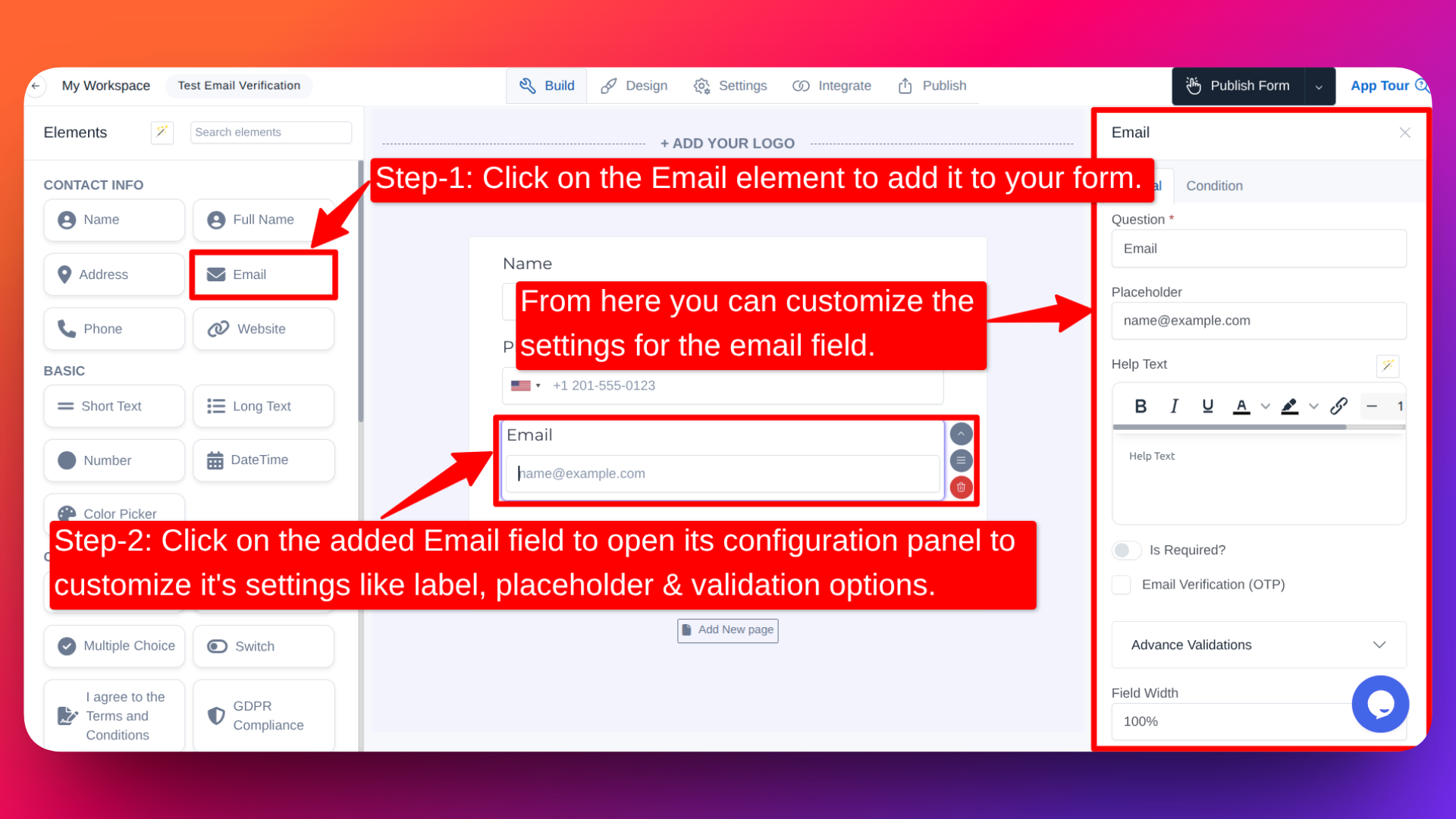
Step-1: Click on the Email element in the form builder to add it to your form.
Step-2: Click on the added Email field to open its configuration panel, where you can customize settings like label, placeholder, and validation options.
Email Verification (OTP)
FormNX now supports OTP-based email verification directly within your forms. When enabled, users are required to verify their email address using a 6-digit OTP before they can submit the form.
This helps ensure email accuracy and prevents spam submissions, so you can build a more reliable and trustworthy contact list with ease.
How to Enable Email Verification
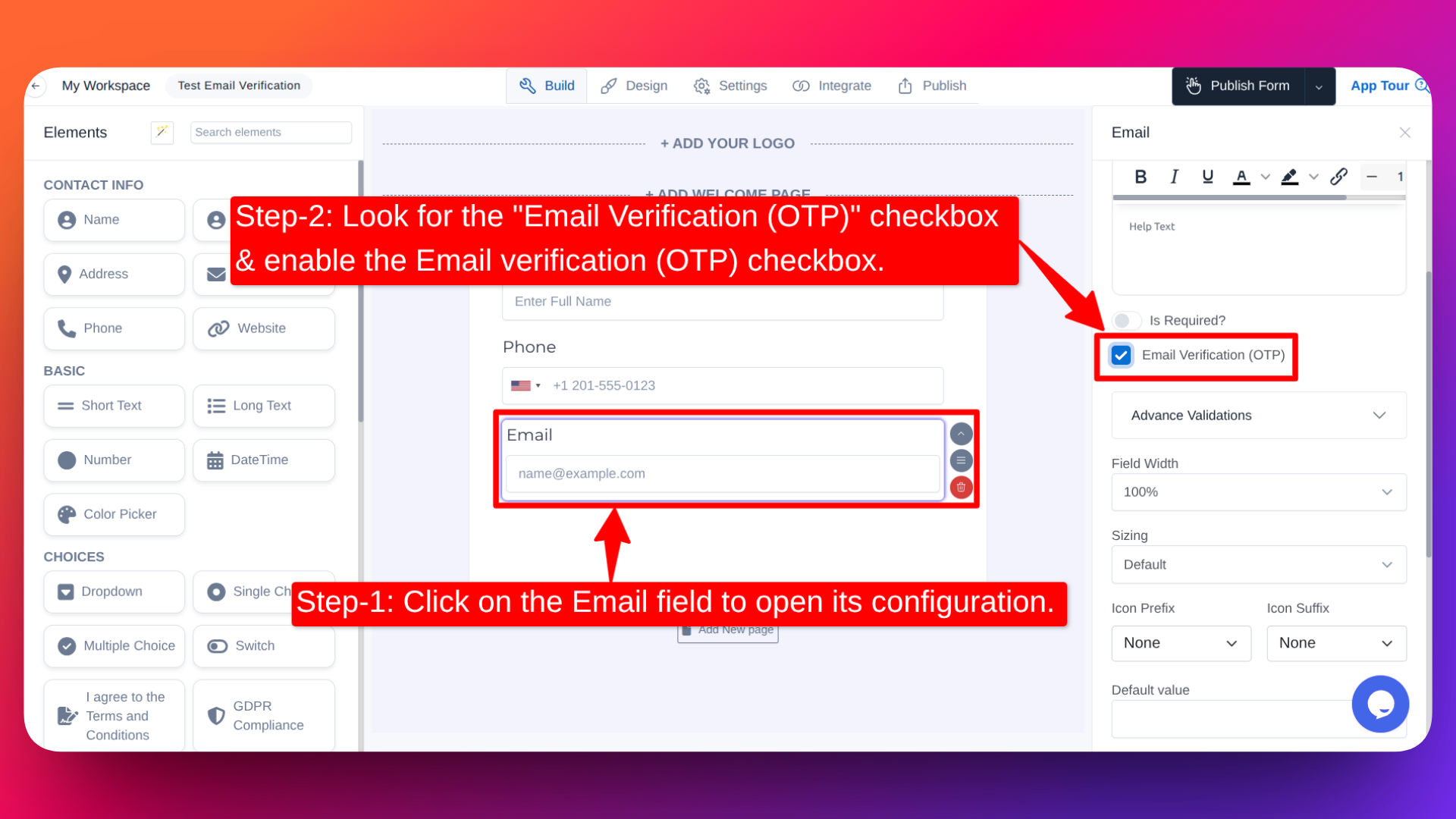
- Click on the Email field in your form to open its configuration.
- Look for the "Email Verification (OTP)" checkbox - it appears right after the "Is Required?" option.
- Check the box to enable OTP verification.
How It Works
- The respondent enters a valid email address in the Email field.
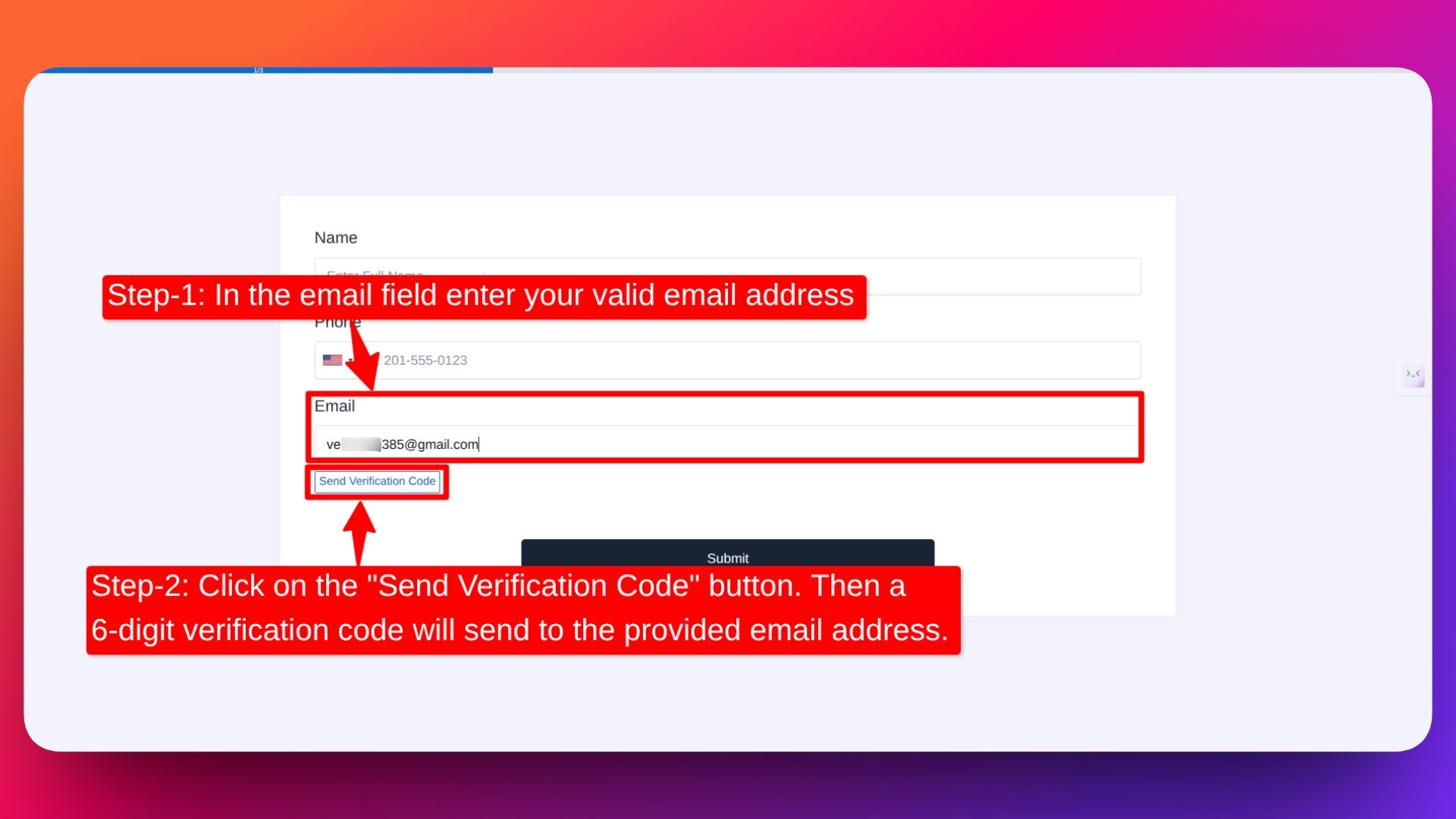
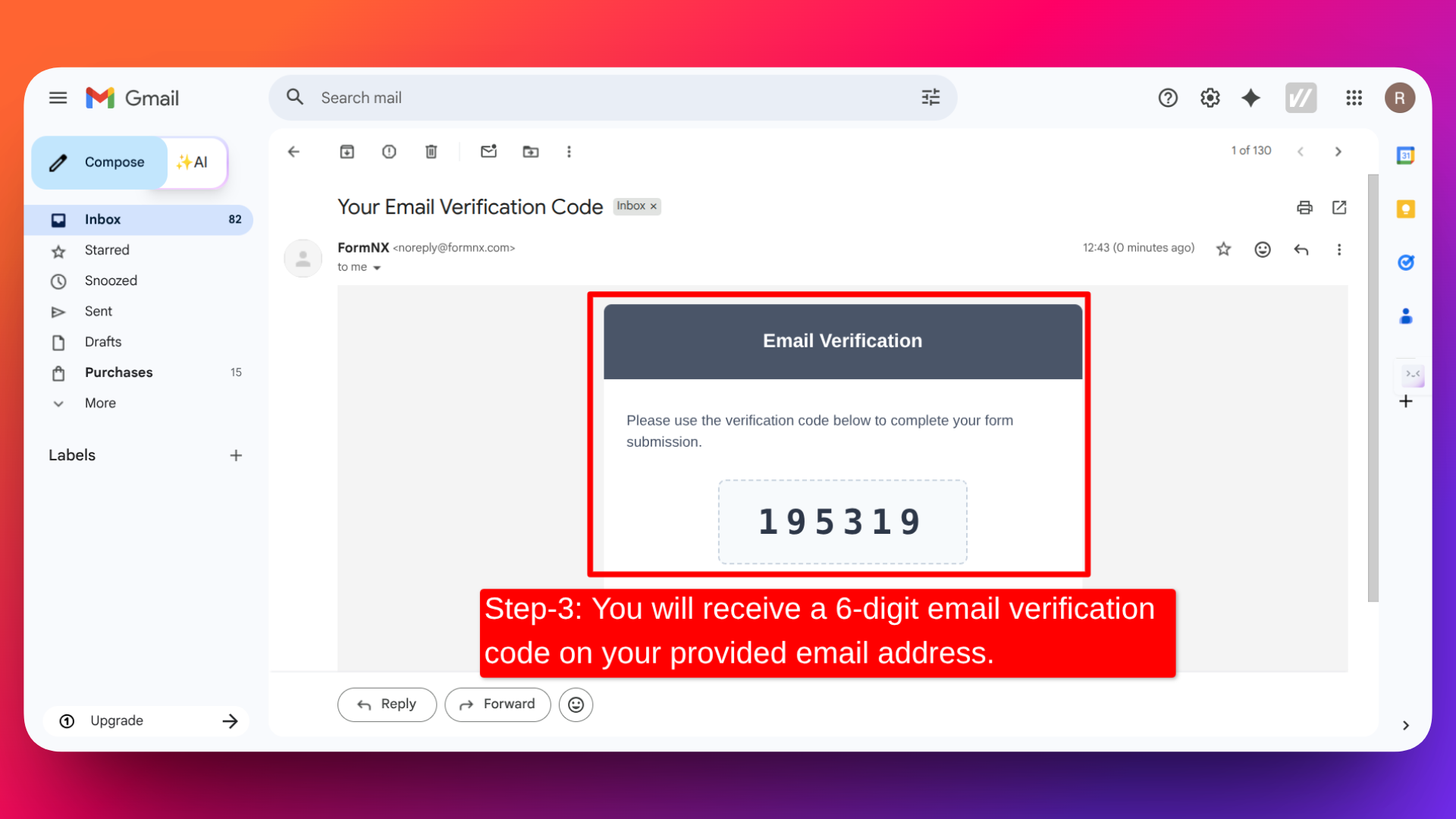
- A "Send Verification Code" button appears. Clicking it sends a 6-digit verification code to the provided email address.
- A code input field appears below the email field. The respondent enters the code they received.
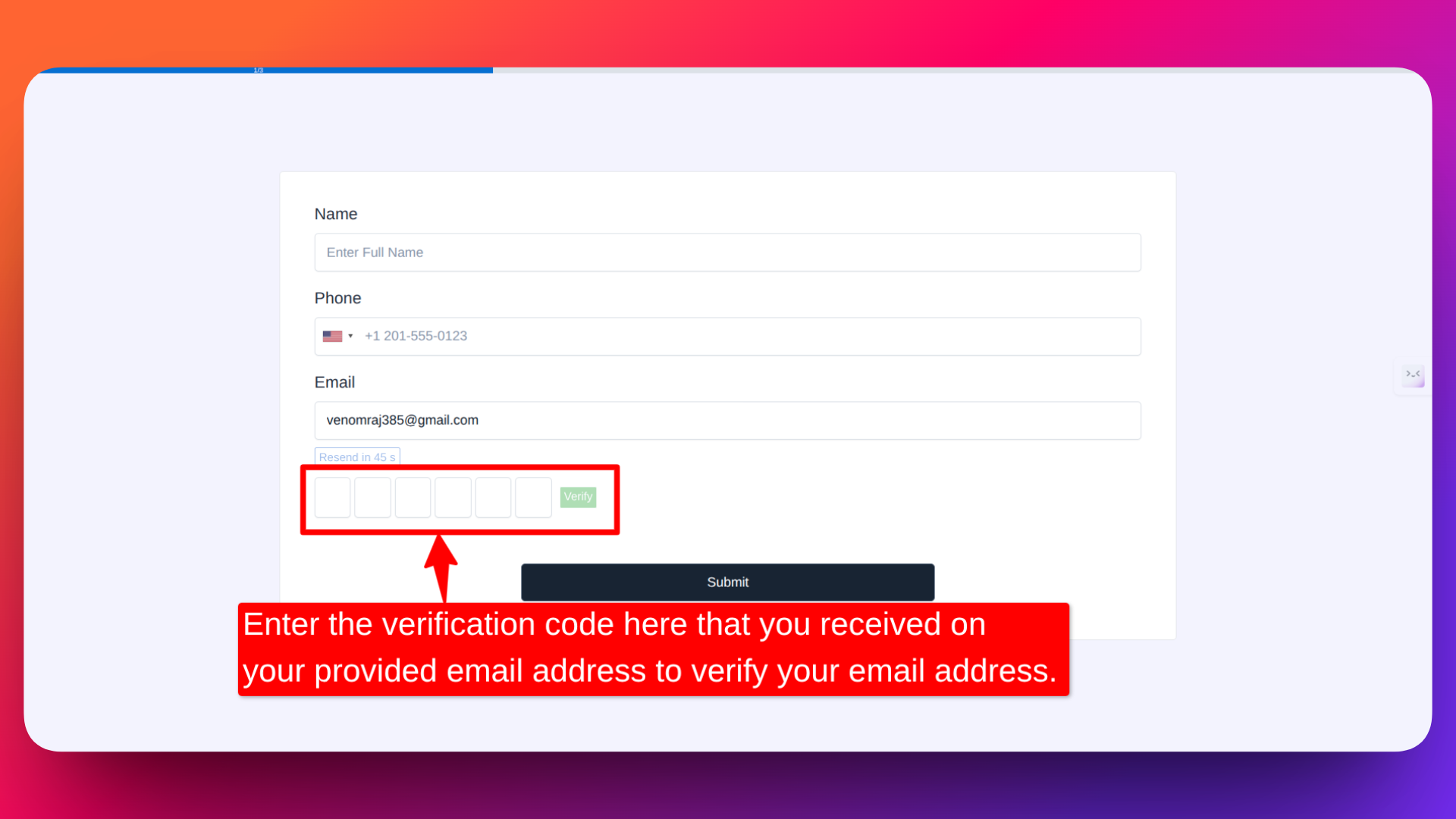
- If the code is correct, the email is verified and the respondent can proceed.
- If the code is incorrect, the respondent needs to re-enter the correct code.
NOTE: If the email field is not required then OTP verification will only happen when the respondent enters their email, but if the email is empty, then in that case the email OTP verification error will not be displayed.
Important details:
- The form will only submit once the email is verified. In multi-page forms, the respondent cannot move to the next page until the email is verified.
- If the respondent entered the wrong email, they can click the "Change" text shown below the field to update their email address and request a new code.
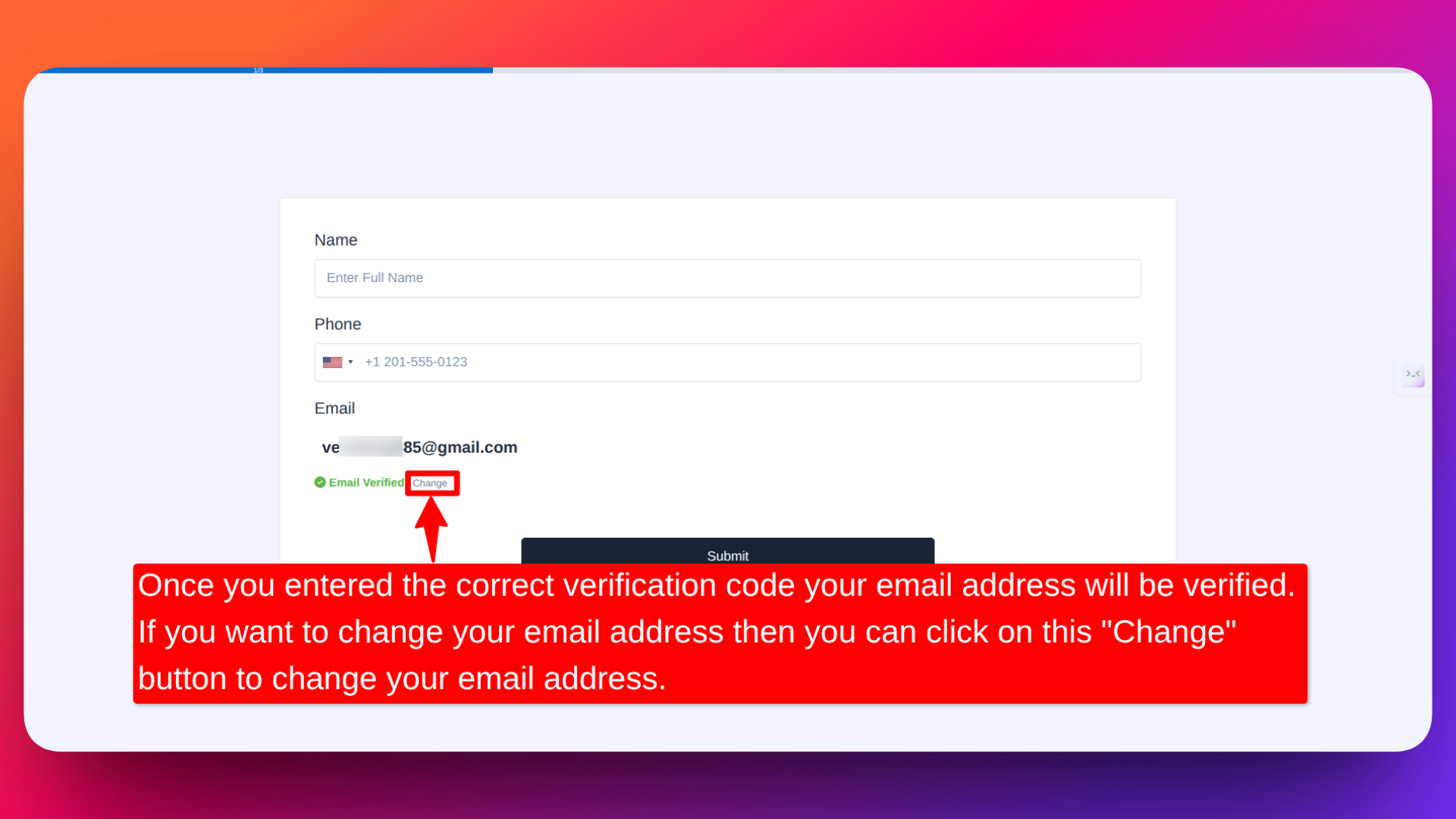
- Respondents who didn't receive the code can request a new one.
- The verification code expires one hour after the request is sent.
Email Language
The OTP verification email is sent in the same language as your form. Whichever language you select in the form builder determines the language of the verification email — including the subject line, greeting, OTP code label, and any supporting text.
To change your form's language, refer to the Changing Form Languages guide.
Why Use Email Verification?
- Ensure accurate data - Only verified, real email addresses are collected.
- Reduce spam - Prevents bots and fake submissions from cluttering your responses.
- Improve communication - Reach your users reliably since every collected email is confirmed to be active.
- Build trust - A verified contact list is more valuable and trustworthy for follow-ups, newsletters, and outreach.
Email Verification (OTP) is available exclusively for Pro subscribers. Upgrade to a Pro plan to unlock this feature.
If you'd like to see how Email OTP verification works in a real form, you can try this ready-made form template:
👉 OTP Registration Form Template
This ready-made template has Email OTP verification already enabled, so you can quickly test and use it in your own forms.
Block Disposable Emails
FormNX lets you block disposable and temporary email addresses in your forms with a single checkbox. When enabled, the Email field will automatically reject any email that comes from a known disposable email provider (such as Mailinator, 10MinuteMail, Guerrilla Mail, Temp-Mail, and similar throwaway services).
This keeps your contact list clean, ensures you only collect emails from real people, and stops abusers from using burner inboxes to bypass verification, sign up multiple times, or spam your forms.
How to Enable Block Disposable Emails
- Click on the Email field in your form to open its configuration.
- Look for the "Block Disposable Emails" checkbox — it appears right below the "Email Verification (OTP)" option.
- Check the box to enable disposable email blocking on this field.
How It Works
The respondent enters an email address in the Email field.
FormNX checks the email's domain against an updated list of disposable email providers.
If the domain belongs to a disposable / temporary email provider, the form rejects the submission and shows the error message:
"Please use a real email address. Disposable emails are not allowed."
The respondent must enter a non-disposable email (such as a Gmail, Outlook, Yahoo, or any company email) to proceed.
If the email is from a legitimate provider, the form accepts it and continues as usual.
When Should You Use This?
- Lead generation forms — keep your CRM and email lists free of throwaway addresses that will never convert.
- Free trial / sign-up forms — stop users from creating multiple accounts using disposable addresses to abuse free trials.
- Newsletter subscriptions — protect deliverability and sender reputation by rejecting bounce-prone fake emails.
- Contests, giveaways, and freebie downloads — prevent the same person from entering repeatedly using burner emails.
- Customer support and contact forms — make sure you can actually reply to the person who reached out.
Block Disposable Emails vs Email Verification (OTP)
Both features improve email quality but solve different problems — and they work great together:
| Feature | What it does | Best for |
|---|---|---|
| Block Disposable Emails | Rejects emails from temporary/throwaway providers based on the domain. | Lead gen, sign-ups, lists where you don't want burner inboxes. |
| Email Verification (OTP) | Sends a 6-digit code to the email and requires the user to enter it back. | High-stakes flows where you must confirm the person actually owns and can access the inbox. |
For maximum data quality, enable both — disposable email blocking removes throwaway domains upfront, and OTP confirms the remaining emails are real and reachable.
Block Disposable Emails is available exclusively for Pro subscribers. Upgrade to a Pro plan to unlock this feature.
Related features: email OTP verification · block disposable emails