
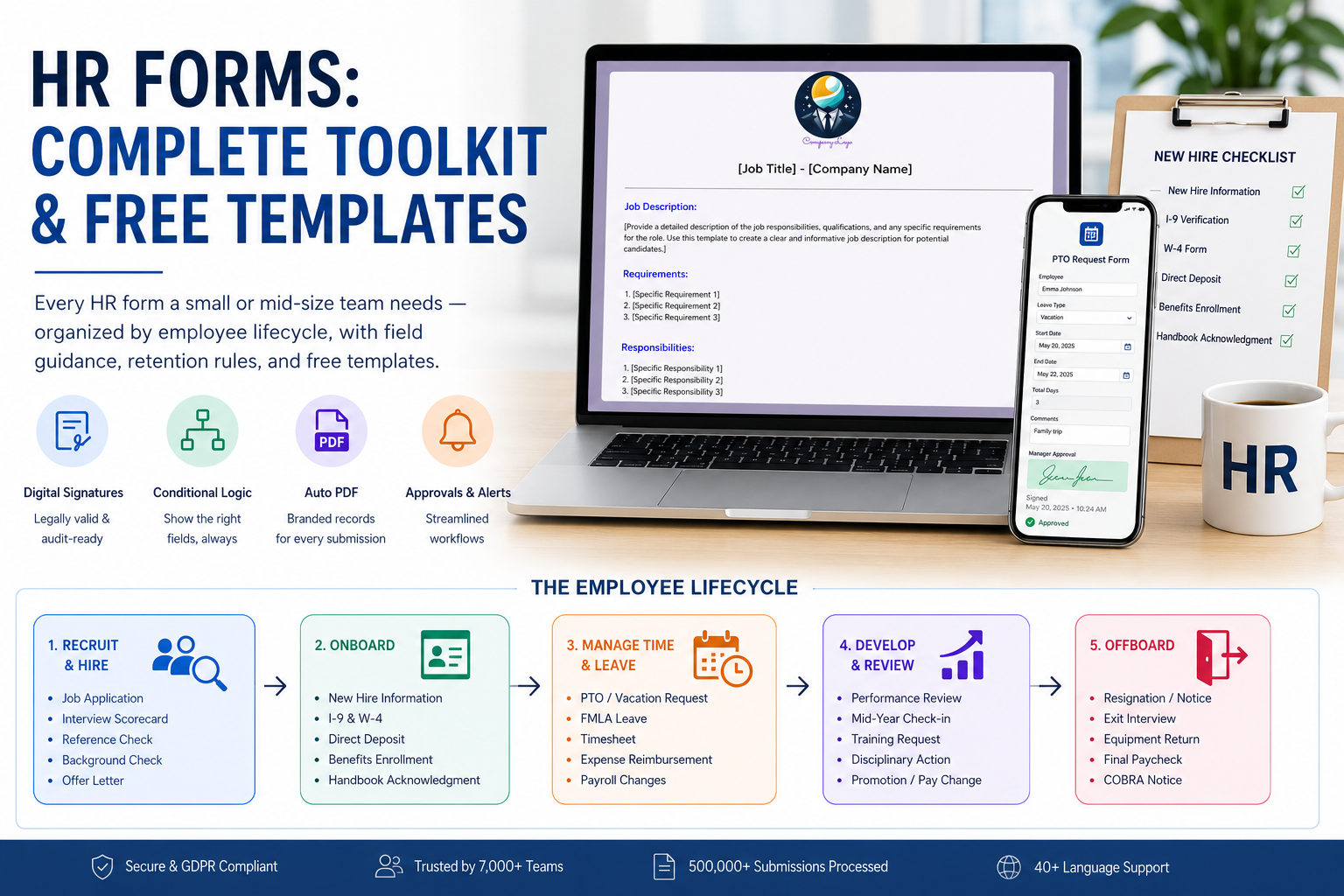
If you run HR for a small or mid-size company, you do not need 200 form templates. You need maybe 15 — the human resources forms and templates that actually move someone from candidate to onboarded employee to a clean exit. The internet does not make that easy. Search "hr forms" and you get template dumps with 100+ unsorted PDFs and no idea which ones you legally have to keep, for how long, or which to digitize first.
This guide fixes that. Below is a working HR forms toolkit organized by the employee lifecycle (recruit → hire → onboard → manage → review → offboard), with field-level guidance, retention rules pulled from federal recordkeeping requirements, and free templates you can embed today. No 100-form gallery. Just the forms a real HR team uses.
Free HR Forms Templates
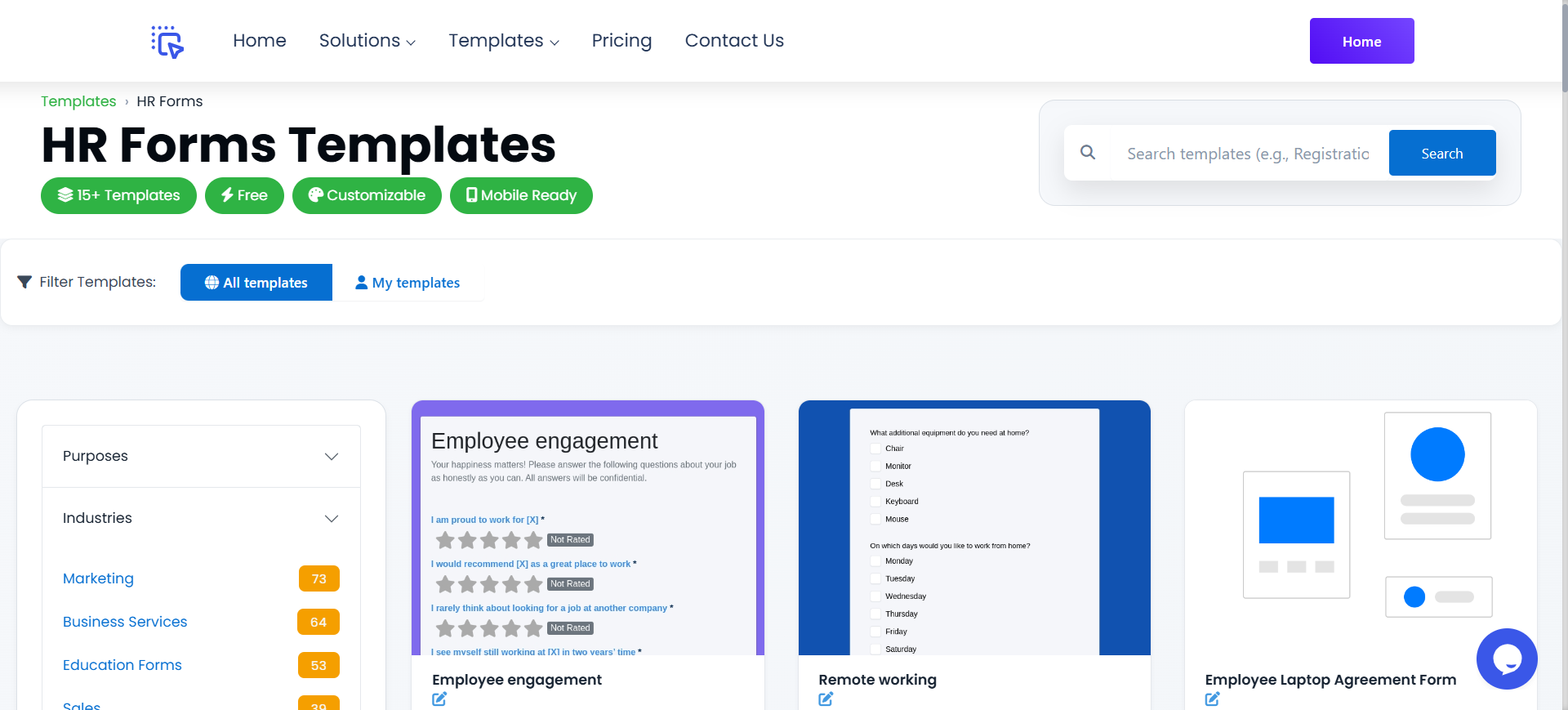
Skip the blank-canvas problem. Every human resources form here is free to use — the full FormNX HR forms library covers every stage below — job applications, offer letters, I-9 / W-4 collection, PTO requests, performance reviews, exit interviews, and more — already wired with the right fields, mobile-friendly, and embeddable on your careers page or HRIS.
➡️ Open the HR Forms template library
What's inside:
- Recruiting & hiring: job application, candidate evaluation, reference check, offer letter, background-check authorization
- Onboarding: new-hire information, emergency contact, direct deposit, equipment issue, acknowledgments
- Time & leave: PTO / vacation request, FMLA leave, sick-leave self-certification, timesheet
- Performance & development: mid-year and annual review, 360 feedback, training request, disciplinary action
- Offboarding: resignation, exit interview, final-paycheck and equipment-return checklist
You can use any template as-is, edit fields to match your handbook, or rebuild the whole thing on a single platform so submissions land in one inbox instead of seven.
What Are HR Forms?
HR forms are the standardized documents a Human Resources team uses to collect, record, and authorize information about employees across the employment lifecycle. They are the connective tissue between policy and practice — the way "we offer two weeks of PTO" becomes a real timestamped request that payroll and the manager both see.
A well-run HR function uses forms for four purposes:
- Collecting information — applications, new-hire data, emergency contacts, beneficiaries
- Authorizing actions — PTO approvals, expense reimbursements, payroll changes, equipment issues
- Capturing acknowledgments — handbook receipt, code-of-conduct agreement, NDA, harassment policy
- Documenting decisions — interview scorecards, performance reviews, disciplinary actions, terminations
The forms themselves are not the goal. The goal is a defensible audit trail: if someone files a wrongful-termination claim, an EEOC complaint, or a wage-and-hour lawsuit, your forms (and the timestamps on them) are what prove you followed your own process.
HR Forms List by Employee Lifecycle Stage
Here is the full HR forms list every HR team should have ready, organized by where in the employee journey each form is used. Each stage links to the matching template in the FormNX HR forms library.
Stage 1 — Recruit & Hire
This is the highest-volume stage. You will run the same forms hundreds of times a year, so digitizing them returns the most time.
| Form | Purpose | Key fields | Retention |
|---|---|---|---|
| Job Application | Capture candidate basics | Contact, role, work history, eligibility, EEO data | 1 year (3 if federal contractor) |
| Candidate Evaluation / Interview Scorecard | Standardize interviewer feedback | Skills rating, fit, recommendation, notes | 1 year |
| Reference Check | Document third-party verification | Reference name, relationship, dates, performance ratings | 1 year |
| Background Check Authorization (FCRA) | Legal consent for background check | Identity, signature, FCRA disclosures | 5 years post-hire |
| Offer Letter / Acceptance | Record terms and acceptance | Title, salary, start date, conditions, signature | Duration of employment + 7 years |
Why digitize this stage first: every recruiting form is repeated for every applicant. A 200-applicant year with paper forms is 200 envelopes, scans, and follow-ups. The same forms online with conditional logic (different questions by role) and auto-confirmation emails turn a recruiting cycle into a workflow your team actually finishes.
Stage 2 — Onboard
Onboarding is where most HR teams collect the legally required forms. Miss an I-9 and you are open to ICE penalties. Skip a state withholding form and payroll sends incorrect first checks. This is the stage to be most rigorous about completeness checks and signature capture. Use multi-step forms to break the new-hire packet into manageable pages — personal info on page one, tax forms on page two, signature pages last — with per-step validation so nothing gets skipped.
| Form | Purpose | Key fields | Retention |
|---|---|---|---|
| New Hire Information | Master employee record | Personal details, address, SSN, DOB, contacts | Duration of employment + 7 years |
| Form I-9 (Employment Eligibility) | Federal work-authorization verification | Identity docs, work authorization, employer attestation | 3 years post-hire OR 1 year post-termination, whichever is later |
| Form W-4 (Federal Tax Withholding) | Federal income tax election | Filing status, dependents, withholding | 4 years |
| State Tax Withholding | State income tax election | State-specific filing details | 4 years |
| Direct Deposit Authorization | Payroll routing setup | Bank, routing, account, signature | Duration of employment |
| Emergency Contact | Who to call in an emergency | Name, relationship, phone, alt contact | Duration of employment |
| Benefits Enrollment | Health, dental, vision, 401(k) elections | Plan selections, dependents, beneficiaries | 6 years post-termination (ERISA) |
| Handbook Acknowledgment | Proof employee received policies | Handbook version, employee signature, date | Duration of employment + 7 years |
Field tip: for I-9 and W-4 collection, build the form once with the official field set, then turn on digital signature with a timestamp and IP address audit trail using FormNX's e-signature form builder. That signature record is what an auditor will ask for, not a photo of a paper form.
Stage 3 — Manage Time, Pay & Leave
These are the day-to-day forms. Whoever has the cleanest version of these gets fewer "where's my PTO?" emails.
| Form | Purpose | Key fields | Retention |
|---|---|---|---|
| PTO / Vacation Request | Request and approve time off | Dates, hours, type, manager approval | 3 years |
| FMLA Leave Request | Federally protected medical / family leave | Reason, dates, certification, signatures | 3 years |
| Sick Leave Self-Certification | Document short-term illness absences | Dates, reason, return-to-work date | 3 years |
| Timesheet / Hours Worked | Track non-exempt employee hours | Daily hours, breaks, total, signatures | 3 years (FLSA) |
| Expense Reimbursement | Claim business expenses | Itemized expenses, receipts, manager approval | 7 years |
| Payroll Change Authorization | Update pay rate, bank, or tax | Change type, effective date, approvals | 3 years |
The killer feature for this stage is conditional logic. A PTO request for one day shouldn't ask for FMLA paperwork. A 12-week leave should. One form, two paths, no extra inbox.
Stage 4 — Develop & Review
Performance forms are the ones HR teams design last and regret first. They sit unused for 11 months, then panic during review season. Build them once, save them as a template, and run them on a calendar.
| Form | Purpose | Key fields | Retention |
|---|---|---|---|
| Annual Performance Review | Document yearly performance | Goals, ratings, comments, manager + employee sign-off | Duration of employment + 7 years |
| Mid-Year Check-in | Track progress mid-cycle | Goal status, blockers, support needed | 2 years |
| 360 Feedback | Multi-rater performance input | Anonymous peer / report ratings, themes | 2 years |
| Training Request / Approval | Approve and track learning | Course, cost, manager approval, completion | 3 years |
| Disciplinary Action / Warning | Document performance or conduct issues | Issue, prior warnings, plan, signatures | Duration of employment + 7 years |
| Promotion / Compensation Change | Record pay or title changes | Old vs new title, salary, effective date | Duration of employment + 7 years |
If your reviews need scoring (think mid-year reviews, calibration sessions, training assessments), our quiz mode treats reviews as graded forms — auto-totals each question, gives the manager a number to anchor the conversation. Same engine powers our online quiz builder for compliance training, harassment-policy refreshers, and new-hire policy quizzes with auto-graded results and pass/fail certificates.
Stage 5 — Offboard
Offboarding forms are the most-skipped and most-litigated. A clean exit packet with signed acknowledgments closes the door on disputes about final pay, returned equipment, and continued benefits.
| Form | Purpose | Key fields | Retention |
|---|---|---|---|
| Resignation Letter / Notice | Document voluntary separation | Last day, reason (optional), signature | Duration of employment + 7 years |
| Exit Interview | Capture feedback before departure | What worked, what didn't, would-recommend score | 2 years — build it with the online survey builder for anonymous responses and team-level reporting |
| Equipment Return Checklist | Track returned company property | Laptop, badge, keys, manager sign-off | Duration of employment + 7 years |
| Final Paycheck Acknowledgment | Confirm final wages, PTO payout | Amount, date, deductions, signature | 4 years |
| COBRA / Benefits Continuation Notice | Required notice of benefits options | Plan, premium, election deadline | 6 years (ERISA) |
| Non-Compete / Non-Solicit Reminder | Reaffirm post-employment obligations | Clause text, signature, date | Duration of agreement |
The 5 Most-Used HR Forms (Start Here If You're Building From Zero)
If you are setting up HR from scratch — startup, small business, or first HR hire — build these five first. They cover 80% of the volume:
- Job Application — every recruit starts here
- New Hire Information + I-9 / W-4 — bundle these into one onboarding flow
- PTO / Time-Off Request — most-used form after onboarding
- Annual Performance Review — runs once per year per employee
- Exit Interview + Equipment Return — bundle these into offboarding
The other 15+ forms in the lifecycle table can be added as you actually need them. Do not pre-build forms you do not have a process for.
How to Build Digital HR Forms in Under 30 Minutes
Once you decide which forms to digitize, the build is the easy part. Here is the exact process I use when setting up an HR forms library on FormNX.
Step 1 — Pick a Template
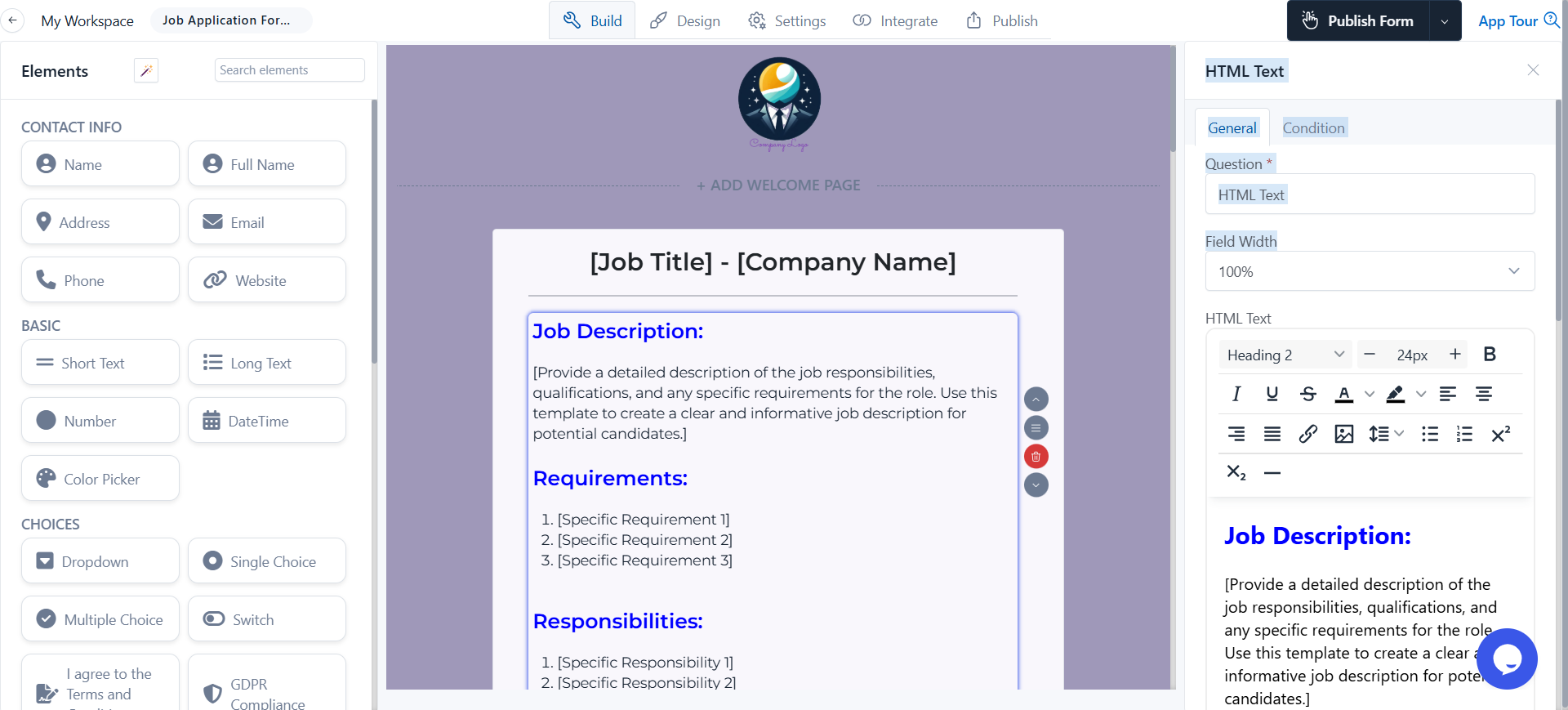
Open the HR forms library and pick the closest match. Click Use this template. The form opens with the standard fields already in place.
Step 2 — Match Your Handbook
Edit field labels, dropdown options, and required fields to match your company's policies. PTO accrual rules, leave categories, and approval routes are all configurable. If your handbook says "personal days are 3 per year, separate from vacation," your PTO form should reflect that — not the generic template's version.
Step 3 — Add Conditional Logic
For longer forms (FMLA, performance reviews, disciplinary actions), use conditional logic to show only the fields that apply. A PTO request for one day shouldn't ask for medical certification. A bereavement leave request shouldn't ask for productivity goals. One form, multiple paths, fewer abandoned submissions.
Step 4 — Wire Up Approvals and Notifications
For any form that needs manager approval (PTO, expense, training request), set up two emails:
- Auto-confirmation to the employee — "We received your request"
- Manager notification with the request details and an approval link
This single change turns a form into a workflow. The employee gets a receipt, the manager gets a one-click action, HR gets the audit trail.
Step 5 — Generate a PDF Record
For every form that needs a permanent record (offer letters, signed acknowledgments, disciplinary actions, exit packets), turn on PDF auto-generation. Each submission produces a branded PDF, auto-emailed to the employee and stored in your HR drive. No manual export, no missing copies.
See Create PDF from form responses for the full setup with dynamic field tags.
Step 6 — Embed or Share
Embed each form in your intranet, careers page, or HRIS, or share a unique link with the employee. New hires can complete onboarding from their phone before day one — most of our HR customers see 90%+ completion before the first morning.
Compliance: Which HR Forms You Must Legally Keep (and How Long)
Recordkeeping is where small HR teams get into the most trouble. The rules below are pulled from US federal recordkeeping requirements (FLSA, ADEA, Title VII, FMLA, ERISA, IRCA). State laws may extend these — check with counsel.
| Record type | Minimum retention | Source |
|---|---|---|
| Job applications, resumes, interview notes | 1 year (3 for federal contractors) | Title VII, ADEA, OFCCP |
| I-9 forms | 3 years post-hire OR 1 year post-termination, whichever is later | IRCA |
| W-4 and tax records | 4 years | IRS |
| Payroll records, timesheets | 3 years | FLSA |
| Wage rate records | 2 years | FLSA |
| FMLA records | 3 years | FMLA |
| Benefits / ERISA plan records | 6 years post-termination | ERISA |
| Personnel file (offer letter, reviews, disciplinary, signed acknowledgments) | Duration of employment + 7 years (best practice) | Mixed |
| OSHA injury records | 5 years | OSHA |
Why Move HR Forms From Paper or PDF to Digital
If you are still emailing PDFs around, the case for moving online is not "PDFs are old." It is specific:
- Faster onboarding. New hires complete I-9, W-4, direct deposit, and emergency contact from their phone before day one. Day-one paperwork drops to a 10-minute review instead of a two-hour packet.
- Cleaner audit trail. Every digital signature carries a timestamp and IP audit trail — a paper signature does not. Auditors and lawyers care about that.
- Conditional fields kill irrelevant questions. A non-FMLA PTO request shouldn't ask for medical certification. With paper or PDFs, every form asks for everything.
- Approval workflows replace email threads. A manager clicks Approve once instead of replying to a forwarded form.
- One inbox for submissions. Job applications, PTO requests, expense reports, exit interviews — all in one place, searchable, exportable.
- Auto-PDF for the record. Every digital submission still produces a branded PDF for the employee file. You get the workflow benefits and the paper-style record.
That said, paper still has a place. Some teams keep a printable backup of I-9 and offer letters because their state archive expects ink signatures. The right setup is digital primary, PDF backup — exactly the pattern our PDF from form responses guide walks through.
Why FormNX for HR Forms
FormNX is trusted by 7,000+ teams to run their forms — over 13,000 forms built and 500,000+ submissions processed. For HR specifically, the features that matter:
- Workspace management — separate spaces for HR, Recruiting, Payroll. Role-based access so a recruiter does not see exit interviews.
- GDPR-compliant data handling — required if you employ anyone in the EU or UK.
- Digital signatures with audit trail — timestamp, IP, browser fingerprint. Holds up to legal scrutiny.
- PDF auto-generation — every submission produces a branded PDF for the employee file.
- Conditional logic — one form, multiple paths.
- 40+ language support — for global teams.
- Read G2 reviews and AppSumo before you commit to anything.
If you are currently using Google Forms for HR — most early-stage HR teams do — you will hit the wall around the time you need digital signatures, conditional logic, or PDF generation. We covered the gap in detail in our Google Forms alternatives guide.
FAQ
What are the HR forms?
The core set of HR forms covers five lifecycle stages: recruit / hire (job application, candidate evaluation, reference check, background-check authorization, offer letter), onboard (new-hire info, I-9, W-4, direct deposit, emergency contact, benefits enrollment, handbook acknowledgment), manage (PTO request, FMLA leave, timesheets, expense reimbursement), review (performance review, training request, disciplinary action), and offboard (resignation, exit interview, equipment return, final paycheck). A small or mid-size company typically needs 15-20 distinct forms — not the 100+ template galleries advertise.
What are the 4 forms of human resources?
Most HR practitioners group HR work into four functions: Administrative HR (records, compliance, payroll forms), Employee Relations HR (engagement, conflict, disciplinary), Strategic HR (workforce planning, org design, talent), and HR Analytics (data, metrics, reporting). Each function uses its own subset of HR forms — administrative HR owns the most volume (onboarding, payroll changes, leave requests), while strategic and analytics functions use forms more selectively.
What are some HR documents?
HR documents fall into three groups. Employee-facing documents: offer letters, employee handbook, benefits guides, policy documents, training materials. Internal HR records: personnel file, I-9 file, payroll records, performance reviews, disciplinary records, exit packets. Compliance documents: EEO-1 reports, OSHA logs, ERISA plan documents, FMLA certifications. HR forms are the input mechanism that feeds these documents — a signed handbook acknowledgment becomes part of the personnel file; a completed I-9 becomes the I-9 record.
What's the difference between HR forms and HR documents?
A form is a structured input — fields the employee or manager fills in (PTO request, application, review). A document is the resulting record — the personnel file, the offer letter, the policy. Forms generate documents. Modern HR tools blur the line by auto-generating PDF documents from form submissions, which is why you can build an entire HR records system around forms alone.
Are digital HR forms legally valid?
Yes — federal and state law (ESIGN Act, UETA) recognize electronic signatures as legally equivalent to wet signatures for almost all HR documents, including I-9, W-4, offer letters, and acknowledgments. The two requirements are intent to sign (clearly stated consent) and an audit trail (timestamp, IP address, signer identity). Any reputable form builder, FormNX included, captures both automatically. The exceptions are state-specific — wills, certain affidavits, some real-estate transactions — none of which are typical HR forms.
How long should I keep HR forms?
Minimums vary by record type: 1 year for job applications and interview notes, 3 years for payroll, FMLA, and I-9 records (after termination), 4 years for tax records, 6 years for benefits records (ERISA), and 7 years post-employment for the full personnel file as a defensive best practice. Federal contractors and regulated industries have longer requirements. Always check state law — California, New York, and Massachusetts often extend federal minimums.
Do small businesses need HR forms?
Yes — even a 5-person team needs at minimum: I-9 (federally required for every hire), W-4 (federal tax election), offer letter, handbook acknowledgment, and PTO request. The rest can be added as headcount and complexity grow. The trap small businesses fall into is skipping the audit-trail forms (handbook acknowledgment, signed reviews) until a dispute happens — at which point the absence of the record is the problem.
Build Your HR Forms Library Today
Pick one stage. Build the three forms that hurt the most. Embed them somewhere your team will actually use them. Add the next three when those work.
The full HR forms library lives at formnx.com/form-templates/category/hr-forms-37 — every template above, ready to embed, free to use.
When you're ready, try FormNX free and rebuild your HR forms on a single platform. Your future self running a year-end audit will thank you.