
If you run a summer camp — day camp, overnight, sports, arts, faith-based, or specialty — you need a summer camp registration form that captures camper details, parent contacts, medical history, and waivers without losing families to a clunky 30-question PDF.
Most camps still use a printable form parents have to download, fill in by hand, scan, and email back. The faster path is an online summer camp registration form parents can complete on their phone, with a printable PDF version auto-generated for your records. This guide gives you both — a free template you can embed today, plus the field-by-field logic (including age-bracket placement tied to your camp's start date, not the signup day) that off-the-shelf templates skip.
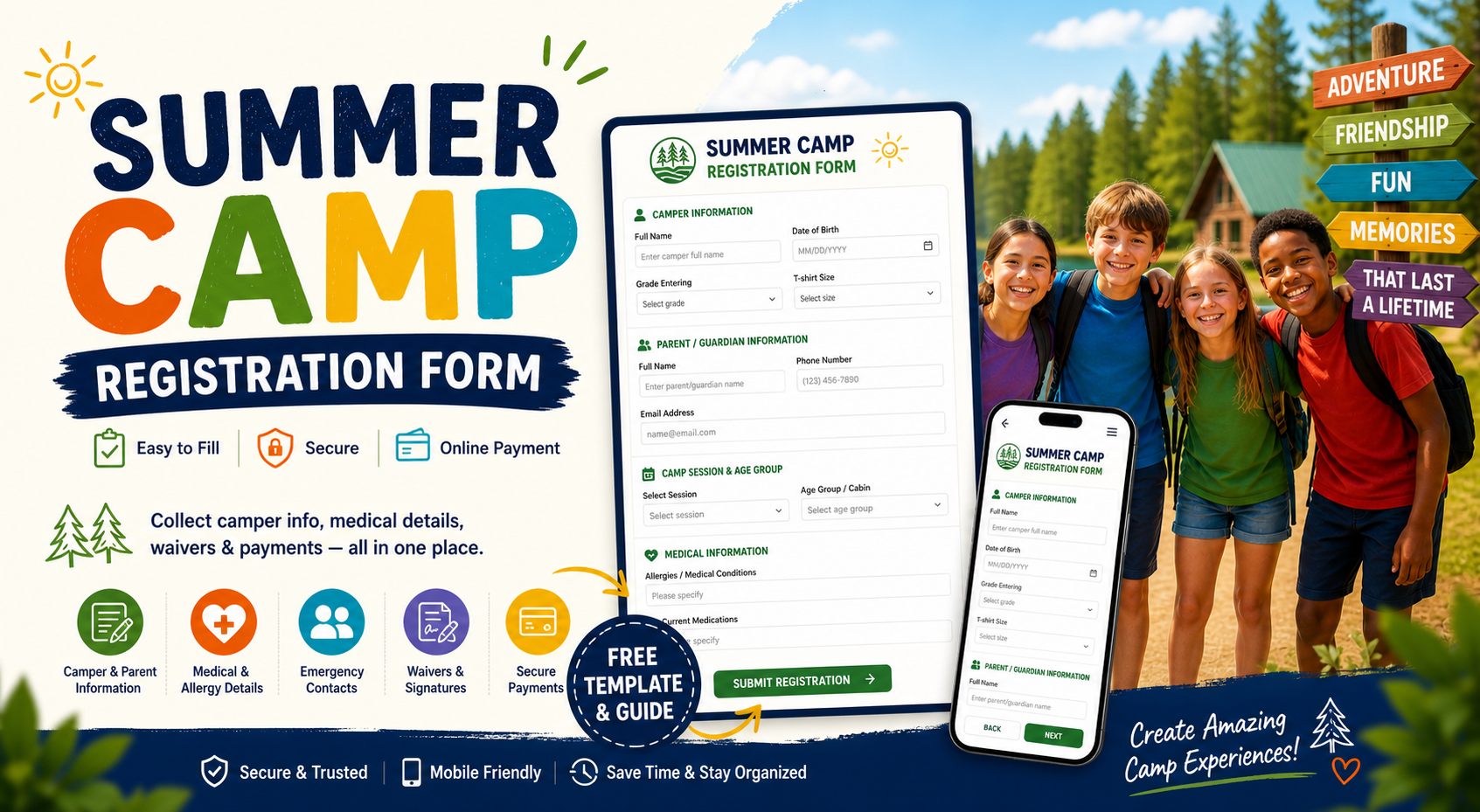
Free Summer Camp Registration Form Template
Skip the blank canvas. Start with this ready-to-use summer camp registration form template — already wired with the standard fields most camps need, mobile-friendly, and embeddable on any website.
➡️ Open the Summer Camp Registration Form template
What's included out of the box:
- Camper name, age, and grade
- Parent / guardian contact details
- Camp session and age-group selection
- Allergies, medications, and medical conditions
- Emergency contacts and authorized pickup
- Permission slip, photo release, and waiver signature
- Deposit or full payment via Stripe or PayPal
You can use this camp registration form as-is, customize fields to match your camp type (day, overnight, sports, arts, faith-based), or download submissions as a PDF for your records and counselor packets.
Need a printable version? Skip down to Summer Camp Registration Form PDF — covered later in this guide with an auto-generated PDF.
What Is a Summer Camp Registration Form?
A summer camp registration form is the document a parent fills in to enroll a child for a camp session. It collects the basics (who, when, which session) plus the medical, legal, and emergency information counselors need before day one.
In a paper-first camp, this is usually a printable packet mailed home in the spring. In a modern camp, it's an online camp registration form on the camp's website that feeds straight into a roster spreadsheet, payment processor, and parent confirmation email. Many camps now run both in parallel — paper for legacy families, digital for everyone else.
A well-designed registration form for summer camp does four things:
- Places campers in the right age group based on age as of the camp start date — not the signup date.
- Surfaces medical risk early so counselors know about allergies, medications, and conditions before the bus pulls in.
- Captures legally sound waivers with timestamped digital signatures for permission slips and photo releases.
- Collects payment up front to lock in the spot and reduce no-shows.
When you scale that across hundreds of campers per summer, the difference between a good form and a generic one is measured in administrative hours and parent phone calls.
Fields Every Summer Camp Registration Form Should Include
Most camps over-engineer their first form, asking for 40+ fields and watching parents abandon halfway. Start with the essentials below, then add specialty-specific questions only when you actually need them.
1. Camper Information
- Full legal name
- Date of birth (date picker, not free text)
- Grade entering in the fall
- T-shirt size
- Gender / pronouns (optional, configurable)
2. Parent / Guardian Information
- Primary parent or guardian name
- Phone number (use a phone-validated field)
- Email address
- Mailing address
- Secondary contact (separate household if applicable)
3. Camp Session and Age-Group Selection
- Which session(s) the camper is registering for (week 1, week 2, full summer, etc.)
- Age group / cabin assignment (Juniors 6–8, Tweens 9–11, Teens 12–14, CITs 15+)
- Any add-ons — extended care, transportation, lunch plan, optional trips
This is the section where most camps lose accuracy. A camper who is 8 in February may be 9 by the time camp starts in June — and belongs in the Tweens cabin, not Juniors. Off-the-shelf templates calculate age as of the day the form is submitted, which means rosters drift between registration and arrival.
In FormNX you can fix that by setting Age Calculation Till = Selected Date and pointing it at your camp's start date. Now the age check (and the age-group dropdown that depends on it) reflects the camper's age on day one of camp, exactly how you actually place them.
See Age Verification in Forms documentation for the full setup.
4. Medical and Health Information
- Allergies — food, medication, environmental
- Current medications and dosages
- Existing medical conditions (asthma, diabetes, seizure disorder)
- Recent surgeries or hospitalizations
- Doctor's name and phone
- Insurance provider and policy number
- File upload for immunization records
If your camp serves campers with severe allergies, follow the American Camp Association's health and wellness guidelines for what to ask and how to store the response. The form is the easy part — the storage and counselor-access workflow is what regulators care about. For deeper clinical-style intake (chronic conditions, full medication history, doctor's referral), our patient registration form guide walks through the field set and HIPAA-aware design.
5. Emergency Contacts and Authorized Pickup
- Two emergency contacts other than the parents
- Authorized pickup list (full name + relationship)
- Permission for camper to leave with a sibling or carpool
6. Permissions, Waivers, and Photo Release
- Liability waiver acknowledgment
- Photo / video release (with an opt-out option, not just a yes/no)
- Permission for off-site trips and water activities
- Behavior and code-of-conduct acknowledgment
- Digital signature from the parent or guardian
7. Payment
- Deposit, full payment, or payment plan selection
- Sibling discount or scholarship code
- Stripe or PayPal checkout
- Refund-policy acknowledgment
If your camp has paid registrations with deposits, early-bird tiers, or sibling discounts, our event registration form guide walks through dynamic pricing setup with calculation fields that works the same way for camp tuition.
How to Create an Online Summer Camp Registration Form (6 Steps)
Here is the exact process to build one in under 20 minutes using FormNX. Every step works just as well in any modern form builder, but the registration forms category in FormNX is specifically tuned for this use case.
Step 1: Start From the Template
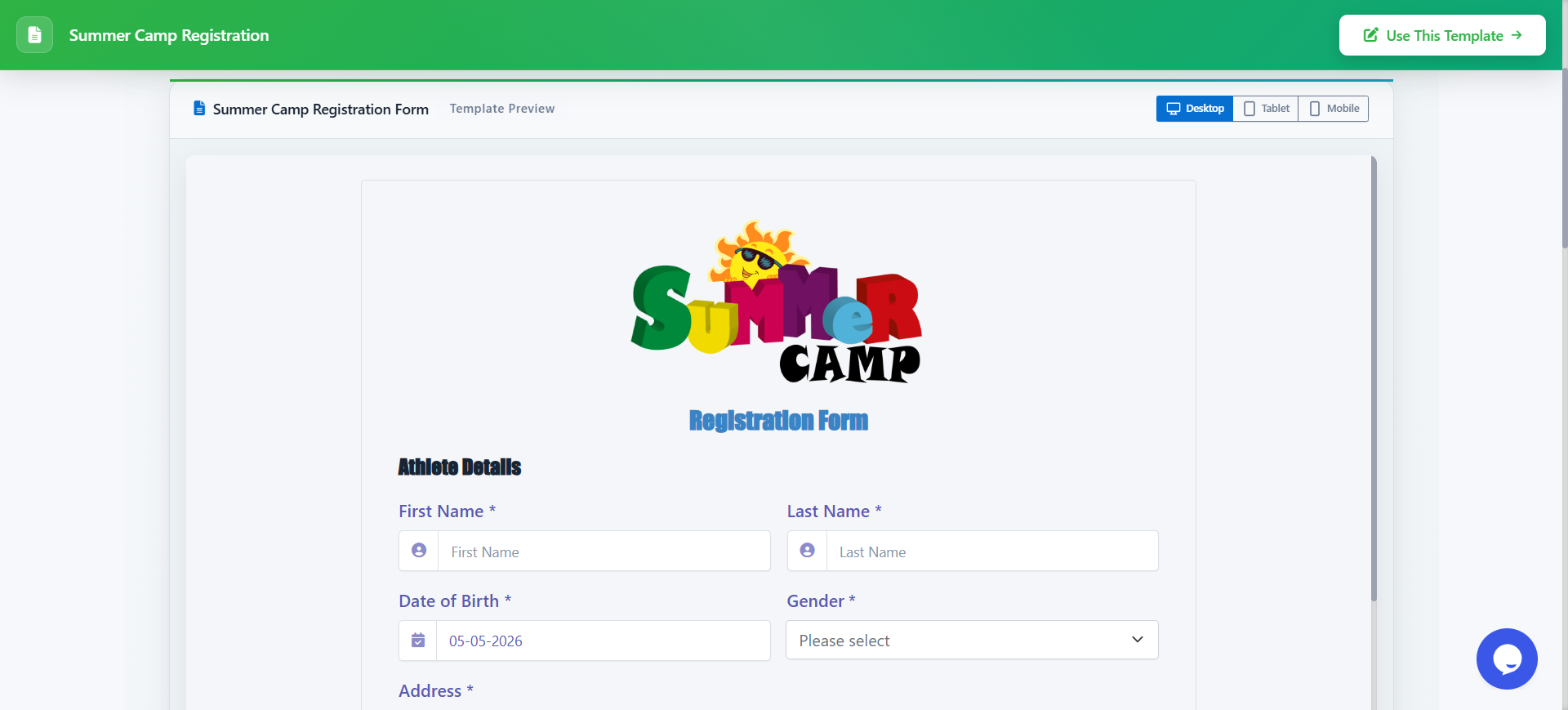
Open the registration forms gallery and select the Camp Registration Form category. Then, pick the summer camp template. Click Use this template. The form opens in the builder with all standard fields already in place — camper info, parent details, medical, waiver, and payment.
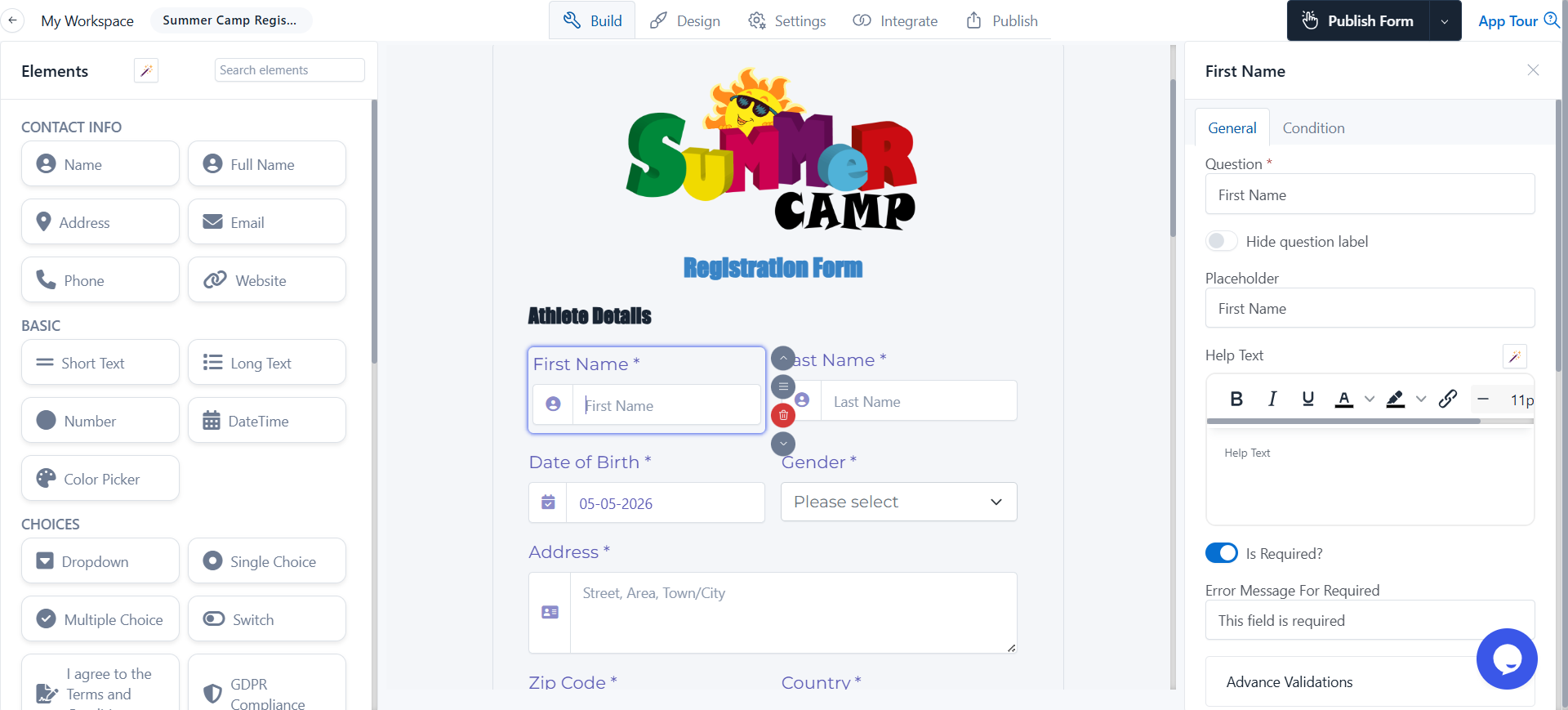
Step 2: Set Up Age-Group Placement
Drop in a DateTime field for the camper's date of birth and turn on age verification. Set Age Calculation Till = Selected Date and pick your camp's start date (e.g., June 15, 2026). Now use conditional logic on the age-group dropdown so:
- Age 6–8 on camp start date → only Juniors visible
- Age 9–11 on camp start date → only Tweens visible
- Age 12–14 → only Teens visible
- Age 15+ → only CIT visible
This single change eliminates the most common roster correction camps make every year — a kid placed in the wrong cabin because the form went off the signup date.
Step 3: Use Multi-Step Pages for Long Forms
A 50-field summer camp registration is a wall of text on a phone. Break it into 4–5 short pages with page breaks — Camper Info, Medical, Emergency & Permissions, Payment, Review. Add a progress bar at the top. Per-page validation means parents can't skip required fields and discover it only at the end.
Step 4: Add Conditional Logic for Camp Type and Add-Ons
This is what separates a basic registration form from a real intake workflow.
- If the parent picks the overnight session, surface cabin preference, bedding, and bunk-mate request fields.
- If they pick day camp, hide those entirely and ask about pickup time, transportation, and lunch.
- If they tick severe allergy, expand to ask about EpiPen storage and counselor instructions.
- If they pick a sibling discount, add a field for the sibling's name to validate it later.
Step 5: Capture Signatures, Photo Release, and Permission Slips
Drop in a signature field for the liability waiver and photo release. The signature is timestamped, captures the visitor IP for the audit trail, and embeds in the saved PDF — three things a paper signature on a scanned packet physically cannot do. (For the mechanics of how the digital signature lands inside the PDF, and what makes it legally valid, see our PDF signature guide.)
If you also need a separate signature on a code-of-conduct form, add a second signature field below the first. Each one is captured independently and shows up on the submission record.
Step 6: Connect Payment and Auto-Confirmation
Connect Stripe (or PayPal alongside Stripe — or both, so the parent picks at checkout) and set the deposit or full session fee. Use a calculation field if your pricing varies by session, sibling, or add-ons.
Turn on automatic email confirmation so the parent gets a copy of the registration immediately, with the camp dates, what to pack, and a payment receipt attached as a PDF. This single feature reduces "did you get my form?" calls by a noticeable margin in most camps.
(Full walkthrough: setting up confirmation emails.)
Publish the form, embed it on your camp website, and you're live.
Summer Camp Registration Form PDF: When You Need a Printable Version
Most camps need a printable version too — for parents without internet at the registration deadline, for the counselor's binder on day one, or for the camper's medical record.
Auto-generate a PDF from each submission: When a parent fills out your online form, FormNX generates a branded summer camp registration form PDF automatically and emails it to both the parent and your office. You keep all the digital benefits (validation, conditional logic, payment, audit trail) and still get a paper-ready record for the counselor binder.
Provide a blank printable PDF: For families who want to fill in by hand, link a blank PDF version of your form on the camp website. The fields are the same — you just collect the paper copy at drop-off and the front desk types it in afterward.
For a deeper dive on automated PDF documents from form submissions — including dynamic fields, branding, and email delivery — see how to create a PDF from form responses.
Smart Features Modern Summer Camp Registration Forms Should Have
Most template galleries stop at "name, age, parent contact." These features are what separate a 2026 camp registration form from a 2010 photocopied packet.
| Feature | What it does | Why it matters |
|---|---|---|
| Age cutoff by camp start date | Calculates age as of camp day one, not signup day | Roster placement stays accurate even when registration spans months |
| Conditional logic | Shows / hides questions based on camp type, allergies, add-ons | Cuts a 50-field form down to what each family actually needs to answer |
| Multi-step pages with progress bar | Breaks long forms into 4–5 short pages | Mobile completion rate jumps when families don't see a wall of text |
| File upload | Parents upload immunization records, insurance card, doctor's note | Saves a phone call and a follow-up email per camper |
| Digital signature | Captures liability waiver and photo release legally | Replaces wet signatures with a timestamped audit trail |
| Stripe and PayPal checkout | Collects deposit or full payment in the same form | Locks the spot and cuts no-shows from unpaid registrations |
| Auto-confirmation email + PDF | Sends instant confirmation with packing list and receipt | Reduces "did you get my form?" inquiries |
| Form scheduling | Auto-closes registration after the deadline | Stops late submissions you'd have to manually reject anyway |
FormNX includes all of these out of the box — no add-ons. Trusted by 7,000+ customers running 13K+ forms with 5 lakh+ submissions handled, including camps and youth programs that need waiver and medical capture without bolt-on services.
Use Cases by Camp Type
The same base summer camp registration form template can be adapted for almost any camp context. A few real-world examples of how camps tweak the standard fields:
- Day camp: keep the template close to default. Add pickup-time selection, transportation needs, and lunch plan (provided vs bring-your-own).
- Overnight / residential camp: add cabin preference, bunk-mate request, bedding rental, and a packing-list acknowledgment. Increase the medical section depth — counselors are 24/7 with the camper.
- Sports camp: add experience level, position (for team sports), jersey size, and a separate signature for the athletic injury waiver. For age-bracket leagues, see our youth sports registration form guide for the same age-cutoff approach applied to U-12 / U-15 / U-18 brackets.
- Specialty / arts camp: add prior experience, instrument or medium of choice, audition file upload, and recital permissions.
- Church or VBS camp: add home church, denomination preference, and (where applicable) a dietary restriction field tied to faith practice.
- Scholarship / financial aid: add household size, income range, and supporting document uploads — keep these on a separate conditional page so families that don't need aid don't see them.
In every case, start from the same base camp registration form and adapt — don't build from scratch.
Common Mistakes to Avoid
After reviewing hundreds of camp registration forms, these are the four mistakes that cost you families fastest.
- Calculating age on the signup date. A camper who is 8 in February may be 9 by camp start in June — and belongs in the Tweens group, not Juniors. Always tie age to the camp's start date, not the form-submission date.
- One giant page on mobile. A 50-field form on a single page kills completion on phones. Break it into 4–5 multi-step pages with a progress bar.
- Plain-text "phone number" or "email" fields. Use validated fields. Otherwise you collect "555-call-mom" and unreachable typos that cost you the spot when you need to reach a parent.
- Burying the waiver signature at the end of a wall of text. Make the photo release and liability waiver their own clearly labeled section, with a digital signature, so parents can read what they're agreeing to.
Frequently Asked Questions
How do I make a summer camp registration form?
The fastest way is to start from a template. Pick a summer camp registration form template, customize the fields to match your camp type (day, overnight, sports, arts, faith-based), add age-bracket logic tied to your camp start date, and capture a parent signature on the waiver. Publish, embed on your camp website, and you're live in under 20 minutes.
What information should a summer camp registration form collect?
At minimum: camper name and date of birth, parent / guardian contact, camp session selected, allergies and medications, two emergency contacts, signed waiver and photo release, and payment. Most camps also collect immunization records as a file upload, T-shirt size, and dietary restrictions.
Can I download a summer camp registration form as a PDF?
Yes. With FormNX, every online submission auto-generates a branded PDF you can email to parents, print for the counselor binder, or attach to the camper's medical record. You can also link a blank printable PDF version of the form on your camp website for families that prefer paper.
How do I handle age groups for summer camp registration?
Use age verification with a fixed cutoff date set to your camp's start date. In FormNX this is the Age Calculation Till = Selected Date option — the form calculates the camper's age as of camp day one, not the signup day. Then drive your age-group dropdown (Juniors, Tweens, Teens, CITs) off that calculated age with conditional logic. This keeps rosters accurate even when registration opens in February for a June camp.
Can a summer camp registration form collect payment?
Yes. Connect Stripe or PayPal (or both, so the parent picks) and set the deposit or full session fee. For tiered pricing — early-bird, sibling discount, multi-session — use a calculation field so the total updates automatically as the parent fills in the form.
Is a Google Forms summer camp registration good enough?
Google Forms works for the basic fields, but it can't natively collect payment, can't generate a branded PDF, doesn't support digital signatures for waivers, and has no native age-cutoff logic. For a one-week first-year camp it's fine. For anything recurring with paid registrations, switch to a dedicated registration form builder — you'll save the money on the first three "did you get my deposit?" emails alone.
Ready to Build Your Summer Camp Registration Form?
Browse registration form templates — or jump straight into the builder and start from scratch. Every template is free, customizable, and ready to embed on your camp website. With over 13,000 forms already created on FormNX and 5 lakh+ submissions handled, the platform has been hardened for the volume real camps actually run during the summer rush.