📥 Export Bulk PDFs
FormNX allows you to export multiple form submissions as PDF files in just a few clicks. This feature is useful when you need offline records, client documentation, or printable copies of responses.
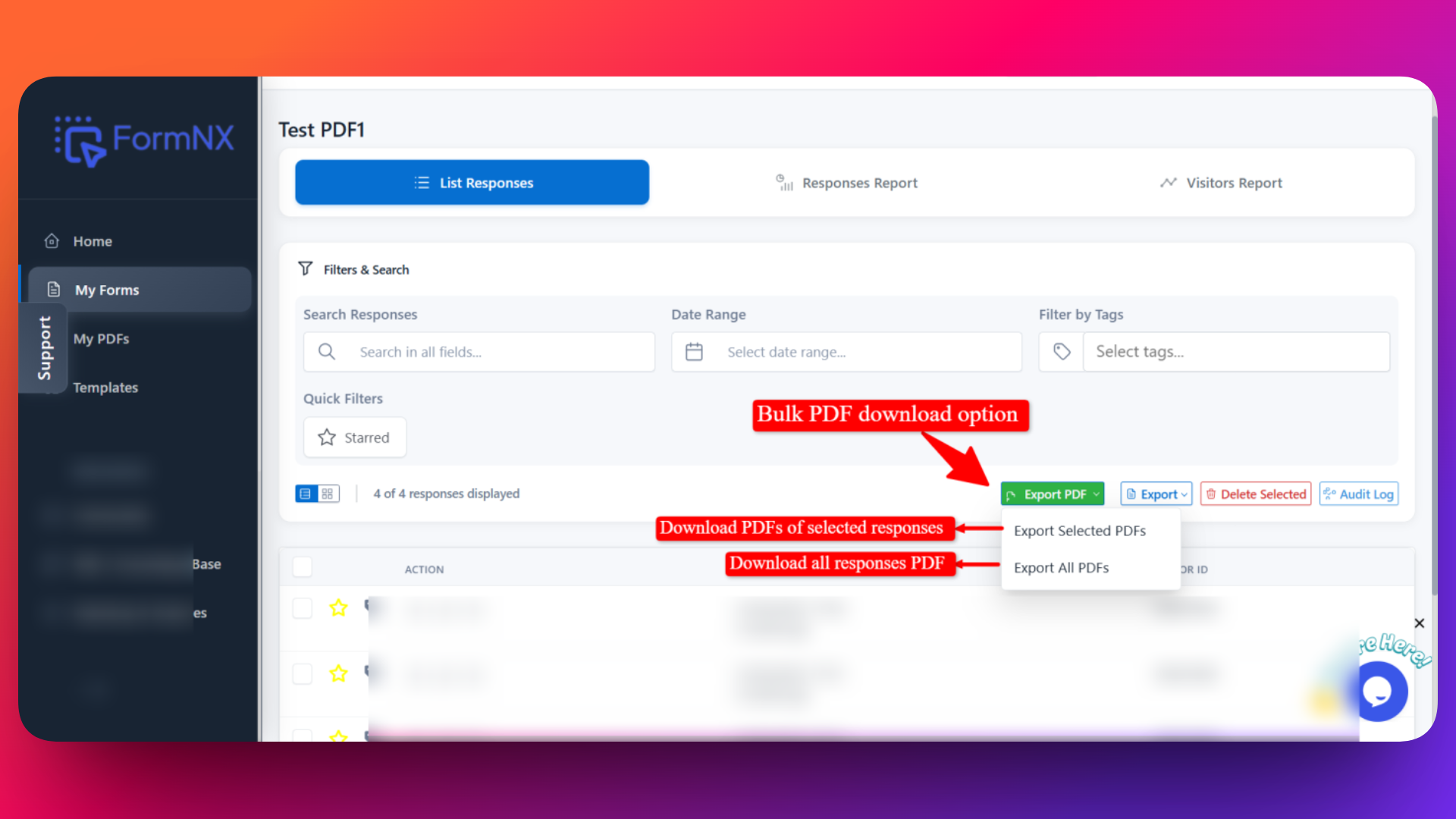
Where to Find PDF Export Option
- Go to your form in FormNX
- Go to the List Responses page of the form
- Click the Export PDF button
Once clicked, you will see two export options:
✅ Export Selected PDFs
Use this option when you only need PDFs for specific submissions.
- Select the submissions you want from the responses list
- Click Export Selected PDF
- PDFs will be generated only for the selected entries
Best for: Downloading a few specific responses.
📚 Export All PDFs
Use this option to export every submission of your form at once.
- Click Export All PDFs
- FormNX will generate PDFs for all form responses
- PDFs are created based on your PDF template
Best for: Backups, audits, or full records of submissions.
How You Receive the PDFs
- FormNX sends a ZIP file download link to your registered email address
- This is the same email used to create your FormNX account
- The ZIP file contains all generated PDF files
⏳ Download Availability (24 Hours)
The download link is active for 24 hours only
Make sure to download the ZIP file within this time
After downloading:
- Unzip the file
- Access and use individual PDF submissions
tip
- Ensure your PDF template is properly designed before exporting
- Large forms with many submissions may take a little time to generate
- Always check your spam or promotions folder if you don’t see the email
This bulk export feature helps you manage and store form submissions efficiently without downloading PDFs one by one.